Project 1-Meshing of Rear Wheel Holder challenge
AIM :
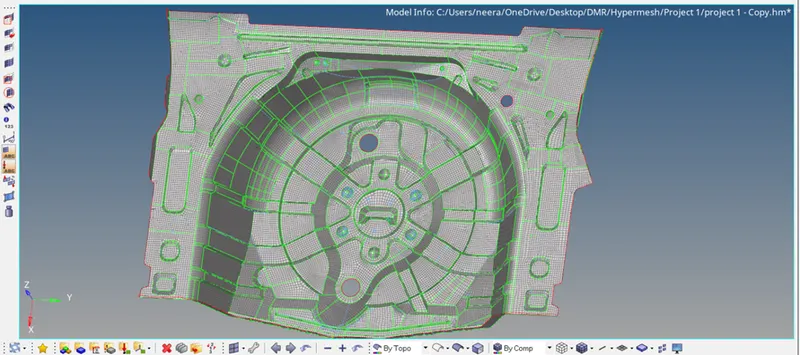
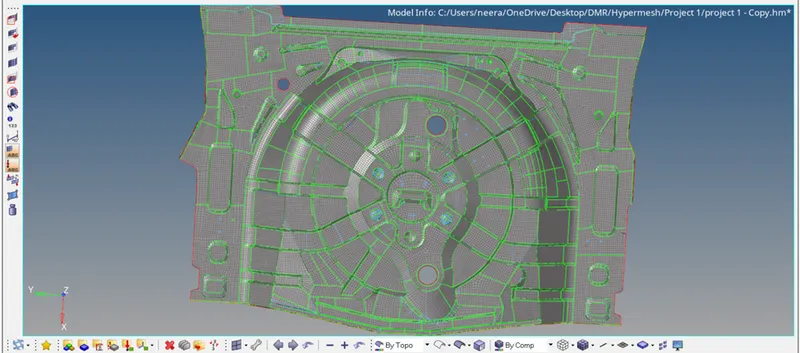
To extract the Midsurface and Mesh the given Rear Wheel Holder component by following the specified quality criteria and assigning thickness .
Target Element Length = 5 Units
|
S.N |
Quality Criteria |
Value |
|
1 |
Aspect Ratio |
5 |
|
2 |
Skewness |
45 |
|
3 |
Warping |
15 |
|
4 |
Taper |
0.5 |
|
5 |
Min. Length |
2 Units |
|
6 |
Max. Length |
8 Units |
|
7 |
Min angle Quad |
45 |
|
8 |
Max angle Quad |
135 |
|
9 |
Min angle Tria |
20 |
|
10 |
Max angle Tria |
120 |
|
10 |
Tria % |
10 |
Objectives:
- To clean the geometrical error in the model.
- To extract a mid-surface of the given component.
- To take the mid surfaces of given component
- Entering the quality parameter.
- Meshing the component with minimum number of trais and good mesh flow.
- Clearing all the quality parameter which failing for quality criteria
- Assign thickness of the given component.
Procedure:
- Open the cad file and then fix the geometrical error like unproper surface ,triple cons,distorted surface.
- By using tools like
Visualization options
Geom-> 1) split surf-node
2) toogle edge
3)washer split
4)replace point
5)add or remove point.
6)filler surface & surface
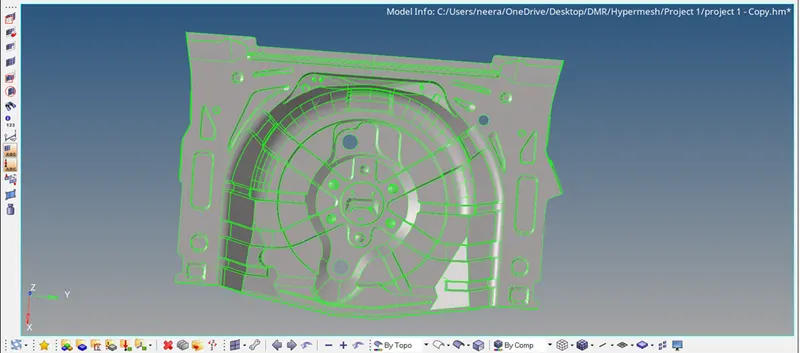
After cleaning the all the error we have to move forward for the mid surface.
2)Mid-surfaces:
- To take the midsurfaces we have goto create property then
geom-> mid surface-> offset+planes+sweeps
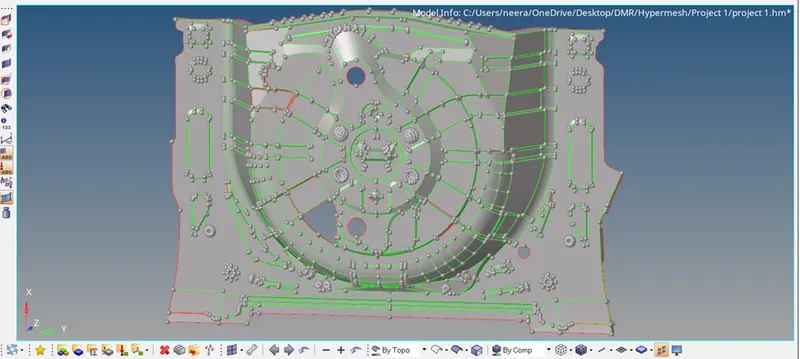
By using this options still we are not getting the good midsurface so we have to manually fix it by using the tools like surfaces & filler surfaces & toogle edge.
- For the manual offset
Steps For manual offset
- Create the property first
- Then make property as current property.
- Transpercy ctrl+t
- Press Shift +F9 -> offset ->select the component-> then duplicate ->current component-> offset value->vector normal->reverse normal ->offset.
Quality parameter:
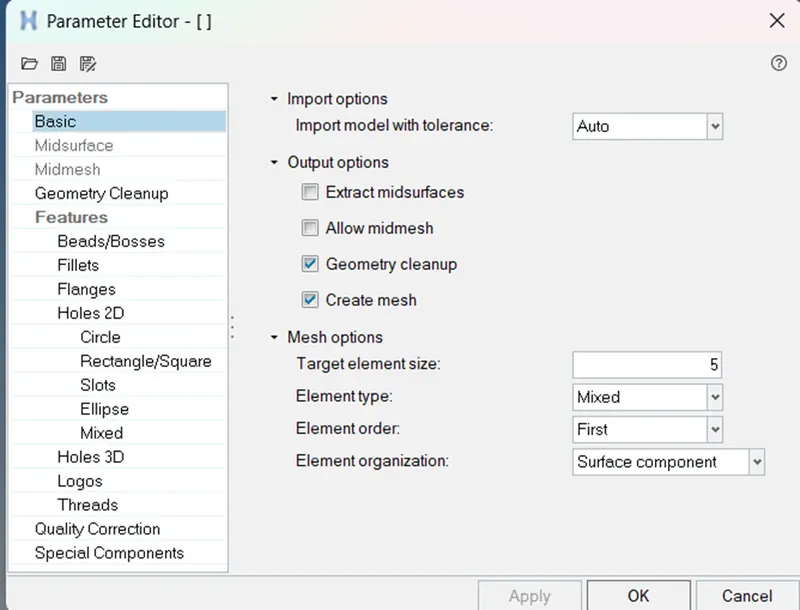
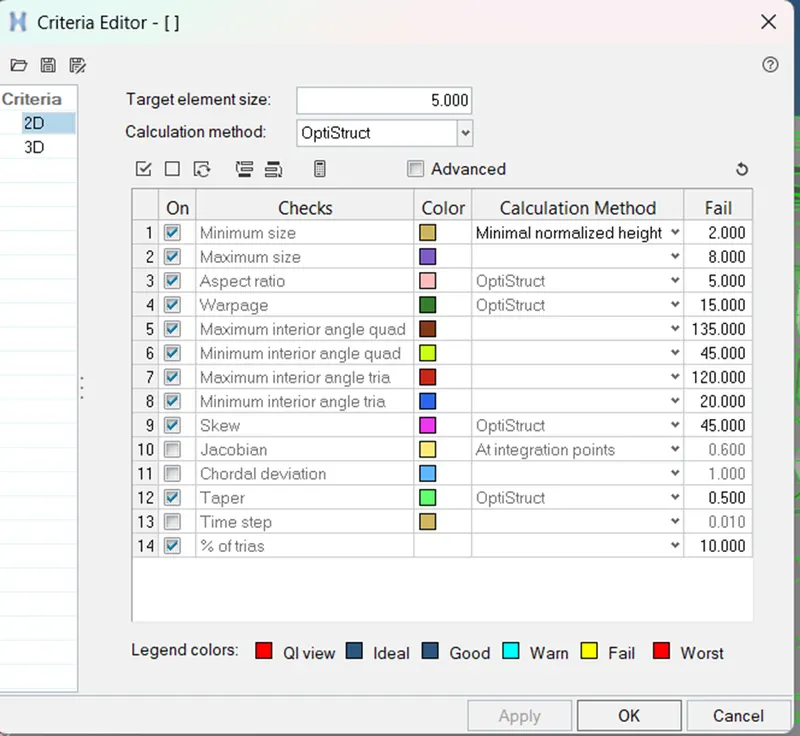
Meshing the component:
To meshing the component we have to start from the middle part to outside part to element the trais.
Tools used:
1)2D->Automesh
2)2D->Rebuild
3)Mask &Unmask
4)Quality index
CONCLUSION :
- Extracted the mid-surface of the given component
- Meshing the model by the various tools and assigning the thickness of the model