Project 1-Meshing of Rear Wheel Holder challenge
AIM:TO mesh the given component as per given and assign the thickness for the component..
procedure:initially, download the given component and open it in HYPERMESH software.
check the thickness of the component.
make sure that all the components will be assign in one file.
create a midsurface for the component for that click on geometry and select the midsurface option and select the component and assign midsurface.
hide the parent geometry and clear all the geometrical errors present in midsurface.
use tools like toggle edge, surface delete, toggle line, remove points which are available in quick edit tool in geometry.
delete the mentioned surface and fill the hole portion by selecting the fill surface.
QUALITY PARAMETRES:
assign the quality parametres by selecting the preference and criteria settings.
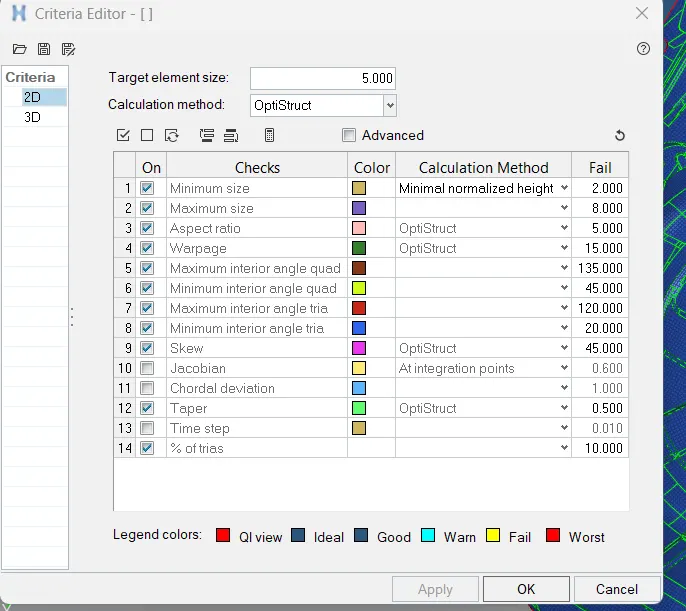
MESHING:select the automesh which is in 2D and select the components.
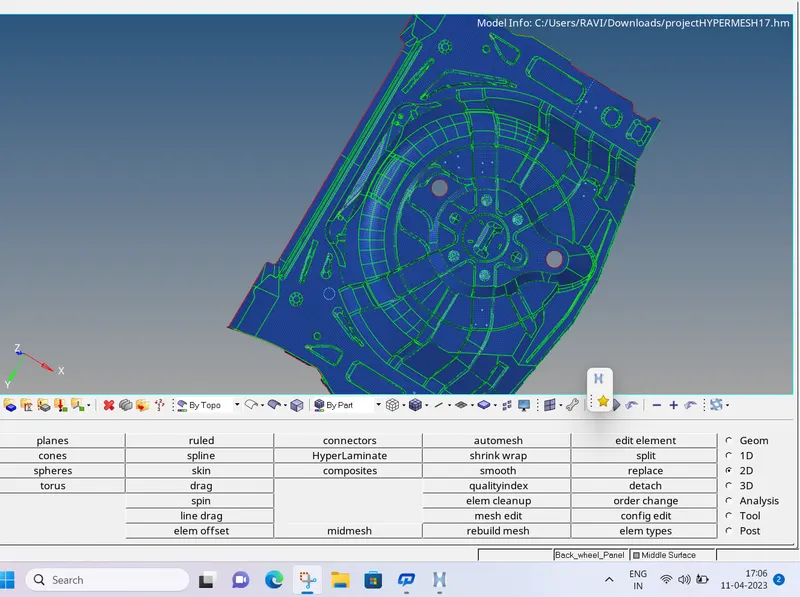
QUALITY INDEX:
in 2D select the quality index to compare whether the meshing is passed in the given quality parametres if not select element edit and decrease the qualty errors by using tools like split, smooth, optimize element, drag tria.
THICKNESS:
IN the tool bar give a right click and select create, in that selct properties and material as well.
give the thickness as same as parent geometry consists.(0.75mm).
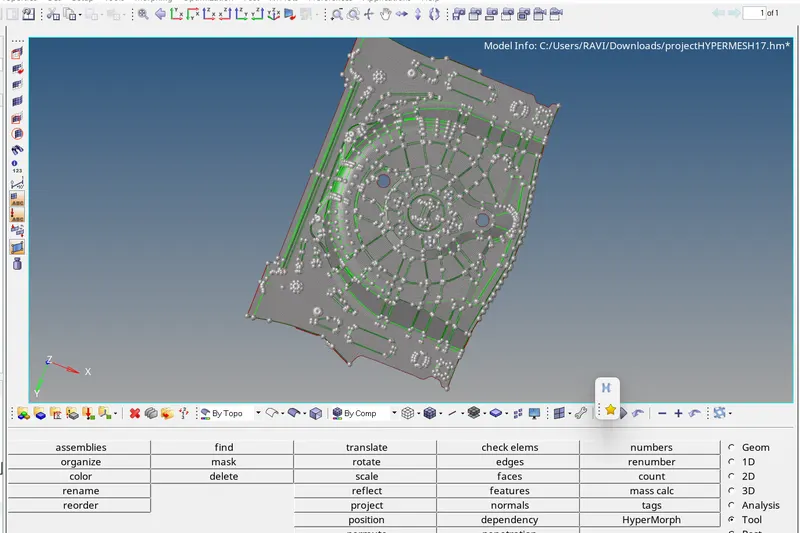
RESULT:as per the given quality parametres meshiung is done for the given component and assgined thickness,deleted the surfaces as specified.