Project 1 - Meshing of Floor Panel
AIM: The main aim is to create a FE model with all given quality parameters and with good mesh flow for a given part.
Objective of the Project: THe main objective of the project is to create a FE model and to learn new problem solving skills to solve all the quality issue while working the model.
Procedure:
-- First we have to open the model into the ansa software.
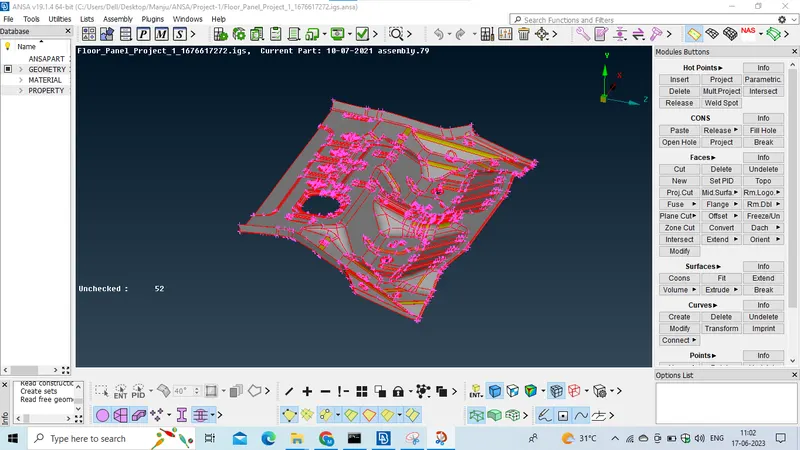
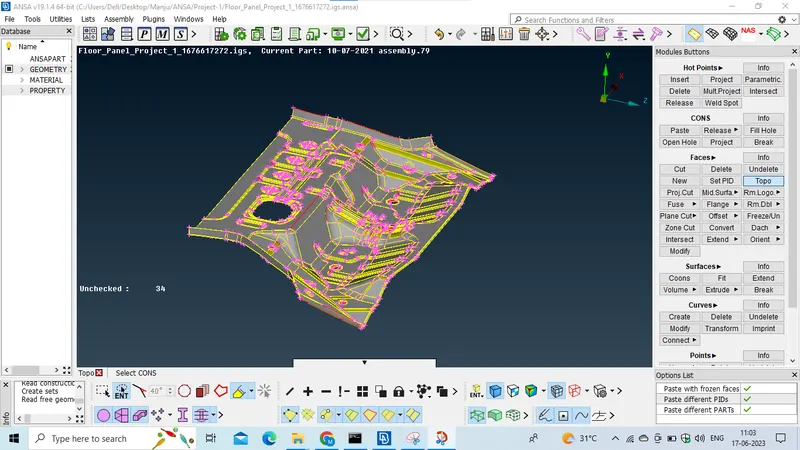
-- We have to give topo for entire part by using TOPO option. to clear the geometrical errors.
Now we have to assign the elemental length as 1 by using length option present in MESH module to capture all the feature.
-- And now we have to check the geometrical errors by using Geometric checks present in Checck Managers option.
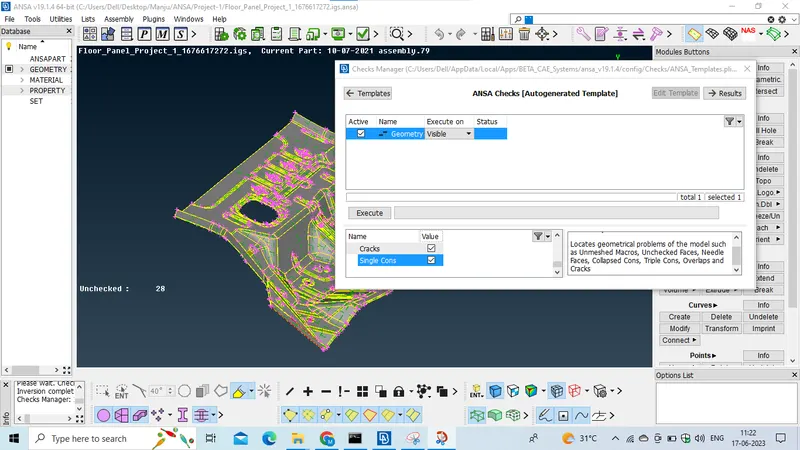
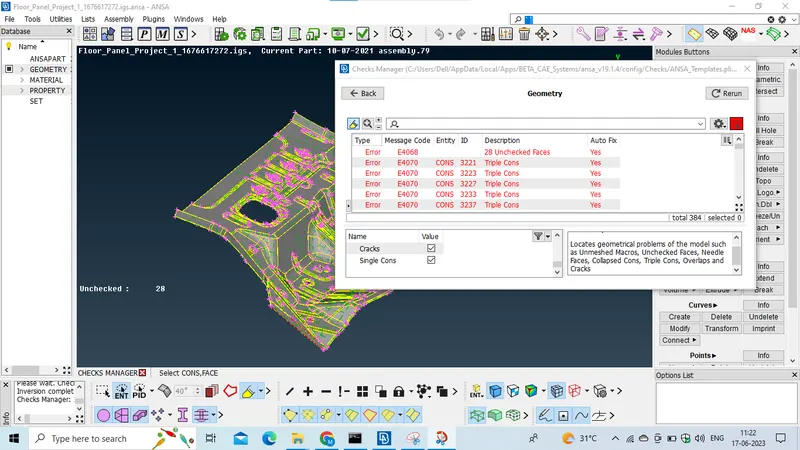
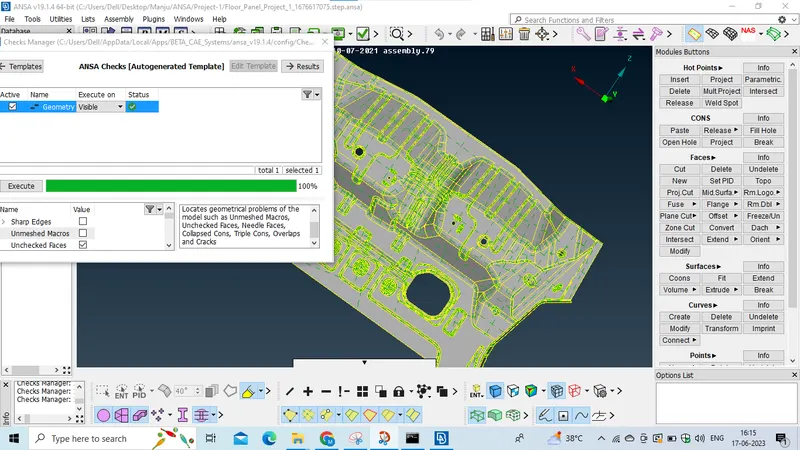
-- If we get the geometrical errors we should clear them by using all the techniques like pasting the cons and deleting the unnesscary hotpionts ad many more techniques which we have done for previous model. or we can auto fix it if possible.
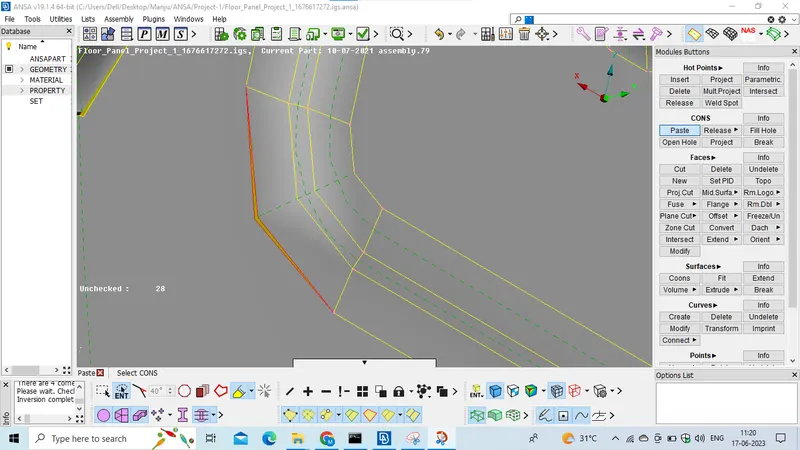
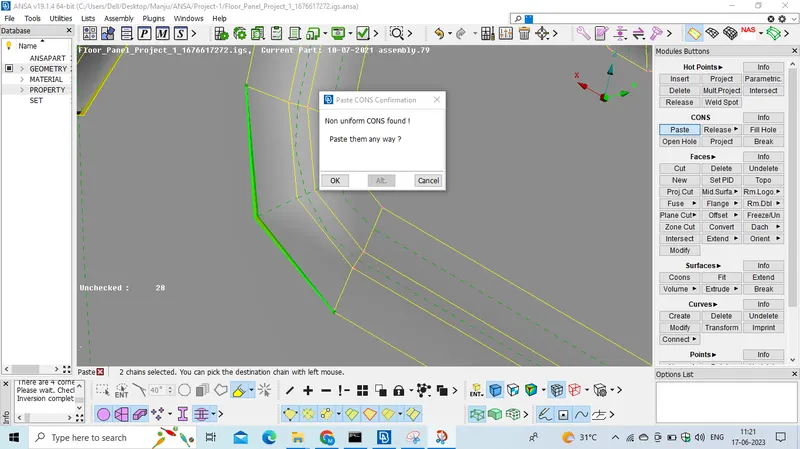
-- after clearing all the geometrical errors,
we have to create midsurface for the parent geometry, so for creating midsurface we need the thickness of the parent geometry, we should calculate the thickness by using the measuring tool,
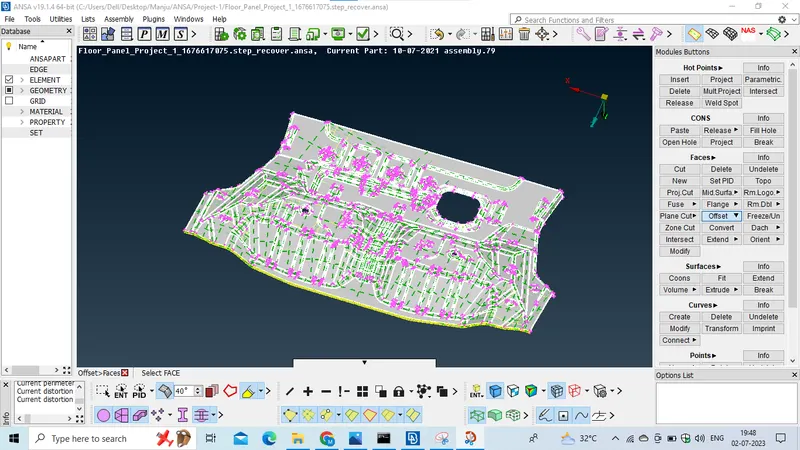
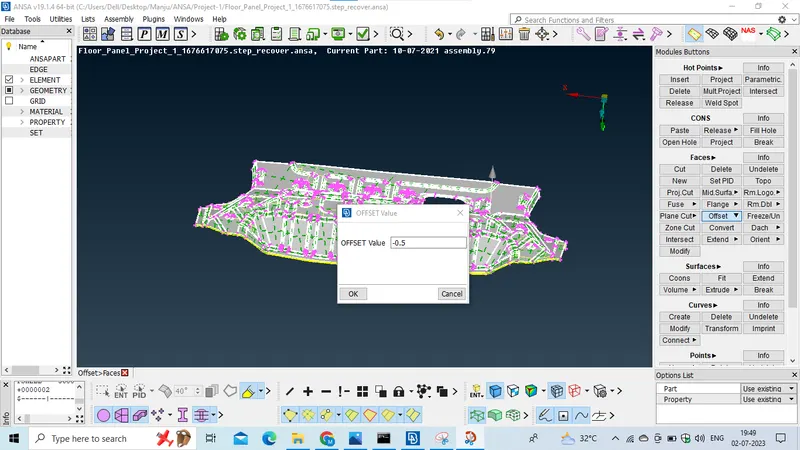
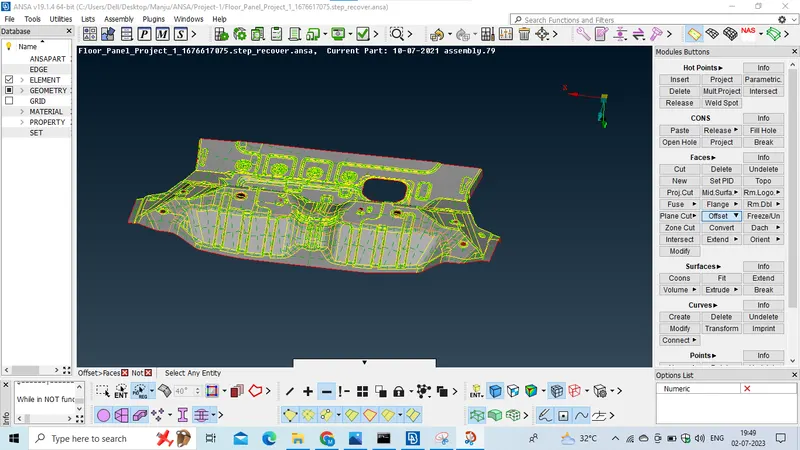
-- For creating midsurface we have to select the OFFSET option and we have to select the feature option which is present in bottom ribbon and select the entire part and click middle mouse button and it will ask for Offset value and we should assign the value as half the the thickness of geometry and click middle mouse button.
the midsurface will generated.
-- Now we should seperate the midsurface from parent geometry, By selecting the NOR option select the PID region in bottom and click on the parent geometry and click middle mouse button now only the midsurface wil be visible and now we can work on midsurface now.
--And now we have to create a PID for midsurface, byclicking SETPiD option in topo module and select the entire midsurface and click middle mouse button and a new window will open and we have to all the values in the window like we have to asign the PiD name and its thickness value, and click OK and new PiD is generated and in order to apply that PID on the midsurface we have to double click on the the Pid and it will be applied.
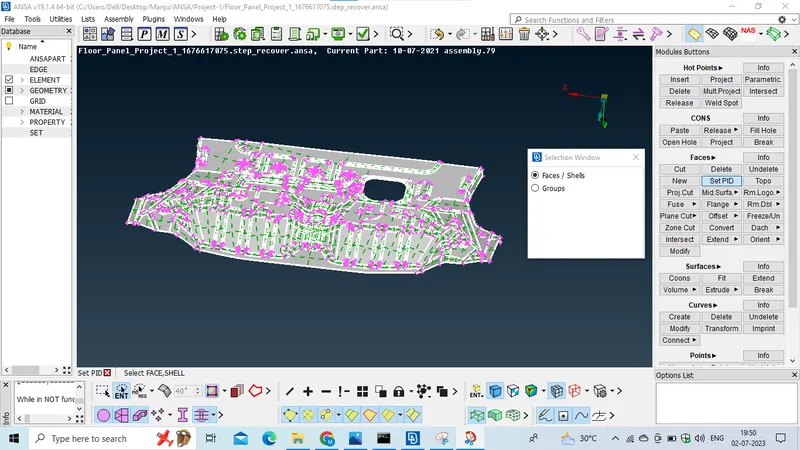
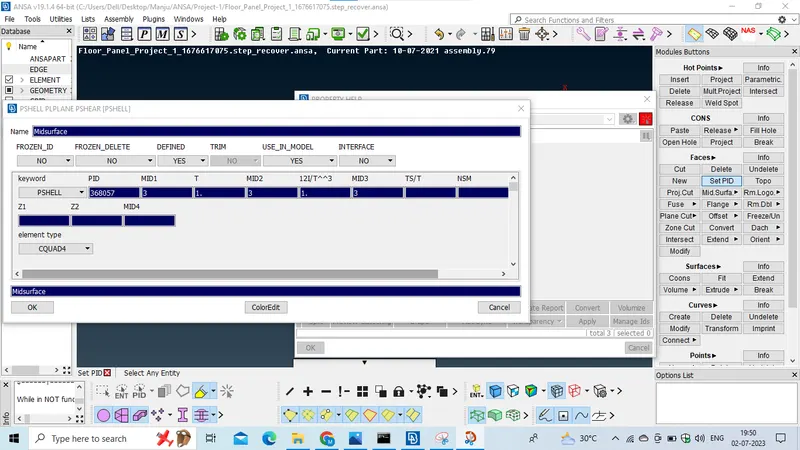
--Now we should again check for geometrical errors for midsurface.
--If in case any errors found we shoould clear them auto or by manually.
For the midsurface we have to Defeature some feature in order to get a goo mesh flow, we have to deafeature the model by analysing where an element can fail at that point we should defeature the model we have to do defeaturing in oder that the model should also not gets diturbed and the elements should also pass the all quality parameters.
Defeaturing is that by deletiing the unnecesary construction lines and etc...
And we moving to the meshing part.
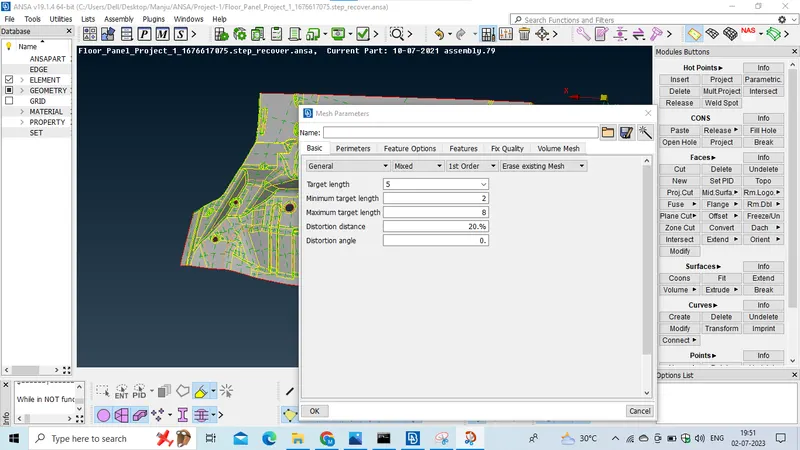
First we have to set the Mesh Parameters.
Click on Mesh parameters option which is present in the upper ribbon and new window wil open.
assign the all values.
1. Target/AVG Element length-05
2. Minimum element length-02
3. Maximum Element length-08.
and click on OK.
And now set the quality parameters.
1. Aspect Ratio-5
2. Skewness-45
3. Warping-15
4.Taper-0.5
5. Min length-02
6. Max Length-08
7. Min Quad angle-45
8. Max Quad angle-135
9. Min Tria angle-20
10. Max tria angle-120
11 Tria %-10
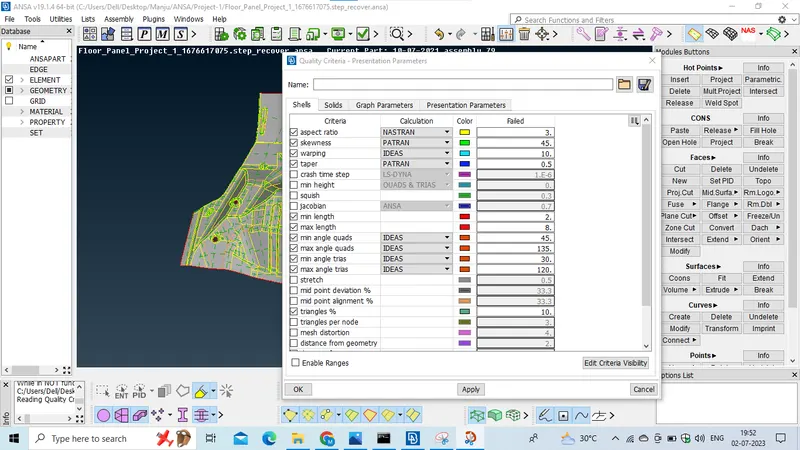
and click on Mesh parameters and check on the tria % and in the detail on demand effect option drag the button to the all details.
and click on OK.
And now we should perform meshing operation on the midsurface.
Now we have to create mesh BEST option or SPOT MESH which is present in the mesh module.
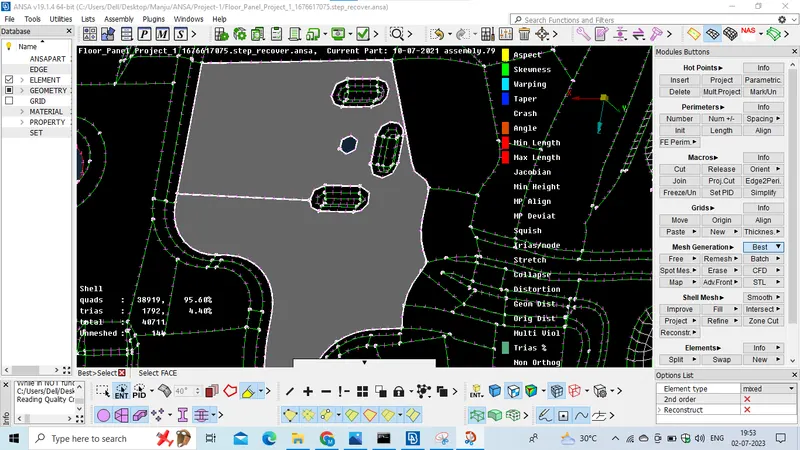
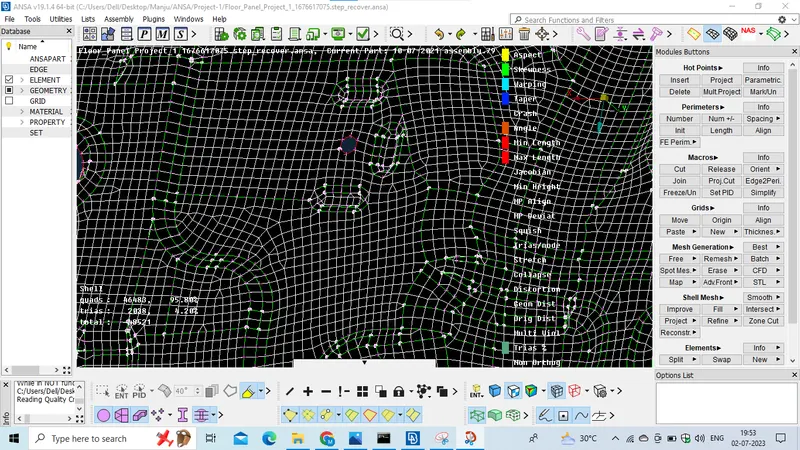
By selecting BEST option and click on the area where we should mesh and the mesh will generated but some elements will be failing for quality and we should we fix them by using some own techniques like creating cuts on the surface and remeshing the areas and by reconstruct option also we can fix some qualtiy errors, and we have to avoid the tria percantage as much as possible to avoid the trias we should use SPLIT/SWAP option, In some case Paste option also we need to use to clear the errors and should perform on it.
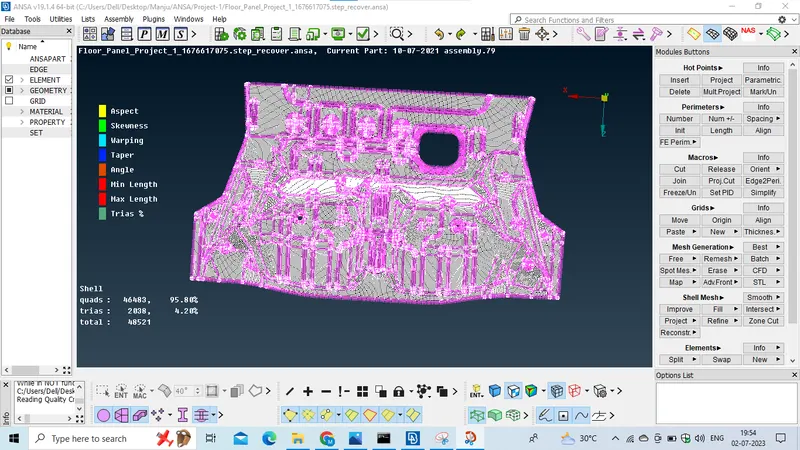
we should create mesh area by area and we should create each and every area of the midsurface and should work on the mesh and use some techniques to obtain a Quality mesh and good mesh pattern.
And finally we have to save it.
CONCLUSION.
In this Project I have learnt some more new problem solving techniques and learn new things with the help of the support team and i have learnt how to clear the elemental failure in the complex area i have learnt while working on this project.
Thankyou.