Project 1 - Meshing of Floor Panel
PROJECT 1:
MESHING OF FLOOR PANEL:
OBJECTIVE:
to obtain a preprocessing of a floor panel using ANSA.
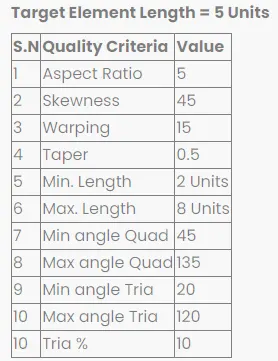
to do a 2d meshing of a floor panel with given quality creteria after doing the geometrical cleanup and mid surfacing.
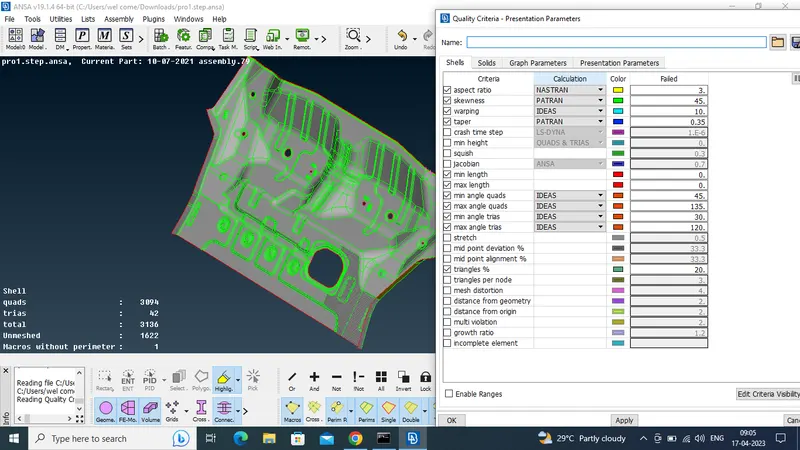
the quality creteria is follows:
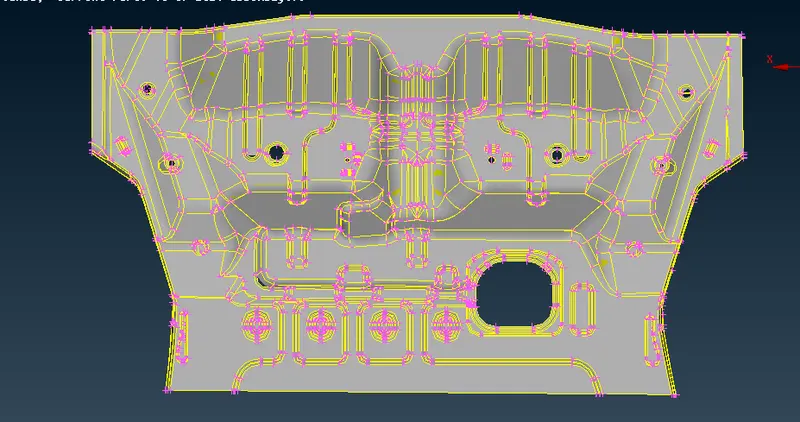
CAD MODEL IMAGE: (floor panel)
PROCEDURE:
geometrical cleanup ---> midsurface generation ---> set PID ---> define the mesh parameters and quality creteria ---> mesh generation ---> mesh flow and
quality improvement.
GEOMETRICAL CLEANUP:
impporting the cad model from other software to ansa results in geometrical issues , it needs to be cleared before going to further steps.
for check the error: go to tools--->check--->geometry , it shows error.
the errors may be the following:
unchecked faces
single cone
triple cone
- here some of the error gets resolved by using auto fix option, for that go to tools--->check--->geometry--->execute--->right clk--->fix.
- some of the error needs to be resolved manually for that go to tools--->check--->geometry--->execute--->right clk--->show only--->use AND option for neighbouring
parts.
finally all the cons should be double cone , avoid the single and triple cone before midsurfacing because for midsurfacing the model should be in the double cone.
before midsurfacing again check the geometrical cleanup ,because the component free from the error for mid surfacing.
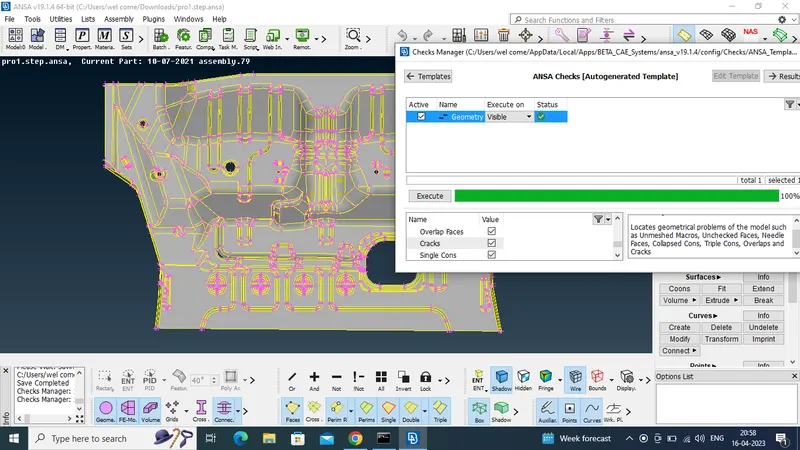
then needs to solve the orientation issues , orientation in ANSA showed by grey and yellow colour.
grey indicates positive and yellow indicates negative .
face is said to be inconsistant if one face having both colours. for resolve this issues go to faces ---> orient --->visible , then the ansa will give one face having grey colour and
another face having yellow colour, so now the model is consistant .
then the model ready for the midsurfacing ang check geometrucal cleanup once finally for midsurfacing.
MIDSURFACE GENERATION:
mid surface means exact middle layer of the component, for this model it having a uniform thickness of 1mm so the mid surface is exact 0.5 mm from any faces.
there are two ways to achieve the mid surfacing
1) manual method----> faces >offset>select face>t/2> ok
that is manual mid surfacing
2)automatic mid generation----> faces> midsurface>skin
SKIN METHOD OR FACES MID SURFACE METHOD:
lets see how the mid surface get generated by using skin offset operation;
for generated the mid surface go to select faces---> midsurface--->select the face where you want to generate mid surface--->middle mouse clk--->then ANSA shows
the one side of the face is in red colour and another side is in green colour and the thickness region is in blue colour( if not means try to arrange the colour like wise)--->
middle clk. the mid surface get generated automatically (if you don't want to delete the parent surface then in the option list de select the delete original face(*).
FACES OFFSET METHOD:
in this challenge i am using the manual method or faces offset method.
for that go to faces ---> offset ---> select face where you are need mid surface ---> thickness (t/2) here 1/2 or 0.5 ---> it asks parent geometry deleted , say no --->
mid surface gets generated.
by using method i have generated the mid surface in the model.
once the mid surface gets generated i checked the geometrical cleanup , there is an error , here single cone is not a error but triple cone is considered as error.
use topo operation for stitch all the faces each other.
finally the error gets resolved, then the model ready for meshing.
SET PID:
PID means property ID or property ideantification number.
it needs to assign the thickness and material for the model.
for this model having thickness of 1mm , and also enter youngs modulus and poisson ratio values.
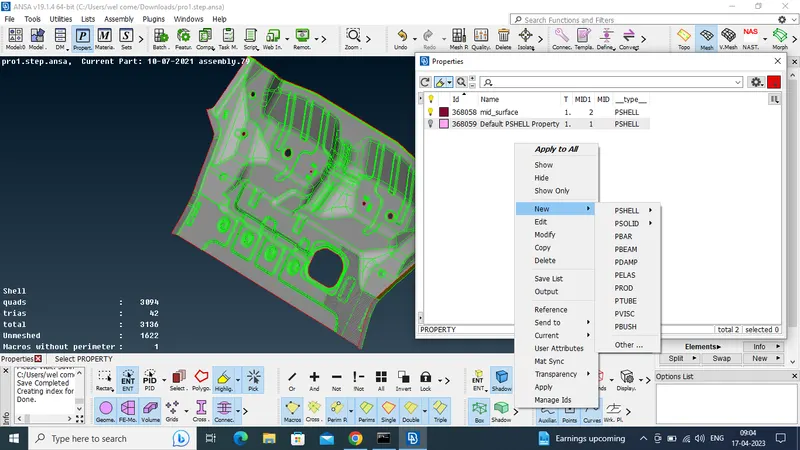
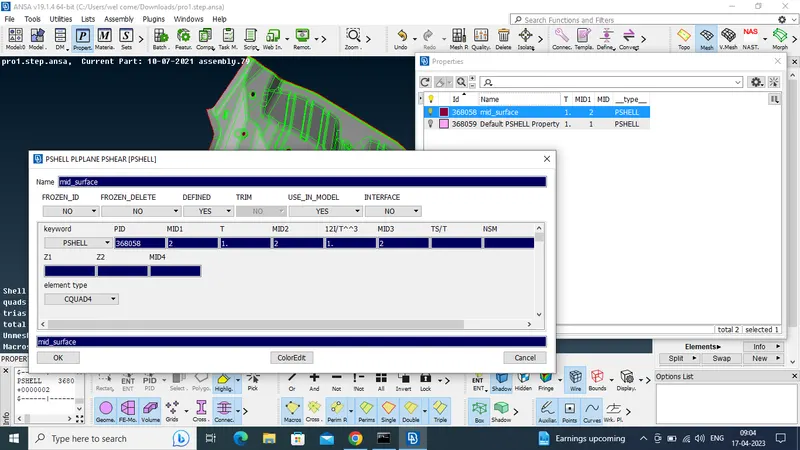
for create PID go to faces--->set PID---> select the faces and middle clk--->property window open ---> right clk ---> new ---> PSHELL --->assign thickness ----> ok
double clk on the option to PID is assign to the model.
then model shows in the different colour with respect to pid.
MESH PARAMETERS AND QUALITY CRETERIA:
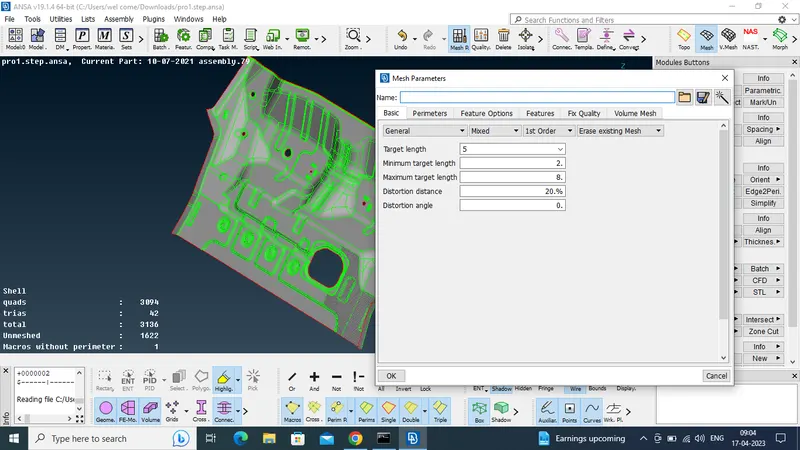
quality of the mesh is defined by the mesh parameters and quality creteria.
for mesh parameters go to utilities--->mesh patameters---> left clk---> it asks target length,min length and max length ---> ok.
for quality creteria go to utilities--->quality creteria--->assign values given in the question--->apply--->ok.
or use F11 for quality creteria.
MESH GENERATION:
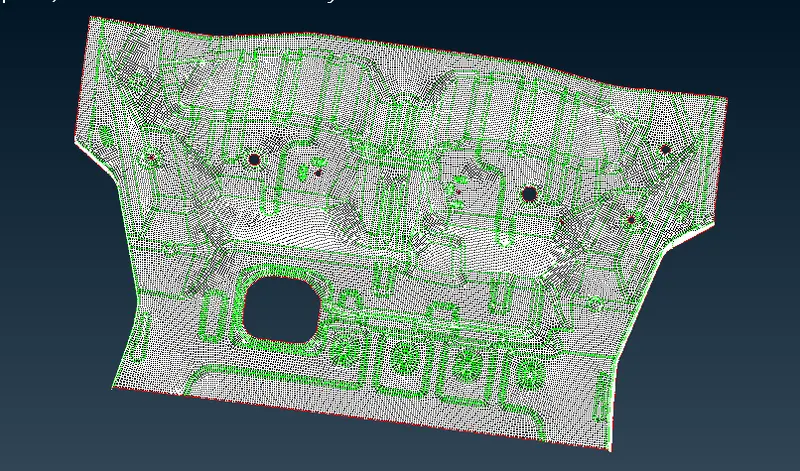
in this project i have used batch meshing and some of the place i have done manual meshing.
for batch meshing go to batch mesh manager---> clk--->window open--->new--->meshing scenerio--->use green button to select the component--->ok---> run.
for manual meshing i have used best mesh.
after that we have to check the quality creteria when hidden mode is on.
try to avoid the quality creteria by using commands like
- paste
- split
- swap
- reconstruct
- smooth
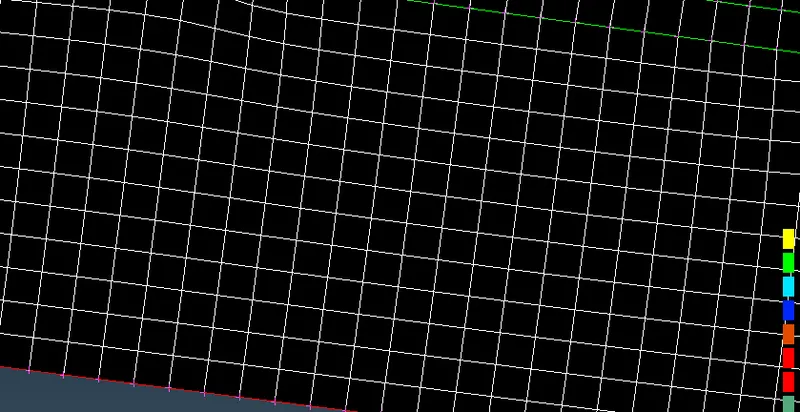
try to focus on the mesh flow with less tria concentration.
CONCLUSION:
in this project i have done preprocessing of floor panel using ANSA.