Project 1_Comparative study of different storey buildings for Seismic forces
Aim:
- To model 10 different buildings on ETABS with given structural properties and names as provided in the below picture.
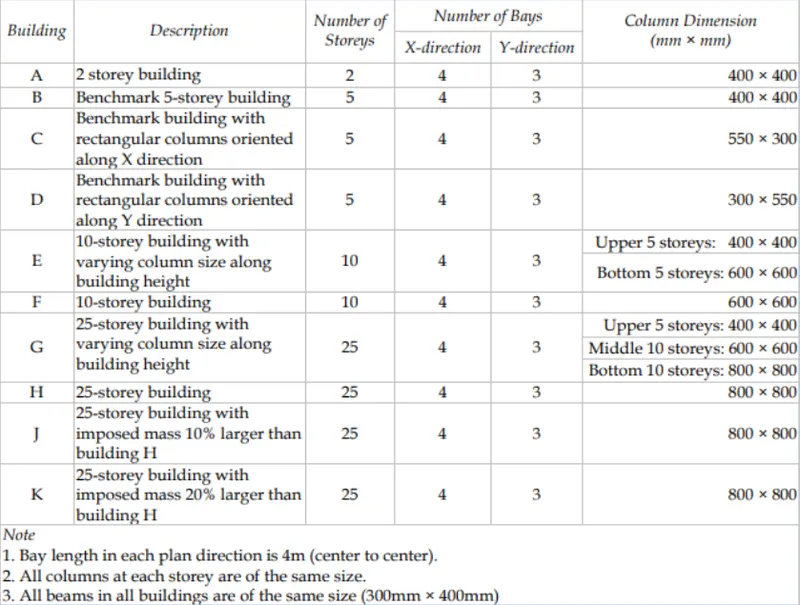
- To compare fundamental natural periods of buildings E & F as well as G & H and find why is there a marginal or significant difference in the fundamental natural periods.
- To Compare fundamental natural periods of buildings H. J and K and to find if the buildings have become more flexible or stiff due to change in mass.
- To observe how do the fundamental natural periods of Buildings A, B, F and H change with change in building height.
- To find how does the fundamental natural periods of Buildings B, C and D change with change in column orientation.
- To compare the fundamental mode shape of Building B in two situations when flexural stiffness of beams relative to that of adjoining columns is very small versus when it is large.
- To compare the fundamental mode shape of Building H in two situations when the axial cross-sectional area of columns is very small versus when it is large.
- To compare the fundamental mode shape of Building B in two situations when the base of columns is pinned versus when it is fixed.
Structural Element Sizes:
- Beams: 300 x 400 mm
- Columns: Columns sizes vary for each building.
- Slab:150 mm thick
Material Properties:
- Grade of Concrete:M30
- Grade of Steel Reinforcement Bars: Fe 415
Loads:
- Dead Load on beams from infill wall = 10 kN/m (Assume the same for roof floor in view of parapet)
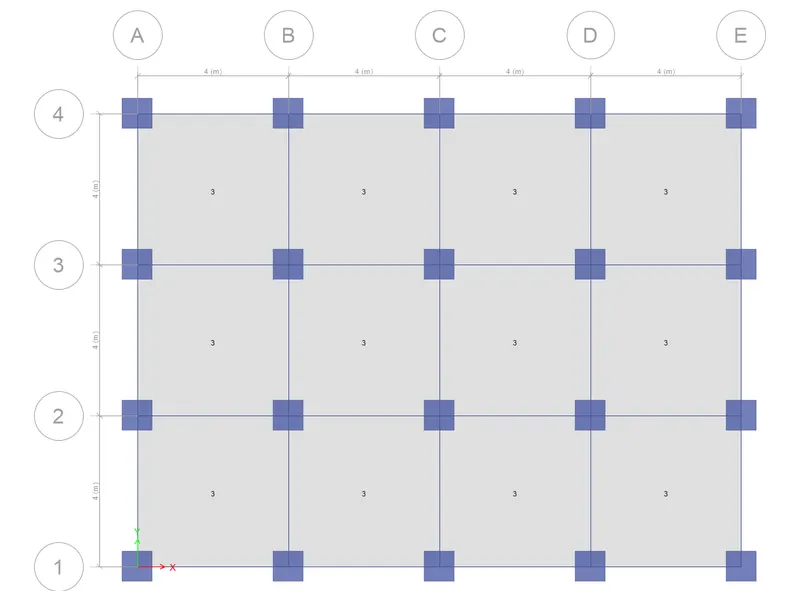
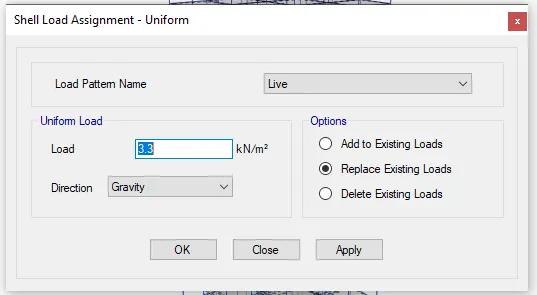
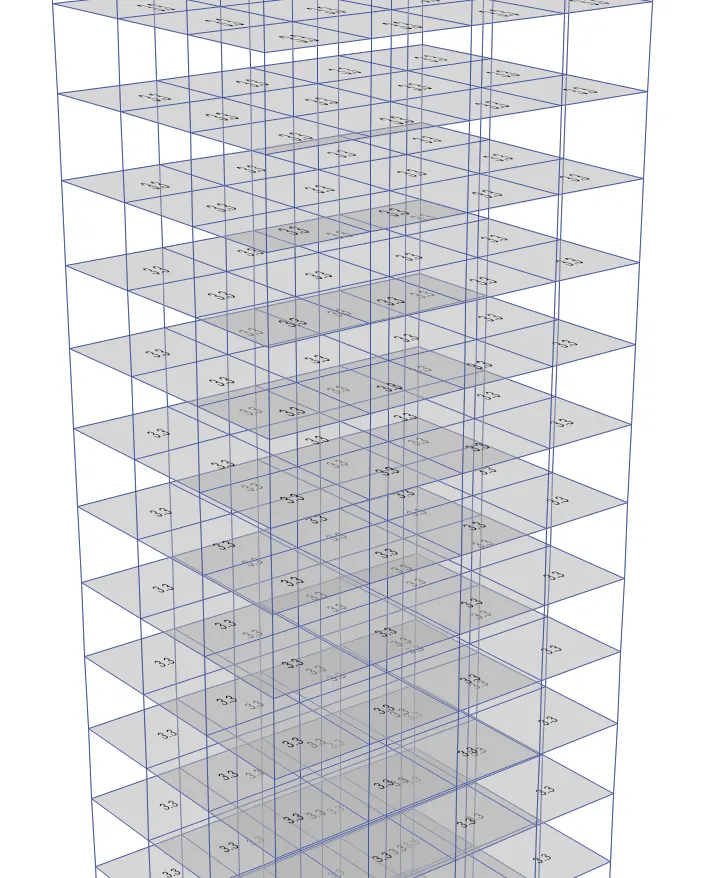
- Live load on floor = 3 kN/m². (Assume the same for roof floor)
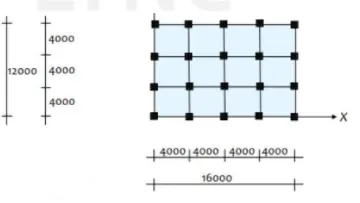
Procedure for Building A:
Open the Etabs software and click on "new model"

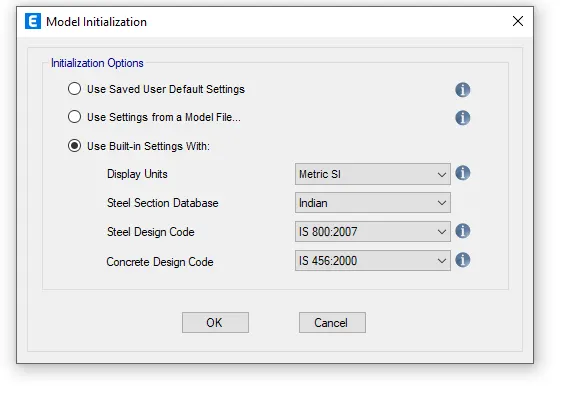
Set the units
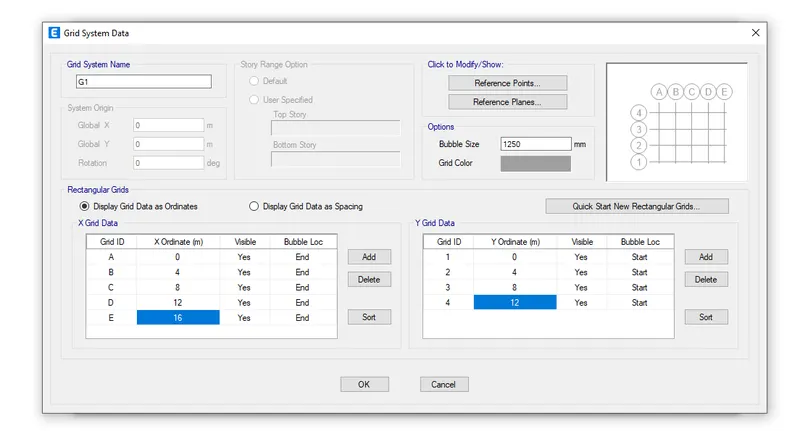
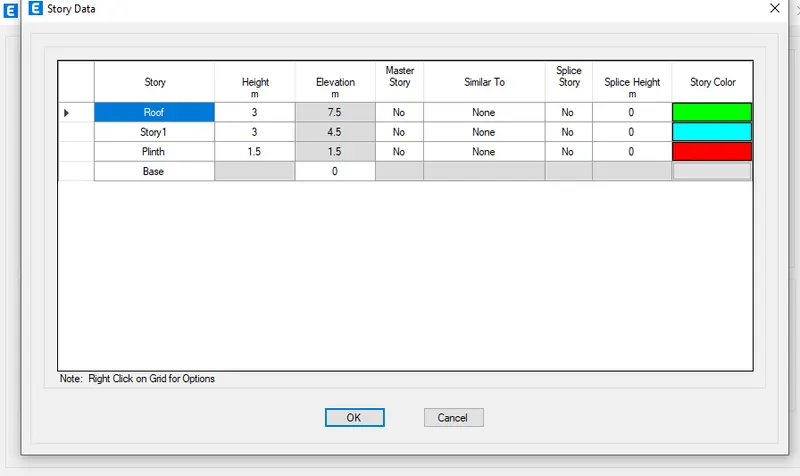
Creating the grid data and storeys
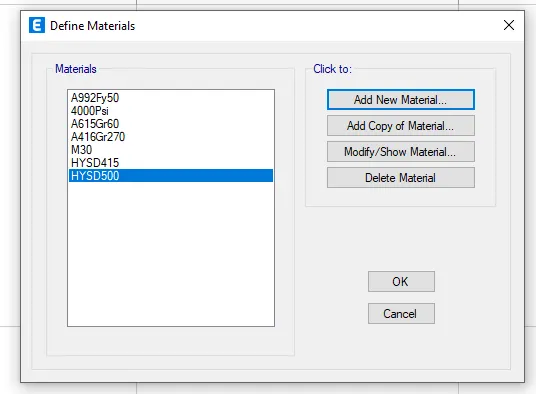
Adding materials:
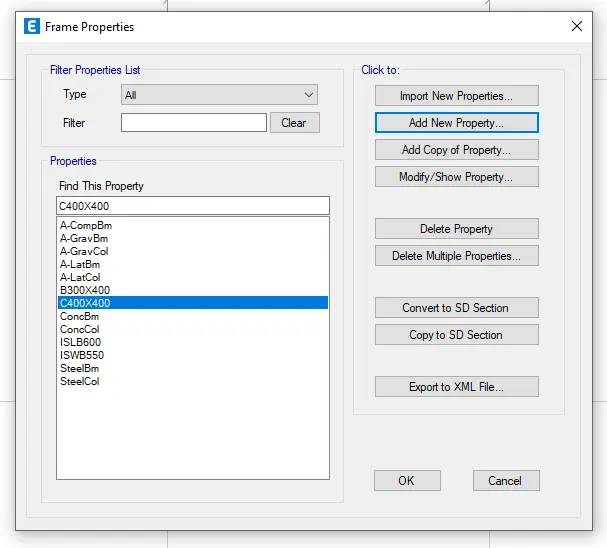
Defining columns,beams and slabs
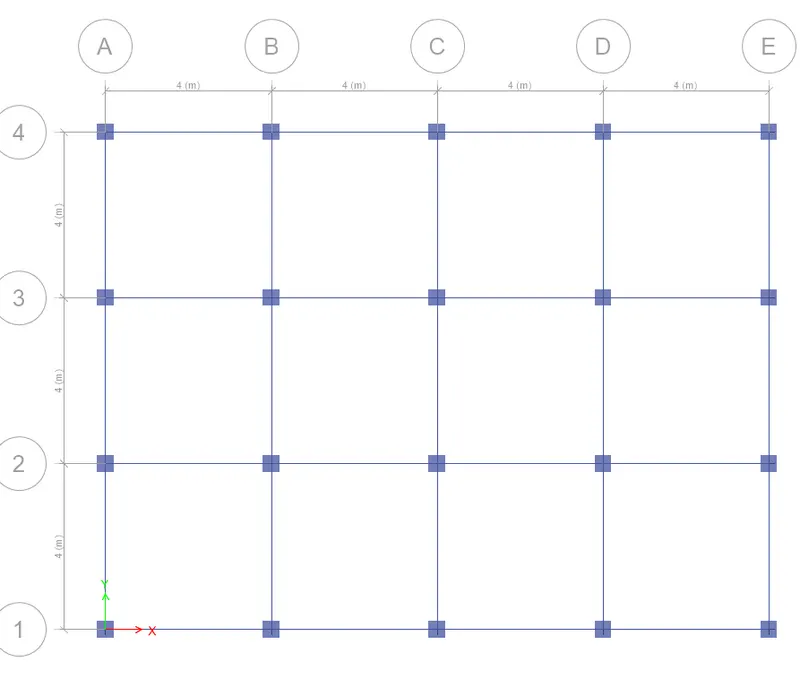
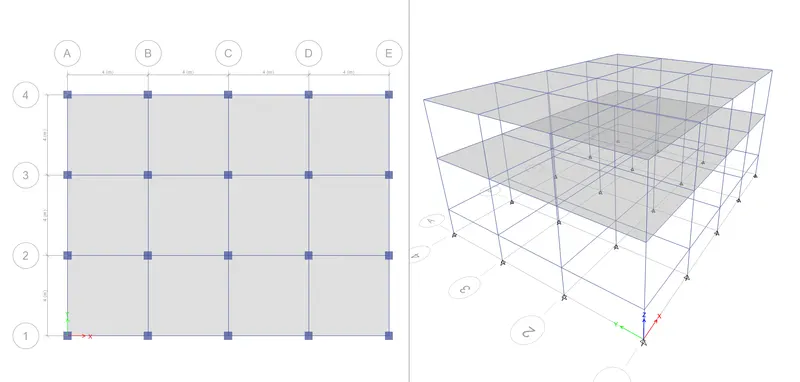
Drawing columns and beams
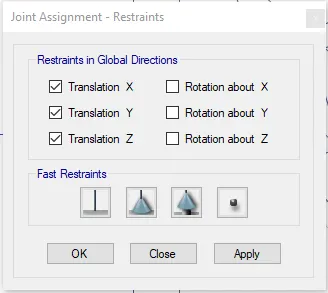
Adding support
Adding slabs to the structure:
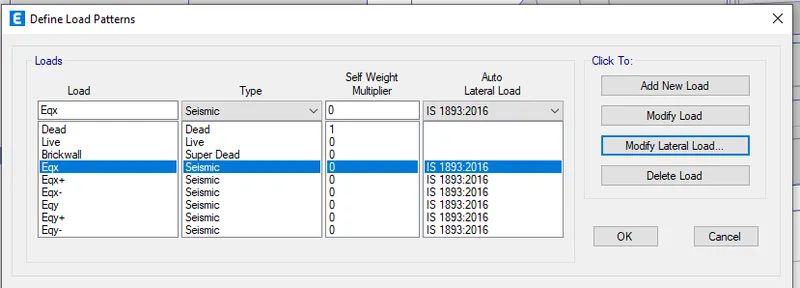
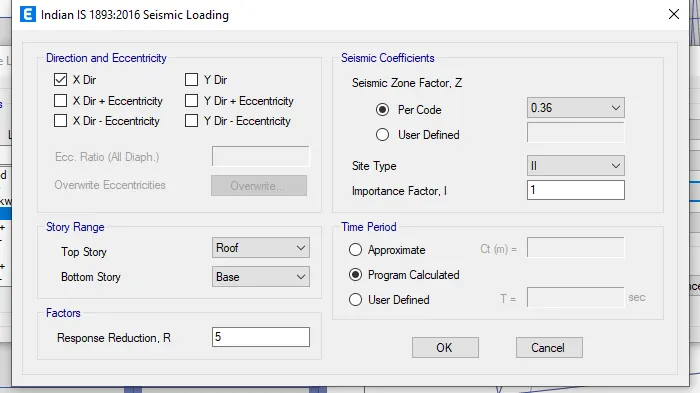
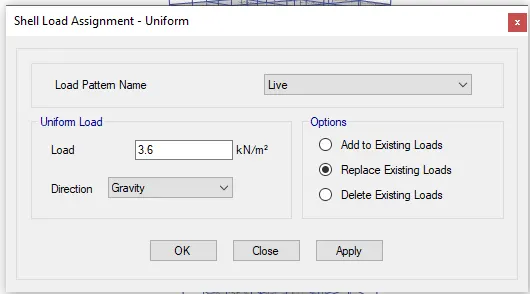
Defining load patterns:
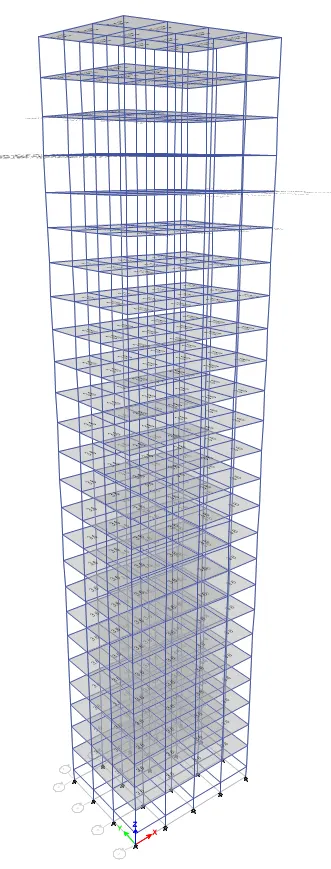
Assigning live load to the building:
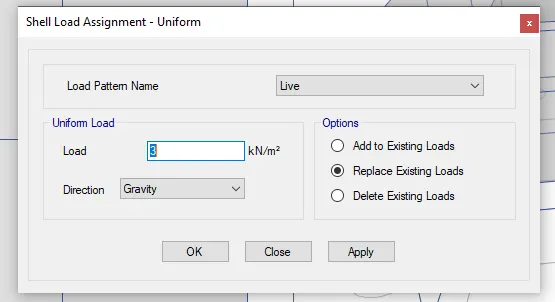
The following result will be shown
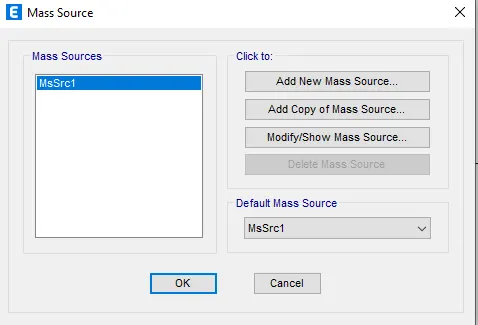
Assigning mass source to the building:
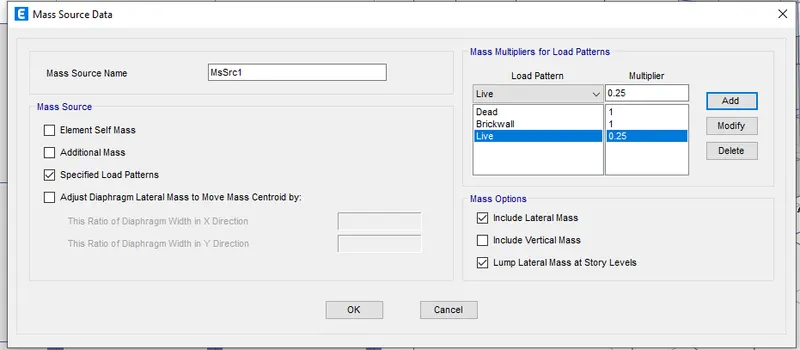
Assigning super dead load to the building:
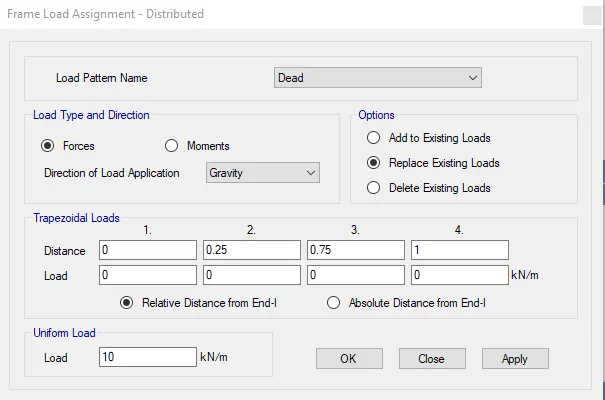
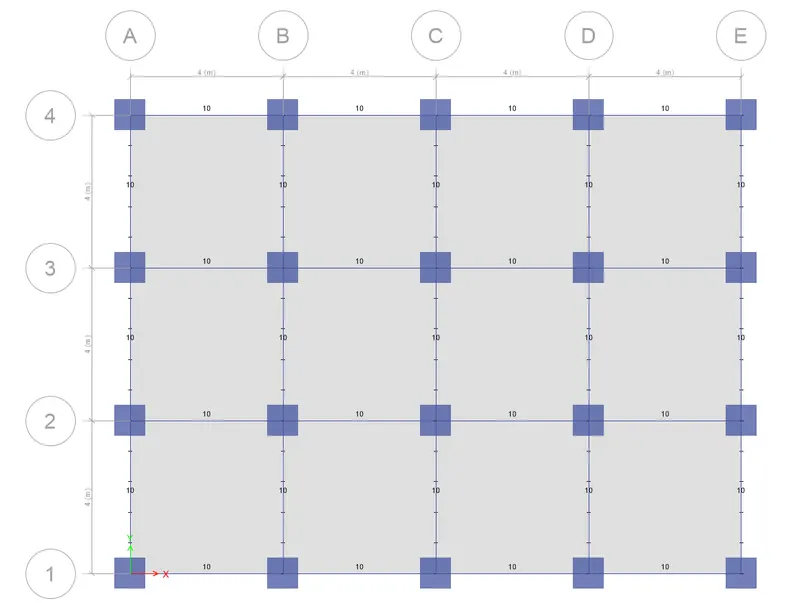
The following results will be shown
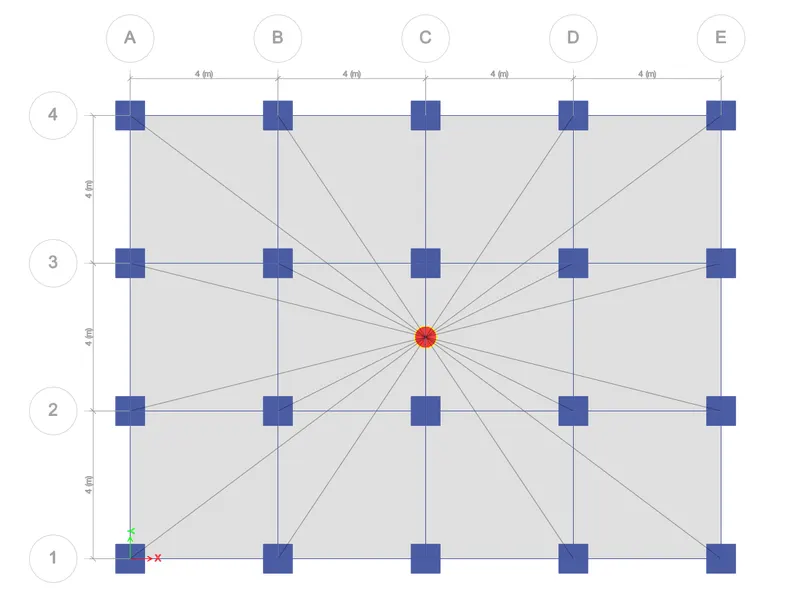
Adding diaphragms:
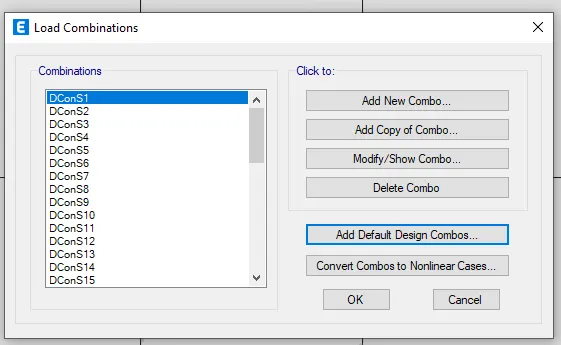
Defining laod combinations:
Checking the model:
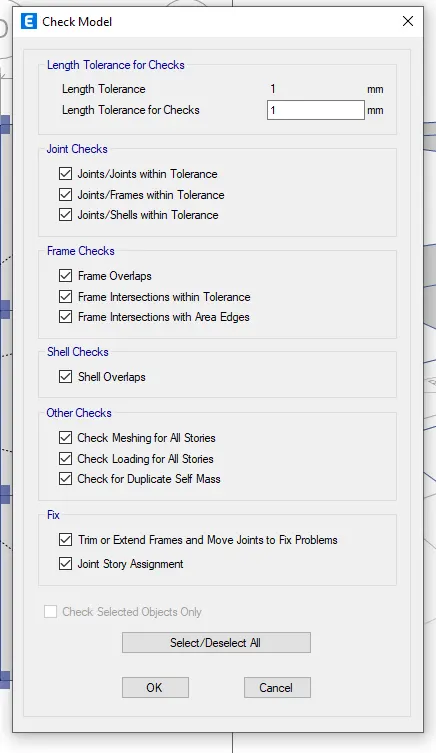
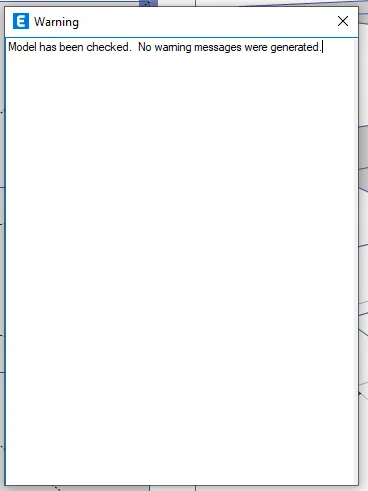
If "No warning" arise, then the model is ready for the analysis
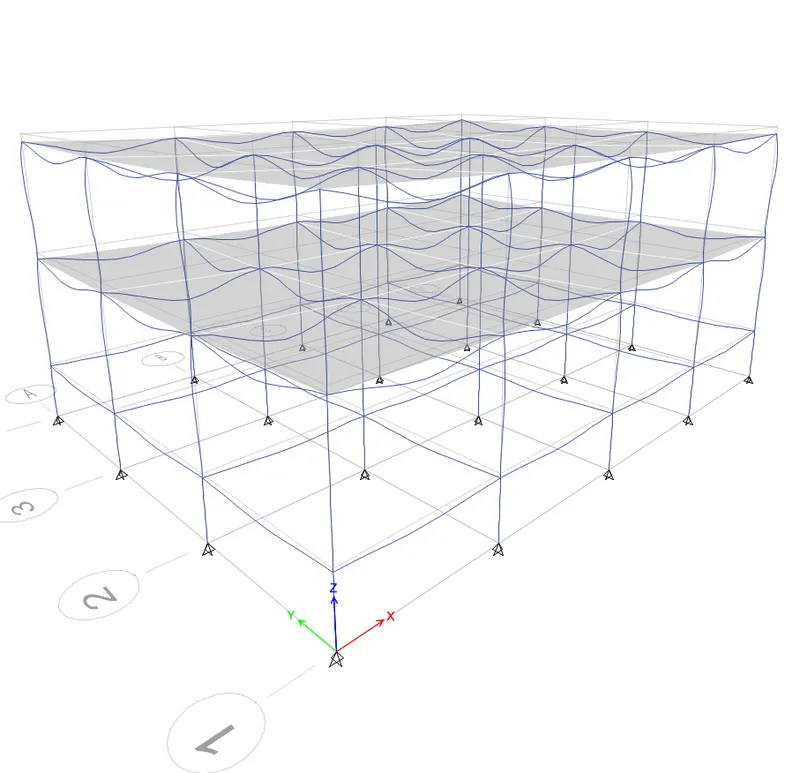
Run Analysis:
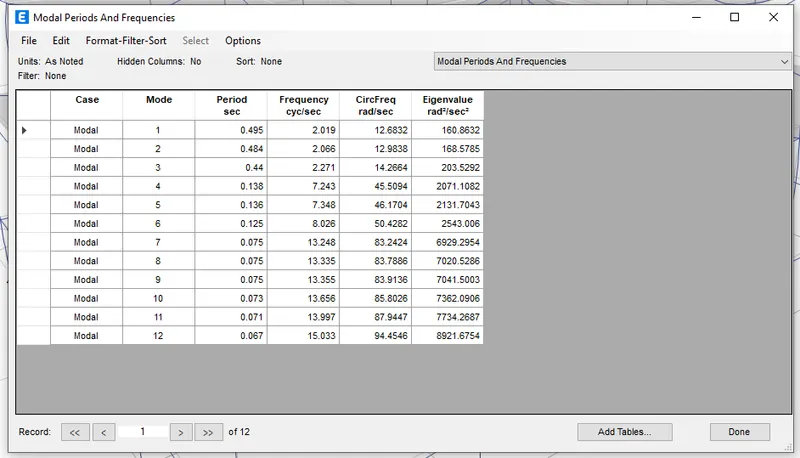
Time period of Building A is obtained:
Building B:
- Copy the model of building A
- Open the copied model of building A to prepare the model of building B
- Unlock the model
- Go to edit tab
- Select > Edit stories and grid system
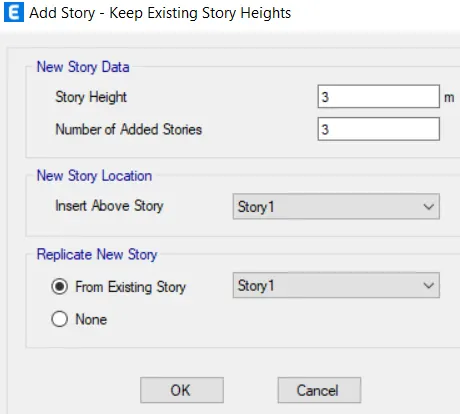
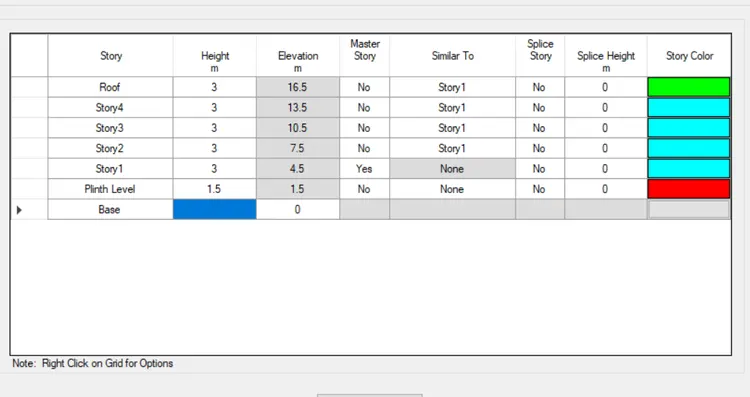
- Click> Modify story data
- Add the stories and set as per shown below
Check the model:
If "No warning" arise, then the model is ready for the analysis
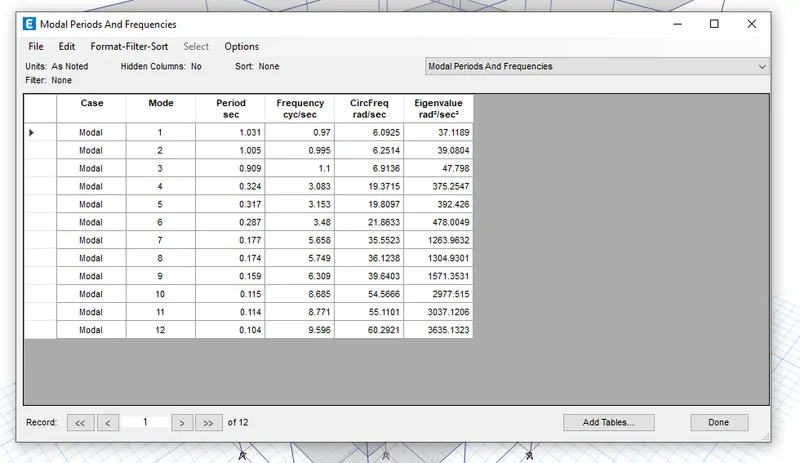
Time period of Building B is obtained:
Building C:
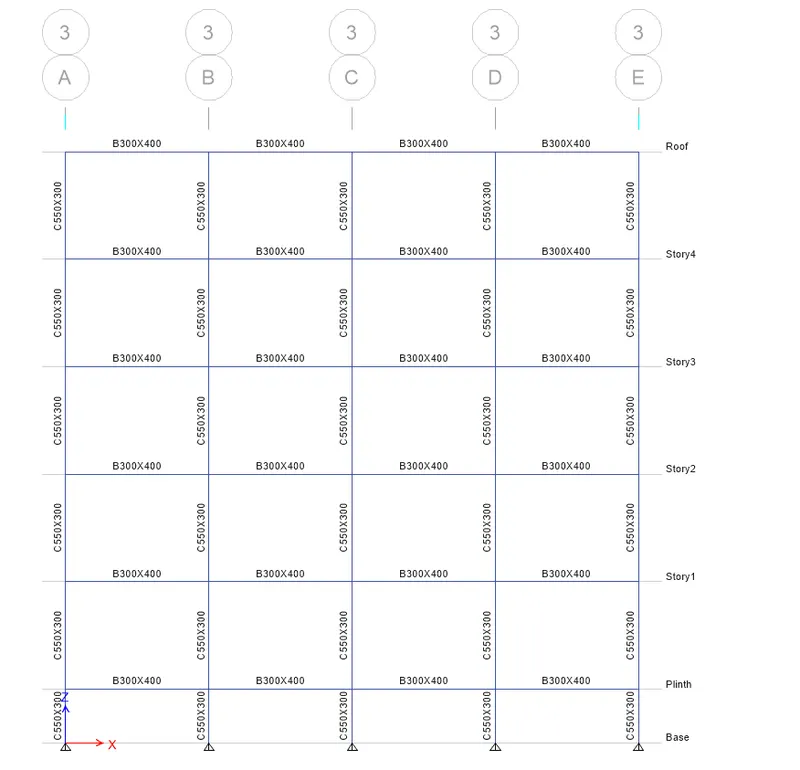
The column dimension is changed to 550X300mm size
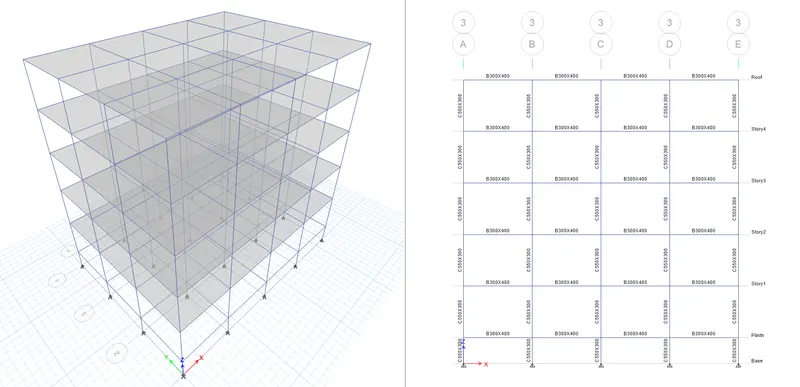
Check the model:
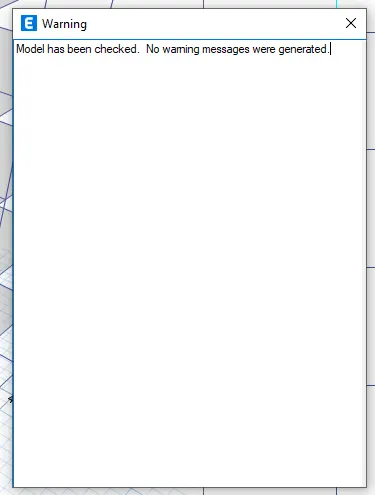
If "No warning" arise, then the model is ready for the analysis
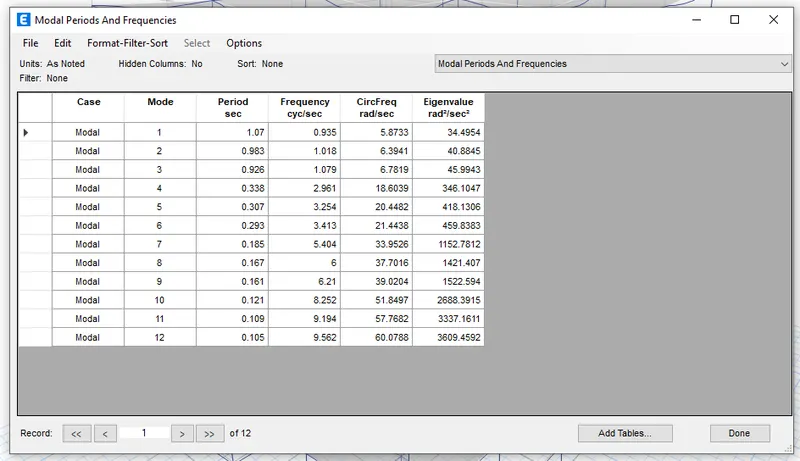
Time period of Building C is obtained:
Building D:
The column dimension is changed to 300X550mm size
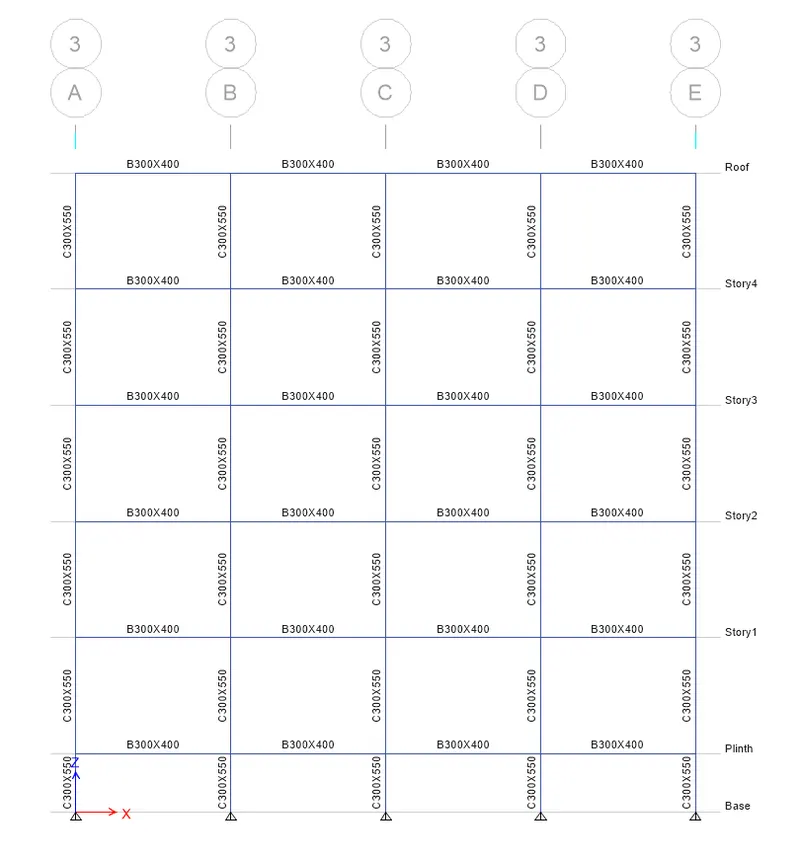
Check the model:
If "No warning" arise, then the model is ready for the analysis
Run the model:
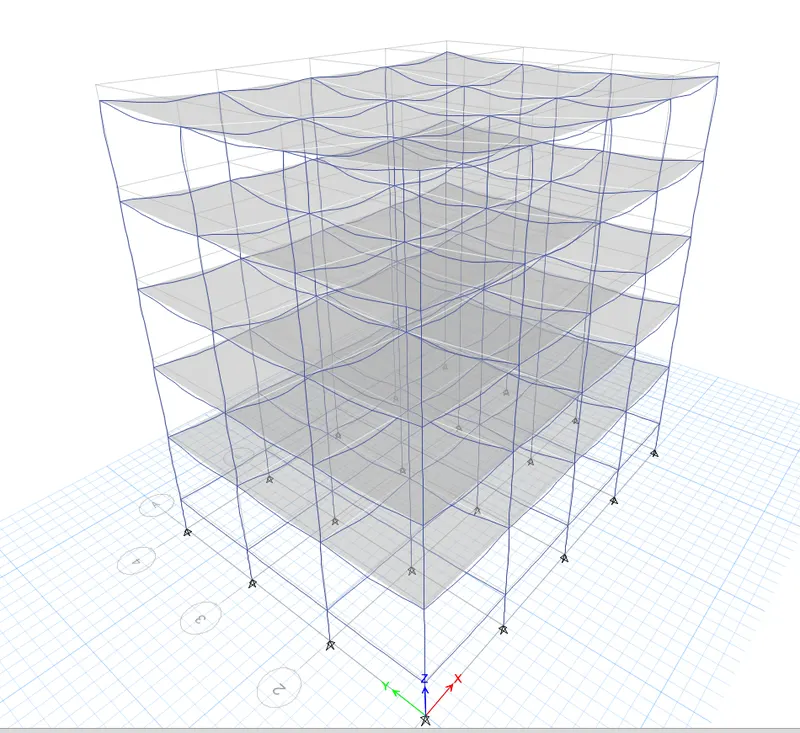
Time period of Building D is obtained:
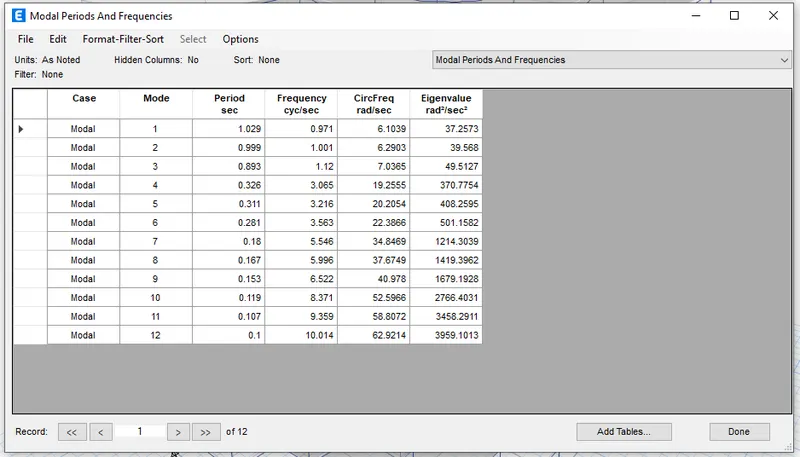
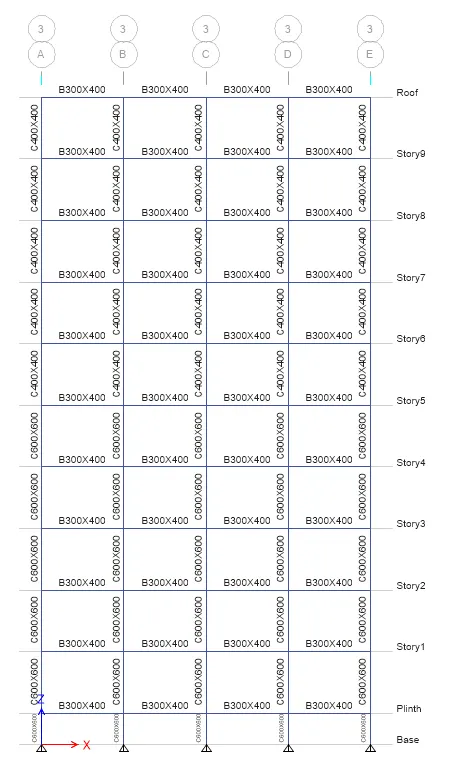
Building E:
It is a 10 storey building where the top 5 storey column is 400X400mm and the bottom 5 storey is 600X600mm
Add extra storeys
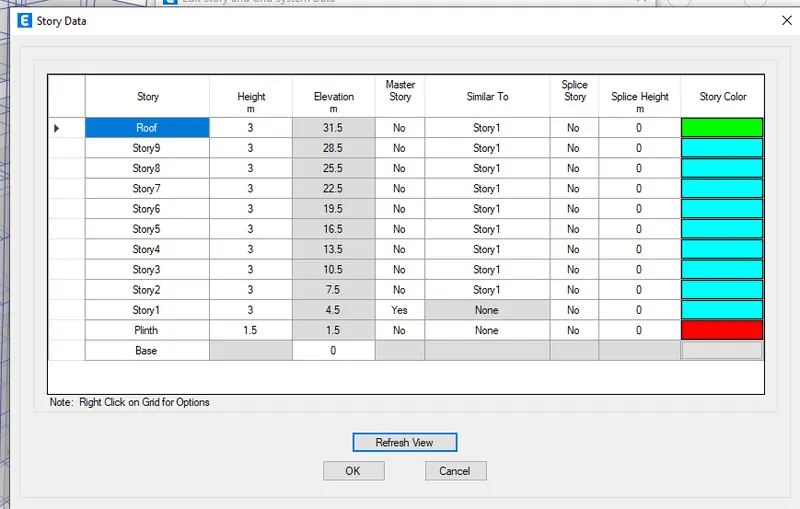
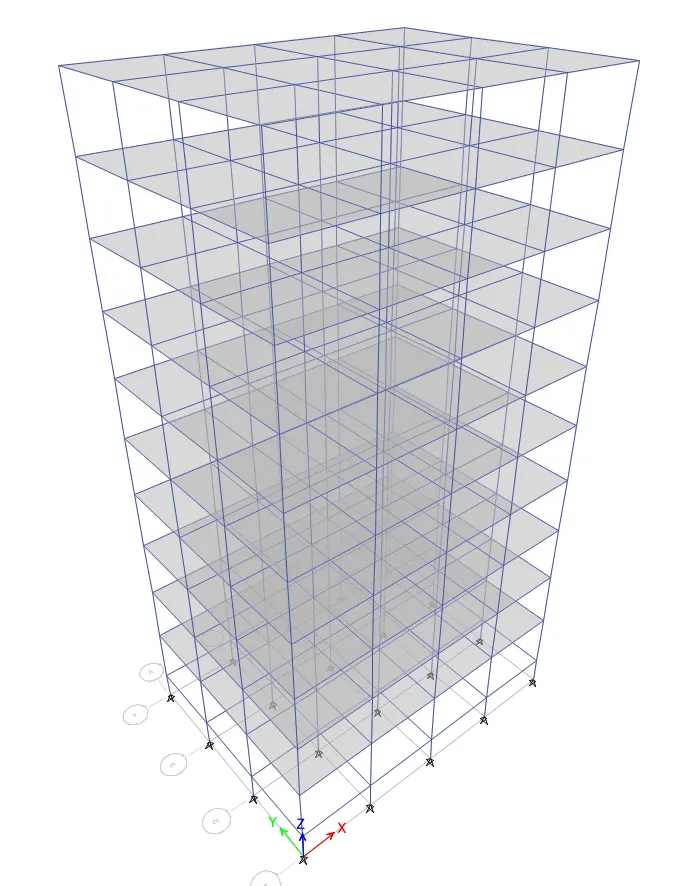
Check the model:
If "No warning" arise, then the model is ready for the analysis
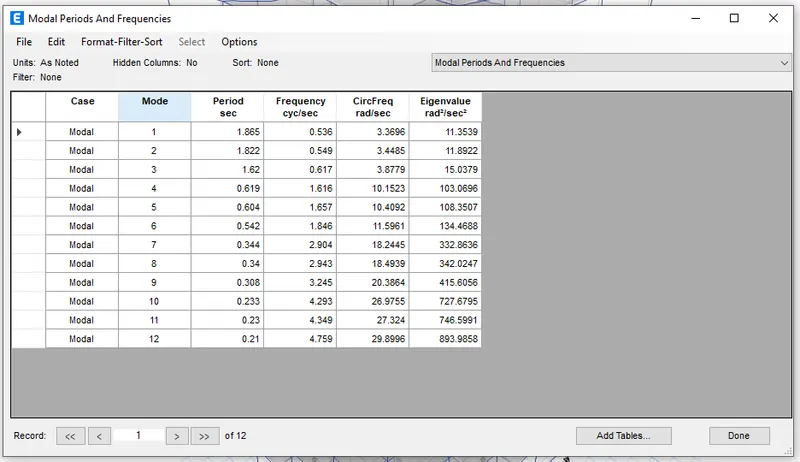
Time period of Building E is obtained:
Building F:
It is a 10 storey building where all the columns sizes are 600X600mm
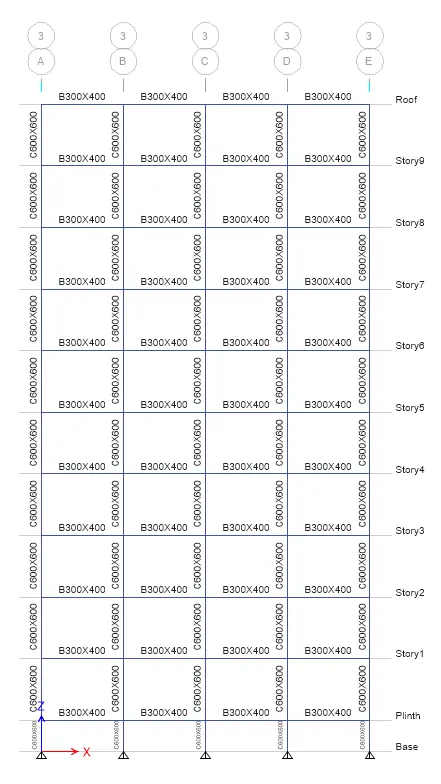
Check the model:
If "No warning" arise, then the model is ready for the analysis
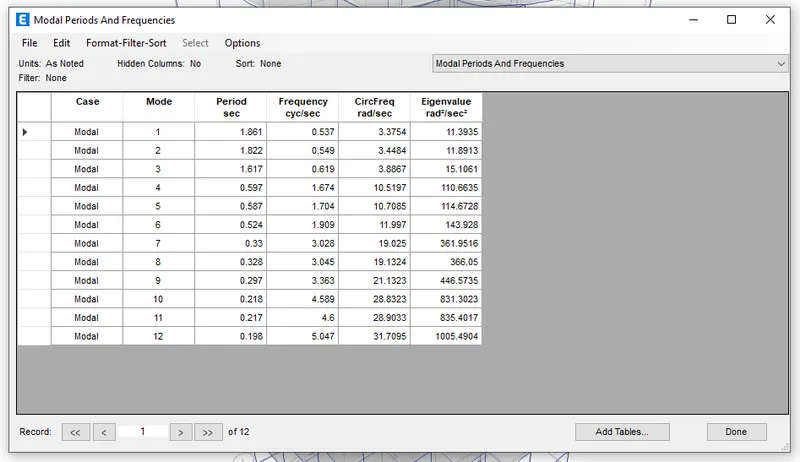
Time period of Building F is obtained:
Building G:
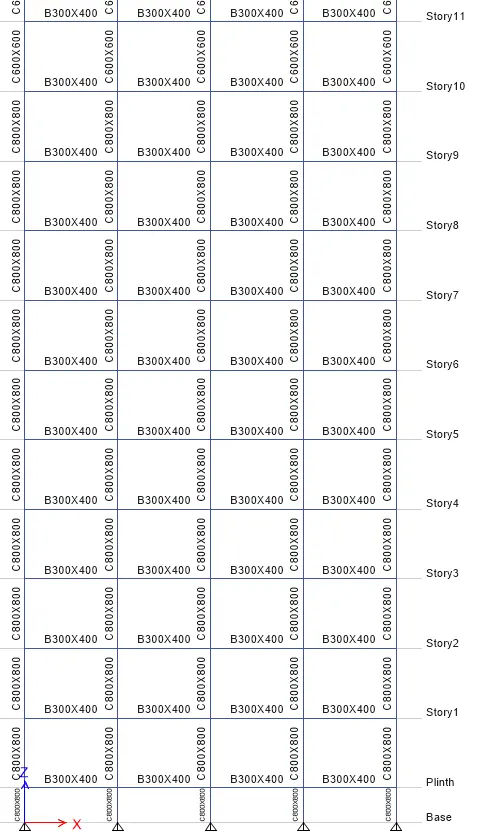
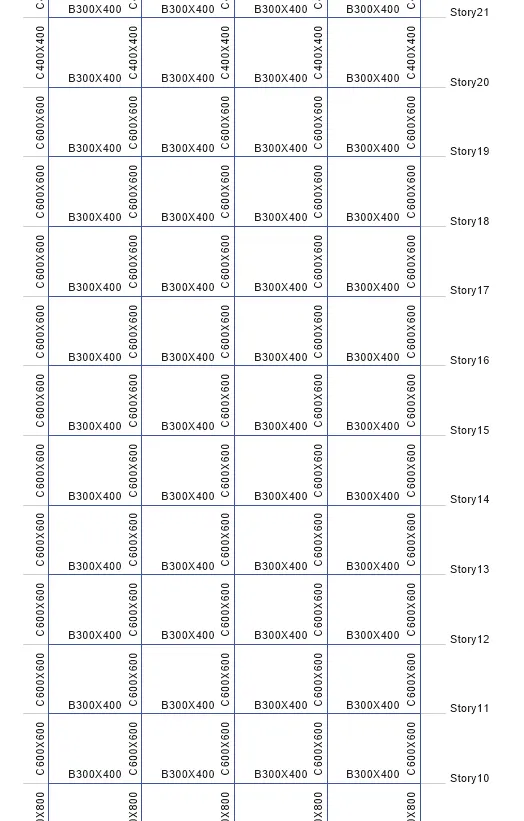
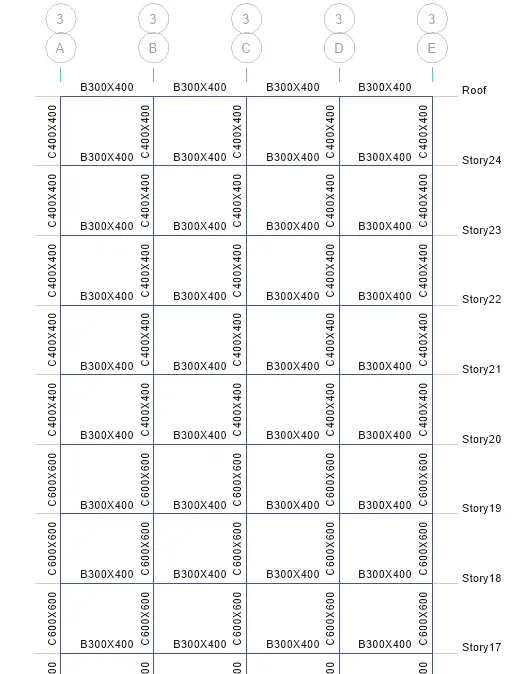
It is a 25 storey building where upper 5 storeys columns are 400X400mm, middle 10 storeys columns are 600X600mm and bottom 10 storeys columns is 800X800mm
Add extra storeys
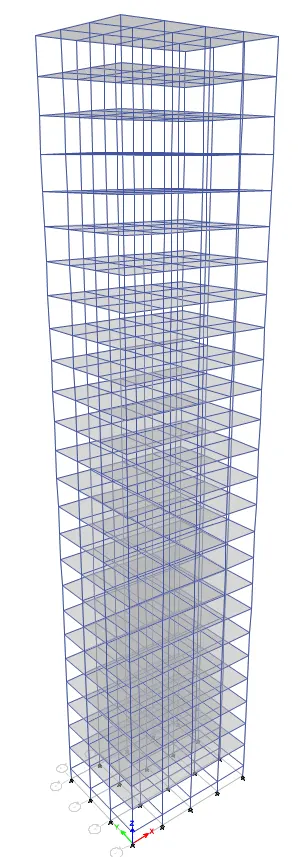
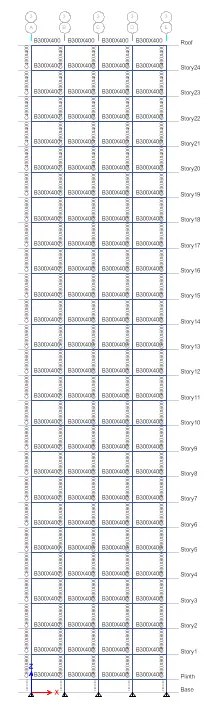
Dimensions in detail:
Check the model:
If "No warning" arise, then the model is ready for the analysis
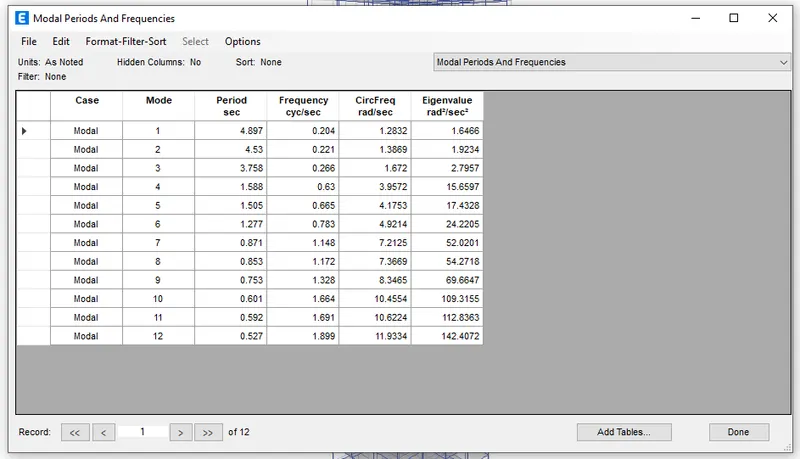
Time period of Building G is obtained:
Building H:
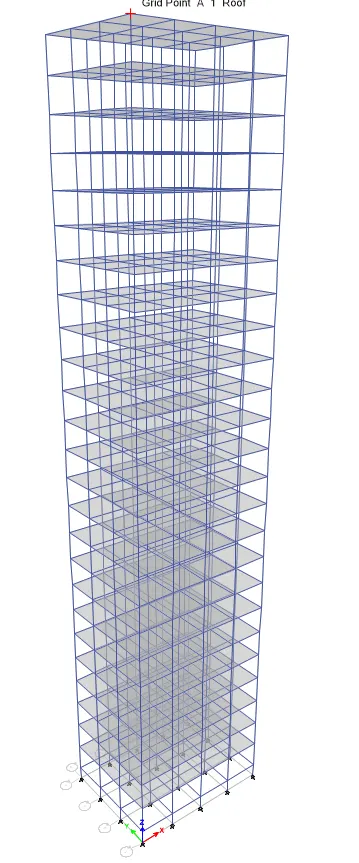
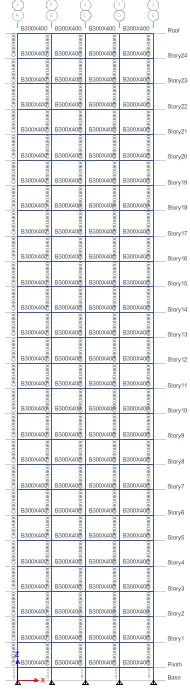
It is a 25 storey building but all columns are in 800X800mm size
Check the model:
If "No warning" arise, then the model is ready for the analysis
Time period of Building H is obtained:
Building J:
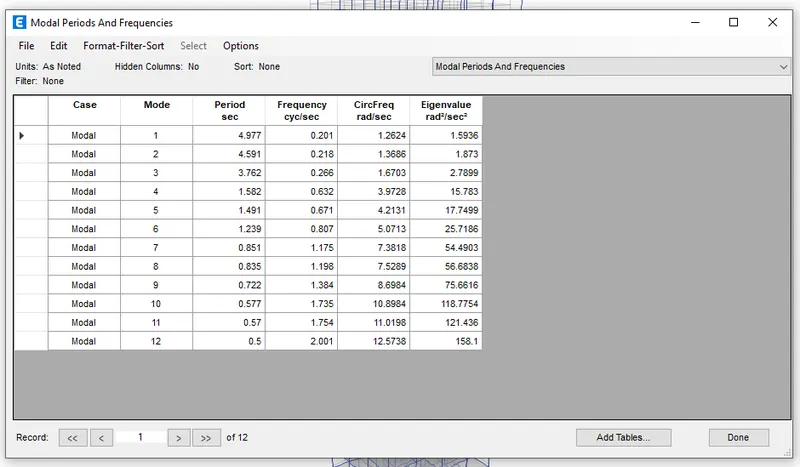
25 storey building with imposed mass 10% larger than Building H
Check the model:
If "No warning" arise, then the model is ready for the analysis
Time period of Building J is obtained:
Building K:
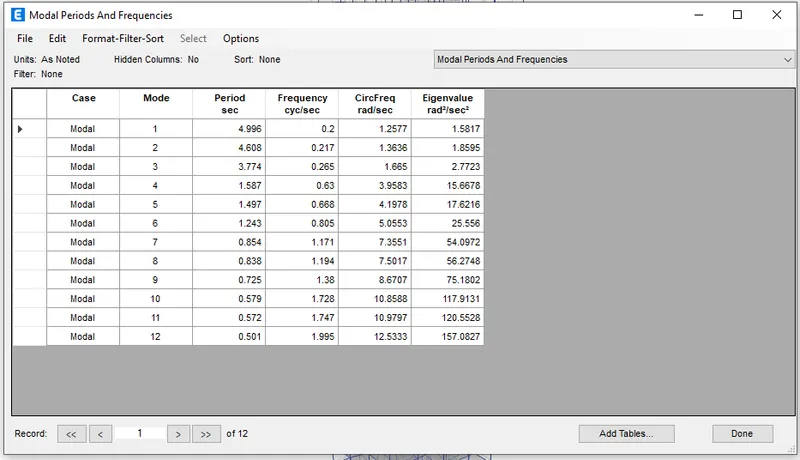
25 storey building with imposed mass 20% larger than Building H
Check the model:
If "No warning" arise, then the model is ready for the analysis
Time period of Building K is obtained:
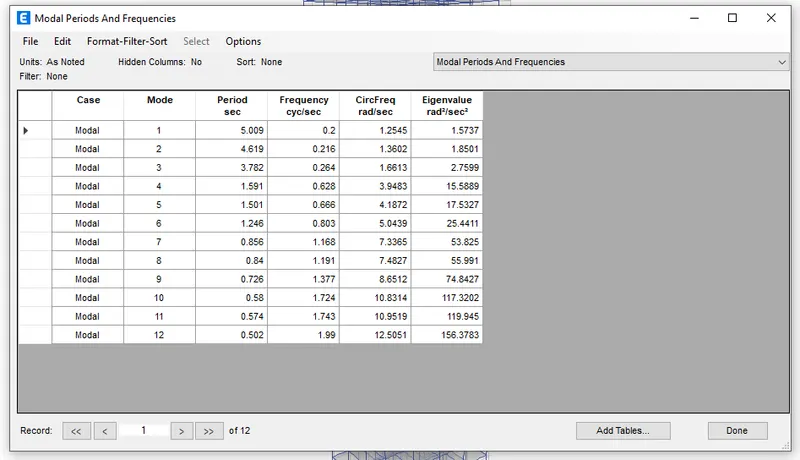
Results:
Time period of Building A
Time period of Building B
Time period of Building C
Time period of Building D
Time period of Building E
Time period of Building F
Time period of Building G
Time period of Building H
Time period of Building J
Time period of Building K
Factors influencing the Natural Period of a building:
Effect of stiffness on T: Compare fundamental natural periods of buildings E & F as well as G & H. Why is there a marginal or significant difference in the fundamental natural periods?
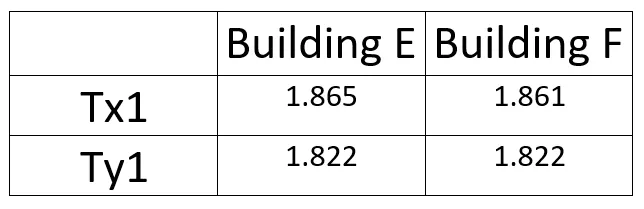
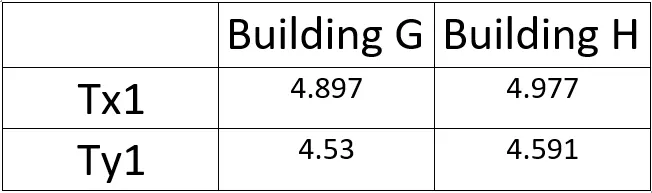
- In the Building E we use two different column sizes, one has been assigned to top 5 storeys and another one to the bottom 5 storey. But in building F there is only one column size we use for the entire building, thats why there is a significant difference in the fundamental natural periods.
- Similarly we use three different column sizes for building G, and one column size for building H.
- Hence there is a significant difference in the fundamental natural periods.
Effect of mass on T: Compare fundamental natural periods of buildings H, J and K. Have the buildings become more flexible or stiff due to change in mass?
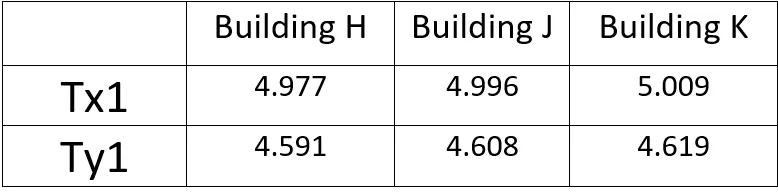
- All the above buildings are 25 story building only difference is that, the Building J and Building K has 10 % and 20 % more mass than the mass of building H.
- When the mass of the building J increased by 10% compared to Building H, the Building J is more flexible than the building H.
- When the mass of the building K increased by 20% compared to Building H, the Building K more flexible than the building J and building H.
- Finally when the weight of the building increases, the buildings become more flexible
Effect of Building Height on T: How does the fundamental natural periods of Buildings A, B, F and H change with change in building height?
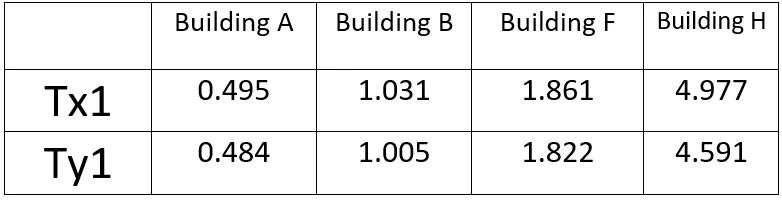
- When the height of the building increses, the time period of the building also increases
Effect of Column Orientation on T: How does the fundamental natural periods of Buildings B, C and D change with change in column orientation?
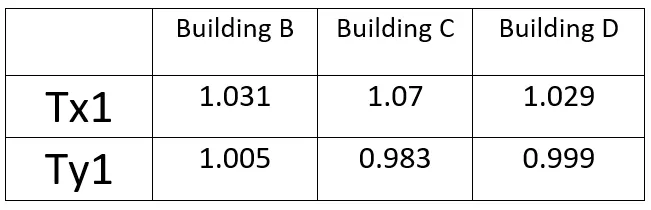
- The building B has the square columns of 400X400mm so the time period of X axis and Y axis are nearly same.
Factors influencing the Mode shape of oscillations:
1) Effect of Flexural Stiffness of Structural Elements on mode shapes: Compare fundamental mode shape of Building B in two situations when flexural stiffness of beams relative to that of adjoining columns is very small versus when it is large.
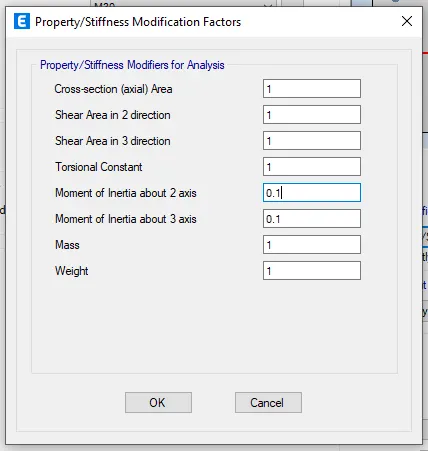

Time period of Building B (ii)
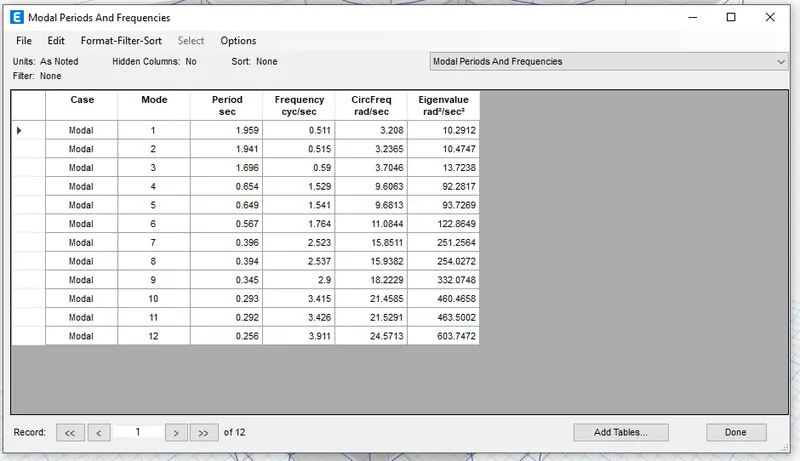
- The time period has been increased in Building B (ii)
- As the flexural stiffness of the building is reduced, the building becomes more flexible and hence it results in increases in the natural time period.
2) Effect of Axial Stiffness of Vertical Members on mode shapes: Compare fundamental mode shape of Building H in two situations when axial cross-sectional area of columns is very small versus when it is large.
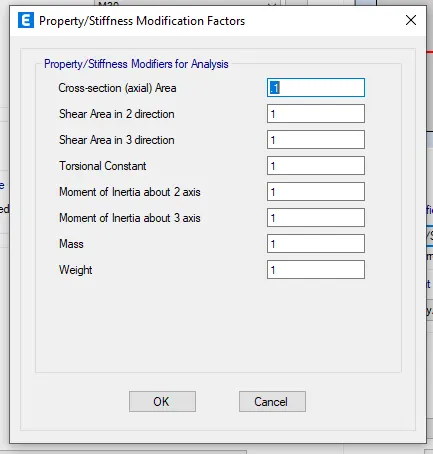
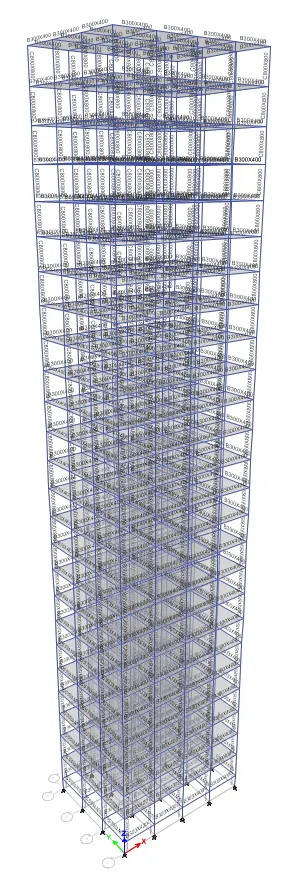
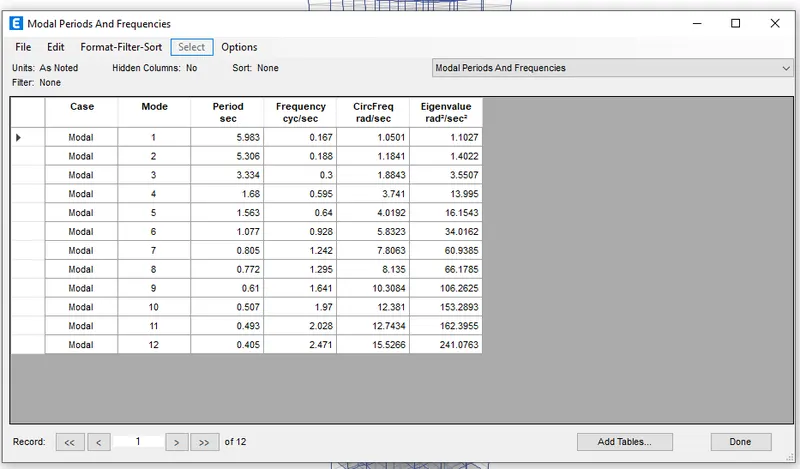
- The reduction in the axial stiffness will results in the increment in the natural time period.
3) Effect of Degree of Fixity at column bases on mode shape: Compare fundamental mode shape of Building B in two situations when base of columns is pinned versus when it is fixed.
The support is fixed in the base
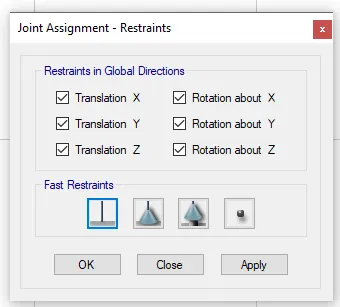
Time period of Building B when it is fixed
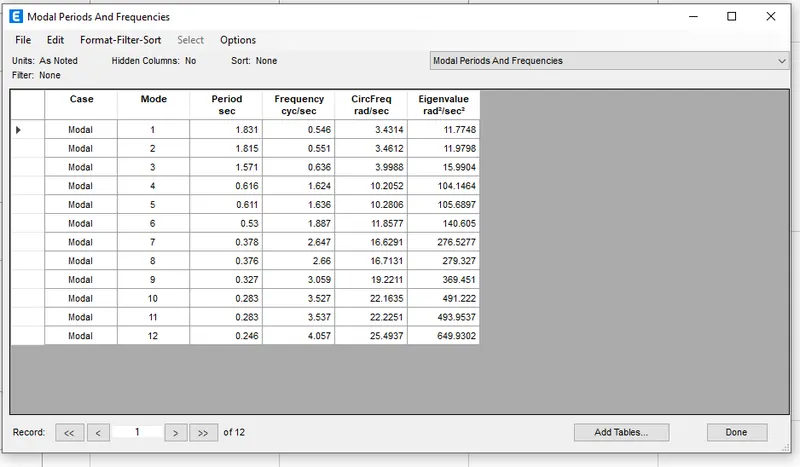
The time period has been increased in Building B with fixed support