Project 1_Comparative study of different storey buildings for Seismic forces
Project 1_Comparative study of different storey buildings for Seismic forces
Factors influencing the dynamic characteristics of a building
Factors influencing the Natural Period of a building
Factors influencing the Mode shape of oscillations
Aim:
To Compare fundamental natural periods of buildings A. B and C. using ETABS
Procedure:
Building H:
Step 1:
- Click the Define tab and click section properties
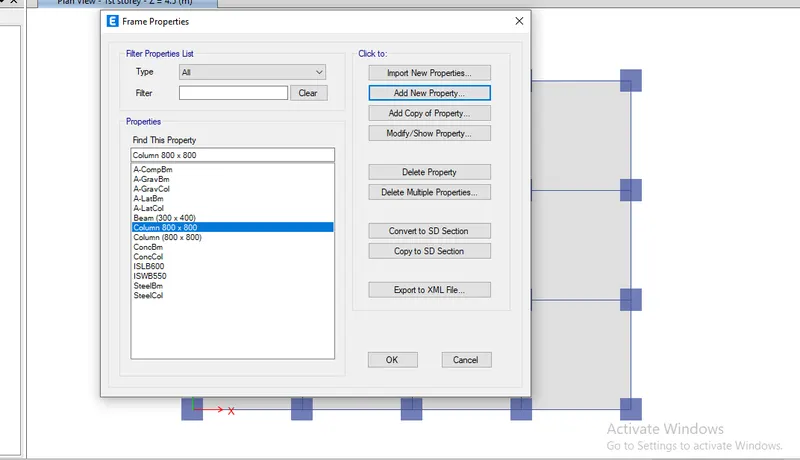
Step 2:
- Click the Select tab and select the columns
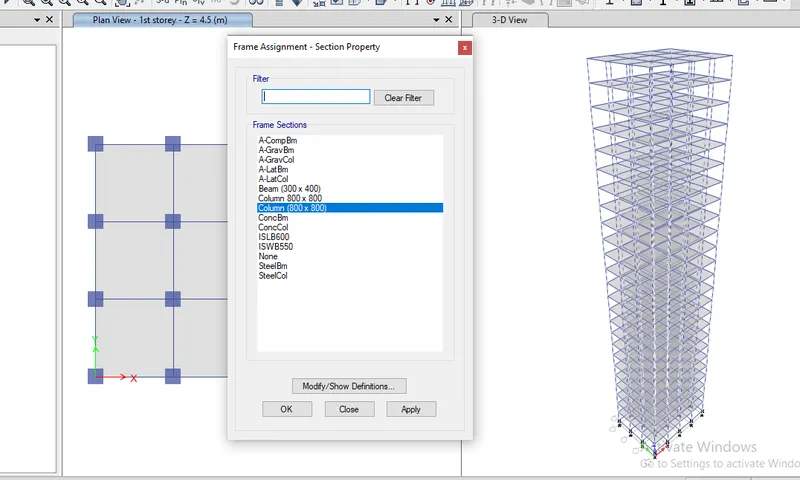
Step 3:
- After assigning loads of each frame run the analysis
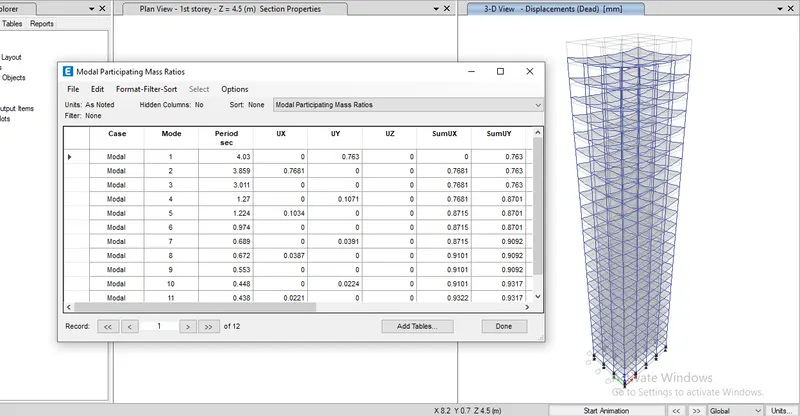
Building J:
Step 1:
- Click the Edit tab and choose edit story
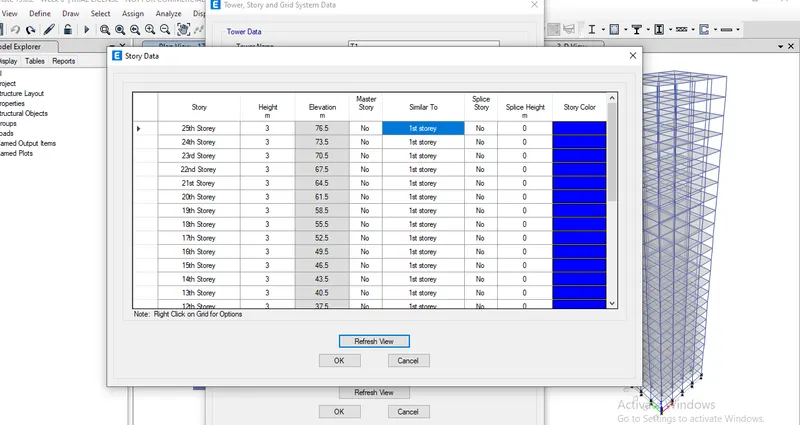
Step 2:
- Click the Select tab and select the columns
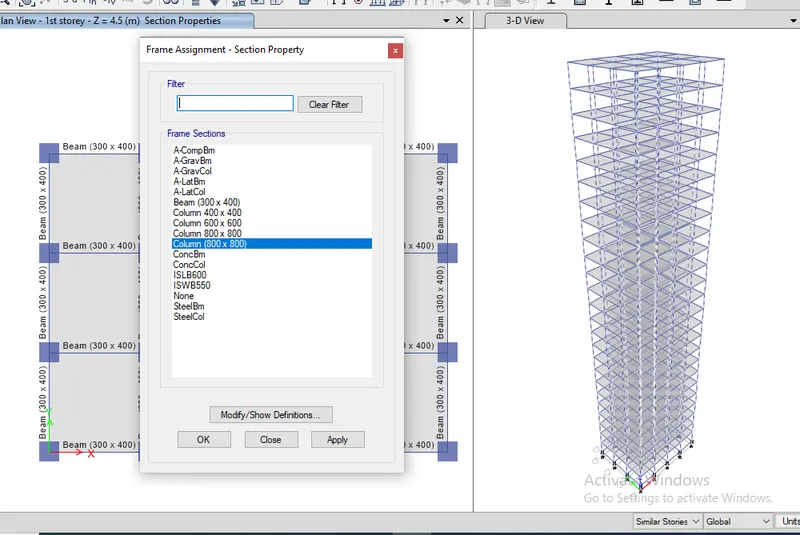
Step 3:
- Click the select tab and assign the column dimensions as 800 x 800
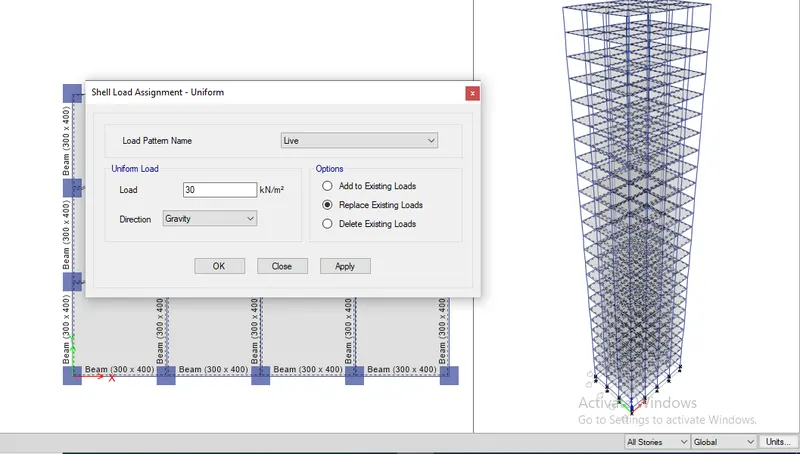
Step 4:
- Click the Select tab and choose beams
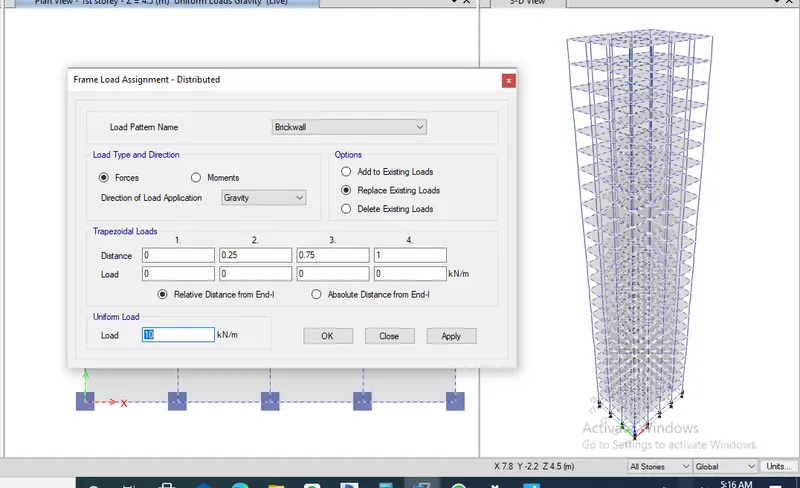
Step 5:
- After assigning loads of each frame run the analysis
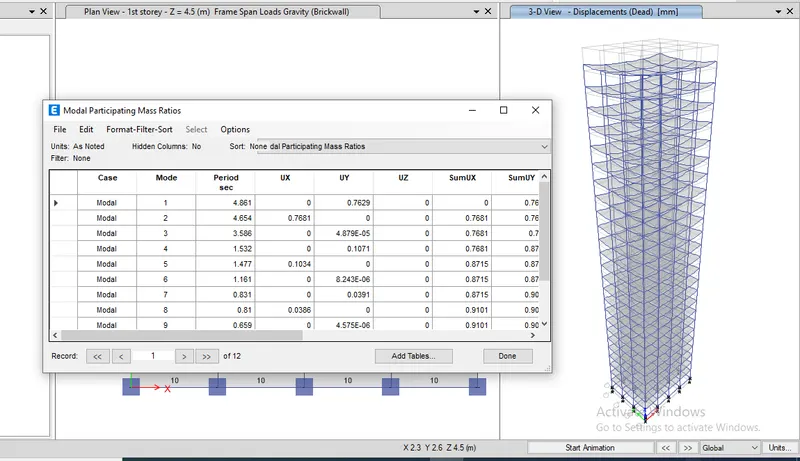
Building C:
Step 1:
- Click the select tab and assign the column dimensions as 800 x 800
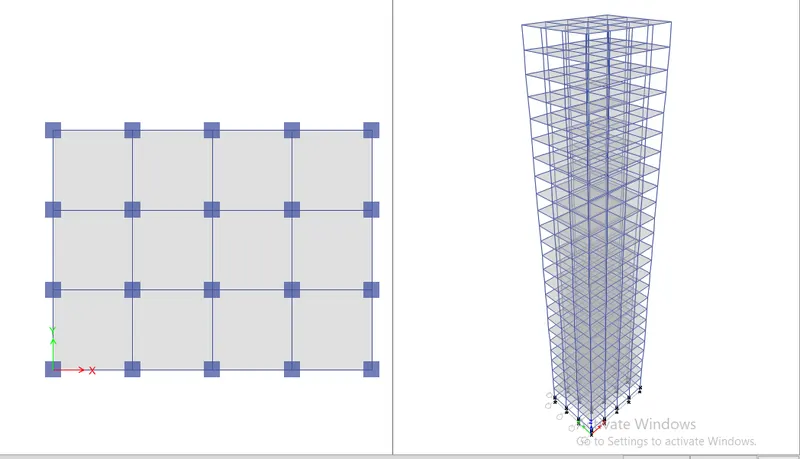
Step 2:
- After assigning loads of each frame run the analysiS
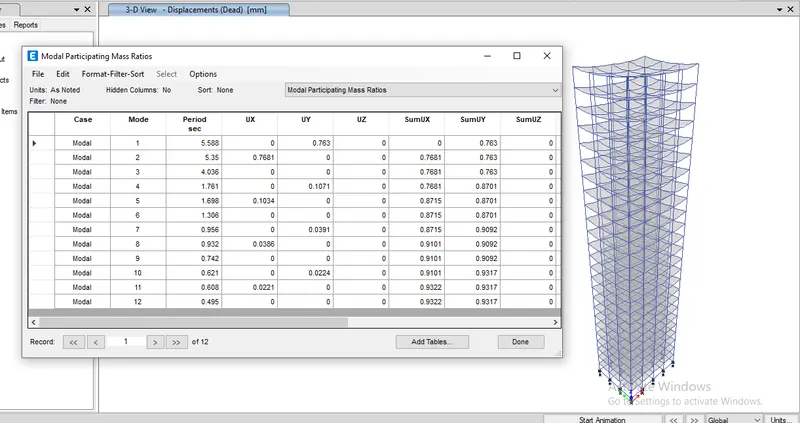
Conclusion:
1) For buildingS are the same 25 story but the load increases gradually like 10% and 20%, because of this the building becomes more Flexi due to an increase in weight.
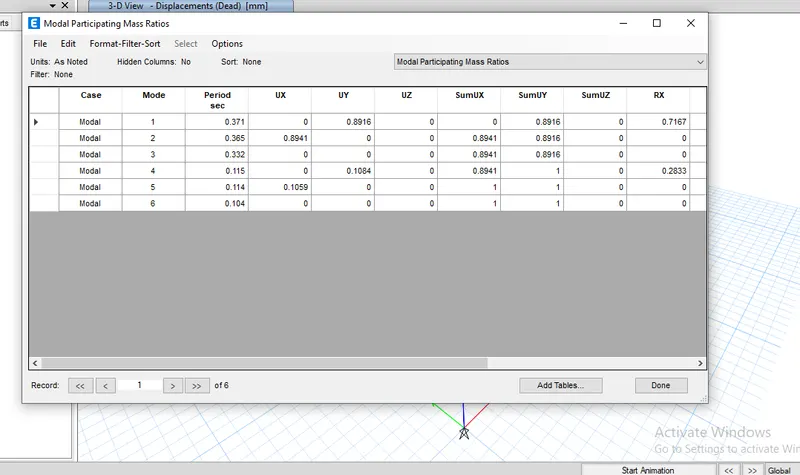
2) time period of H is 3.0, j is 3.411 and k is 4.036.
Comparison 2:
Building A:
Step 1:
1) Click the Edit tab and choose edit story
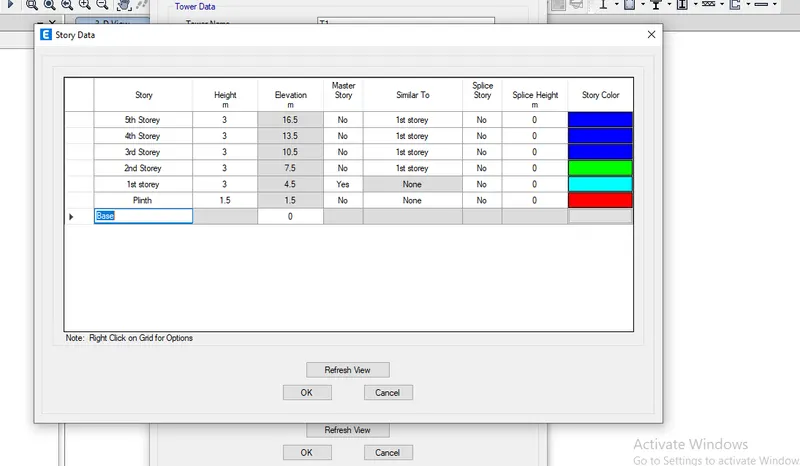
2) Add 2 story and make 1st story as Master and all other as similar to 1st story
3) Click ok
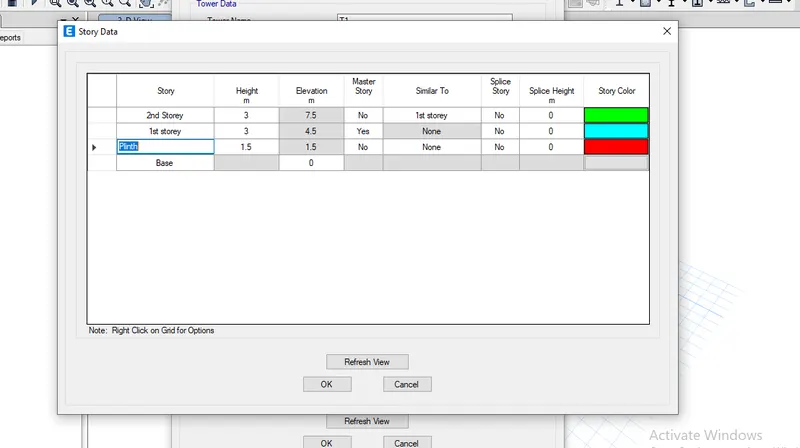
Step 2:
- Click the Select tab and select the columns
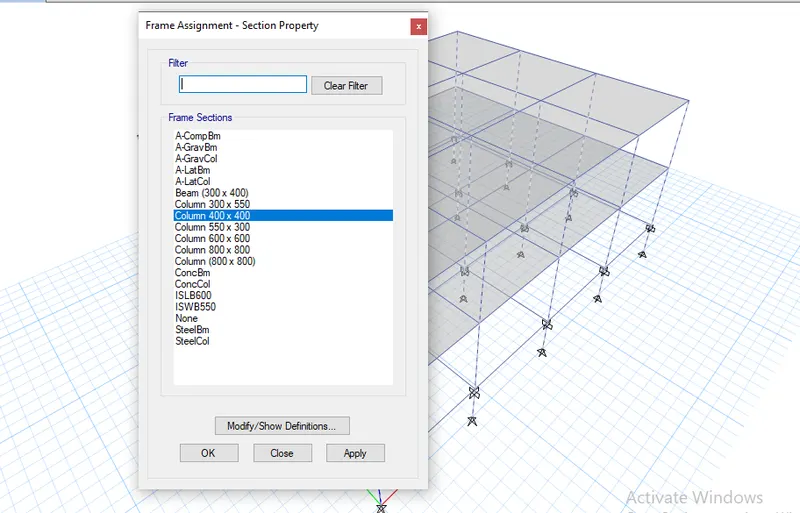
Step 3:
- After assigning loads of each frame run the analysis
Building B:
Step 1:
- Click the Edit tab and choose edit story
Step 2:
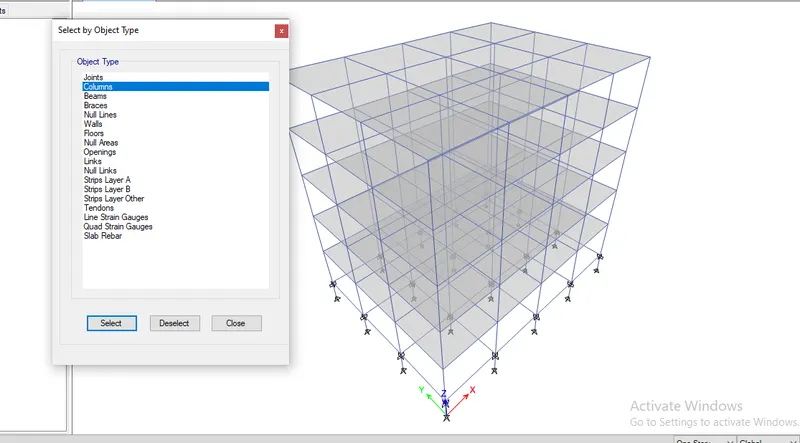
- Click the Select tab and select the columns
Step 3:
- Click the select tab and assign the column dimensions as 400 x 400
Step 4:
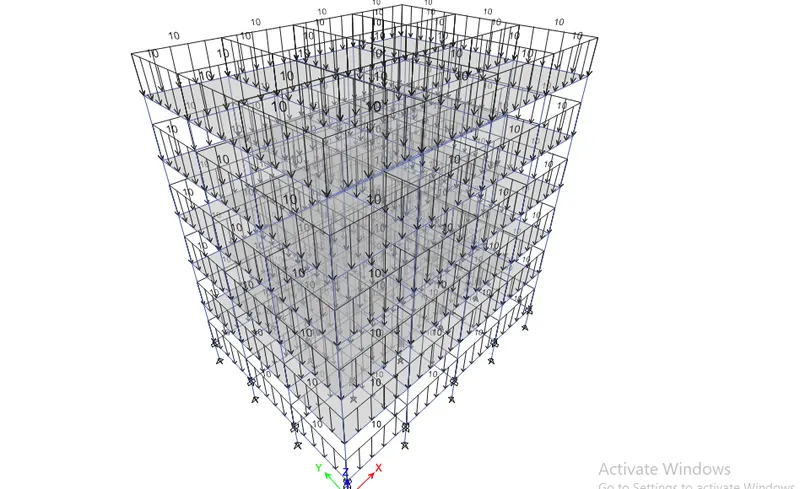
- After assigning loads of each frame run the analysis
Building F:
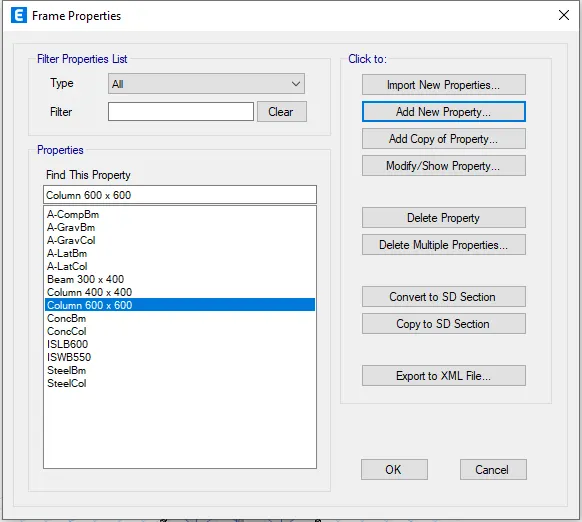
- Click the Select tab and select the columns
Step 2:
- After assigning the loads of each frame run the analys
Conclusion:
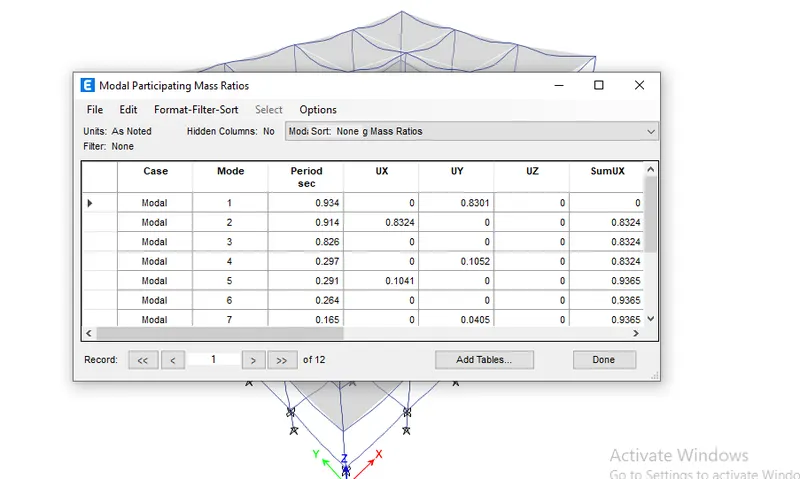
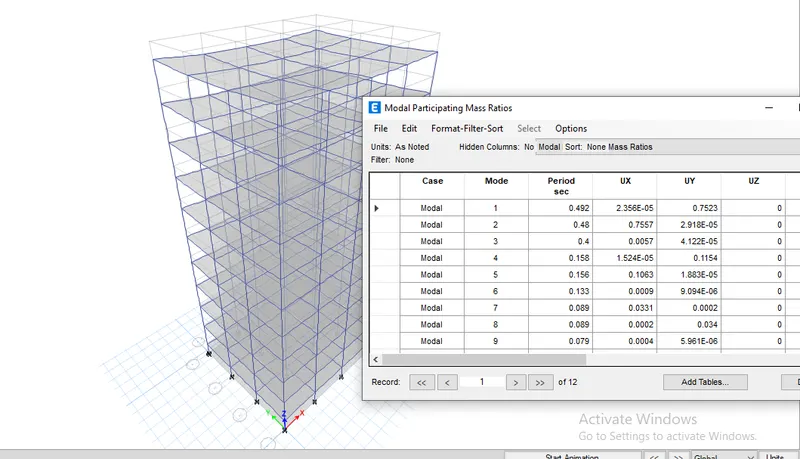
1) Due to the changing of building height the fundamental natural period varies gradually i.e.. for A is 89% at 0.39, for B is 83% at 0.911, for F is 75% at 0.48 and finally for H is 78% is 3.811.
Comparison 3:
Building C:
Step 1:
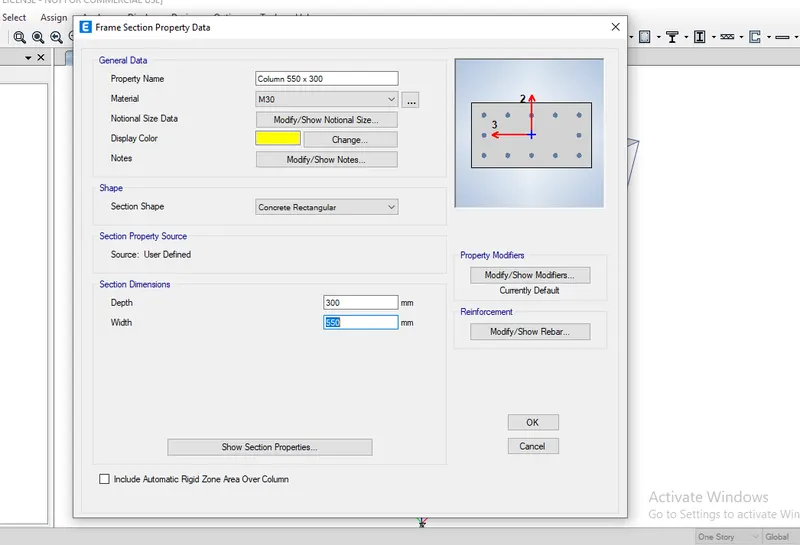
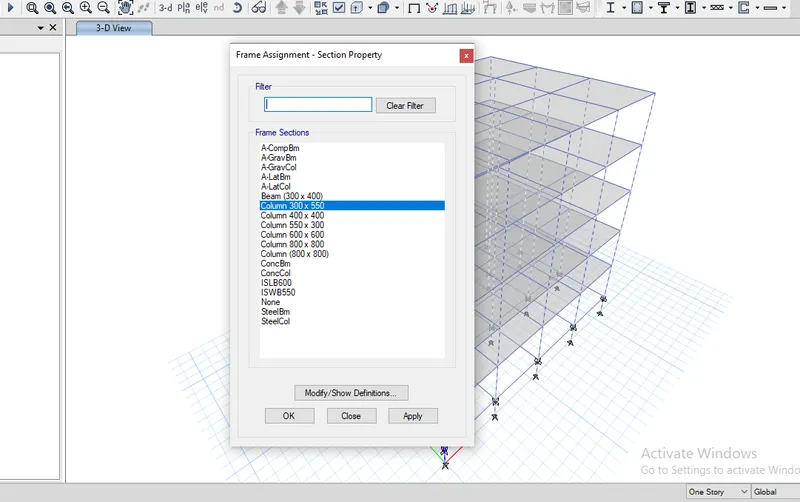
1) Click the Select tab and select the columns
2) Click assign tab and choose frame assignment as 550 x 300 dimension column
3) Click ok
Step 2:
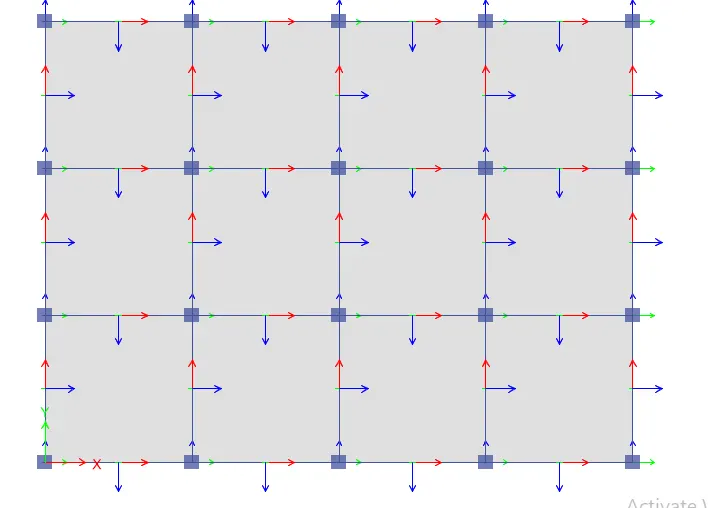
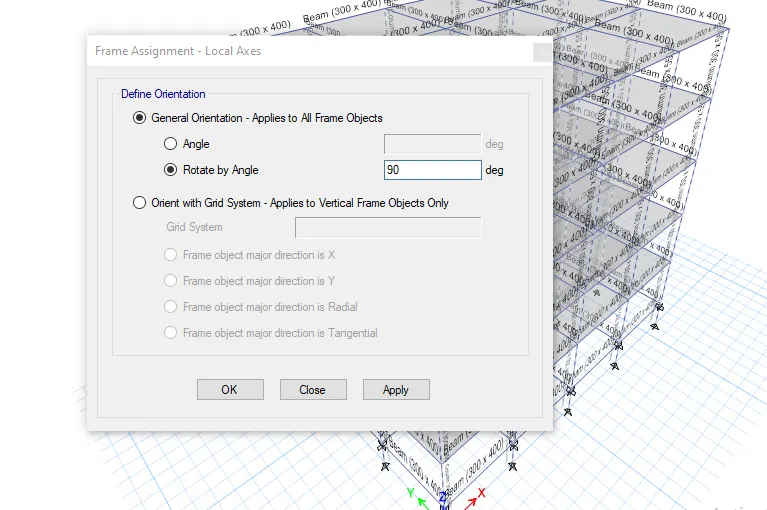
1) Select the column object
2) Click the Assign tab and choose frame sections then local axes
3) Select rotation angle and enter the degree of 180
4) Click Ok
Step 3:
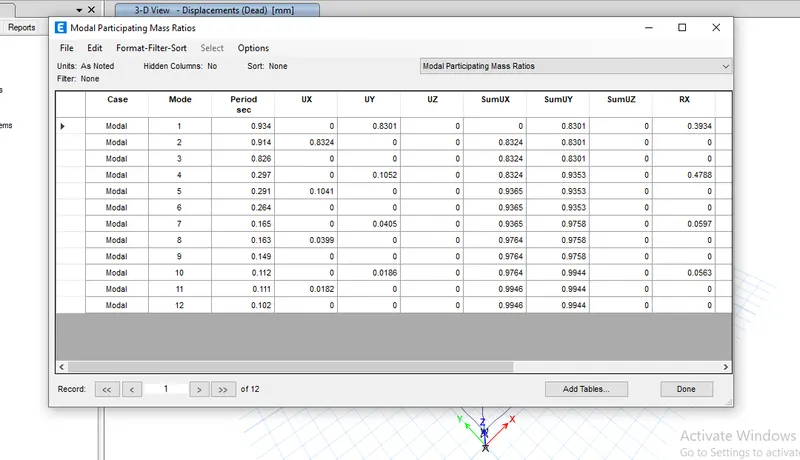
- After assigning loads of each frame run the analysis
Buiding D:
Step 1:
- Click the Select tab and select the colum
Step 2:
- Select the column object
Step 3:
- After assigning loads of each frame run the analysiS
Conclusion:
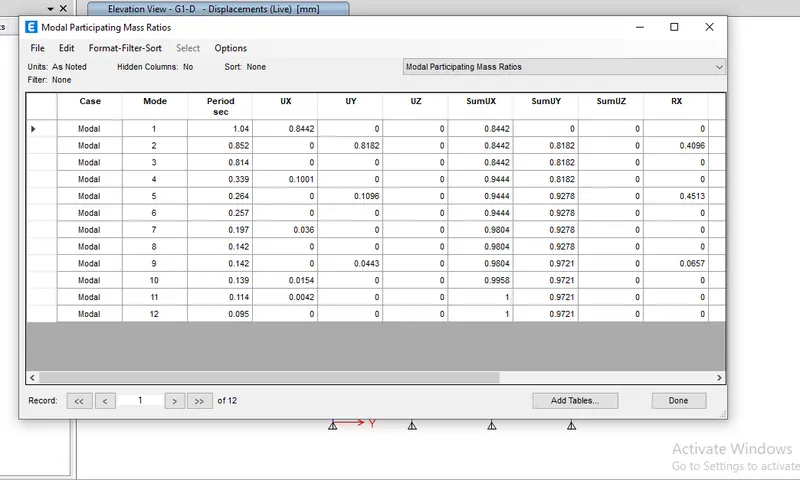
1) Due to changing of orientation the fundamental of the natural period varies each building i.e.. for C is 0.91 and for D is 1.04 then for B is 0.941
Comparison 4:
For Building E:
Step 1:
- Click the Edit tab and choose edit story
Step 2:
- After assigning loads of each frame run the analysis
Building G:
Step 1:
- Click the Edit tab and choose edit story
Step 2:
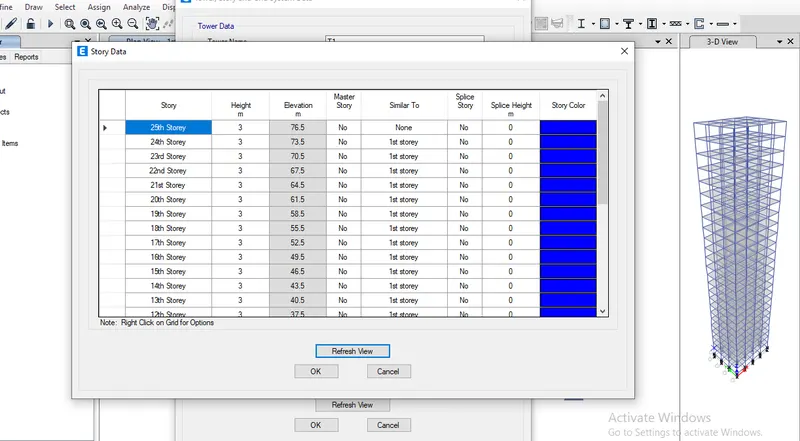
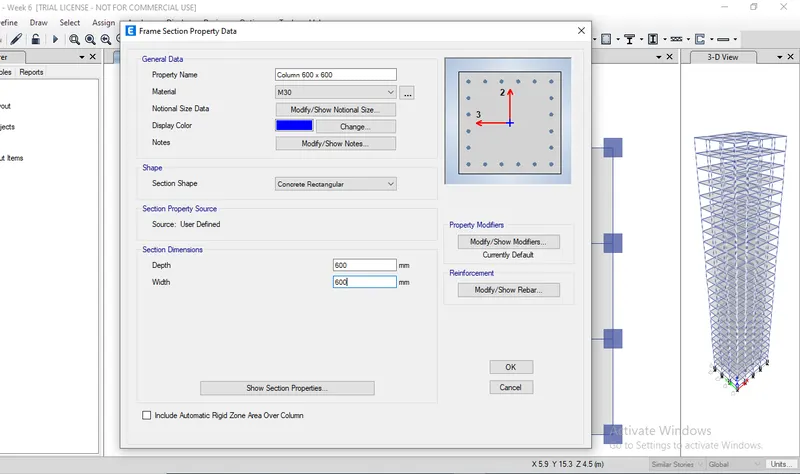
- Click the Select tab and select the columns of the 11th story ( make sure story selection must be in similar story mode
Step 3:
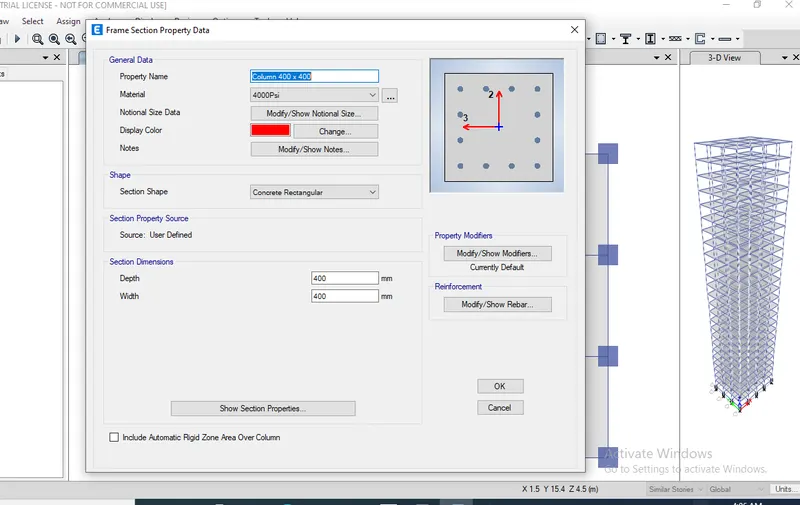
- Click the Select tab and select the columns of 21st story ( make sure story selection must be in similar story mode)
Step 4:
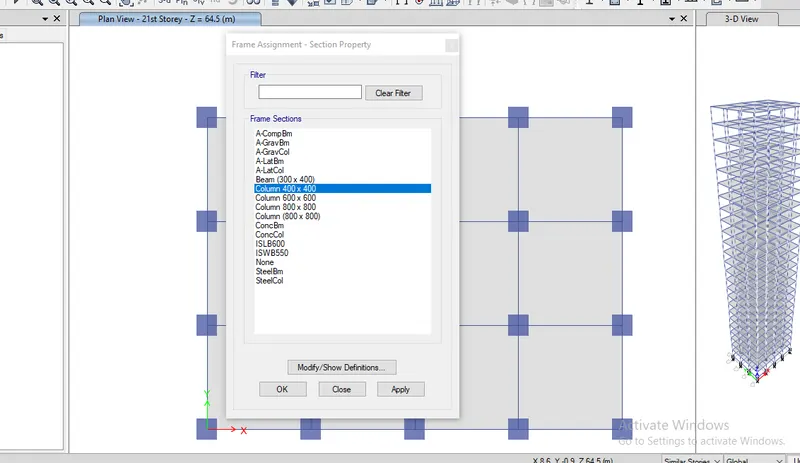
- Click Select tab and select the columns
Step 5:
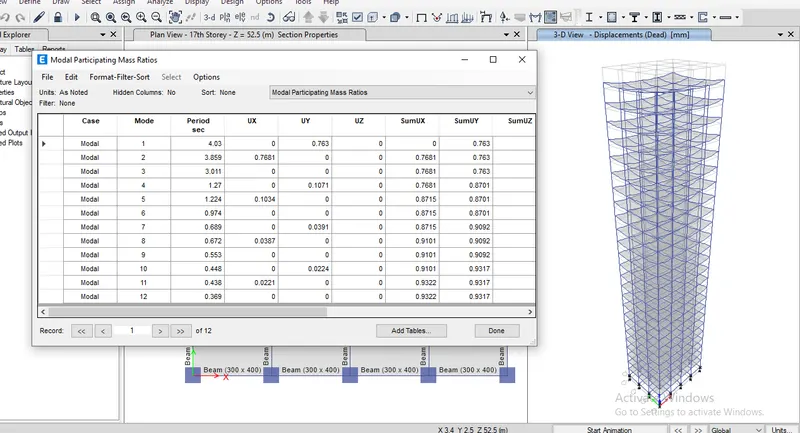
- After assigning loads of each frame run the analysis
Conclusion:
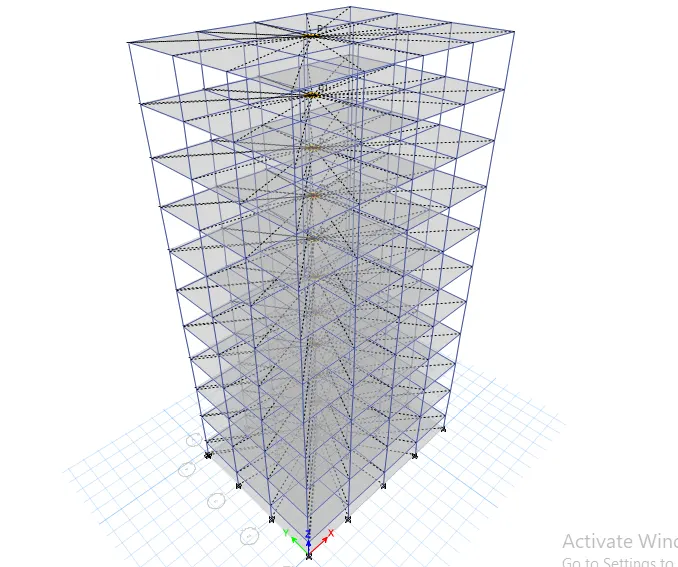
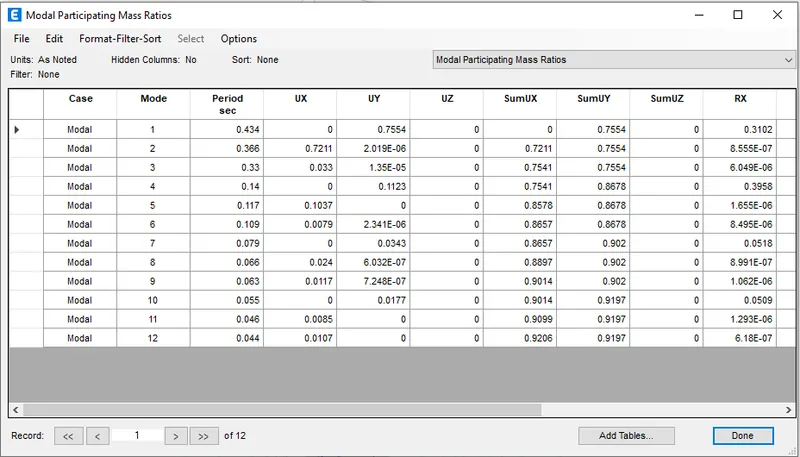
1) When comparing these building there is significant difference due to different column sizes. The fundamental period of building E is 0.36 and for F is 0.48. similarly for building G is 3.85 and for building H is 3.01