Project 1_Comparative study of different storey buildings for Seismic forces
QUESTION:-
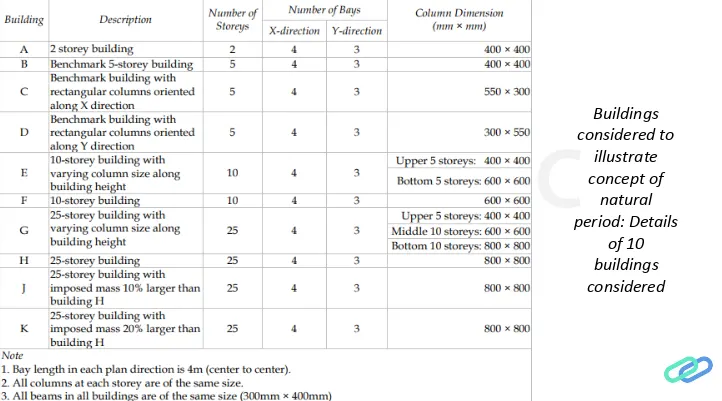
1) Effect of stiffness on T: Compare fundamental natural periods of buildings E & F as well as G & H. Why is there a marginal or significant difference in the fundamental natural periods?
2) Effect of mass on T: Compare fundamental natural periods of buildings H, J and K. Have the buildings become more flexible or stiff due to change in mass?
3) Effect of Building Height on T: How does the fundamental natural periods of Buildings A, B, F and H change with change in building height?
4) Effect of Column Orientation on T: How does the fundamental natural periods of Buildings B, C and D change with change in column orientation
Ans.
Aim -
To compare :
1] Fundamental natural periods of buildings E & F as well as G & H. And the significant difference in the fundamental natural periods.
2] Fundamental natural periods of buildings H, J and K. Have the buildings become more flexible or stiff due to change in mass.
3] Fundamental natural periods of Buildings A, B, F and H with change in building height.
4] Fundamental natural periods of Buildings B, C and D with change in column orientation.
INTRODUCTION -
- Buildings oscillate during earthquake shaking. The oscillation causes inertia force to be induced in the building.
- The intensity and duration of oscillation, and the amount of inertia force induced in a building depend on features of buildings, called their dynamic characteristics, in addition to the characteristics of the earthquake shaking (beyond the control of an engineer) itself.
- The important dynamic characteristics of buildings are modes of oscillation and damping (assumed constant in most practical cases).
- A mode of oscillation of a building is defined by associated Natural Period and Deformed Shape in which it oscillates.
- Every building has a number of natural frequencies, at which it offers minimum resistance to shaking induced by external effects (like earthquakes and wind) and internal effects (like motors fixed on it).
- Each of these natural frequencies and the associated deformation shape of a building constitute a Natural Mode of Oscillation.
- The mode of oscillation with the smallest natural frequency (and largest natural period) is called the Fundamental Mode, the associated natural period is called the Fundamental Natural Period.
PROCEDURE -
1] Fundamental natural periods of buildings E & F as well as G & H. And the significant difference in the fundamental natural periods.
Step 1 :
Building E
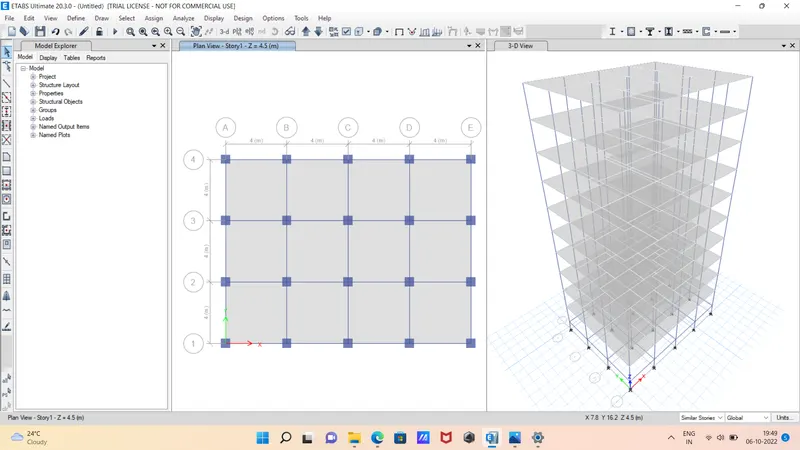
- First we have to open the ETABS software and create the new model and add the 10 storey in the story data.
- Next we put the story1 and Story6 as Master Story.
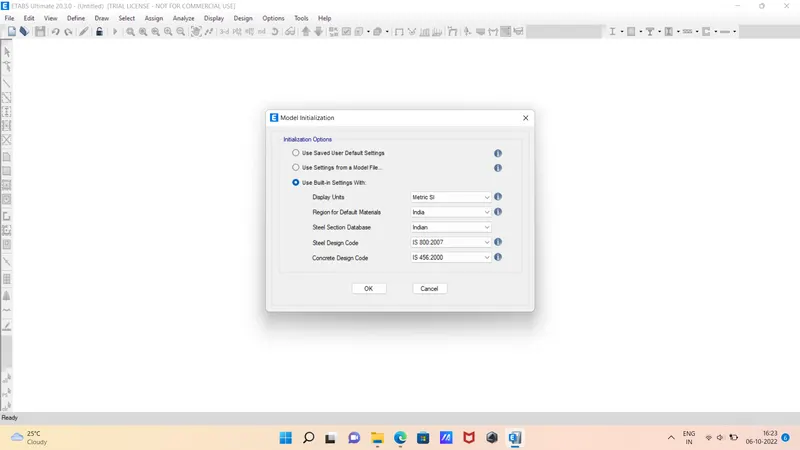
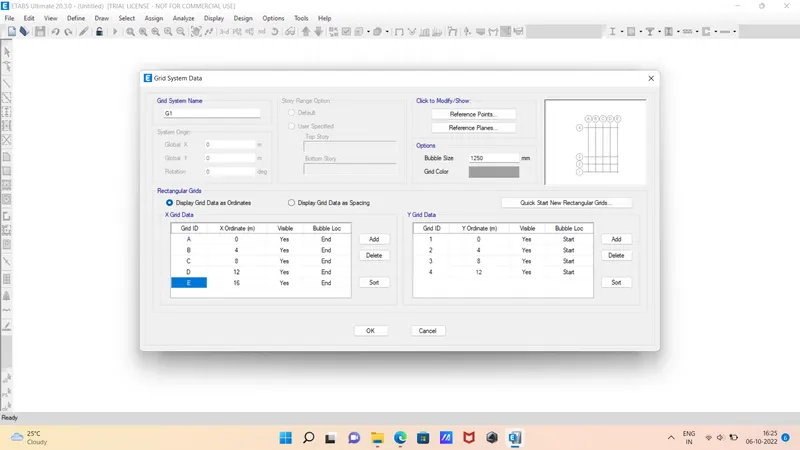
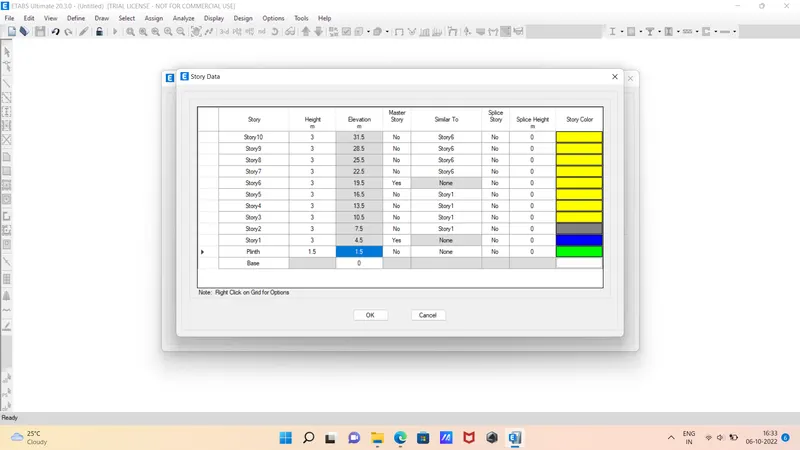
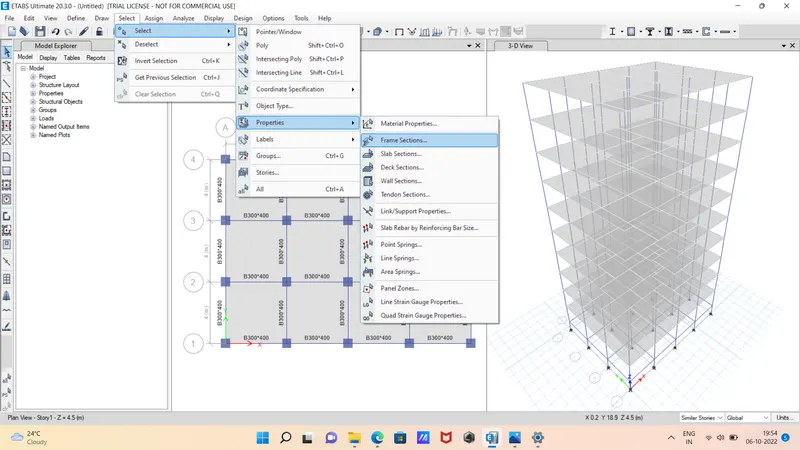
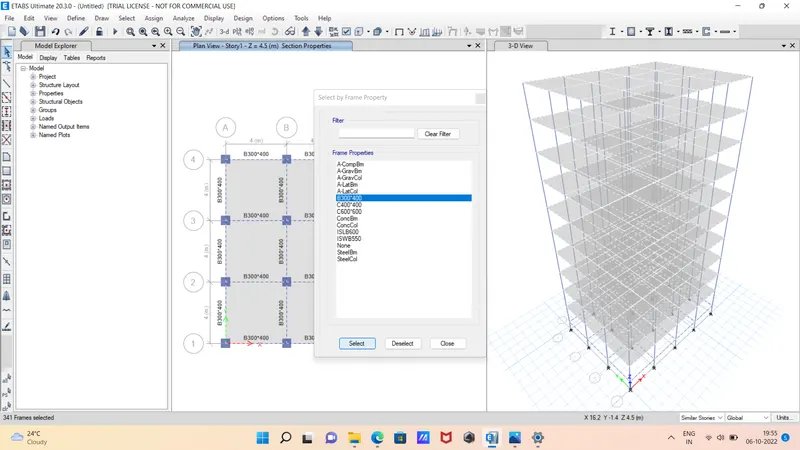
- Next we have to set the material properties and section properties.
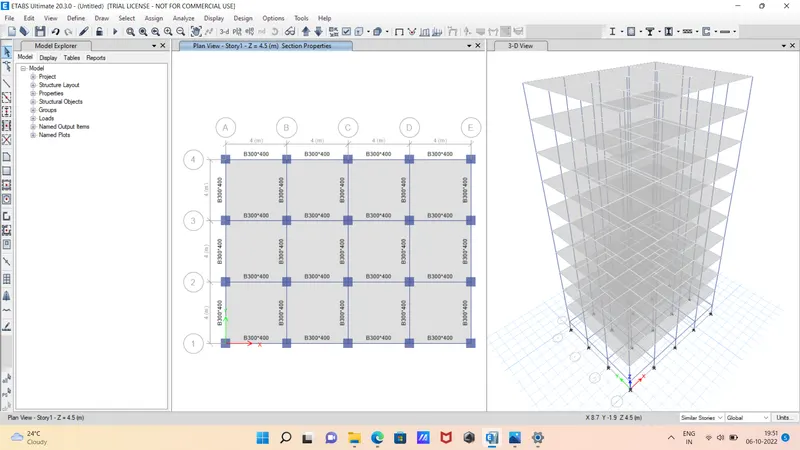
- We assign the columns to bottom 5 storeys with the size of (600X600)mm, and add columns to top 5 storeys with the size of (400X400)mm.
- Next we assign the beams to all the storeys with the size of (300X400)mm.
- Next we assign the slabs with the thickness of 150mm from 1st storey to 10th storey.
- Next we have to assign all the loads such as live load, dead load, brickwall load and seismic loads etc,.
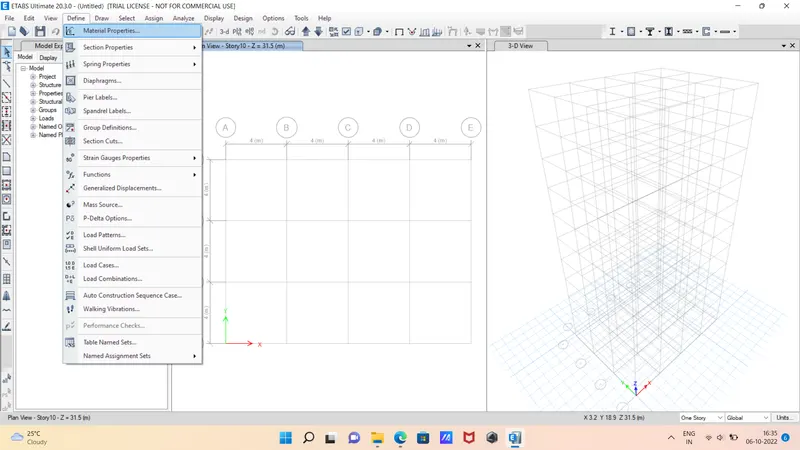
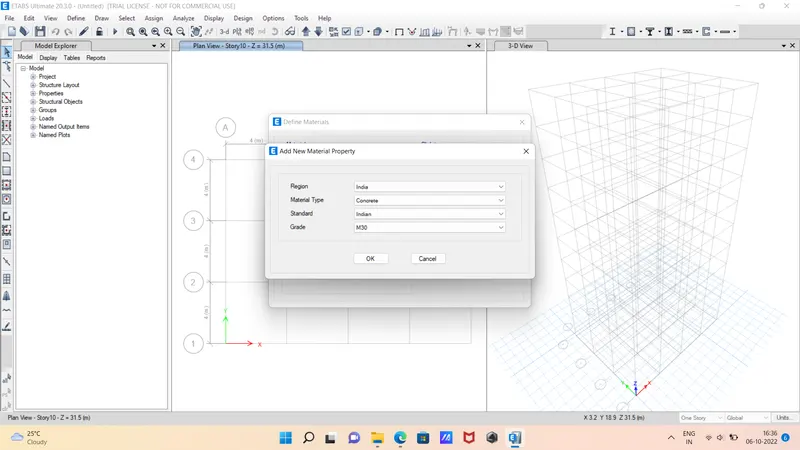
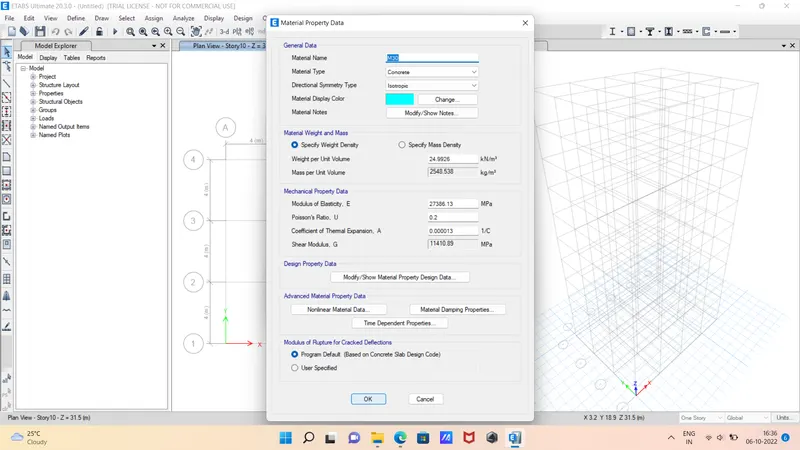
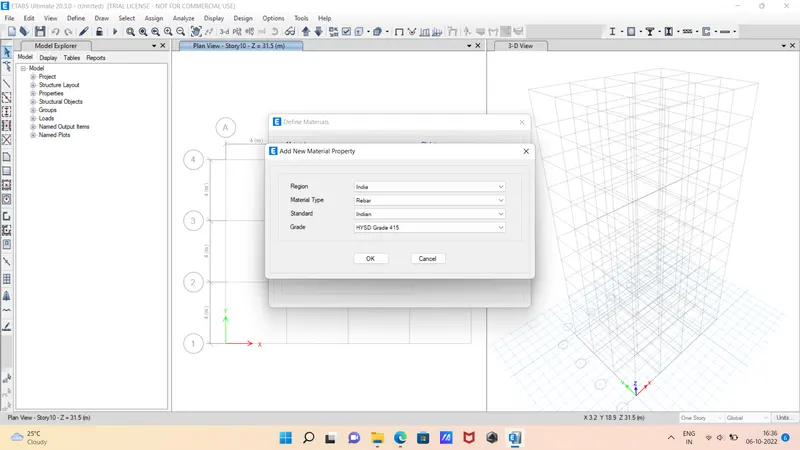
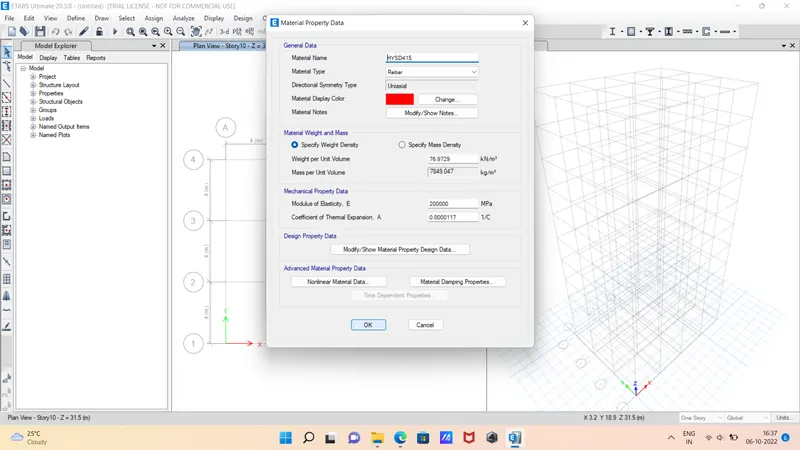
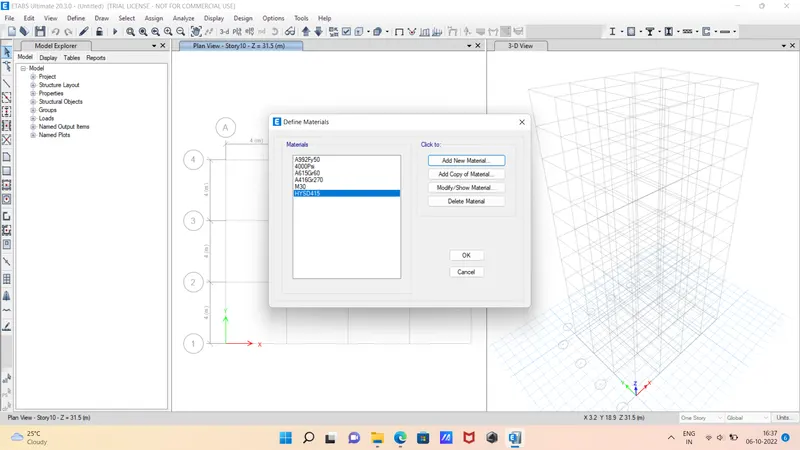
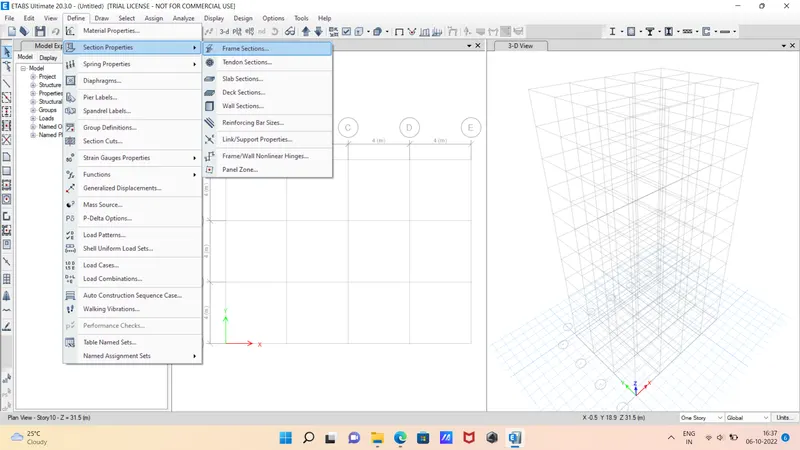
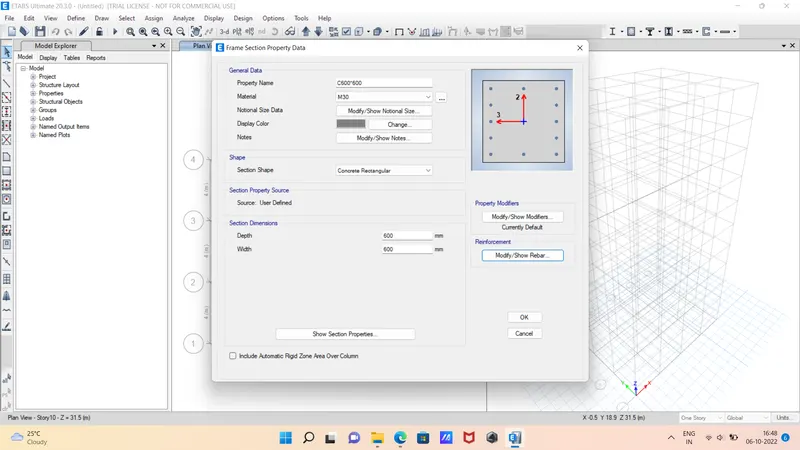
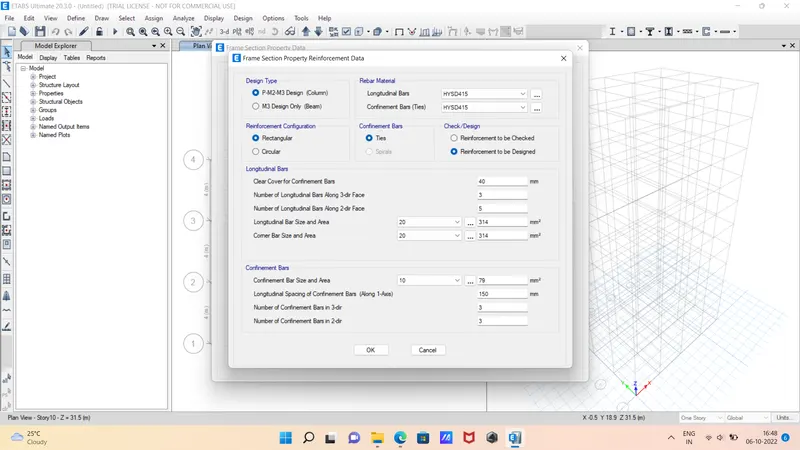
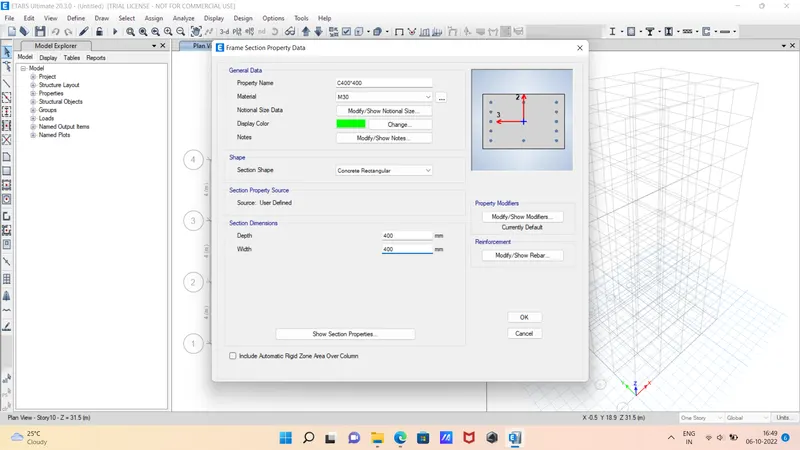
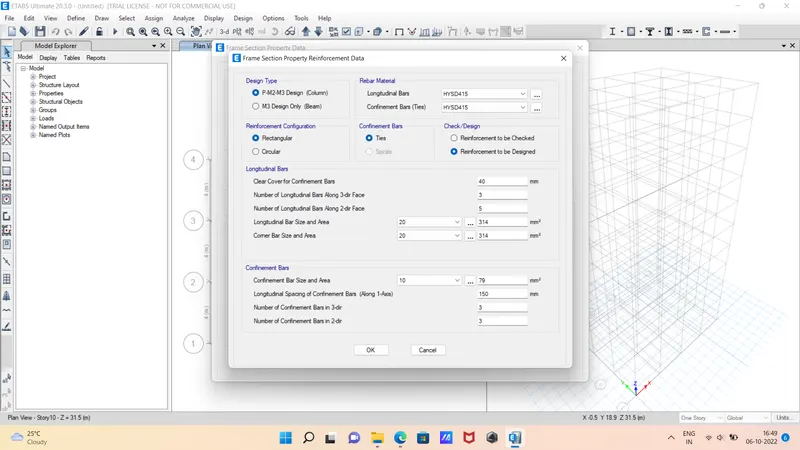
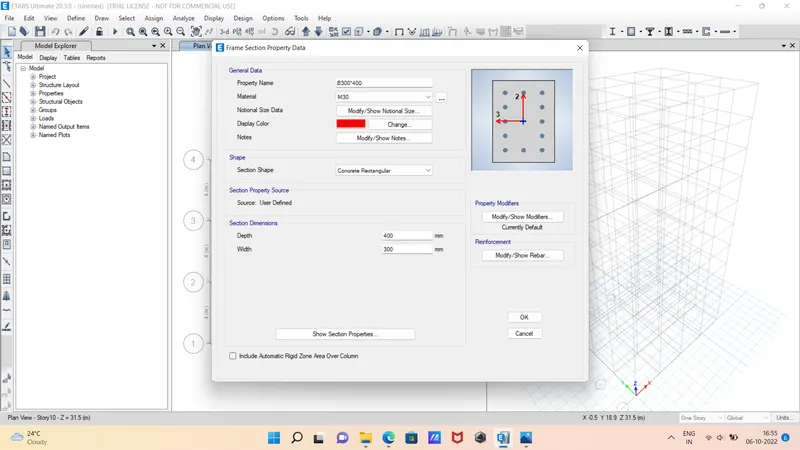
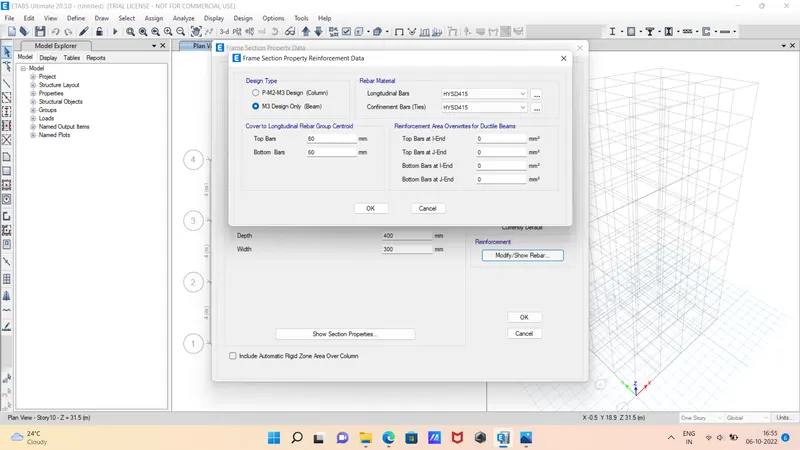
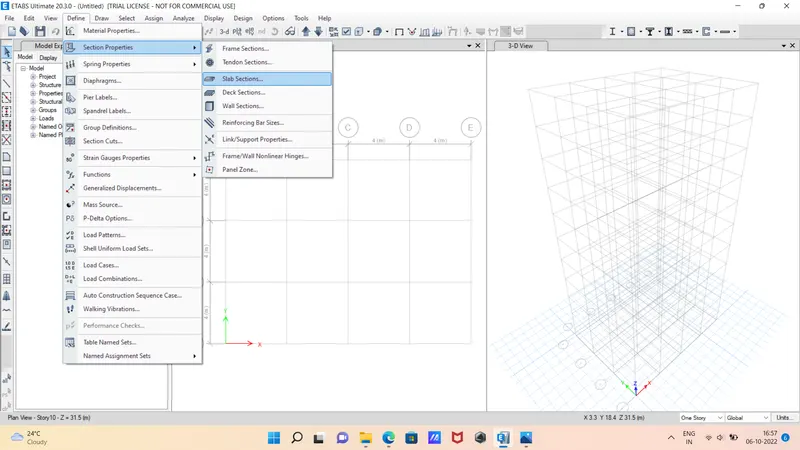
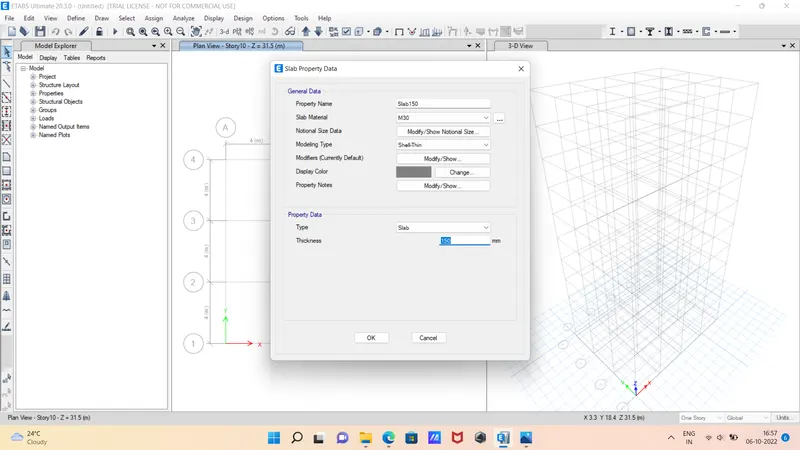
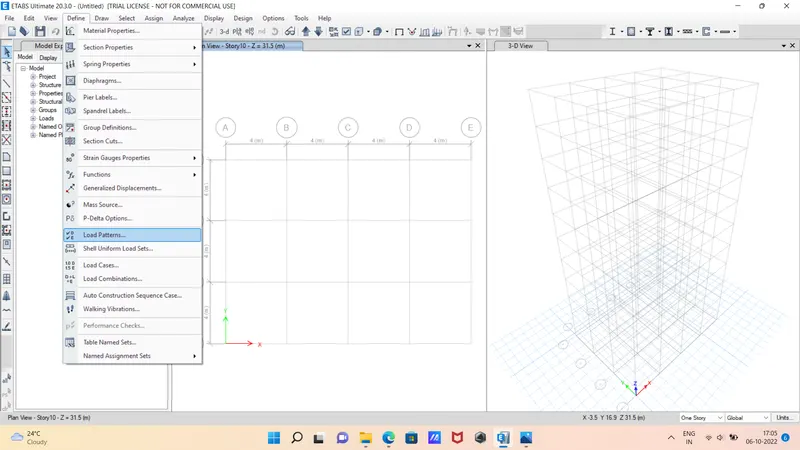
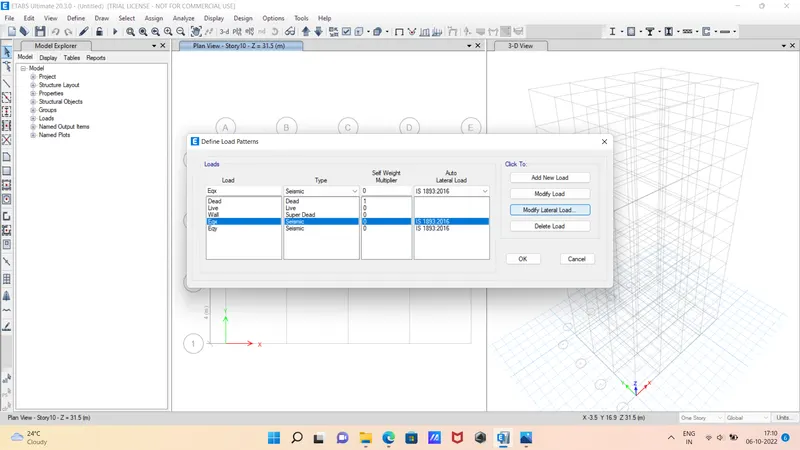
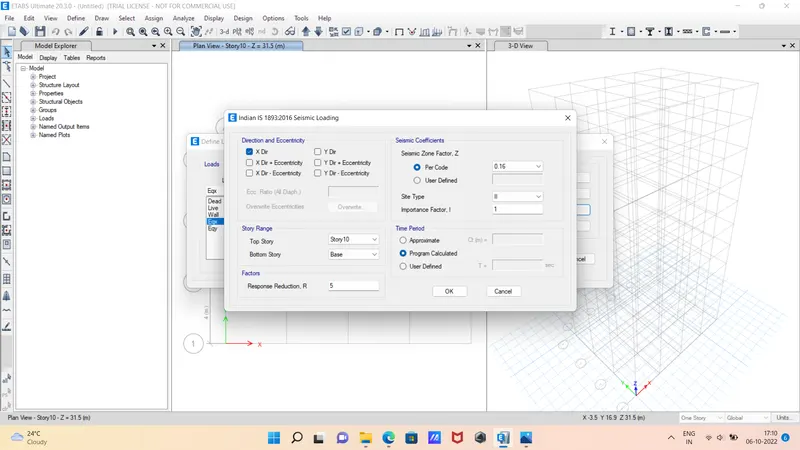
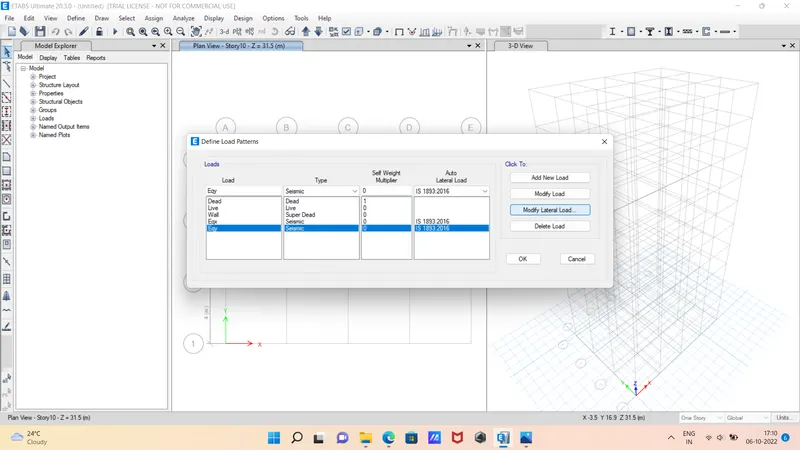
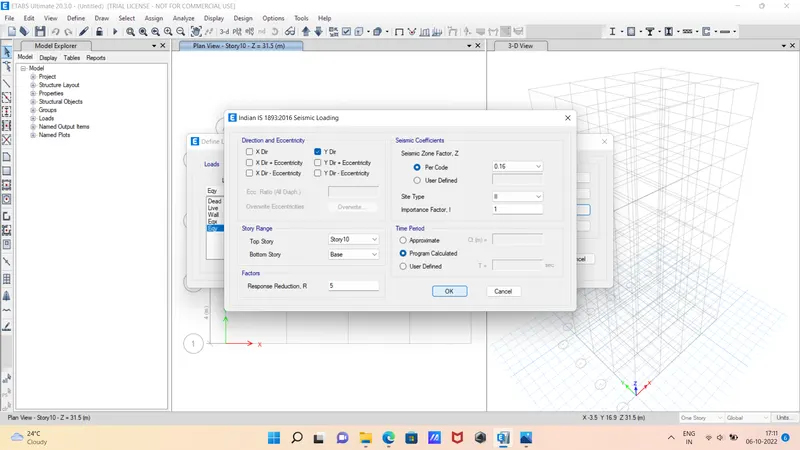
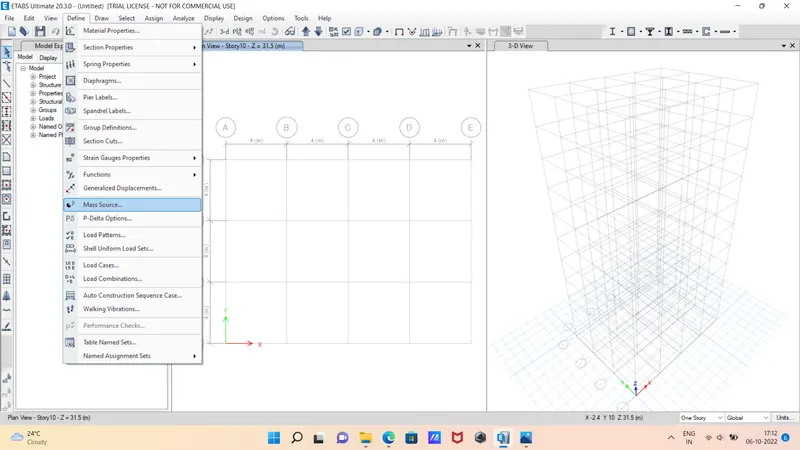
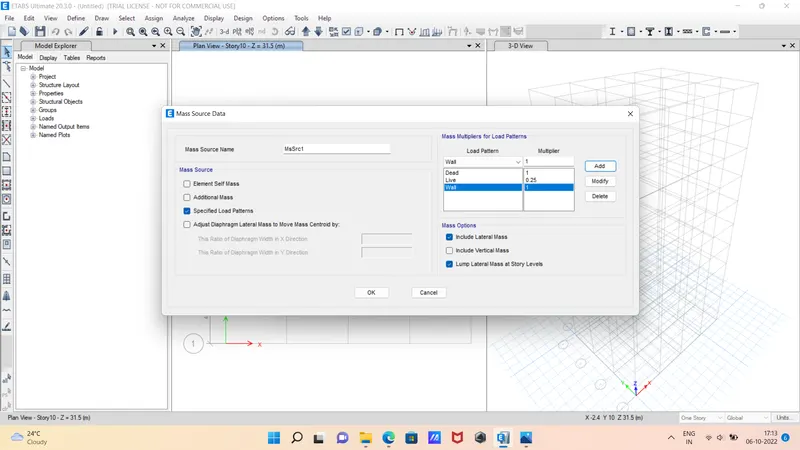
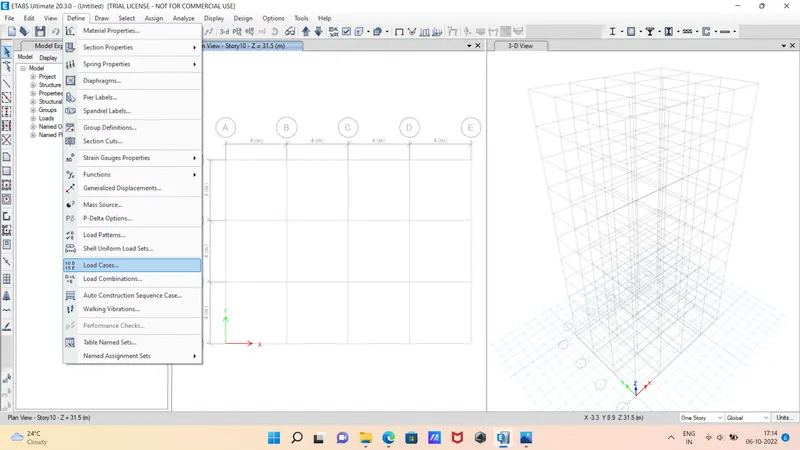
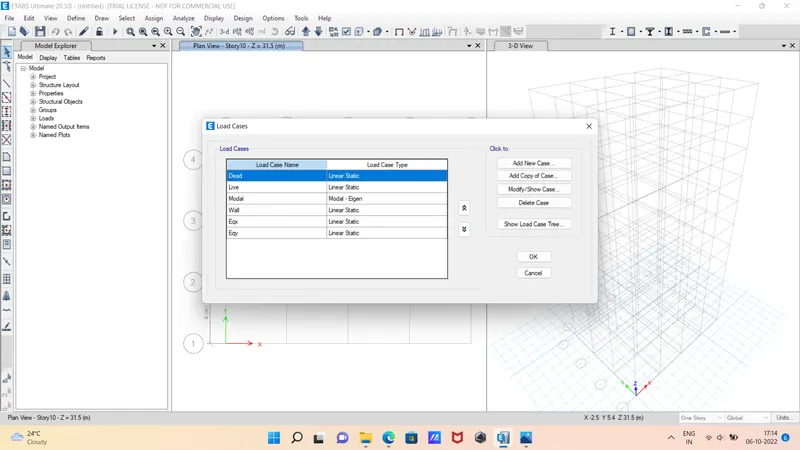
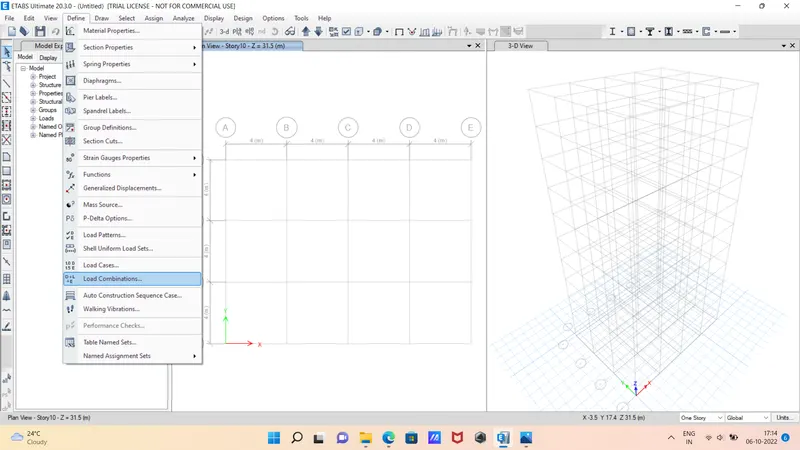
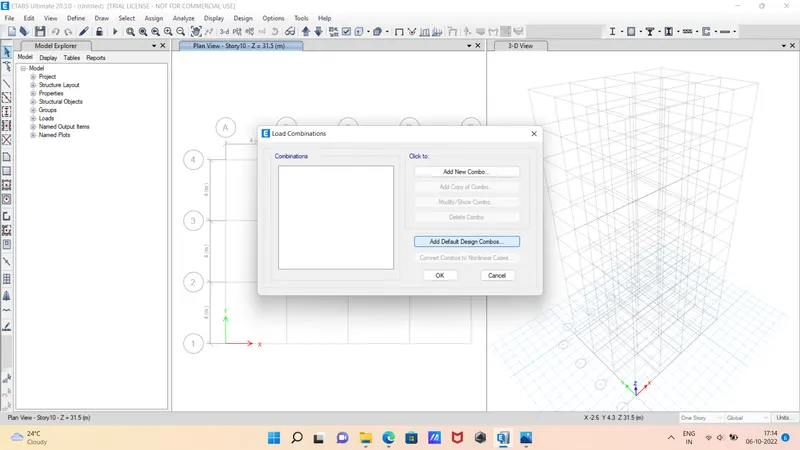
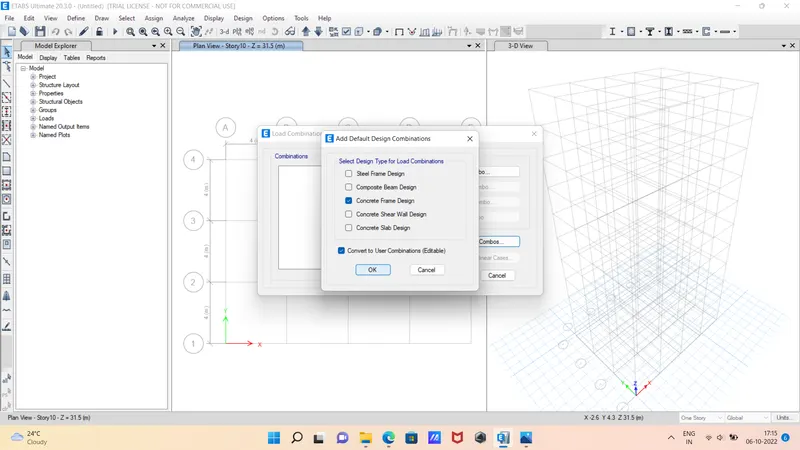
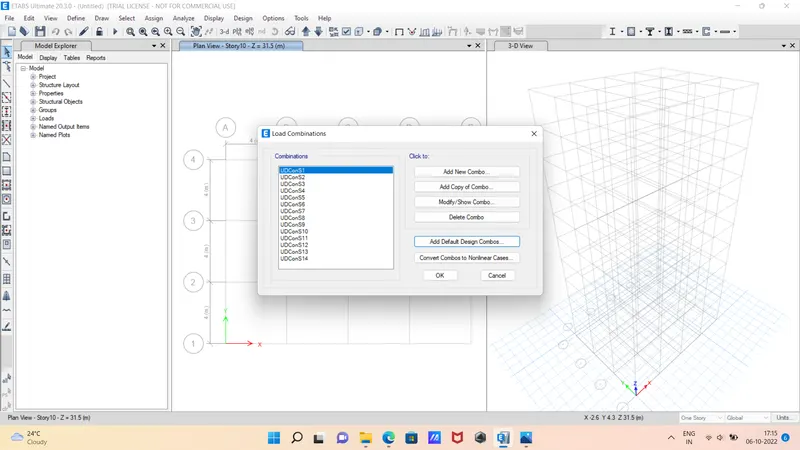
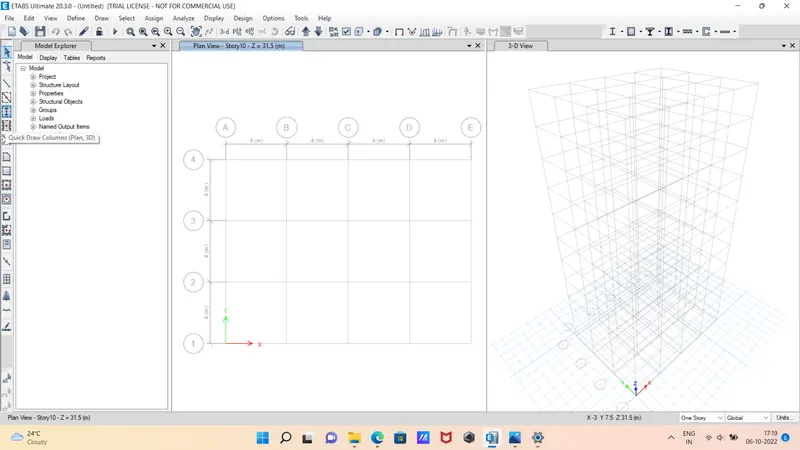
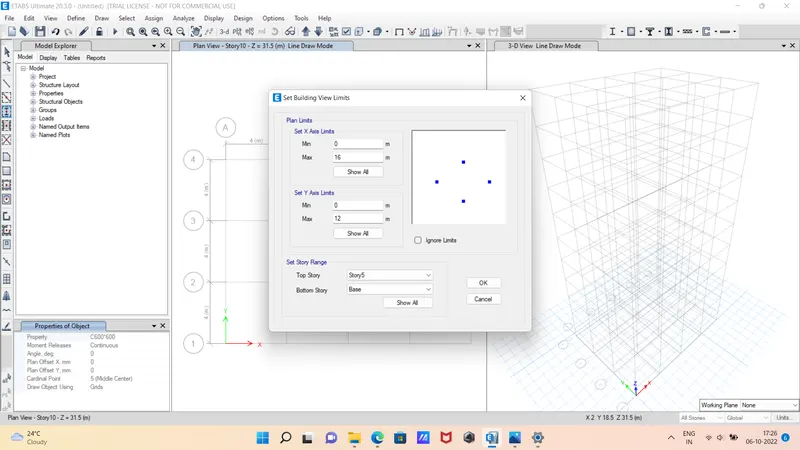
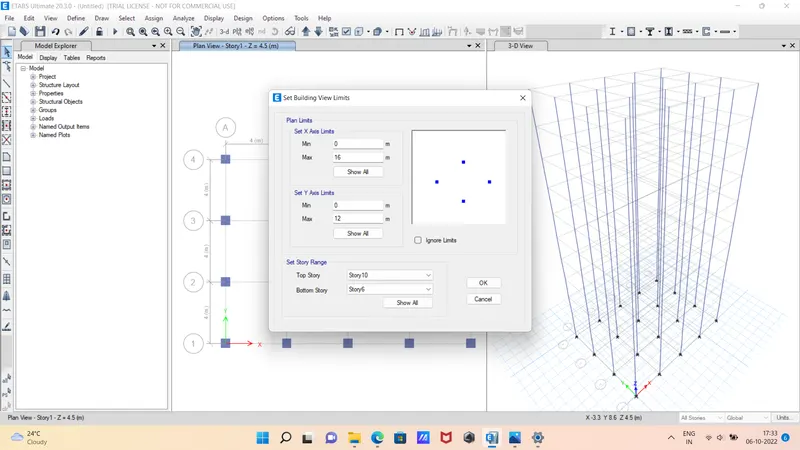
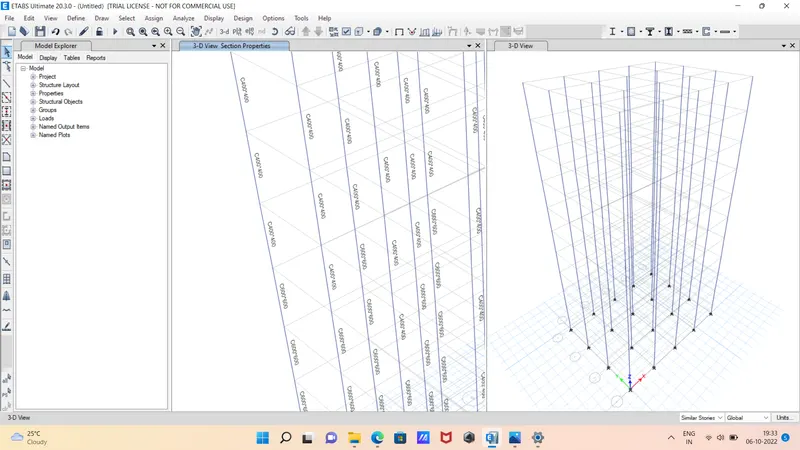
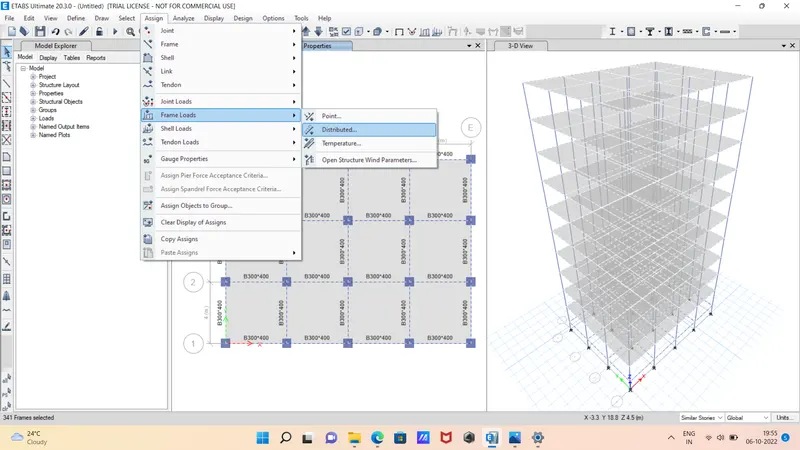
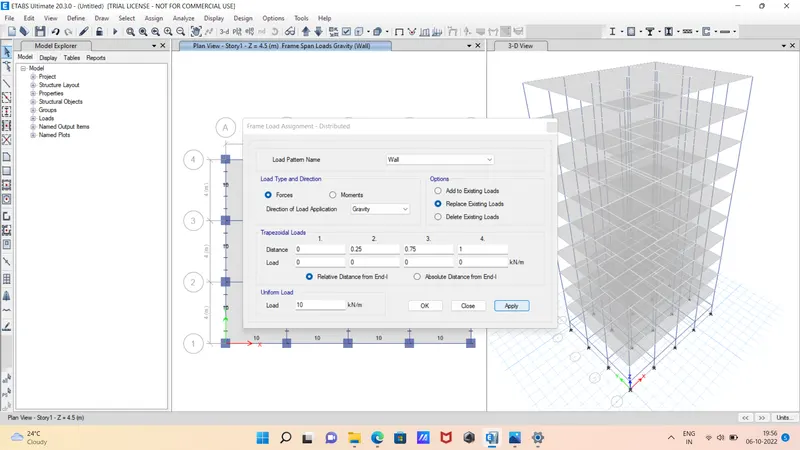
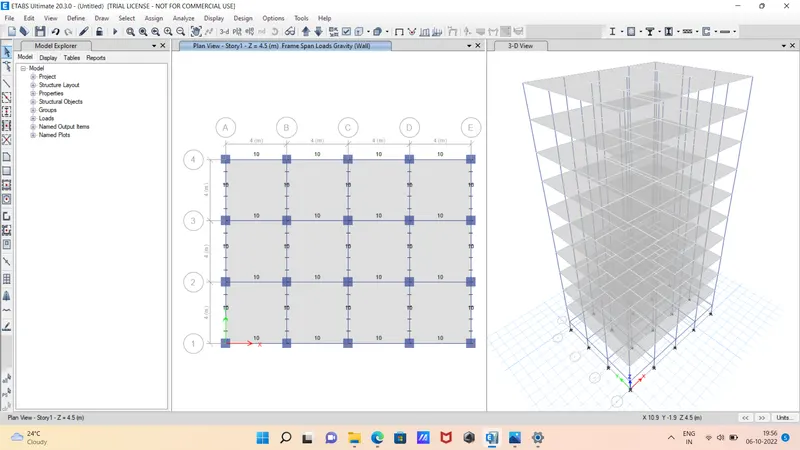
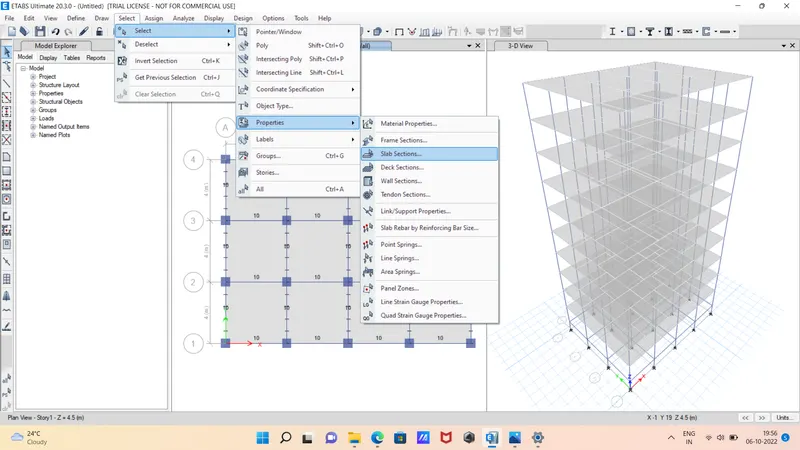
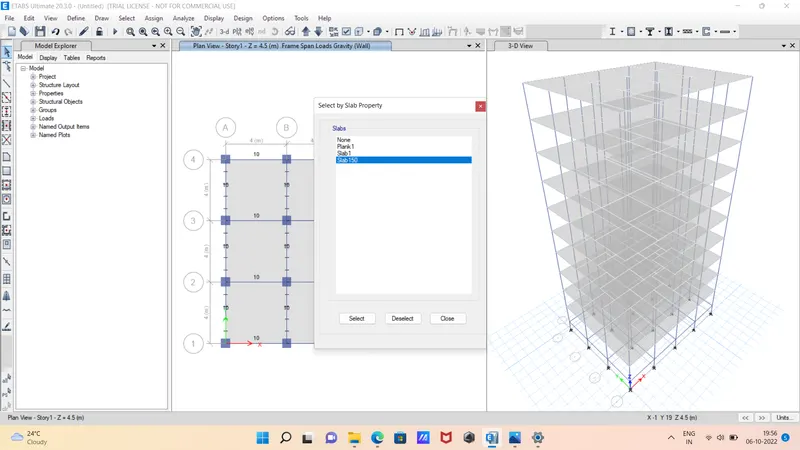
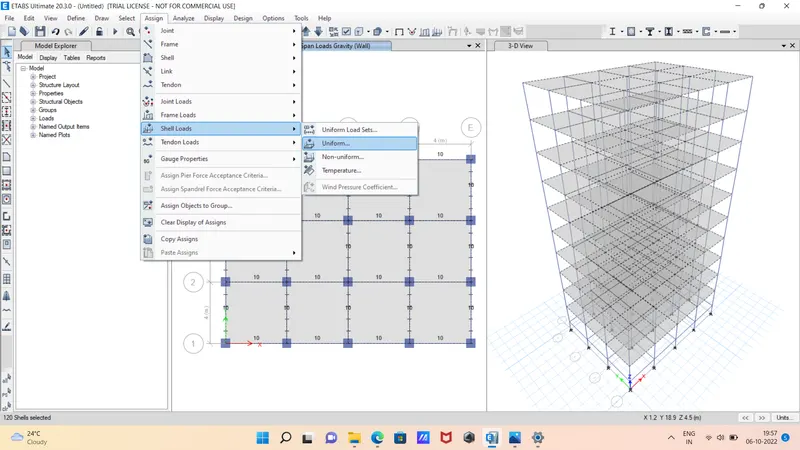
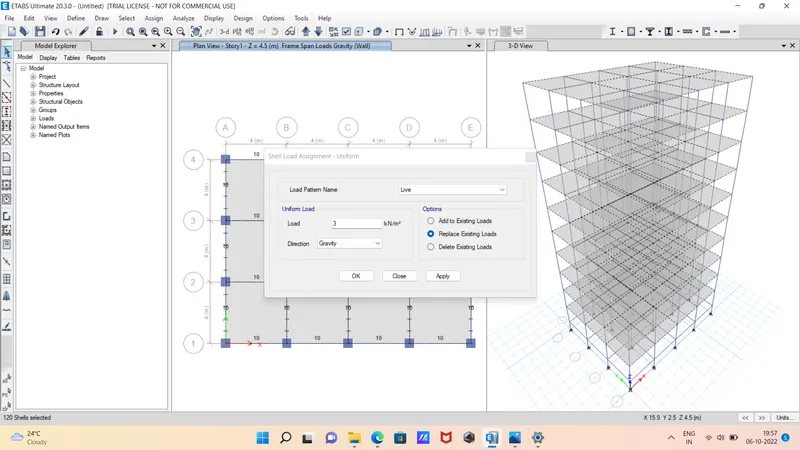
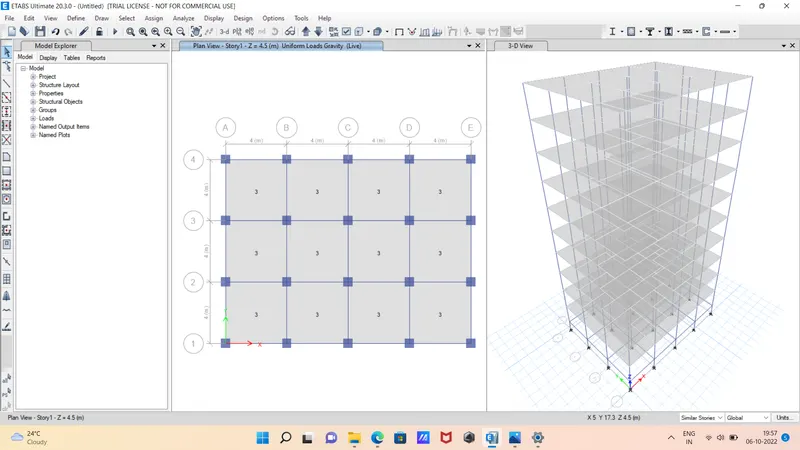
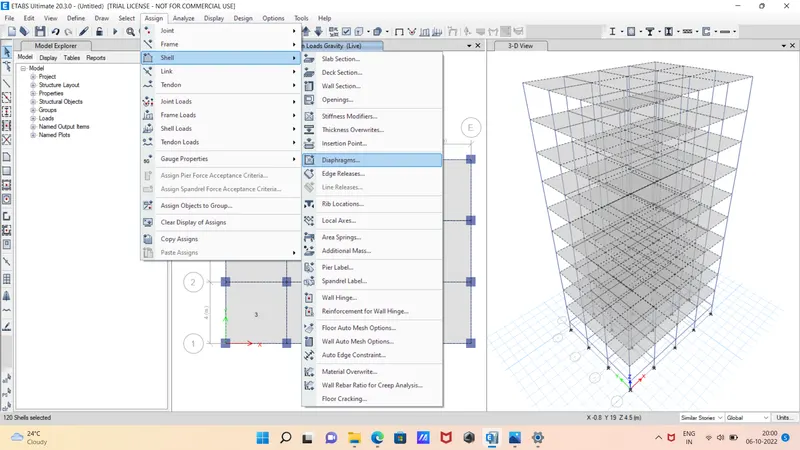
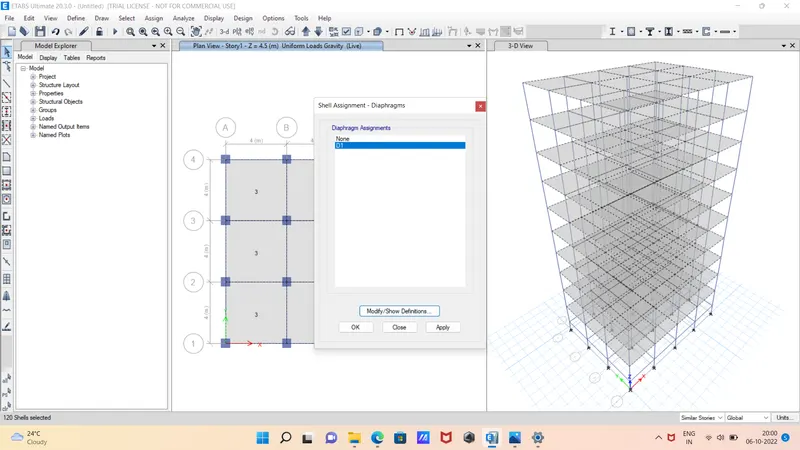
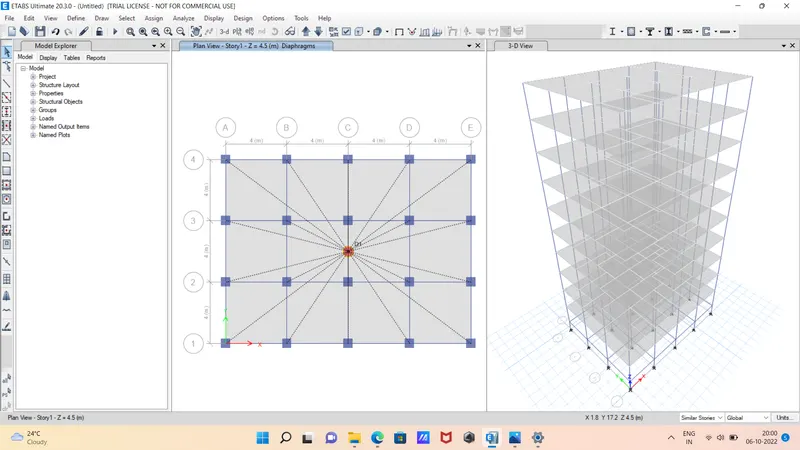
- After assigning all the loads, we have to check the model and the model shows no error.
- After checking the model, then click on the run analysis.
- Finally the run analysis has been finished, then the deformed shape of the model will appear.
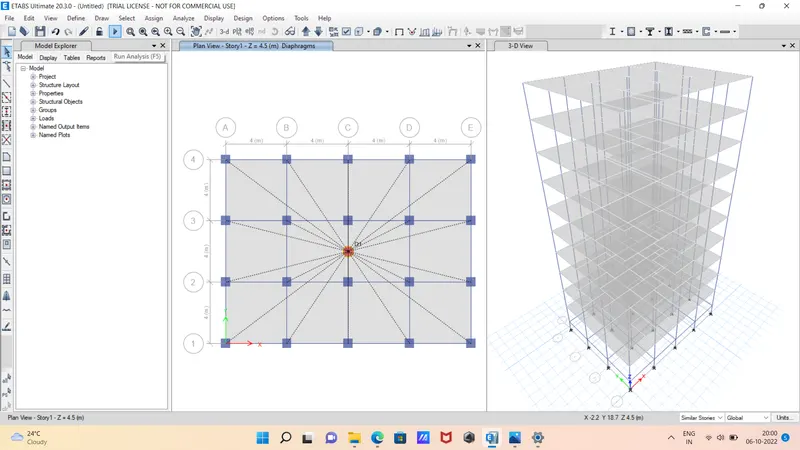
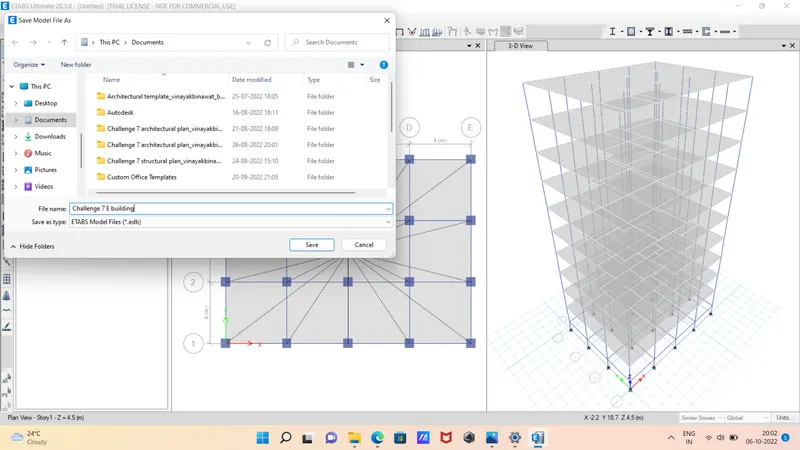
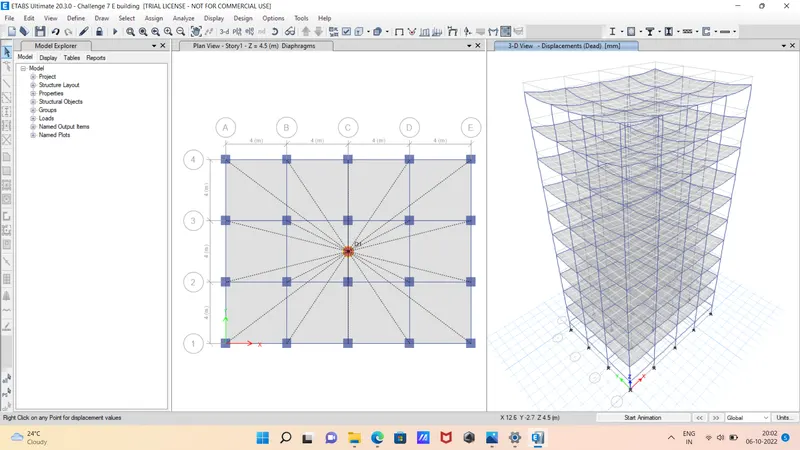
- Next we have to click on the Display option and then select the show table option.
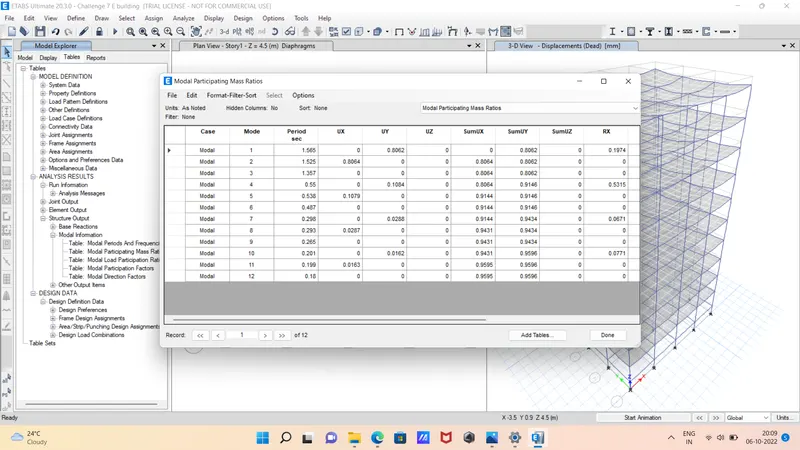
- After selecting the show table option, then we need to select the Modal Participating Mass Ratios from the Structure output.
- Then after the Modal Participating Mass Ratios table will appear.
Step 2 :
Building F
- First we have to open the etabs software and create the new model and add the 10 storey in the story data.
- Next we put the story1 as Master Story.
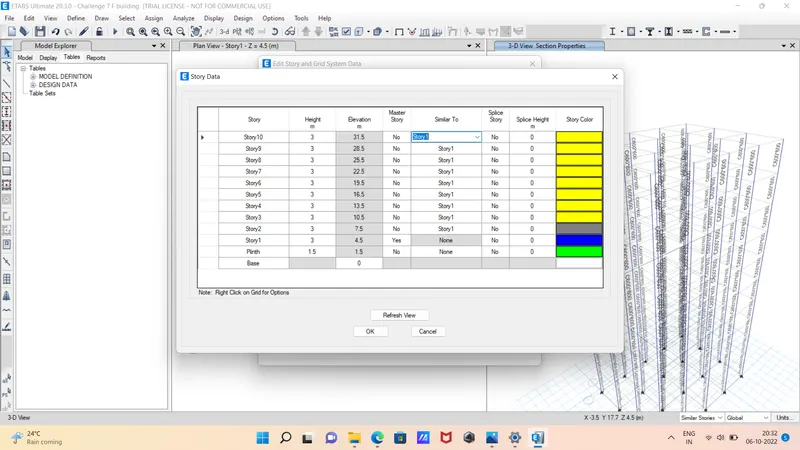
- Next we have to set the material properties and section properties.
- We assign the columns to all the storeys with the size of (600X600)mm.
- Next we assign the beams to all the storeys with the size of (300X400)mm.
- Next we assign the slabs with the thickness of 150mm from 1st storey to 10th storey.
- Next we have to assign all the loads such as live load, dead load, brickwall load and seismic loads etc.
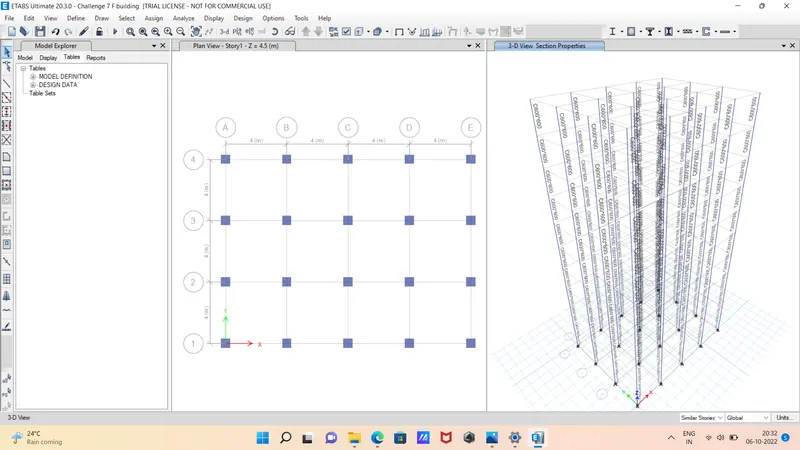
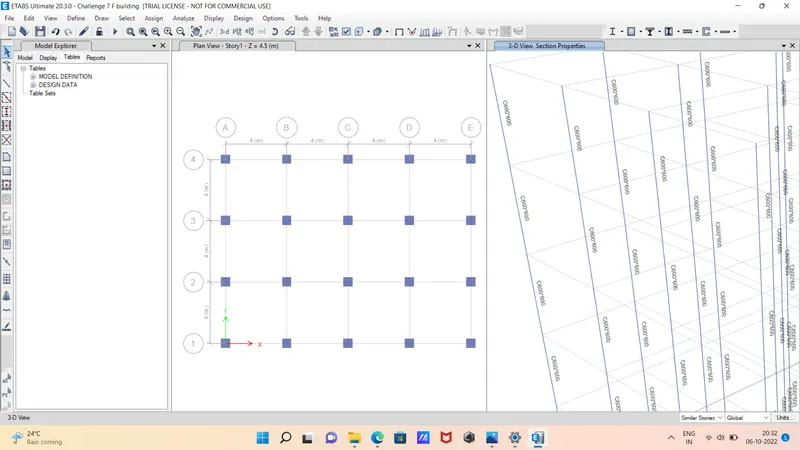
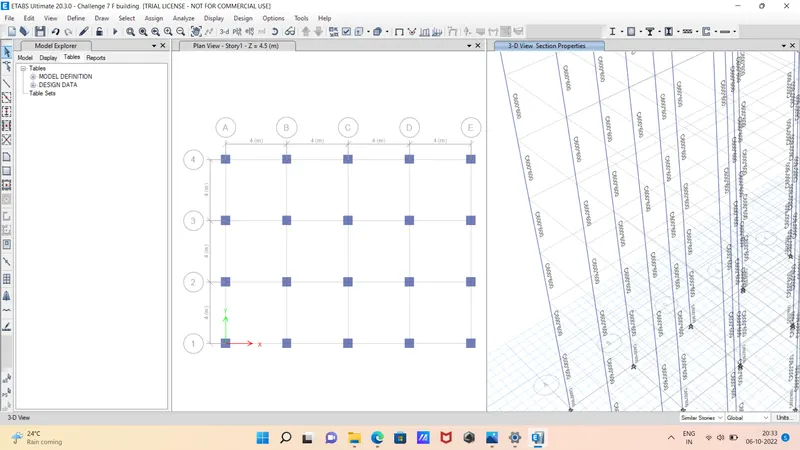
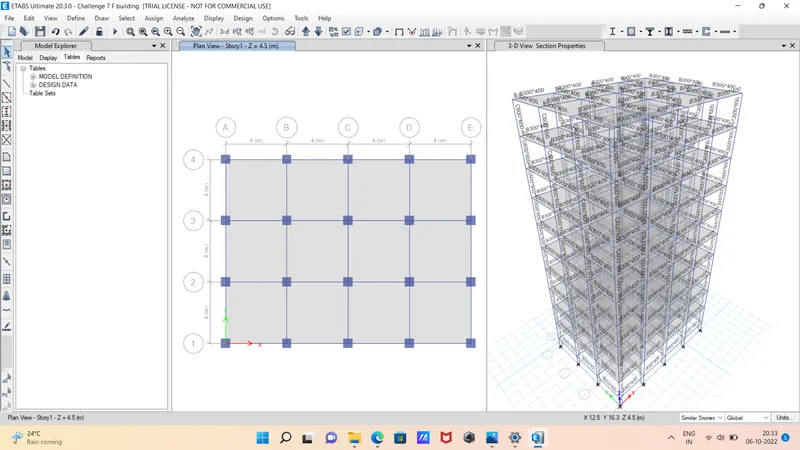
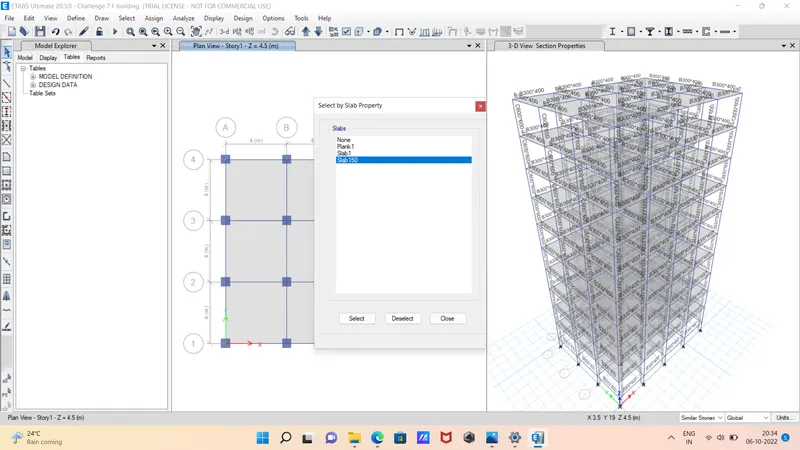
- After assigning all the loads, we have to check the model and the model shows no error.
- After checking the model, then click on the run analysis.
- Finally the run analysis has been finished, then the deformed shape of the model will appear.
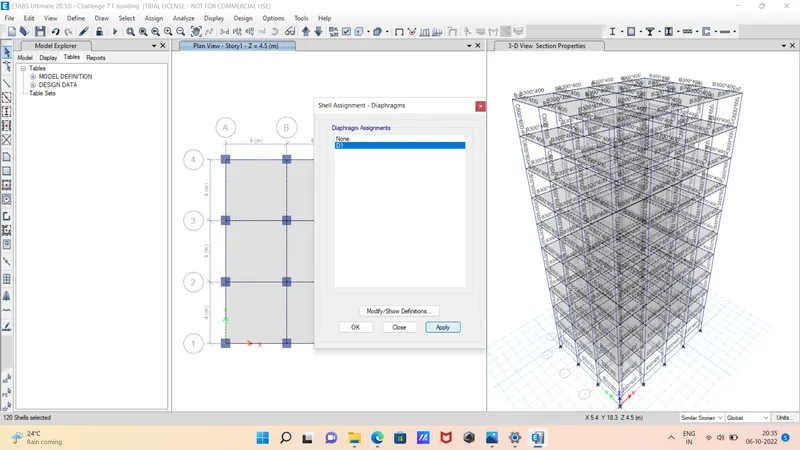
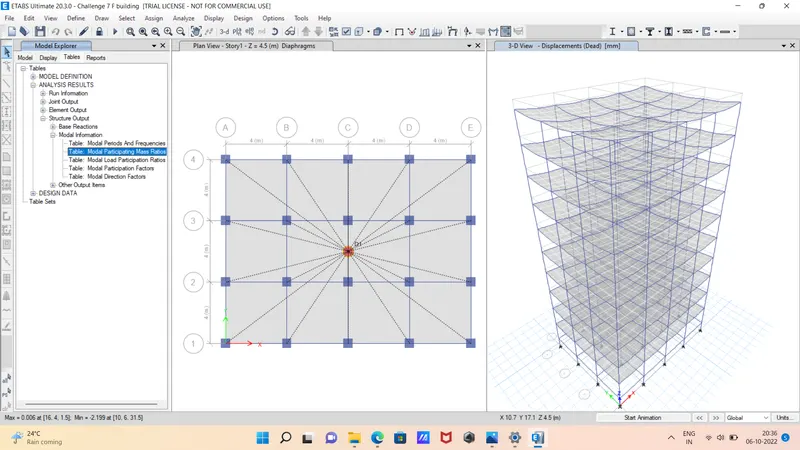
- Next we have to click on the Display option and then select the show table option.
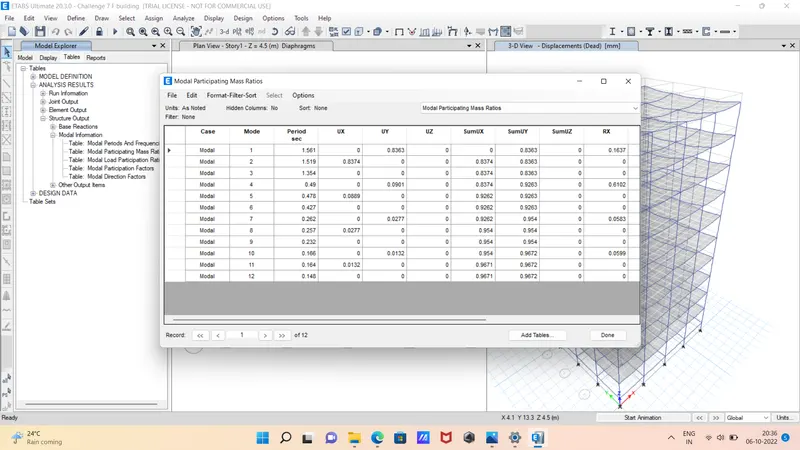
- After selecting the show table option, then we need to select the Modal Participating Mass Ratios from the Structure output.
- Then after the Modal Participating Mass Ratios table will appear.
Step 3 :
Building G
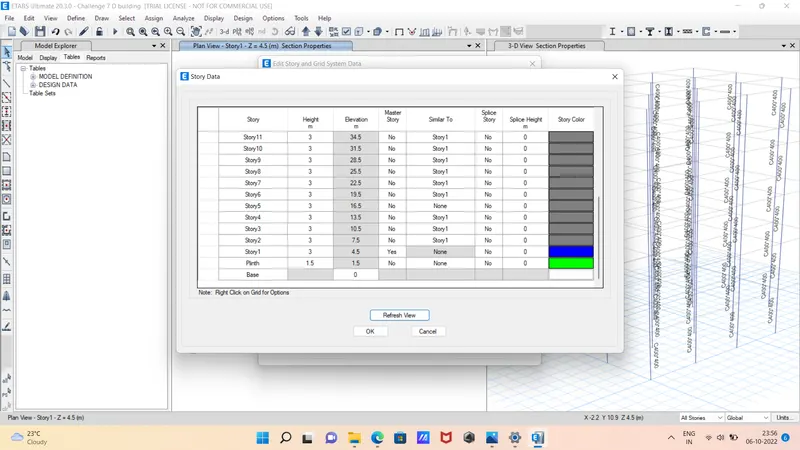
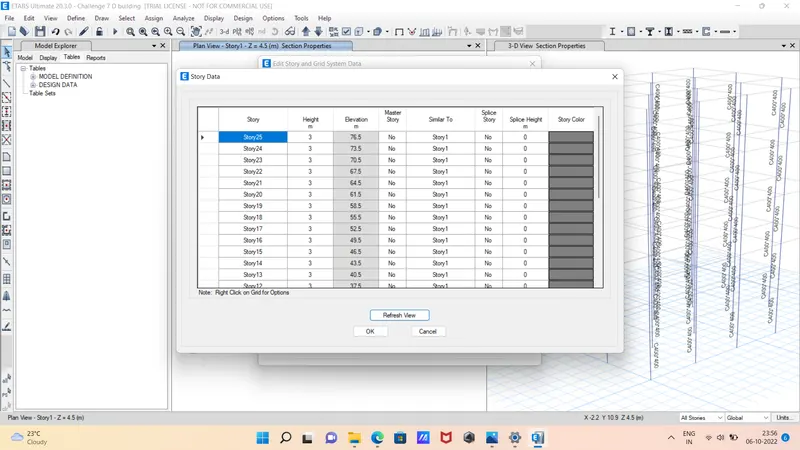
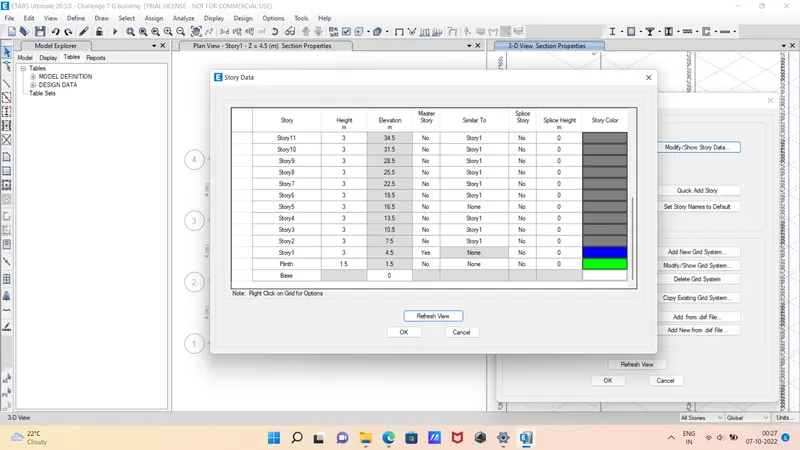
- First we have to open the etabs software and create the new model and add the 25 storey in the story data.
- Next we put the story1 as Master Storey.
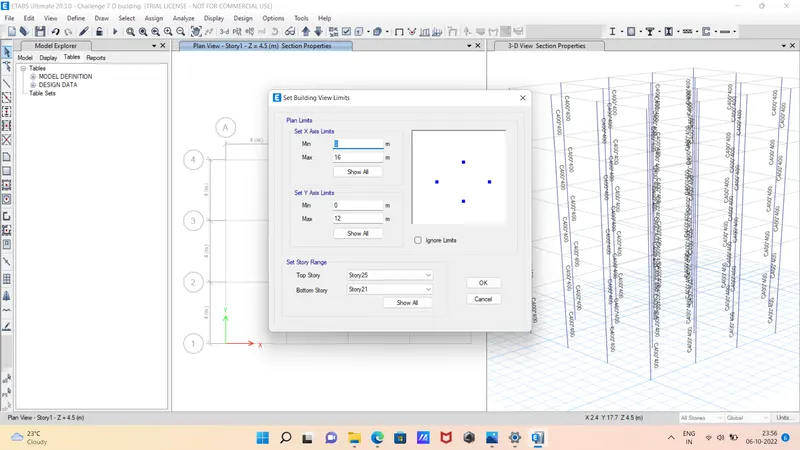
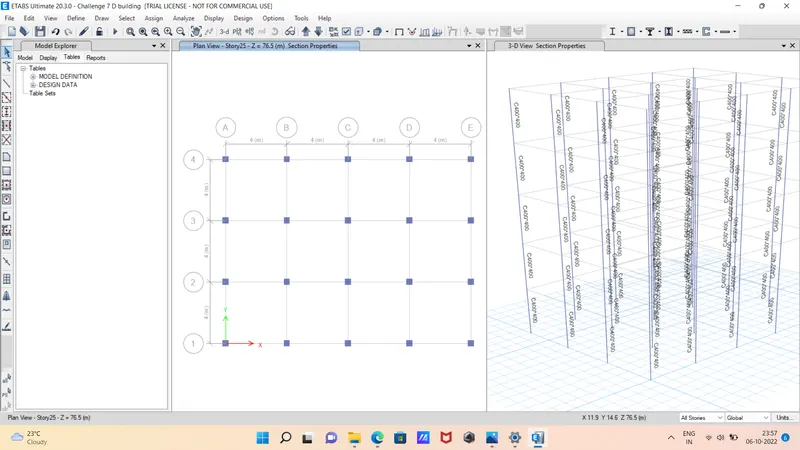
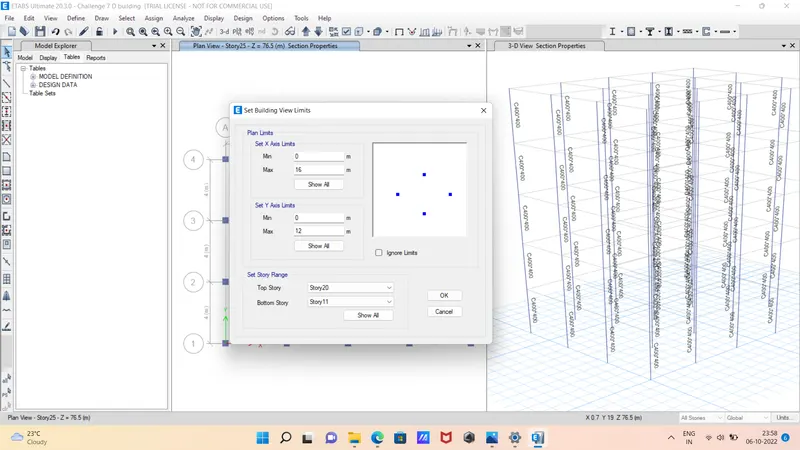
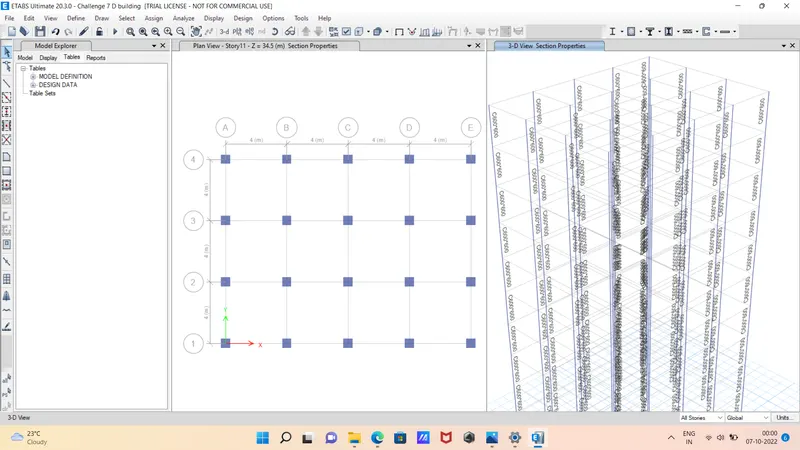
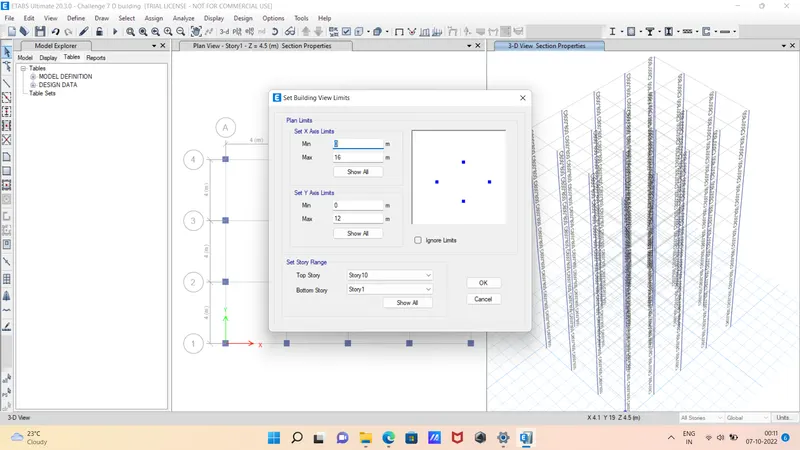
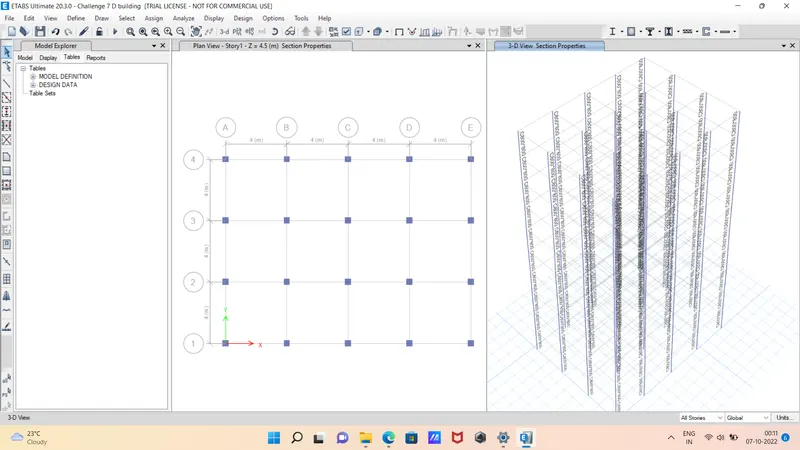
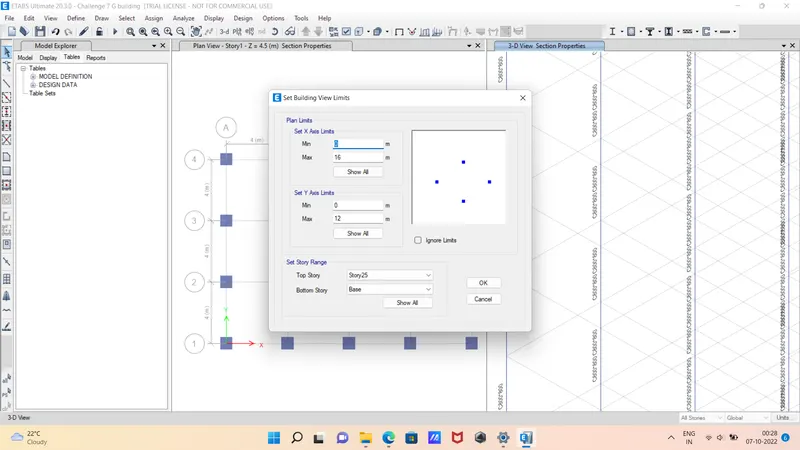
- Next we set the building limits to Story 21 as base story and Story 25 as top story and assign columns with size (400X400)mm.
- Next we set the building limits to Story 11 as base story and Story 20 as top story and assign columns with size (600X600)mm.
- Next we set the building limits to Story 1 as base story and Story 10 as top story and assign columns with size (800X800)mm.
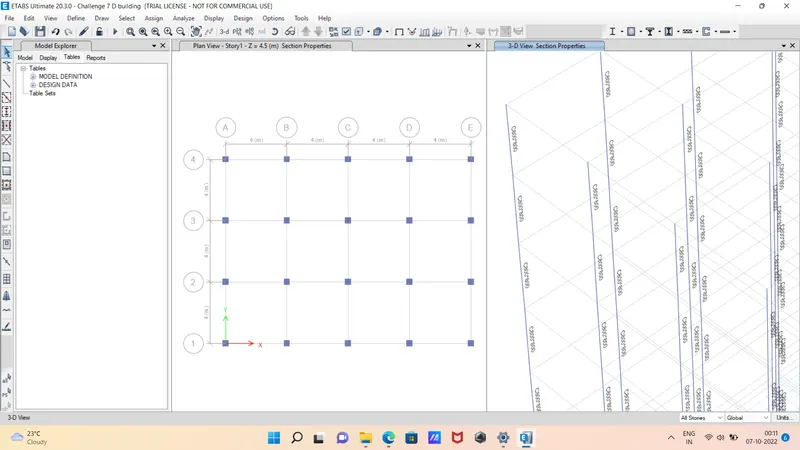
- Next we have to set the material properties and section properties.
- Next we assign the beams to all the storeys with the size of (300X400)mm.
- Next we assign the slabs with the thickness of 150mm from 1st storey to 25th storey.
- Next we have to assign all the loads such as live load, dead load, brickwall load and seismic loads etc.
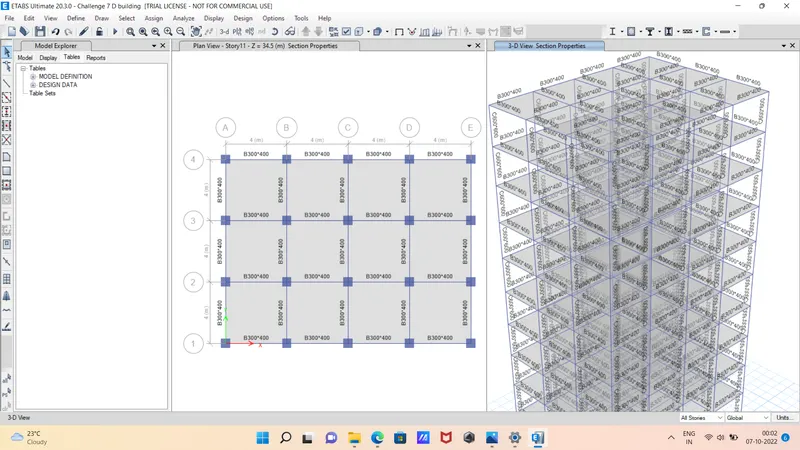
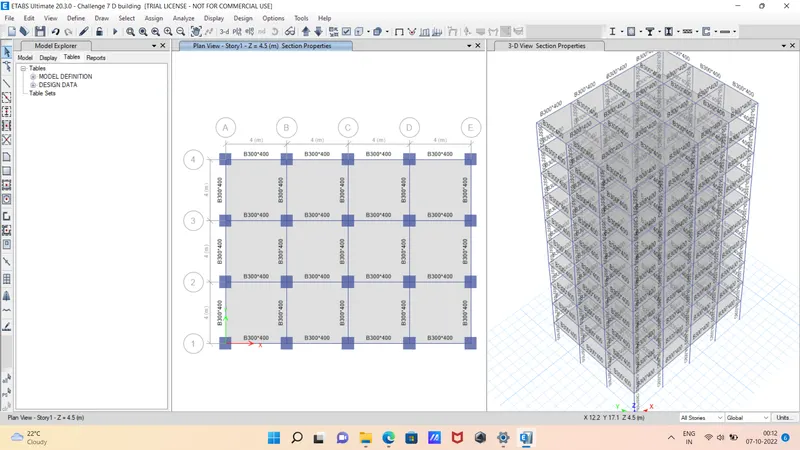
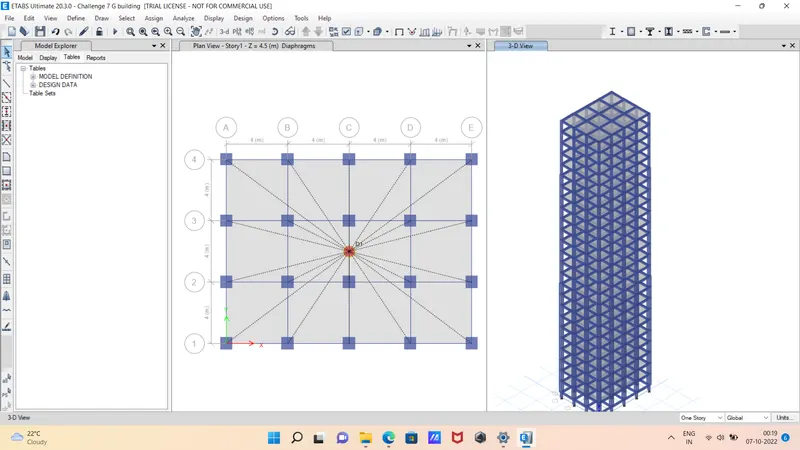
- After assigning all the loads, we have to check the model and the model shows no error.
- After checking the model, then click on the run analysis.
- Finally the run analysis has been finished, then the deformed shape of the model will appear.
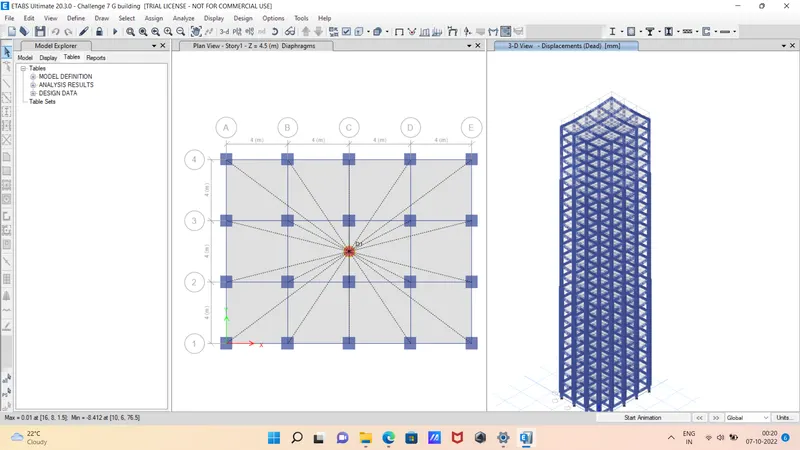
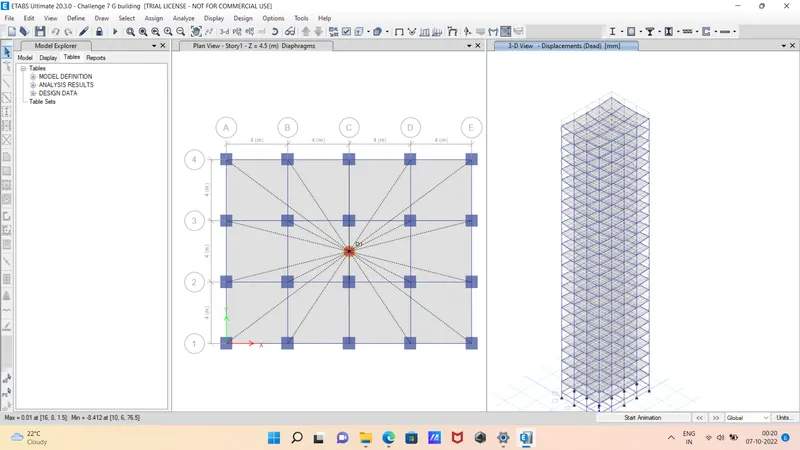
- Next we have to click on the Display option and then select the show table option.
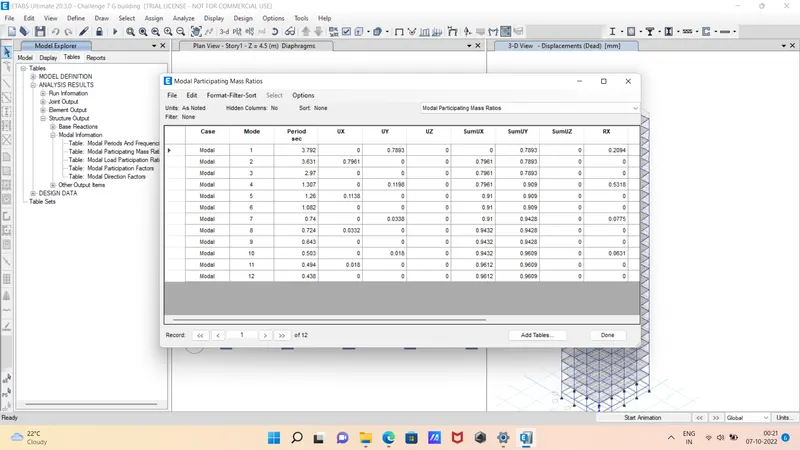
- After selecting the show table option, then we need to select the Modal Participating Mass Ratios from the Structure output.
- Then after the Modal Participating Mass Ratios table will appear.
Step 4 :
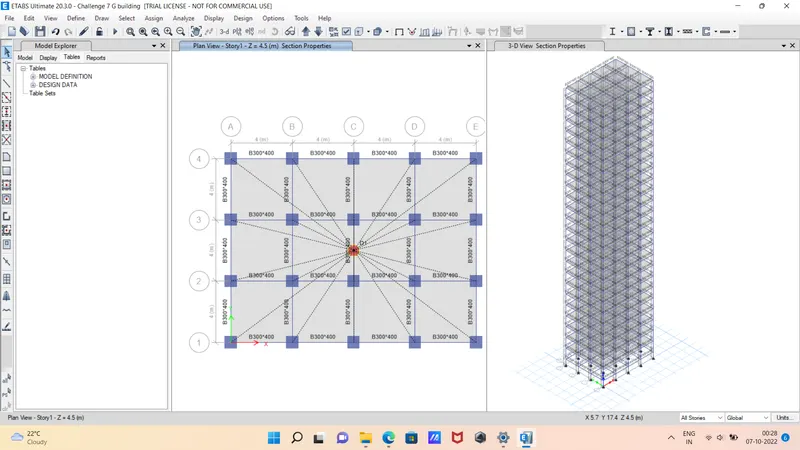
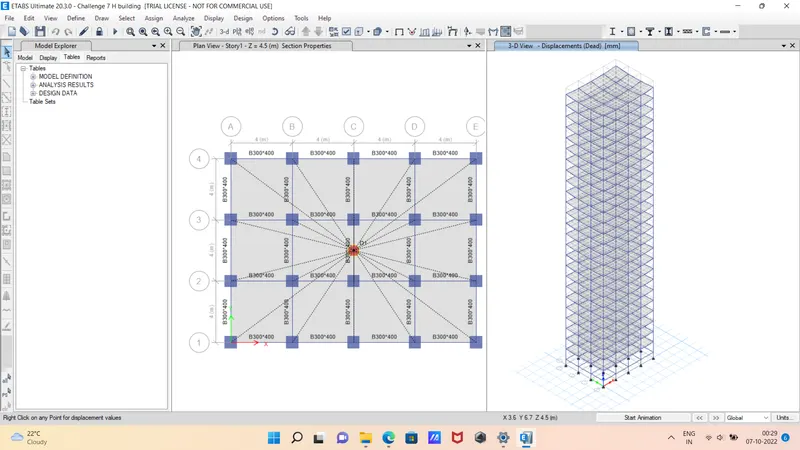
Building H
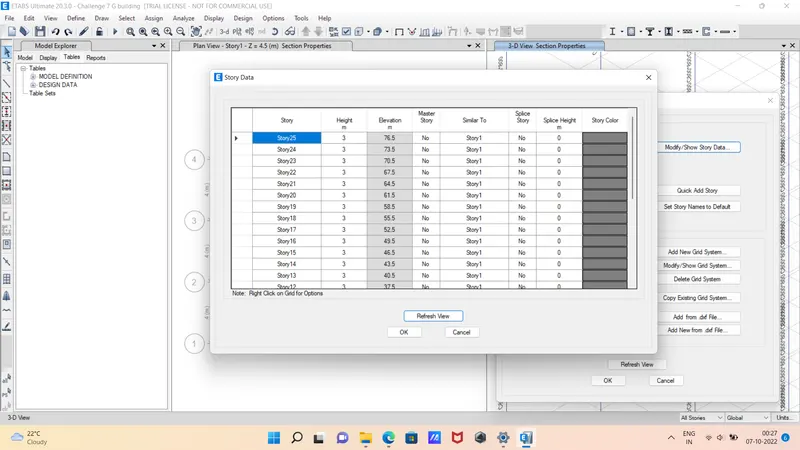
- First we have to open the etabs software and create the new model and add the 25 storey in the story data.
- Next we put the story1 as Master Story.
- Next we have to set the material properties and section properties.
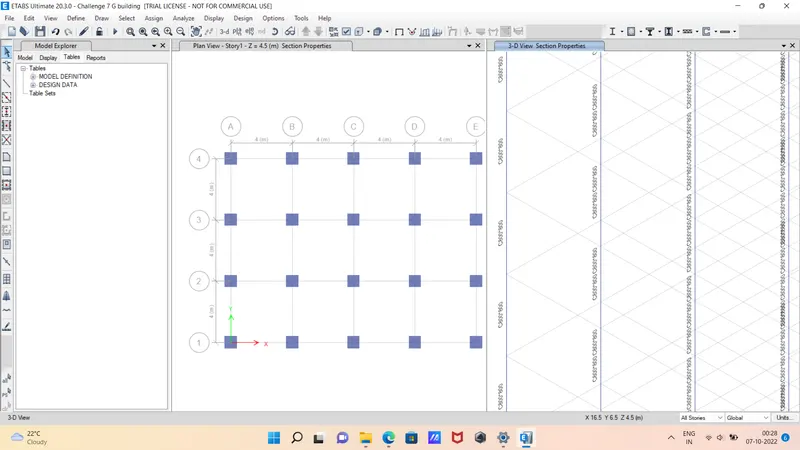
- We assign the columns to all the storeys with the size of (800X800)mm.
- Next we assign the beams to all the storeys with the size of (300X400)mm.
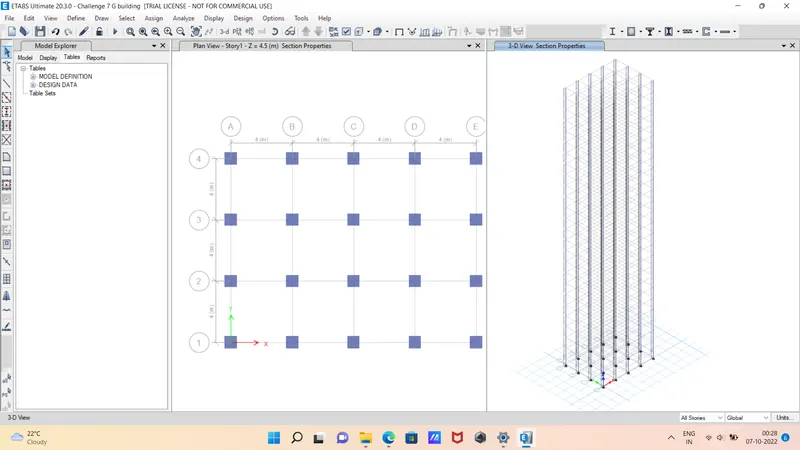
- Next we assign the slabs with the thickness of 150mm from 1st storey to 25th storey.
- Next we have to assign all the loads such as live load, dead load, brickwall load and seismic loads etc,.
- After assigning all the loads, we have to check the model and the model shows no error.
- After checking the model, then click on the run analysis.
- Finally the run analysis has been finished, then the deformed shape of the model will appear.
- Next we have to click on the Display option and then select the show table option.
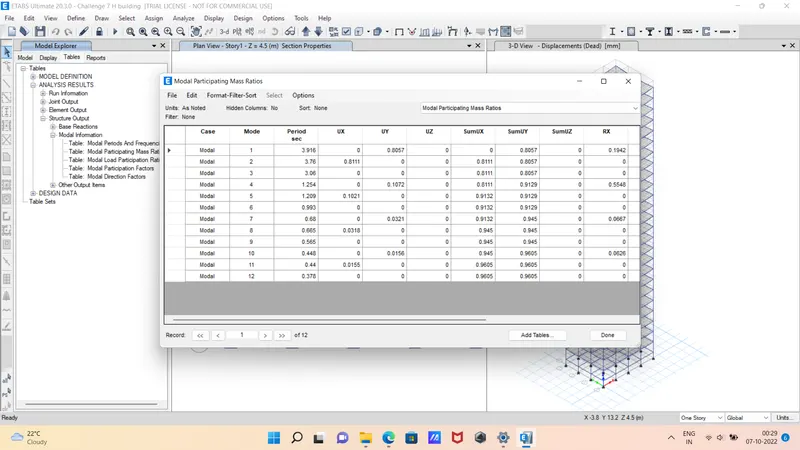
- After selecting the show table option, then we need to select the Modal Participating Mass Ratios from the Structure output.
- Then after the Modal Participating Mass Ratios table will appear.
RESULT :
- The fundamental natural period of Building E is T=1.565 sec.
- The fundamental natural period of Building F is T=1.561 sec.
- The fundamental natural period of Building G is T=3.792 sec.
- The fundamental natural period of Building H is T=3.916 sec.
- In the Building E we use two different column sizes, one has been assigned to top 5 storeys and another one to the bottom 5 storey. But in building F there is only one column size we use for the entire building, thats why there is a significant difference in the fundamental natural periods.
- Similarly we use three different column sizes for building G, and one column size for building H.
- Hence there is a significant difference in the fundamental natural periods.
2] Fundamental natural periods of buildings H, J and K. Have the buildings become more flexible or stiff due to change in mass.
Step 1 :
Building H
- First we have to open the etabs software and create the new model and add the 25 storey in the story data.
- Next we put the story1 as Master Story.
- Next we have to set the material properties and section properties.
- We assign the columns to all the storeys with the size of (800X800)mm.
- Next we assign the beams to all the storeys with the size of (300X400)mm.
- Next we assign the slabs with the thickness of 150mm from 1st storey to 25th storey.
- Next we have to assign all the loads such as live load, dead load, brickwall load and seismic loads etc,.
- After assigning all the loads, we have to check the model and the model shows no error.
- After checking the model, then click on the run analysis.
- Finally the run analysis has been finished, then the deformed shape of the model will appear.
- Next we have to click on the Display option and then select the show table option.
- After selecting the show table option, then we need to select the Modal Participating Mass Ratios from the Structure output.
- Then after the Modal Participating Mass Ratios table will appear.
Step 2 :
Building J
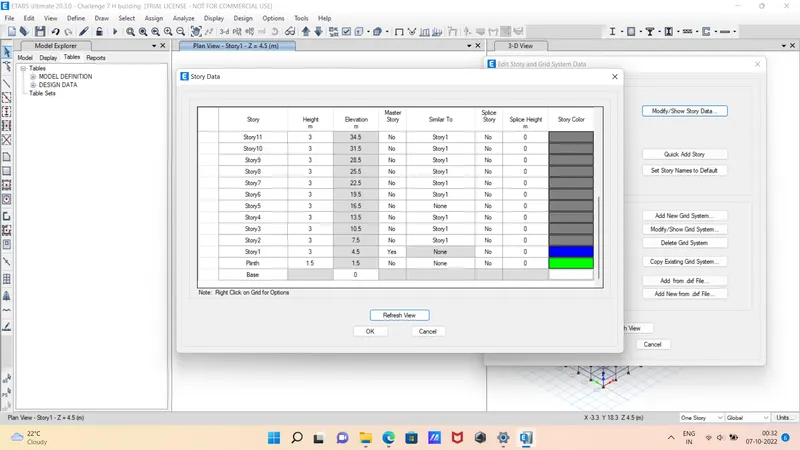
- First we have to open the etabs software and create the new model and add the 25 storey in the story data.
- Next we put the story1 as Master Story.
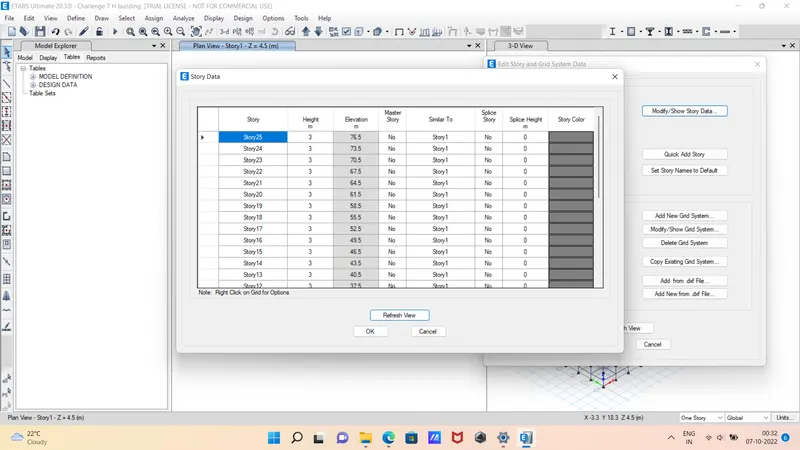
- Next we put all the storeys similar to storey1.
- Next we have to set the material properties and section properties.
- We assign the columns to all the storeys with the size of (800X800)mm.
- Next we assign the beams to all the storeys with the size of (300X400)mm.
- Next we assign the slabs with the thickness of 150mm from 1st storey to 25th storey.
- Next we have to assign all the loads such as live load, dead load, brickwall load and seismic loads etc,.
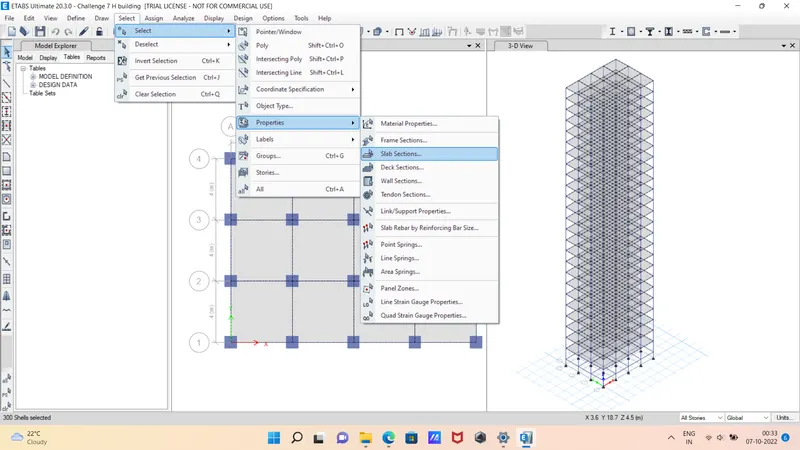
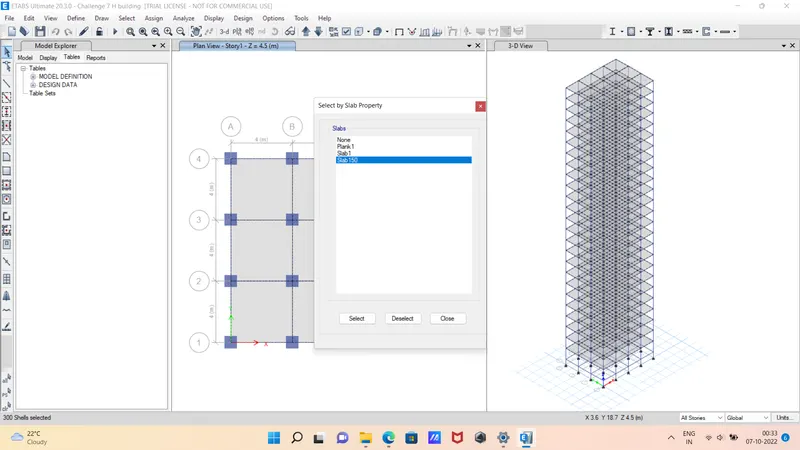
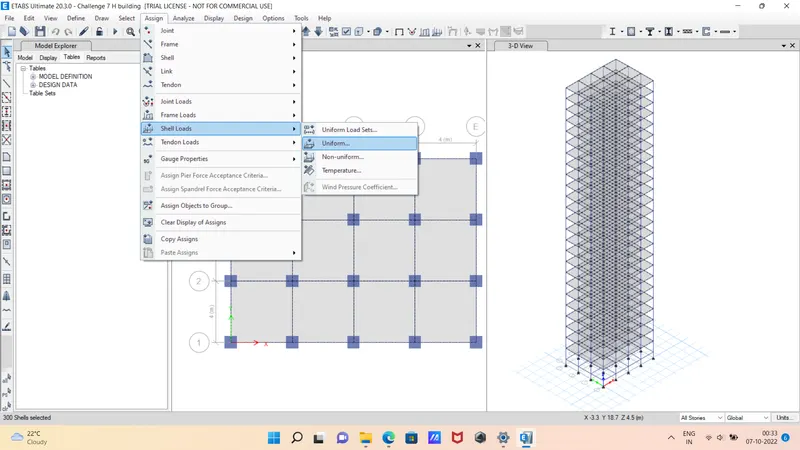
- Here we have to increase the mass by 10% compared to building H.
- To increase the mass by 10% we need to add live load of 0.3 KN/m^2 for every storey,which is equals 3.3 KN/m^2.
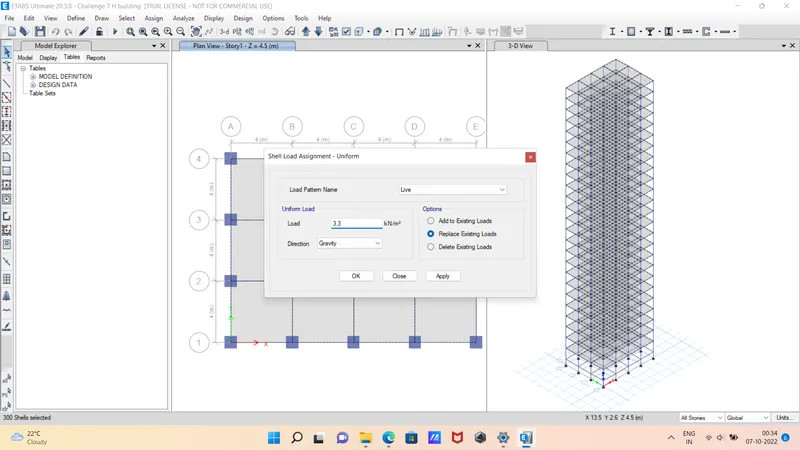
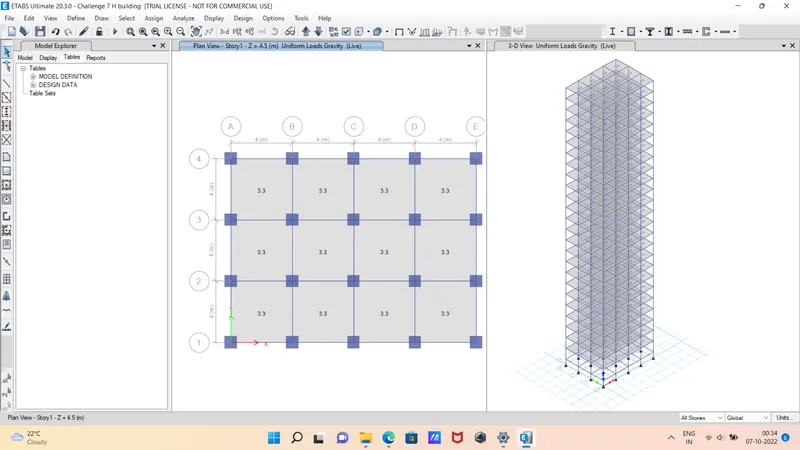
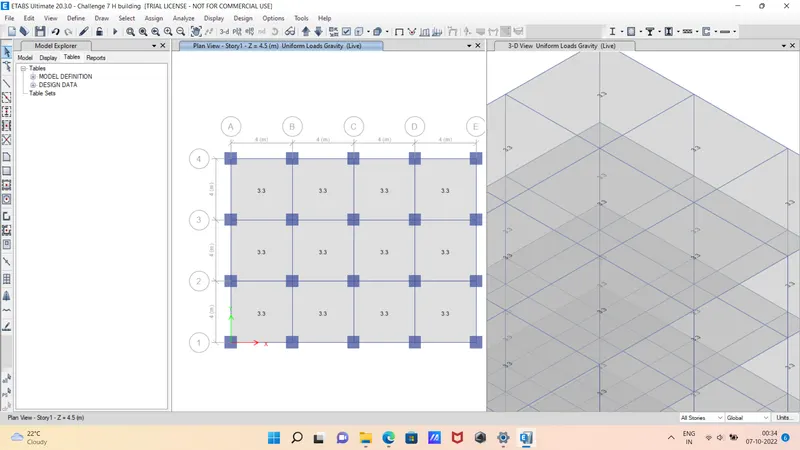
- After assigning all the loads, we have to check the model and the model shows no error.
- After checking the model, then click on the run analysis.
- Finally the run analysis has been finished, then the deformed shape of the model will appears
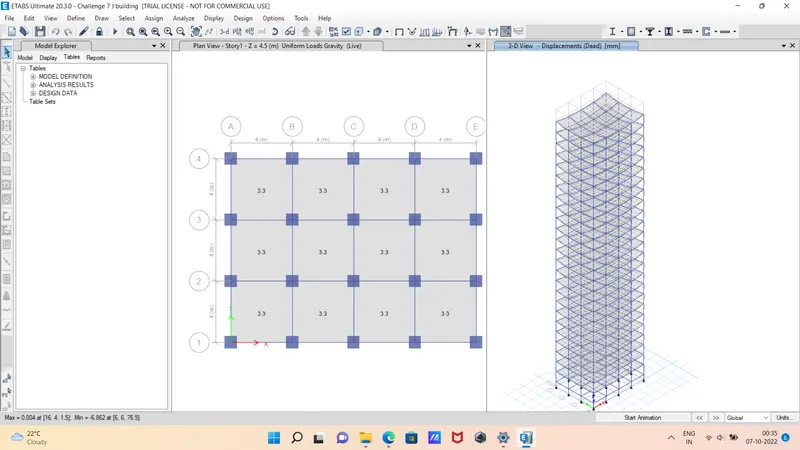
- Next we have to click on the Display option and then select the show table option.
- After selecting the show table option, then we need to select the Modal Participating Mass Ratios from the Structure output.
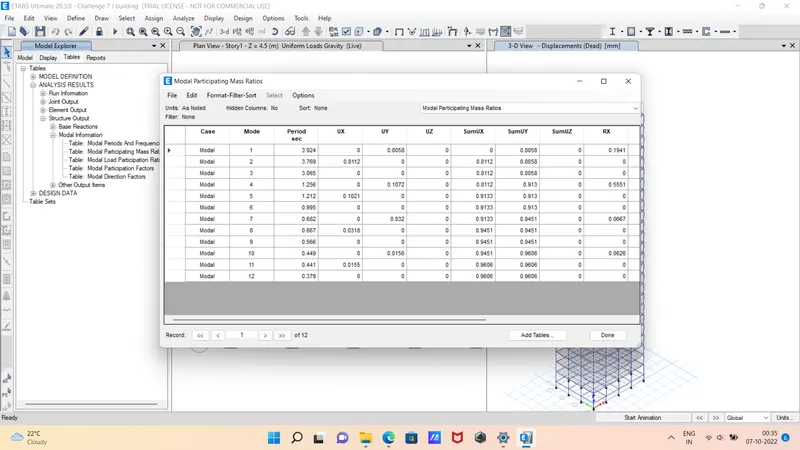
- Then after the Modal Participating Mass Ratios table will appear.
Step 3 :
Building K
- First we have to open the etabs software and create the new model and add the 25 storey in the story data.
- Next we put the story1 as Master Story.
- Next we put all the storeys similar to storey1.
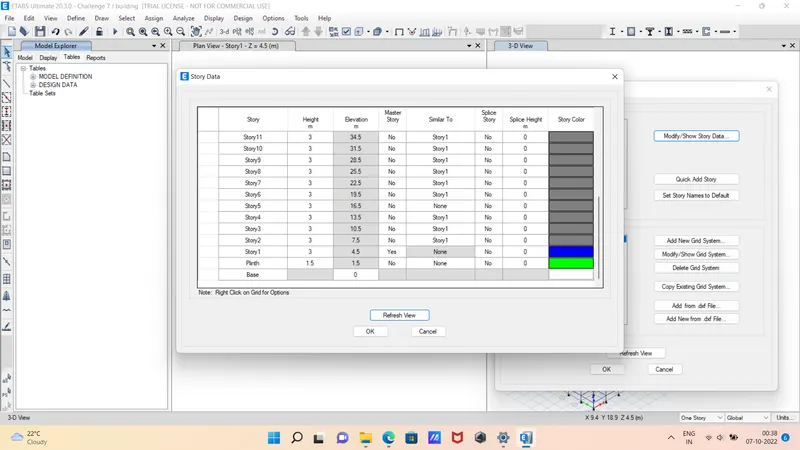
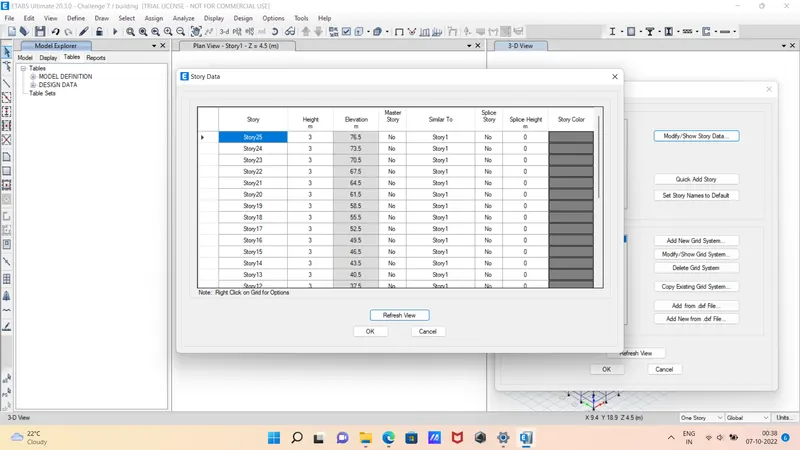
- Next we have to set the material properties and section properties.
- We assign the columns to all the storeys with the size of (800X800)mm.
- Next we assign the beams to all the storeys with the size of (300X400)mm.
- Next we assign the slabs with the thickness of 150mm from 1st storey to 25th storey.
- Next we have to assign all the loads such as live load, dead load, brickwall load and seismic loads etc,.
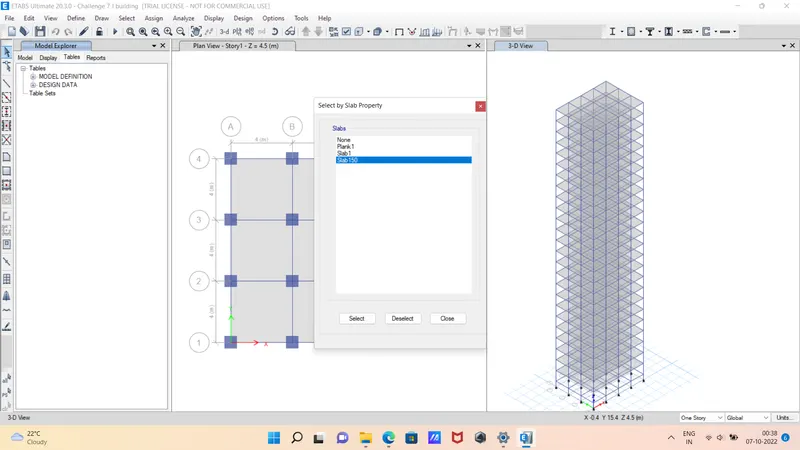
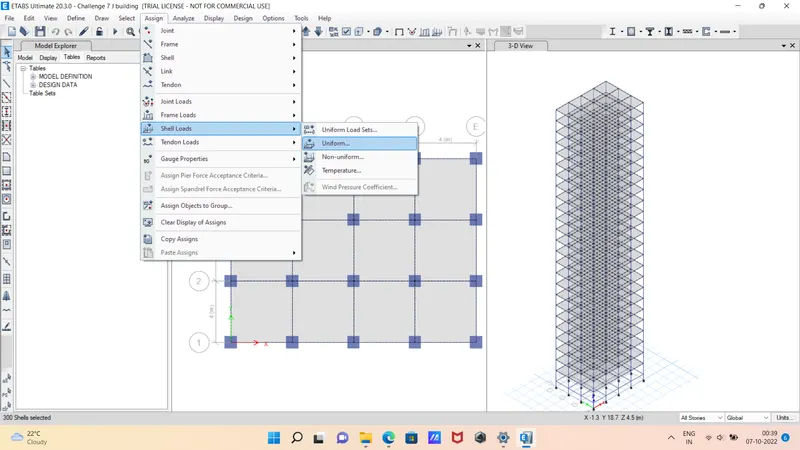
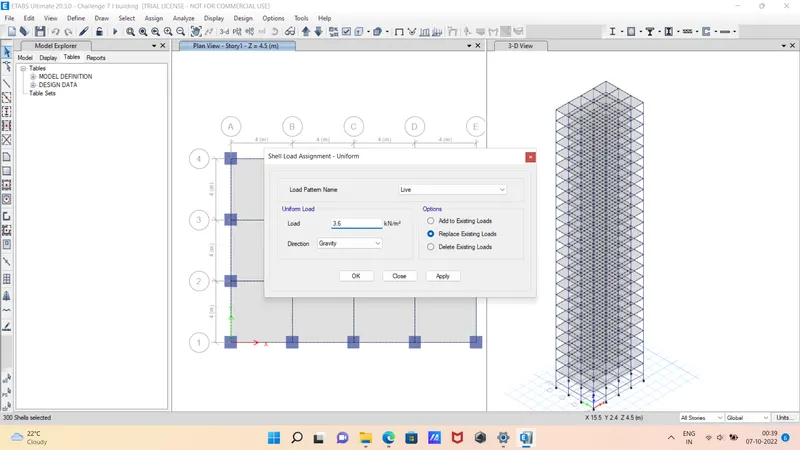
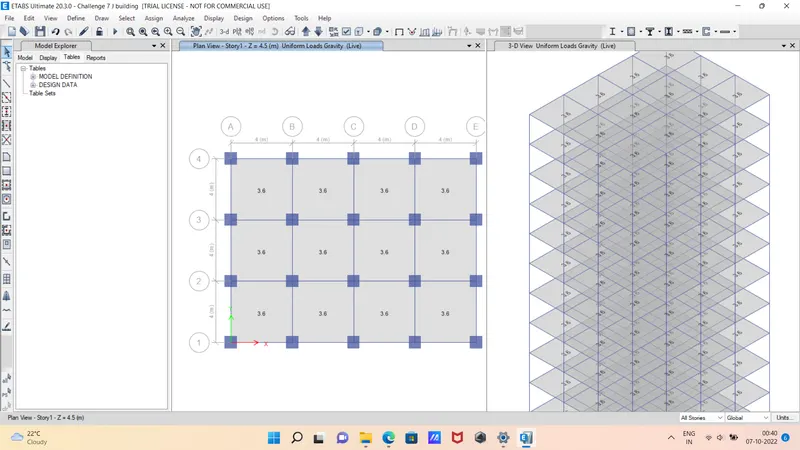
- Here we have to increase the mass by 20% compared to building H.
- To increase the mass by 20% we need to add live load of 0.6 KN/m^2 for every storey,which equals 3.6 KN//m^2
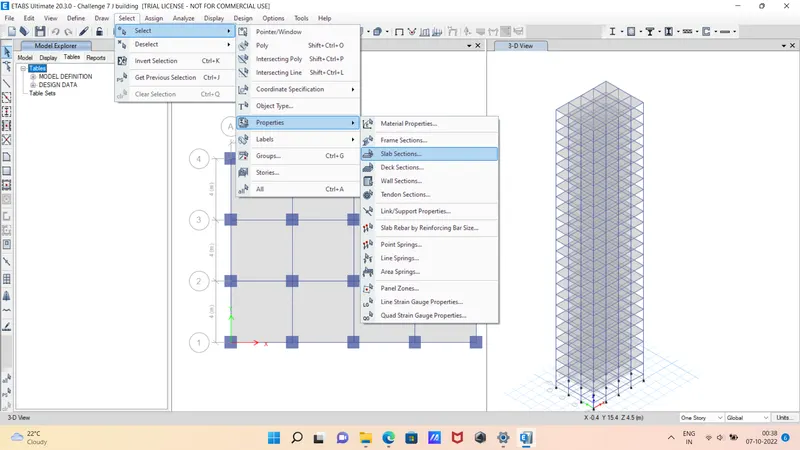
- After assigning all the loads, we have to check the model and the model shows no error.
- After checking the model, then click on the run analysis.
- Finally the run analysis has been finished, then the deformed shape of the model will appears
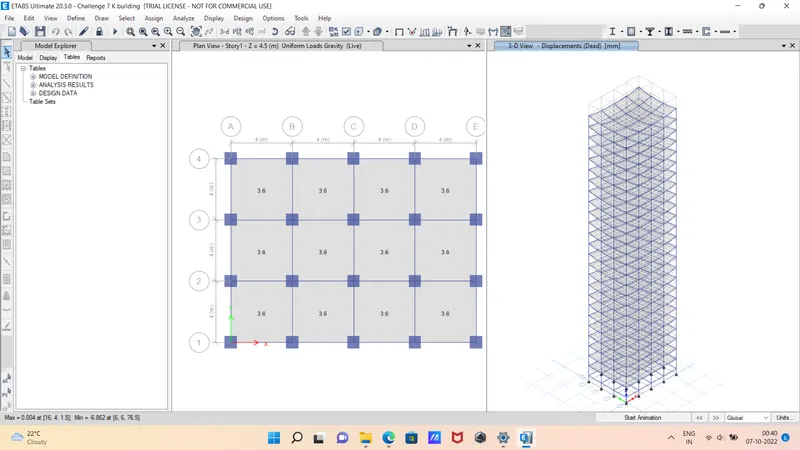
- Next we have to click on the Display option and then select the show table option.
- After selecting the show table option, then we need to select the Modal Participating Mass Ratios from the Structure output.
- Then after the Modal Participating Mass Ratios table will appear
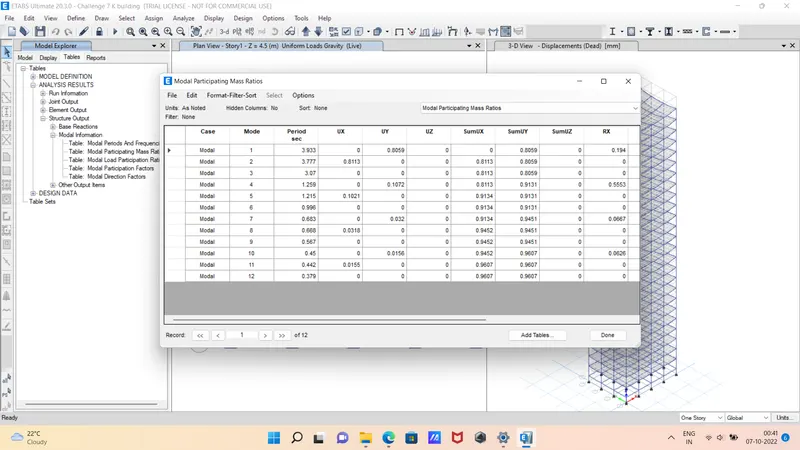
RESULT :
- The fundamental natural period of Building H is T=3.916 sec.
- The fundamental natural period of Building J is T=3.924 sec.
- The fundamental natural period of Building K is T=3.933 sec.
- When the mass of the building is increases, then the natural period of the building also increases.
- When the mass of the building J increased by 10% compared to Building H, the Building J is more flexible than the building H.
- When the mass of the building K increased by 20% compared to Building H, the Building K is more flexible than the building J and building H.
- Finally when the weight of the building increases, the buildings become more flexible.
3) Effect of Building Height on T: How does the fundamental natural periods of Buildings A, B, F and H change with change in building height?
Step 1 :
Building A
- First we have to open the etabs software and create the new model and add the 2 storey in the story data.
- Next we put the story1 as Master Story.
- The height of the building is 7.5m.
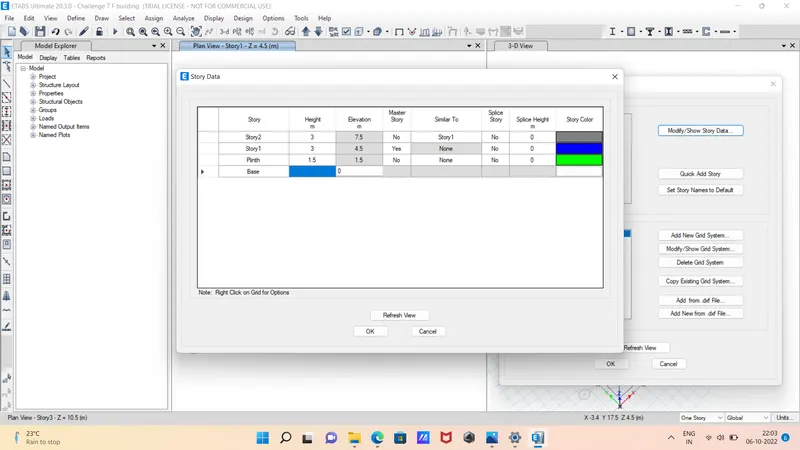
- Next we have to set the material properties and section properties.
- We assign the columns to all the storeys with the size of (400X400)mm.
- Next we assign the beams to all the storeys with the size of (300X400)mm.
- Next we assign the slabs to the 1st storey and 2nd storey with the thickness of 150mm.
- Next we have to assign all the loads such as live load, dead load, brickwall load and seismic loads etc,.
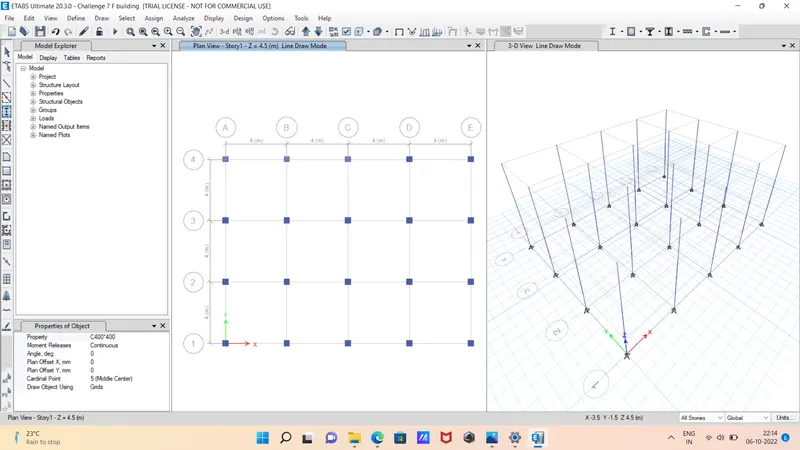
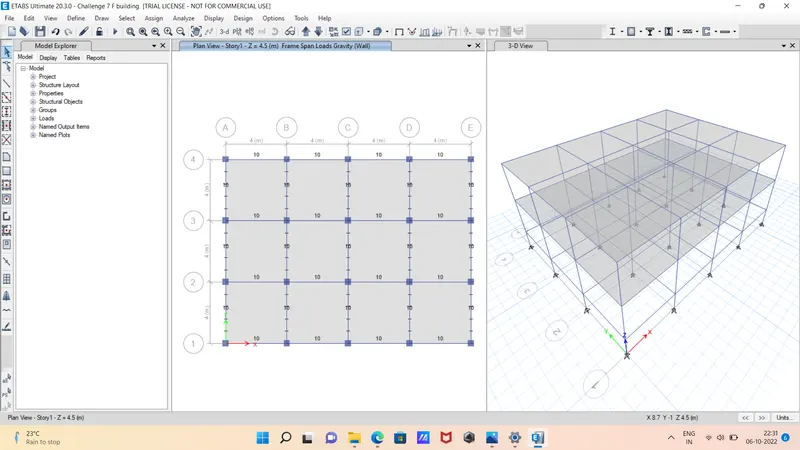
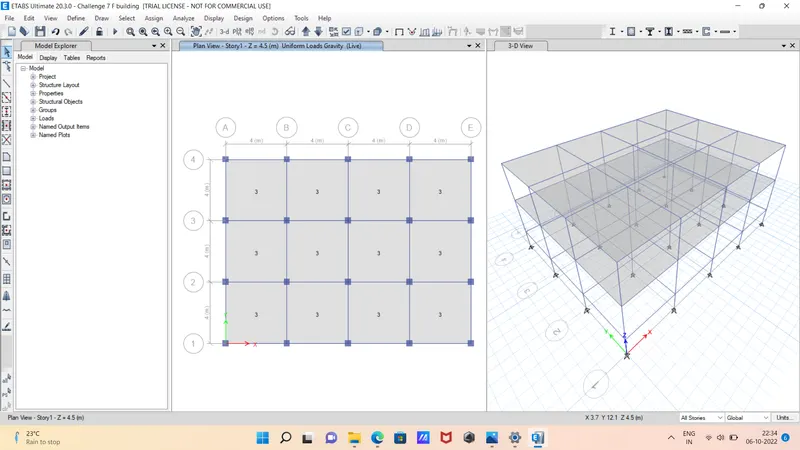
- After assigning all the loads, we have to check the model and the model shows no error.
- After checking the model, then click on the run analysis.
- Finally the run analysis has been finished, then the deformed shape of the model will appear.
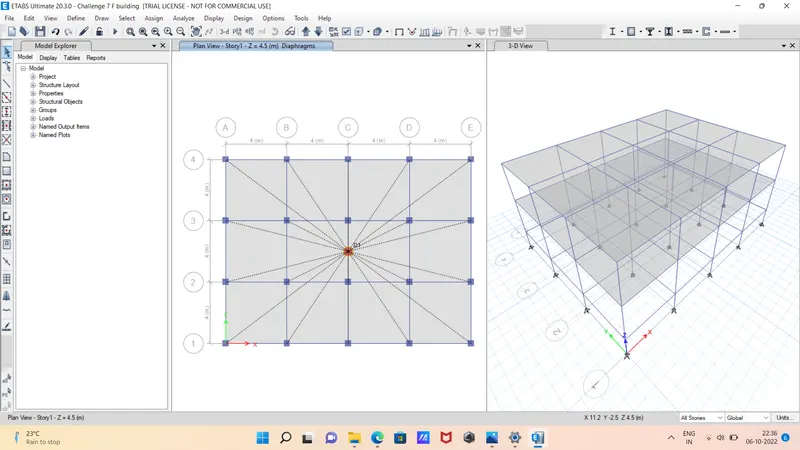
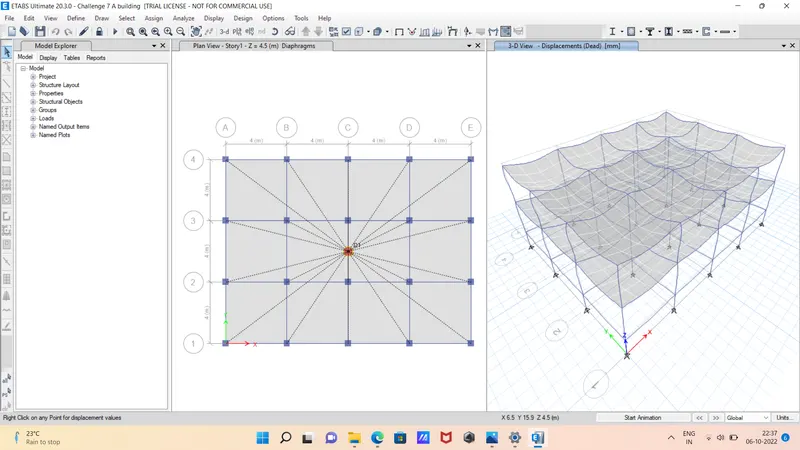
- Next we have to click on the Display option and then select the show table option.
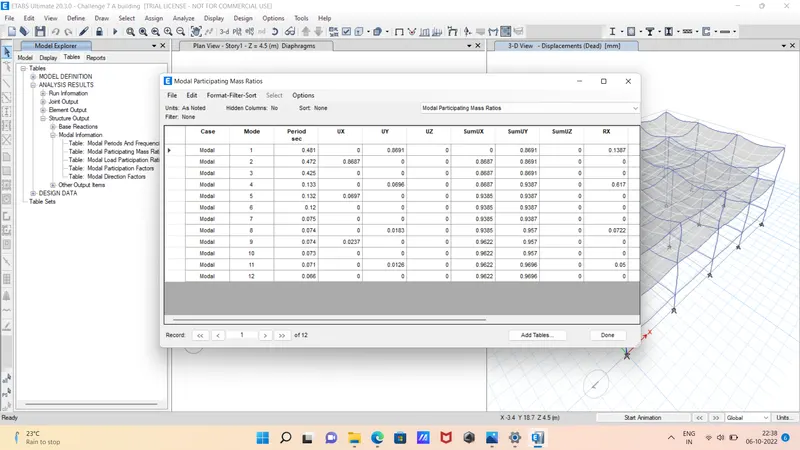
- After selecting the show table option, then we need to select the Modal Participating Mass Ratios from the Structure output.
- Then after the Modal Participating Mass Ratios table will appear.
Step 2 :
Building B
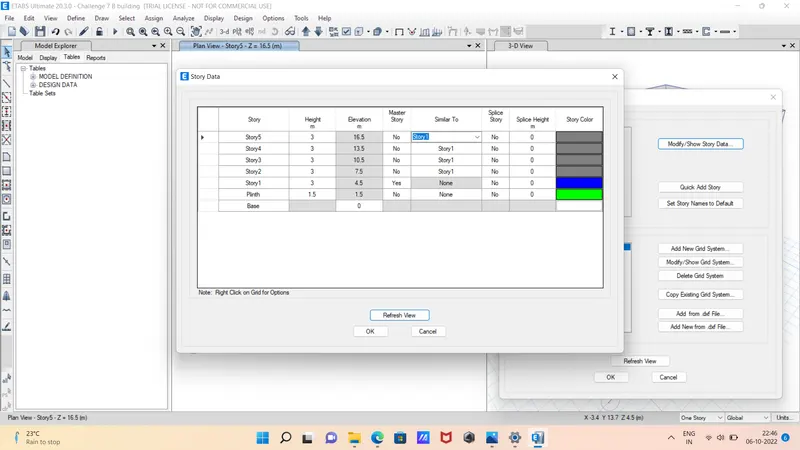
- First we have to open the etabs software and create the new model and add the 5 storey in the story data.
- Next we put the story1 as Master Story.
- The height of the building is 16.5m.
- Next we have to set the material properties and section properties.
- We assign the columns to all the storeys with the size of (400X400)mm.
- Next we assign the beams to all the storeys with the size of (300X400)mm.
- Next we assign the slabs from 1st storey to 5th storey with the thickness of 150mm.
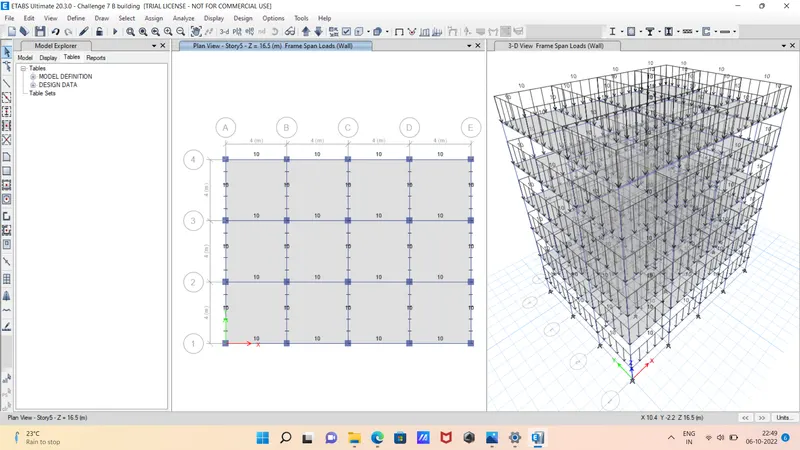
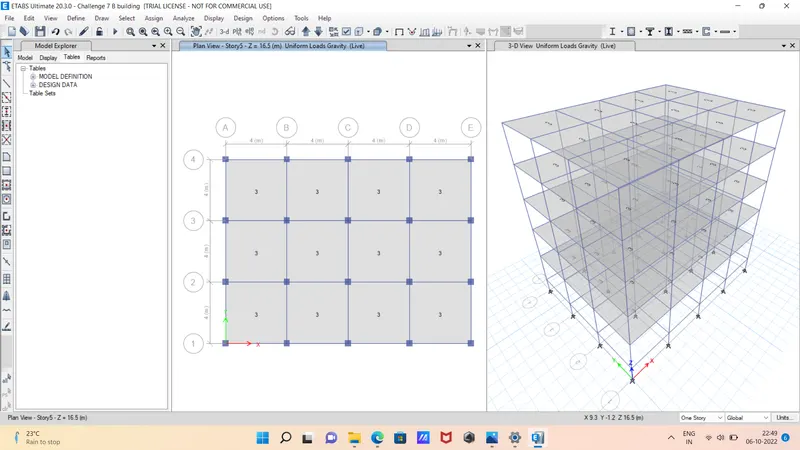
- Next we have to assign all the loads such as live load, dead load, brickwall load and seismic loads etc,.
- After assigning all the loads, we have to check the model and the model shows no error.
- After checking the model, then click on the run analysis.
- Finally the run analysis has been finished, then the deformed shape of the model will appear.
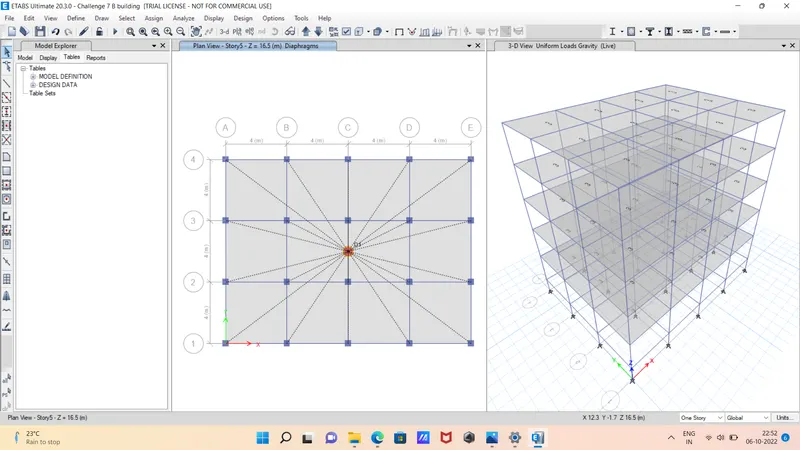
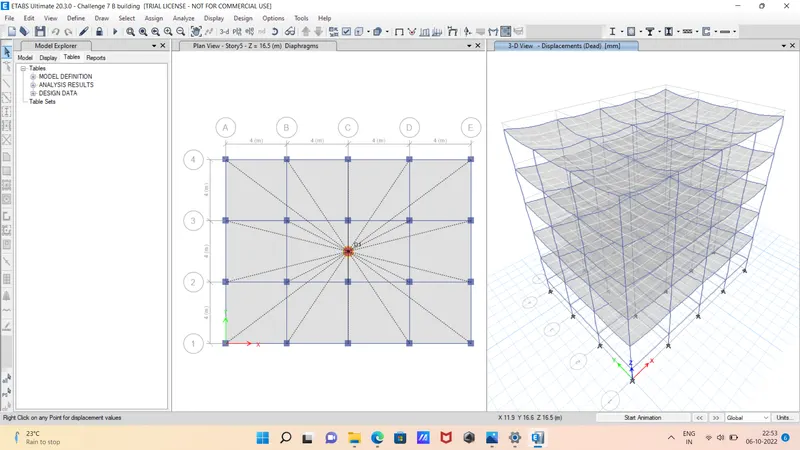
- Next we have to click on the Display option and then select the show table option.
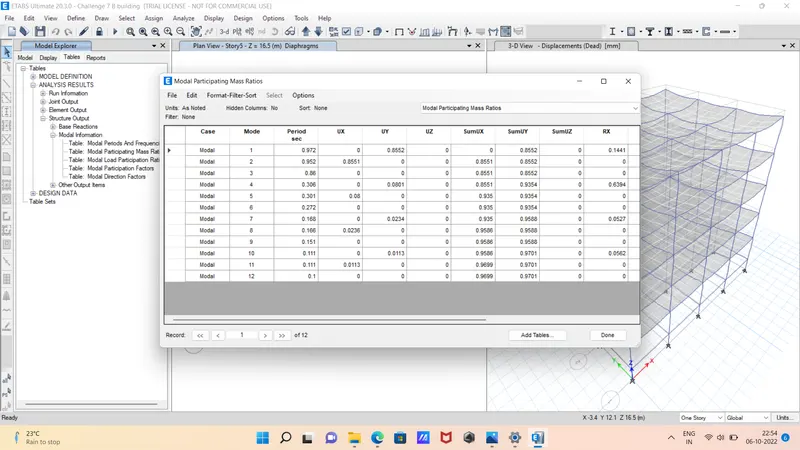
- After selecting the show table option, then we need to select the Modal Participating Mass Ratios from the Structure output.
- Then after the Modal Participating Mass Ratios table will appear.
Step 3 :
Building F
- First we have to open the etabs software and create the new model and add the 10 storey in the story data.
- Next we put the story1 as Master Story.
- Next we have to set the material properties and section properties.
- We assign the columns to all the storeys with the size of (600X600)mm.
- Next we assign the beams to all the storeys with the size of (300X400)mm.
- Next we assign the slabs with the thickness of 150mm from 1st storey to 10th storey.
- Next we have to assign all the loads such as live load, dead load, brickwall load and seismic loads etc.
- After assigning all the loads, we have to check the model and the model shows no error.
- After checking the model, then click on the run analysis.
- Finally the run analysis has been finished, then the deformed shape of the model will appear.
- Next we have to click on the Display option and then select the show table option.
- After selecting the show table option, then we need to select the Modal Participating Mass Ratios from the Structure output.
- Then after the Modal Participating Mass Ratios table will appear.
Step 4 :
Building H
- First we have to open the etabs software and create the new model and add the 25 storey in the story data.
- Next we put the story1 as Master Story.
- Next we have to set the material properties and section properties.
- We assign the columns to all the storeys with the size of (800X800)mm.
- Next we assign the beams to all the storeys with the size of (300X400)mm.
- Next we assign the slabs with the thickness of 150mm from 1st storey to 25th storey.
- Next we have to assign all the loads such as live load, dead load, brickwall load and seismic loads etc,.
- After assigning all the loads, we have to check the model and the model shows no error.
- After checking the model, then click on the run analysis.
- Finally the run analysis has been finished, then the deformed shape of the model will appear.
- Next we have to click on the Display option and then select the show table option.
- After selecting the show table option, then we need to select the Modal Participating Mass Ratios from the Structure output.
- Then after the Modal Participating Mass Ratios table will appear.
RESULT :
- The fundamental natural period of Building A is T=0.481 sec.
- The fundamental natural period of Building B is T=0.972 sec.
- The fundamental natural period of Building F is T=1.561 sec.
- The fundamental natural period of Building H is T=3.916 sec.
- When the height of the buildings increases, the natural periods of buildings also increases.
4) Effect of Column Orientation on T: How does the fundamental natural periods of Buildings B, C and D change with change in column orientation.
Step 1 :
Building B
- First we have to open the etabs software and create the new model and add the 5 storey in the story data.
- Next we put the story1 as Master Story.
- Next we have to set the material properties and section properties.
- We assign the columns to all the storeys with the size of (400X400)mm.
- Next we assign the beams to all the storeys with the size of (300X400)mm.
- Next we assign the slabs from 1st storey to 5th storey with the thickness of 150mm.
- Next we have to assign all the loads such as live load, dead load, brickwall load and seismic loads etc,.
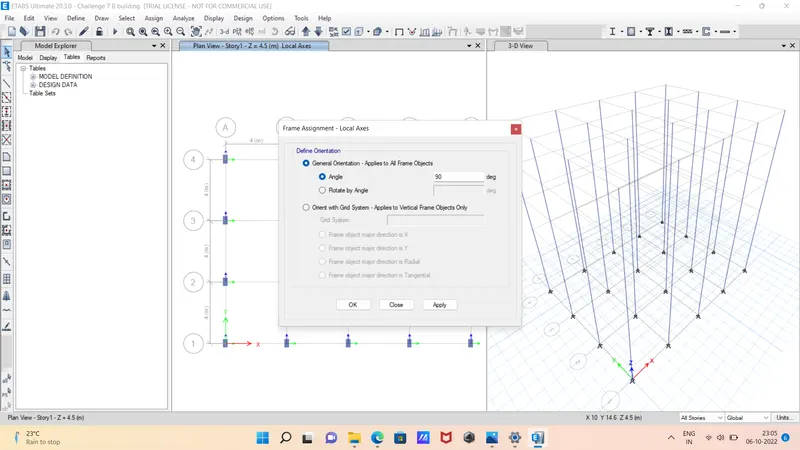
- Now we need to change the column orientation to the X direction.
- We go to the Assign and select frame option, and in that we select the Local axes option,
- After selecting the local axes option the new tab appears, in that we put Rotate by Angle as 90 degrees.
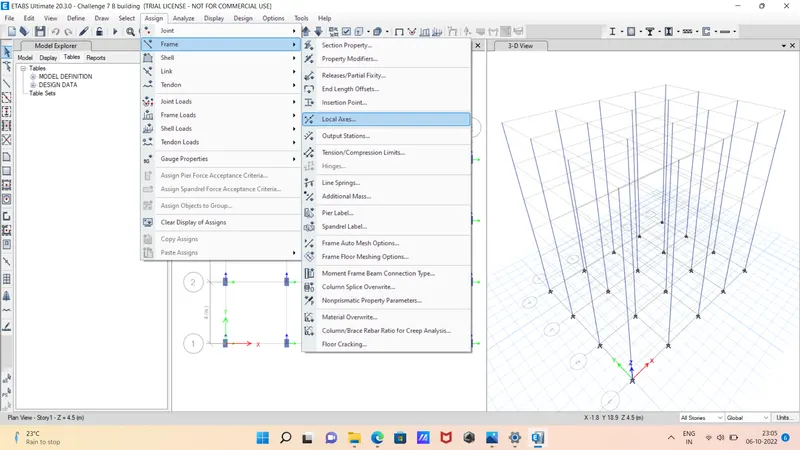
- The column orientation has been changed to X direction with the angle of 90 degrees.
- After assigning all the loads, we have to check the model and the model shows no error.
- After checking the model, then click on the run analysis.
- Finally the run analysis has been finished, then the deformed shape of the model will appear.
- Next we have to click on the Display option and then select the show table option.
- After selecting the show table option, then we need to select the Modal Participating Mass Ratios from the Structure output.
- Then after the Modal Participating Mass Ratios table will appear.
Step 2 :
Building C
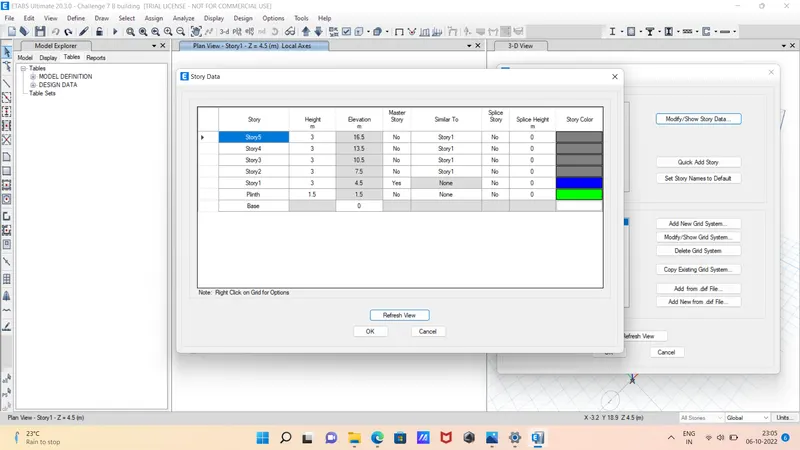
- First we have to open the etabs software and create the new model and add the 5 storey in the story data.
- Next we put the story1 as Master Story, and the height of the building is 16.5m.
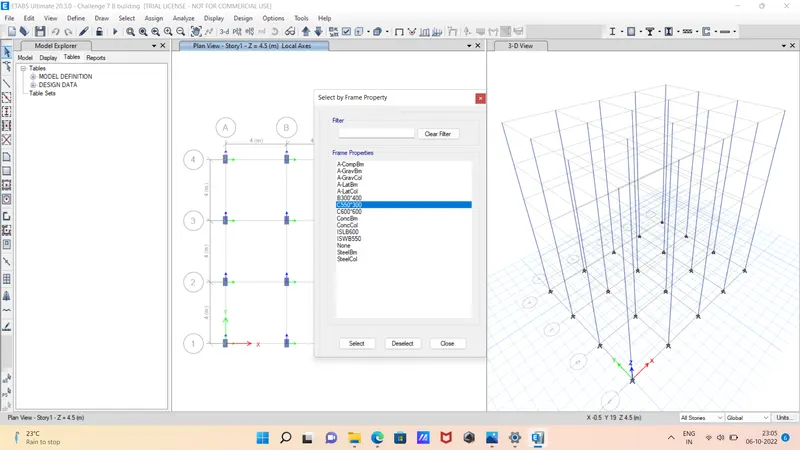
- Next we have to set the material properties and section properties.
- We assign the columns to all the storeys with the size of (550X300)mm.
- Next we assign the beams to all the storeys with the size of (300X400)mm.
- Next we assign the slabs from 1st storey to 5th storey with the thickness of 150mm.
- Next we have to assign all the loads such as live load, dead load, brickwall load and seismic loads etc,.
- Now we need to change the column orientation to the X direction.
- We go to the Assign and select frame option, and in that we select the Local axes option.
- After selecting the local axes option the new tab appears, In that we put the Rotate by Angle as 90 degrees.
- The column orientation has been changed to X direction with the angle of 90 degrees.
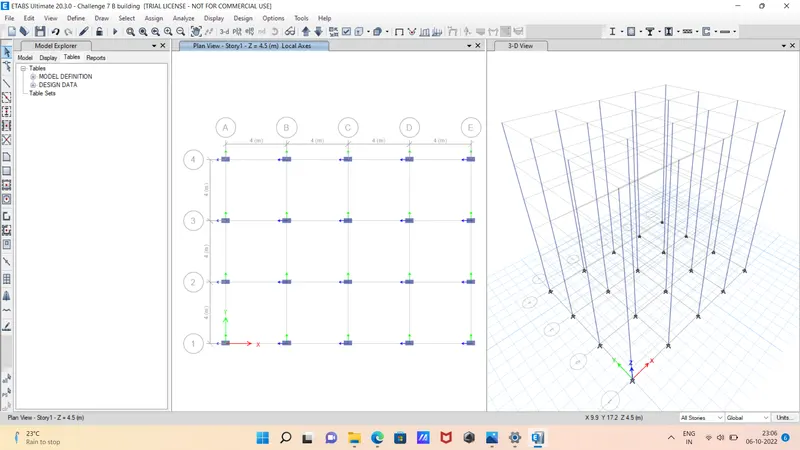
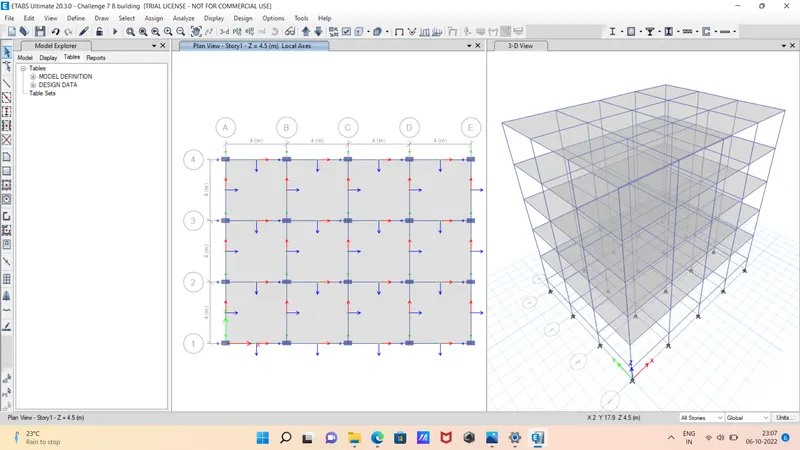
- After assigning all the loads, we have to check the model and the model shows no error.
- After checking the model, then click on the run analysis.
- Finally the run analysis has been finished, then the deformed shape of the model will appear.
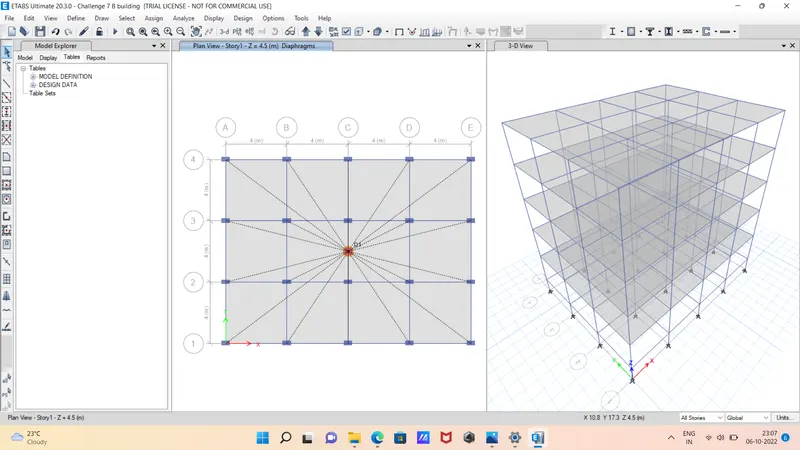
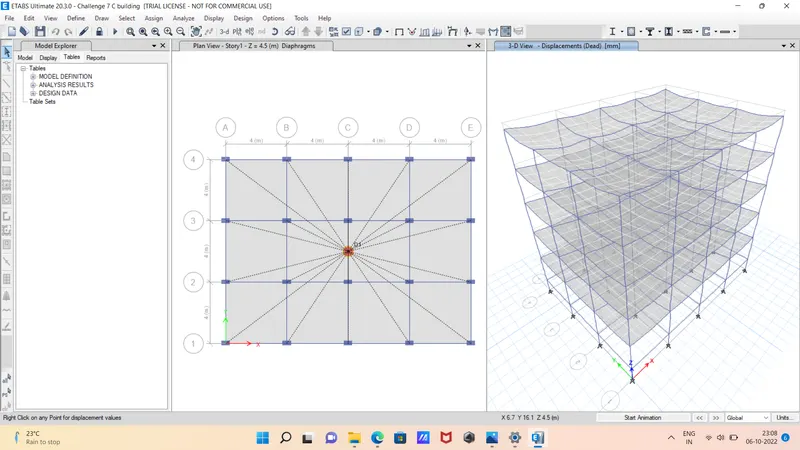
- Next we have to click on the Display option and then select the show table option.
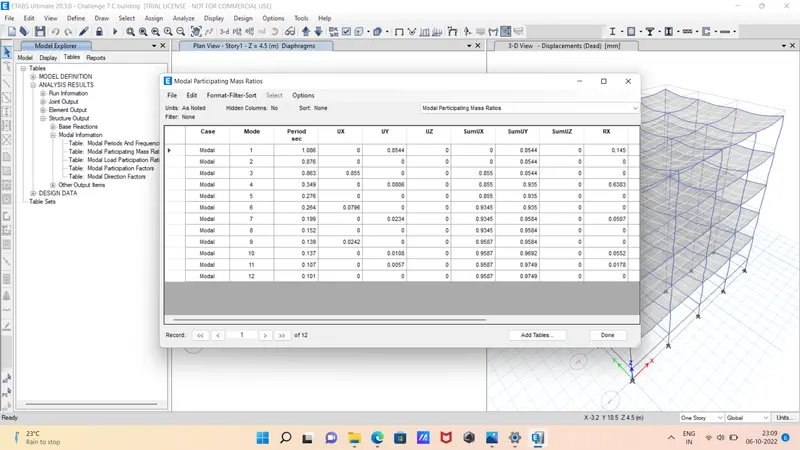
- After selecting the show table option, then we need to select the Modal Participating Mass Ratios from the Structure output.
- Then after the Modal Participating Mass Ratios table will appear.
Step 3 :
Building D
- First we have to open the etabs software and create the new model and add the 5 storey in the story data.
- Next we put the story1 as Master Story, and the height of the building is 16.5m.
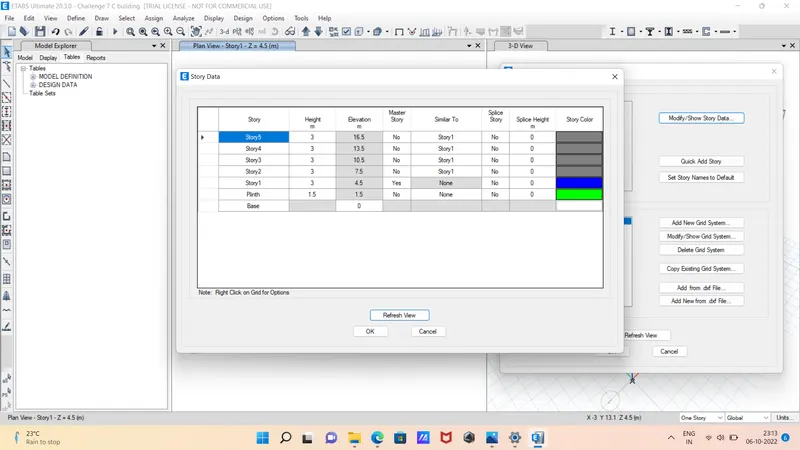
- Next we have to set the material properties and section properties.
- We assign the columns to all the storeys with the size of (300X550)mm.
- Next we assign the beams to all the storeys with the size of (300X400)mm.
- Next we assign the slabs from 1st storey to 5th storey with the thickness of 150mm.
- Next we have to assign all the loads such as live load, dead load, brickwall load and seismic loads etc.
- Now we need to change the column orientation to the Y direction.
- We go to the Assign and select frame option, and in that we select the Local axes option.
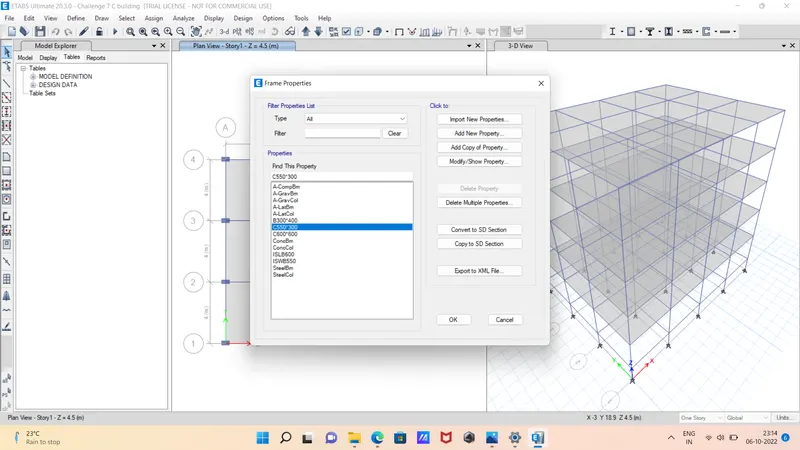
- After selecting the local axes option the new tab appears, In that we put the Rotate by Angle as back to 0 degrees from 90 degree.
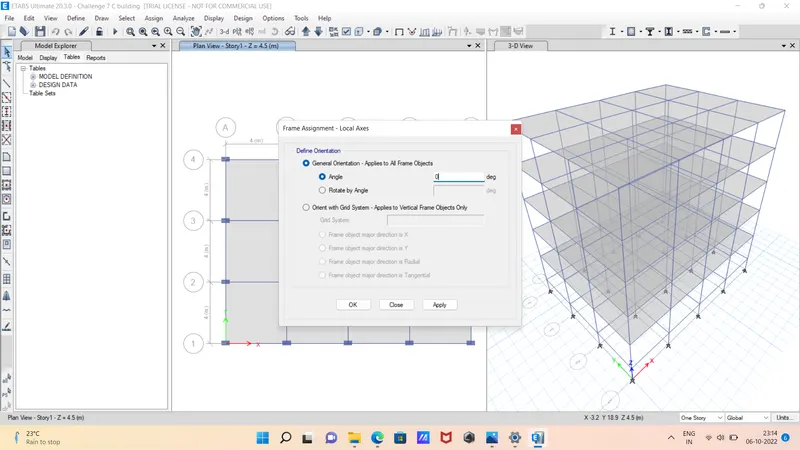
- The column orientation has been changed to Y direction with the angle of 90 degrees
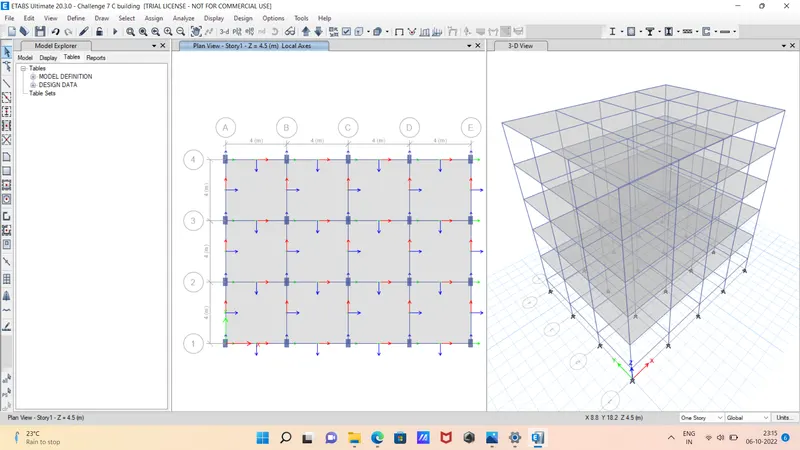
- After assigning all the loads, we have to check the model and the model shows no error.
- After checking the model, then click on the run analysis.
- Finally the run analysis has been finished, then the deformed shape of the model will appear.
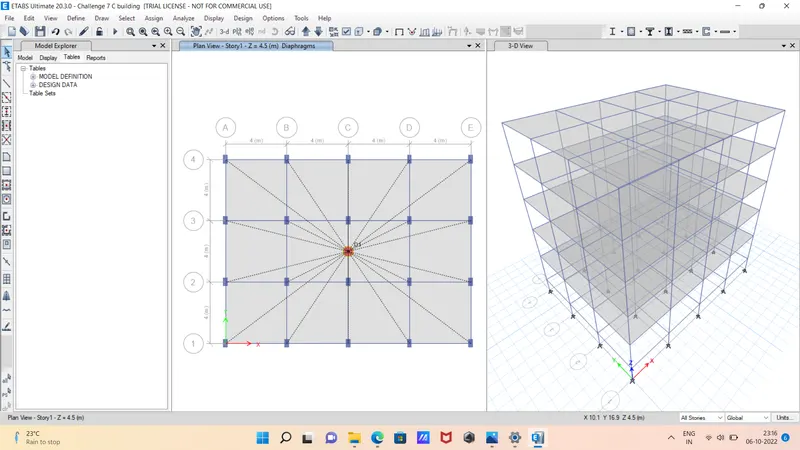
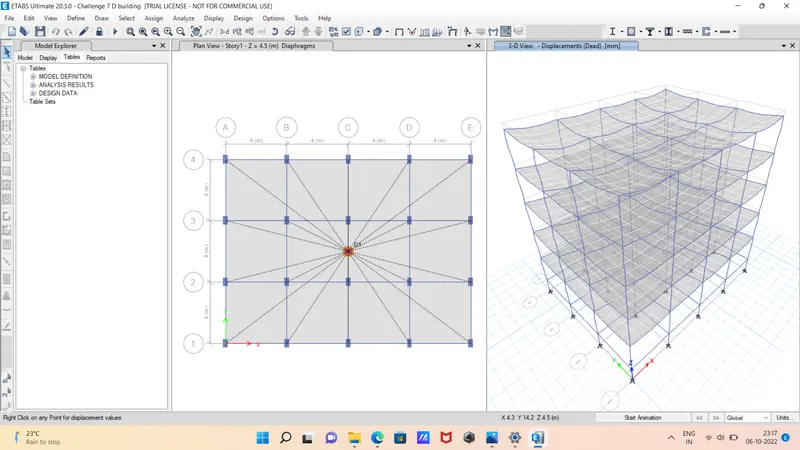
- Next we have to click on the Display option and then select the show table option.
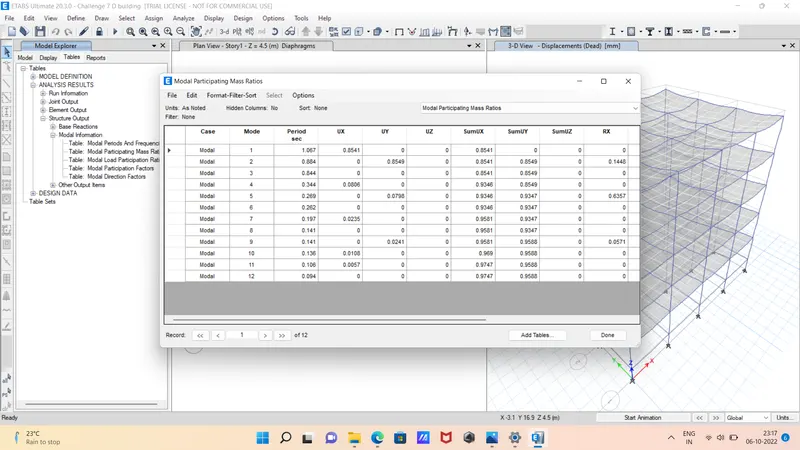
- After selecting the show table option, then we need to select the Modal Participating Mass Ratios from the Structure output.
- Then after the Modal Participating Mass Ratios table will appear.
RESULT :
- The fundamental natural period of Building B is T=0.972 sec.
- The fundamental natural period of Building C is T=1.086 sec.
- The fundamental natural period of Building D is T=1.067 sec.
- Here the natural periods of buildings shall be increased due to the change in column orientation.