Project 1 : CFD Meshing for Tesla Cyber Truck
Aim – CFD Meshing for Tesla Cyber truck.
Objectives –
· To perform CAD cleanup for the Tesla cyber truck.
· Create surface mesh and remove the off elements in the model as required by the quality criteria.
· To create wind tunnel as per the truck model.
Procedure –
· Import the CAD model in ANSA File> Open. Change the mode to PID.
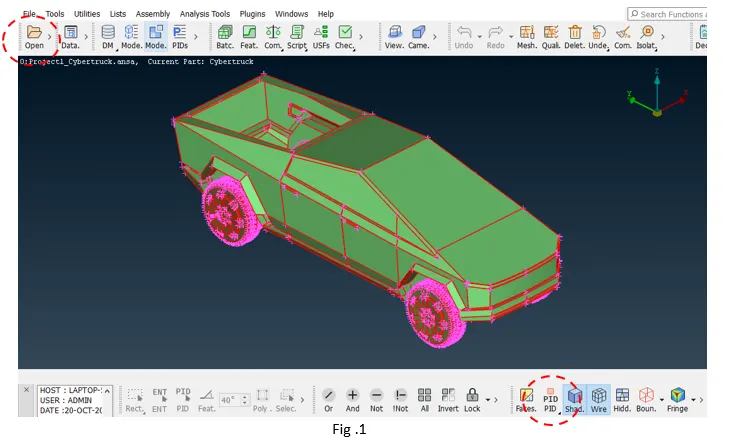
· As the model has too many single cons Faces> Topo option can be used to patch up the single cons that are very close to each other to form a double cons.
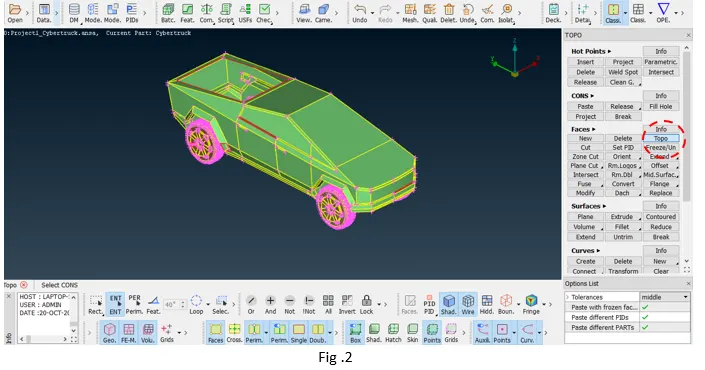
· Wire frame model shows that there are still some single cons in the model, those can either be patched by using paste or by creating new surfaces.
· As, the car and tire should form separate volumes. The part that connects the car and tire can be deleted. Image shows that this part is common in tires and truck body and hence can be deleted to form different volumes.
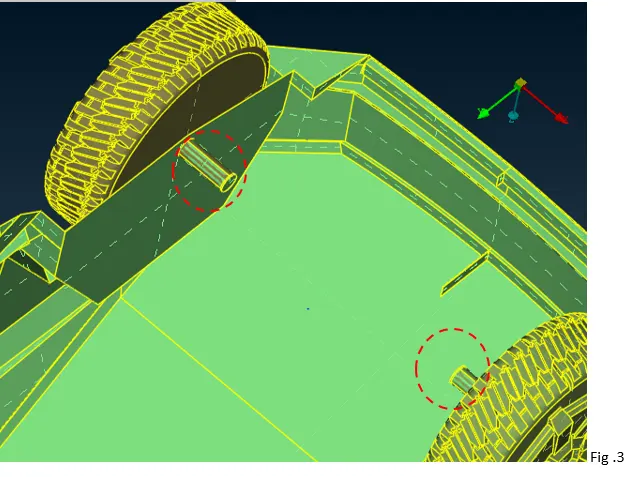
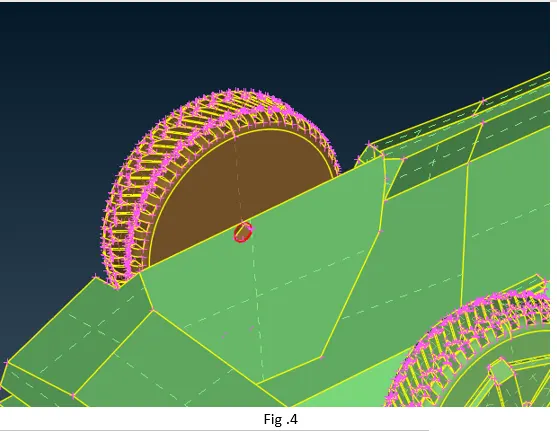
· The deleted surfaces should be patched up by creating the surface.
· After patching up the surface, geometry check tool can be used to make sure there are no geometrical errors in the CAD (if there are any, it should be cleared out).
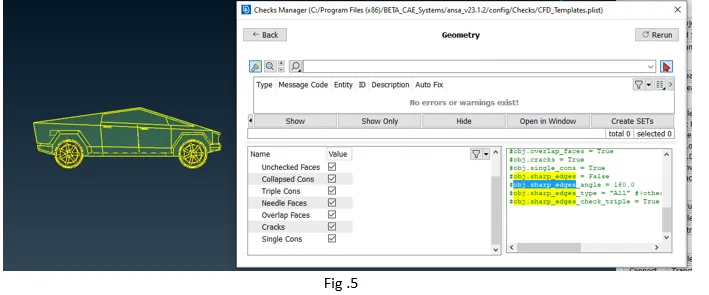
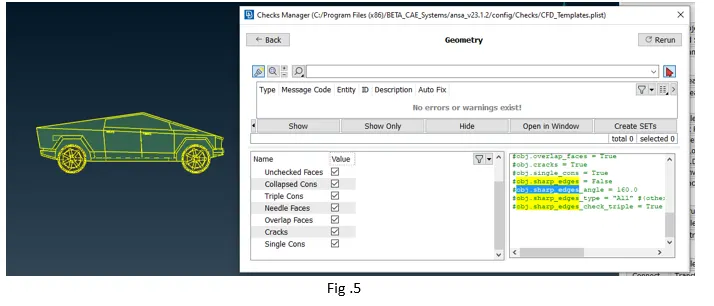
· Assign the PID names.
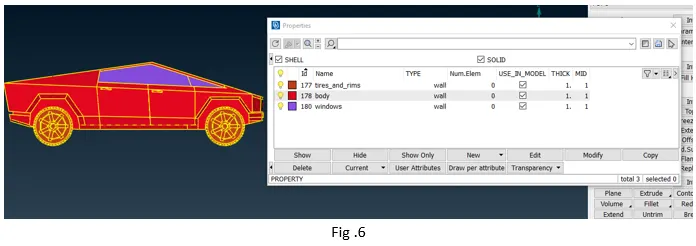
· After assigning the PIDs to parts, next step is to create the surface mesh for the model. The target length should be set up in the Mesh tool. Set up appropriate quality criteria as well.
· Use the length option to change the perimeter and Macros length (same as target length).
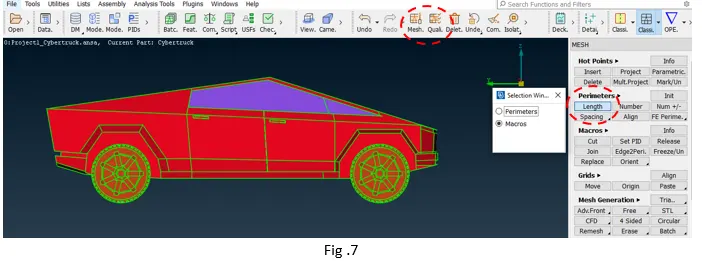
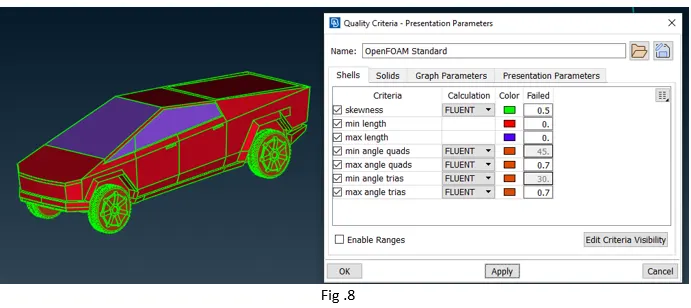
· Once all the mentioned setting is completed, surface mesh can be generated by using Mesh Generation> Spot Mesh in the mesh deck.
· Mentioned Target and Min Max length are used for the cyber-Tuck model.
|
Parts |
Target Length |
Min Length |
Max Length |
|
Windows |
7 |
5 |
10 |
|
Tires and Rims |
5 |
1 |
8 |
|
Body |
7 |
1 |
10 |
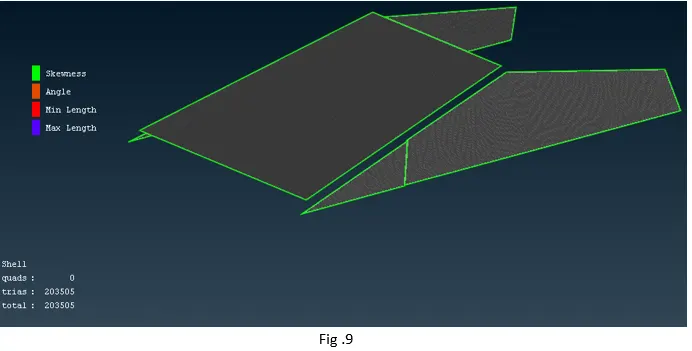
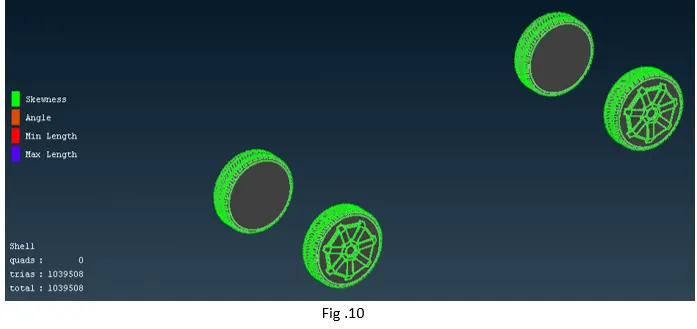
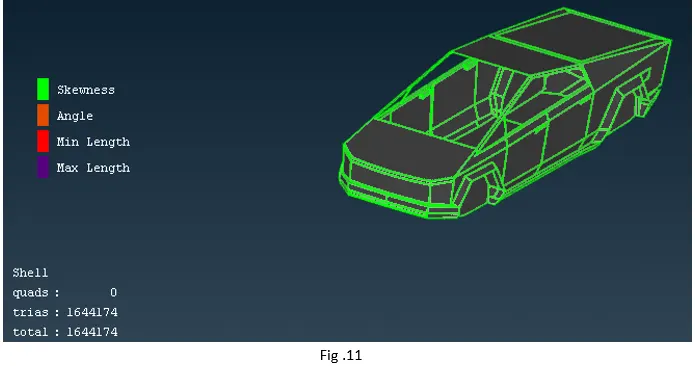
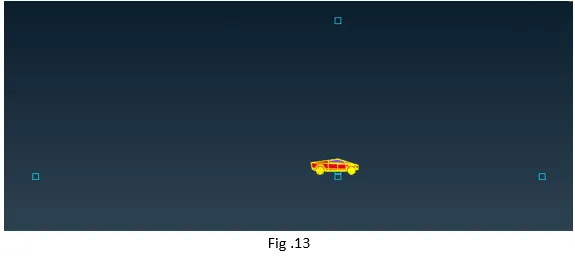
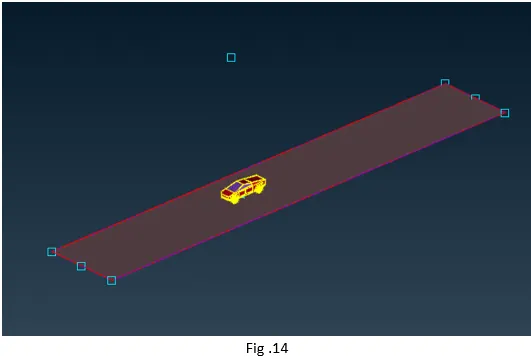
· After meshing and clearing all the off elements, tunnel can be created. For creating wind tunnel at point at a distance of 600mm from the bottom surface of the car can be created. If X is the length of car, the front face of the tunnel should be at 4X. Likewise the rear face should be at 6X, top face at 3X, bottom face should be close to wheels and the side faces of the tunnel should be at X from the car.
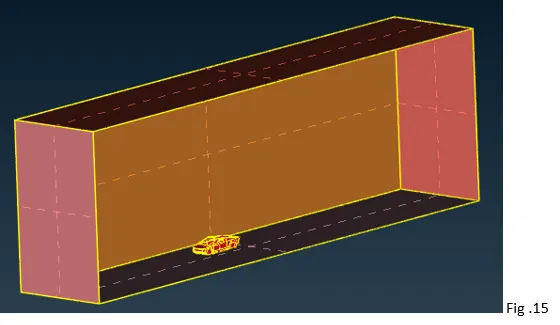
· After creating the surface tunnel, the next step is to mesh the tunnel. The mesh should be finer near the car and can be coarse as we move away from the car. This can be done using spacing option on the vertical side(cons) of the tunnel.
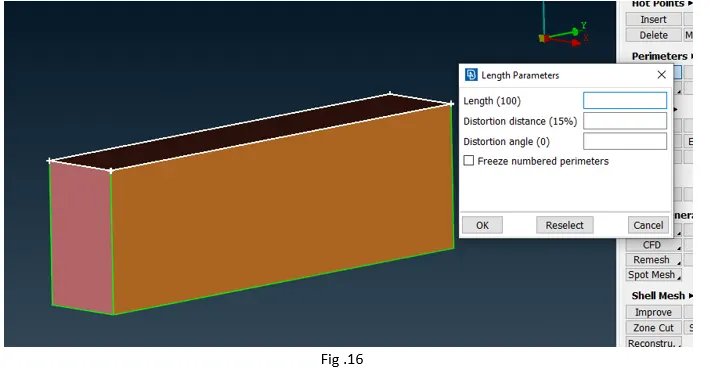
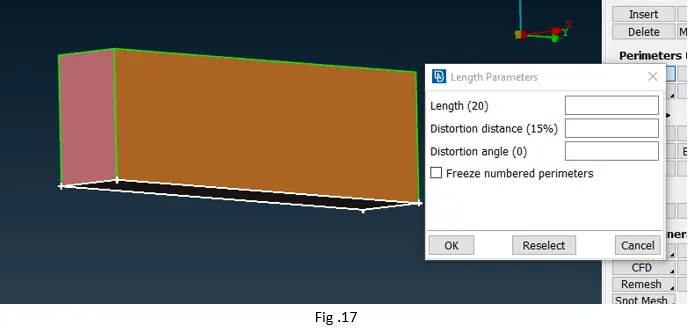
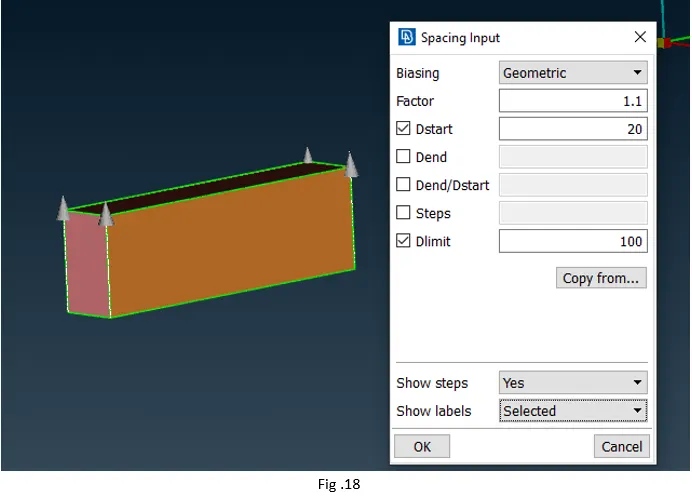
· Once the surface mesh for the wind tunnel and other PID is completed, the next step is volume mesh. For this activate the volume mesh deck and then click on Volumes > Define. Using this tool ANSA will detect the volume, out of which the volume of interest should be volume meshed and the remaining ones can be deleted.
· Here, the volume of interest is the one between the tunnel and the car.
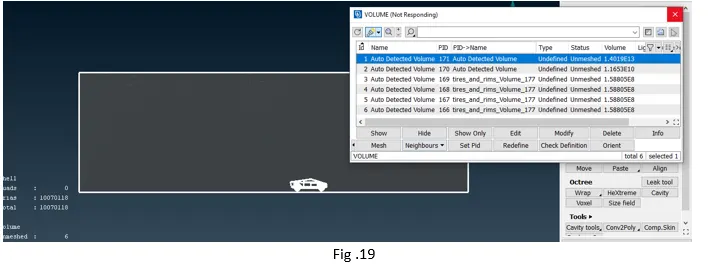
· As the volume created by wind tunnel is very large, so the time taken for generating the volume mesh can be few days. So, the volume mesh for this file is not created.
Conclusion –
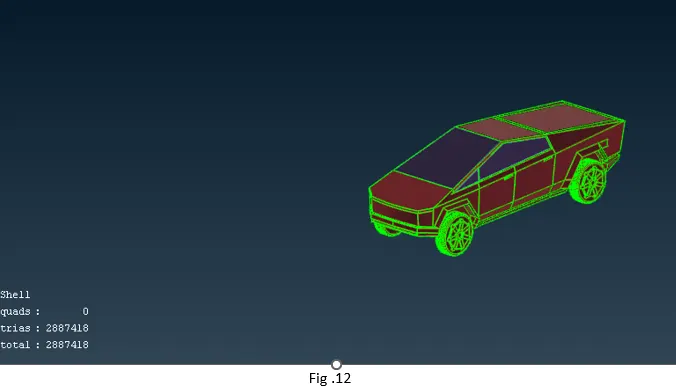
· The CAD model for Tesla Cyber truck was cleaned for all the errors and the surface mesh was generated.
· Wind tunnel was constructed as per the mentioned dimensions and surface mesh was also created for the tunnel.
· As the volume mesh for the given model is time consuming, it is not generated.
· The project helps in developing good understanding about cad clean up, generating new surfaces, surface meshing of complex surfaces, removing off elements etc.
Google drive link
https://drive.google.com/file/d/1wozKNWI63jIfyld93I5RFsllqsaE2tvA/view?usp=drive_link