Project 1
Design Automotive Wiring Harness for Engine
Reports by Date: 03-Jul-2022
Ramkumar Kariyappan
PG program for Hybrid EV Design & simulation
Objective
To Route the Wiring harness on Given Engine and Prepare flatten view drawing in CATIA V5
1.Wiring Harness
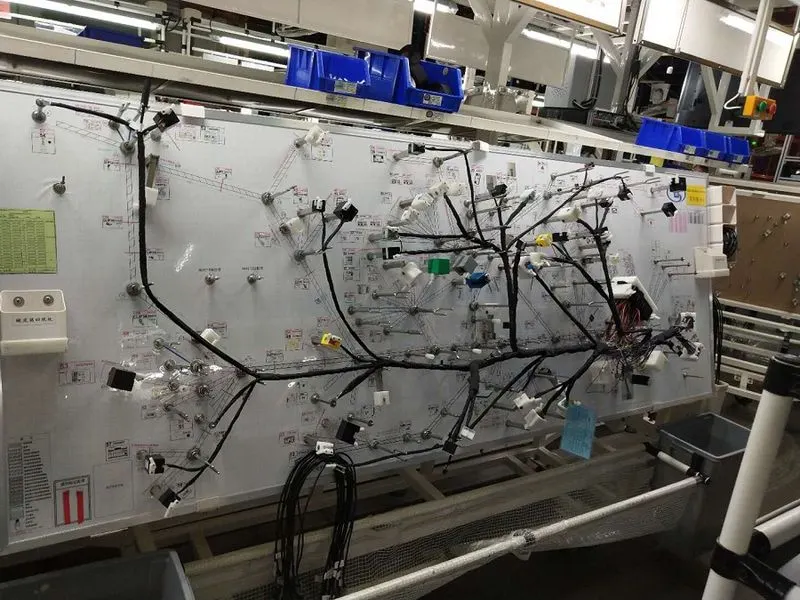
A wire harness, often referred to as a cable harness or wiring assembly, is a systematic and integrated arrangement of cables within an insulated material. The purpose of the assembly is to transmit signal or electrical power. Cables are bound together with straps, cable ties, cable lacing, sleeves, electrical tape, conduit, or a combination thereof. The wire harness simplifies the connection to larger components by integrating the wiring into a single unit for “drop-in” installation.
1.1 Electrical Distribution System (EDS)
An electrical distribution system is a series of electrical circuits that delivers power in the proper proportion to homes, commercial businesses and industrial facilities. Regardless of the size and applications, the ultimate goal remains universal: the economic and safe delivery of adequate electric power to electrical equipment.
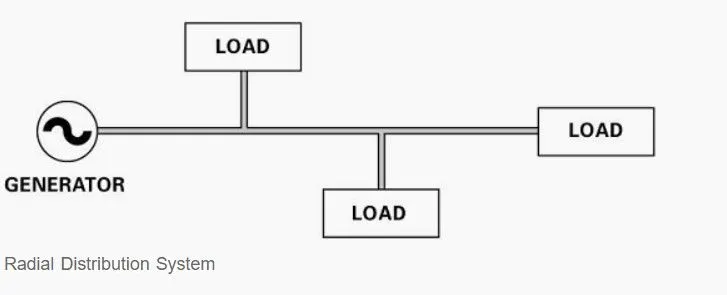
1.1.1 Radial Distribution System
Radial Distribution System has one power source for a group of customers. If there is a power failure, the entire group loses power. In addition, a circuit failure somewhere in the system could mean a power interruption for the entire system.
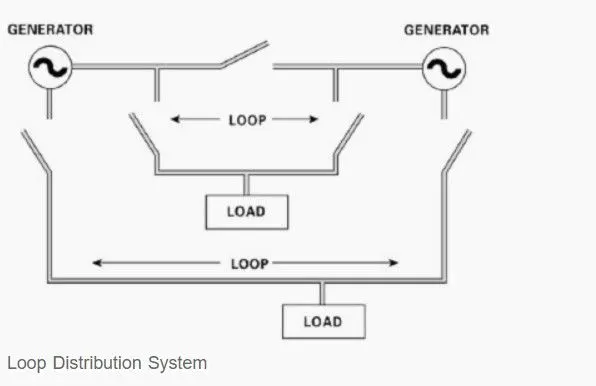
1.1.2 Loop Distribution System
Loop Distribution System loops through the service area and returns to the point of origin. The strategic placement of switches permits the electric company to supply power to customers from either direction. If one power source fails, switches are opened or closed to obtain power source.
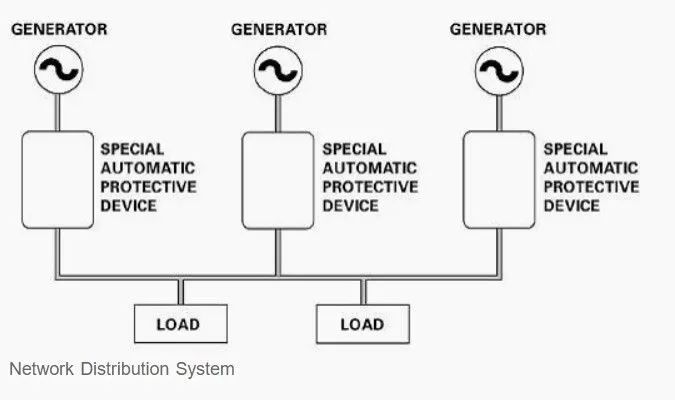
1.1.3 Network Distribution System
The Network Distribution System is the most expensive, and the most reliable in terms of continuity of service. This system consists of a number of interconnecting circuits operating at the same utilization voltage.
The customer is connected to two or more power supplies. If one power source fails, the customer gets power from the other sources, without interruption.
1.2 E&E Architecture
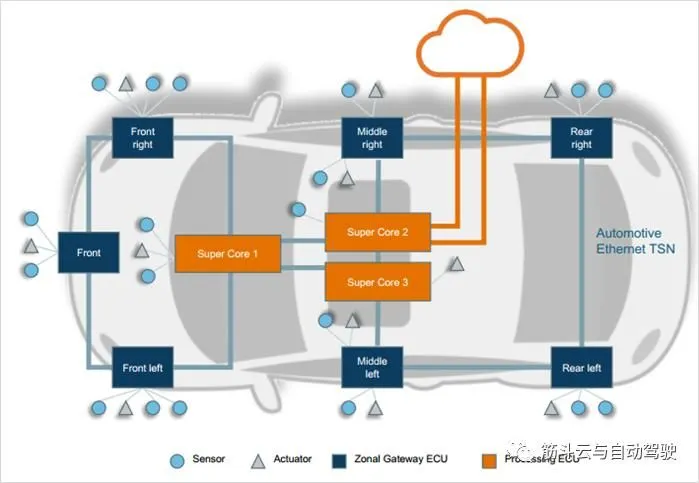
The term “electrical/electronic architecture” refers to the convergence of electronics hardware, network communications, software applications and wiring into one integrated system that controls an ever-increasing number of vehicle functions in the areas of vehicle control, body and security, infotainment, active safety, and other comfort, convenience, and connectivity functionality.
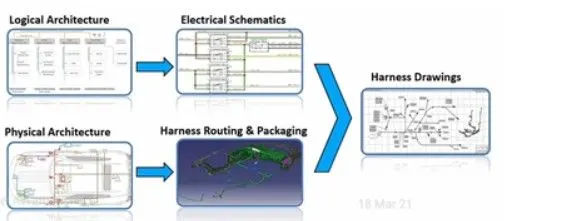
1.3 Logical Schematics
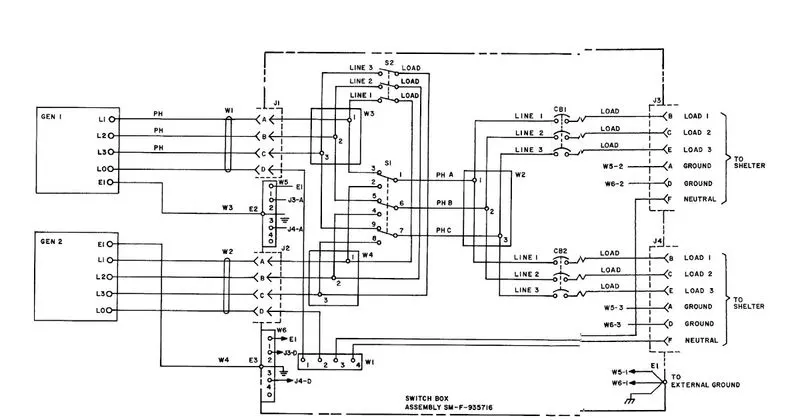
An Logical schematic is a diagram that shows how all of the wires and components in an electronic circuit are connected. They’re like a map for building or troubleshooting circuits, and can tell you almost everything you need to know to understand how a circuit works .
1.4 Electrical schematics
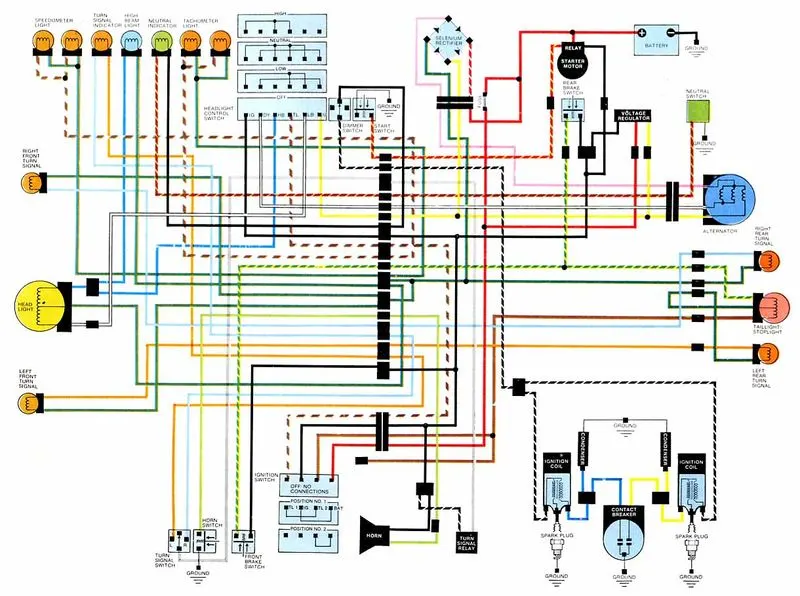
Electronic schematics are like recipes for electronics. They tell you what ingredients to use and how to mix the ingredients. But instead of using text to explain the recipe, a drawing is used.
1.5 Wiring Harness Topology
Strategy to divide and split between pieces to achieve the best manufacturability, cost efficient design
1.6 Wiring Harness Routing
Deals with desired path of wiring harness into given vehicle environment by applying set of design rules and industry best practices
1.7 Wiring Harness Pacakging
Fixing/ mounting strategy of wiring routing to ensure the safety, reliability, durability
2. Terms Wiring Harness refers
Wires, Connectors, Terminals, Protacting Covering, Insulation, Seal grommets, clips and clamps
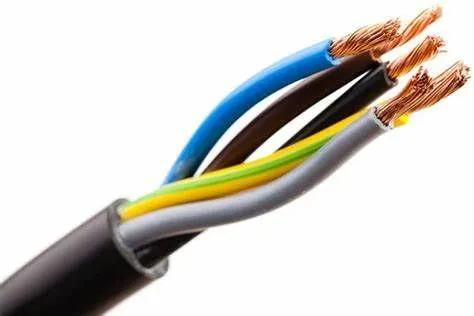
Wires
A wire is a flexible strand of metal.
Wire is commonly formed by drawing the metal through a hole in a die or draw plate. Wire gauges come in various standard sizes, as expressed in terms of a gauge number.
Connectors
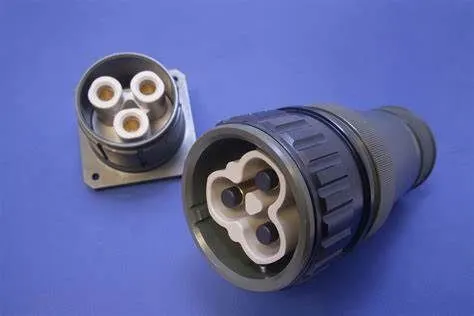
A device that eliminates a section of cabling or implements a state of access for network devices, including PCs, hubs, and switches. Connectors can be famous for their physical presentation and mating features, including jacks and attachment (male connectors) or attachments and ports (female connectors).Connectors are used to connect the guided (wired) transmission media to devices like the hub, server, workstations etc.
Terminals
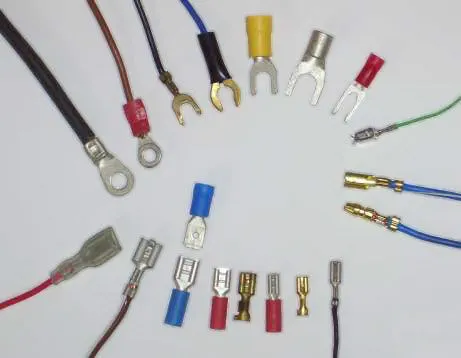
Terminals are yet another essential component in making electrical connections with wires. It is an electromechanical device with the help of which you terminate a wire. Usually, it is made up of a metal or an alloy, and however, carbon or silicon may also be used.
Protacting Covering
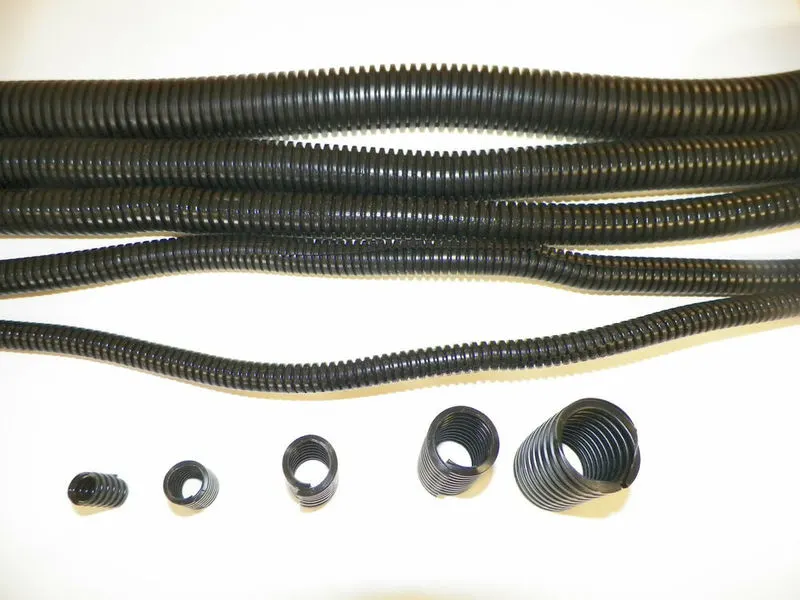
wire protection covers can also provide cable management and identification. Wrap similar groups of cables in protective expandable sleeving and separate your wires into recognizable groups while providing protection .
Seal grommets
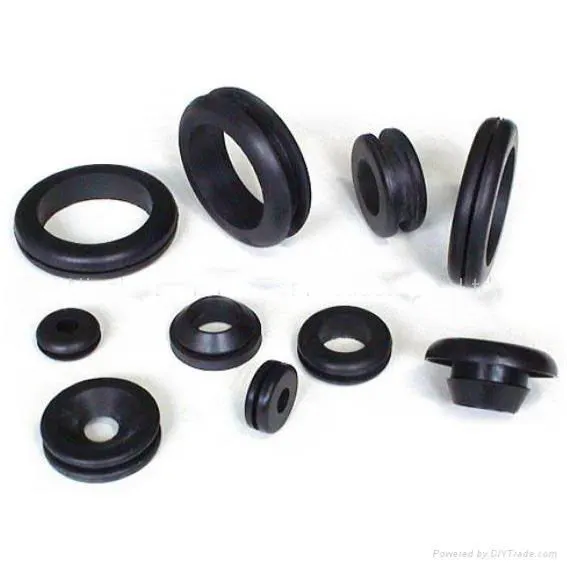
A sealing grommet is a tube or ring that is used as a passage for an electrical cable. They are typically produced of rubber or metal. The sealing grommet is generally placed into holes in specific materials to protect sealing cables that run through them from any potential mechanical or chemical attack.
clips
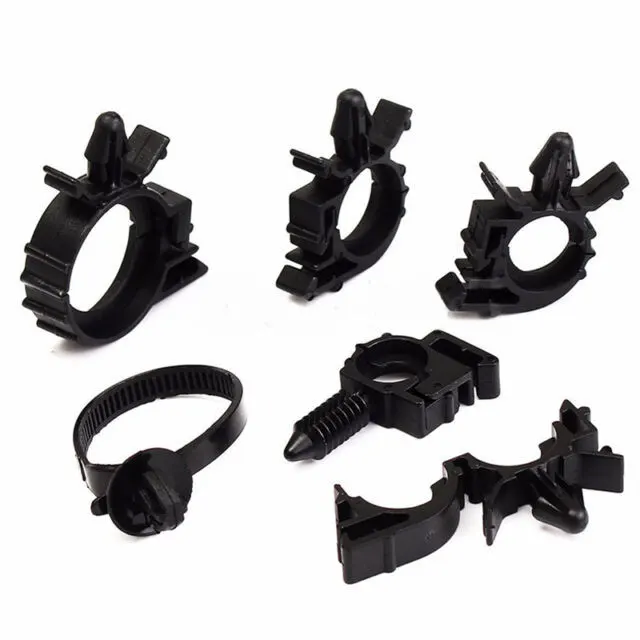
A harness clip for clipping a wire to mounting supports of a vehicle includes a body and a tie-strap. The body includes a clip portion having a generally “U”-shaped channel for receiving the wire at an interior surface of body.
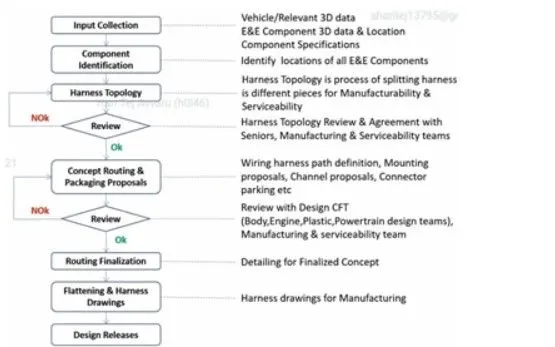
Wiring Harness Design Process
No of Components using harness assembly :
| Discription | Part no | Quantity |
| Connector | C-1563689 | 6 |
| Connector | DT06-8SA | 16 |
| Connector | C-776438 | 1 |
| P-clamp | - | 3 |
| Fit tree clip | - | 1 |
| Chennal bottom left | - | 1 |
| Chennal bottom right | - | 1 |
| L-clip | - | 1 |
Pre Requirement to design Wiring Harness Design in CATIA V5
Before Entering to modeling we change some setting in CATIA software
Step 1 : Open CATIA V5 > new > part
Step 2 : Start > Equipment & Systems > Electrical Harness Descipline > Electrical Part Design
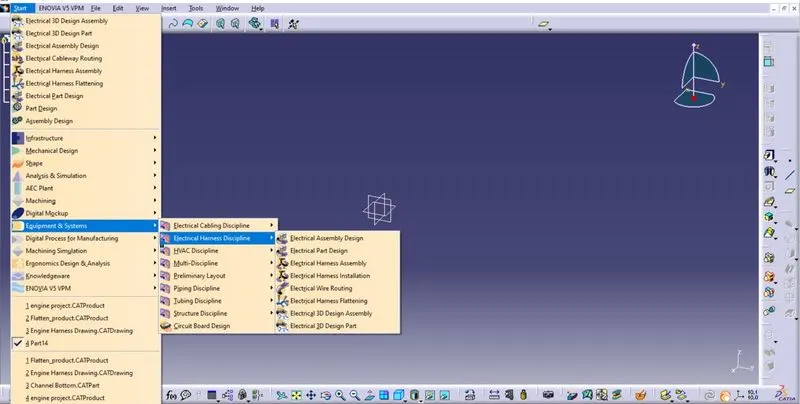
Step 3 : Tool > Option > Infrastructure > chche management> click Cache Activation button
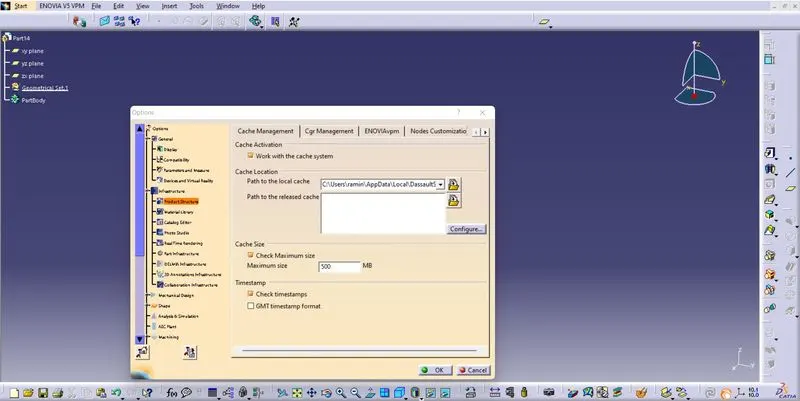
Step 4 : Change cache size is 500 MB for work with large files
Design Wiring Harness Design in CATIA V5
Create Mechanical connector to Electrical Connector
Step 1:
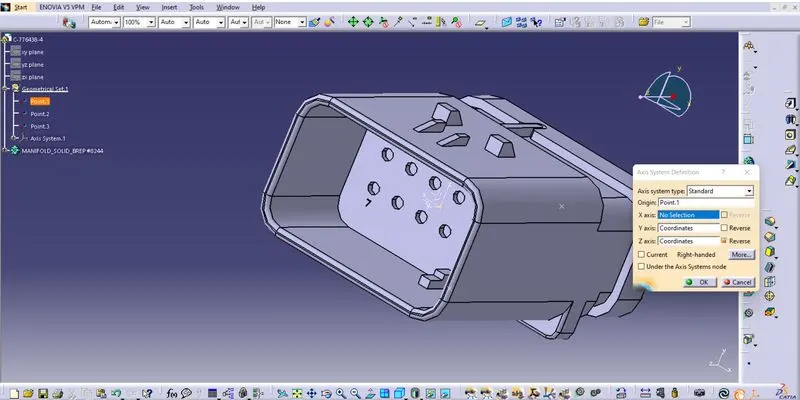
- Create the point at the both sides point 1 and point 2
- Then, create axis on point & point 2 ,aline axis like Y axis is perpedicular to the connector/ bundle face.
Step 2 :
- This step we converted mechanical part to electrical component.
- Start > Equipment & systems > Electrical Harness Discipline > Electrical part Design
- First we input the connector and click the Define Connector symbol in tool bar.
- Then we put no of terminals in connector.
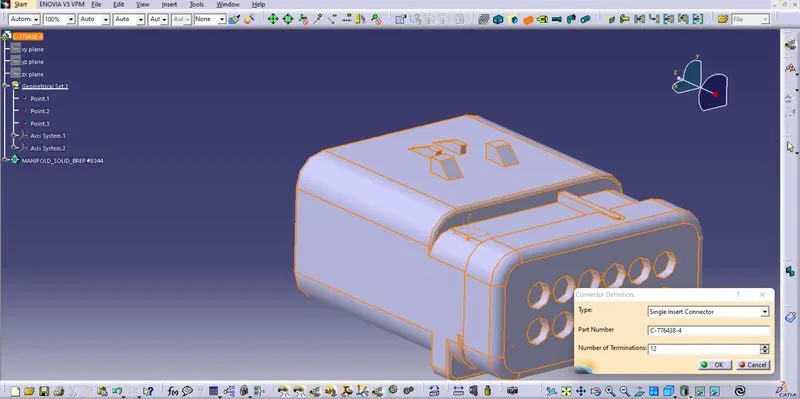
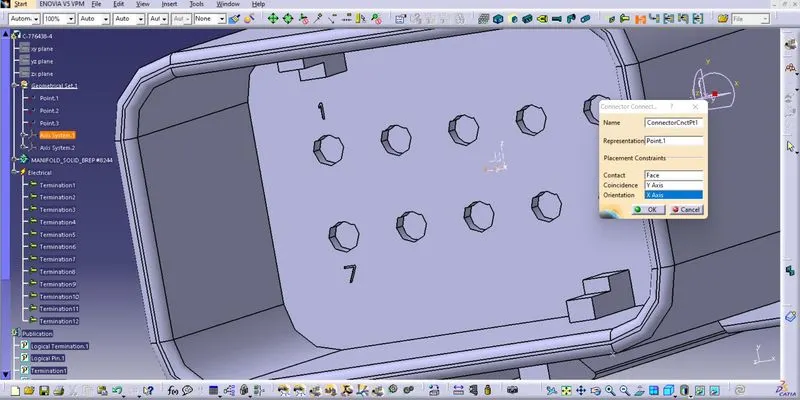
Step 3
- Then, click connector connection point select the connector point.
- Click bundle connection point select bundle area
- Now our connector is converted into electrical part.
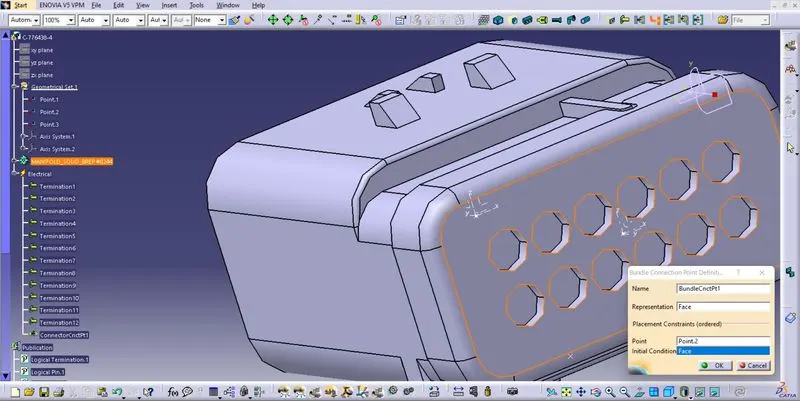
Note : here create Mechanical product coverted into electrical product same follow above steps.
Create P-Clamp
Step 1:
1.Create the point at the both sides point 1 and point 2
2.Then, create plane on point 1 & point 2
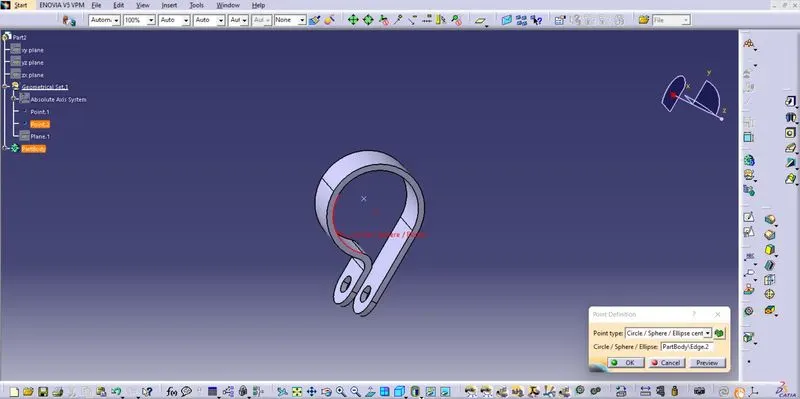
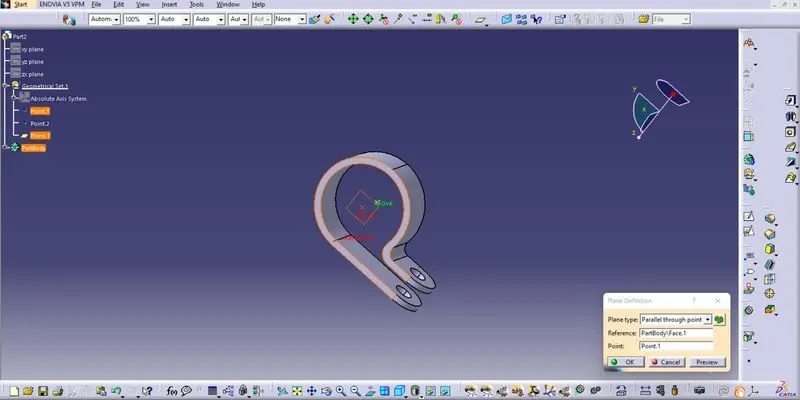
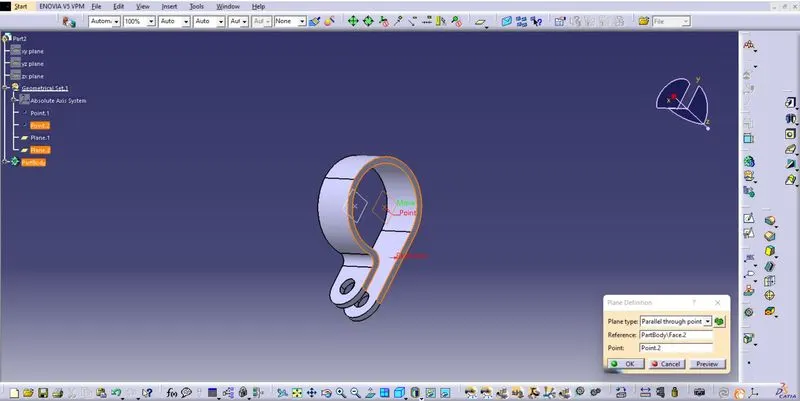
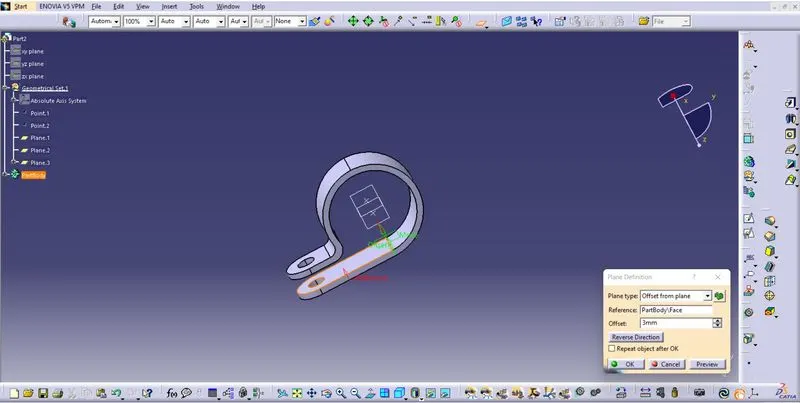
3.Create Offset from plane 3mm from the bottom ID of P clamp
Step 2 :
- This step we converted mechanical part to electrical component.
- Start > Equipment & systems > Electrical Harness Discipline > Electrical part Design
- First we input the connector and click the Define Support part in tool bar.
- Then select parameters like Entry point and exit point on P-Clamp.
- Save Electrical design in Local disk
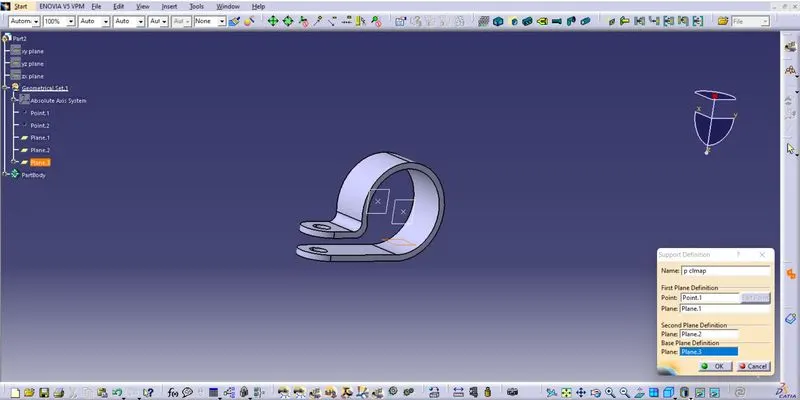
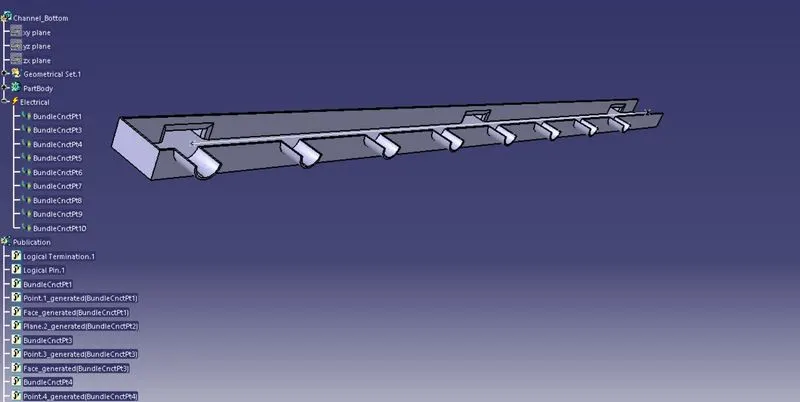
Create Chennal bottom
Step 1 : Import the Chennal bottom with mechanical properties
Step 2 : Create the referance point 1 and point 2
Step 3 : create the line between these two points
Step 4 : Now we move to Electrical part design workbench
Step 5 : This workbench we create electrical properties on chennal bottom part
Step 6 : Create bundle entry point on each referance points
Create fit tree clip
Step 1:
1.Create the point at the cavity face on fit tree clip
2.Then, create Axis points on face using referance point we created
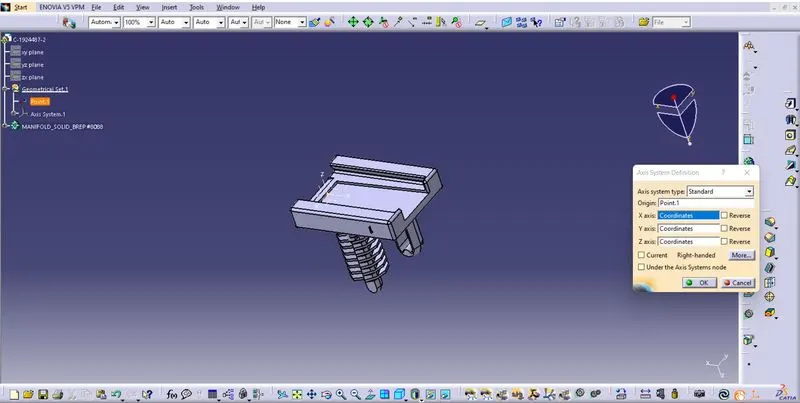
Step 2 :
- This step we converted mechanical part to electrical component.
- Start > Equipment & systems > Electrical Harness Discipline > Electrical part Design
- Click the Define Support part in tool bar.
- Then select parameters like Entry point and exit point on fit tree clip.
- Save Electrical design in Local disk
Now our All Connectors and Supports are Coverted with Electrical properties
Harness Routing and Pakaging:
Step 1 : Create a new Product file and name it as<Engine Project >
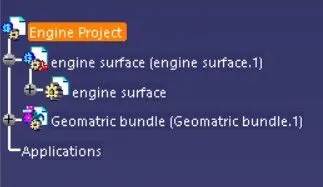
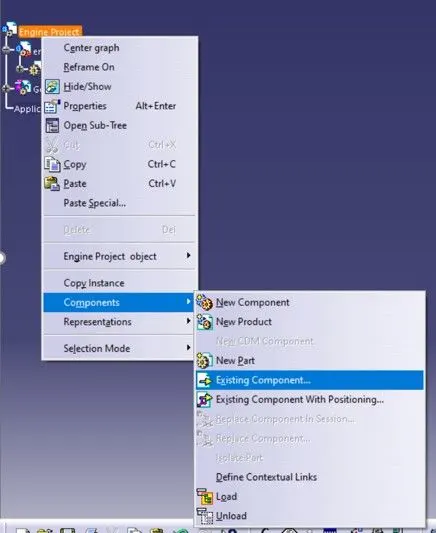
Step 2 : Go to Product tree right click the Engine project click components then click Exiting component
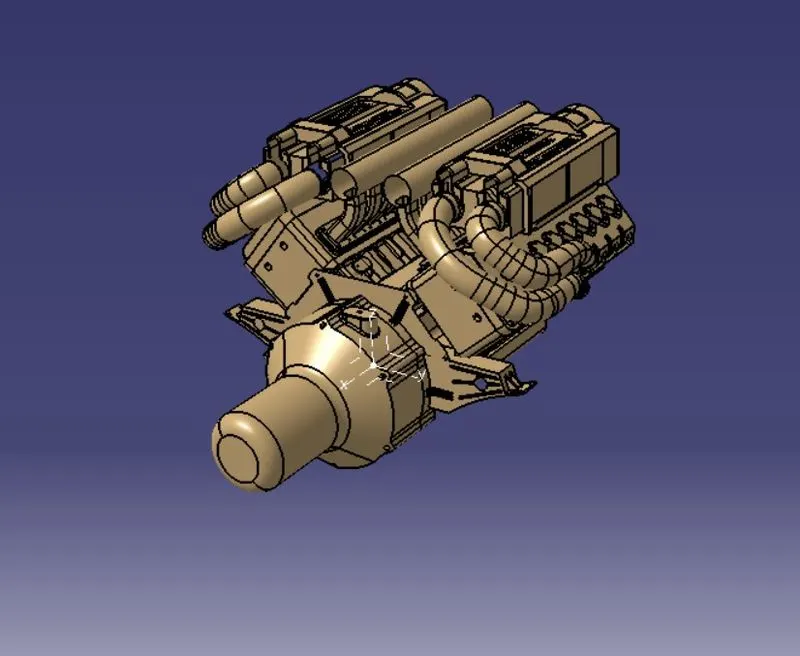
Step 3 : Now import our Engine 3D model into Product workbench
Step 4 : Create a new product under context assembly and rename it <Geomatric bundle.1>
Step 5 : Import all the required connectiors ,P-clamps, Chennai bottom, supports with electrical property into the Geomatric bundle.1
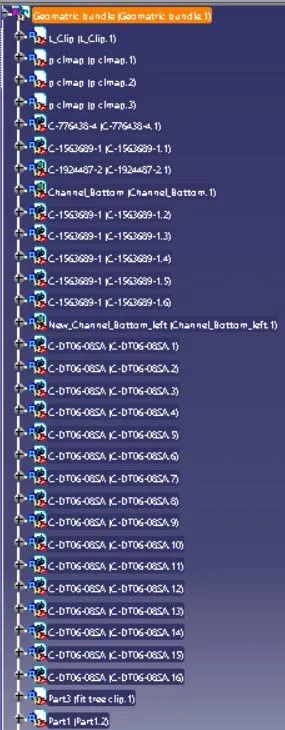
Step 6 : After imported connectors now we arranged the connector on suitable or already defined inter connection area
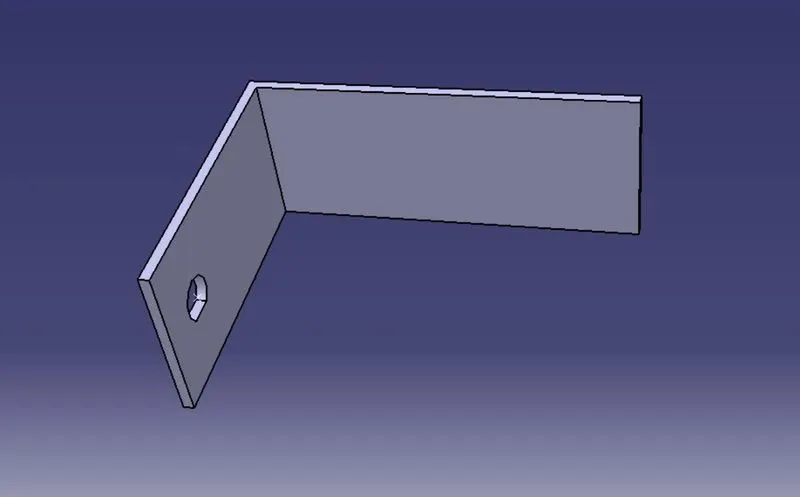
Step 7 :import the L clip to support the connctor routing in Geometric bundle
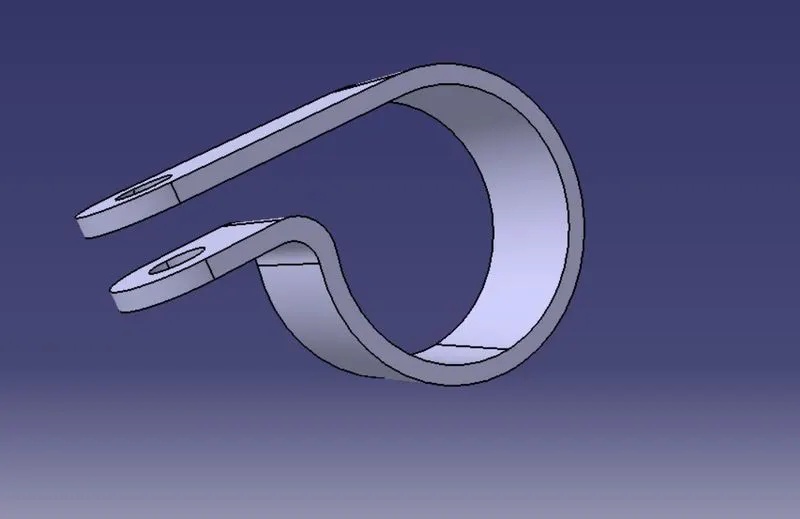
Step 8 : import the P-clamp to the Geometrical bundle
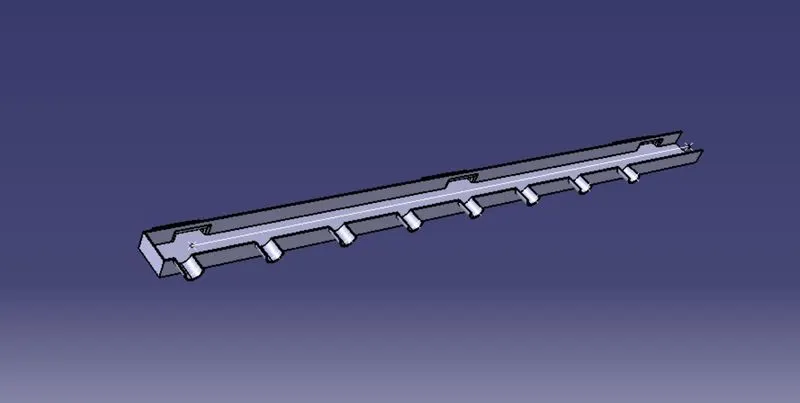
Step 9 : Import the chennal Bottom laft and right parts in to the workbench
Step 10 : Now Switch to Electrical harness assembly workbech .click the <Geomatric bundle.1> and click Geomerical bundle tool  now select the multibranchable bundle
 tool to routing the bundle
Step 11 : Start routing start from the inter connected connector through P-clamps.
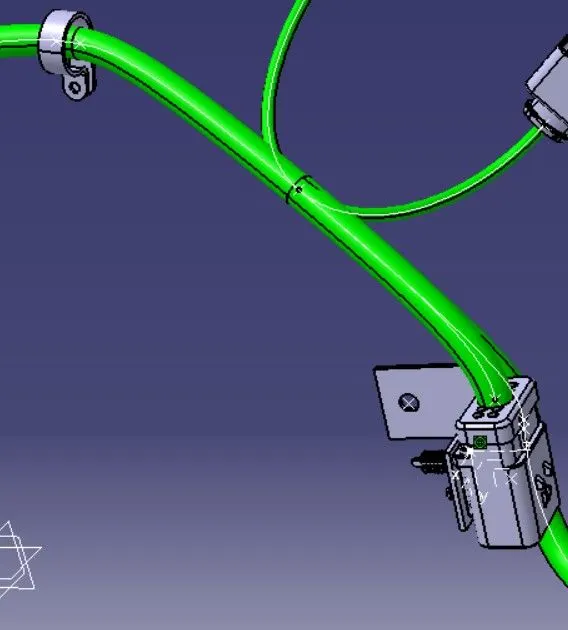
Step 12 : check all the bundle are connected or not using Advance search option
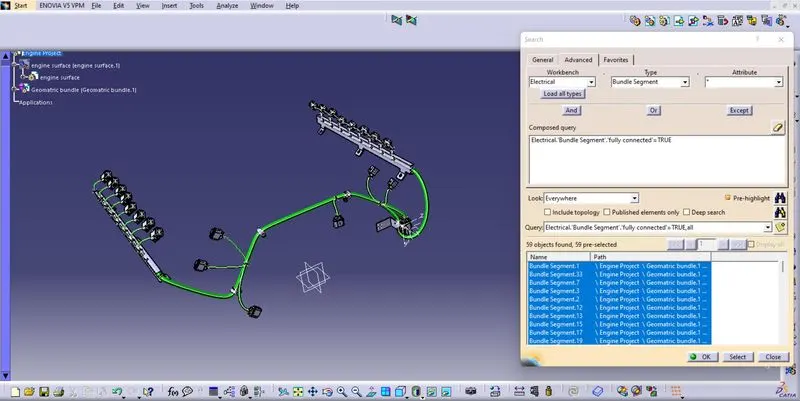
now my all bundles are rounting properly and fully connected
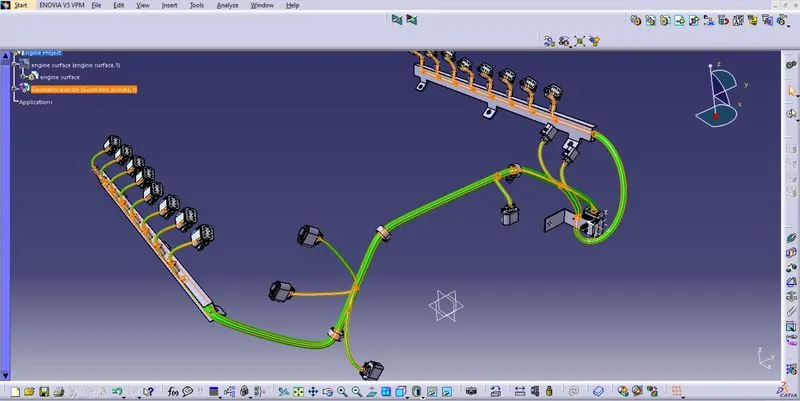
Step 13 :Create the Electrical flattening of the Geometric bundle assembly
Open> New > Product > Electrical Harness Flattening work bench
Step 14 : create Flettening parameters
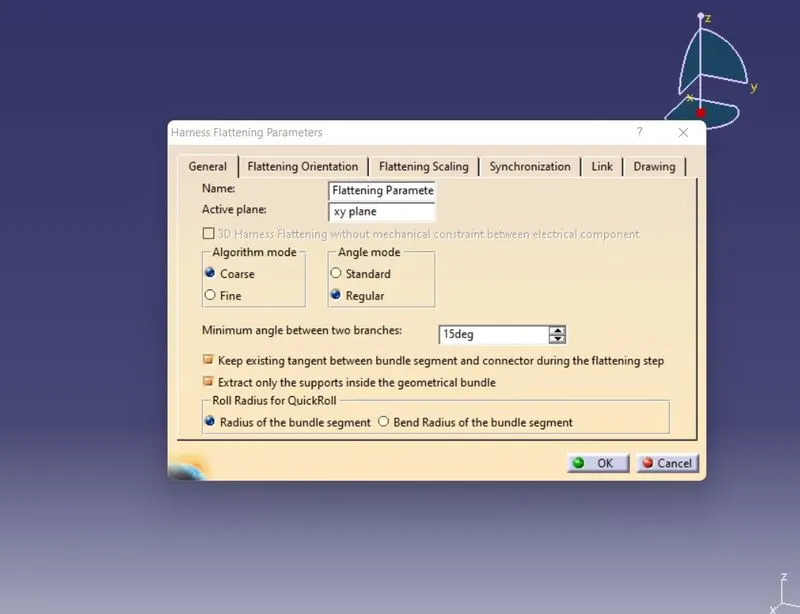
Step 15 : Now our flattening parameters are fixed then use extract tool to pick the connector face then our 
is imported to flattening workbench.
Step 16 : Click flatten tool to flettening the Geometrical bundle
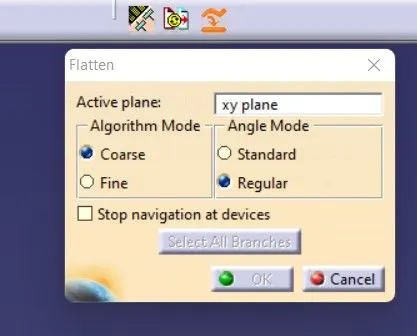
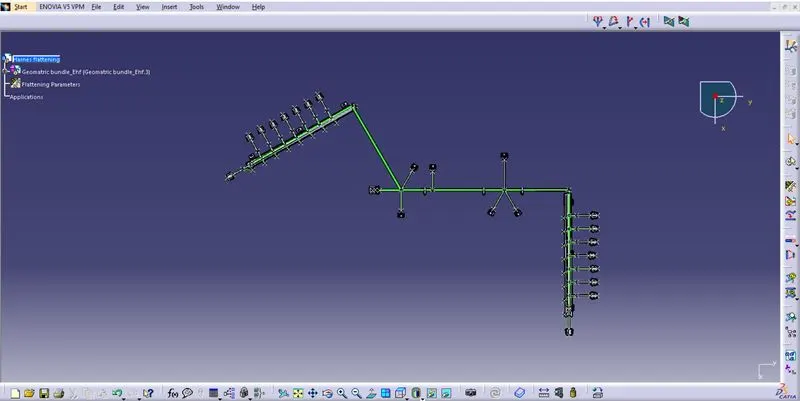
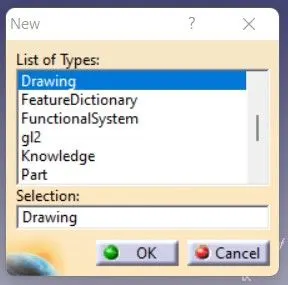
Step 17 : Open> new > Drawing > A0 ISO ; this work bench we convert our bundle flattening to drawing
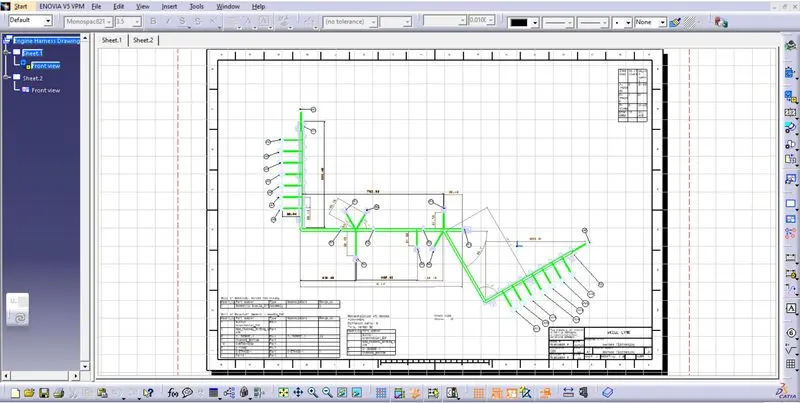
Step 18 : Put all the details of Drawing like layout sheet ,annotation, BOM
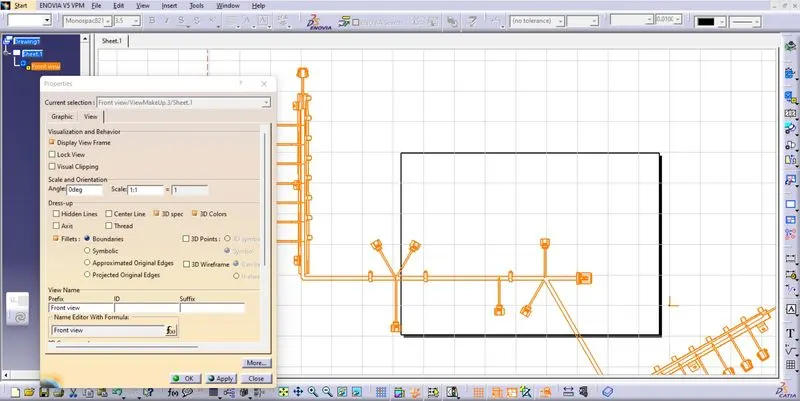
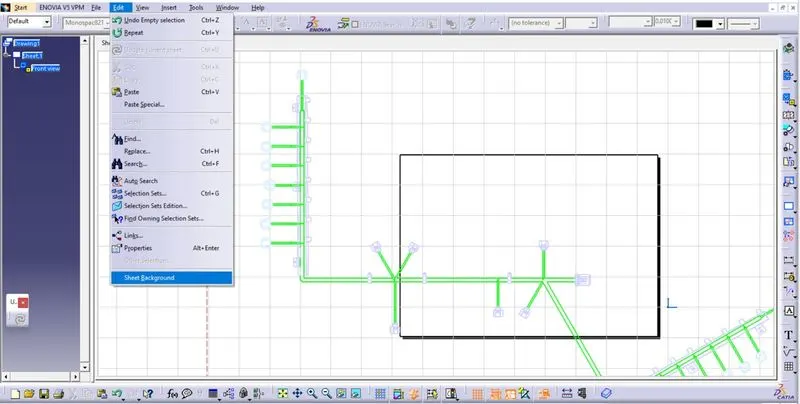
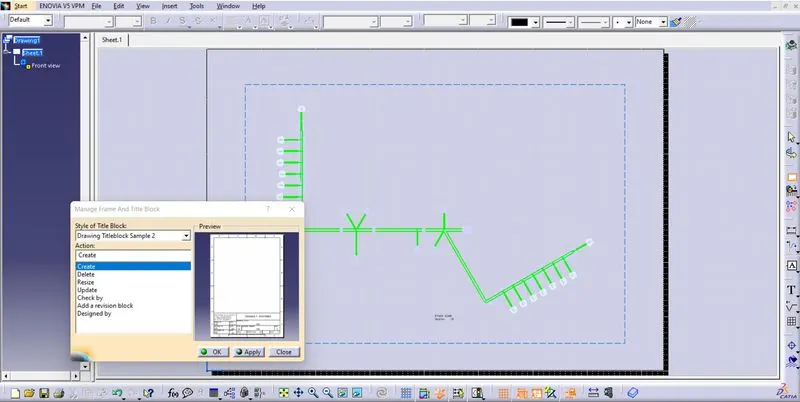
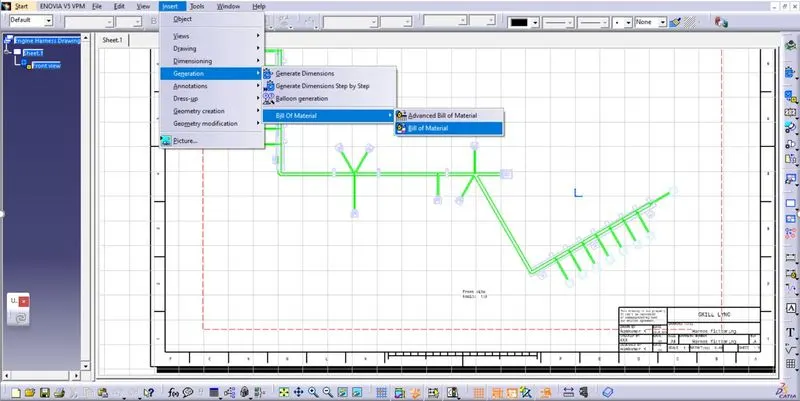
Here CATIA was automatically get our Bill of Materials (BOM) Details from out part properties .
Finall output