Project 1
AIM:
To extract the Mid surface of the given Dashboard and perform the meshing operation, using ANSA Software.
PROCEDURE:
1) Geometric cleanup:
*First of all, the model should be downloaded and then imported to ANSA software.
*The Model should be undergone for geometric cleanup.
*And then, the model is to be undergone for check geometry and everything should be perfect.
2) Extracting Mid Surface:
*To extract Mid Surface, the geometry of the model should be correct and clear.
*Then, Give Faces option to extract middle surface of the Major parts and Flattened surface.
*To extract the middle surface of the flattened surface, Measure the thickness by going MEASURE option and then give OFFSET and enter the half of the thickness value and Give OK.
*Make sure that it is to be saved often.
*For Other smaller parts, We need to use MIDDLE CURVE and take the curves from the CONS and Use NEW to create the New surface with single part.
*Repeat the same process of doing MIDDLE CURVE and join the cons to create the New surface.
*After creating the New faces, we have to extend the surface to the another surface by using EXTEND option. The triple con also do appear.
* Sometimes, ANSA will not try to extend, so we can use PROJECT CONS and thus we can create the new surface and the double con can be removed by CUT option and right click.
* For circular surface, We can take either MIDDLE CURVE or CONS TO CURVE to extract the imaginary curve and then we can create the cylindrical portion, and thus it can be extended to the another surface.
* Hence, by using Middle curve, it will be quite easier to extract the middle surfaces of the smaller portions.
* The middle portion of the surface is thus created by using above commands.
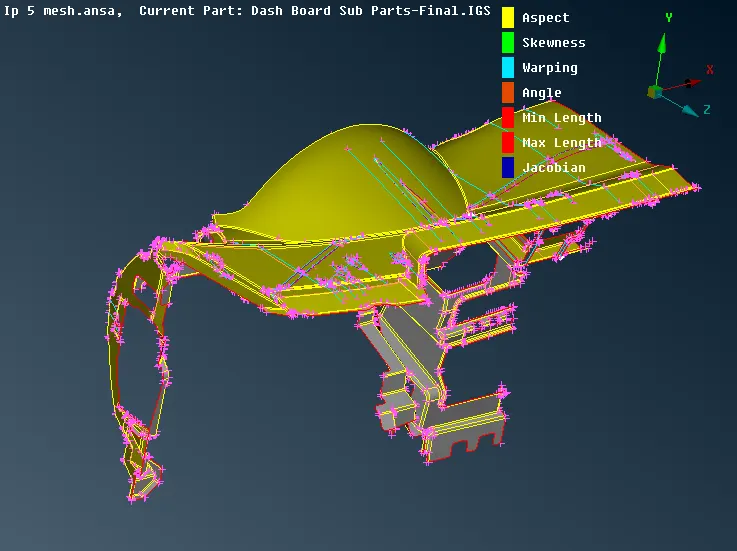
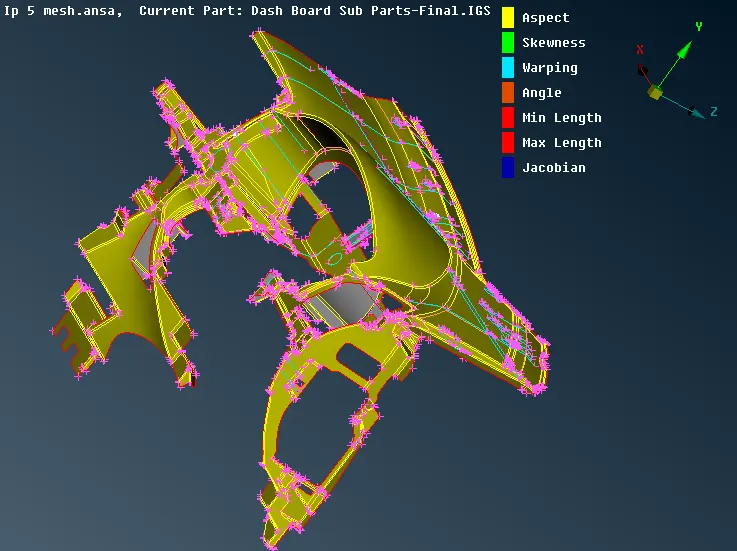
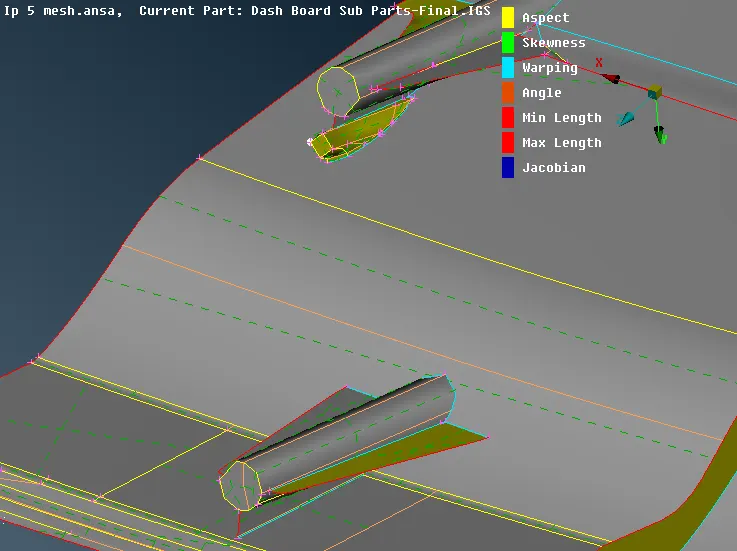
3) Meshing Process:
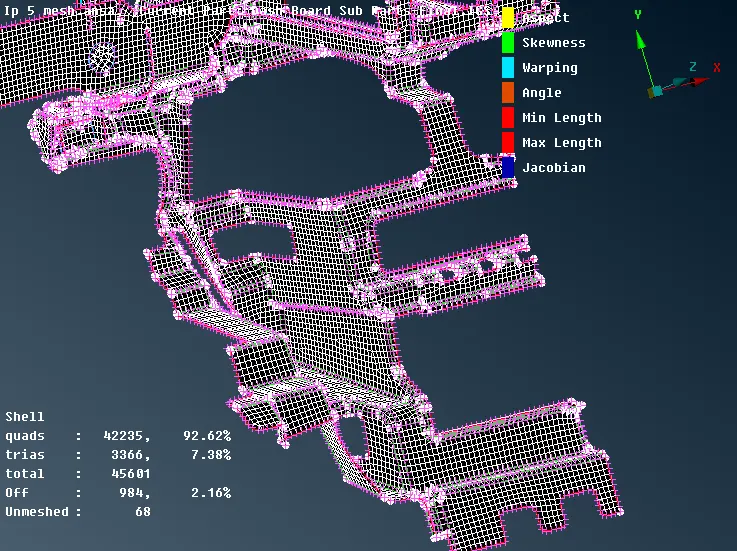
* The model is now to be undergone for Meshing Process
* Before undergoing the Meshing Process, The Model is to be checked with quality criteria, which is given in the requirement.
* The Mesh parameters is also to be set with assigning the Target length, Minimum Length and Maximum Length.
* The Model should be assigned with the macro length and nodal length, as given in the quality parameters.
* Then, the unnecessary construction lines are to be removed by using CUT or JOIN option.
* It does not matter whether the spot mesh, Free mesh, Best mesh that can be given so far. Mesh flow is to be better.
* Then, Give Mesh Option for giving the suitable proper mesh.
* For Attaining the mesh, We should give each and every macros as selected. Then only proper mesh can be attained with the better flow.
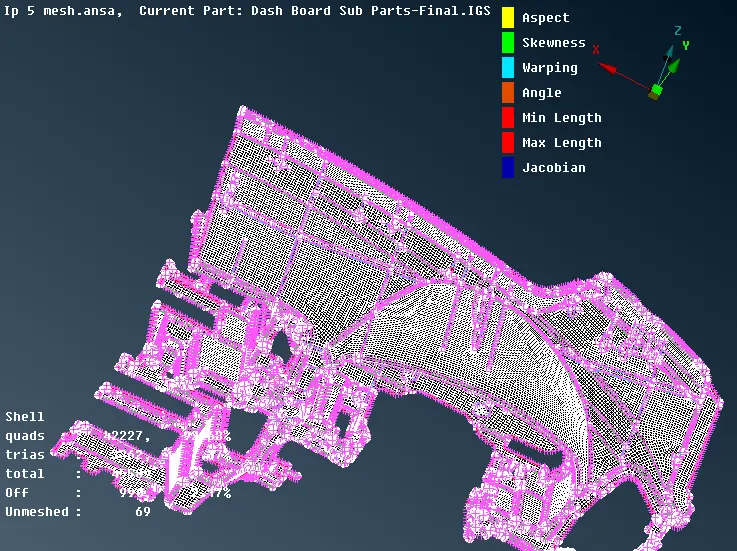
* There will be some OFF elements do occur , which may cause failure in Quality Criteria, Since it is a plastic model, some Off elements cannot be Rectified. But we have to rectify the quality criteria as much as possible.
* To achieve the rectification of OFF elements, We can give RECONSTRUCT option for rectification of the quality failure.
* Hence, The Off elements will be removed so far.
* For Meshing the featured area, Remove the unnecessary cuts by using JOIN option or CUT with Right Click.
* We can Give RESHAPE option which does remove the Unnecessary Cuts and also reduce the OFF elements.
* While Giving Meshing on some areas, The featured areas, And the fillet regions definitely do have some off elements.
* These off elements cannot be removed so far. Indeed, this will also deform the original shape of the given element.
* And also, If the elements cannot be rectifed so far, We can Give MOVE option and select the nodes and we can Move, and thus the off elements can be removed.
* And also we can give SPLIT, SWAP option for rectifying the quality criteria failure.
* We should do this meshing process for all the elements repeatedly, if its necessary ( to remove the off elements). Hence the proper mesh flow of the model can be obtained.
* And also, We can also give FIX QUALITY, and also it could rectify the errors where the removable off elements that will be removed, and also this is one of the ways for rectifying the quality failure criteria.
* Give SMOOTH options for some elements, which will smoothen the meshed surface etc.,
* Try to reduce the OFF elements as much as possible and bring with the proper mesh flow.
LEARNING OUTCOMES:
i) From this model, More patience is to be needed to perform meshing. I learnt meshing the elements one by one, using spot mesh and best mesh.
ii) I learnt using Middle curve to capture the uneven surfaces as middle surfaces. It will be easier to take MIDDLE CURVE to obtain the Middle Surface of the uneven length of some surfaces.
iii) Sometimes, We can give PROJECT CONS instead of EXTEND, to reduce the workload of ANSA, since it might stop working.
CONCLUSION:
Thus, Dashboard panel has been extracted with the proper Mid Surface and Better Mesh flow is achieved under the given Quality parameters, using ANSA software.