Project 1
Project - 1
Generating Mesh on the given Plastic Model
Aim:
To generate a mesh on the given car dashboard model by creating a mid surface according to the thickness of the geometry.
Abstract:
The given car dashboard is a plastic model with uniform thickness throughout the surface and with different thicknesses for the supporting ribs and dog houses. Each rib and the dog houses are to be mid surfaced and are to be attached to the main dashboard surface without any kind of imperfect geometry. The created mid surface is to be meshed according to the mentioned quality criteria and to maintain a minimum number of off elements and maintaining a good mesh flow throughout the model. After the generation of the mesh, the model must be converted from shell to solid so that the model is converted to the actual thickness of the original geometry.
Methodology:
- Check the geometry first if there are any kind of errors and fix them if any so that there will be no deformation of the mid surface while creating.
- After fixing the errors generate a mid surface for the entire geometry according to the thickness of the model.
- Generate a good mesh flow for the entire model one by one so that the details can be fixed easily.
- After the generation of the mesh, convert the shell model to a solid model.
Introduction:
A dashboard also called dash, instrument panel (IP), is a control panel usually located directly ahead of a vehicle's driver, displaying instrumentation and controls for the vehicle's operation. The dashboard originally included an array of simple controls (e.g., the steering wheel) and instrumentation to show speed, fuel level, and oil pressure, the modern dashboard may accommodate a broad array of gauges, and controls as well as information, climate control, and entertainment systems.
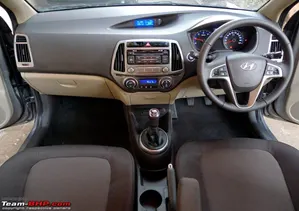
Fig 1: Dashboard in real life
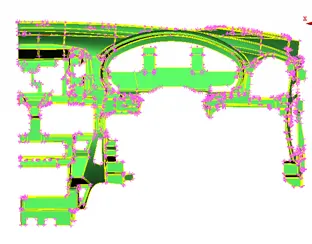
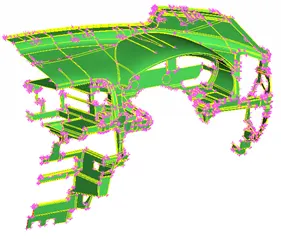
Fig 2: Dashboard in the given model Fig 3: Dashboard in the given model.
Procedure:
- The given model should be checked if there are any kind of errors and are to be fixed if needed by using the check geometry option. After fixing the errors the mid surface must be created using the option offset in the faces. The offset option is used by mentioning half of the thickness of the original geometry and the ‘+’ or ‘-‘ signs to indicate the direction of generating the original surface. The mid surface is generated in the middle of the original geometry so the value of the offset must be indicated in negative sign.
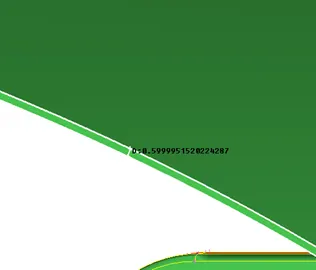
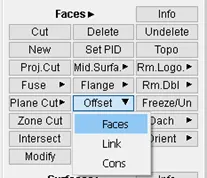
Fig 4: thickness of the original model. Fig 5: Offset options
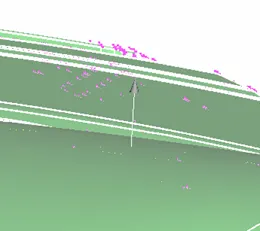
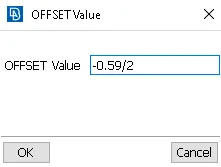
Fig 6: direction for creating the mid surface Fig 7: value for creating the mid surface
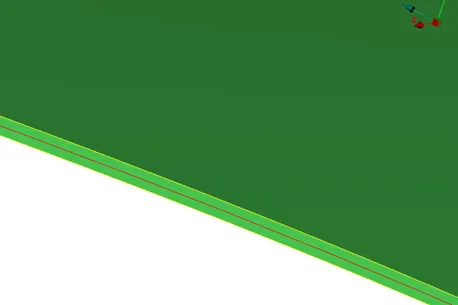
Fig 8: created mid surface
- Generate the mid surface for the remaining components i.e., the supporting ribs and dog houses which are to be attached to the main mid surface according to the original geometry.
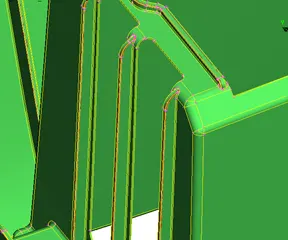
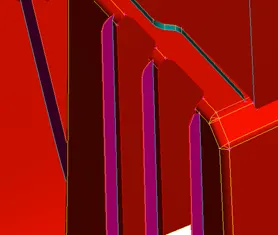
Fig 9: Ribs for the original geometry. Fig 10: Ribs for the created mid surface.
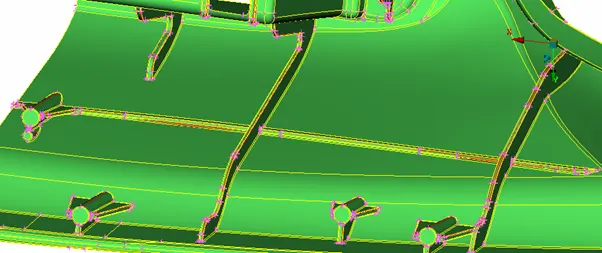
Fig 11: Ribs and dog houses for the original geometry
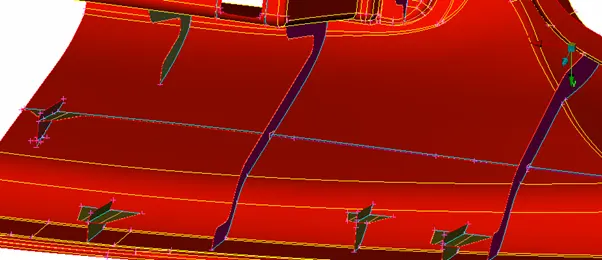
Fig 12: Ribs and dog houses for the generated mid surface.
- Each part of the geometry must be mentioned with their respective thicknesses in the PID manager so that the mid surfaces are converted to the original thickness while converting from shell to solid.
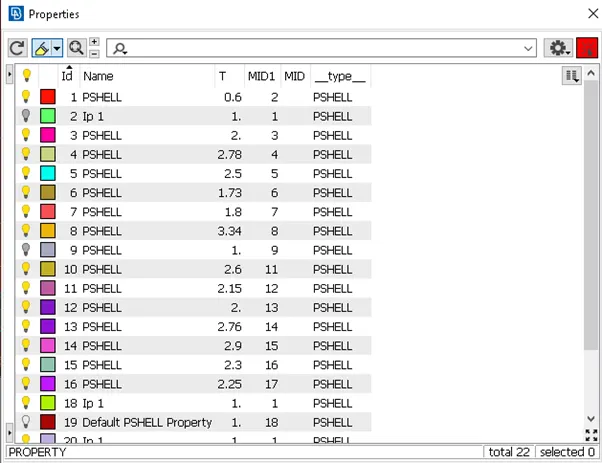
Fig 13: PIDs for the components.
- Connect all the components according to the original geometry and prosed for the meshing process.
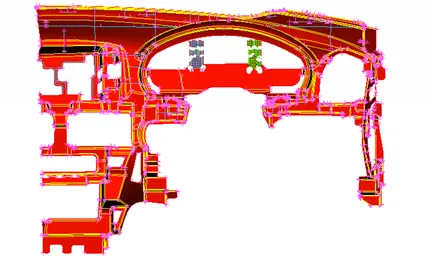
Fig 14: generated mid surface.
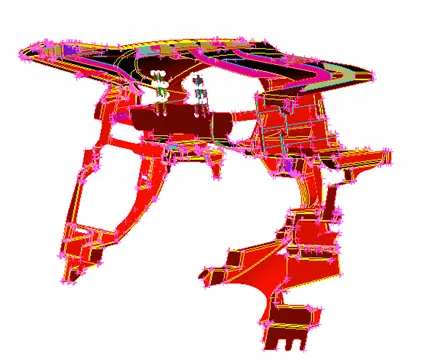
Fig 15: Mid surface rearview.
- The created mid surface should be given a topo cleanup such that adjusting the distance between two cons so that the particular area should not have any kind of off elements according to the quality criteria while meshing.
- Start the meshing process according to the given quality criteria.
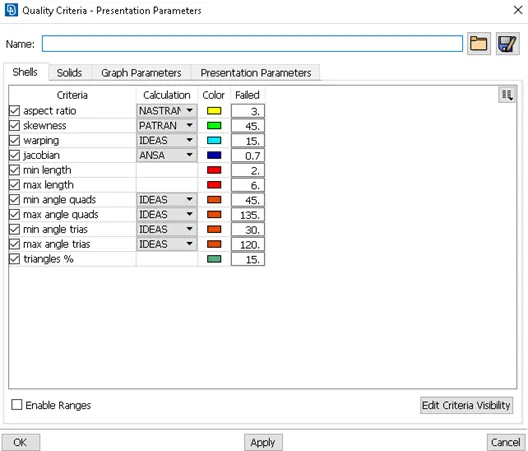
Fig 16: Given quality criteria
- Start the meshing process for the critical or complex parts to that the off elements and the mesh flow can be adjusted easily without disturbing the remaining parts.
- Solve the off elements using the tools such as reconstruct, split, swap, cut, join, paste, etc. after adjusting the mesh without the off elements the mesh must be uniform. So adjust to a good mesh flow using a smooth option. If needed a few geometrical areas can be compromised for a good mesh flow.
- Generate the mesh for the main part of the mid surface after meshing the complex small parts of the geometry. Clear all the off elements for the remaining part of the mid surface.
- During the meshing for a few components the off elements cannot be created, those are:
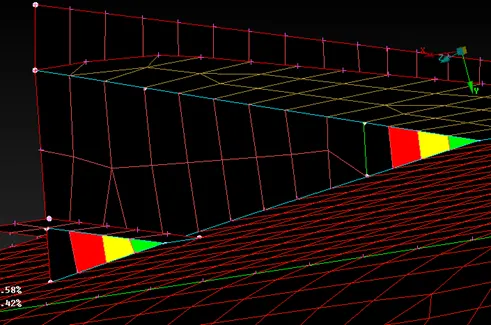
Fig 17: Off elements which cannot be solved
- In fig 17 the mesh does not has enough space to create a good mesh without off elements, thus leaving off elements such as minimum length, skewness, and aspect errors.
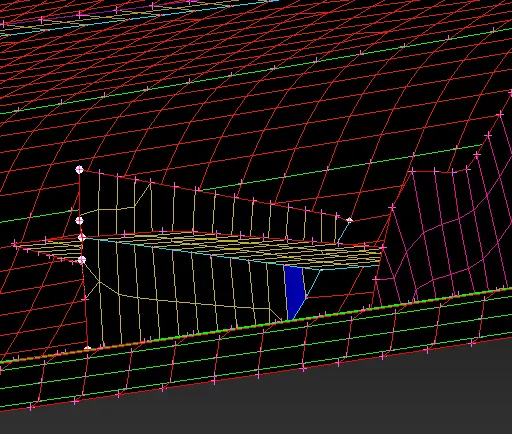
Fig 18: Off elements in a different part
- In fig 18 near the connected region, a Jacobian error is formed due to the nonuniform distance between the 4 nodes of the element.
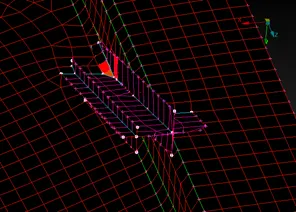
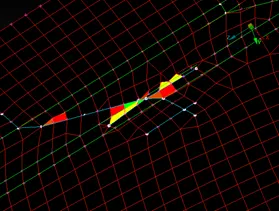
Fig 19: Connection of the dog house Fig 20: Connection of the dog top view house bottom view
- In this region the two dog houses and connected to the raised edge to the dashboard. Therefore a triple con is formed across the double cons as shown in fig 19 and creating the off elements such as minimum and maximum lengths, angle of the elements, aspect, and skewness errors.
- After generating the mesh on the mid surface the shell model should be converted to solid so that it resembles the original dashboard model.
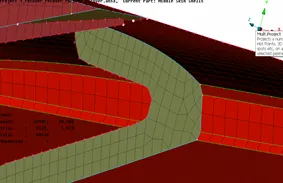
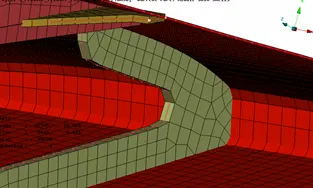
Fig 21: Shell meshed component Fig 22: Shell mesh converted to solid
Result:
Thus creating a mid surface, generating a mesh and conversion from shell to solid is done for the given car dashboard with a minimum number of off elements.
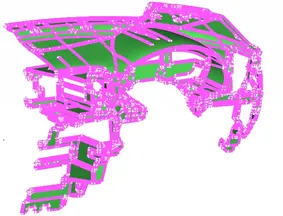
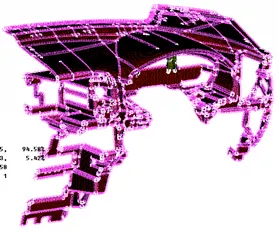
Fig 23: original geometry Fig 24: meshed plastic component
Learning Outcomes:
- Learned to create the mid surface to bigger plastic components.
- Learned to connect complex mid surfaces.
- Learned to maintain a good mesh flow in complex parts or regions.
Conclusion:
The above project draws the following conclusion:
- The total number of mesh elements in the component are 44558 in which 94.58% are the quad elements, 5.42% are the tria elements and the total number to off elements are 194.
https://drive.google.com/file/d/1jQgaCQ8vvMBcW3dR323wHbouNlzlHsVz/view?usp=sharing