Project 1 - 2D meshing on the instrumental Panel
AIM:For the given component, check for the geometrical errors and mesh with the given element Quality criteria. After meshing the component the thickness has to be assigned.
precedure :
- import the geometry in the ansa.
- set cons resolution to 1.
- using faces new option close the geometry.
- after closing use topo and orient .
- use check geometry and remove errors using auto fix
- for unchecked faces use faces cut and make cut so the face apperes
- in case of missing faces use faces new.do the same for cracked faces.
- once the geometry is clear give mesh parameters and quality criteria .
- use mid surface cast for genrating fe.
- use align manager to fix the generated improper fe.
- give proper definition to the surface generated if needed.
- for capturing the correct geometry, made a cut and convert cut into curve
- use shell mesh fill to generate the elements . allgin elemts and perimeters by adding adequate hot points on perimeter.
- remove the errors in mesh using imporve option.
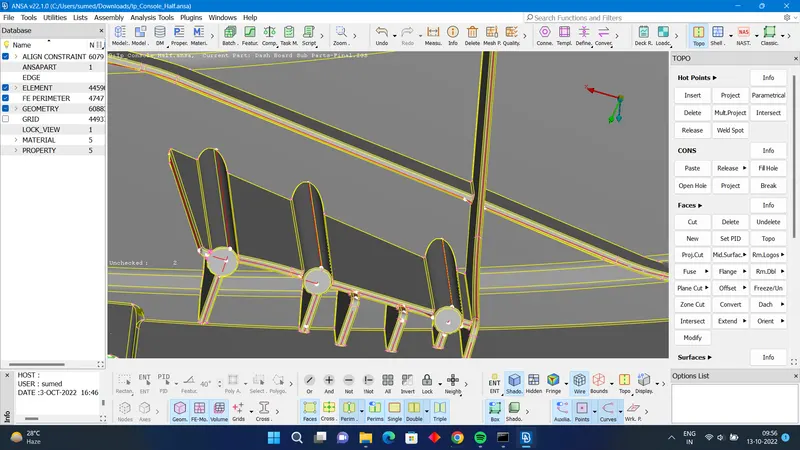
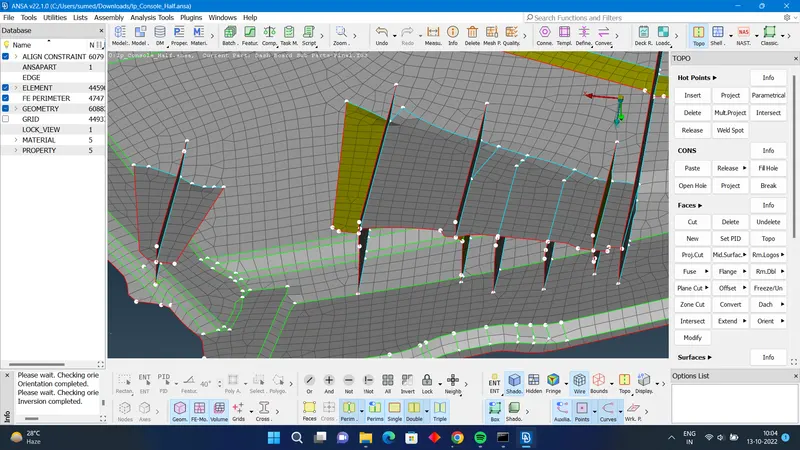
outcome: plastic components are meshed using different tools in ansa.
conclusion: By doing this challenge I learned how to model components using ansa