Project 1 - 2D meshing on the instrumental Panel
AIM
For the given component, check for the geometrical errors and mesh with the given element Quality criteria. After meshing the component the thickness has to be assigned.
|
S.No |
Quality Criteria |
Value |
|
1 |
Target/Average length |
4 |
|
2 |
Minimum Length |
2 |
|
3 |
Maximum Length |
6 |
|
4 |
Aspect |
3 |
|
5 |
Warpage |
15 |
|
6 |
Skewness |
45 |
|
7 |
Jacobian |
0.7 |
|
8 |
Minimum Quad Angle |
45 |
|
9 |
Maximum Quad Angle |
135 |
|
10 |
Minimum Tria Angle |
30 |
|
11 |
Maximum Tria Angle |
120 |
|
10 |
Tria Percentage |
15 |
PROCEDURE
- Import the Instrumentel Panel Model in ANSA Preprocessor and check the geometry by using check manager.
- Fix the errors that shows in geometry check up.
- Remove the triple cones and unwanted hot points and apply topo to whole geometry.
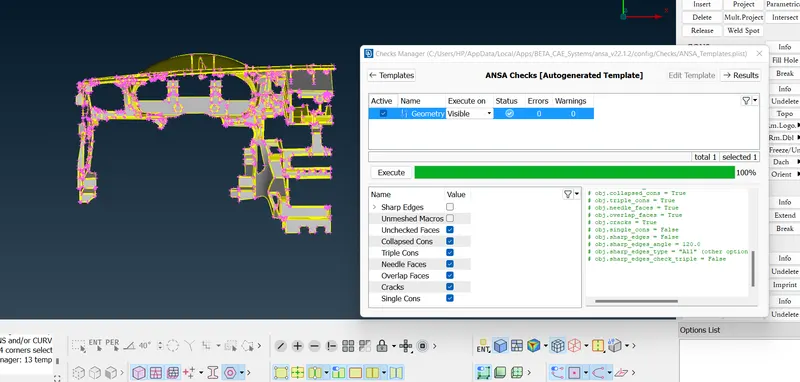
- Measure the thickness of each components.
- We have an alternate method to calculate thickness by using thickness tool (Topo>Midsurface>Thickness>calculation)
- By using Thickness tool we get thickness of each PID and automatically create seperate PID.
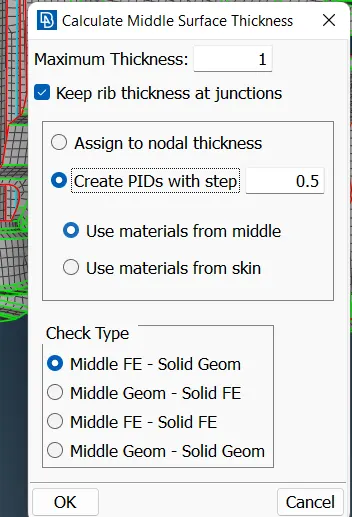
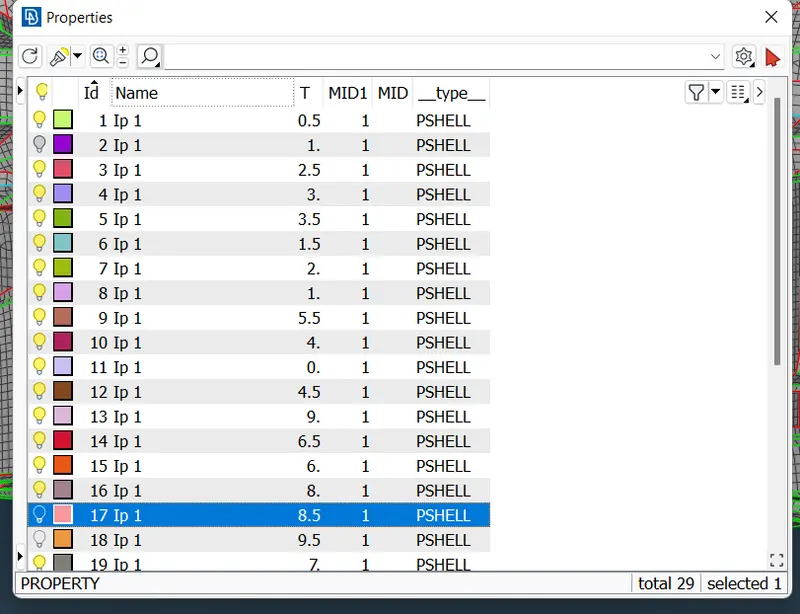
- Assign the quality criteria that is given and define the mesh perimeters.(F11-Quality criteria)
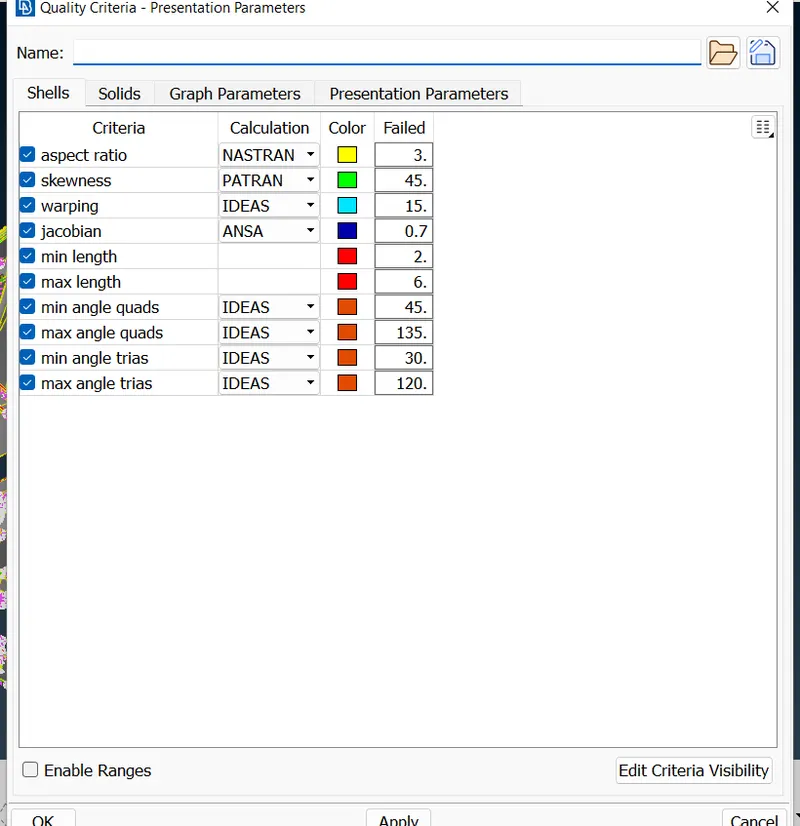
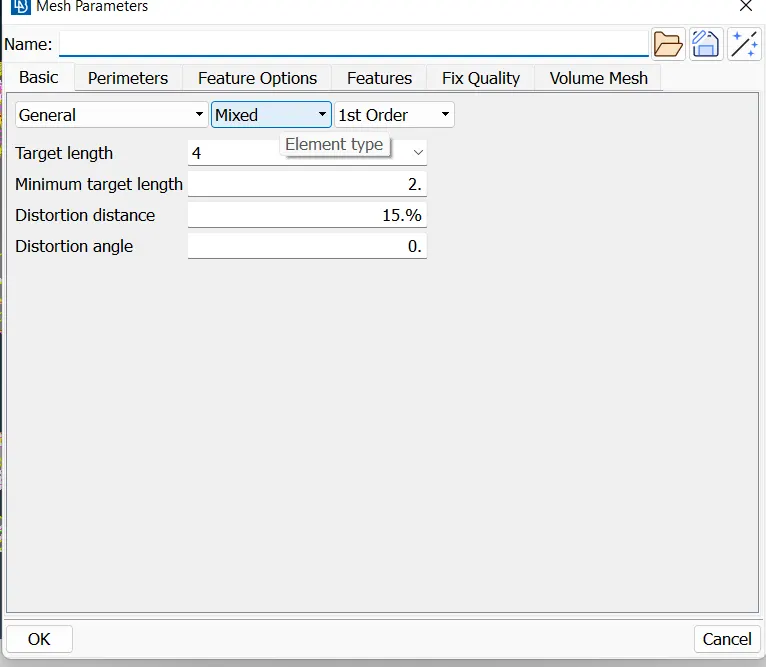
- We have to give element size.So go to the length tool select perimeters and select entities and give element size.(classic mesh>perimeters>length).
- Here we are using casting tool for meshing purpose.Through casting we get meshed body directly without generating mid surface(Topo>Midsurface>casting)
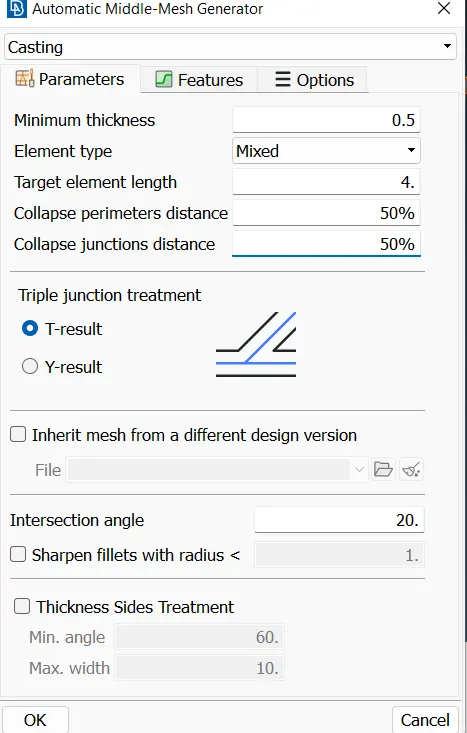
- After Casting we can observe that some features are not have propershape according to the parent component so, we have to check it and fix it Manually. First we have to set the base elements proper then go for features.
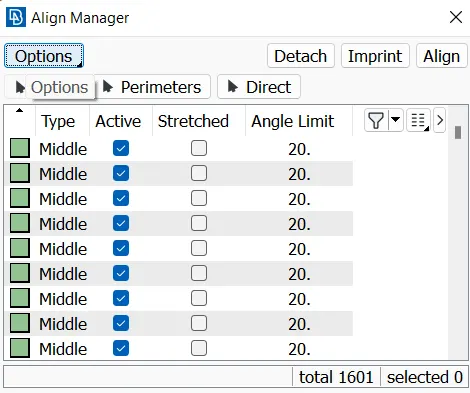
- Here Align Manager is the mejor Tool used to Align the surface properly and Align the perimeter.(Topo>Midsurface>Align Manager)
- We can merge two surfaces by using Align manager.(Topo>Midsurface>Align Manager>select the required area>right click on selected area>Add to)
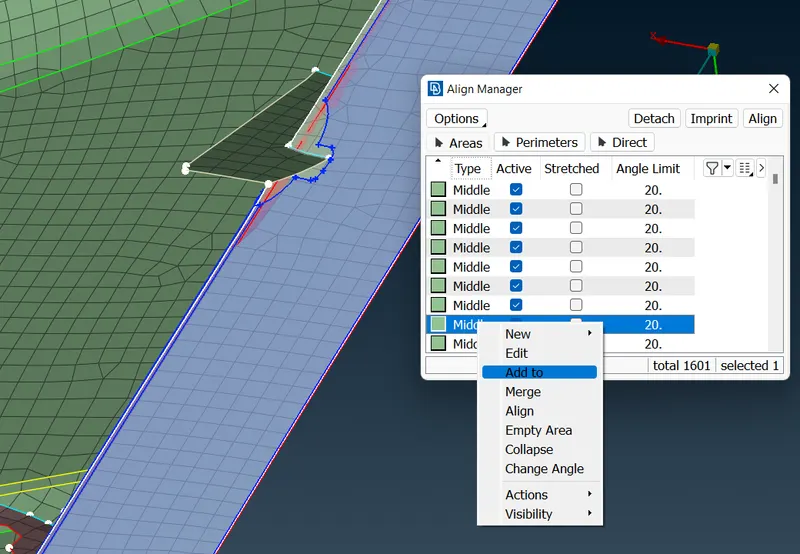
- Here dog house are the importent features of the model so we have to create it properly.
- Some dog houses are not come properly so we have to create new one after deleting the old one.
- Create a curve using Cons2curve tool (Topo>curve>Cons2curve)
- Project this curve to the below surface using project tool.(classic mesh>shell mesh>project)
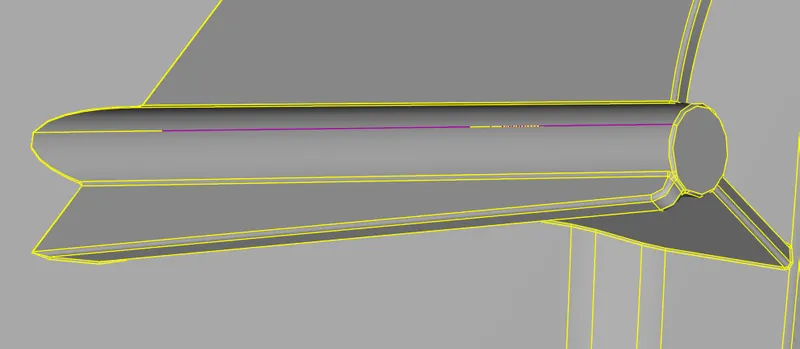
- we can create the elements by using Fill option(classic mesh>shell mesh>Fill)
- After creating the elements these elements should merge with the body by using Align Manager
- Similarly we can do all the surfaces which are distorted
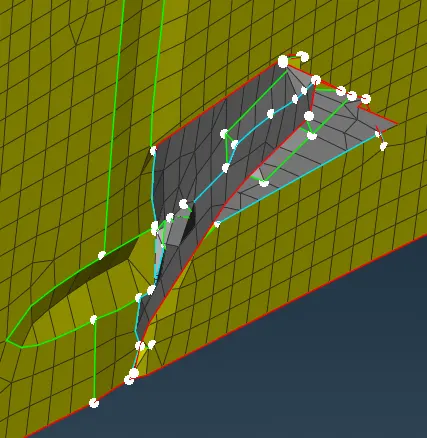
BEFORE
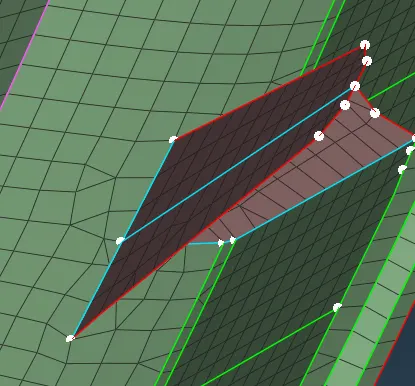
AFTER
- We can use align manager not only for Align the area but also Align the perimeter.
- We have to create cross surface instead of cylender surface.
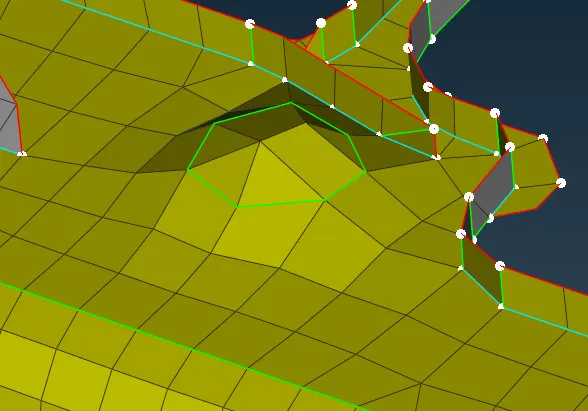
BEFORE
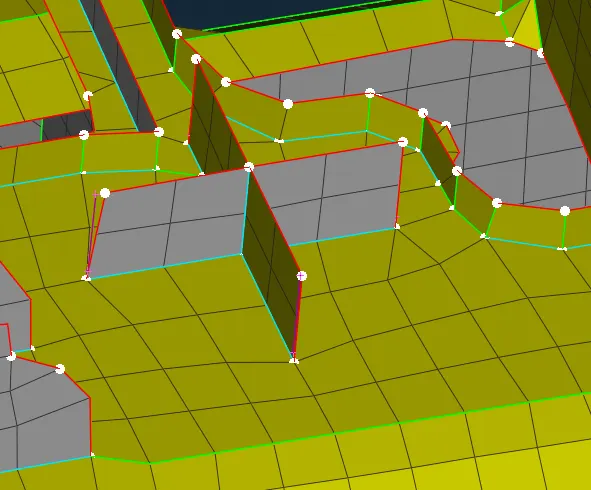
AFTER
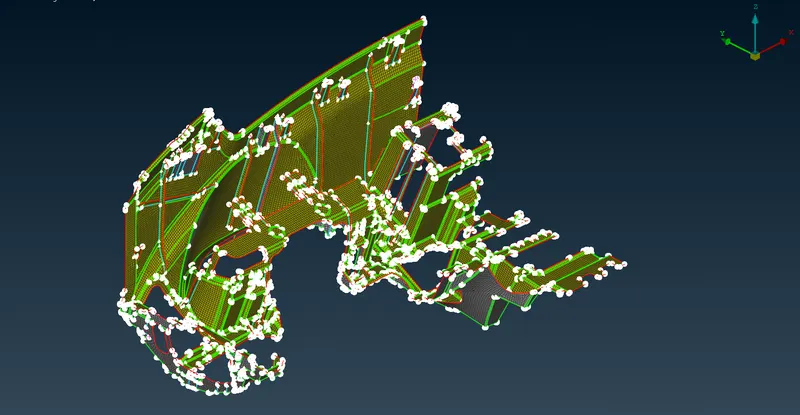
- Remove the off elements by using Reconstruct,Smooth,Fix Quality (classic mesh>shell mesh>Improve)
- By using Move tool we can adjest the position of node of element and fix the quality issue.(classic mesh>grids>Move)
- Use split tool to swap,join and create the mesh line to arrange the tria for proper mesh flow.(classic mesh>elements>split)
LEARNING OUTCOMES
- Learn how to mesh the component using casting method
- Learn about the usage of Align Manager.
- Learn how to assign thickness for each PID's.
- Understood about mesh generation and implemented mesh generation for
complex parts. - Learned how to improve mesh flow and remove trias to achieve better mesh
flow.
CONCLUSION
Casting method for meshing of a complex model will reduce the time and efforts but the model may contain some distortion.Plastic models require considerable effort for modelling the mid surfaces and mesh generation and the tool knowledge is vital to the successful completion of the task in a timebound manner.