Project 1 - 2D meshing on the instrumental Panel
Here Iam attaching the Model of ANSA Instrumental panel Project
https://drive.google.com/file/d/1noku5Ep-h8QLUIBldr2VvgPGC5zWJMHJ/view?usp=sharing
Here is the aim procedure and conclusion for the given model.
AIM
To achive the best quality mid surface for the given CAD model. This Model contains many features like dog house, Ribs and other. The doghouse feature should be look like the above image.
PROCEDURE
INSTRUMENT PANNEL
A dashboard (also called dash, instrument panel (IP), or fascia) is a control panel set within the central console of a vehicle or small aircraft. Usually located directly ahead of the driver (or pilot), it displays instrumentation and controls for the vehicle's operation.
In this model they have been given the half of the cad model for the Instrumental panel.
First Topo has to be done for the model and orientation has to be done. And I was generated a face in the opened area amd closed it for the better results in perimeters.
Then the geometric check has to be done. In this it was showing a many geometrical errors so that it has to be auto fixed by using the Auto fix Option and some of the errors has to be fixed manually.
Then the Mid surface has to be done by the casting method. The time taken to complete the casting method is bit longer then usual.
Before usning this method the meshing parameters has to be given and the quality parameters should be given. When we give the average value minimum and maximum values ANSA will consider the Quality and meshing parameters and give the best results as much as it can.
But in various thickness region and the feature region it would give some average results
After finishing the Casing the results will look like as shown below
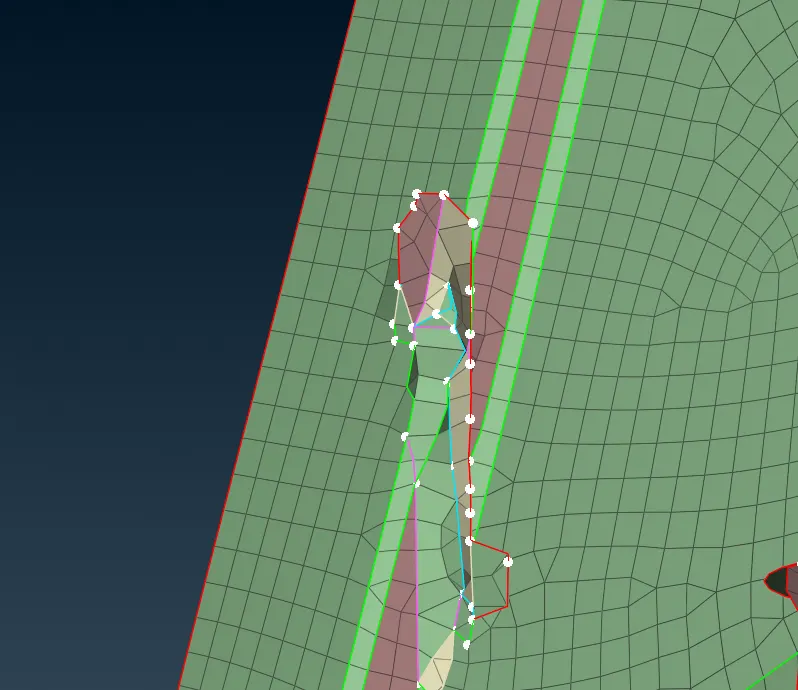
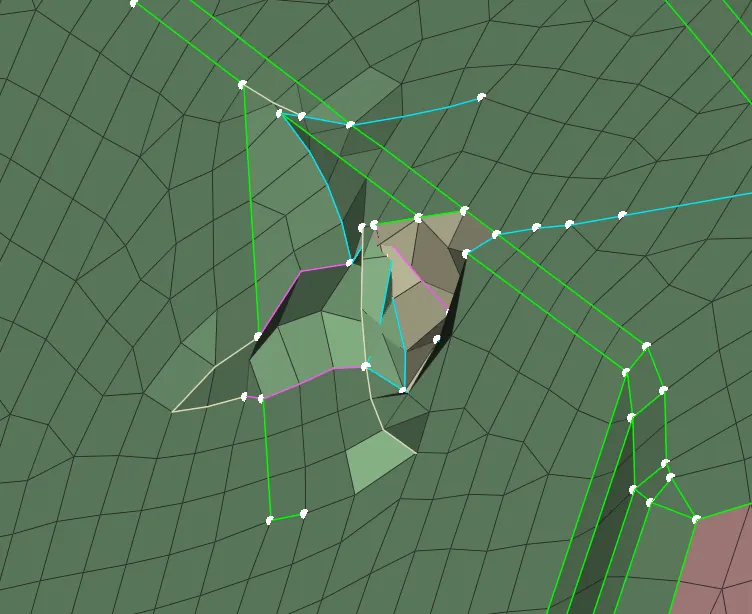
This kind of Elements should be Alligned by using Allign Manager
ALLIGN MANAGER
Allign manager collects the data for all the middle surfaces and cons. It is the command which is used to allign the crushed elements and for the Empty elements and perimeter.
In the Allign manager i found many empty elements. Many of these was addressed and it was corrected using the commands in clasic mesh.
The Rib areas were not captured properly so that it was again generated by extrating the curves and filling the surface using clasic mesh and it was defined by using the allign manager.
Below Images show how the Rib should be captured
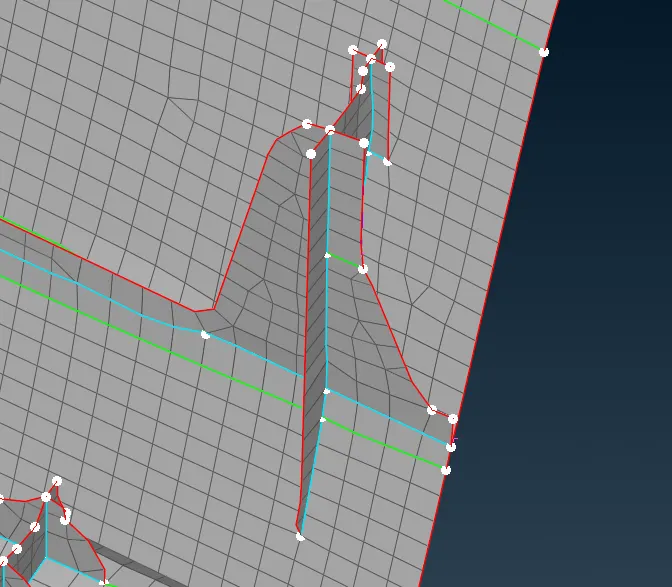
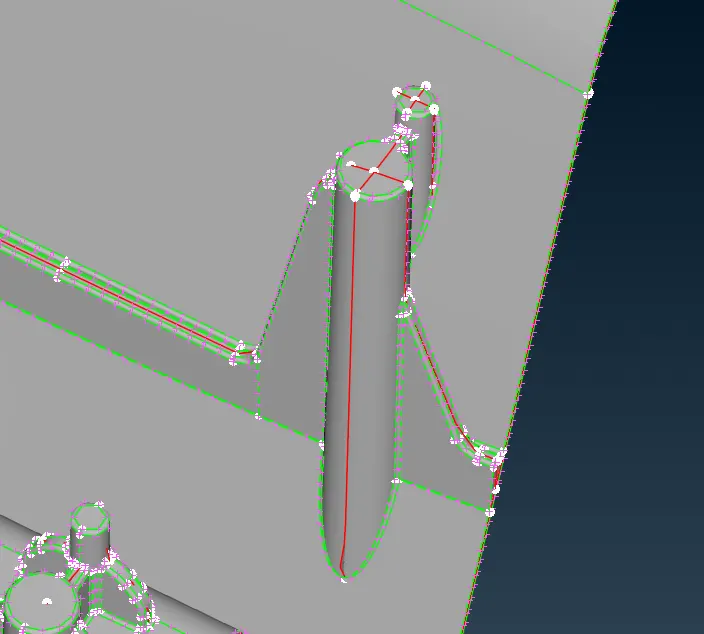
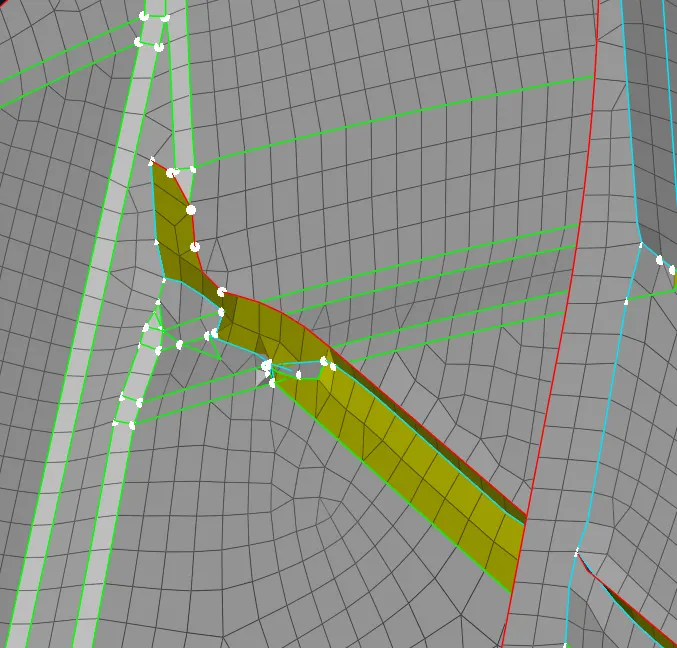
Then many areas the ribs and the Dog house featues were not captured properly so it was realigned and satisfyes the features to get a better results.
Before
After
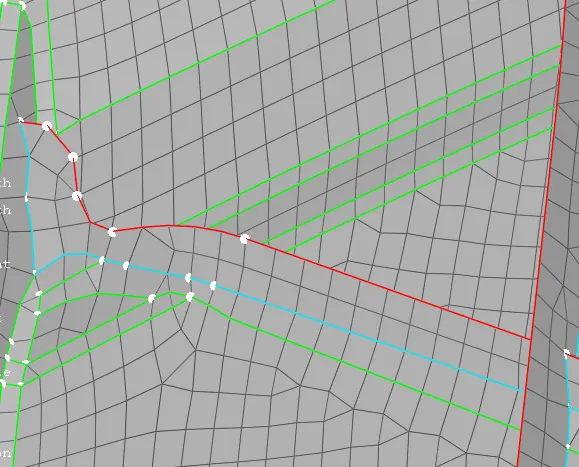
This kind of corrections has to be done to get a better FE element
By using align manager the empty perimeters has to be found and it should be corrected. The below images show the empty perimeters and the modified perimeters.
It can be changed by the options in perimeter using faces, imprint, point and cons
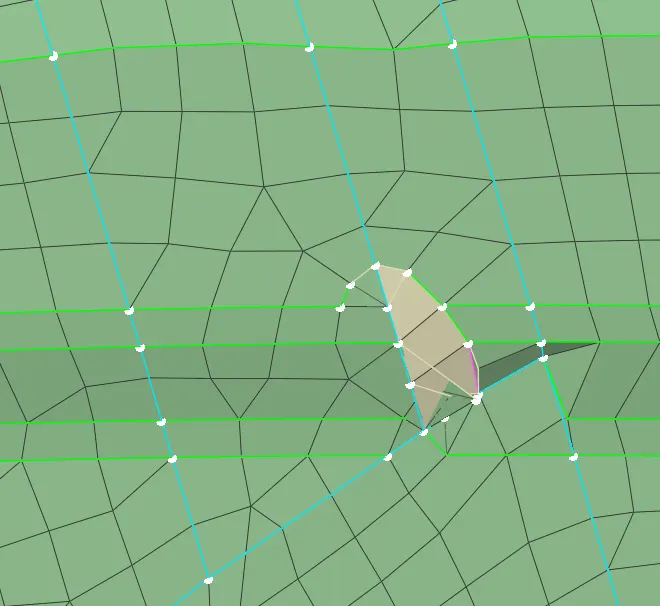
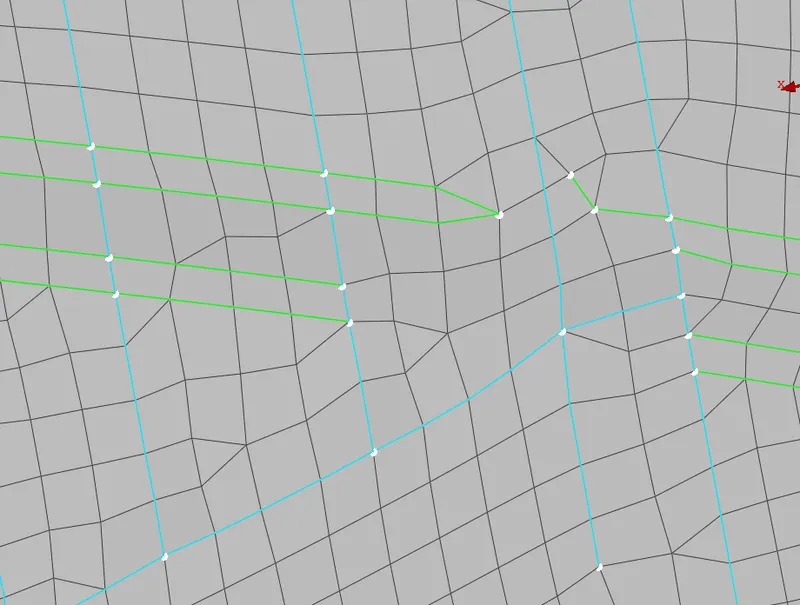
By using the Allign manager the refernce of mid surface and the perimeter has been checked. After this process OFF elements has to be removed.
This can be done by the reconstruction and the manual grid moving technique and also by the commands in the classic mesh.
In this FE elements clearing OFF elements is a bit challenging one and Mainly in the areas where the tripplecons present.
I was tried my level best to reduce the OFF elements. In this i got 27 OFF elements in final check.
CONCLUSION
The given model was done by the casting method and in that i was able to get clear about the allign manager and I tried to learn about the instrument panel. The dog house corrections has thought me to work with the difficult surfaces.