Project 1 - 2D meshing on the instrumental Panel
2D Meshing on the Instrumental Panel
Aim: For the given component, check for the geometrical errors and mesh with the given element Quality criteria. After meshing the component, the thickness has to be assigned.
Procedure:
For this IP console, there are lot of features available. So, going in manual mode like mid surfacing and meshing individual features, this method takes a lot of time and patience. ANSA has a better option which is casting and align manager. So, most of our time to get midsurfacing and meshing will be done by ANSA only. By this, we can save time by reducing the steps, mid surfacing, and meshing.
1. Geometry Cleanup: For this assignment, I am going to get meshing by using the Casting method. So, it needs closed volume. Given geometry is not a closed one. I have created new faces to get the closed geometry. And I have cleared all geometry issues like broken surfaces, triple con issues, etc.
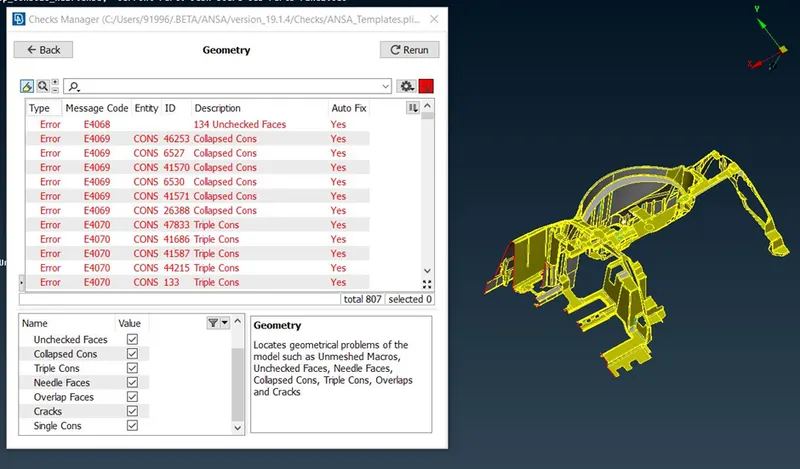
Fig 1: Geometry Issues
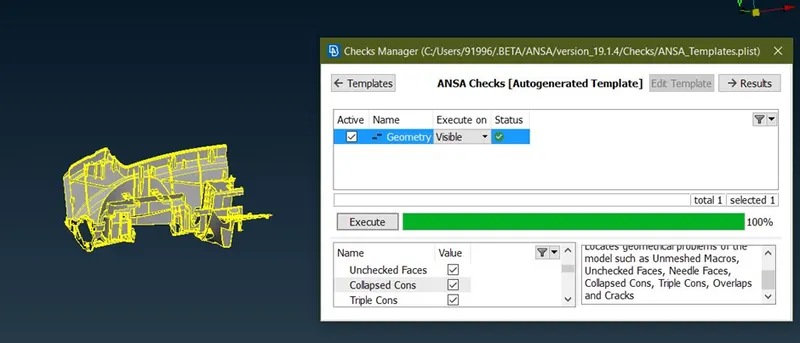
Fig 2: After clearing Geometry Issues
2. Getting Mid FE:
After checking all the geometry issues, go for mid-FE using the casting method. Topo> Faces > Mid surface> Casting.
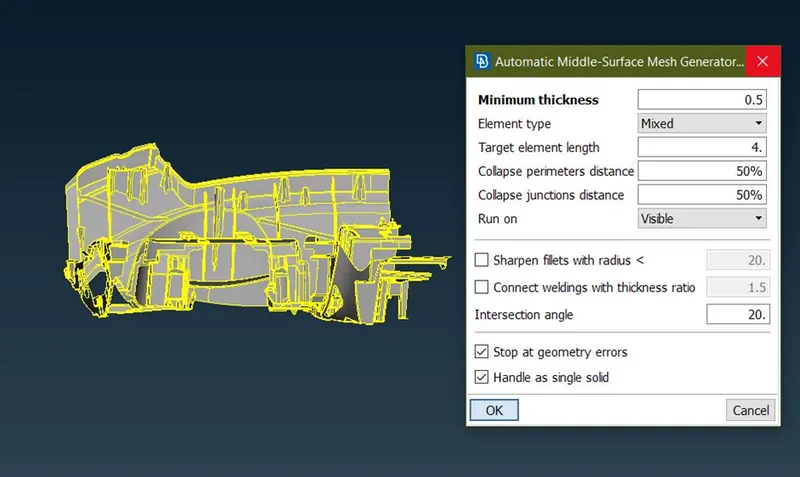
Fig 3: Getting Mid FE using the Casting method
In the first attempts, ANSA failed to get mid-FE by Casting. After doing 3, 4 attempts ANSA captured the Mid FE. I have not given quality and mesh parameters initially to make it easy for ANSA to get the Mid-FE instead of closing ANSA.
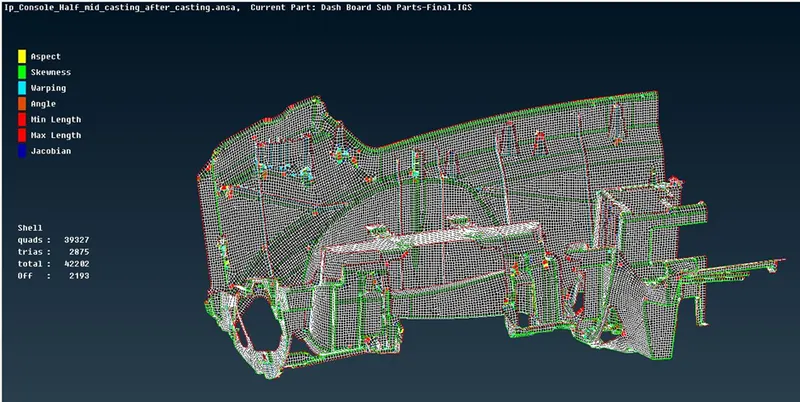
Fig 4: After casting
ANSA took 15 mins to complete the whole mid FE process. ANSA has given us more no. of off elements and damaged surfaces at some places. Most of the damaged surfaces are features that do not properly have two plane surfaces to get mid like dog houses. By casting method, we only get FE Geometry, not mid surface. For the damaged surfaces like dog houses, I have to take Mid FE manually, instead of correcting the damaged surface as this process will take more time and patience. For correcting the Mid FE given by ANSA, I am going to use Align manager.
Align Manager: Align manager stores the data that how the mid-FE is obtained like the data of how the mid surface of a feature is obtained with the options like Middle, Plane, or Offset. By using this data, we are going to correct the mid-FE if it is not proper. To go to align manager
TOPO > FACES > Mid surface > Align manager
There are two options Areas and perimeter. By selecting them we can only be able to select the surface or perimeter of the component. There are more options available by right click of the mouse, like New, edit, add to, etc. These are the most used options. New is you are adding the new data of mid that you are created by using fill or any other options. It is like adding the new shell data to align manager. At that mid surface, you can select any of the methods like middle, plane, or offset. Edit is used when you are going to change the data stored in to get the mid-FE like some mid-FE will be got by taking neighboring surfaces also so, the shape of the FE will be damaged. We can use this option to rectify the issues in MID FE. Add to is used when you want to add the new shell elements or other previously created elements to already created mid-FE by using middle or plane etc. After filling the damaged FE, those elements don’t have the data like how the mid has come. So, we are using this add to option to move those elements into previously created mid-FE data. By this, mesh flow and the shape of geometry also changed automatically with the previous data. So, by this, we are saving time instead of recreating mesh again.
Perimeter option is used when you want to align the edge of meshing elements to CAD surfaces. There are three options points, Faces, and imprint which are used to align the perimeter as per CAD.
Imprint option is used to project the cons of CAD geometry onto MID FE. This is useful when we have dog house ribs or any other round features. By this, we can know the boundary of the feature so that we can recognize the feature and change the thickness of the elements.
Align option used to correct the damaged or disturbed mesh elements like digging or raising edges to align it to the surface according to mid-FE data which was stored in the align manager.
Empty data in the align manager is a feature which is not got the proper planes to do mid.
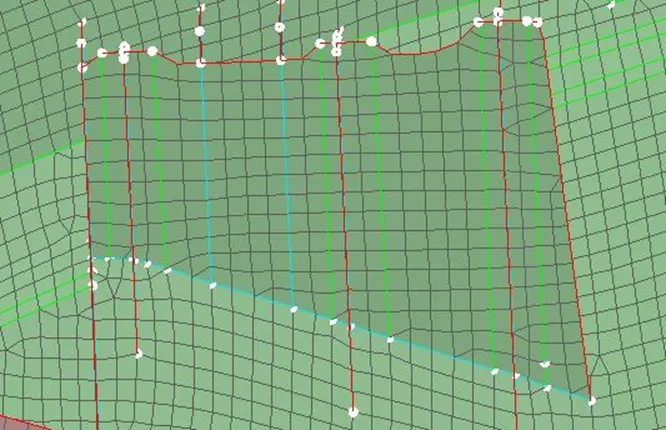
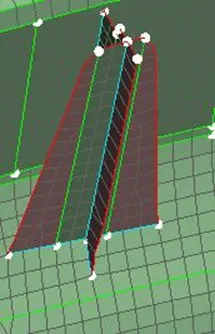
I have deleted most of the Dog house rounds and ribs attached to them as ANSA given damaged mid-FE. Then I filled the elements using fill option (mesh module> Shell mesh > Fill > manual). Before that, I created mid curves using the Topo module middle curve option. Then I attached those elements to rib middle data which was stored in the align manager using Add to option. Some of those elements are empty data too as this mid-FE is not parallel to rib MID FE.
The MID FE which was taken from casting was assigned thickness automatically. This thickness is called nodal thickness. For dog houses to capture the shape of the round we need to increase the thickness. But it’s not going to change by using property thickness directly. So, to convert nodal thickness to property thickness.
Mesh > Grids > Thickness > Convert > Nodal to property
There is a thickness step option select whatever you need, if you need more accuracy of the elements choose 0.5. So that for every 0.5 thickness change it will create a new property.
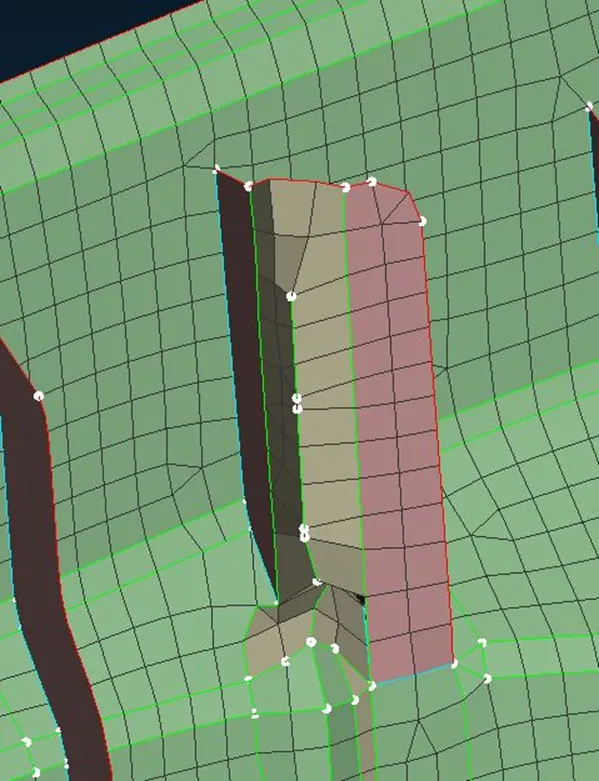
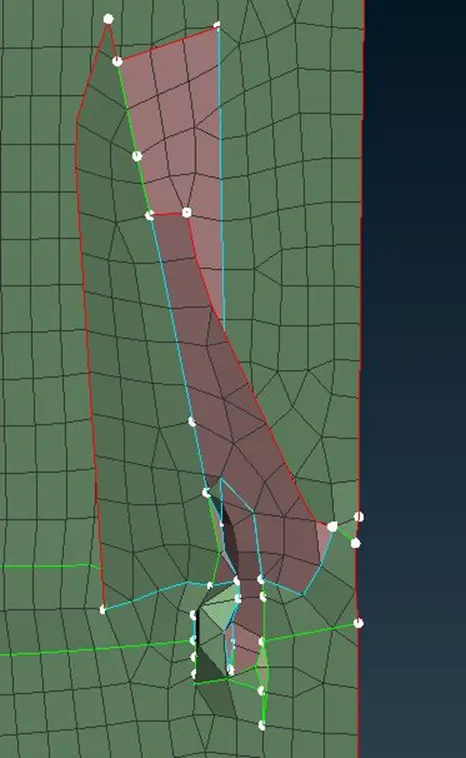
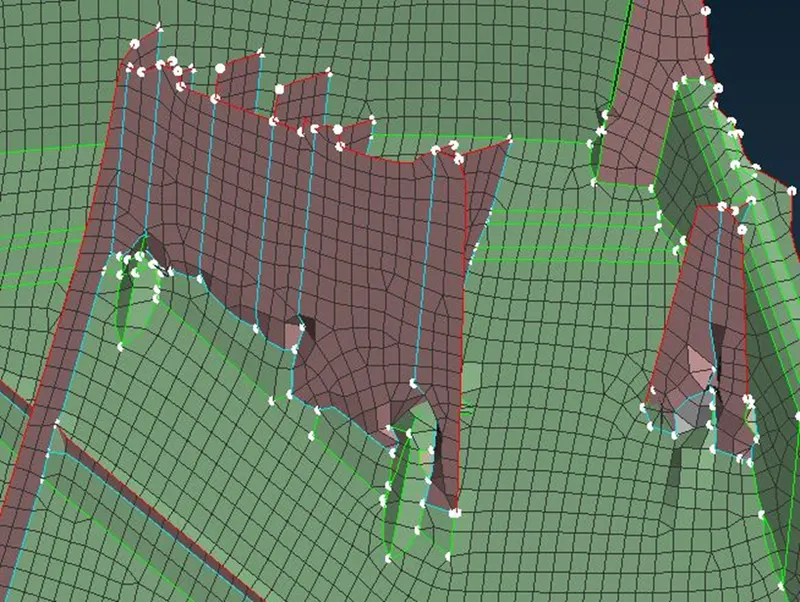
Fig 5: Damaged dog houses by casting option
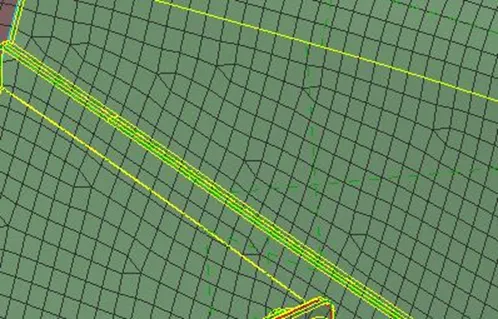
Fig 6: Rib is not captured by casting
My work is reduced to only dog houses and other round features which are not having proper surfaces to get mid. So, after that, I have gone t to clearing the off elements and correcting the mesh flow.
 \
\
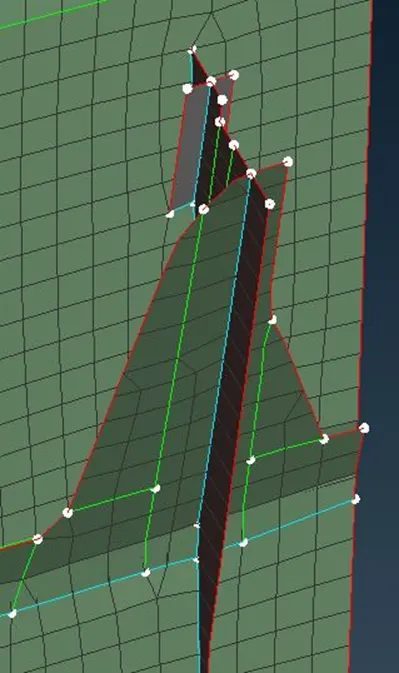
Fig 7: After clearing dog houses
Learning Outcomes:
- Learned to mesh using the casting method.
- Using align manager to rectify the issues in mid-FE got from Casting
Result: Achieved the mesh on given IP console using casting and align manager method. Reduced the time by using the casting method.
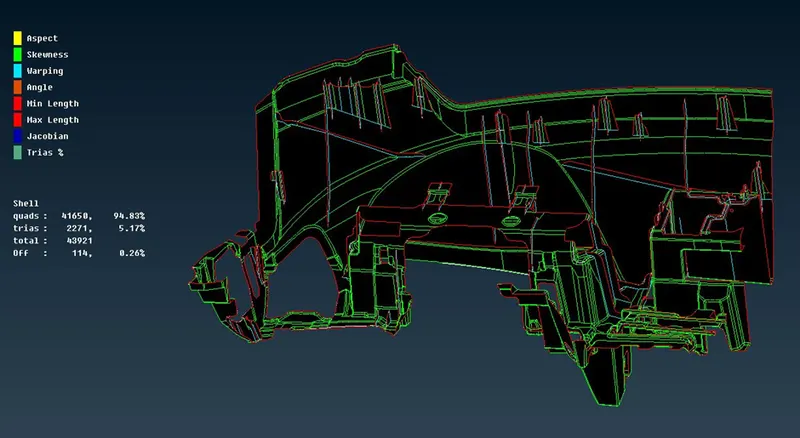
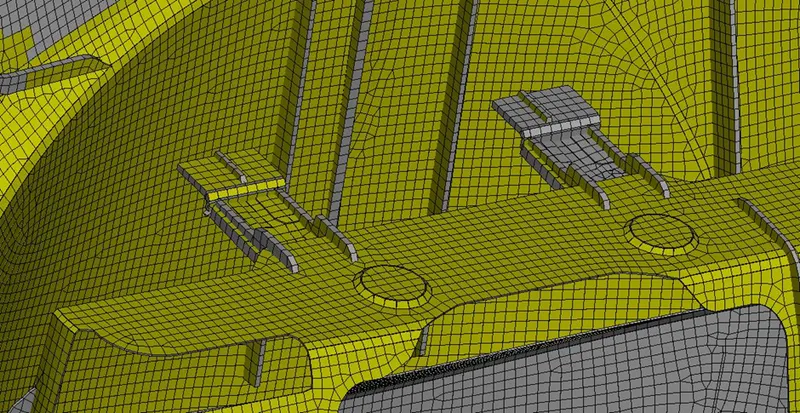
Fig 6: After finishing of meshing
There are some off elements present in the model. They are not solved as they are bounded by the triple cons or geometry constraints. Tria's percentage reduced to 5%.