Project 1
Explanation of cv2/np functions used:
- cv2.getRotationMatrix2D(center, rotation_angle, scale):
- Function generates a rotationmatrix [[cos(a) sin(a)][-sin(a) cos(a)]] and adding center offset if provided to this equation.
- cv2.resize(image, output_file_dims, fx, fy)
- image can either be resized by providing output file dimensions as pixels or using fx -> scale factor in horiontal(width) and fy -> scale factor in vertical(height)
- np.clip(a, a_min, a_max)
- this function clips the values in an array between a min and a max.
Code Explanation:
- rotate_image:
- takes in read image and angle in degrees
- find center else image will be rezied about origin.
- generate a rotation matrix using getRotationMatrix2D()
- here scale is supplied as 1 as we do not want to rotate and scale the image. Therefore transformation matrix generated will have scaling factor as 1.
- the resultant transformation matrix is supplied to warpaffine.
- resize_image:
- takes in image and scaling factor.
- cv2.resize called with dsize = None (not specifying the resultant image size)
- fx=fy=scaling factor in order to preserve the aspect ratio of image.
- interpolation algortihm can be set.
- outputs the resized image.
- crop_image:
- pass required dimensions
- limit these dimensions to max height/width dimensions from image using np.clip
- using array indexing we extract the range that we want to crop.
- returns the cropped image array for further operations.
import cv2
import numpy as np

"""
 inputs:
     1. file_src -> path to image file
     2. read_method -> image read options in cv2, eg: color, grayscale
         expected format: cv2.IMREAD and so on
 output: numpy array representation of image

"""
def read_image(file_src: str, read_method):
    read_image = cv2.imread(file_src, read_method)
    return read_image

"""
    inputs:
        1. window_name - string, name for the window to be opened
        2. read_image - image read by opencv
"""
def display_image(window_name: str, read_image):
    cv2.imshow(window_name, read_image)
    cv2.waitKey(0)

"""
    Inputs:
        1. save_dest: expects a string pointing to the path where the image needs to be saved
        2. image: read image by opencv2. numpy array in the form of matrix expected.
"""
def save_image(save_dest: str, image):
    cv2.imwrite(save_dest, image)

"""
HORIZONTAL/VERTICAL SCALING AND OFFSET
Translation

 v0 * Sx 0 + Tx
      0 Sy   Ty

"""

def translate_image(image, dimensions:tuple|list):
    height, width = image.shape[0:2]
    v_offset, h_offset = dimensions
    translation_matrix = np.float32([[1, 0, h_offset],\
                                     [0, 1, v_offset]])
    translated_image = cv2.warpAffine(image, translation_matrix, (width, height))
    return translated_image

"""
    Inputs:
        1 image: image read by opencv2
        2. rotation_angle: angle of rotation specified in degrees
    Output:
        Rotated Image.
"""
def rotate_image(image, rotation_angle):
    height, width = image.shape[0:2]
    center = (width/2, height/2)
    rotation_matrix = cv2.getRotationMatrix2D(center, rotation_angle, 1)
    rotated_image =cv2.warpAffine(image, rotation_matrix, (width, height))
    return rotated_image

"""
    Inputs:
        1. image: Image read by opencv2
        2. scaling factor: factor by which to resize the image.
    output:
        rotated image
"""

def resize_image(image, scaling_factor):
    resized_image = cv2.resize(image, None, fx=scaling_factor, fy=scaling_factor)
    return resized_image

"""
    Inputs:
        1. image: Image read by opencv2
        2. dimensions: list expecting 4 values
            i. vertical start point
            ii. vertical end point
            iii. Horizontal start point
            iv. Horizontal end point
    Output:
        cropped image
"""

def crop_image(image, dimensions):
    height, width = image.shape[:2]
    vertical_st, vertical_end ,horizontal_st, horizontal_end = dimensions
    vertical_dimensions = [vertical_st, vertical_end]
    horizontal_dimensions = [horizontal_st, horizontal_end]
    np.clip(vertical_dimensions, a_min=0, a_max=height)
    np.clip(horizontal_dimensions, a_min=0, a_max=width)
    cropped_image = image[vertical_dimensions[0] : vertical_dimensions[1],\
                          horizontal_dimensions[0]: horizontal_dimensions[1]]
    return cropped_image


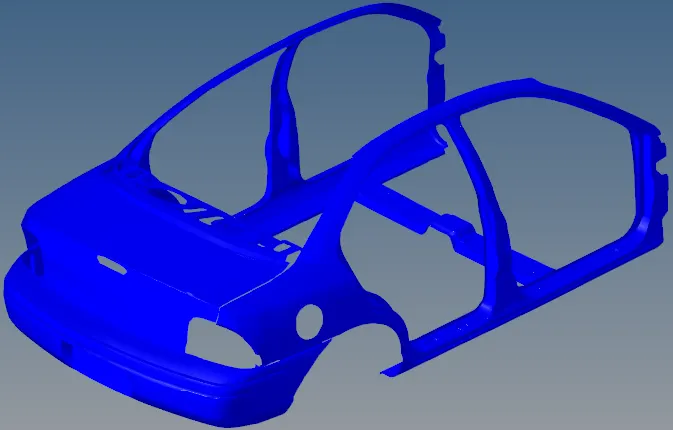
img = read_image("challenge_img.png", cv2.IMREAD_COLOR)
display_image("img", img)

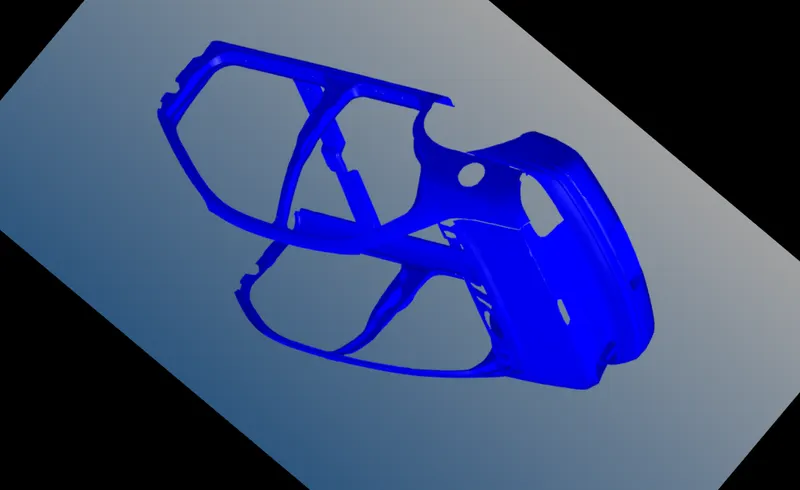
rotated_image = rotate_image(img, 140)
display_image("rotated image", rotated_image)
save_image('rotated_image.png', rotated_image)

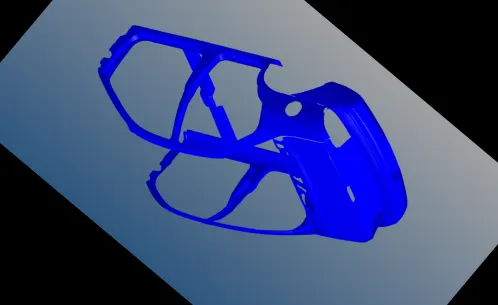
resized_img = resize_image(rotated_image, 0.5)
display_image("Resized_image", resized_img)
save_image("resized_image.png", resized_img)

# Verify Scaling factor has been applied
print(img.shape)
print(rotated_image.shape)
print(resized_img.shape)

cropped_image = crop_image(img, [108,538, 178, -145])
display_image("Cropped Image", cropped_image)
save_image("cropped_image.png", cropped_image)
Rotated Image:
Scale Operation on rotated image:
Crop on Original Image focussing on the subject: