Project 1
Develop a double-acting actuator model using Simscape Multibody and Simscape components. The mechanical system of the cylinder needs to be built using Simscape Multibody library components / blocks, and the hydraulic system needs to be modelled using Simscape library physical components.
Blocks Used:
Mechanism Configuration - Sets mechanical and simulation parameters that apply to an entire machine, the target machine to which the block is connected.
Reference Frame - This block represents a reference frame with respect to which you can define other frames.
World Frame - This block represents the global reference frame in a model.
Solver Configuration - Defines solver settings to use for simulation.
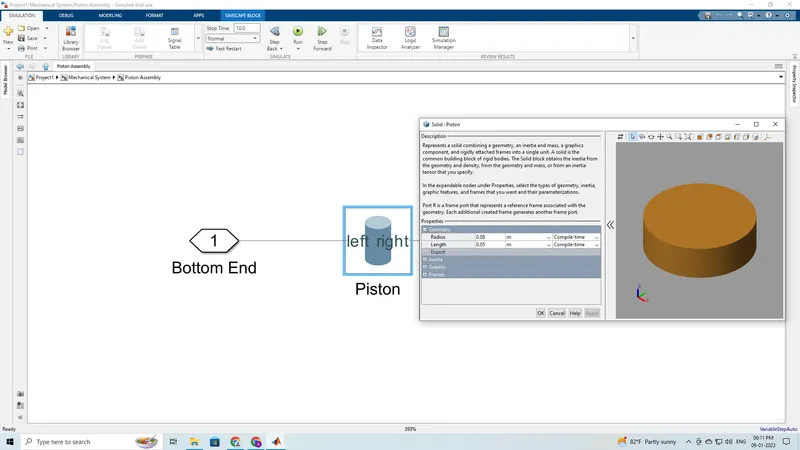
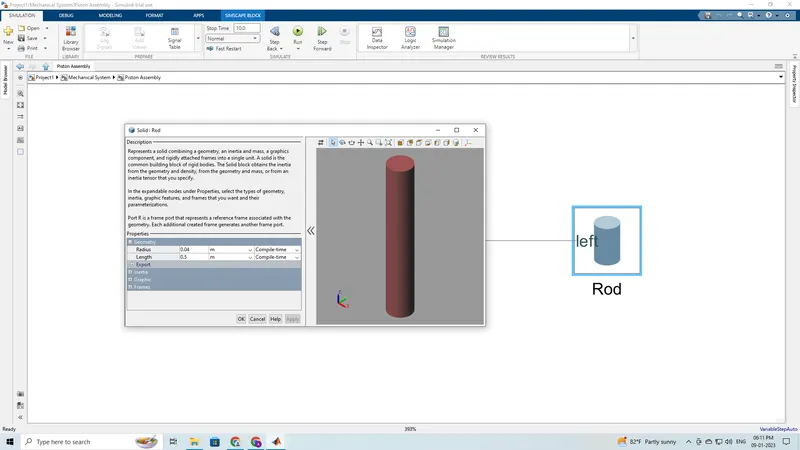
Cylindrical Solid, Revolved Solid - Represents a solid combining a geometry, an inertia and mass, a graphics component, and rigidly attached frames into a single unit. A solid is the common building block of rigid bodies.
Prismatic Joint - This block models a connection that limits the relative motion between two frames to one translational degree of freedom.
Translational Multibody Reference - This block is an interface between a Simscape Multibody joint and a Simscape mechanical translational network.
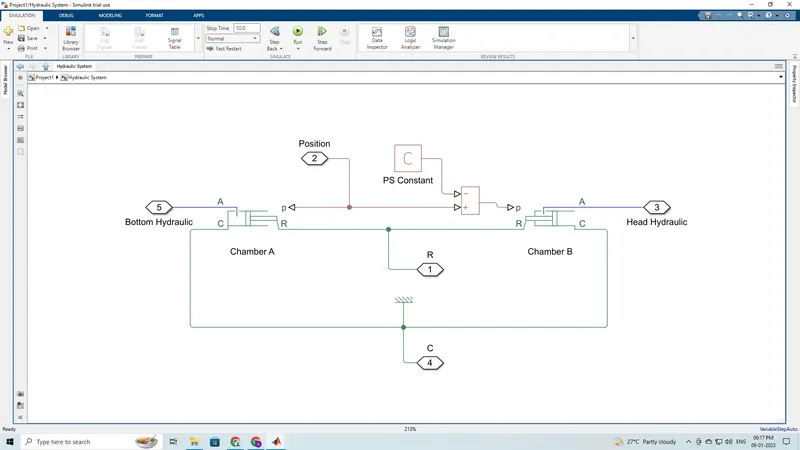
Translational Mechanical Converter (Isothemal Liquid) - This block models an interface between an isothermal liquid network and a mechanical translational network. It can be used as a building block for linear actuators.
PS Constant - This block creates a physical signal constant.
PS Subtract - This block performs subtraction on two inputs.
Mechanical Translational Reference - This block represents a mechanical translational reference point, that is, a frame or a ground. Use it to connect mechanical translational ports that are rigidly affixed to the frame (ground).
Gain - The Gain block multiplies the input by a constant value.
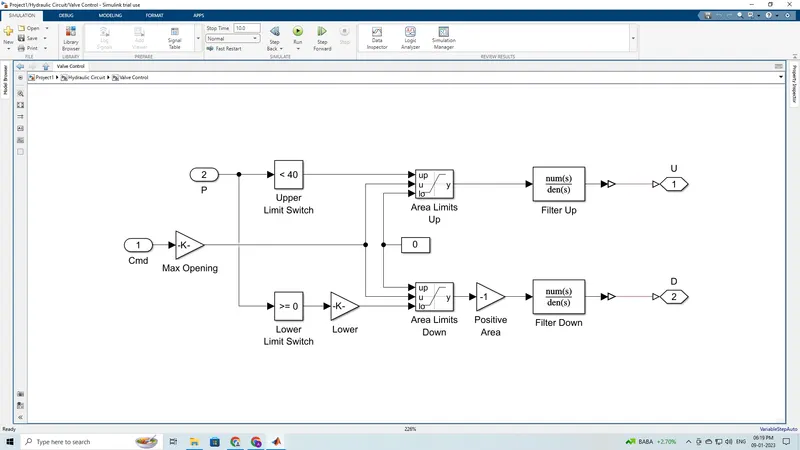
Compare to Constant - Determine how a signal compares to a constant.
Saturation Dynamic - Bound the range of the second input by using the first input (upper limit) and the third input (lower limit).
Constant - The Constant block generates a real or complex constant value signal.
Transfer Function - The Transfer Function block modifies its input signal and outputs a new signal on a line to the Scope.
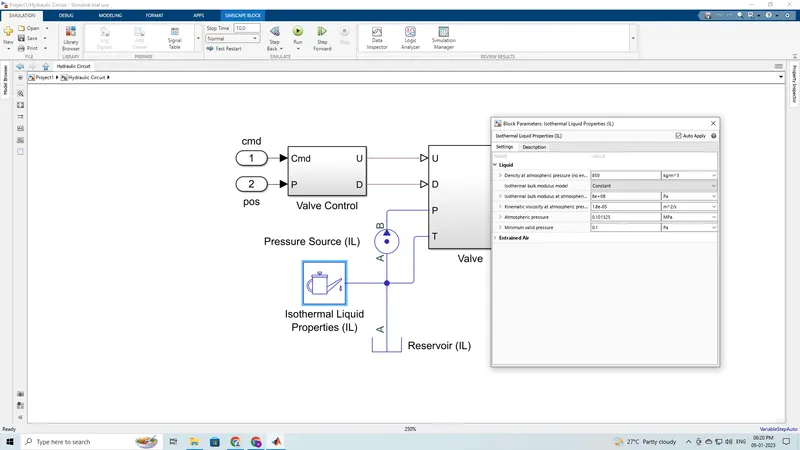
Pressure Source (Isothermal Liquid) - This block represents an ideal mechanical energy source in an isothermal liquid network that can maintain a constant or controlled pressure differential regardless of the flow rate.
Isothermal Liquid Properties - This block provides isothermal liquid properties to the connected isothermal liquid network.
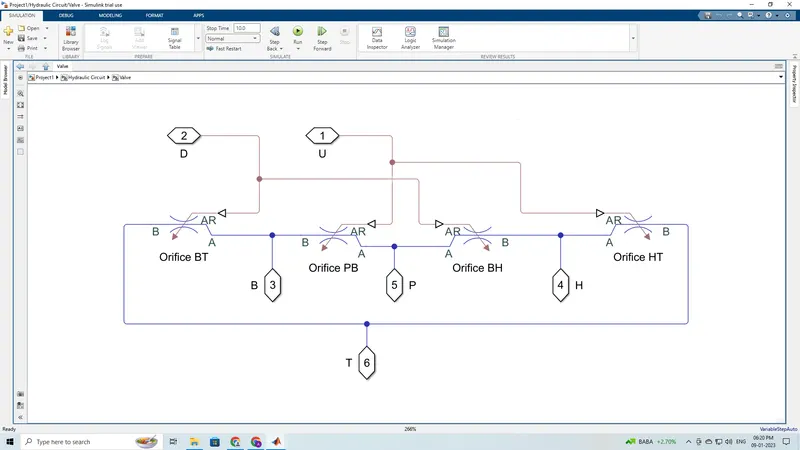
Local Restrictions (Isothermal Liquid) - This block models the pressure loss due to a flow area restriction such as a valve or an orifice in an isothermal liquid network.
Reservoir (Isothermal Liquid) - This block sets a constant or controlled boundary condition in an isothermal liquid network. The volume of liquid inside the reservoir is assumed infinite. Therefore, the flow is assumed quasi-steady.
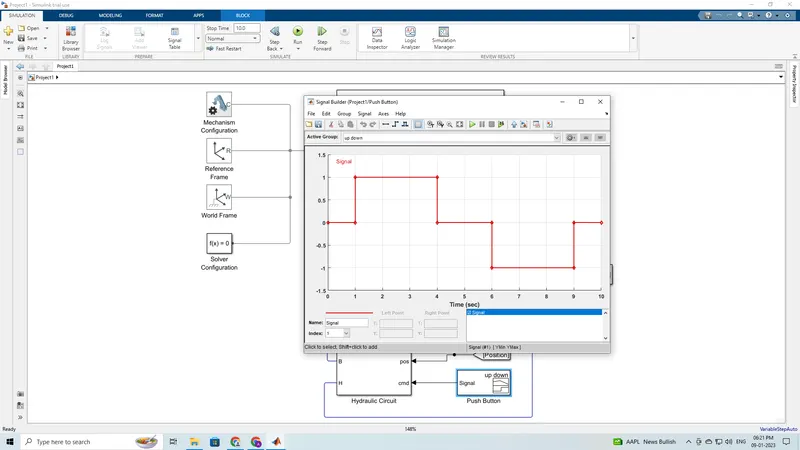
Signal Builder - The Signal Builder block allows you to create interchangeable groups of piecewise linear signal sources and use them in a model.
From - Receive signals from the Goto block with the specified tag.
Goto - Send signals to From blocks that have the specified tag.
PS-Simulink Converter - Converts the input Physical Signal to a Simulink output signal.
Simulink-PS Converter - Converts the Simulink input signal to a Physical Signal.
Scope - The Scope is a Sink block used to display a signal much like an oscilloscope.
Model:
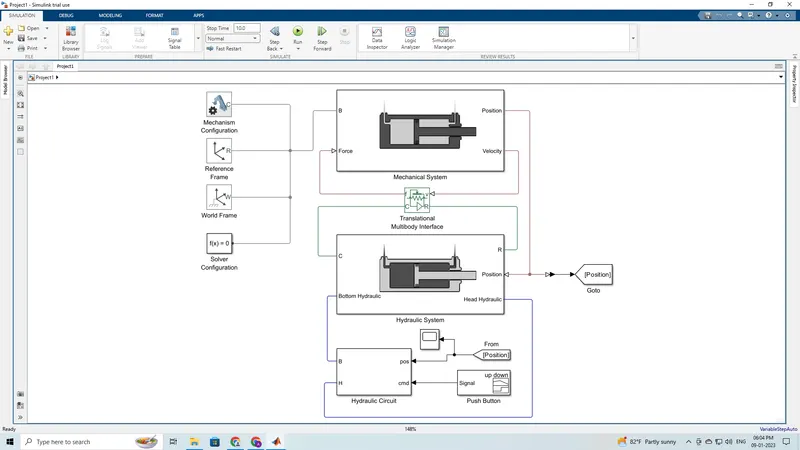
Mechanical System
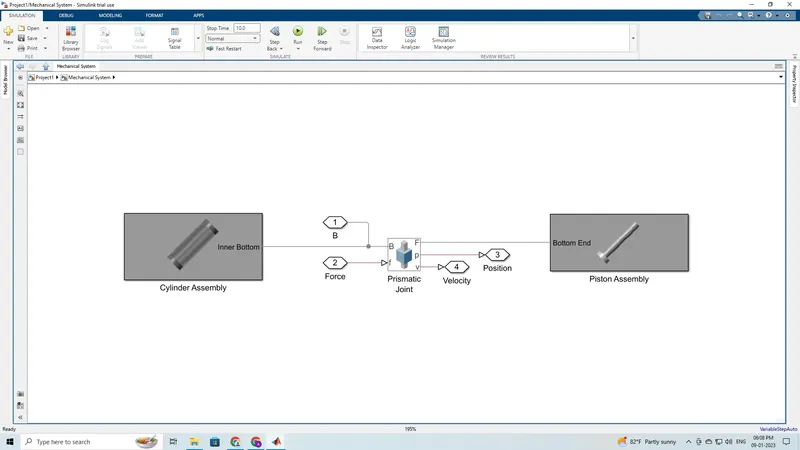
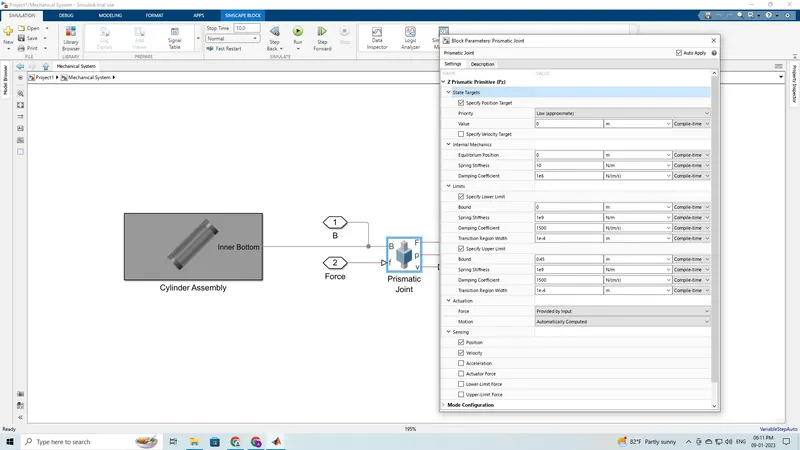
a) Cylinder Assembly
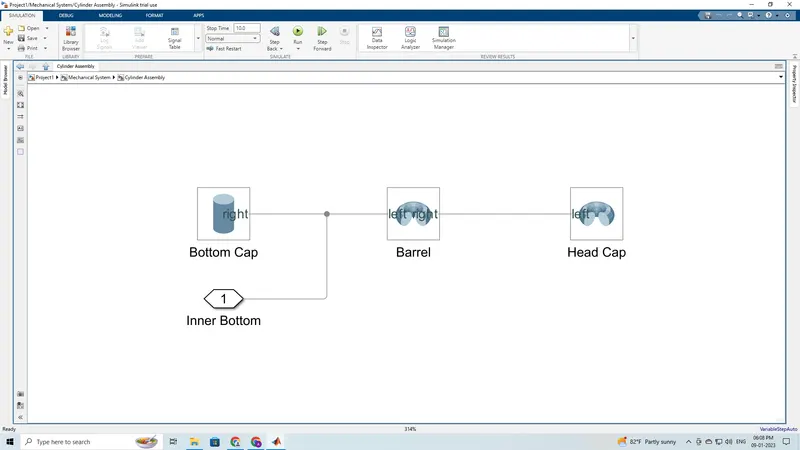
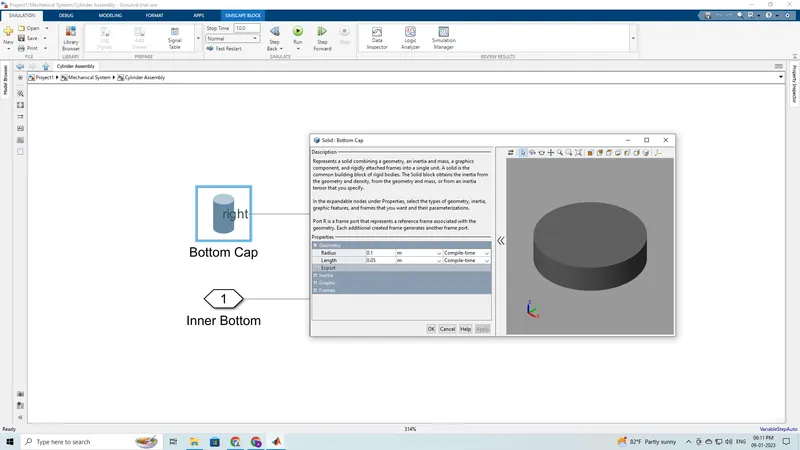
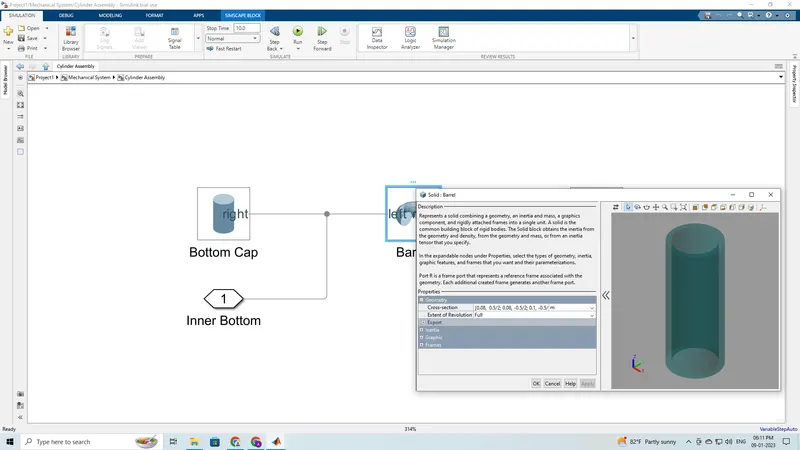
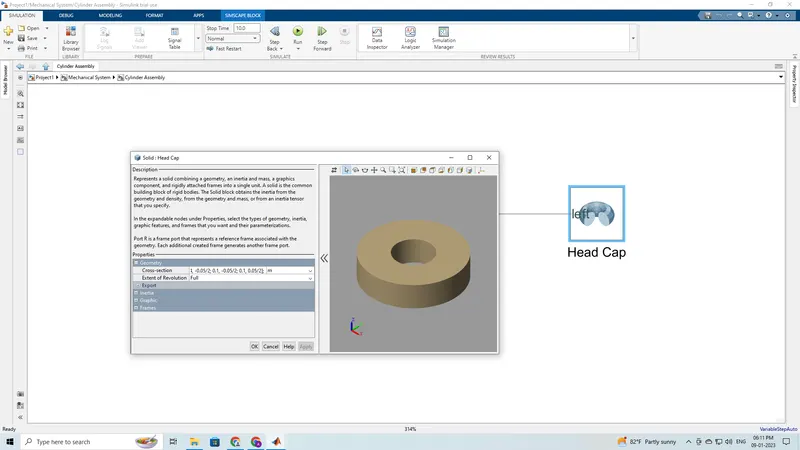
b) Piston Assembly
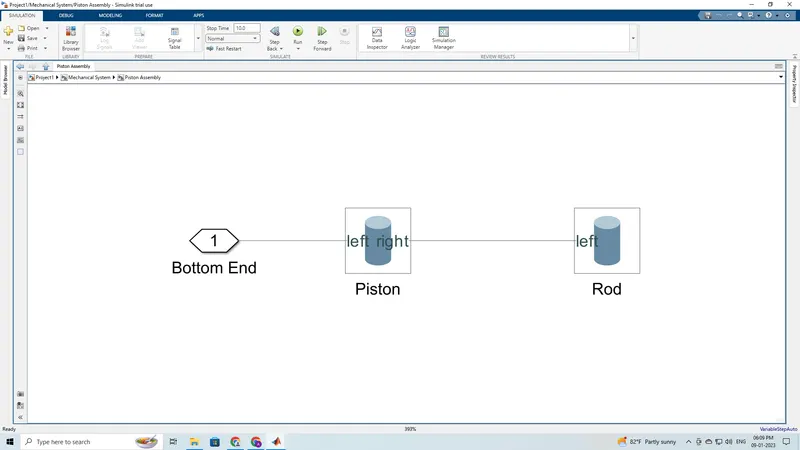
Hydraulic System
Hydraulic Circuit
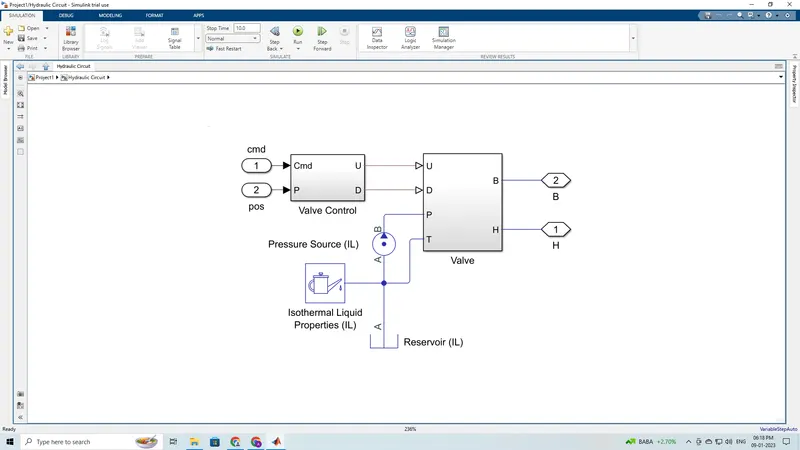
Valve Control
Valve
Isothermal Liquid Properties
Signal Builder
Scope:
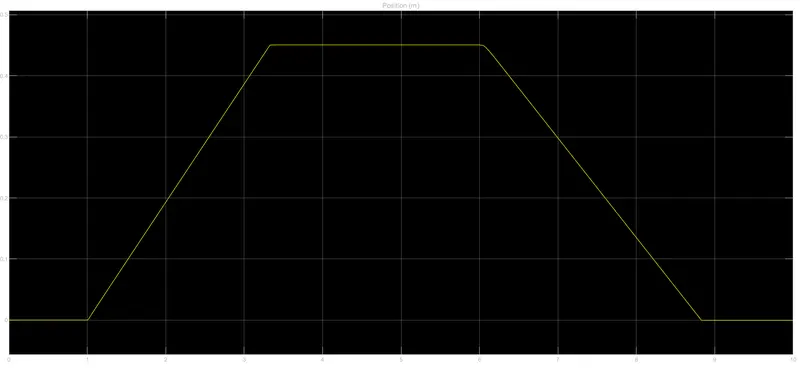
Thus, we have developed a doublle-acting actuator model using Multibody and Simscape Components. The mechanical system of the cylinder is completed and is built using Simscape Multibody library components / blocks, and the hydraulic system has been modelled using Simscape library physical components.
The Multi-model working video is attached below.