Program in python to simulate the forward kinematics of a 2R Robotic Arm
Aim:
i. Write a program in Python to simulate the forward kinematics of a 2R Robotic Arm
ii. Create an Animation file of the plot
Understanding of Forward Kinematics:
Forward kinematics refers to the use of the kinematic equations of a robot to compute the position of the end-effector from specified values for the joint parameters. (Source Wiki)
In another way, Given a kinematic chain composed of links and joints with multiple degree of freedom, finding the position and orientation of the end-effector in the operational workspace when all the joint parameters are known. This is called FORWARD KINEMATICS.
Links: Links are rigid bodies that gives structure to the robot.
Joints: Joints are the movable parts(actuators) of the robots that connects the links of the robot. Joints cause relative motion between adjacent links.
Kinematic chains: Kinematic chain is the assembly of links connected by joints to produce a desired motion. Human arm is an example of a kinematic chain. Human body is a group of kinematic chains connected in series.
Degree of Freedom (DOF): Degree of freedom in robotic is simply the total number of independent joints which can change the pose of the robot. If you take a human arm from shoulder to palm (fingers not included), arm has 7 DOF. Try to identify the joints yourself (Hint: Shoulder alone has 3 DOF).
End-Effector: End-effector is the last link of the robot arm or manipulator that interacts with the environment. The last link can be gripper tool to do pick and place actions or a welding gun or simply a magnet.
Workspace: Workspace is the space in which your robot can work i.e., all reachable points by the robot's endeffector constitutes to workspace.
Below is a example of two link planar arms. The blue area in the fig 2 is the workspace of the arm.
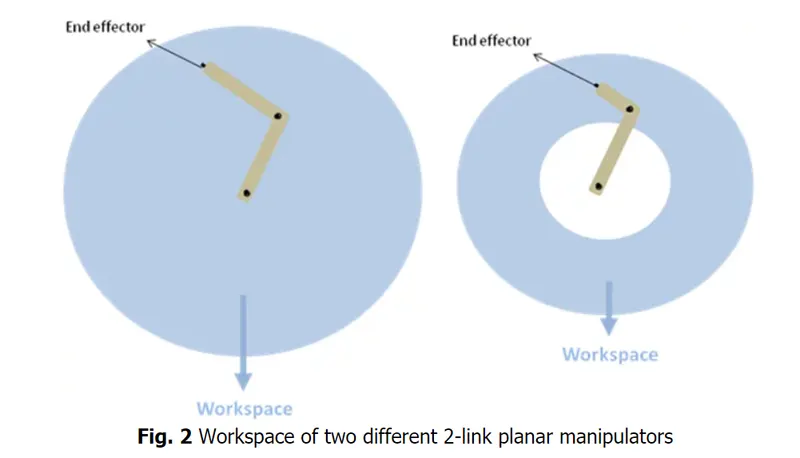
In this project, we are going to write a program to simulate 2R Robotic Arm to determine the allowable workspace with Python language. we are taking two links as a illustrative of the Robotic arm in which Link-1 is Hinged at (X0, Y0) and making an angle theta 1, while Link-2 is hinged at the end of the Link-2 and making angle theta 2 with respect to Datum.
Inputs for simulating 2R Robotic Arm:
Link 1 = l1 = 1 in meters
Link 2 = l2 = 0.5 in meters
Explanation to write a program:
Calculating the position of Link 1:
One end of Link 1 is fixed, that is x0, y0 and the other end is x1, y1
So,
x0 = 0
y0 = 0
and x1 = l1 * cosd(theta 1)
y1 = l1 * sind(theta 1)
Calculating thw position of Link 2:
Start point of the Link 2 is the end point of the Link 1, that is, x1, y1 and end point of the Link 2 is x2, y2
So x2 = x1 + l2 * cosd(theta 2)
y2 = y1 + l2 * sind(theta 2)
theta 1 = in radians, that is degree * `pi/180`
Main Program in Python:
import math
import matplotlib.pyplot as plt
import matplotlib

# inputs

l1 = 1
l2 = 0.5

n_theta = 10
theta_start = 0
theta_end = math.pi/2

theta1 = []
theta2 = []


for i in range(0,n_theta):
    tmp = theta_start + i*(theta_end - theta_start)/(n_theta-1)
    theta1.append(tmp)
    theta2.append(tmp)

# Base of the robot

x0 = 0
y0 = 0

ct = 1
for t1 in theta1:
	for t2 in theta2:

		# Link 1, Link 2 connector

         x1 = l1*math.cos(t1)
         y1 = l1*math.sin(t1)


        # Coordinates of the manipulator

         x2 = x1 + l2*math.cos(t2)
         y2 = y1 + l2*math.sin(t2)

         filename = str(ct) + '.png'
         ct = ct +1
         # print(filename)

         plt.figure()
         plt.plot([x0,x1],[y0,y1])
         plt.plot([x1,x2],[y1,y2])
         plt.xlim([0,2])
         plt.ylim([0,2])
         plt.savefig(filename)
Explanation of codes:

The math module is a standard module in Python and is always available. To use mathematical functions under this module, you have to import the module using import math. It gives access to the underlying C library functions.

It is also one of the module in Python,
import matplotlib.pyplot as plt and means that you are importing the pyplot module of matplotlib into your namespace under the shorter name plt. The pyplot module is where the plot (), scatter (), and other commands live. If you don't want to write plt. before every plot call you could instead do.
How does matplotlib works?
matplotlib.pyplot is a collection of command style functions that make matplotlib work like MATLAB. Each pyplot function makes some change to a figure: e.g., creates a figure, creates a plotting area in a figure, plots some lines in a plotting area, decorates the plot with labels, etc.

For loop statement in Python:
Python for Loop Statements. It has the ability to iterate over the items of any sequence, such as a list or a string. Syntax. If a sequence contains an expression list, it is evaluated first. Then, the first item in the sequence is assigned to the iterating variable iterating_var. Next, the statements block is executed.
How for loop works in Python?
Like other programming languages, for loops in Python are a little different in the sense that they work more like an iterator and less like a for keyword. In Python, there is not C like syntax for (i=0; i<n; i++) but you use for in n. They can be used to iterate over a sequence of a list, string, tuple, set, array, data frame.
append is a command that continuously append the value. The syntax of the append () method is: The item can be numbers, strings, dictionaries, another list, and so on.

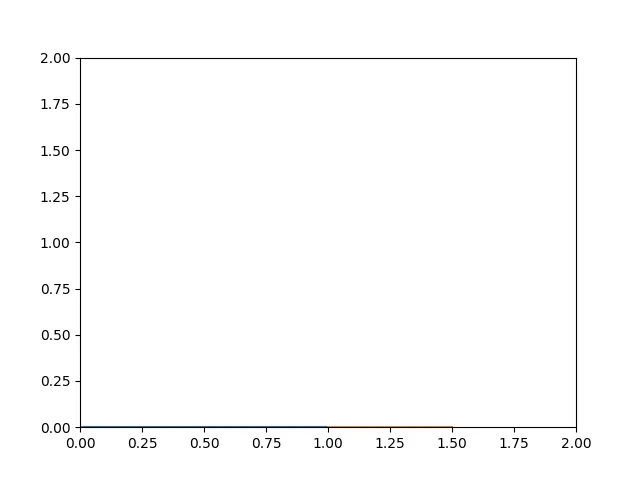
Save the plots with a unique file name in the 'png' format.
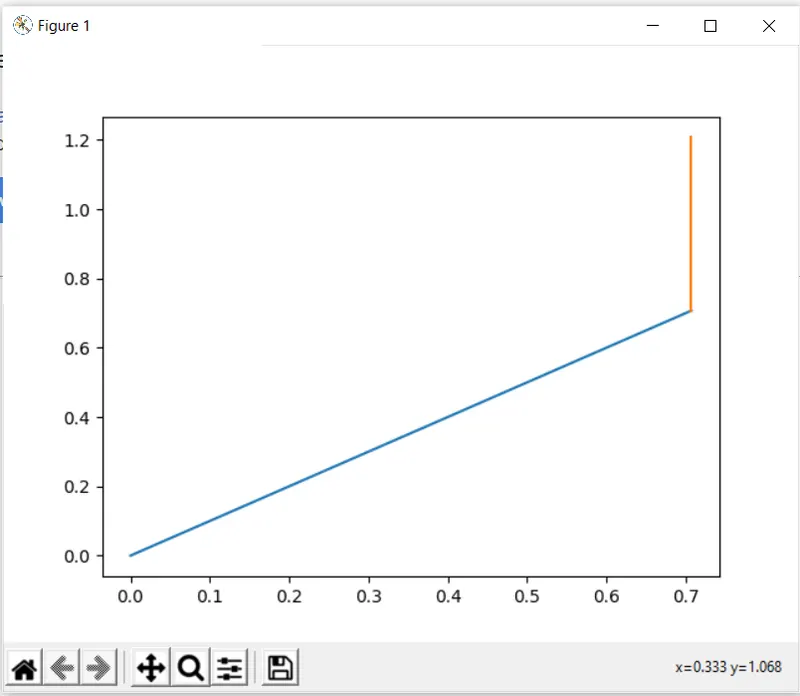
Output in Python:
Conculsion:
Thus we write a program for 2R Robotic Arm in Python and simulate the forward kinematics of 2R Rodotic Arm. In addition to that what are the important modules used in Python and how it imports into the program also known. From here we can determine the workspace for the robotic movements also.