Preparing Schedule & Cost Estimation for a building using REVIT
Q.1)
Aim: Using shortcut keys in revit to do given task
Procedure:
a) Using 3D model create a section box - BX
b) To create similar doors and windows in a floor plan layout - CS
c) To reduce the thickness of lines visible in plan views - TL
d) To apply overrides setting to a floor in the model section view - VG
e) To increase the range of visibility in a plan view - VR
f) To select the previously selected items -Ctrl+<
g) To add annotations to the model views - DI
h) To bring the model element in line - AL
i) To rotate the model element - RO
j) To move an object to another location - MV
k) To copy the model element - CO
l) To mirror an element about an axis - MM
m) To create an array of model element - AR
Q. 2)
Aim - To prepare the schedule for the following
Procedure -
- Open the architectural model created previously.
- Go to view tab then Schedule then select Schedule/Quantities
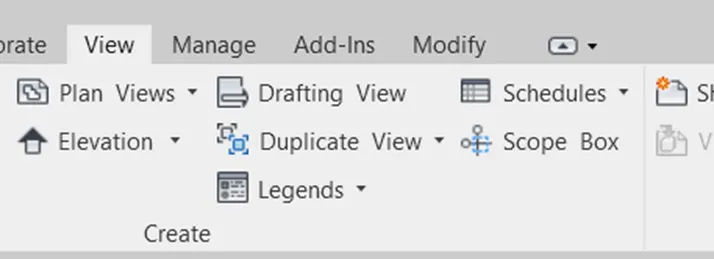
- Now,select the field
a) Wall Schedule -
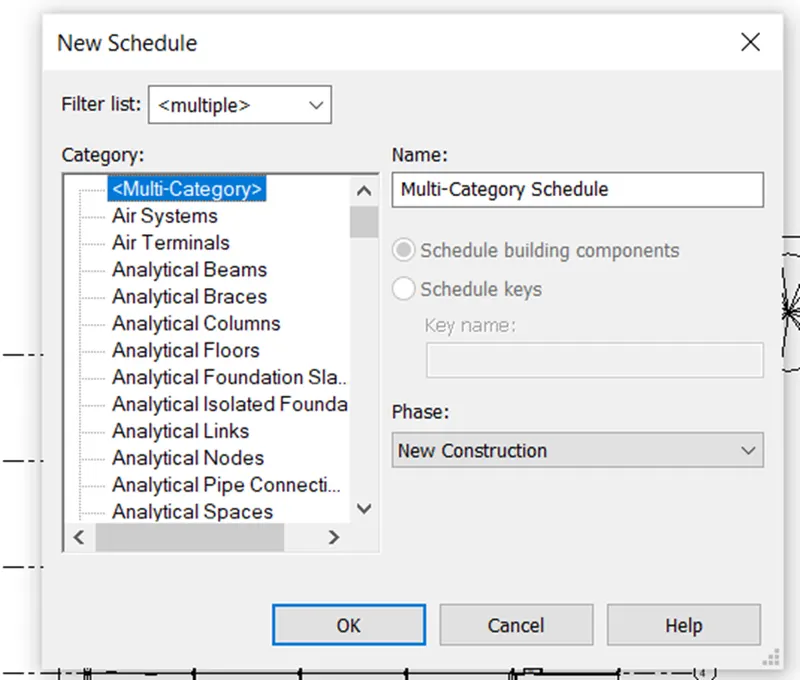
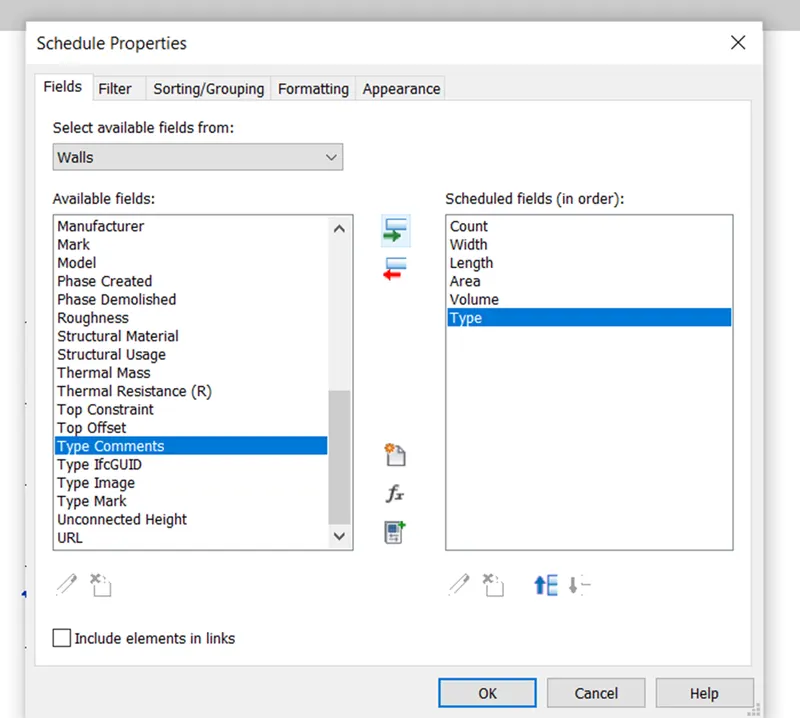
- For wall schedule choose the parameters for scheduling and then click ok
- The wall schedule is prepared as given below
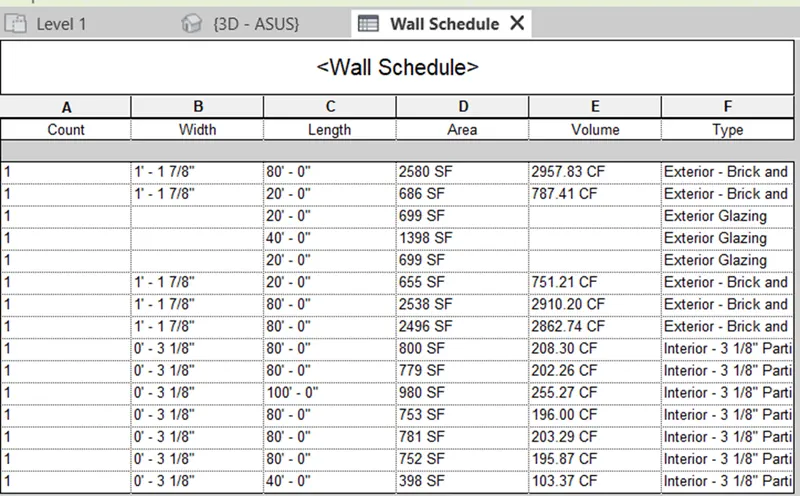
- Hence ,the wall schedule is prepared.
- Similarly,we prepare door schedule,window schedule, and material concrete/wood schedule
b) Door Schedule -
- Go to view tab then select Schedule then Schedule/Quantities
- Select door
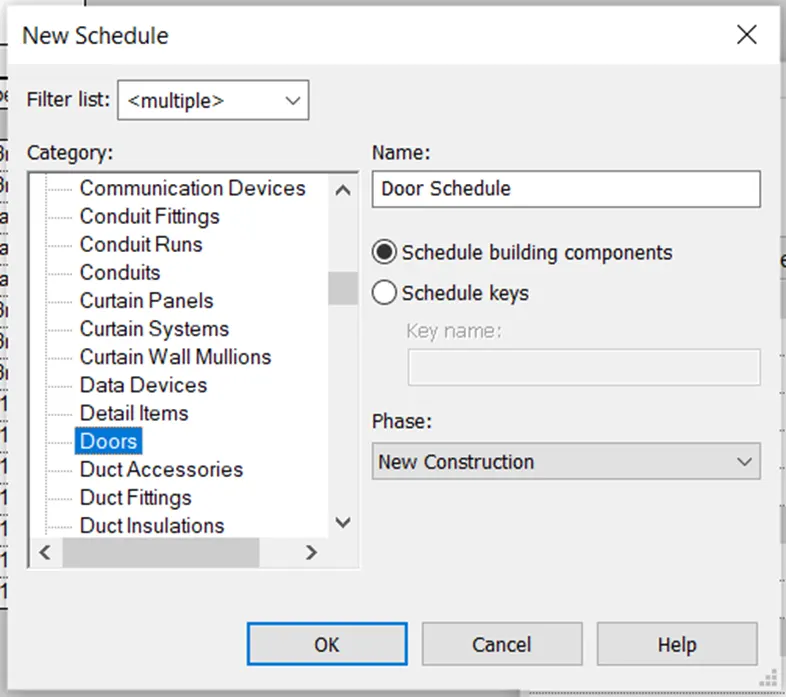
- Select the parameters to be considered for doors
- Door Schedule is given below
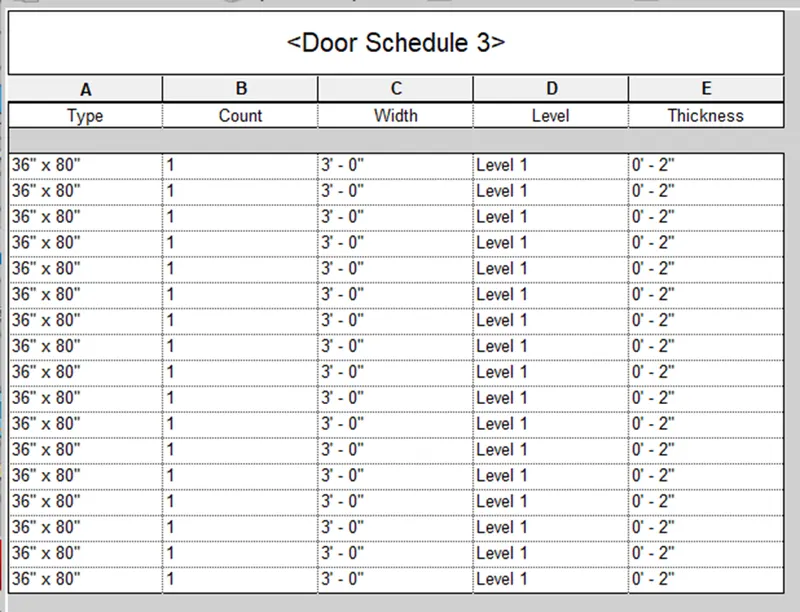
c) Window Schedule -
- Go to view tab then schedule then select Schedule/Quantities
- Then select the category as window
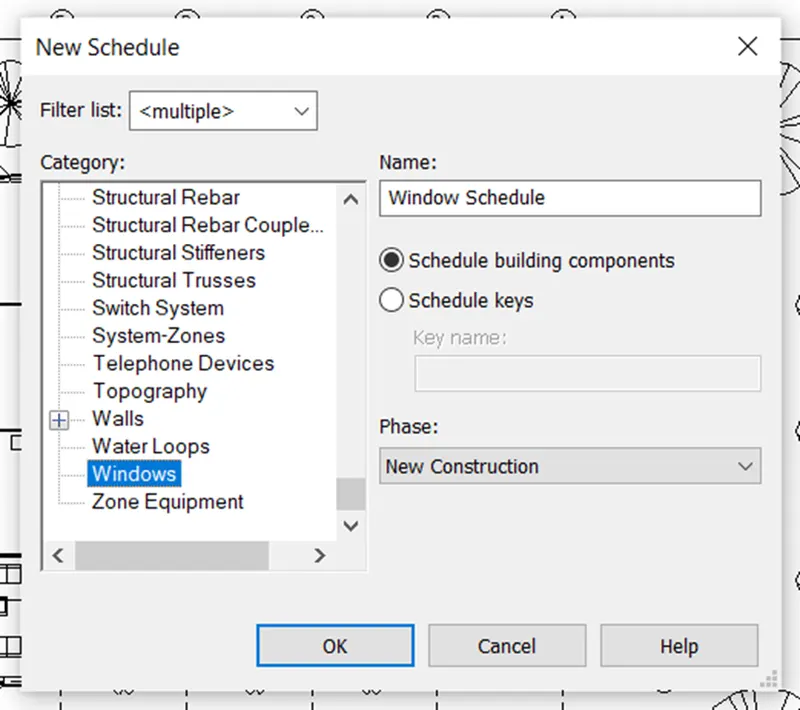
- Select the parameters to be considered for windows
- The window schedule is prepared given below
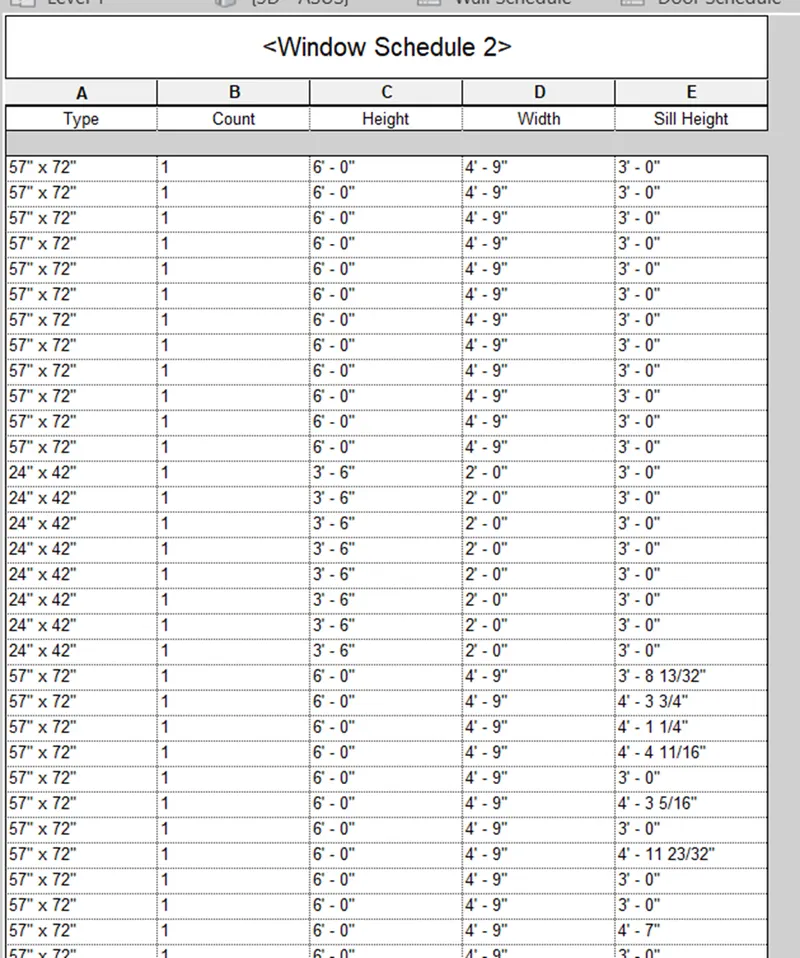
d) Material concrete/wood -
- Go to view tab then schedule then select material takeoff
- Select the category as floor
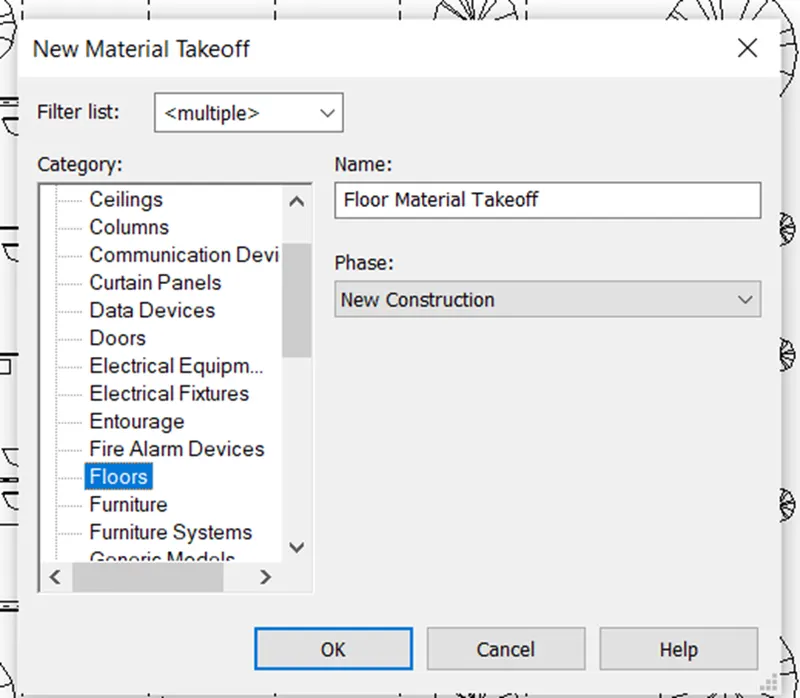
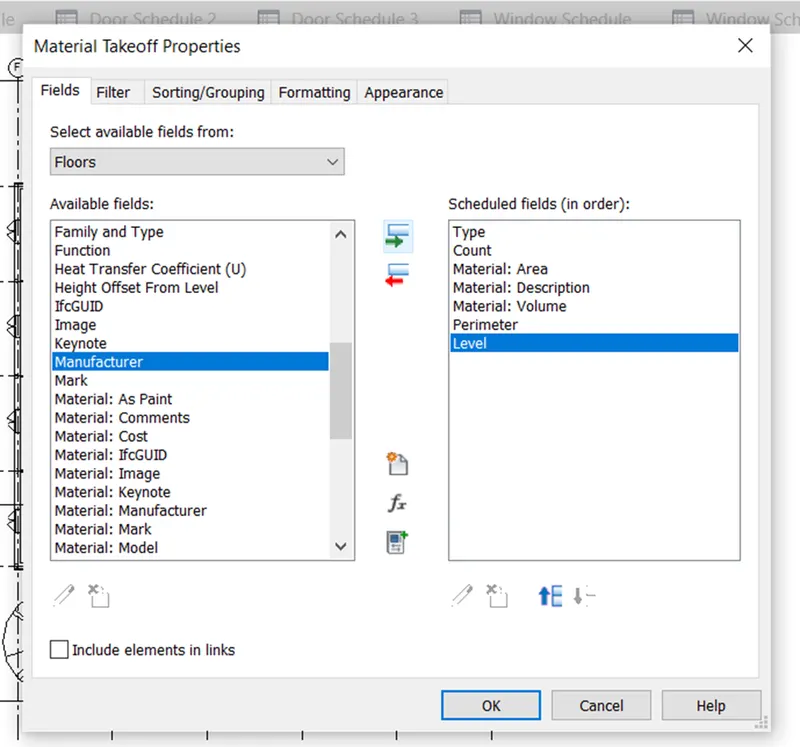
- Select the parameters to be considered for floor material
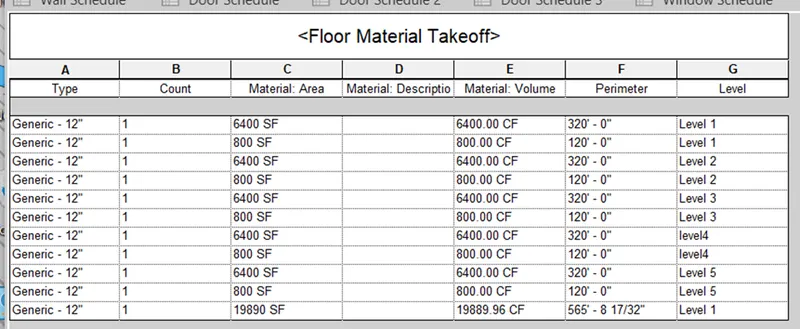
- Material takeoff schedule is given below
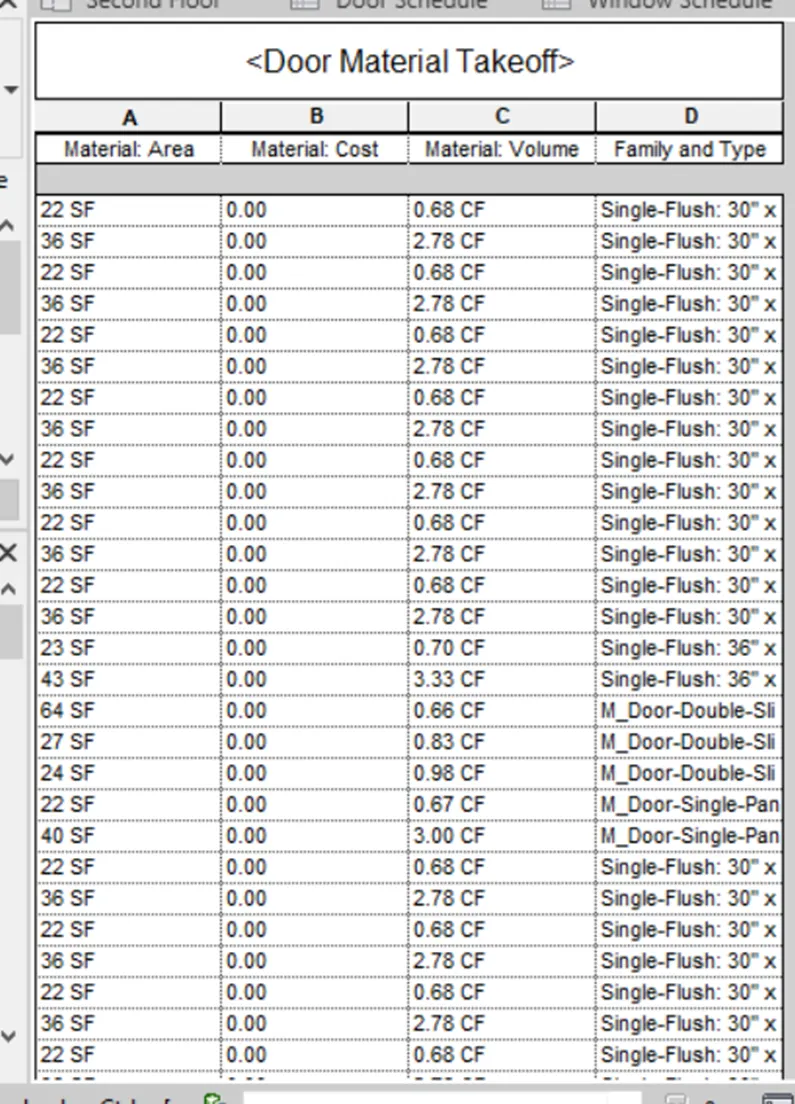
- Similarly,material takeoff for doors is prepared
Result -
- The wall,door,window and material schedule have been prepared.
Q. 3)
Aim - To prepare the schedule report for area and volume of each room
Procedure -
- Go to view tab then select schedule then select schedule/quantities
- Select the category as room
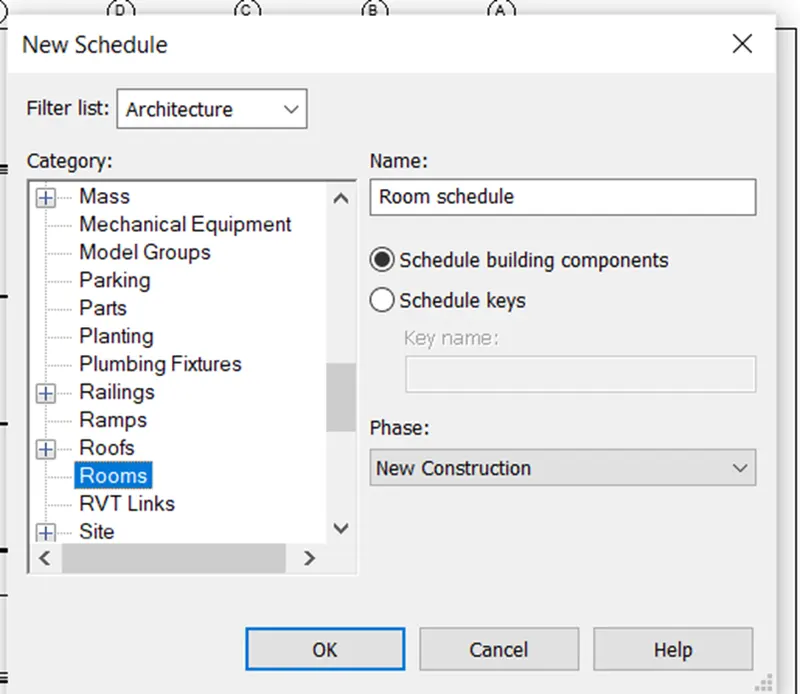
- Select the parameters to be considered for room
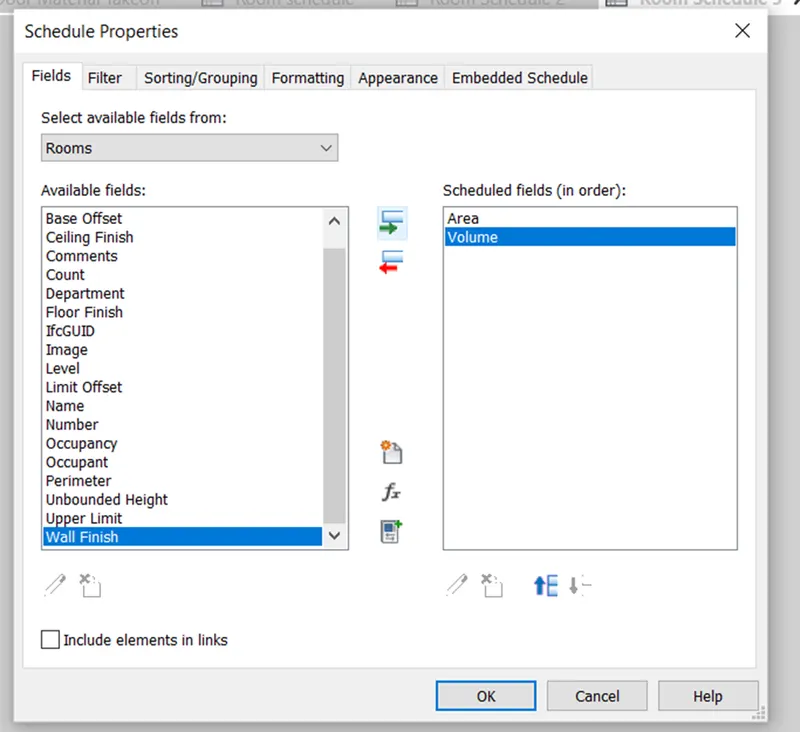
- The room area schedule is given as -
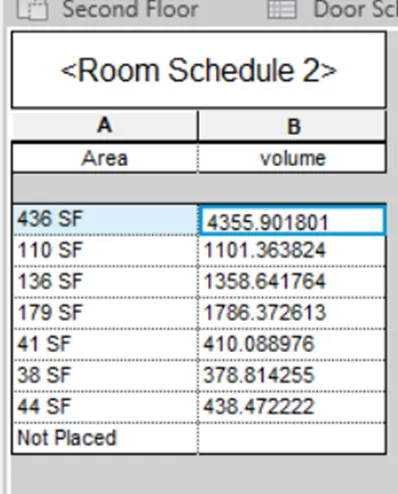
Result -
- Hence,room area schedule is prepared
Q. 4)
Aim - To prepare the schedule of total cost of materials
Procedure -
1) For walls
- Go to view tab then select schedule then select material takeoff
- Select the category
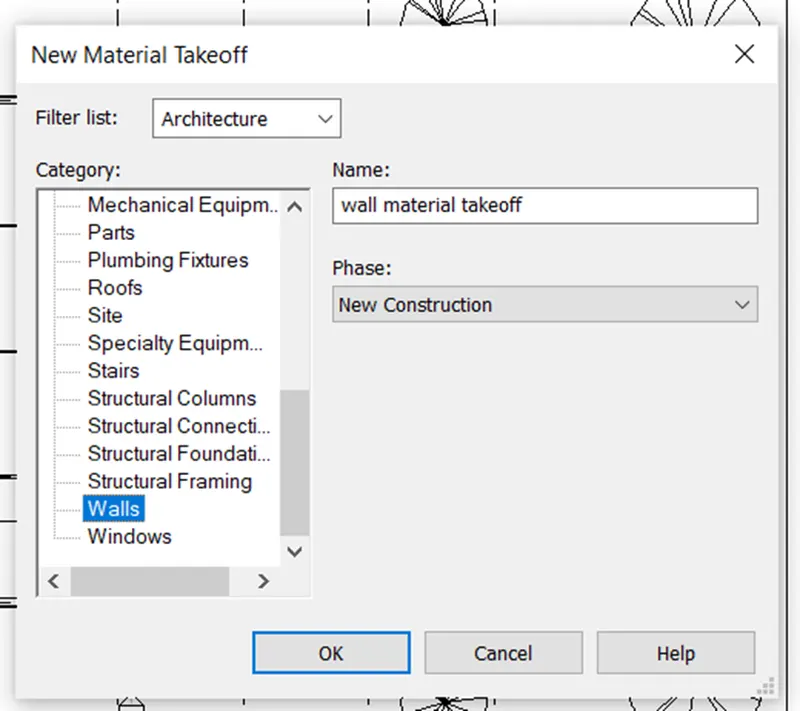
- select the parameters for walls
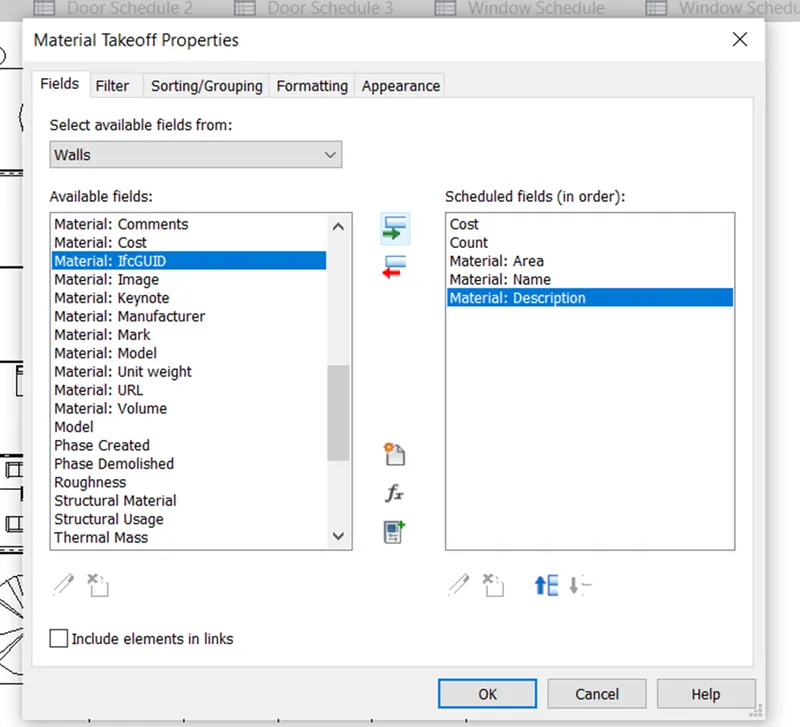
- Now we have to include the total cost parameters which is a calculated quantity
- For this go to add calculated quantity
The wall material takesoff is given as
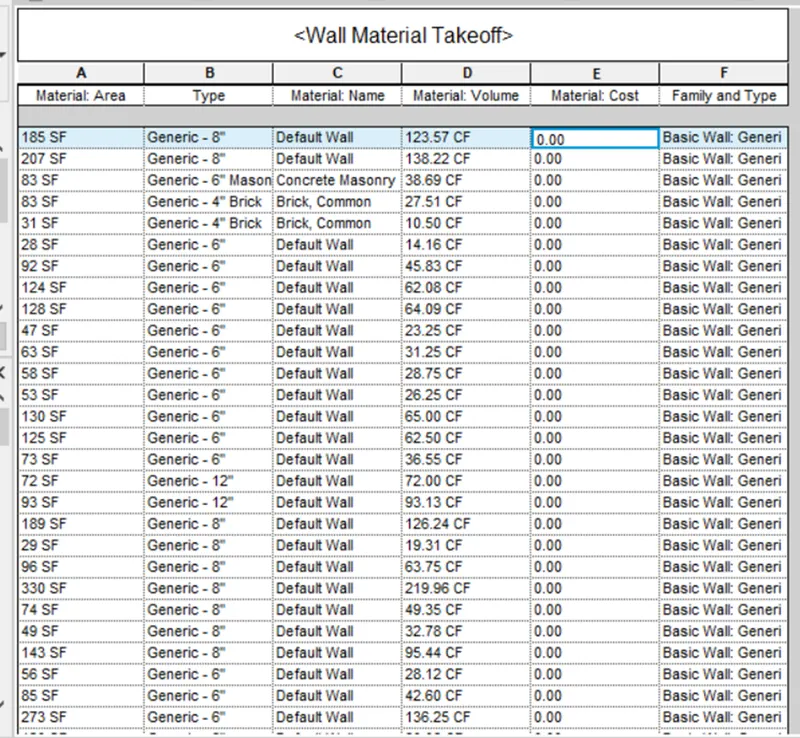
- Similarly,prepare for doors,windows,floors material takeoff schedule
Doors material takeoff schedule -
Result -
- Hence the total cost and individual material takeoff schedule has been prepared
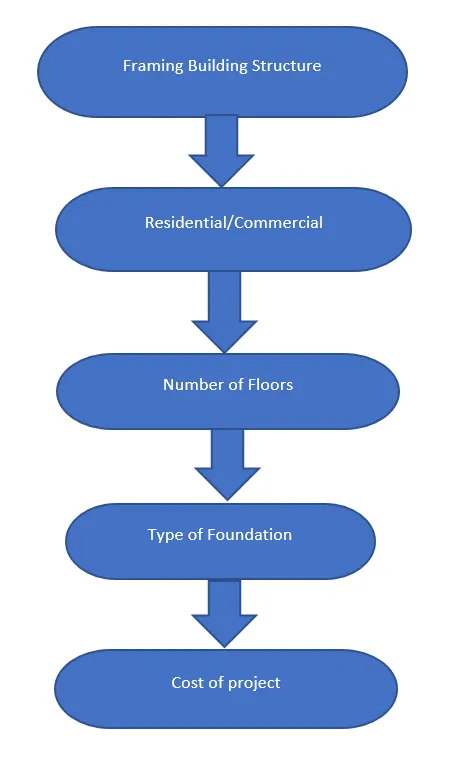
Q. 5)
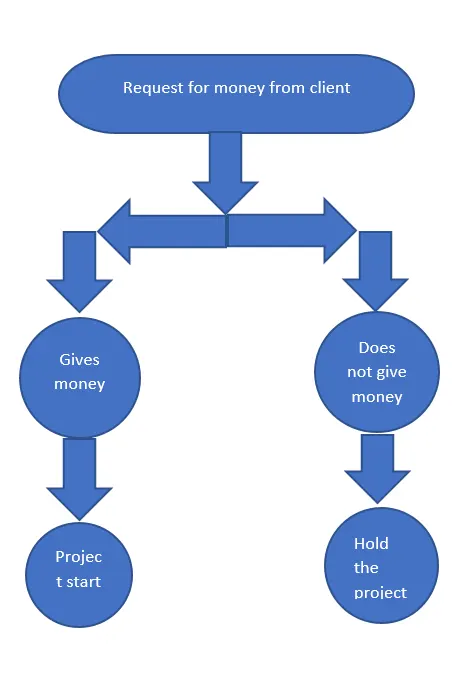
Answer -
a)
b)
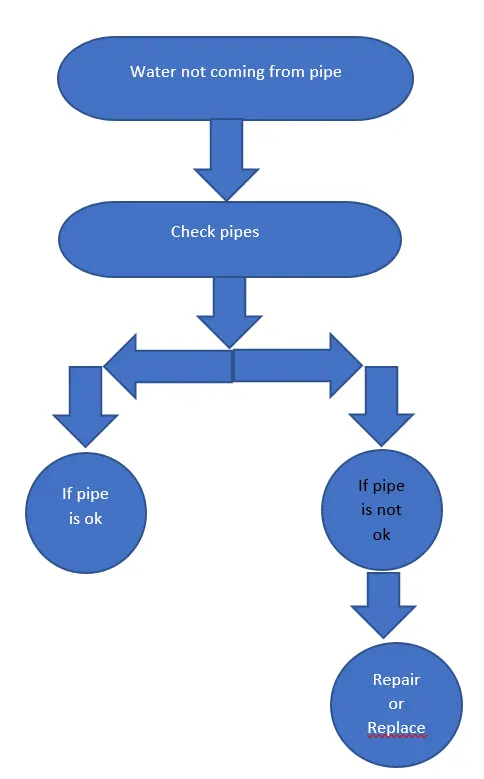
c)
Q. 6 )
Answer -
a) Wall -
- Wall type
- Wall length
- Wall height
- Wall thickness
- Wall material
- Wall location
- Wall description
- Material cost
b) Floor -
- Floor type
- Floor area
- Floor thickness
- Floor material
- Floor cost
- Floor description
c) Door -
- Door type
- Door height
- Door width
- Door material
- Door description
- Door cost
d) Window -
- Window type
- Window height
- Window width
- Window material
- Window cost
e) Table -
- Table type
- Table length
- Table width
- Table weight
- Table material
- Table cost
f) Building -
- Building type
- Building height
- Building floor area
- Building location
- Building material
- Building perimeter