Preparing Schedule & Cost Estimation for a building using REVIT
1) Use the shortcut keys in Revit discussed in class to complete the following tasks and list them below
a. Using 3D model create a section box
b. To create similar doors and windows in a floor plan layout
c. To reduce the thickness of lines visible in plan views
d. To apply override settings to a floor in the model section view
e. To increase the range of visibility in a plan view
f. To select the previously selected items
g. To add annotations to the model views
h. To bring the model elements in line
i. To rotate the model elements
j. To move an object to another location
k. To copy a model element
l. To mirror an element about an axis
m. To create an array of model elements
Answer:
- Using 3D model create a section box = BX
- To create similar doors and windows in a floor plan layout = CS
- To reduce the thickness of lines visible in plan views = TL
- To apply override settings to a floor in the model section view = EOD
- To increase the range of visibility in a plan view = VR
- To select the previously selected items = CTRL + <
- To add annotations to the model views = DI
- To bring the model elements in line = AL
- To rotate the model elements = RO
- To move an object to another location = MV
- To copy a model element = CO
- To mirror an element about an axis = MM
- To create an array of model elements = AR
2) Using Revit and the project used from week 6 to 8 prepare a schedule for the following
a. Walls
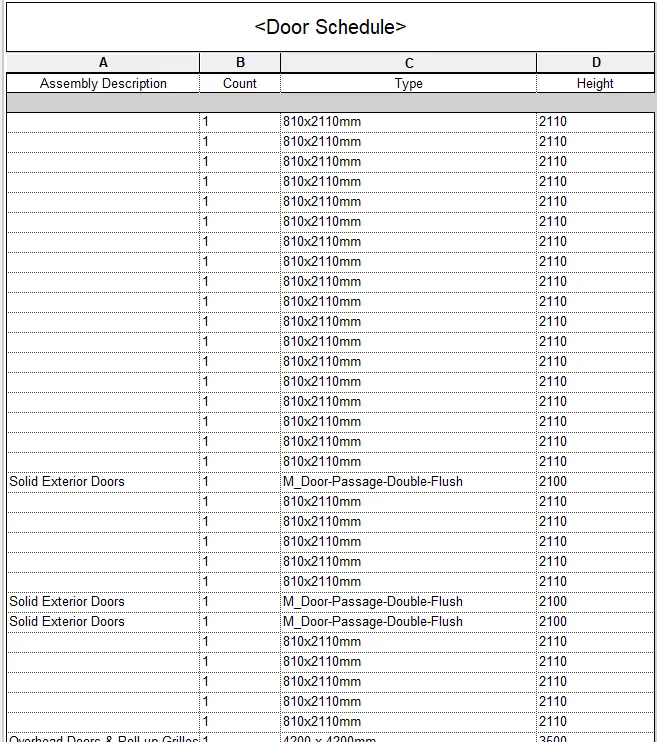
b. Doors
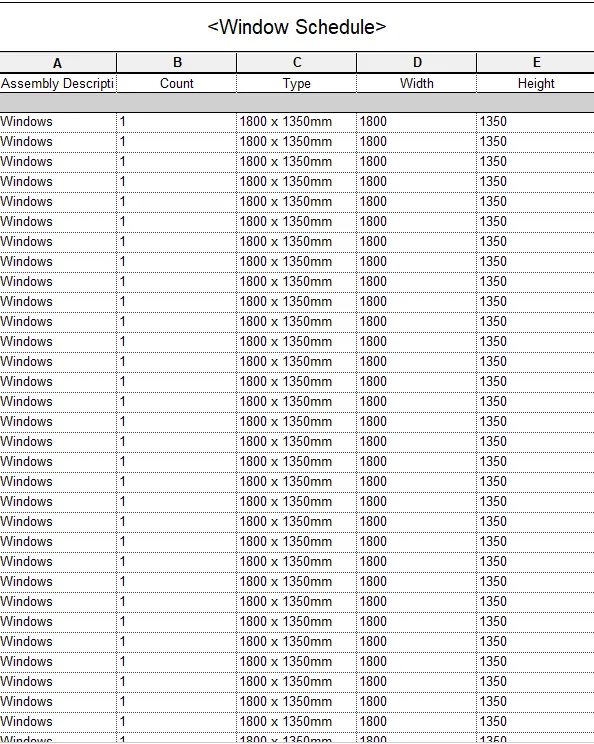
c. Windows
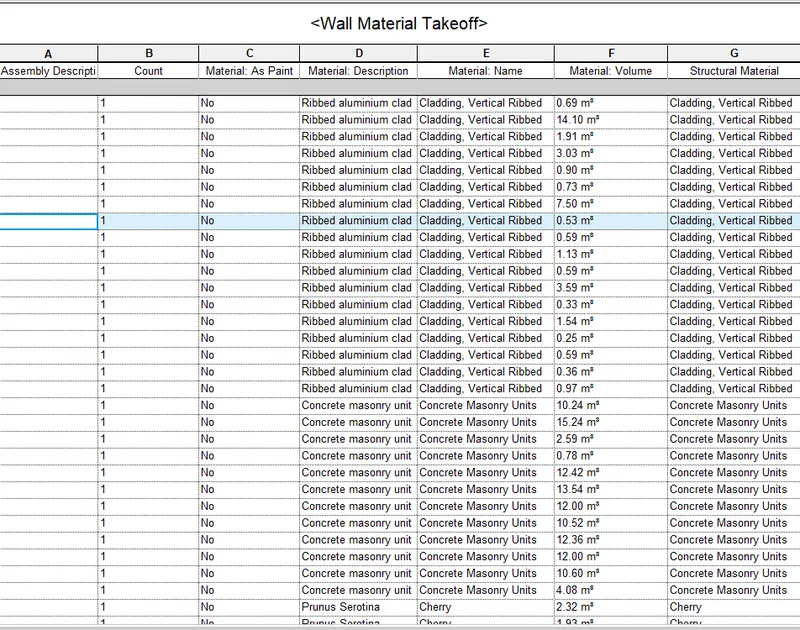
d. Material – Concrete/Wood
Answer:
Aim:
To creating a schedule of walls, doors, windows and materials using Revit application
Tools used
- Schedule
- Material Takeoff
Procedure:
Step 1:
- Go to View tab
- Click Schedule/Quantities option
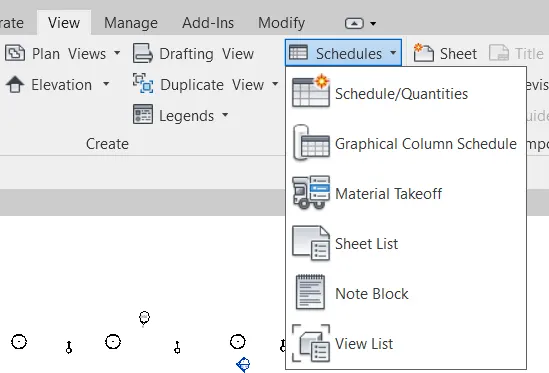
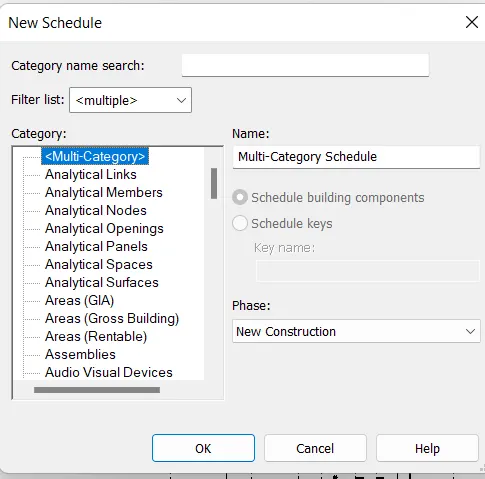
Step 2:
- Click walls
- Add the scheduleed fields you want to show in schedule
- Here am choosing assembly description, area, type, count
- Click ok
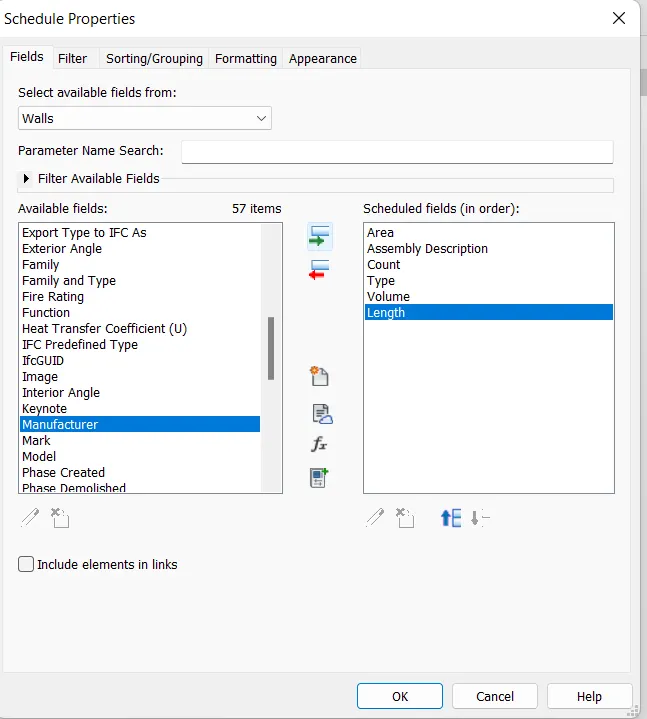
Step 3:
- After added all the schedule fields the screen will show the schedule of the wall
- If we change anything in the field clik edit field
- Add or remove any property as our wish
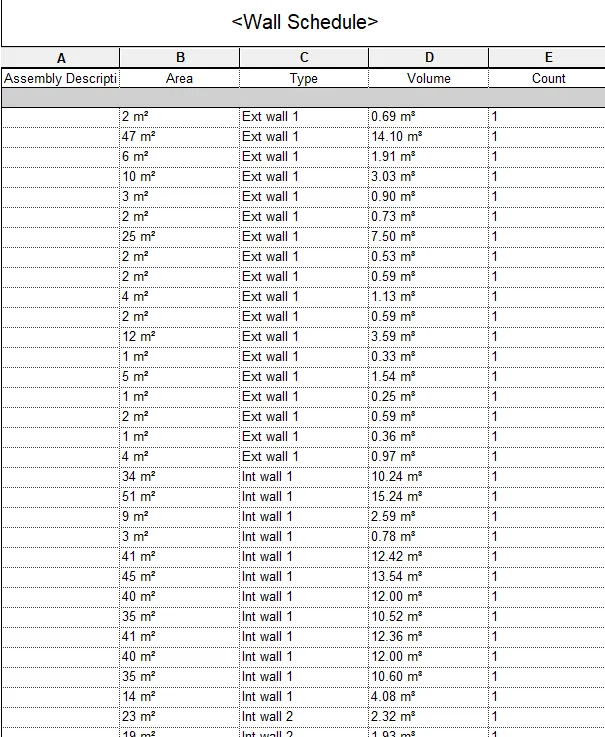
Step 4:
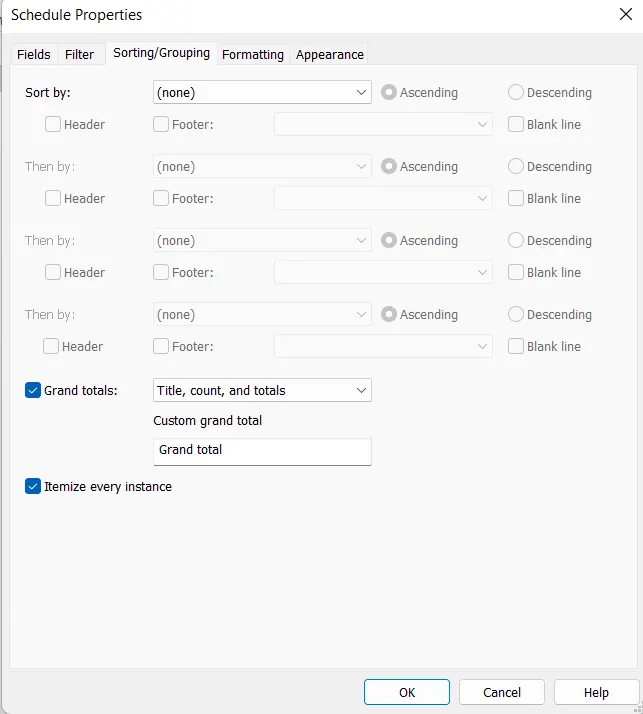
- If we need grand total of the material
- go to sorting/grouping option
- Click tick mark in grand total option
- Click ok
Step 5:
- After assigning the grand total option from grouping tool the screen will show the total material inorder to our project
Step 6:
- By doing the same procedure above create window, door, material schedule also
Door Schedule
Window Schedule
Material Takeoff
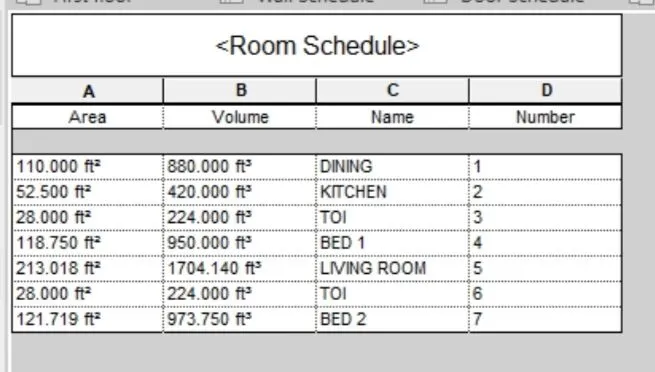
3) Using Revit Calculate area and volume of each room in the model with appropriate room tags applied to each room. Prepare a schedule report for area and volume of each room.
Answer:
Aim:
To prepairing a schedule report for area and volume of each room in the project using revit application
Tools Used:
- Schedule
- Material Takeoff
Procedure:
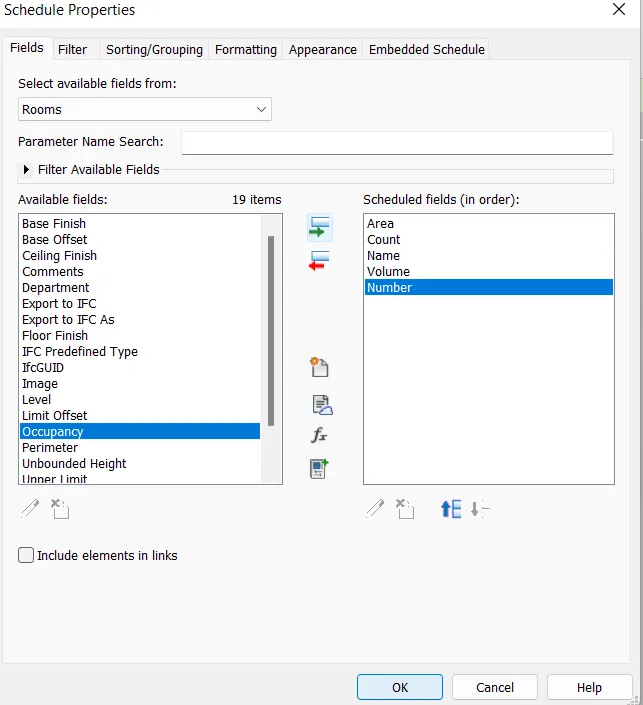
Step1:
- Go to schedule/Quantities in view tab
- Click Rooms
- Add the schedule fields you want to show in schedules
- Here am choosing assembly description, area, number, volume count
- Click ok
Step2:
- After added all the schedule fields the screen will show the room area and volume in the schedule
4) Using the same schedule using the unit cost rate for materials available in the internet, prepare total cost of materials used in the project
a. Total Cost of Materials
b. Individual Material Take off
Answer:
Aim:
To creating a total cost of materials and individual material takeoff using Revit application
Tools Used:
- Schedule
- Material Takeoff
Procedure:
Step 1:
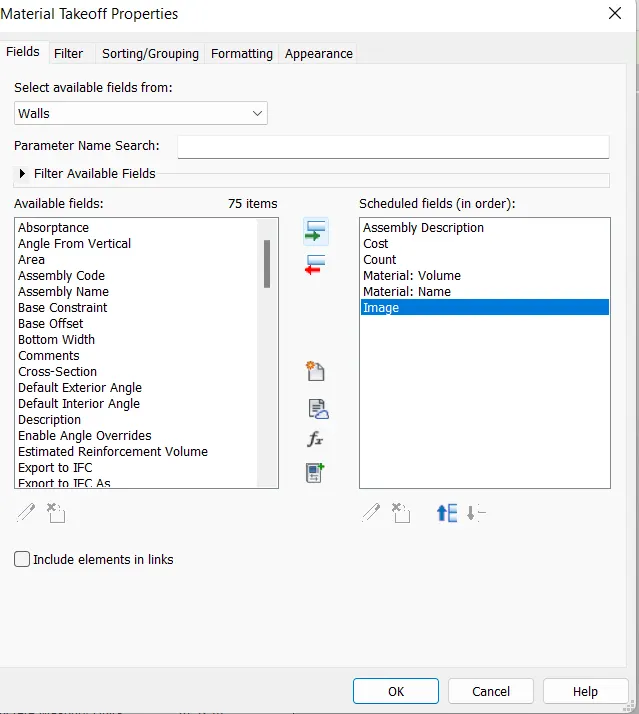
- Go to view tab
- Click Schedule
- Choose wall and add relevent fields
Step 2:
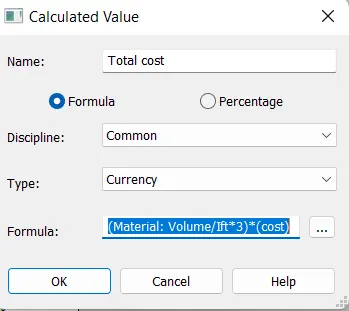
- Click calculated tool on the ribbon
- choose type as currency
- write the formula as (material volume/lft^3)*(cost)
Step 3:
- After creating a formula the screen will shows a total cost of the wall
- Similarly do the same procedure for windows, furniture, doors
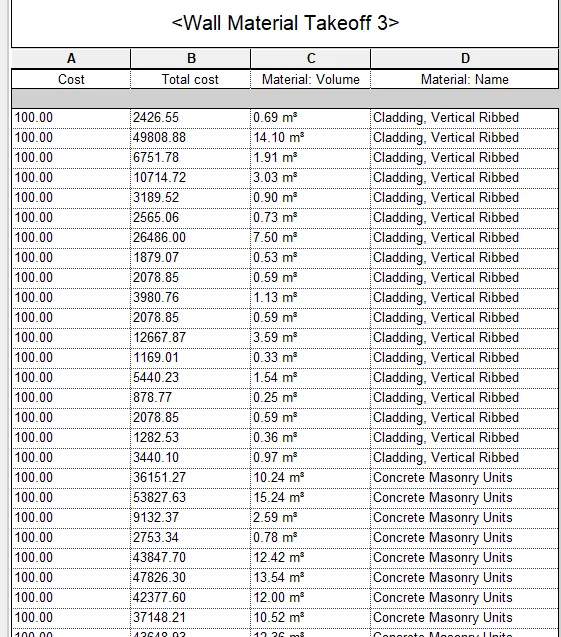
Door Costs:
Furniture Cost:
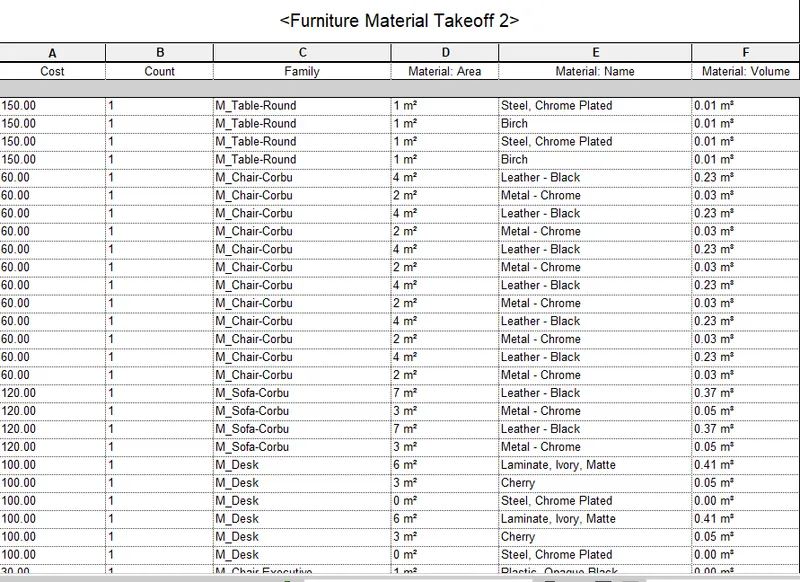
5) Using the concept of Visual Programming discussed in class, list a flowchart for the following scenario
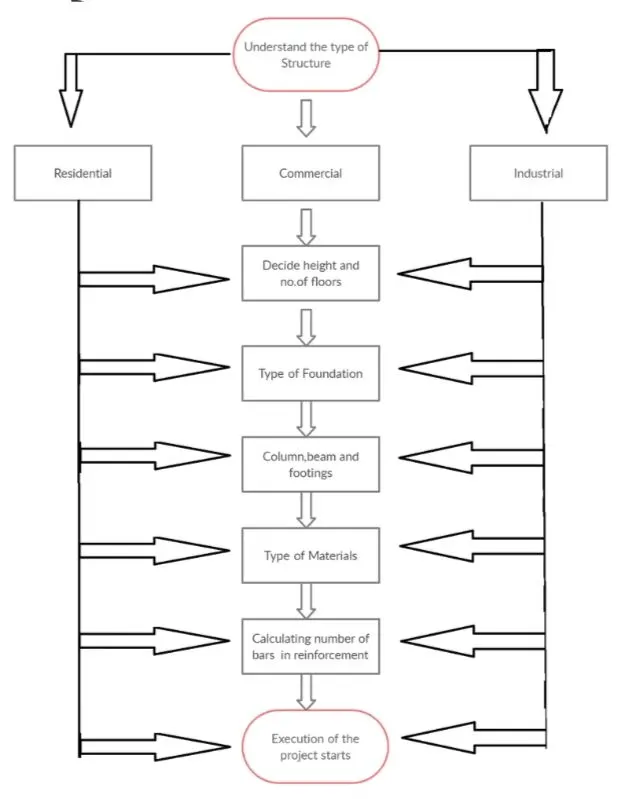
a. How to decide framings for a structure using Dynamo ?
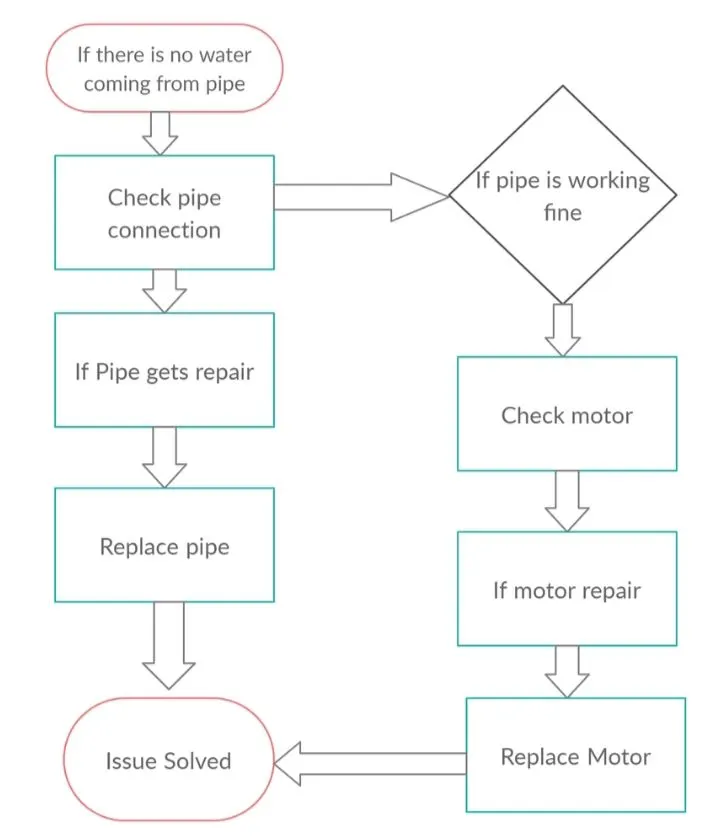
b. If there is no water coming from the pipes
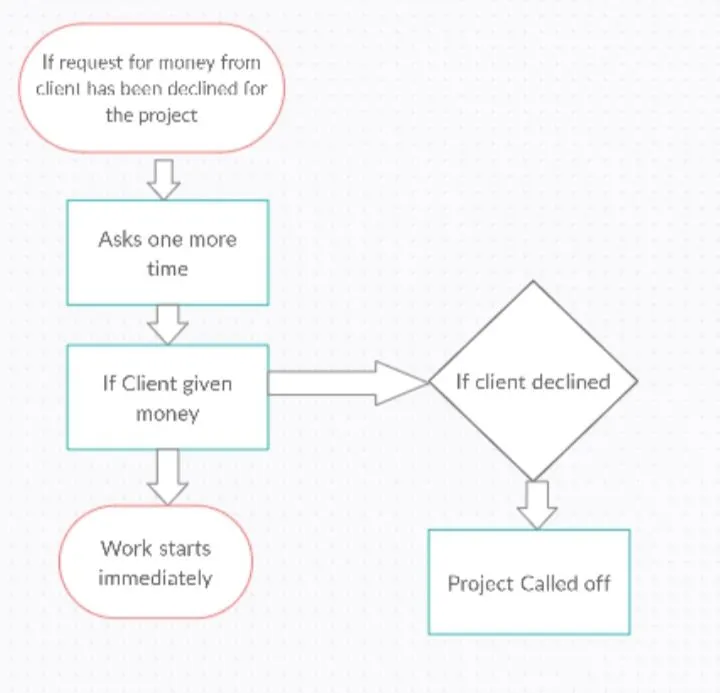
c. If request for money from client has been declined for the project
Answer:
a. How to decide framings for a structure using Dynamo
b. If there is no water coming from the pipes
c. If request for money from client has been declined for the project
6) List the parameters associated with each model element
a. Wall
b. Floor
c. Door
d. Window
e. Table
f. Building
Answer:
List the parameters associated with each model element
a) Wall
- Area
- Volume
- Type of Material
- Placement of wall either Interior or Exterior
- Type of load applied
b) Doors
- Height and width
- Material type
- Frames
- Door types
- Cost
c) Floor
- Area
- Material type
- Floor finishing
- Cost
- Thickness
d) Window
- Height and width
- Framings
- Material type
- Type of windows
- Cost
e) Table
- Material type
- Placement either dining or hall area
- Cost
- Size
f) Building
- Number of floors
- Type of structure
- Height
- Width of road
- Usage purpose
- Foundation type
- Geographical location