Modelling of 25 storey building with the specified properties using ETABS
aim: the main aim of this challenge is to make the 25 storey building using E-tabs and to compare the results between codal values mentioned in given question and practical values made in E-tabs modelling.
introduction:
in this, i am gonna create the 25 storey building using E-tabs. the sizes of the structural elements are given in the question i.e.
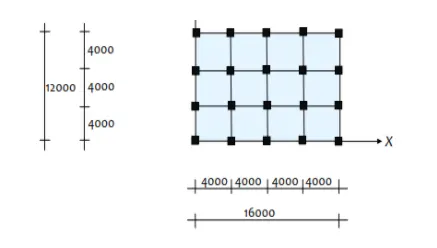
Structural Element Sizes
- Beams : 300 × 400 mm
- Columns : 800 × 800 mm
- Slab : 150 mm thick
Material Properties
- Grade of Concrete : M30
- Grade of Steel Reinforcement Bars : Fe 415
Loading
- Dead Load on beams from infill wall : 10 kN/m (Let us assume the same for roof floor in view of parapet)
- Live load on floor : 3 kN/m2 (Let us assume the same for roof floor)
after creating the model in e-tabs, the results are compared with the excercise given in the above question.
procedure:
- Starting with E-tabs software,has the interface as shown below
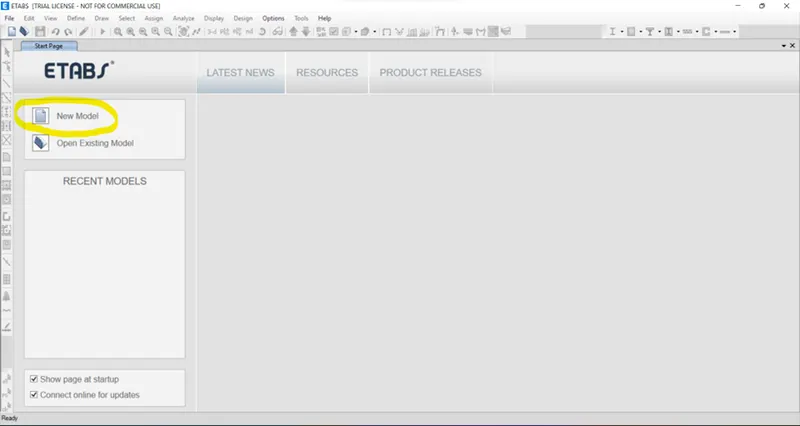
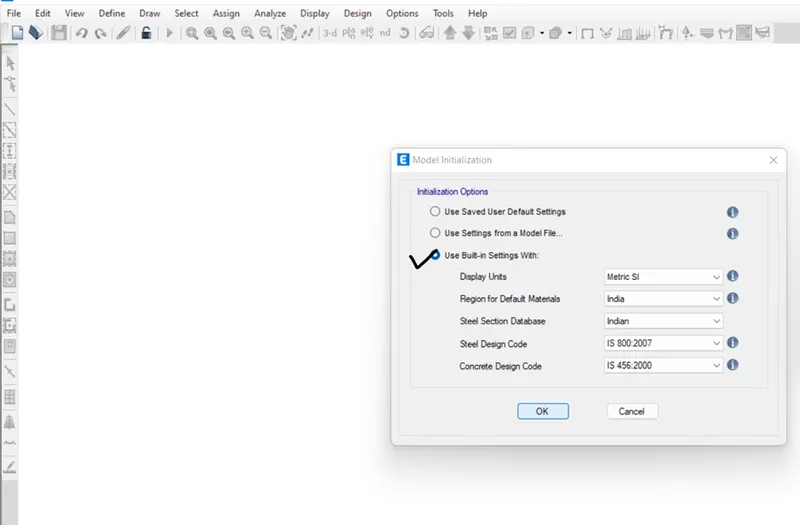
- starting with the new model which has the initialization options as use built in settings with metric SI units, india as region for default materials, indian steel section database, IS 800:2007 Steel design code and IS 456:2000 as shown below
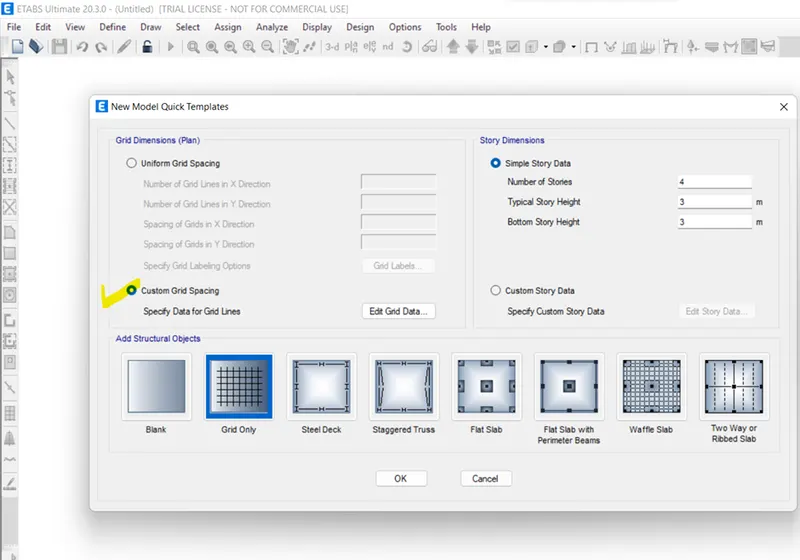
- after completion of intial options, we will move to make the new model quick templates which have the grid creation and storey creations for our model. we will go with custom templates by providing inputs for grid and stories.
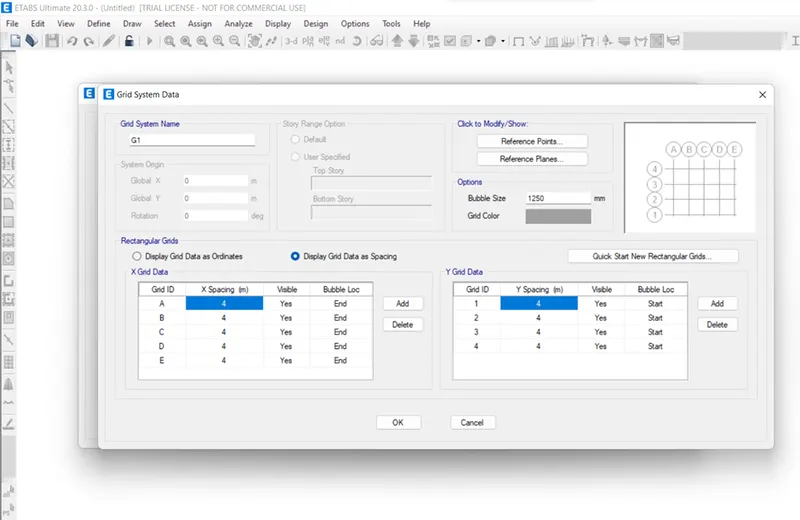
- the custom grid has the x and y direction which have the 4000 mm distance is shown below
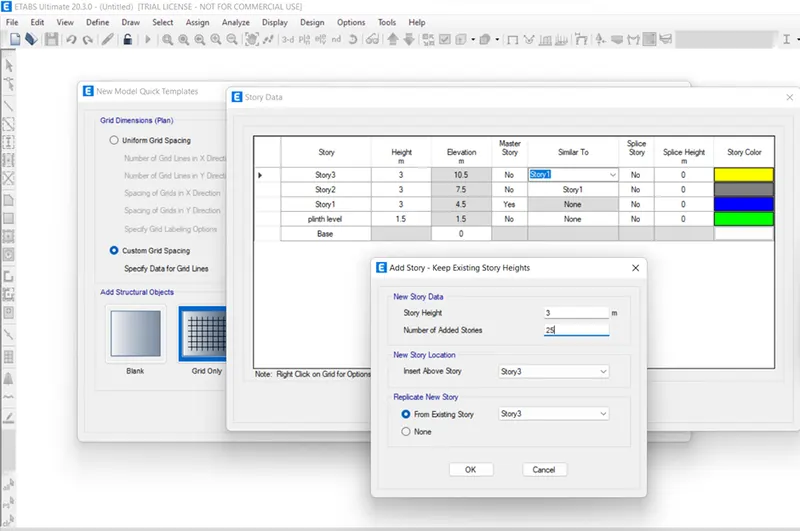
- custom storey data is for 25 stories and which have the base and plinth with height of 1.5m from base and story height 3m through out the building as shown below
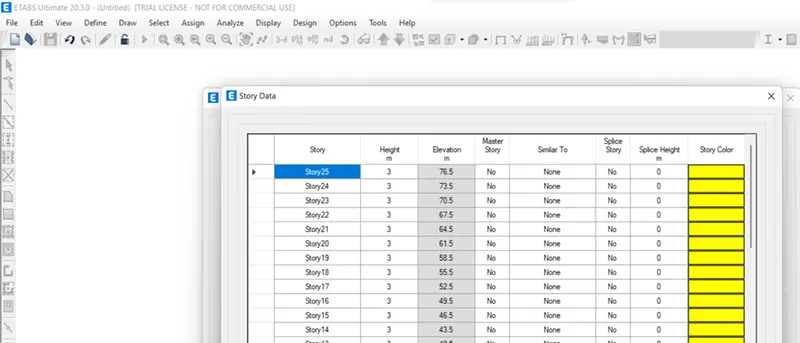
- after the completion of quick template with grid and storey details, we will be having model which has the interface like as shown below
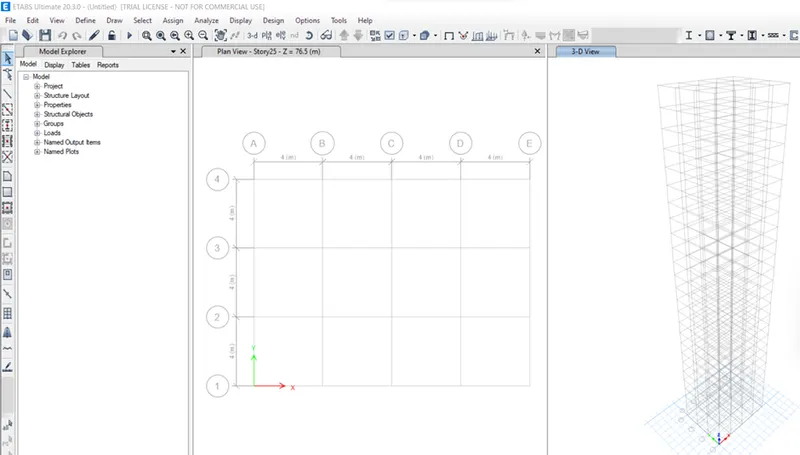
- after getting the model, we gonna define the material property for concrete M30 and rebar fe415.
- again defining the frame sections such as beam and coulmn from section property->frame sections->add new beam section->details of beam as B300*400, M30 etc,. as shown below.
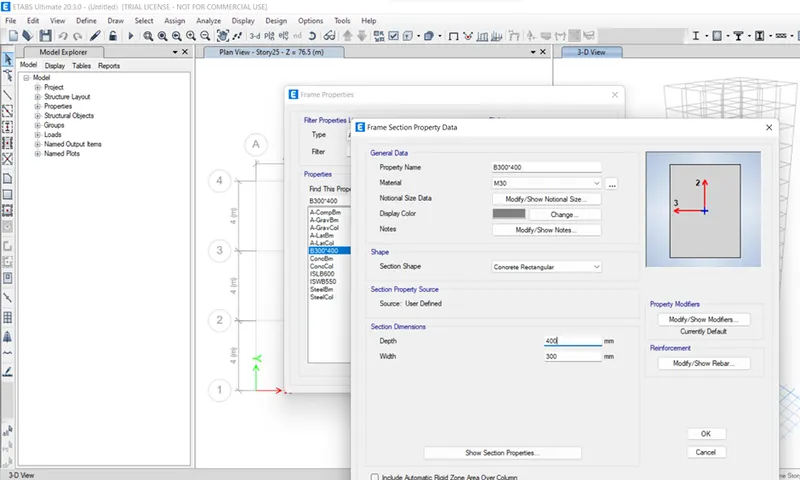
- section property->frame sections->add new column section-> column details as C800*800,M30,etc,. as shown below.
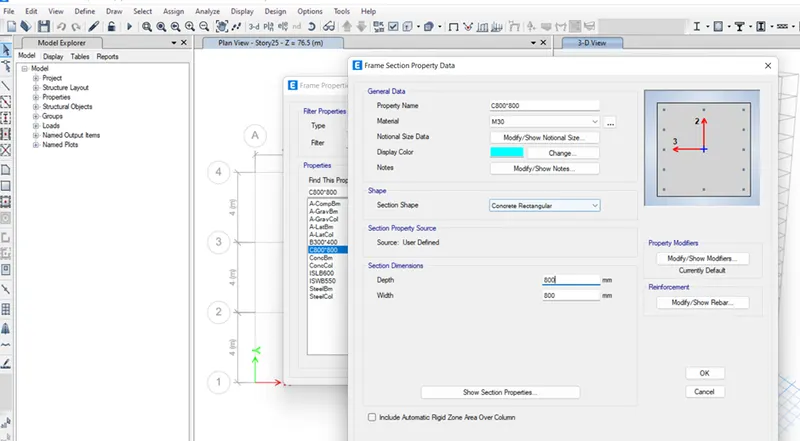
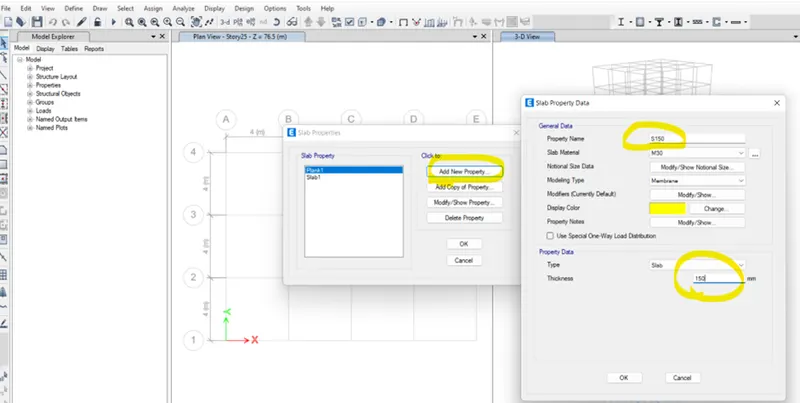
- again defining the slab section from define->section properties->slab section->add new->details of slab as S150, M30 slab material, modelling type as membrane, thickness as 150mm as shown below
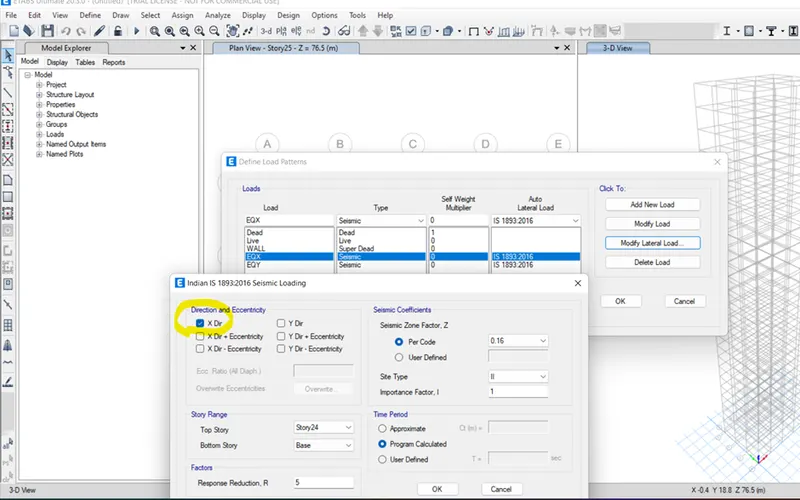
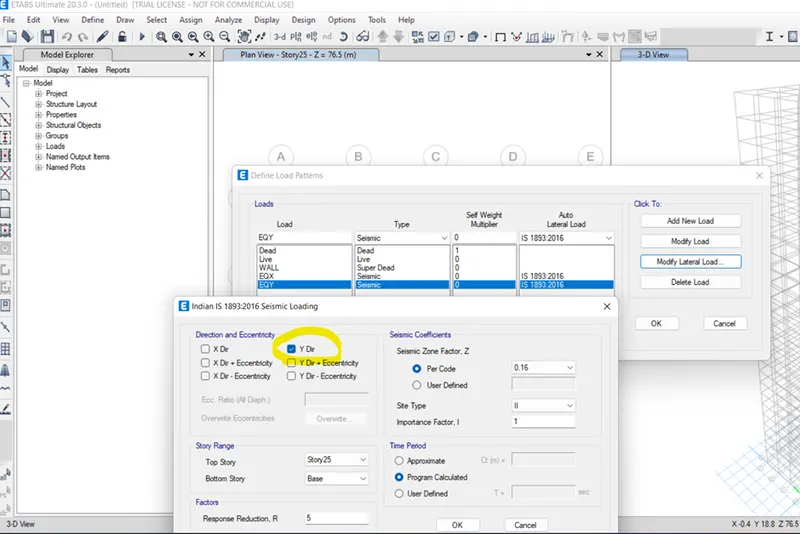
- also defining the load pattern which having dead and live load by default and we add the wall load with super dead type, seismic load in EQX, EQY directions with codal reference IS 1893:2016. the seismic loads are modified according to the loads is shown below.
- also defining the mass source having specified load patterns and mass multipliers for load patterns as dead-1, live-0.25, wall-1 and mass options as include lateral mass and lump lateral mass at storey levels
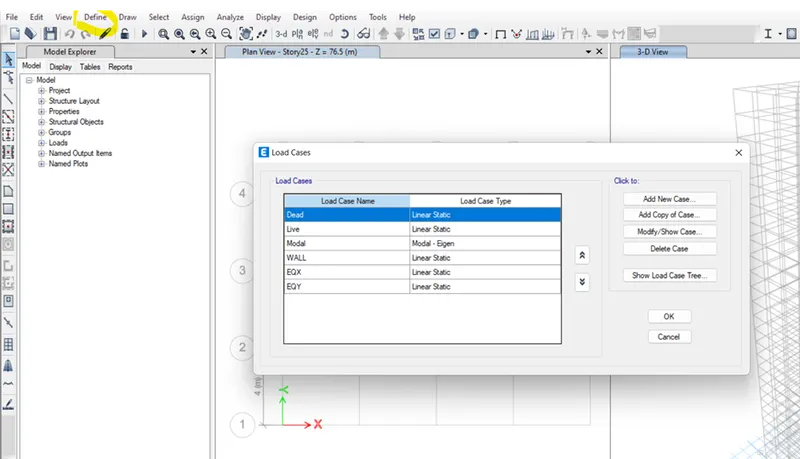
- then, define load cases and check whether we have added the all loads or not is shown below
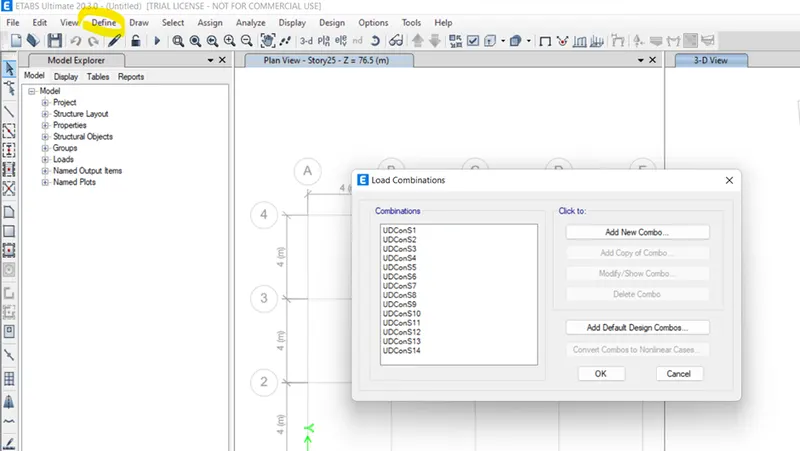
- then, defining load combinations as add default design combinations with concrete frame design
- after completing the defining properties we will move to modelling part
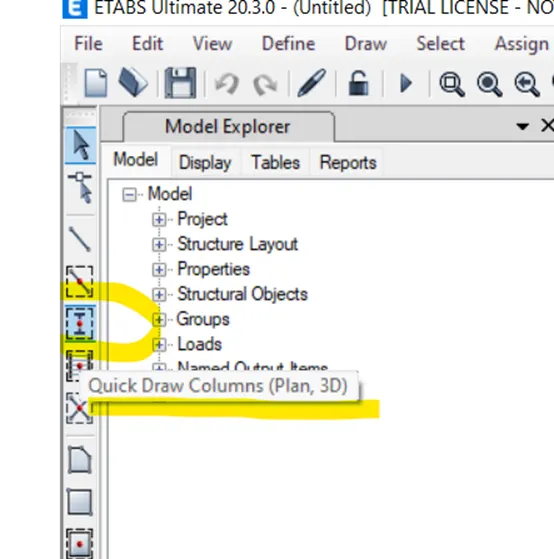
- using the quick draw column option at left side of screen, the columns are placed at respected position is shown below
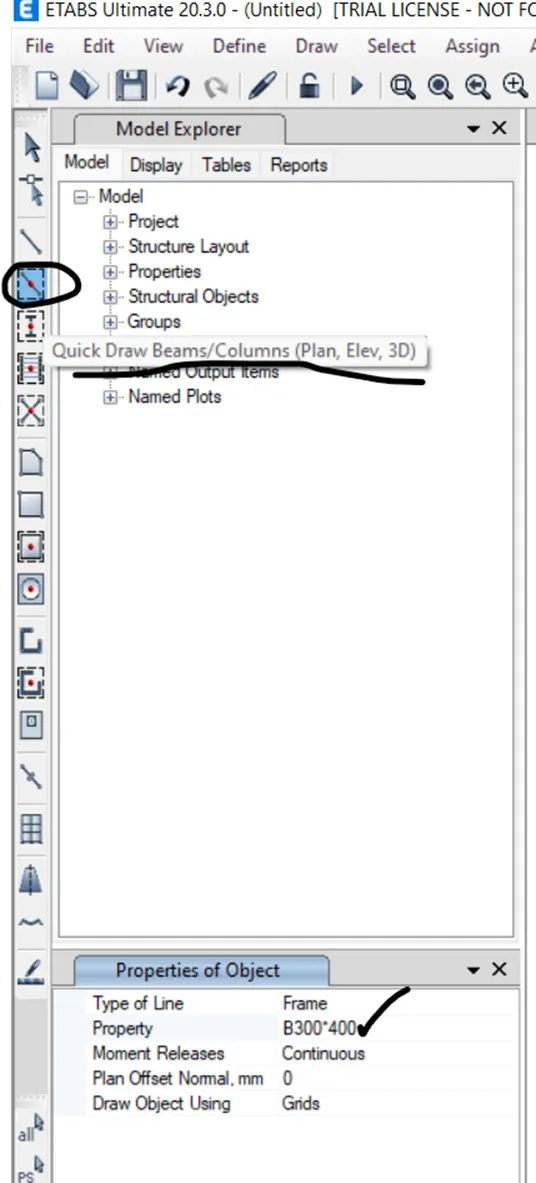
- then, using the option quick draw beams, the beams are made at respected position. to make easier and faster we use replicate option to copy beams and columns.
- then using the option quick draw slabs, we gonna create the slab is shown below
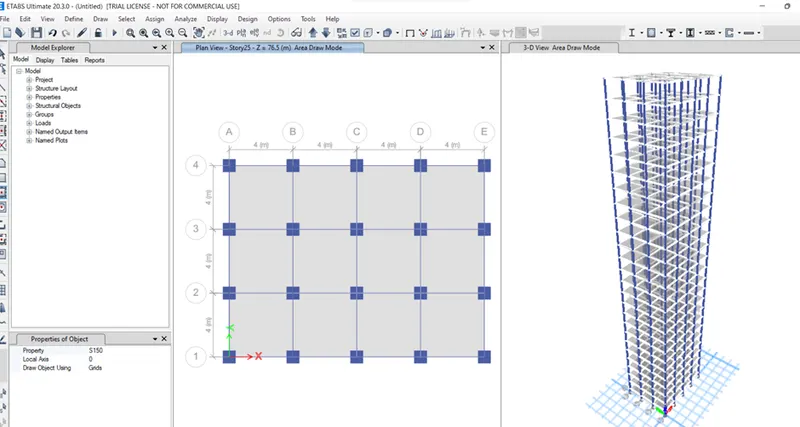
- after the modelling part, we gonna assign the distributed loads for frame sections as 10kn/mm2 and 3kn/mm2 for slabs and diaphragm D1 on slabs is shown below
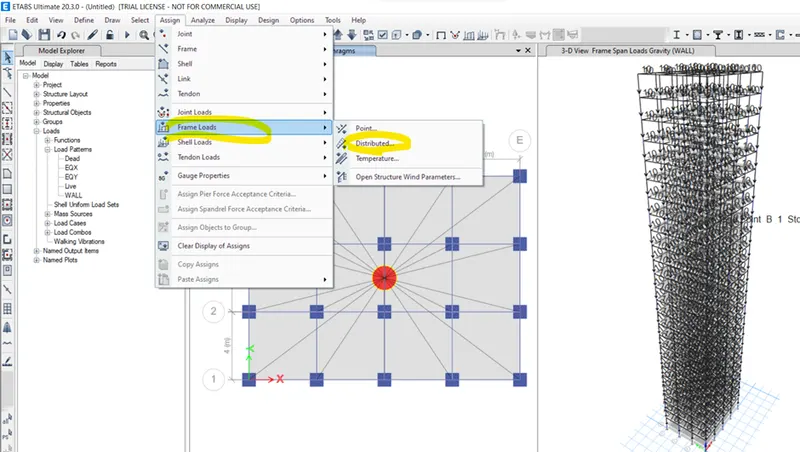
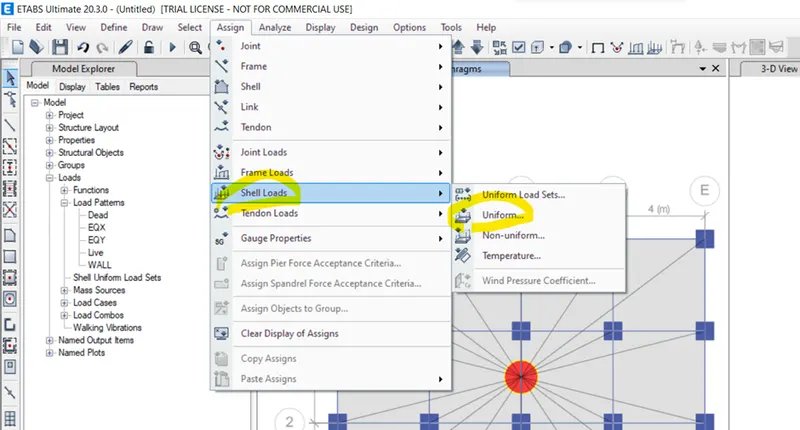
- after completion of assigning loads, we gonna analyze the model by saving the model and comparing the results with reference to the codal values.
Result:
the result of the above procedure is shown below
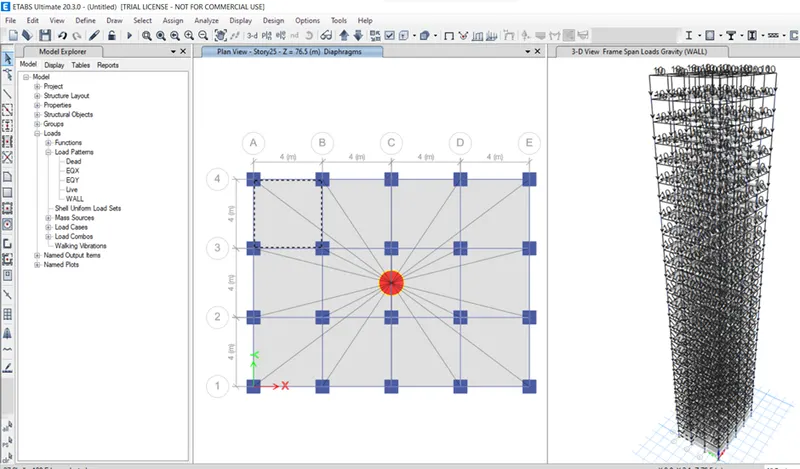
excercise answers:
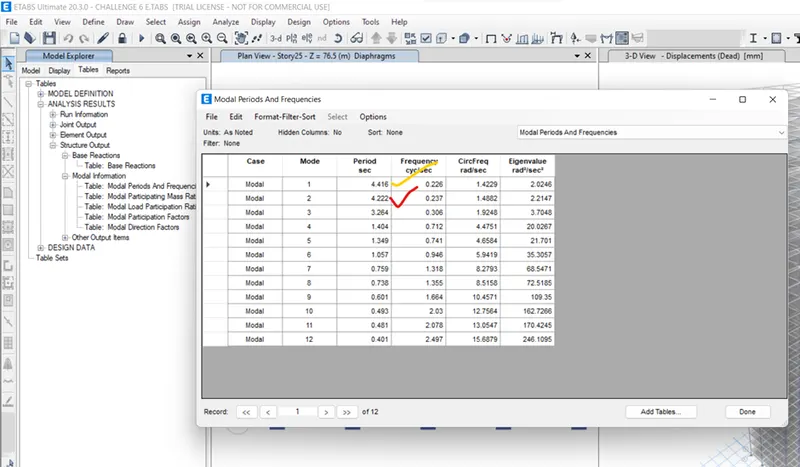
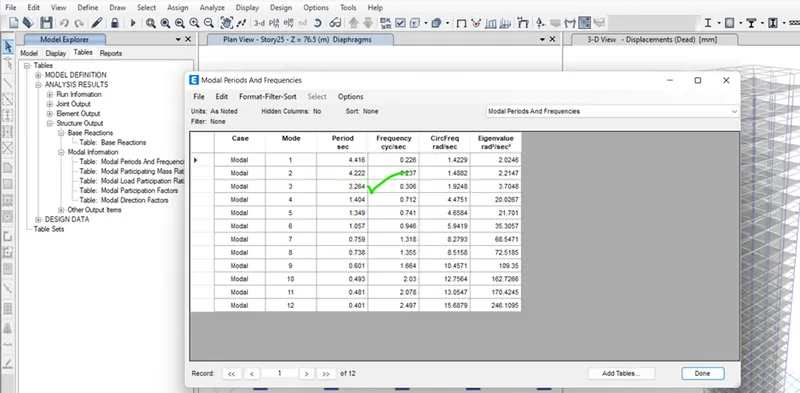
- Check if the translational fundamental natural period of vibration in both the x and y direction is approximately:Tx1= 4.4 second Ty1= 4.2 second
-
This check will help confirm if modelling is done correctly. Some deviations from the above values is possible (± 2%). But any major deviation will suggest an error in modelling.
- answer:the result is came near to the given values and it is satisfied is shown below
- Check if the following provision in Table 5 of IS 1893 (part 1) – 2016, on torsional irregularity satisfied:
- The natural period corresponding to the torsional mode of oscillation must be less than the two fundamental translational modes of oscillation along each principal plan directions.
- answer: yes, the natural perios corresponding to torsional mode of oscillation is less than the two fundamental translational moded of oscillation along each principal plan directions is shown below
- Check if the two provisions of clause 7 in Table 6 (shown below) of IS 1893 (part 1) – 2016, regarding vertical irregularity is satisfied
-
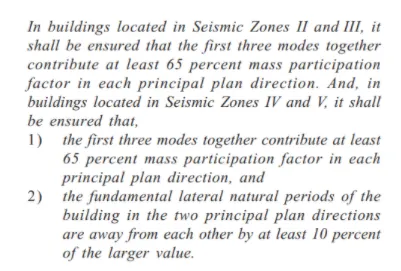
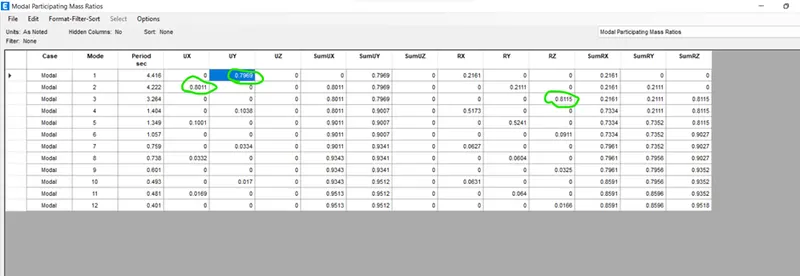
- answer:
- 1)yes, the first three modes together contributed at least 65 percent mass participation factor in each principal plan direction
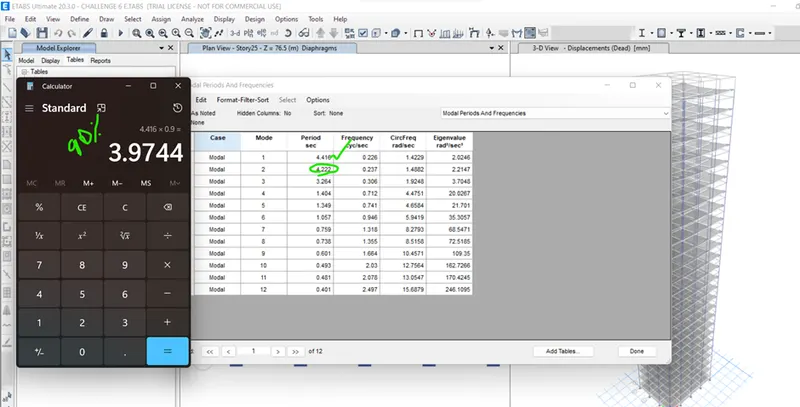
- 2)No, there is much difference in the natural periods than 10 percent is shown below
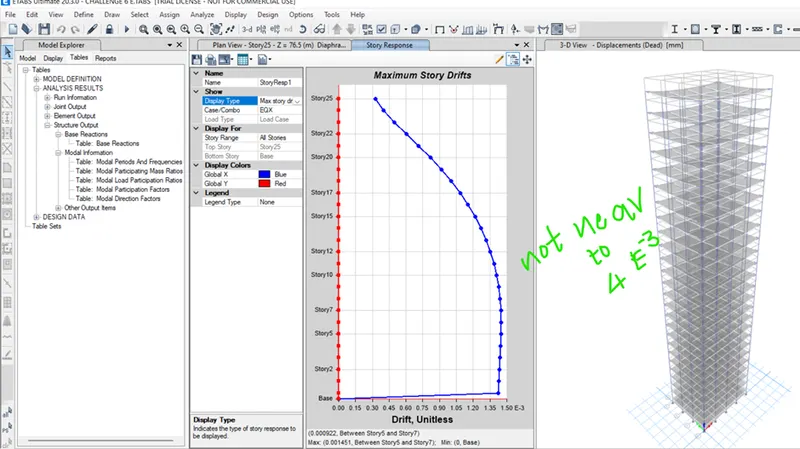
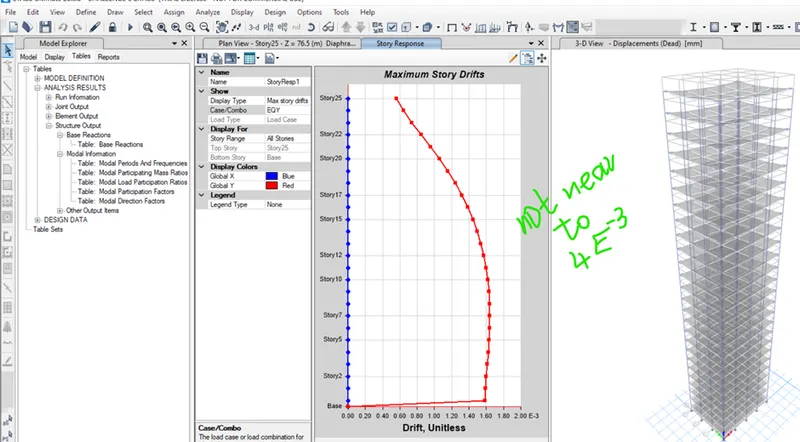
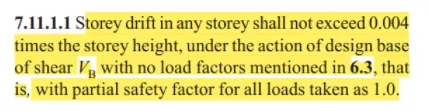
- Check if provision on inter-storey drift limitations in clause 7.11.1.1 satisfied. Please note that this check is for Serviceability Limit State and hence is for situation when stucture is subjected to unfactored seismic base shear
-
- answer:
- yes,the storey drift in any story doesn't exceeded the 0.004 times the storey height and it is not near to the 4*E-3 is shown below