MATLAB Simulink Simulation of generic battery model charge-discharge using UDDS data.
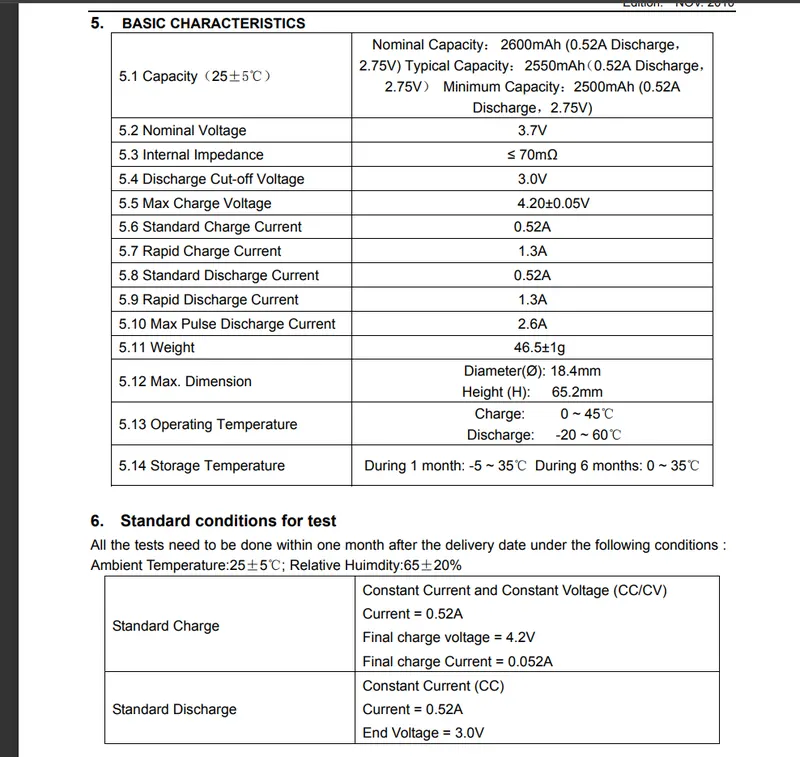
For this Challenge, I am following the Rechargeable Lithium-Ion Battery Model: LIR18650 2600mAh datasheet << Click here for the Datasheet
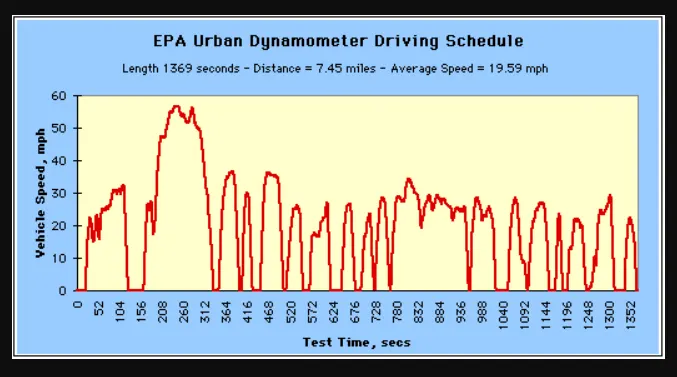
and for the UDDS (Urban Dynamometer Driving Schedule) data I am taking the reference data .txt file which is attached below.
Generic battery model in MATLAB:
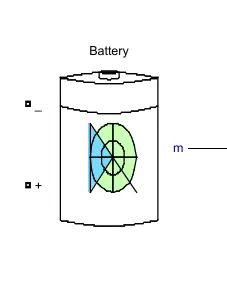
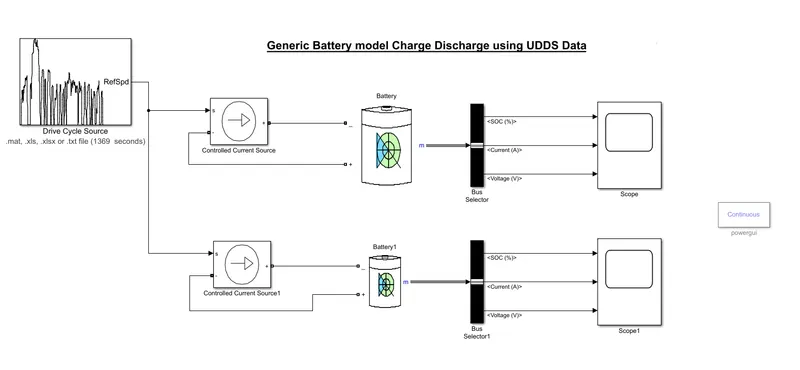
For the Generic Battery Model, we required a Battery in MATLAB
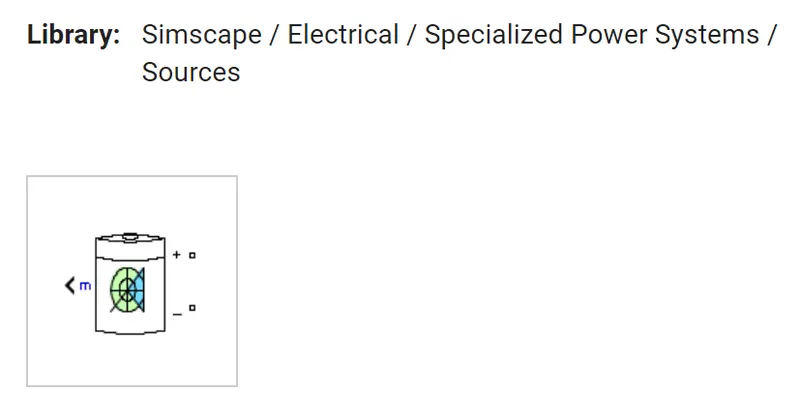
from this battery model, we will get 3 output value
1. SoC%
2. Current &
3. Voltage
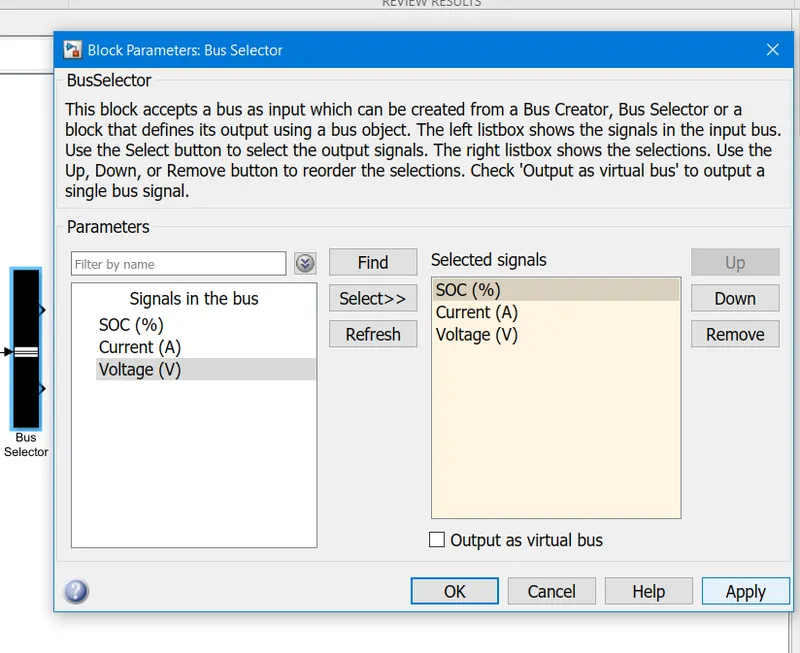
to separate these 3 signals we need Bus Selector Block
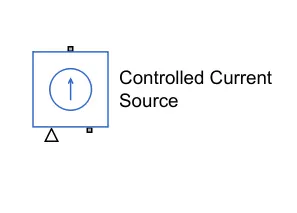
In MATLAB to discharge the battery, we have to use a Controlled Current Source
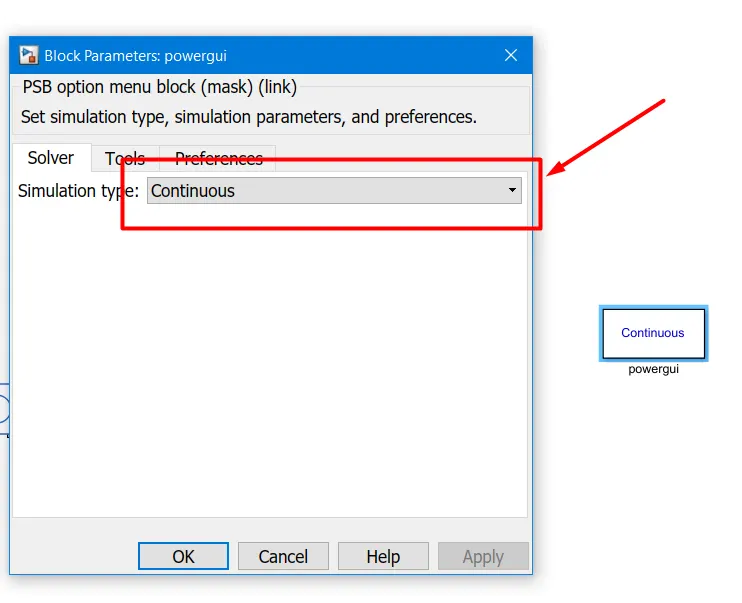
To plot the output graph we are using

Powergui Block, make sure Simulation type must be in continuous mode.
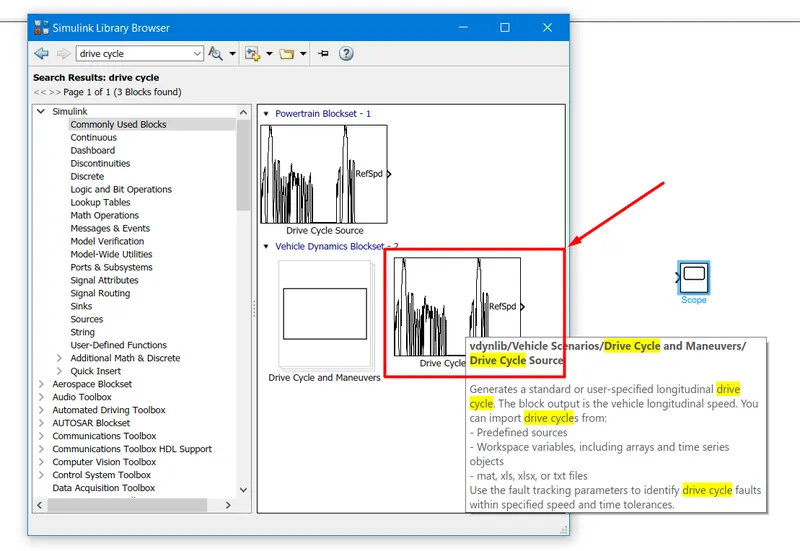
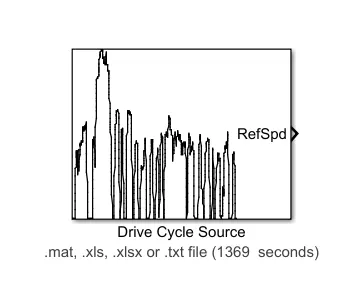
For Urban Dynamometer Driving Schedule (UDDS) data we need Drive Cycle Source
Add Urban Dynamometer Driving Schedule (UDDS) data from the .txt file.
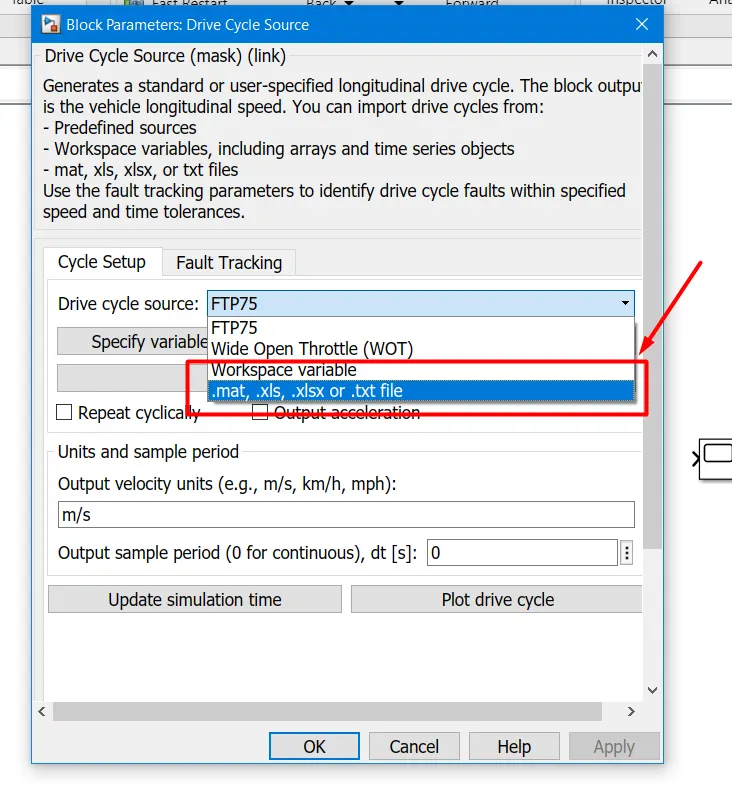
Double click on the Drive Cycle Source block
In the block parameter, there is a section of Drive cycle source,
in that select .mat, .xls, .xlsx or .txt file.
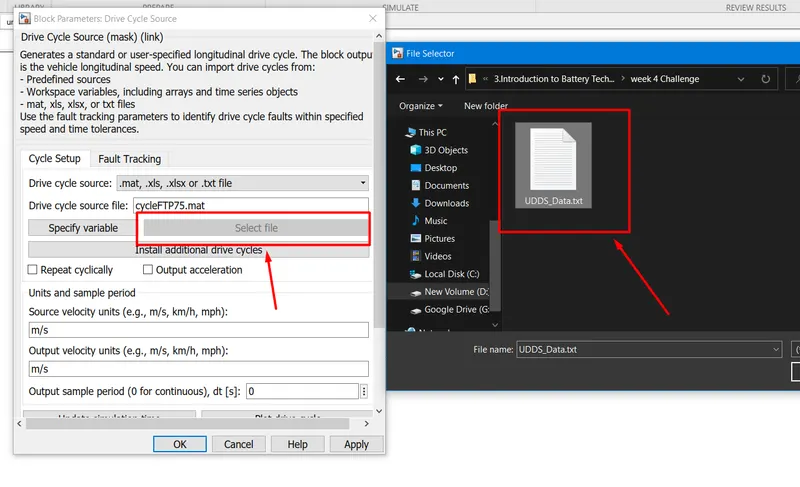
to select the .txt file, click on the select file and navigate to the folder where it is saved in your local drive.
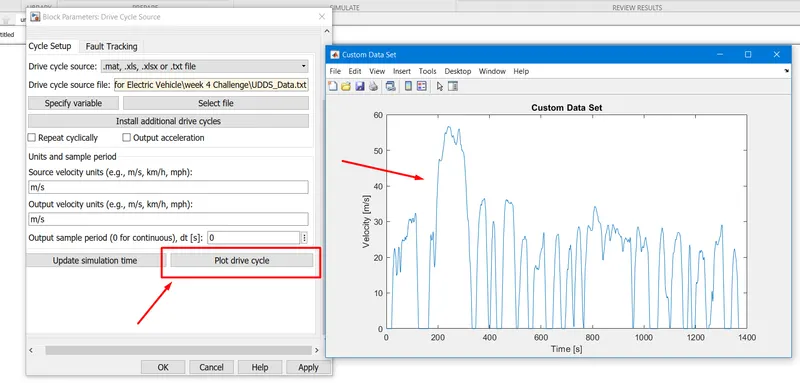
If you want to check the graph of UDDS data clicks on the Plot drive cycle, then it will display you the graph.
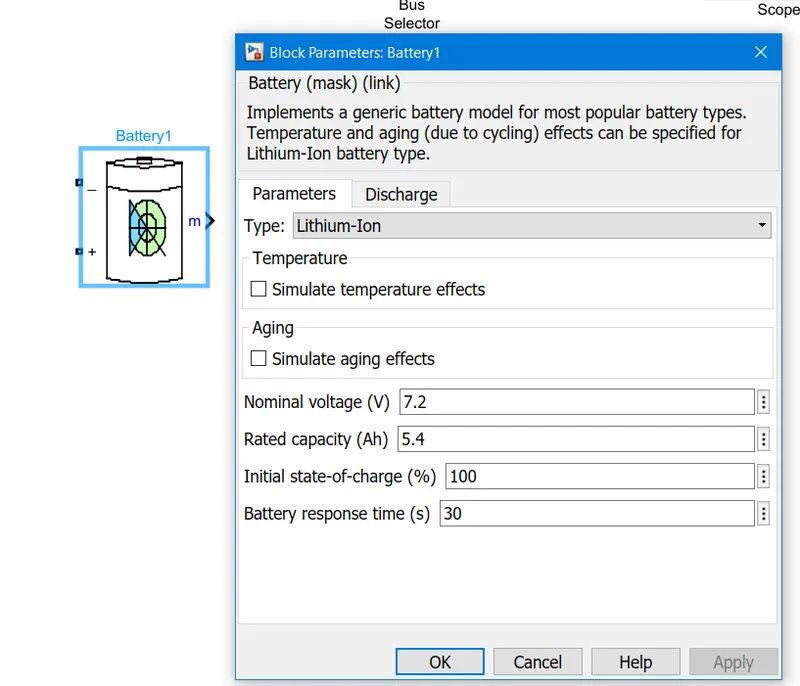
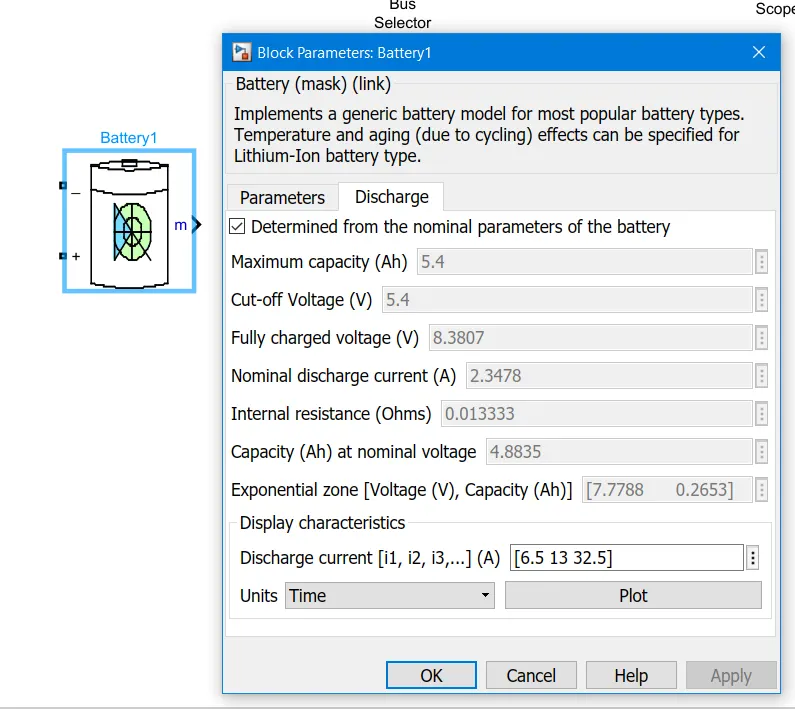
Configure the Battery
Doubble click on the block
Given Data in Datasheet
For Comparison, I am simulating 2 differently configured batteries as follow:
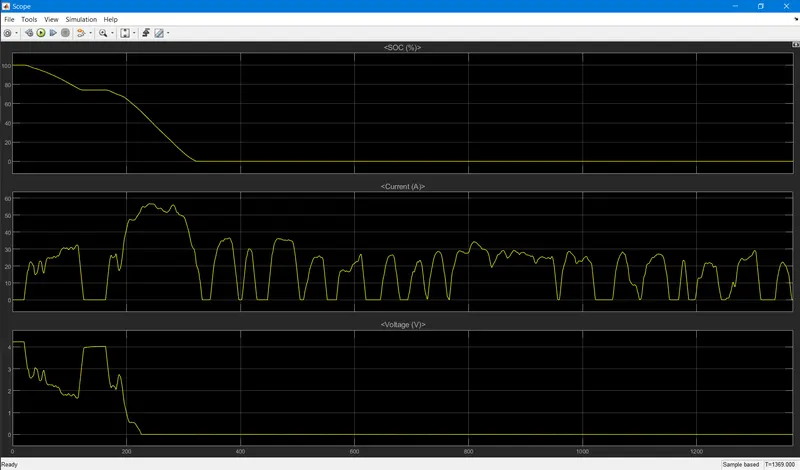
Battery:
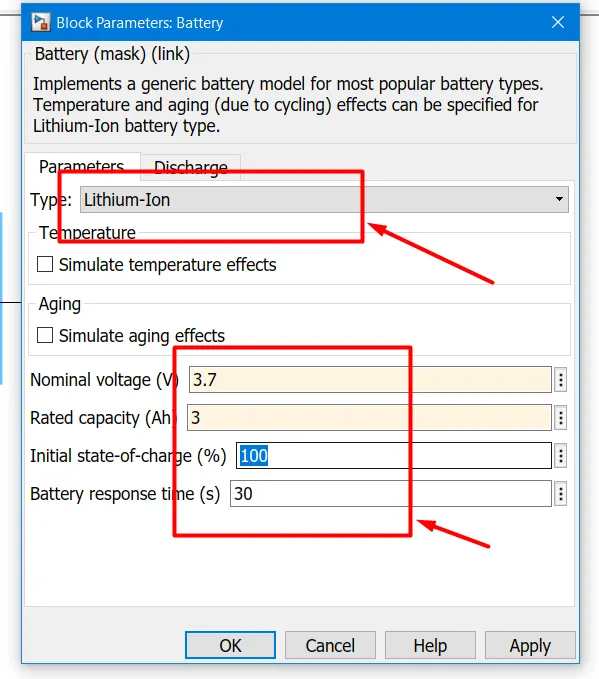
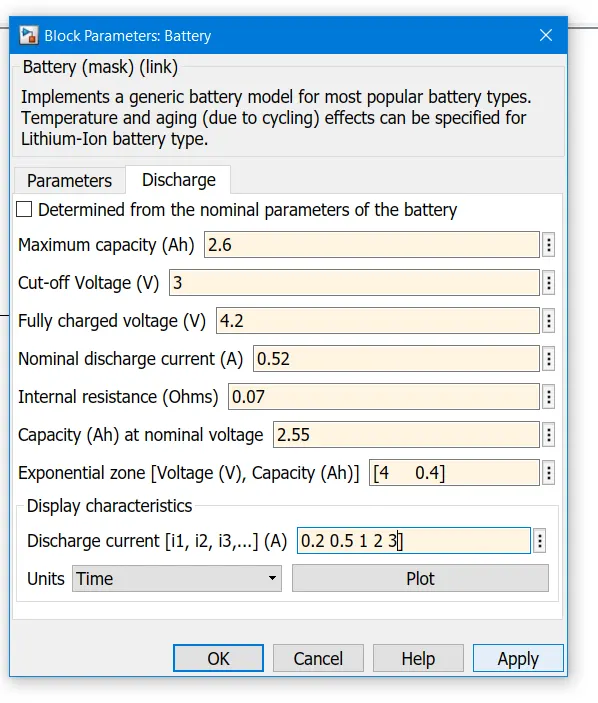
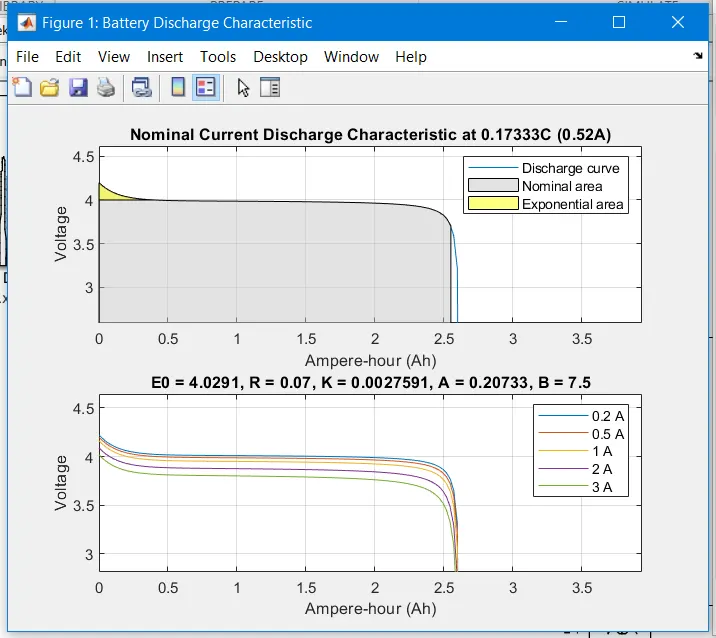
Discharge Characteristic of the Datasheet battery
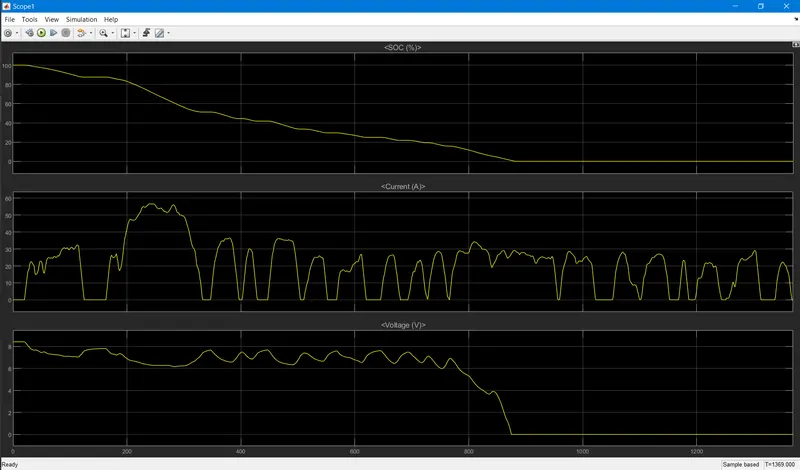
Battery 1:
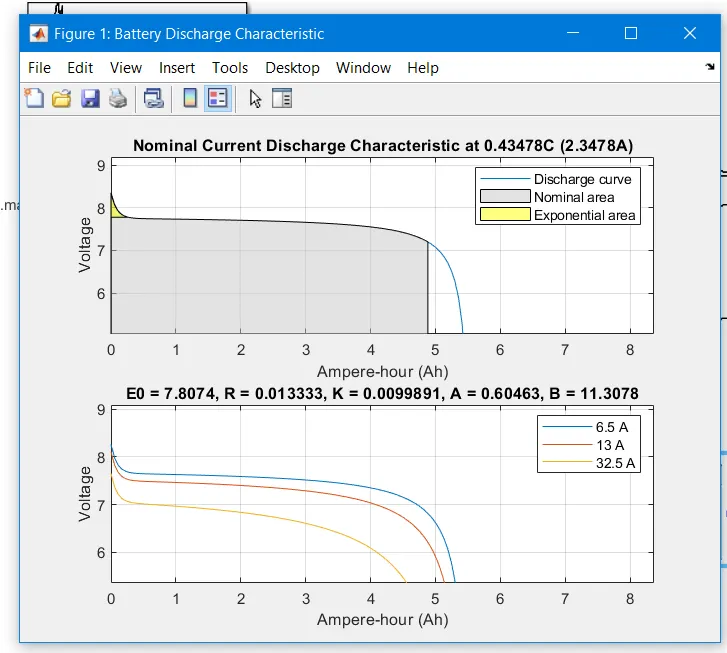
Discharge Characteristic of the 2nd battery
Circuit Diagram:
Battery Output waveform:
Battery1 Output waveform:
Comments:
As we Compare the data from the Datasheet of the Rechargeable Lithium-Ion Battery Model: LIR18650 2600mAh datasheet << Click here for the Datasheet
from the Battery, the output waveform is the same.
Hence, we successfully Simulated a generic battery model charge-discharge using UDDS data.
All files are attached below.