Internal Geneva Mechanism
AIM:
Designing the internal Geneva mechanism at test it at two different speeds and FPS.
EXPLANATION OF ENTIRE STUDY SETUP:
Design:
The main commands we used in the design of the internal Geneva mechanism are offset, circular pattern, trim, fillet and tangent consider.
driver: driven:
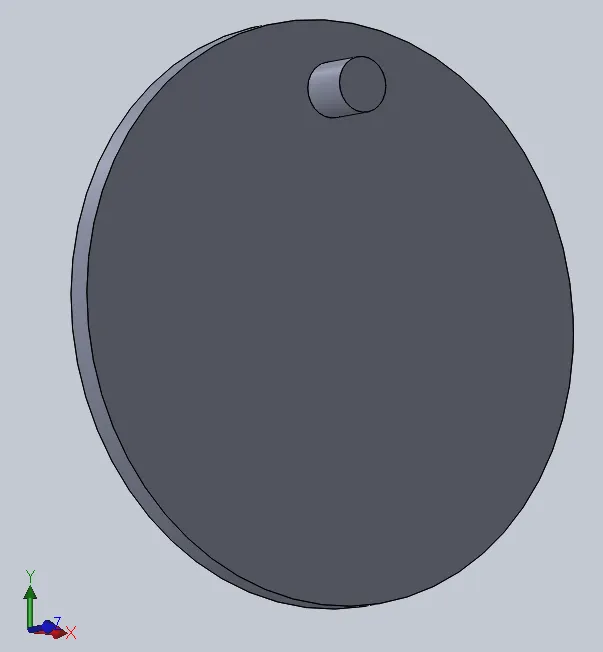
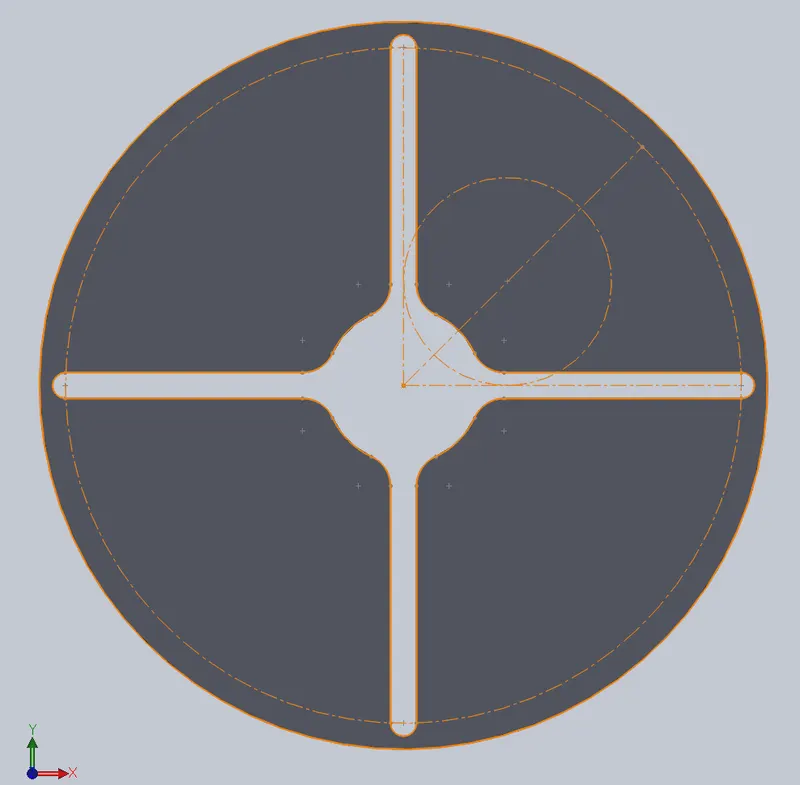
Assemble:
To perform any test first we have to assemble the parts we have designed. Click on ‘browse’ and select the driven and driver components of the internal Geneva mechanism. The first part we have selected will be fixed of a random point in the space so we select the part and right-click on it and select ‘float’ now the part can freely move in the space.
Now in order to restrict the degree of freedom of the body we have fix the parts. Go to assembly and click the mate option and select the planes of driver and assembly to co-inside completely.
We use the distance mate option for driving and the driver assembly of 20 mm on the front plane as we know and go to click on measure and select the two points in the sketch of the driver and measure the distance between them and the distance was 226.27 mm. Now close the sketch window and go assembly and click of ‘show hidden axis’ and now select the axis of driver and axis of driven and set a tangential mate and the center to center distance is 226.27 mm.
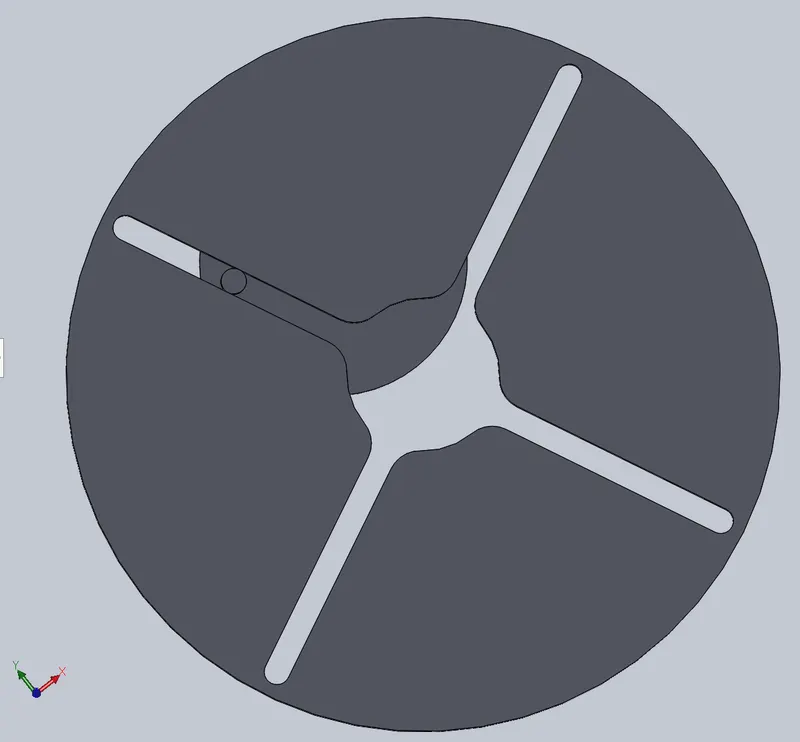
MBD Analysis:
The whole system is tested in this process like forces acting from outside (external forces) and internal forces, motion, displacements like linear and angular, speeds or velocities both linear and angular. And the analysis is done in all the directions. The outputs of this analysis are taken to study further.
Go to the motion study feature and click on motion study and give the input velocity for Geneva with the help of a motor. And the click on solid contact between the two parts driver and driven and now we can run the analysis by clicking on ‘calculate’ command.
Now click on the ‘results’ option to Optane the given results the contact forces and the angular displacement.
RESULTS AND EXPLANATION:
the geneva mechanism is used in CNC machines and other machinery for change in tools while operation in 12,18 toolbox machines. It also used to stop the motion in some cases.
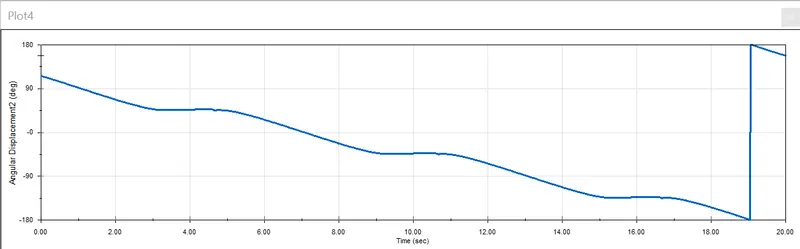
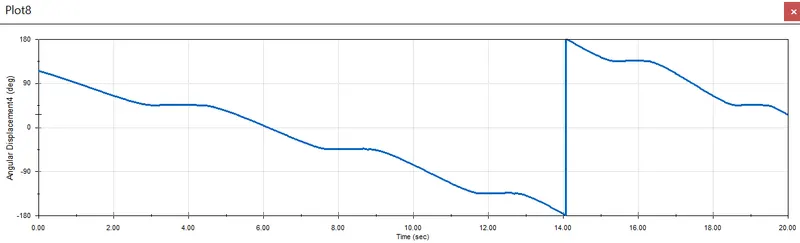
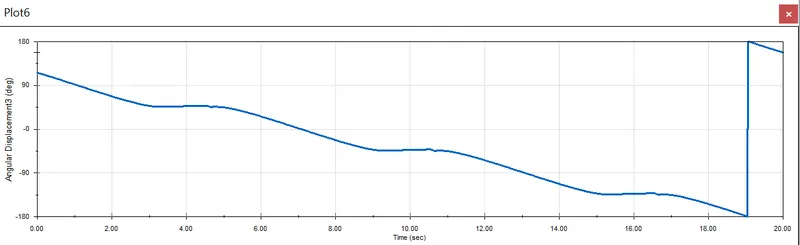
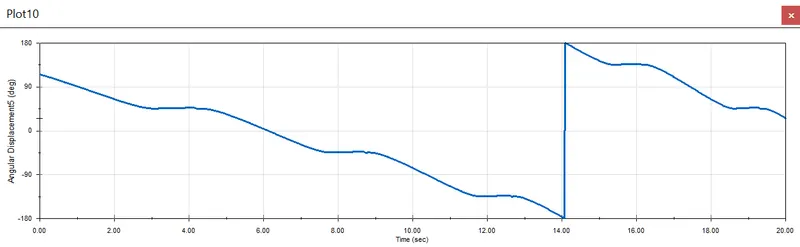
Angular displacement:
At 10 rpm:
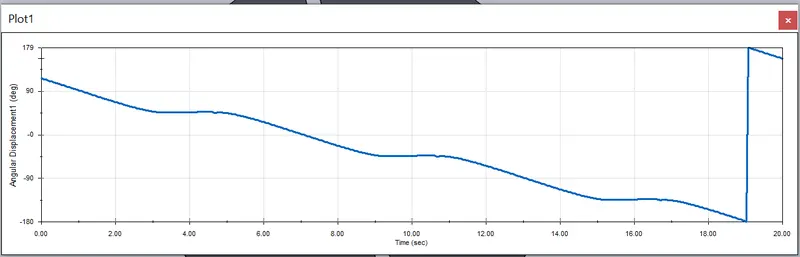
At 10 rpm 60 fps:
At 20 rpm 120 fps:
At 10 rpm 60 fps with use precise contact:
At 20 rpm 120 fps with use precise contact:
Contact forces:
At 10 rpm:
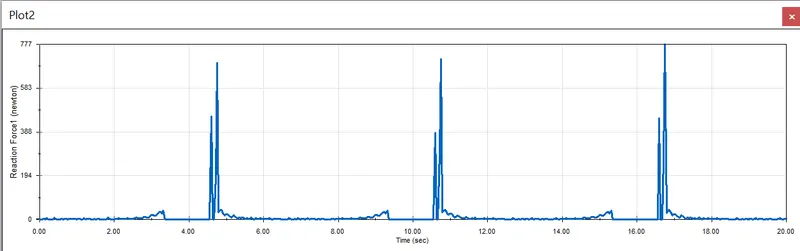
At 10 rpm 60 fps:
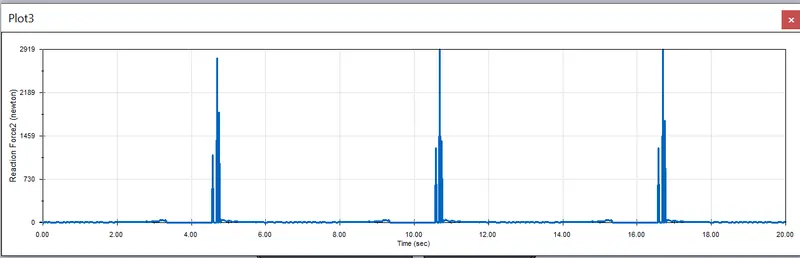
At 20 rpm 120 fps:
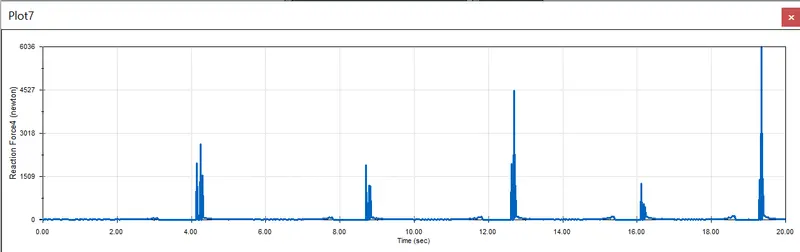
At 10 rpm 60 fps with use precise contact:
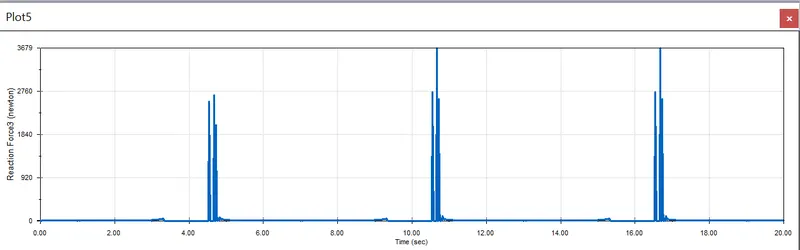
At 20 rpm 120 fps with use precise contact:
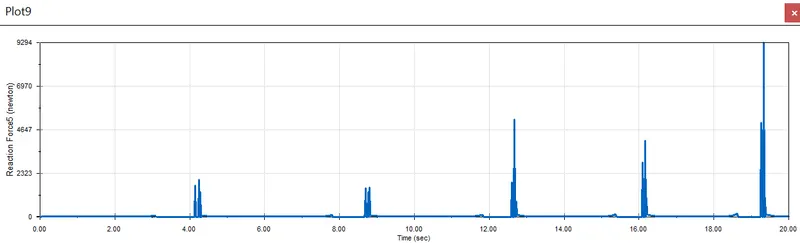
The change in velocity changes the contact forces as force is directly proportional to velocity from F=m*a.
As we know a= acceleration.
And acceleration means the rate of change in velocity with respect to time.
Go to settings in the motion study properties. tick the box of 'use precise contact' and recalculate the results.
calculate contact using the equations that represent the solid bodies, when you select Use Precise Contact, the computed contact is analytically correct, but the computation can take longer than an approximate solution.
we can clearly see the variation in the results from the above plots. The values are high when compare to the normal solid contact.
Animation link: https://drive.google.com/file/d/1pOGtsWkKk3XqTuwA6-iHsk63EjSbkhQ1/view?usp=sharing