Internal Geneva Mechanism
AIM – Motion analysis and design of Geneva mechanism.
INTRODUCTION- The Geneva mechanism is type of mechanism which convert rotary motion into
intermittent rotary motion. In Geneva mechanism their the motion take place periodically with
related to time
Generally, in Geneva mechanism the driver wheel has a pin that have to be reaches in a slot located
in driving wheel
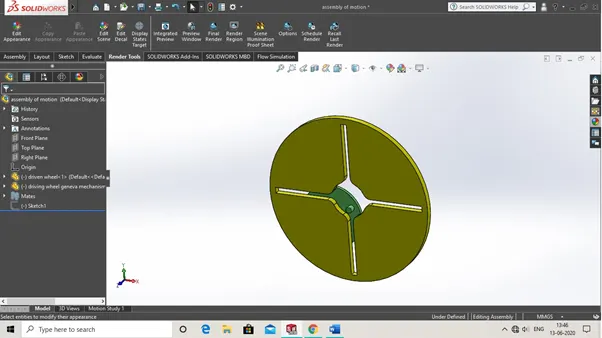
Like in this above Geneva mechanism there is driving wheel with four slots and driven wheel. And driven wheel which is fixed to axis and rotate about it. And when it rotates the pin of driving wheel goes into slots of driving wheel and by this mechanism the rotation of driving wheel is done
THEORY
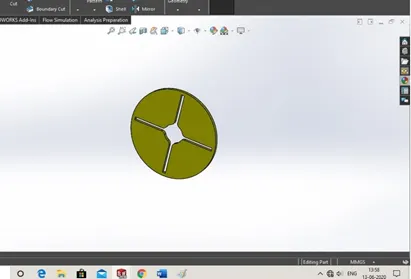
In this project we make a type of Geneva mechanism in which we have a driving wheel and driven wheel. The mechanism of working as usual as Geneva mechanism but the geometry is different like driven wheel have four slots for rotation of driven wheel by the pin of driving wheel goes tangentially to slot to make that rotational movement of driven wheel. And talking to driving as the most part of driving wheel is pin that makes this mechanism workable. The position of driving wheel is adjusted is like so that the pin goes into slot by tangentially and make 45-degree rotation of driven wheel
So now let’s see some steps so how to make this Geneva mechanism components.
So now let’s see some steps so how to make this Geneva mechanism components.
Internal Geneva mechanism making procedure steps
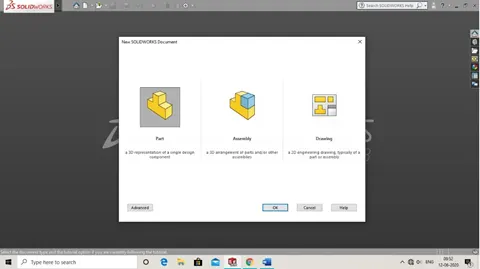
1. Open soildworks then click new and select new part.
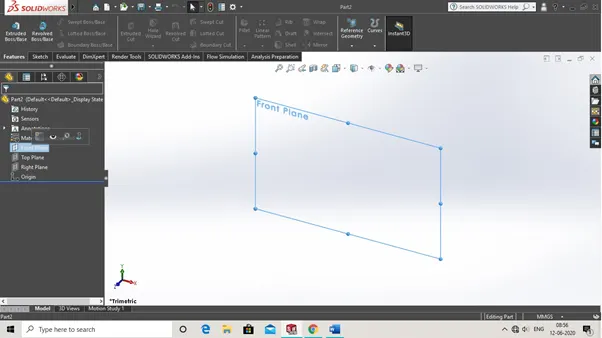
2. First, we make driven wheel so select from tree manager front plane
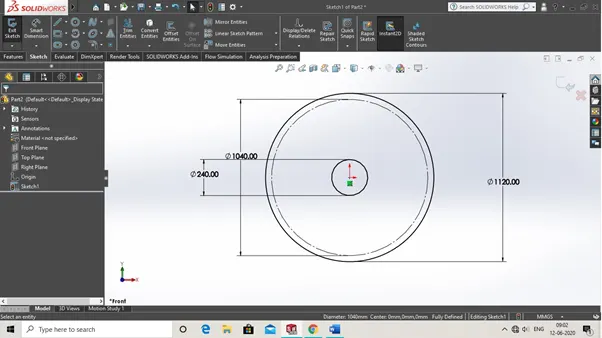
1. Now select circle and draw three circles of respected diameter
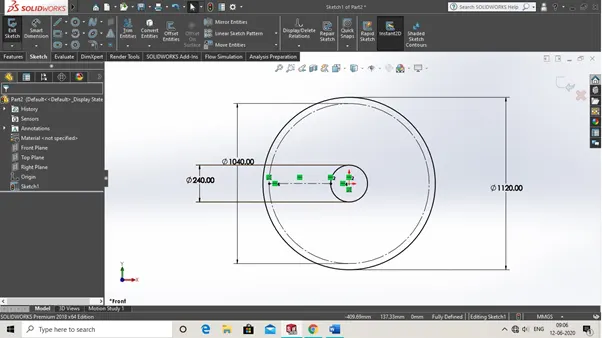
3. Then we make a centerline as show in img. By selecting centreline command.
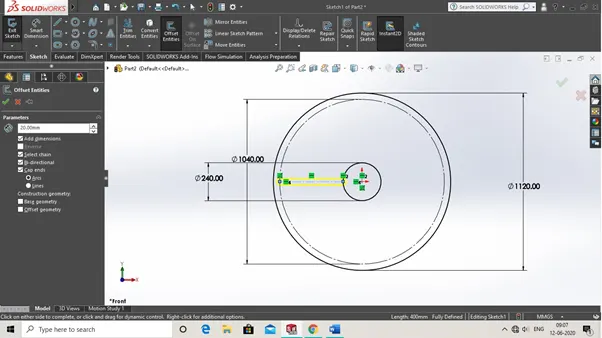
4.Then by select centreline we choose offset entities and then click ok.
Note -select those option only which are check mark in offset entities as shown in img below down.
6. Now go on circular pattern feature as shown in img.
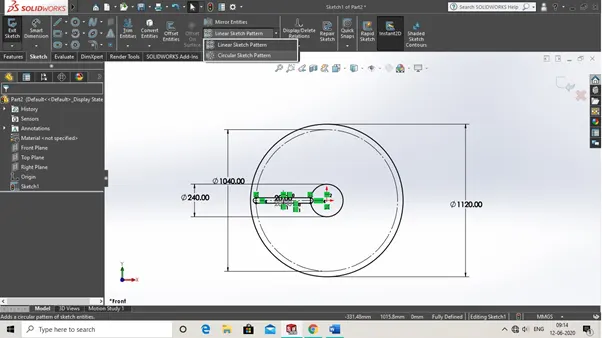
7. Now in circular pattern feature select origin as a midpoint and chose sketch that have to be pattern as shown below in img.
Then click ok.
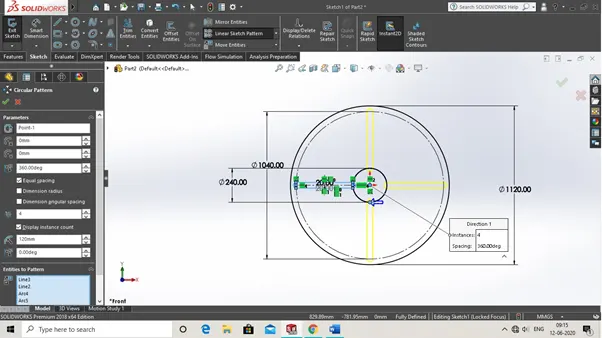
8. Now select trim entities feature as shown
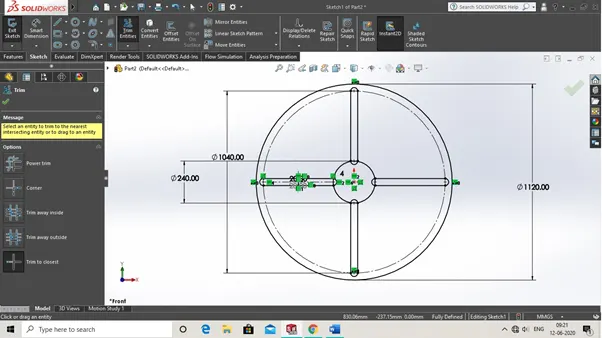
9. Now trim cap ends and other sketch entities of all given sketch. By selecting trim to closest option in trim feature. As shown in img below down.
10. Now after trimimg sketch look like this.
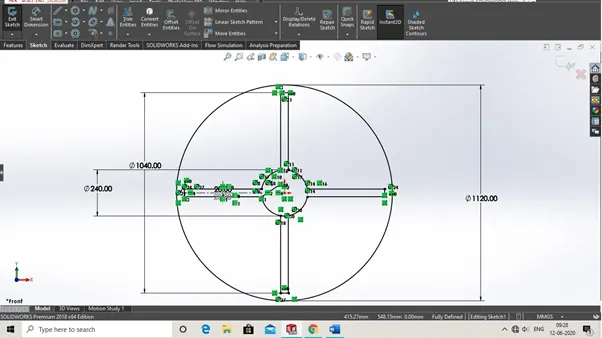
11. Now extrude the given sketch as 40 mm depth and direction as blind. As shown in img below down.
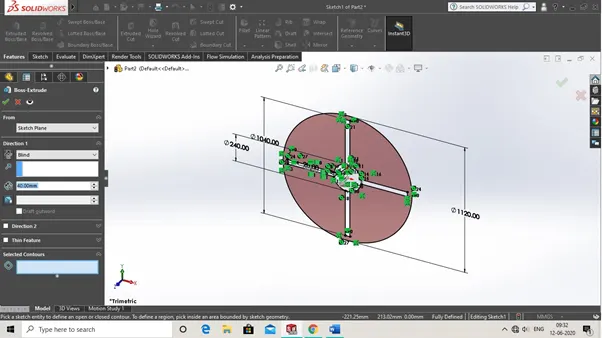
12. Now after extrude it look like this. And then fillet the inner edges of R50. As shown in img.
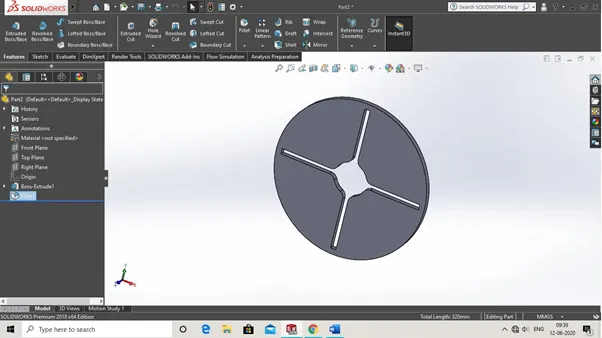
13. Now save this as a part Geneva driven wheel.
Now we have to make Geneva driving wheel so lets started
1. Now we use Geneva driven wheel sketch as a reference to make our Geneva driving wheel as
Shown
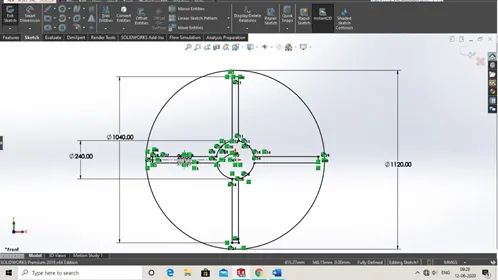
2. Now first we have to select front plane before exist sketch from driven sketch. And then select centreline command. And then draw line.
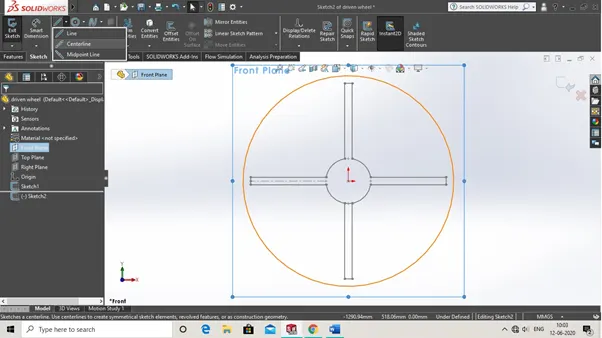
3. And then set dimension for centre line as shown in img.
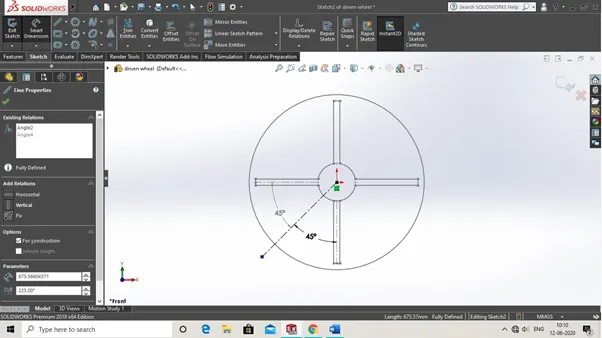
4.Now then select as perimeter circle feature. As shown
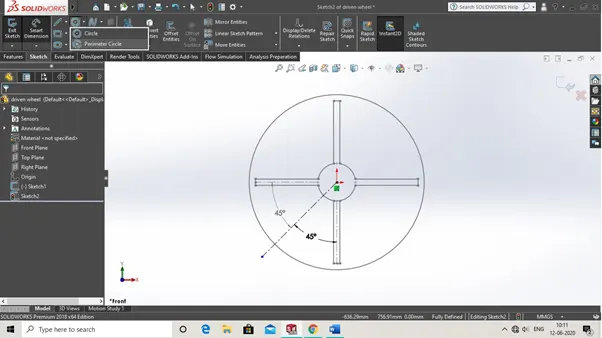
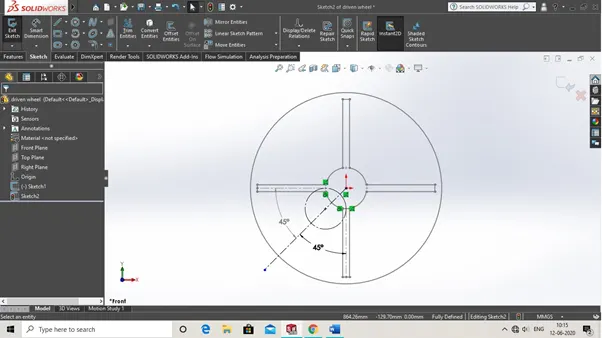
5. Now selecting as slots centre line end point we make perimeter circle as shown below.
Note- Make sure is tangent to both lines of slot centre line.
6. Now select point command as shown in img
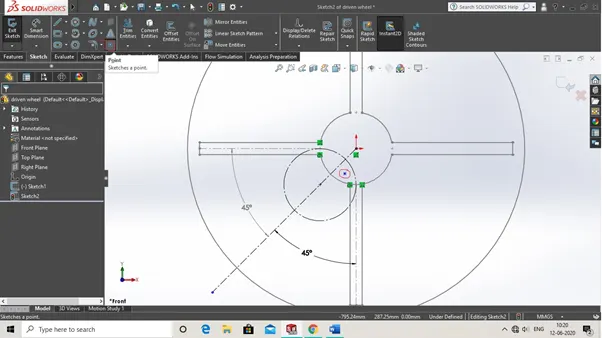
7.Now by click on the point and select intersection option by hold ctrl and select perimeter circle, centre line and origin midpoint at single time.
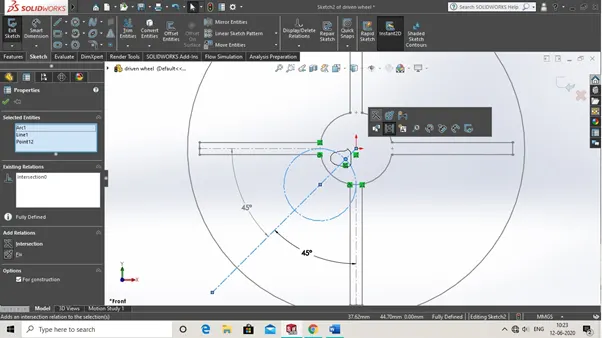
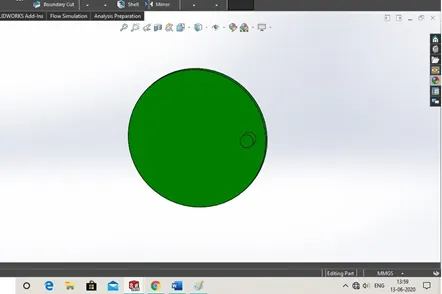
8. Now taking as intersection point as a reference we draw a circle of 40mm dia and then make a circle of 420 mm dia and from point of intersection to centre of driving wheel centre make distance 160 mm as shown in img.
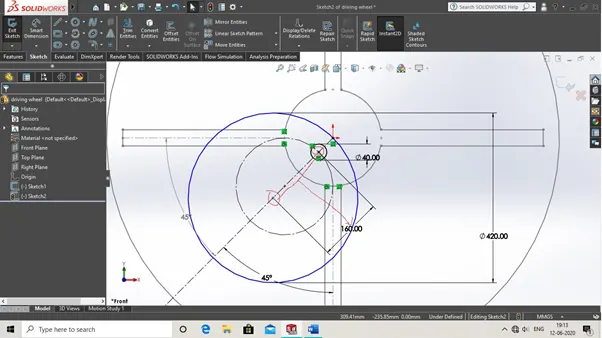
9. Then exist from current sketch and hide the sketch of driving wheel as shown in img.
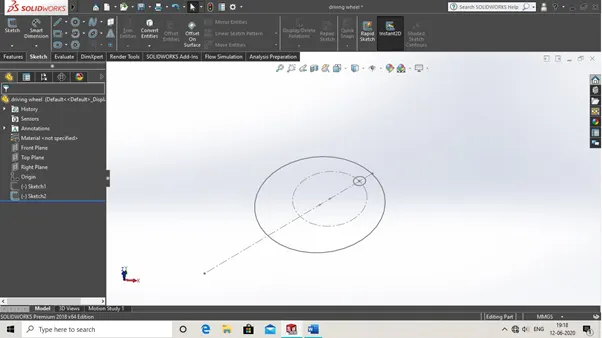
10. Now extrude the given sketch as shown in img. Upto 20 mm
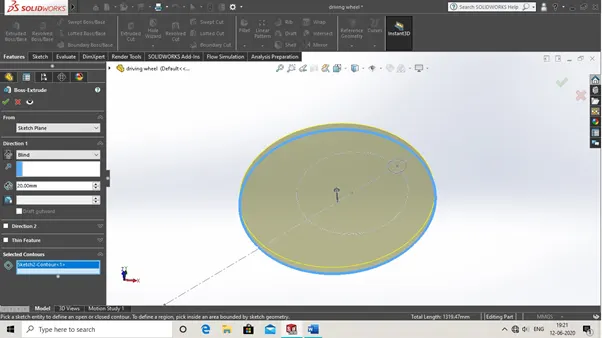
11. Now extrude the circle sketch upon 60mm from the base as shown in img below down.
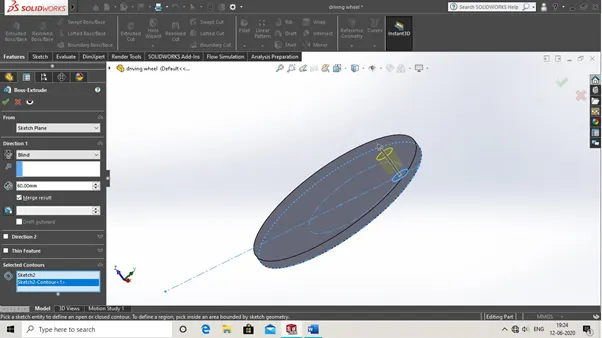
12. Now it looks like this
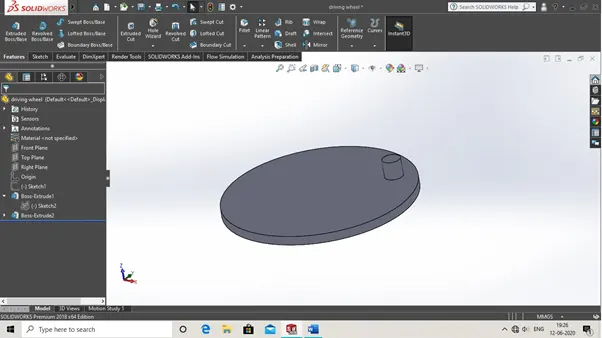
13. Then save as a part Geneva driving mechanism
So now we talk about the assembly of Geneva mechanism there is following steps are their
so let see
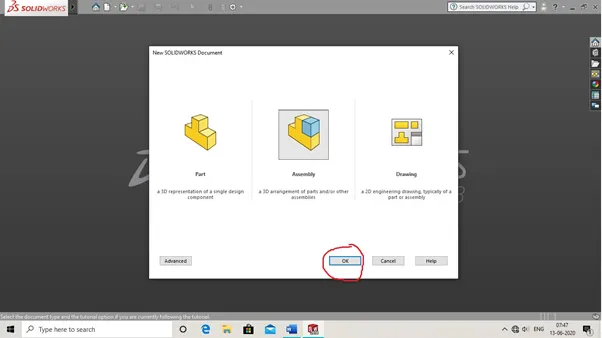
1. Now to first click on new and then select assembly and then click ok.
2. Then insert driving and driven part of Geneva mechanism
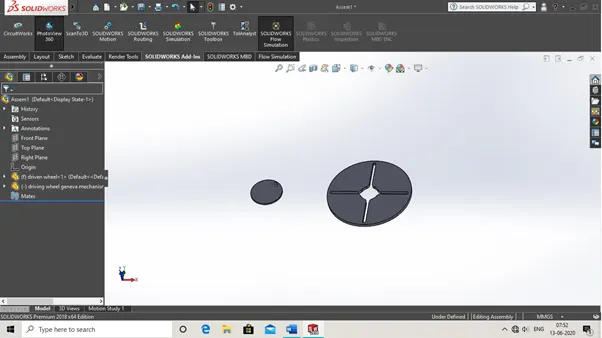
3. Then choose driven wheel and select mate with front plane with uppper sitance 20 mm
4. And same mate with also driving wheel.
5. Then apply constraint to axis of driven wheel with top and right plane while doing mate.
6. Then apply distance mate between both the axis of driven and driving wheel.
7. Then assemble components and final assembly is look like this
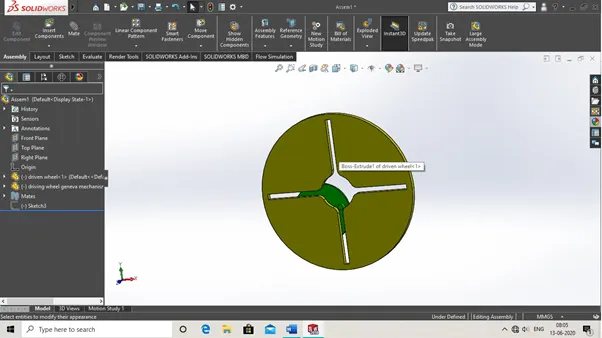
Now we do our motion analysis for Geneva mechanism so there are following steps to do simulation of this type.so let’s see.
1. So first you have to add soildworks motion to perform motion analysis in motion study as seen in img below down.
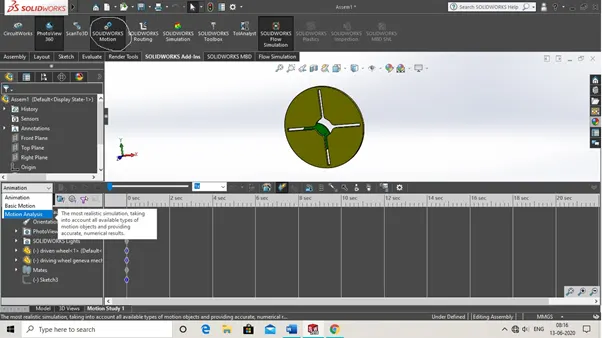
2. Now first to perform motion study click on motion analysis as seen in img
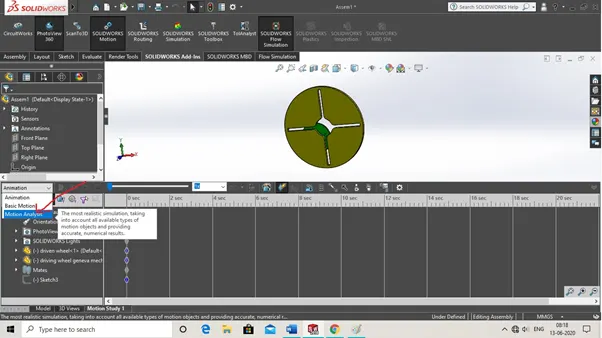
3. Now after click on motion analysis then click on motor option as seen on img.
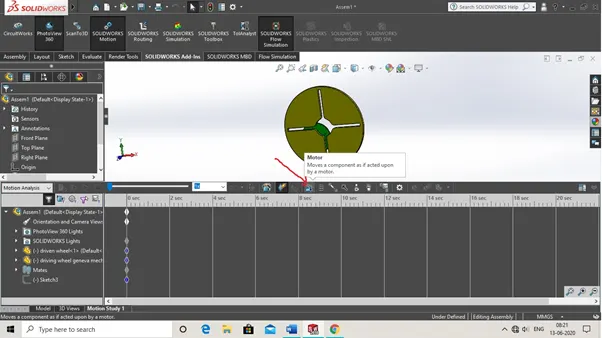
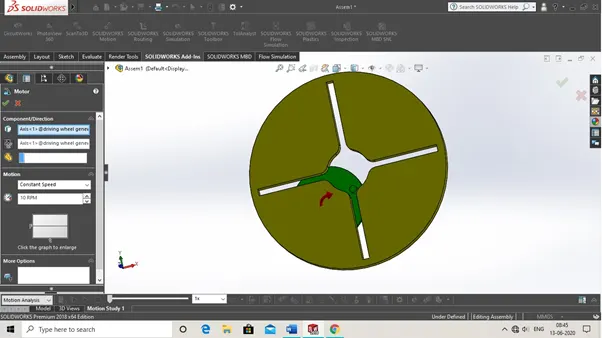
4. Then select driver wheel axis and direction to be clockwise and motor rpm set as 10 rpm as shown in img below down.
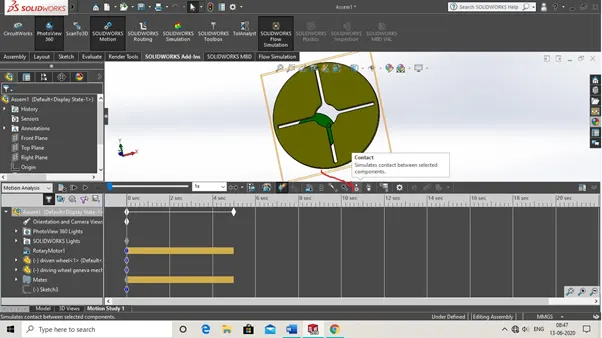
5. Then select contact force command so the contact between two wheels must be solid as shown img.
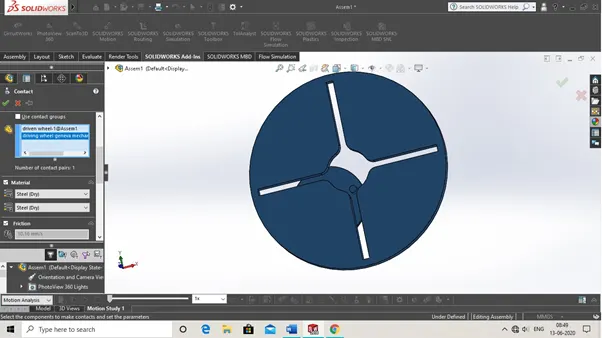
6. Now select two wheels and material select for both as steel dry. As shown in img
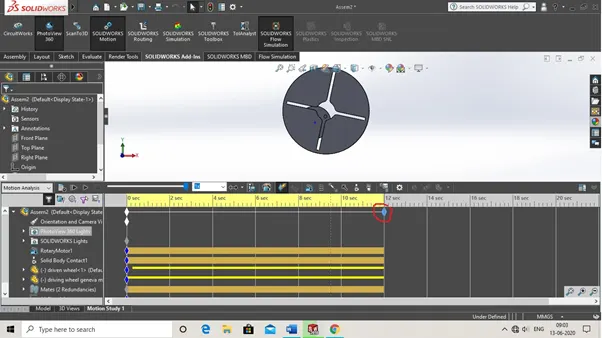
7. Now extend the motion analysis time by drag the pointer upto 12 sec as shown in img.
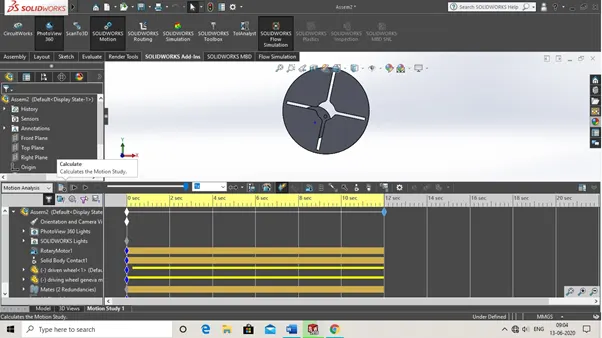
8. Now calculate the motion analysis by clicking on option as seen on img. Then play the simulation and understand how is actually works.
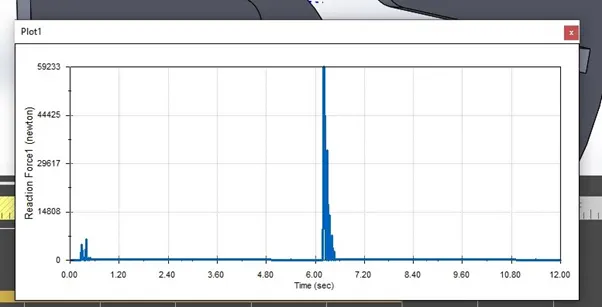
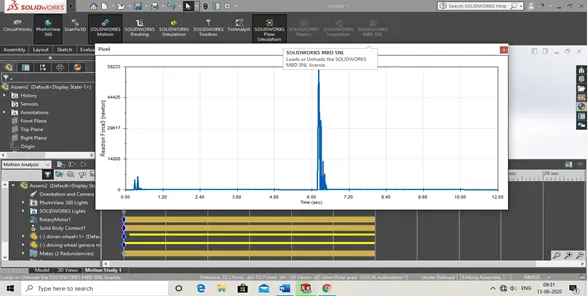
1. Plot 1 for contact force between driven and driver wheel as shown below for 25 frame per second rpm of motor 10 rpm
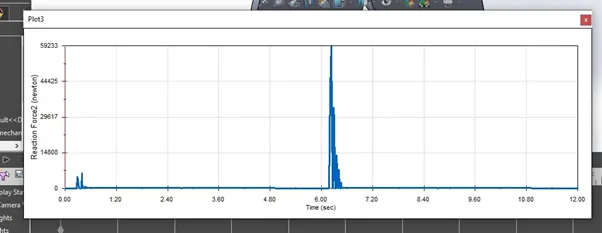
2. Plot 2 for contact force for 60 frame per second and 10 rpm
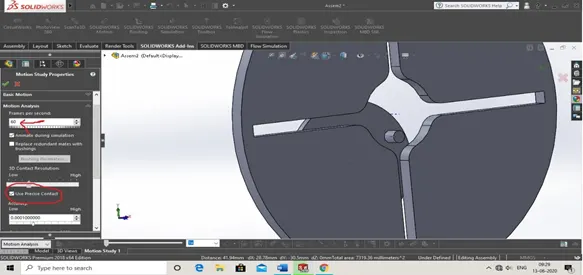
3. Plot for contact force for 60 frame per second and 10 rpm with precise point.
We do same procedure for 120 frame and 20 rpm as above we do for 25 frame and 60 frames with 10 rpm.
RESULTS
1. As Plot 1 for contact force between driven and driver wheel for 25 frame per second rpm of motor 10 rpm
Show maximum force upto- 59233 N at time between 6 to 7.20 their maximum force is their when the motor rpm is at 10 rpm.
And for other plots same as well
To watch motion analysis of geneva mechanism of this project click this link below