Hood design-Week 2
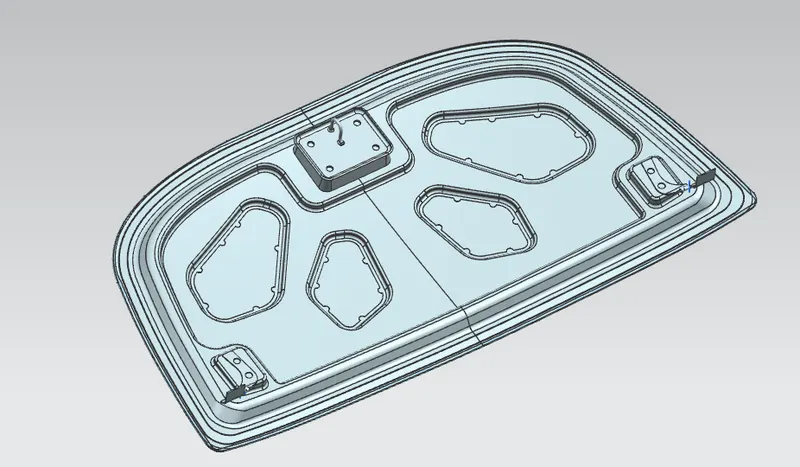
first i add outer panel in assembly than create inner panel and used wave geometri linker with outer panel surface than offset surfece 1.7 mm , 4 mm and 25 mm and used command offset curve in facce and trim the surface as per the required dimension than sued through curve for offset suface join than used face bend command for face bend as per required redius than create sketch for emboss 10 mm and same again create sketch v shape for and emboss surface 8.5 mm than sketch for trim the emboss surface.
for the hing assembly create emboss by using datum plan at angle perllel surface.than ambly actived assembly and add hing assembly and move on emboss face than perllel and touch constaint used for hing assembly.actived hing assembly for create point at hing center point.
than actived inner panel for hing axis create line by using point than actived assembly and add striker and create datum at on curve of striker and create sketch line than align constaint used to align striker than perllel and touch containt used for striker assembly.
for striker emboss actived inner panel use wave geometri linker by using striker face than law extention command use than trim and extend command use for create emboss.
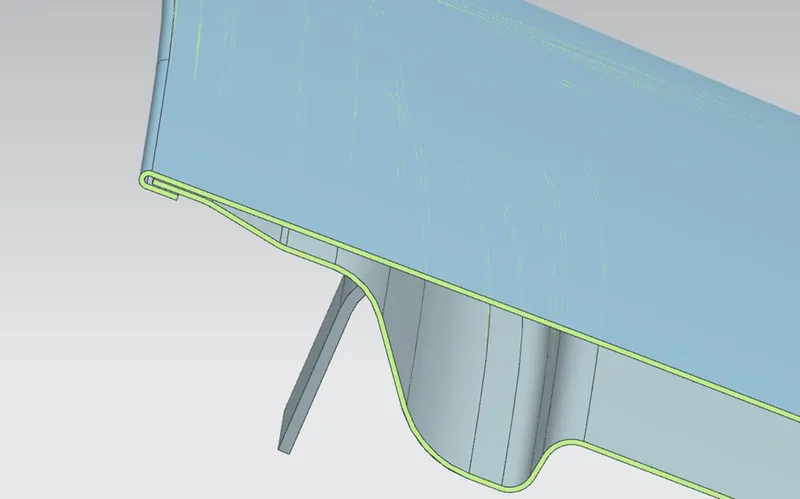
acticed outer panel and trim the surface and offset surface 2.6 mm and trim offset surface than use face bend command by using tree face and create hamming than thiken the outer panel 0.75 mm than actived inner panel and thiken the surface 0.75mm its complete the hood assembly.