Gearbox Sloshing Effect - Multiphase CFD using Ansys Fluent
OBJECTIVE
Part - 1
Provide a brief explanation to follow topics
- Explain what is Dynamic Meshing? State a few examples where it is used.
- Explain what is Fluid Sloshing effect? Is it good or bad?
- What is UDF? Explain its significance.
- Explain common errors that occur during a CFD simulation. a) Dynamic mesh failure b) Negative cell volume detected
Part - 2
Perform Gearbox Sloshing simulation using ANSYS Fluent for the below mentioned fluid cases and compare the results
- CASE I - 20% Immersion, Fluid - Engine oil.
- CASE II - 30% Immersion, Fluid- Engine oil.
- CASE III - 20% Immersion,Fluid-n-heptane (c7h16).
- CASE IV - 30% Immersion,Fluid-n-heptane (c7h16).
Note: Since we are using UDF for this activity, we need a compiler to execute its command and thus open Ansys using a virtual basic command prompt
THEORY
Part -1
Q1: Dynamic Meshing
Conventionally the mesh is assigned to a stationary geometry and then different boundary conditions are assigned to simulate a case. This is our normal meshing approach. But in CFD there are cases when we study the effect of moving geometries. Here the boundary of geometry is not fixed and can move with time. This is dealt with the use of dynamic mesh.
The dynamic mesh model allows you to move the boundaries of a cell zone relative to other boundaries of the zone, and to adjust the mesh accordingly. The boundaries can move rigidly with respect to each other (that is, linear or rotational motion), and/or deform. Few examples where dynamic meshing is useful are
- Inflation of balloon
- moving of piston inside the cylinder
- movement of aircraft flaps
- expansion and contraction of a blood vessel in response to the heart activity
- movement of gears
Q2: Fluid Sloshing Effect
Slosh in Fluid Dynamics simply means the movement of fluid inside a vessel. For this effect to take place, the fluid must have a free surface. A few examples of fluid sloshing are
- propellant slosh inside a rocket/spacecraft
- free surface slosh in ships and truck during liquid transportation
- water sloshing in a swimming pool
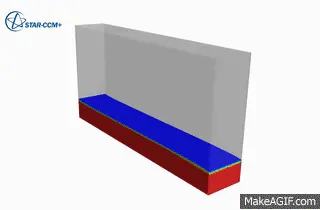
Based on the occurrence and application, the effect can be both advantageous and hazardous. For eg: if observed in liquid storage transportation in ships or trucks, it can be very dangerous but the same effect can be useful when used in lubricating components like a gearbox.
Q3: UDF
A user-defined function, or UDF, is a function that you program that can be dynamically loaded with the ANSYS FLUENT solver to enhance the standard features of the code. A UDF is basically a C program or a C function that can be dynamically loaded with ANSYS FLUENT to enhance its standard features. For example, you can use a UDF to define
- your own boundary conditions
- material properties
- source terms for your flow regime
- surface and volume reaction rates.
- customized model parameters (e.g., DPM, multiphase models)
- initialize a solution
- enhance of existing Fluent models and postprocessing
Q4: Errors in Fluent
a)Dynamic mesh failure b)Negative cell volume detected
The dynamic mesh is assigned to mutually moving boundaries during the simulation. In order to capture this effect, dynamic meshing is enabled along with UDF to define the zones.
The negative cell volume error is shown when the mesh has been updated in a way to cause a negative cell volume (non-physical). Negative cell volume detected will occur when meshed cell moved too far in one timestep so the cell gets collapsed and negative volume cell detected will occurs to avoid this.
Possible factors for causing this error include (1) overlapping nodes; and (2) significant mesh motion (relative to cell size) per step.
A possible solution to this error is
- Refine the mesh
- Decrease the time step size.
- Provide smoothing parameters to dynamic mesh
- Use triangular mesh in a dynamic zone
- Use first-order upwind if required (this may reduce accuracy)
PROCEDURE
Part 2 Gearbox Sloshing Simulation
Following steps are followed to perform the simulation for gearbox sloshing
Step 1 - Geometry
- Import the geometry to SpaceClaim
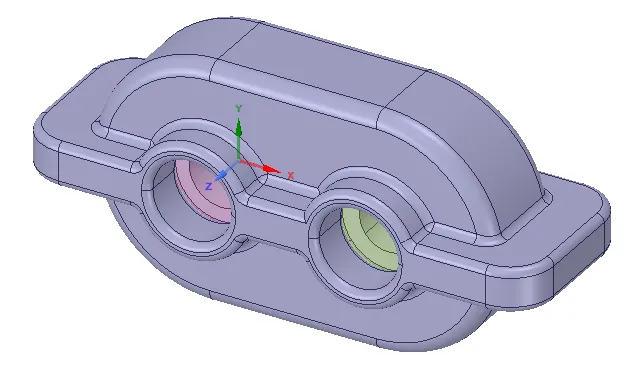
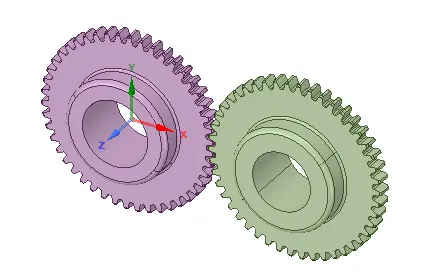
- Extract volume
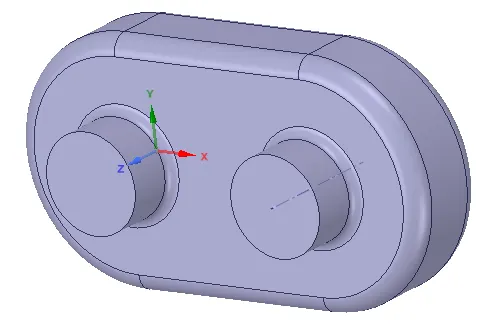
- Split body
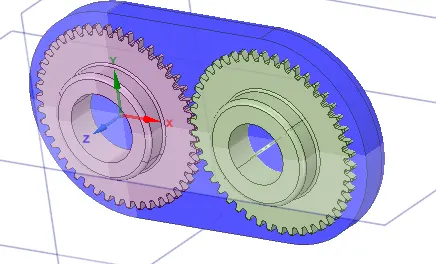
- Extract the 2D model
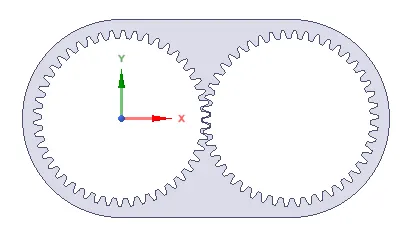
- Note down the coordinates for 20% and 30% immersion (to be used in setting up the simulation)
Step 2 - Meshing
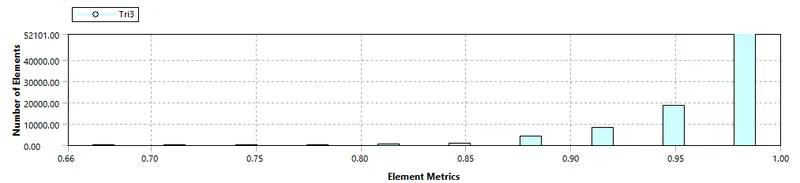
- Generate fine mesh using trias. element size = 0.0005 m
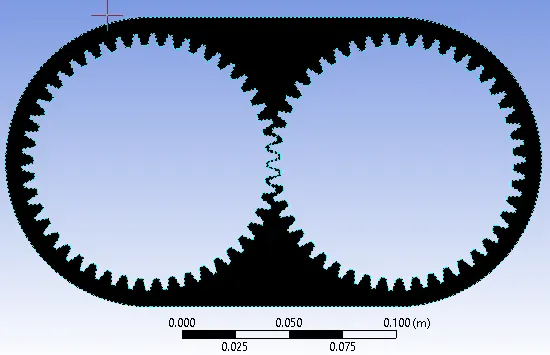
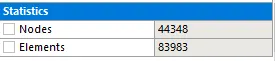
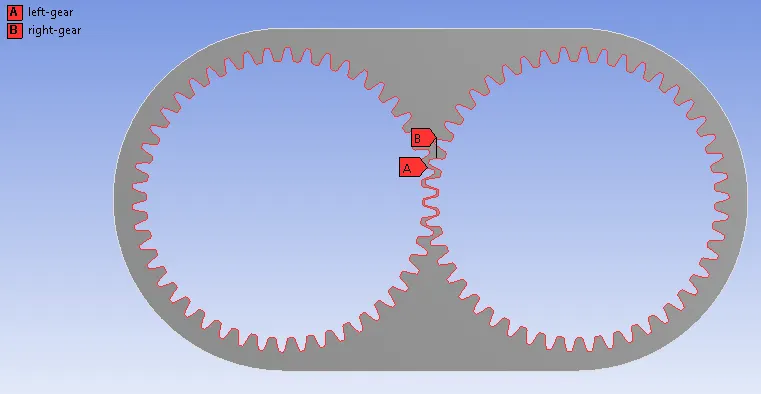
- Named Selection => select all the teeth of respective gears carefully and assign them names. Eg: left gear and right gear.
- Update the mesh
Step 3 - Setup
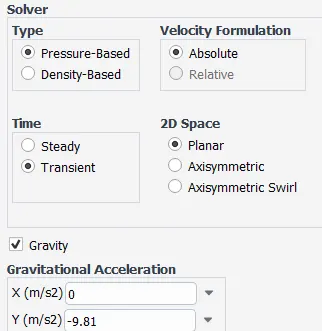
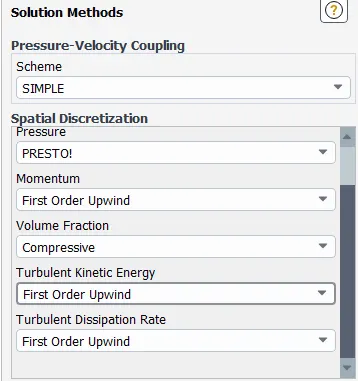
- Solver type => Pressure based, Transient
- gravity => Y = -9.81 m/s2
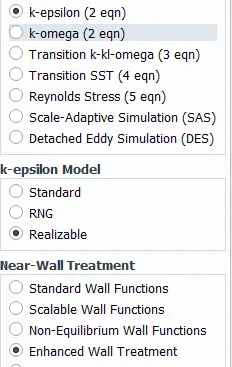
- Model => Viscous model -> K-Epsilon model -> Realizable, Enhanced wall Function
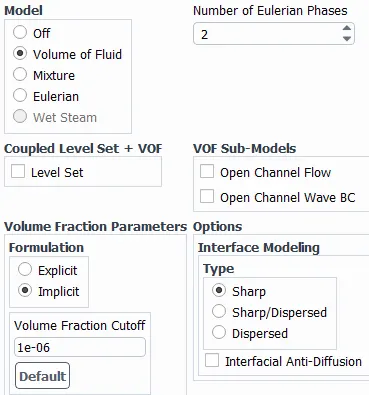
- Model => Multiphase -> Volume of Fluid -> 2 phase, Implicit
- Material => air + engine oil (for case 1 & 2), air and n-heptane (for Case 3 & 4)
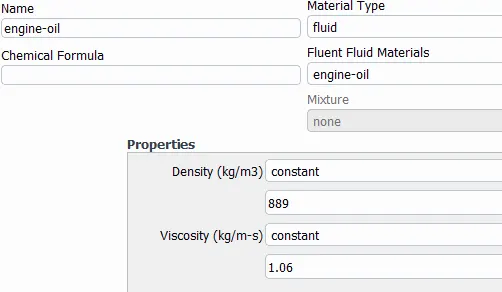
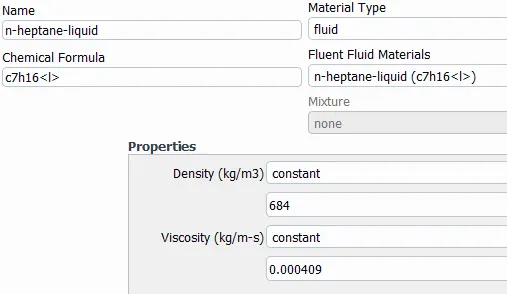
- Phase => primary phase = air -> secondary phase => engine oil or n-heptane
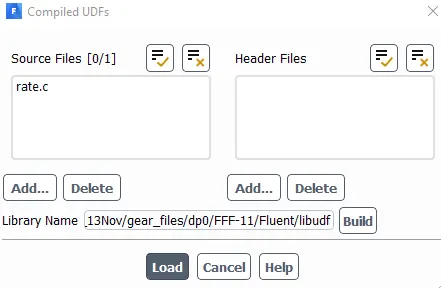
- UDF => call the file -> build -> load
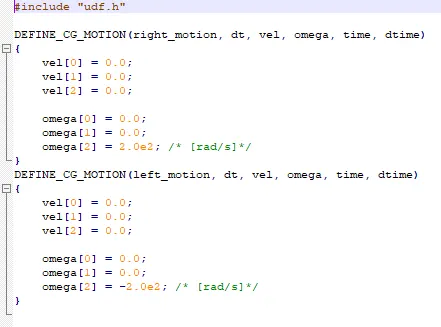
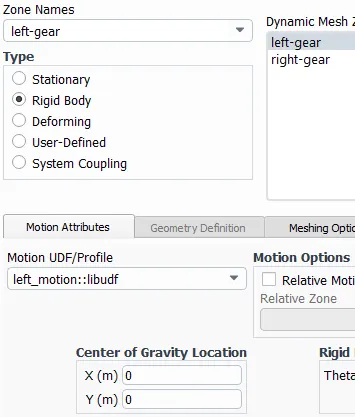
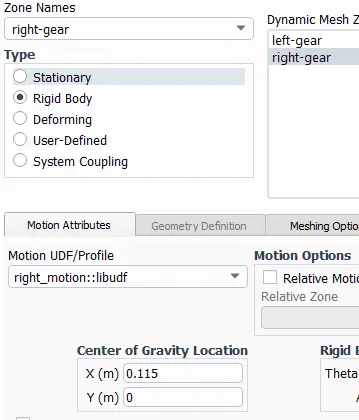
- Dynamic Meshing => Create -> assign motion to respective object
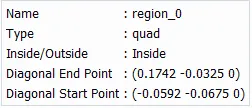
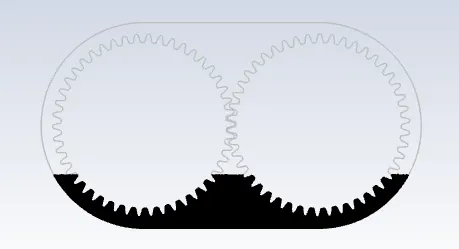
- Adapt/Mark => create cell register -> region -> enter coordinates, inside. This creates an immersion region
20% immersion 30% immersion Region
Property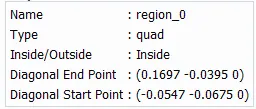
Region
Display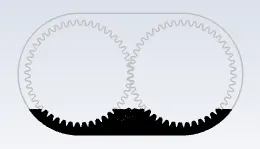
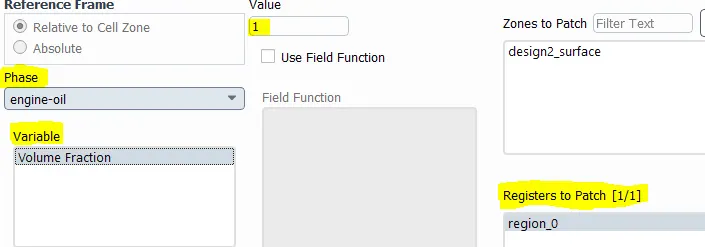
- Initialization => Hybrid initialization -> Patch -> select the phase, select region, Volume fraction = 1
- Method
- Post Processing => contours -> phase
20% immersion 30% immersion 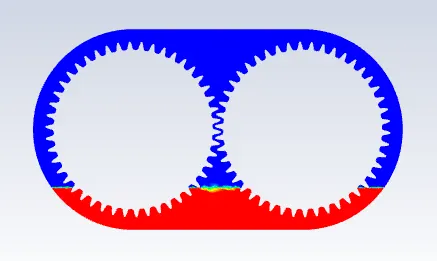
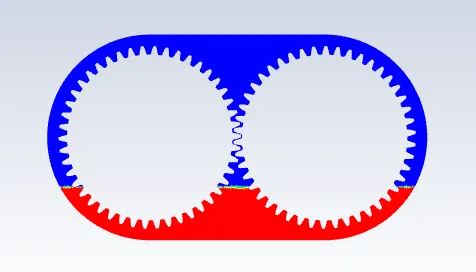
- Animation -> create -> select the contour -> enter no of reporting timesteps
- Run Calculation => size of the timestep = 0.00015, no of timesteps = 500
Step 4 - Calculation
- In UDF the gears are assigned the rotational velocity of 200 rad/s i.e. N = 1909 rpm. Usually in industries, for this kind of problem, at least 5 to 6 rotations are checked but since we will execute 2 rotations for our study.
- Omega = 200 rad/s
- N = 1909 rpm
- 1 rotation = 0.0314 sec
- 2 rotations = 0.0628 sec
- for our study, simulation time = 0.07 sec. We will get little over 2 rotations. Based on this the no of timesteps are calculated.
RESULTS
CASE I - 20% Immersion, Fluid - Engine oil.
Residual
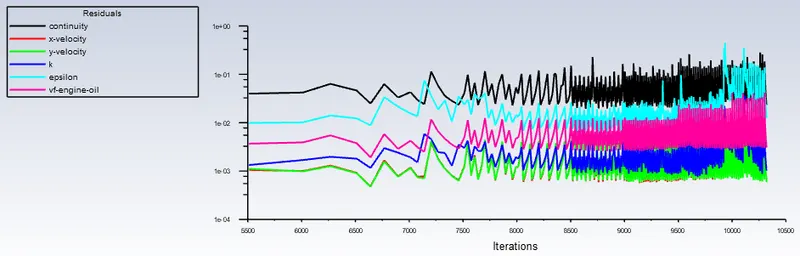
Animation
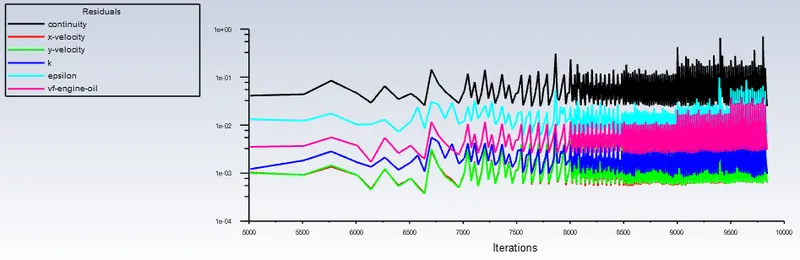
CASE II - 30% Immersion, Fluid- Engine oil.
Residual
Animation
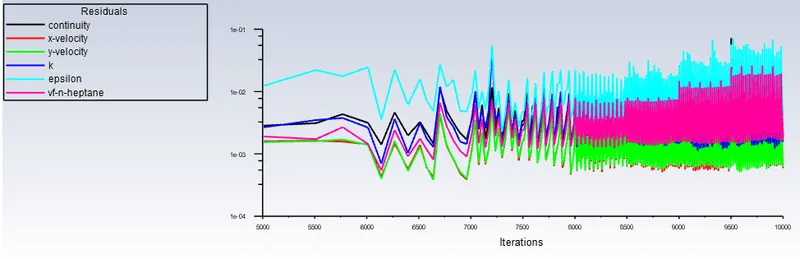
CASE III - 20% Immersion,Fluid-n-heptane (c7h16).
Residual
Animation
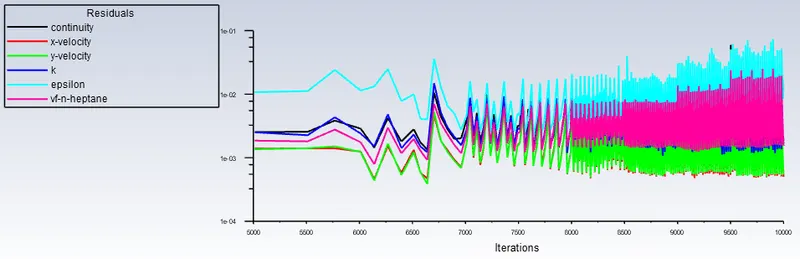
CASE IV - 30% Immersion,Fluid-n-heptane (c7h16).
Residual
Animation
CONCLUSION
Here we have taken into consideration 2 different fluid i.e. engine oil and n-heptane for understanding the gearbox sloshing effect. This simulation is helpful in understanding the lubrication effect in gearbox. Based on the animation video following point can be concluded
- At t=0, the tank with 30% immersion has more lubricant than that with 20% immersion. So when rotation starts, there is enough lubricatant present in 30% immersion case to cover all the teeth in one rotation itself whereas for 20% immersion it takes more than 1 rotation to cover all the teeth with lubricant. Thus 30% case is more effective and quicker.
- Now engine oil (viscosity = 1.06 kg/m-s) has higher viscosity than n-heptane (viscosity = 0.000409 kg/m-s)and thus it sticks with the surface longer. Thus teeth are covered longer with engine oil as compared to n-heptane and thus its consumption for lubrication is relatively less. Also due to longer cover over the teeth, the wear can be considerably less.
- At higher temperature, this effect is significant as in liquid, viscosity decreases with increase in temperature. Due to this, engine oil becomes a favourable option in higher temperature appliation.
- Also with less viscosity, the sloshing effect may increase and thus harm the components, so engine oil is a better choice when compared to n-heptane.