FINAL INDEPENDENT PROJECT
Project Title :- Cricket Ball Trajectory Mapping
Objective :- A trajectory is a path taken up by a moving object that is following through space as a function of time. Mathematically, a trajectory is described as a position of an object over a particular time.
From data inputed by user, it counts Ball trajectory of cricket ball after hitting. Also, find Maximum height at which ball reach, Time of flight, Ball travelling vertical Height with respect to time and It is Six hit by Batsman or not.
Motivation :- In cricket, they show imagin Ball trajectory which is based on this fundamental. So, I wanted to calculate travelling path.
Physics and Calculation :-
1. First all get three input like Ball hit velocity, Angle of hit and Gound Boundary distance.
2. After this count flight time.
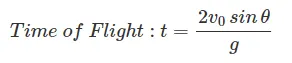
3. Find and gather data time at which ball hit or reach to ground.
4. Find vertical distance with respect to time.
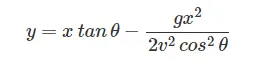
5.Find Maximum Height which Ball achieved during travelling and Horizontal Distance travel by Ball.
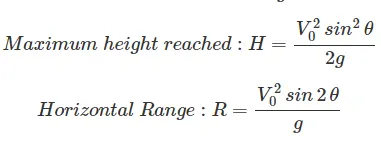
So, this is how this problem is calculated.
Codes used :-
1. input :- This is used to get values from user.
2. str2num :- This is used to convert string into number.
3. linspace :- Used to create equally difference having array for defined values.
4. for loop :- To execute desire portion to repeate for defined times.
5. if loop :- To apply or execution of program if condition is fulfilled.
6. plot :- To plot graph
7. xlabel and ylabel :- To give label to axis.
8. Title :- To give title to graph.
9. pause :- It determines interval between succesive execution.
10. getframe :- To record all plot and store at one place.
11. Movie :- To create animation.
12. Videowriter :- To damp all frames it create file with desire name and type.
13. open :- To open defined file.
14. writeVideo :- To write values in opened file.
15. close :- To close opened close.
16. fprintf :- To print message.
17. if _ else loop :- It is condition loop with two different conditions and outputs.
Program :-
- First of all clear workspace and close all figure.
clear all close all clc - Get variable from user.
% Varirable reading from User V0 = input('Enter ball Velocity at Hitting = ','s'); theta = input('Enter angle of Hiting = ','s'); boundary_Dis = input('Enter Boundary Distance = ','s'); - Now , input value is in string type so need to conver string to number.
% Convert Variable into number v0 = str2num(V0); Theta = str2num(theta); Boundary_Dis = str2num(boundary_Dis); - Define some constant variable.
% Variables defining g = 9.81; ct = 1; m = 0; - Now, find total time of flight t.Also, convert it into array to compute distance at different perticular time
% Find distance with respect to time t = (2*v0*sind(Theta))/g; % Total flight time T = linspace(0,t,100); - Find vertical distance at specified time and tore it as array Y. x is distance travel by Ball. Then, rectify distance matrix to ball is starting flight to get back to ground using for loop. Also, rectify time array.
for i = 1:length(T) x = v0*T(i); Y(i) = (x*tand(Theta))- ((0.5*g*(T(i)^2))/(cosd(Theta)^2)); if Y(i) >= 0 % Rectify Distance and remove negative distance Dis(i) = Y(i); Time(i) = T(i); end end - Now, defining different succesive plots for various distance and time. And give x,y label and title. Then define axis start and end points. Give time interval using pause command between two execution of loop. Mark point to show Ball using marker.
- Store every frame in variable using getframe function.
for j = 1:length(Dis) tt = Time(j); dd = Dis(j); plot (tt,dd,'.','Markersize',30,'Color','r') xlabel('Time (s)'); ylabel('Vertical Height (m)'); title('Cricket Ball Trejectory according to Time'); axis([0 6 0 60]); j = j+1; pause(0.01); M(ct) = getframe(gcf); ct = ct+1; end - After daming frame in variable, start to make movie of it using movie command. First create file using filewriter , open file then write all frames into it using writeVideo command. Then close file. Video is ready.
movie(M) videofile = VideoWriter("Cricket Ball Trajectory.avi","Uncompressed AVI"); open(videofile); writeVideo(videofile,M); close(videofile); - Now get maximum height achieved by ball using max command and find horizontal distance covered by ball R.
Max_Height = max(Y); R = (v0^2*sind(2*Theta))/g; - Now pront output.
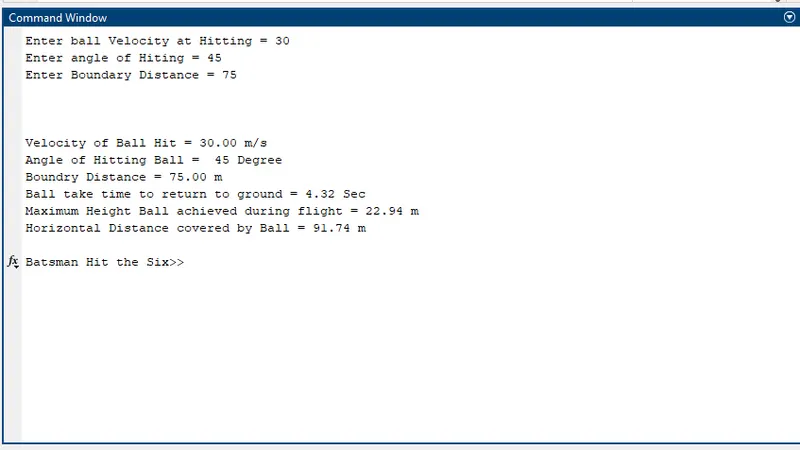
% Print Output fprintf('\n\n\nVelocity of Ball Hit = %3.2f %s',v0,'m/s') fprintf('\nAngle of Hitting Ball = %3.0f %s',Theta,'Degree') fprintf('\nBoundry Distance = %3.2f %s',Boundary_Dis,'m') fprintf('\nBall take time to return to ground = %3.2f %s',t,'Sec') fprintf('\nMaximum Height Ball achieved during flight = %3.2f %s',Max_Height,'m') fprintf('\nHorizontal Distance covered by Ball = %3.2f %s\n\n',R,'m') - To find if betsman hit six or not compare horizontal distance covered by ball with ground boundary distance. And give decision.
if R >= Boundary_Dis; 2 fprintf('Six Hit by Batsman') else fprintf('It is not Six\n\n') end
Output Screen :-
Output Plots :-
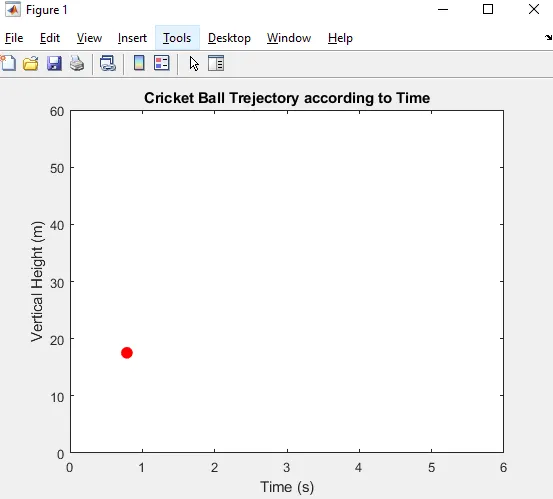
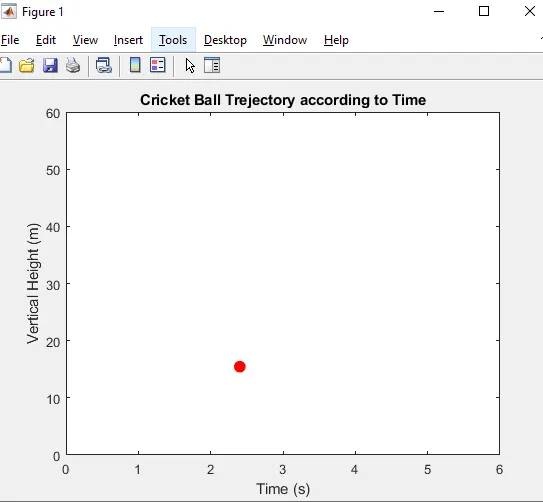
Output Video Link :-
https://youtu.be/5tJtZdSf3pQ