Menu

IIT Certification Programs

Workshops

Projects

Blogs

Careers

Student Reviews


More

Academic Training

Informative Articles

Find Jobs

We are Hiring!


All Courses

Choose a category

Loading...

All Courses

All Courses

logo

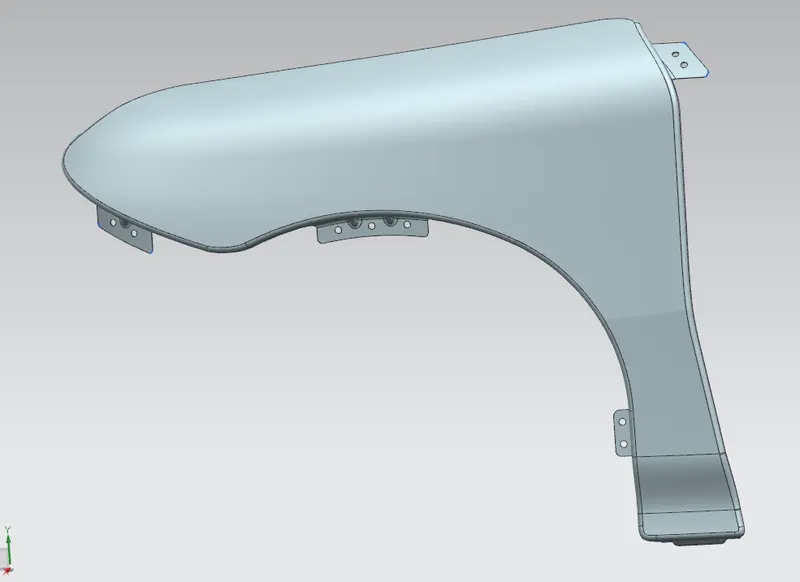
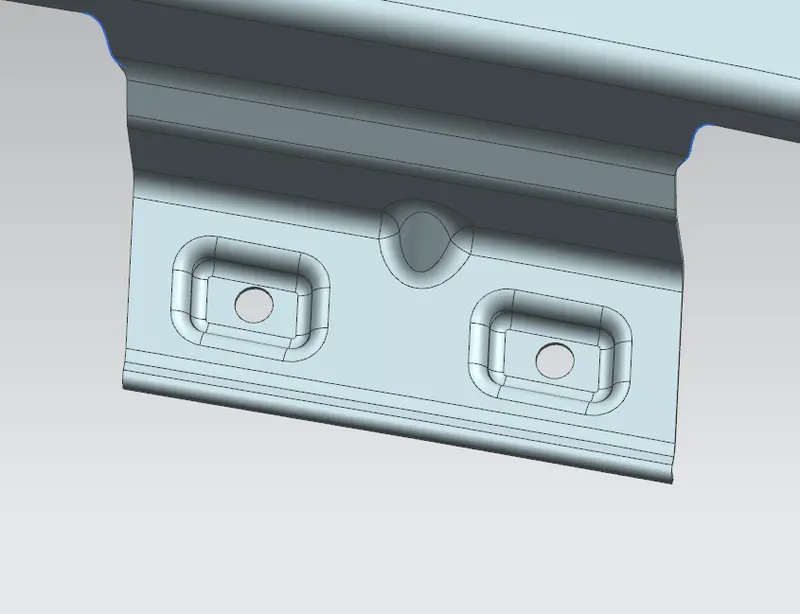
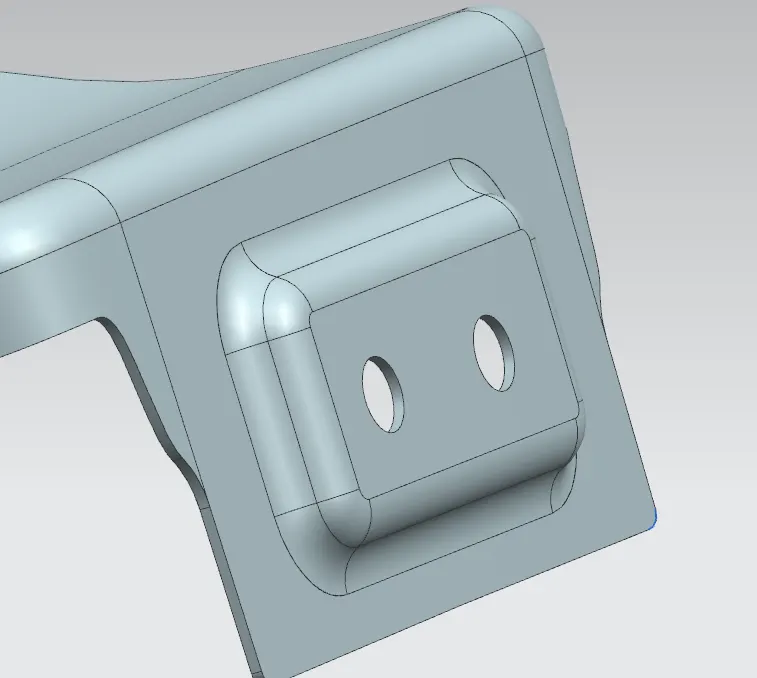
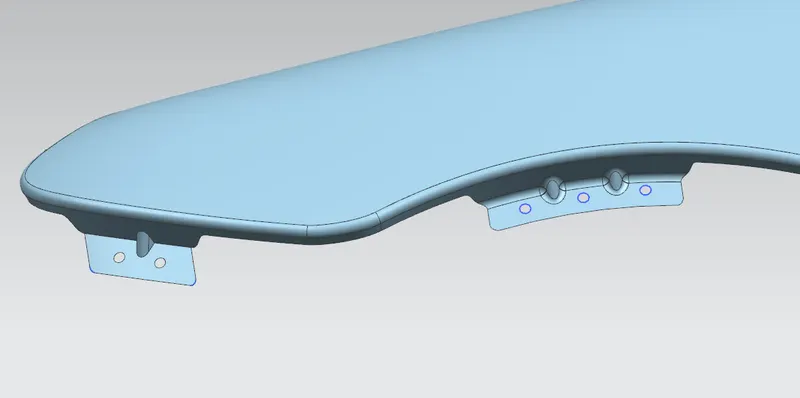
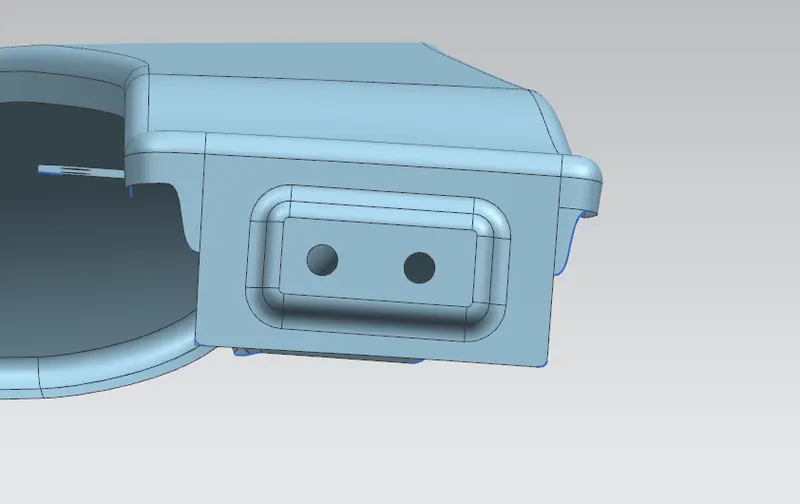
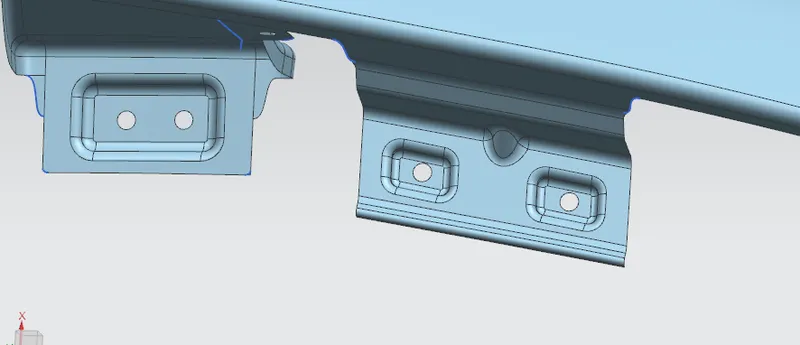
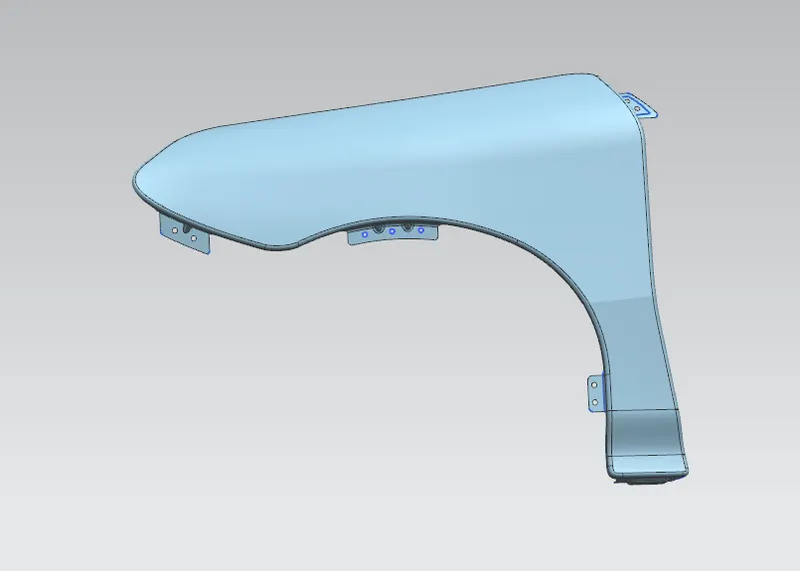
Fender Design


    Project Details

    Loading...

    Leave a comment

    Thanks for choosing to leave a comment. Please keep in mind that all the comments are moderated as per our comment policy, and your email will not be published for privacy reasons. Please leave a personal & meaningful conversation.

    Please  login to add a comment

    Other comments...

    No comments yet!
    Be the first to add a comment

    Read more Projects by MuhammedNisam Kallil (29)

    Design of backdoor

    Objective:

        CAR BACK DOOR DESIGN AIM: To design back door of car using given outer class 'A' surface. INTRODUCTION: A door which is located at the rear side of a car which gives access for the boot space to store luggage, spare wheel etc.These doors can be operated manually or electric powered. In most of the luxury…

    calendar

    31 Jul 2023 06:07 PM IST

    • DESIGN
    Read more

    Roof Design

    Objective:

     Given Dimentions & Datas.     Procedure and Excecution. AIM: For the given car roof styling, design and develop the essential flanges and reinforcement, namely the Ditch area, Frontal Roof rail, Rear roof rail, Centre Roof rail and Bow roofs. Do the curvature study on the roof and perform the calculation…

    calendar

    24 Jul 2023 03:57 PM IST

      Read more

      Section Modulus calculation and optimization

      Objective:

         Section 1      Here I = 2.67x10^4          Y = 0.088x10^4 (879.8288mm) There for Z1 = I/Y                  =2.67x10^4/0.088x10^4                  = 30.34   Section 2  …

      calendar

      15 Jul 2023 04:49 PM IST

        Read more

        Fender Design

        Objective:


        calendar

        15 Jul 2023 04:35 PM IST

          Read more

          Hood design-Week 2

          Objective:

          STEPS: Create a new Assembly file and save it in the requred folder. After activating the Assembly work bentch add the existing outer hood pannel to it. Fix the outer hood pannel. Create a new product file within the Assembly work bentch and name it as inner hood pannel. Using Wave Geometry Linker select the outer…

          calendar

          19 Jun 2023 12:53 PM IST

            Read more

            Underbody Coating

            Objective:

            Q:Write a one-pager about Under-Body Coating and its purpose, its types in detail, and its pros and cons. ANS: Under-Body Coating: Purpose, Types, Pros, and Cons Introduction: Under-Body Coating is a protective layer applied to the underside of vehicles to shield against rust, corrosion, and damage…

            calendar

            14 Jun 2023 05:39 AM IST

              Read more

              Week 11 - Project - A pillar Design with Master Section

              Objective:

                A PILLAR CREATION FROM MASTER SECTION   Identify the plastic feature , which direction it is facing. Insert a geometrical set and name its as construction. Insert a geometrical set for tooling axis when mastersection is given, some reference is given to create the tooling axis So take 4 points from mastersectionn…

              calendar

              12 Jun 2023 05:12 AM IST

                Read more

                Week 12- Final project

                Objective:

                  AIM: To create a CAD model considering the OEM standards from the Class-A surface of a Door Panel.   So we have given 4 class A surfaces of a door trim ,which are lower substrate, arm rest,  bottle holder and map procket  STEPS TO FOLLOW STP file to product conversion Tooling Axis Creation Preaparation…

                calendar

                11 Jun 2023 04:42 PM IST

                Read more

                Week 10 - Challenge 3 - Door Trim Lower with Engineering Features

                Objective:

                        Insert a new geometrical set So we have 12 points, work on any point and then translate Start with the plane creation, use normal to curve, the plastic feature should be  created in parallel to the  tooling axis Create a sketch, draw a sketch with D= 7 mm and 5 mm For extrusion, create …

                calendar

                06 Jun 2023 09:19 AM IST

                  Read more

                  Week 10 - Challenge 1- Attachment Feature Creation (Ribs & Screw Boss)

                  Objective:

                       STEPS Import the given A surface to the CATIA V5. After importing insert a geometric set for A surface Then insert a new geometrical set for Tooling axis. With the tooling axis created check the Draft analysis. Then Create B surface in New geometrical set by offseting by 2.5mm. Correct the mistakes…

                  calendar

                  06 Jun 2023 09:15 AM IST

                  Read more

                  Week 9 - Challenge 1 - Base Bracket Design

                  Objective:

                            STEPS Insert a geometrical set and create Tooling axix by extracting the flat surface. I apply diffrent colour for doffrent parts inorder to createky seperately. After extracting create a point and draw a line perpendicular to the plane. After creating tooling axis extract the parts…

                  calendar

                  06 Jun 2023 07:06 AM IST

                    Read more

                    Week 10 - Challenge 2- Attachment Feature Creation (Dog House)

                    Objective:

                       STEPS: CREATE CLOSE BODY OF GIVEN DOOR TRIM PART  BY OFFSETING A SURFACE WE GET B SURFACE  BY USING SWEEP TOOL AFTER CREATING BOUNDARY WE GET C SURFACE TRIM A+C SURFACE  TRIM A+C SURFACE WITH B SURFACE  AND IN PART BODY WORK BENCH CREATE CLOSE BODY CREATE DOG HOUSE AFTER ANALYSING THE DATAS …

                    calendar

                    25 May 2023 02:13 PM IST

                      Read more

                      Week 9 - Challenge 3 - Bumper

                      Objective:

                      REPORT Once we get the CAD file check the quality visually or by using boundary toolTOOLING AXIS Lets create a tooling axis using point and direction method Initially take the cad file in a an axis where all the edges are visible lets extract the flat surfaec of the number plate create a point and then create a line Then…

                      calendar

                      04 May 2023 11:25 AM IST

                        Read more

                        Week 9 - Challenge 2 - Switch Bezel Design

                        Objective:

                          FINAL TRIM        

                        calendar

                        01 May 2023 08:21 AM IST

                          Read more

                          Week 7 Challenge - Assembly Workbench

                          Objective:

                            ANS 1 PART 1 PART 2 PART 3 PART 4 PART 5 PROCEDURE Create new part file ande draw each diagram as shown in the question seperately. Now create new Prodect file ande inport all created 5 parts to it By anlysing the questions assamble each part to its correct position by creating axis. By creating constrines fix the…

                          calendar

                          08 Apr 2023 06:55 AM IST

                            Read more

                            Project 2

                            Objective:

                             STEPS INVOLVED IN WIRING HARNESS ROUTING  OF THE BACKDOOR   Here we are using  6 connectors constitute of one inline connector, 2 connectors for tail lamp, one for camera sensor, one for wiper motor, one for number plate light  and  for support  we will use Fir tree  clip & p clamp Lets download all the required components…

                            calendar

                            19 Mar 2023 08:39 AM IST

                              Read more

                              Project 2

                              Objective:

                               STEPS INVOLVED IN WIRING HARNESS ROUTING  OF THE BACKDOOR   Here we are using  6 connectors constitute of one inline connector, 2 connectors for tail lamp, one for camera sensor, one for wiper motor, one for number plate light  and  for support  we will use Fir tree  clip & p clamp Lets download all the required components…

                              calendar

                              17 Mar 2023 09:50 AM IST

                                Read more

                                Project 1

                                Objective:

                                STEPS INVOLVED Lets download all the required components Define  the connector as an electrical part and define the bundle point, and connector connection point of all the connector Add the connectors in to the connector catalogue     After defining all the connectors , fir tree clip, p clamp and  channel bottom , create…

                                calendar

                                13 Mar 2023 08:28 AM IST

                                  Read more

                                  Wiring harness design in CATIA V5 - 3D modeling Week 7 Challenge

                                  Objective:

                                  Steps involved in flattening the wiring harness   Lets create a product file and name it Switch to Electrical harness flattening workbench   Select the command 'flattening parameters' & select the desired conditions , and add them. Now open the harness assembly product file  in  seperate window.…

                                  calendar

                                  23 Feb 2023 04:48 AM IST

                                    Read more

                                    Wiring harness design in CATIA V5 - 3D modeling Week 5 & 6 Challenge

                                    Objective:

                                    Q1. Route the following harness layout in Electrical workbench. Make assumption for harness bundle diameters. Use the connectors provided. After completion of routing, Check the bundle Continuity. Add snap of result in submission Add annotation to all connectors. Make an assumptions for annotations like connect 1 , 2 etc…

                                    calendar

                                    22 Feb 2023 07:16 AM IST

                                    Read more

                                    Wiring harness design in CATIA V5 - 3D modeling Week 4 Challenge

                                    Objective:

                                    STEPS INVOLVED IN ROUTING THE GIVEN HARNESS LAYOUT   Download the IGS file  of the given connectors and open it in Catia V5 Define  the connector as an electrical part and define the bundle point, and connector connection point of all the connector       As we are done with electrical harness componenet designs , it is…

                                    calendar

                                    14 Feb 2023 03:22 AM IST

                                      Read more

                                      Wiring harness routing & packaging Rules Week 3 Challenge

                                      Objective:

                                       1. P CLAMPOpen the CAD file in Catia  in part design workbenchLets define the geometric parameters  Create entry point and planecreate exit point and planecreate a base planeSwitch to electric part designClick on define support part ,select the part, select the entry point,entry plane, exit  plane,…

                                      calendar

                                      09 Feb 2023 09:34 AM IST

                                        Read more

                                        Project 2

                                        Objective:

                                          NITIALIZATION FILE we can change the drive cycle by changing the drive cycle values:The Drive Cycle can be selected from this MATLAB Script, By changing the variable Drive_Cycle_Select to     1      UDDS     2      HWFET  Now lets complete the modelling part   CONTROLLER SUBSYSTEM     MOTOR CONTROL UNIT  POWERTRAIN   MOTORBATTERY POST…

                                        calendar

                                        08 Feb 2023 09:48 AM IST

                                        Read more

                                        Wiring harness design in CATIA V5 - 3D modeling Week 2 Challenge

                                        Objective:

                                        1. Deutsch DT06 – 08SA (CONNECTOR)   Open the cad file in part design  in catia V5 Store the connector file in to connector catalogue lets create geometrical parameters such as point & axis system Create the  connector connection point  & create axis system  as shown in the figure below Create the bundle  entry point …

                                        calendar

                                        07 Feb 2023 04:22 AM IST

                                          Read more

                                          Project 1

                                          Objective:

                                              Initilization File.     we can change the drive cycle by changing the drive cycle values: The Drive Cycle can be selected from this MATLAB Script, By changing the variable Drive_Cycle_Select to 1 UDDS 2 HWFET     Complete the modelling part (Engine & vehicle dynamics)   ENGINE…

                                          calendar

                                          20 Dec 2022 11:22 AM IST

                                          Read more

                                          Project 1

                                          Objective:

                                          Develop a double-acting actuator model using Simscape Multibody and Simscape components. The mechanical system of the cylinder needs to be built using Simscape Multibody library components / blocks, and the hydraulic system needs to be modelled using Simscape library physical components. Answer  Steps : Open…

                                          calendar

                                          12 Nov 2022 05:39 PM IST

                                            Read more

                                            Project - Speed Control of a Direct Current (DC) motor

                                            Objective:

                                            Answer   steps:  * Open matlab & program with the given values and known equation to find out the CONTROL GAIN MATRIX (K) *Find out the values of poles from the known equation  * Use 'place' command to find the K matrix Datas STEPS INVOLVED IN BUILDING THE MODEL   * Import the blocks…

                                            calendar

                                            19 Oct 2022 06:07 AM IST

                                              Read more

                                              Project - Data Handling and Interpolation

                                              Objective:

                                              VI=xlsread('VI.xlsx'); V=VI(:,1); I=VI(:,2); x=-17.3:0.1:0.9 y=interp1(V,I,x); plot(V,I,'o'); hold; plot(x,y,'--')

                                              calendar

                                              18 Sep 2022 07:03 AM IST

                                                Read more

                                                Project - Analysis of a practical automotive wiring circuit

                                                Objective:

                                                1.   Genrator, Distributer, Breaker, Ignition coil, Current and Voltage regulator, Foot selector switch, starter, Horn, Parcking lamb, Scaled beam, Button, Sensors, Switches, indicators, Fuse, Breaker, Earth,spark plug etc...   2.        Generator : Generator is a device which convers one…

                                                calendar

                                                18 Jul 2022 07:53 AM IST

                                                  Read more
                                                  Showing 1 of 29 projects