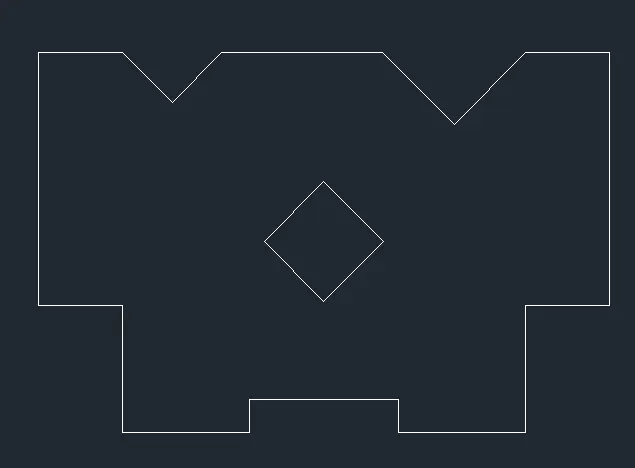
Drafting of various geometries using Chamfer, Fillet tool in AutoCad
1. Aim and Introduction
To draw the given structure using autoCADD software. it allows the user to draw the structure of a building like plan, section etc.
procedure
- to draw the line with specific dimension use line command in the home >draw>line or type L in the command box to get the line tool.
- to draw the circle or rectangle use home tab>draw>rectangle or circle or polygon etc or use command box and type rec.
- to change any drawings use modification tools to copy,rotate,move,mirror etc in the modify tool box. or use command box.
- use commands like dimlin,dimangular,dimrad,dimdia to check the dimensions of drawings.
Result
2.
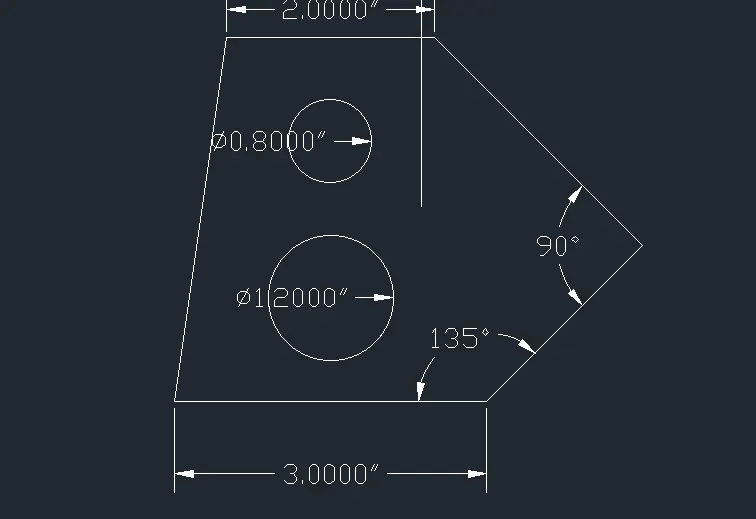
Aim and Introduction
To draw the given structure using autoCADD software. it allows the user to draw the structure of a building like plan, section etc.
procedure
- to draw the line with specific dimension use line command in the home >draw>line or type L in the command box to get the line tool.
- to draw the circle or rectangle use home tab>draw>rectangle or circle or polygon etc or use command box and type rec.
- to change any drawings use modification tools to copy,rotate,move,mirror etc in the modify tool box. or use command box.
- use commands like dimlin,dimangular,dimrad,dimdia to check the dimensions of drawings.
Result
3.
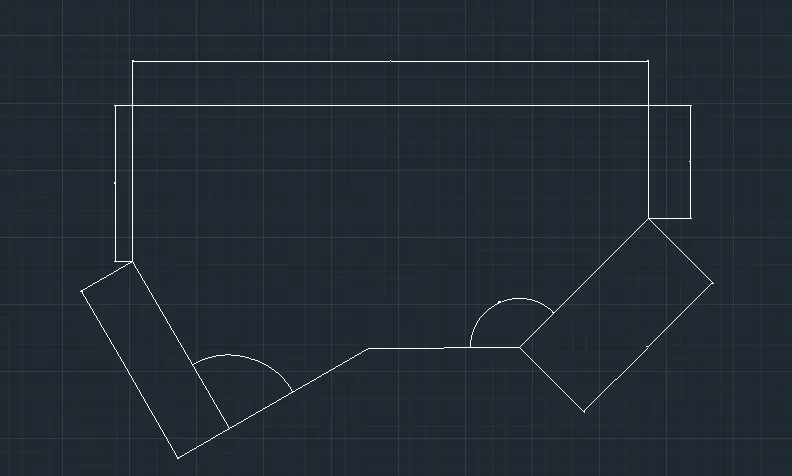
Aim and Introduction
To draw the given structure using autoCADD software. it allows the user to draw the structure of a building like plan, section etc.
procedure
- to draw the line with specific dimension use line command in the home >draw>line or type L in the command box to get the line tool.
- to draw the circle or rectangle use home tab>draw>rectangle or circle or polygon etc or use command box and type rec.
- to change any drawings use modification tools to copy,rotate,move,mirror etc in the modify tool box. or use command box.
- use commands like dimlin,dimangular,dimrad,dimdia to check the dimensions of drawings.
Result
4.
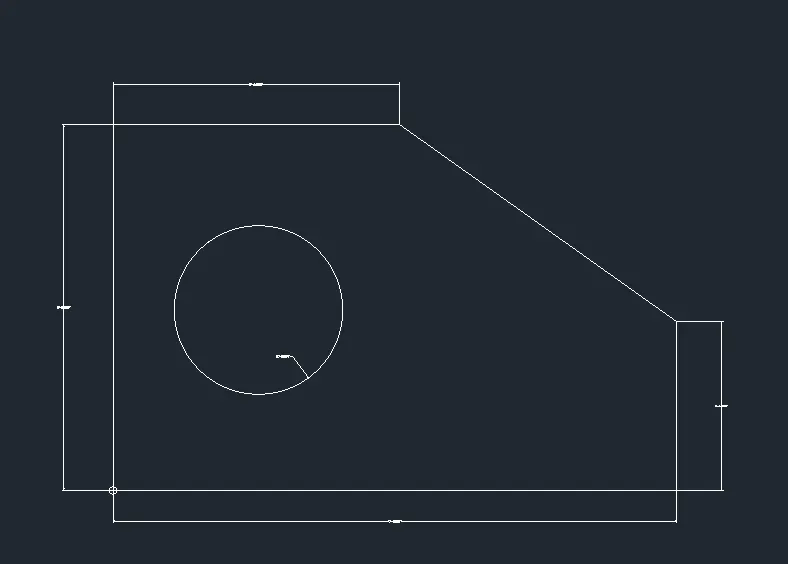
Aim and Introduction
To draw the given structure using autoCADD software. it allows the user to draw the structure of a building like plan, section etc.
procedure
- to draw the line with specific dimension use line command in the home >draw>line or type L in the command box to get the line tool.
- to change any drawings use modification tools to copy,rotate,move,mirror etc in the modify tool box. or use command box.
- use commands like dimlin,dimangular,dimrad,dimdia to check the dimensions of drawings.
Result
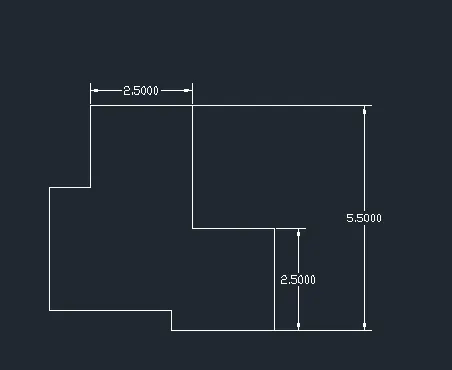
5.
Aim and Introduction
To draw the given structure using autoCADD software. it allows the user to draw the structure of a building like plan, section etc.
procedure
- to draw the line with specific dimension use line command in the home >draw>line or type L in the command box to get the line tool.
- to draw the circle or rectangle use home tab>draw>rectangle or circle or polygon etc or use command box and type rec.
- to change any drawings use modification tools to copy,rotate,move,mirror etc in the modify tool box. or use command box.
- use commands like dimlin,dimangular,dimrad,dimdia to check the dimensions of drawings.
Result
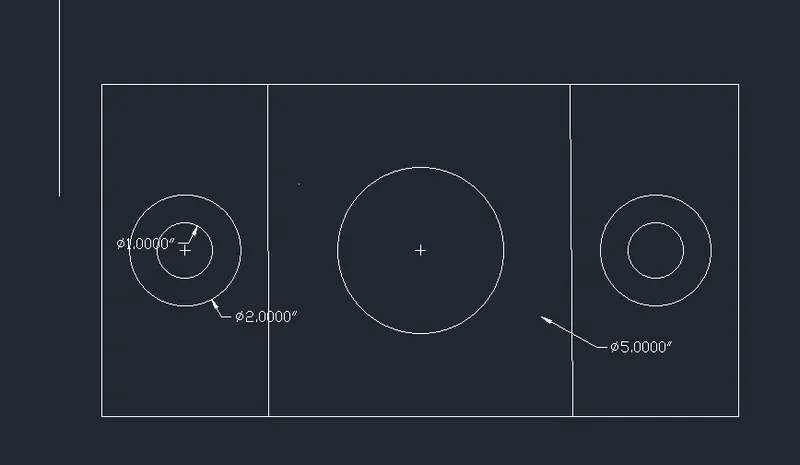
6.
Aim and Introduction
To draw the given structure using autoCADD software. it allows the user to draw the structure of a building like plan, section etc.
procedure
- to draw the line with specific dimension use line command in the home >draw>line or type L in the command box to get the line tool.
- to change any drawings use modification tools to copy,rotate,move,mirror etc in the modify tool box. or use command box.
- use commands like dimlin,dimangular,dimrad,dimdia to check the dimensions of drawings.
Result
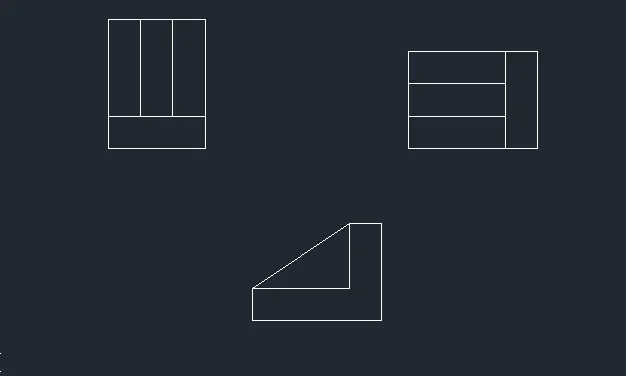
7.
Aim and Introduction
To draw the given structure using autoCADD software. it allows the user to draw the structure of a building like plan, section etc.
procedure
- to draw the line with specific dimension use line command in the home >draw>line or type L in the command box to get the line tool.
- to draw the circle or rectangle use home tab>draw>rectangle or circle or polygon etc or use command box and type rec.
- to change any drawings use modification tools to copy,rotate,move,mirror etc in the modify tool box. or use command box.
- use commands like dimlin,dimangular,dimrad,dimdia to check the dimensions of drawings.
- use arc to draw arc in the structure ,use arc command .
Result
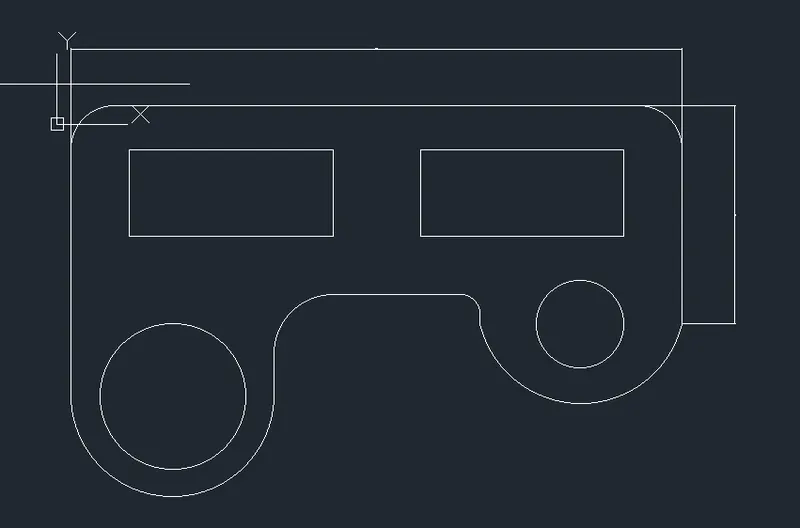
8.
Aim and Introduction
To draw the given structure using autoCADD software. it allows the user to draw the structure of a building like plan, section etc.
procedure
- to draw the line with specific dimension use line command in the home >draw>line or type L in the command box to get the line tool.
- to draw the circle or rectangle use home tab>draw>rectangle or circle or polygon etc or use command box and type rec.
- to change any drawings use modification tools to copy,rotate,move,mirror etc in the modify tool box. or use command box.
- use commands like dimlin,dimangular,dimrad,dimdia to check the dimensions of drawings.
- use arc to draw arc in the structure ,use arc command .
Result
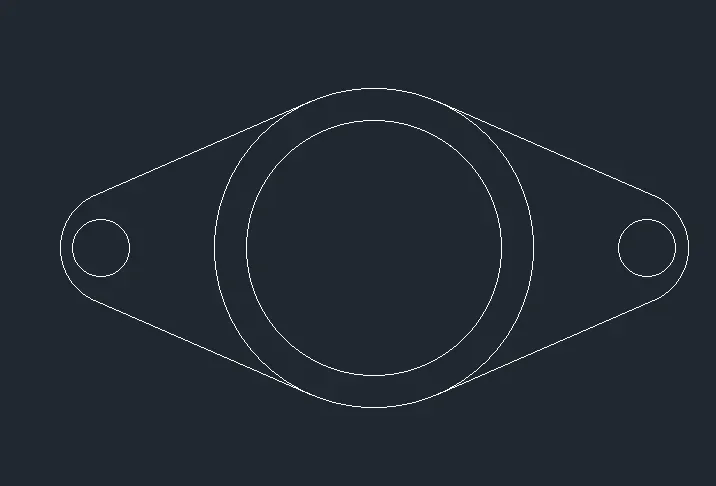
9.
Aim and Introduction
To draw the given structure using autoCADD software. it allows the user to draw the structure of a building like plan, section etc.
procedure
- to draw the line with specific dimension use line command in the home >draw>line or type L in the command box to get the line tool.
- to draw the circle or rectangle use home tab>draw>rectangle or circle or polygon etc or use command box and type rec.
- to change any drawings use modification tools to copy,rotate,move,mirror etc in the modify tool box. or use command box.
- use commands like dimlin,dimangular,dimrad,dimdia to check the dimensions of drawings.
- use arc to draw arc in the structure ,use arc command .
Result
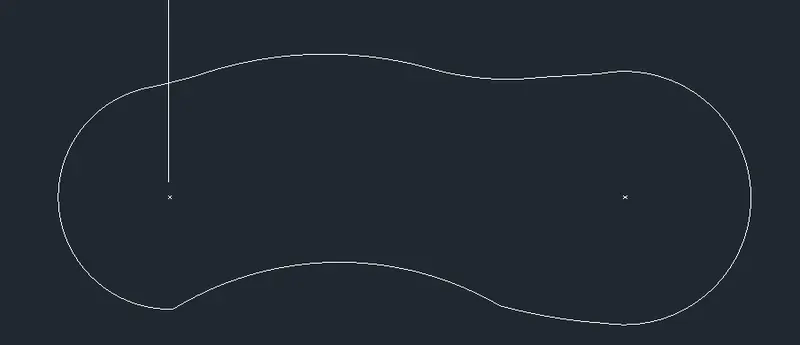
10.
Aim and Introduction
To draw the given structure using autoCADD software. it allows the user to draw the structure of a building like plan, section etc.
procedure
- to draw the line with specific dimension use line command in the home >draw>line or type L in the command box to get the line tool.
- to draw the circle or rectangle use home tab>draw>rectangle or circle or polygon etc or use command box and type rec.
- to change any drawings use modification tools to copy,rotate,move,mirror etc in the modify tool box. or use command box.
- use commands like dimlin,dimangular,dimrad,dimdia to check the dimensions of drawings.
- use arc to draw arc in the structure ,use arc command .
Result
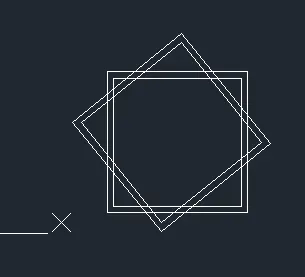
11.
Aim and Introduction
To draw the given structure using autoCADD software. it allows the user to draw the structure of a building like plan, section etc.
procedure
- to draw the line with specific dimension use line command in the home >draw>line or type L in the command box to get the line tool.
- to draw the circle or rectangle use home tab>draw>rectangle or circle or polygon etc or use command box and type rec.
- to change any drawings use modification tools to copy,rotate,move,mirror etc in the modify tool box. or use command box.
- use commands like dimlin,dimangular,dimrad,dimdia to check the dimensions of drawings.
- use arc to draw arc in the structure ,use arc command .
Result