Drafting of various geometries using Chamfer, Fillet tool in AutoCad
Aim: To draw the geometries using chamfer, fillet tool in AutoCad
Commands: Line,Circle,Chamfer,Fillet,Mirror,Trim,Move,Rotate,Annotate
Procedure:
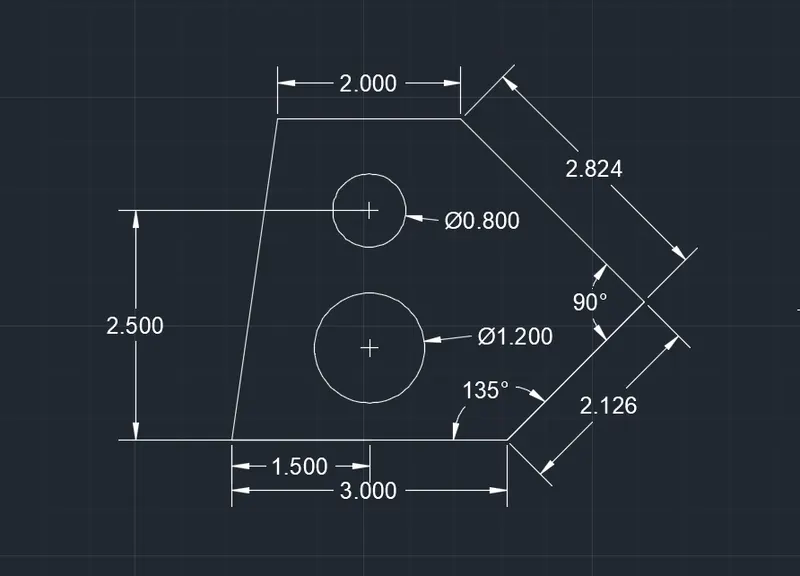
Part-1
- New sheet- units-decimals-precission 0.00-meter-ok
- limits-0,0and420,210
- Z-enter,A-enter for zoom all
- select line tool and draw the lengths starting from base of 3.00 units,Now give line command @2.12,45,@2.83,135,@2.00,180and c enter
- draw the first circle at x=1.20 and y=1.00 of diameter 1.20 units, simillarly, draw another circle at x=1.50and y=2.50of diameter 0.80 units
- annotate and give dimentions to all the lines and circles as given
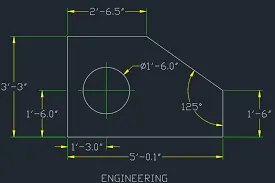
Part-2
- new sheet -units- arctectureal-precision 0'-0''- feet-ok
- limits -0'-0'',0'-0'' and 12'-0'',9'-0''
- zoom all
- select line tool and draw the lengths starting from to line segments of 2'-6.5'', now give line command position the cursor downwards with ortho ON,3'-3.0'',5'-0.1'',1'-6.0'' and close
- annotate and give dimensions for all line segments
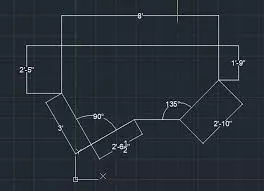
Part-3
- new sheet -units- arctectureal-precision 0'-0''- feet-ok
- limits -0'-0'',0'-0'' and 12'-0'',9'-0''
- zoom all
- select line tool and draw the lengths starting form top line segment of 2'-6.5'',now give line command positiong the cursor downward with ortho ON 3'-3.0'',5'-0.1'',1'-6.0''and colse
- annotate and give dimesion to all the line sigments
Part-4
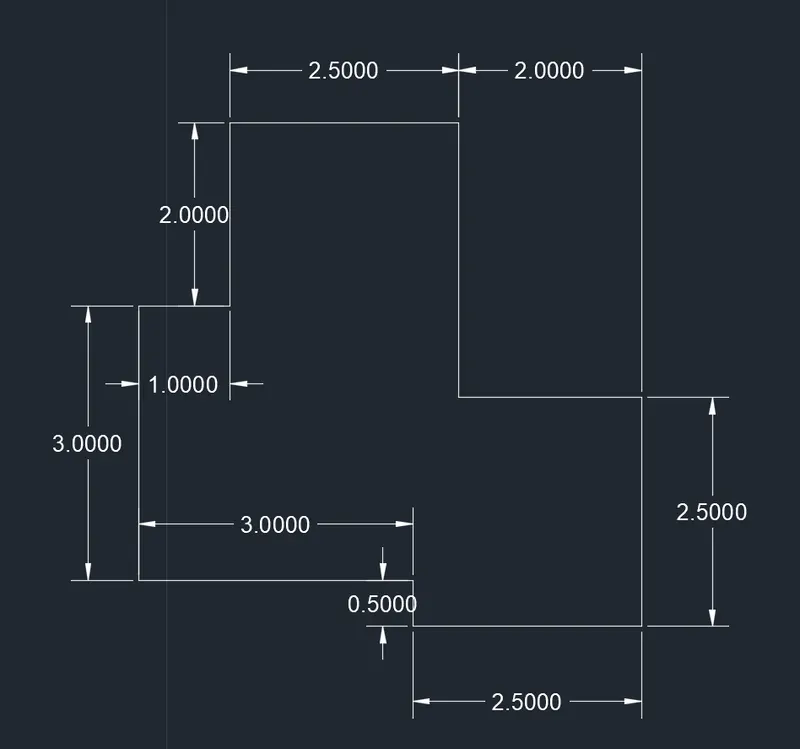
- new sheet -units-decimal-precision 0.0000-meter-ok
- limits-0,0and 420,210
- zoom all
- select line tool and draw the length starting from base of 2.5000 units, now give line command @2,270,@0.5,180,@3.00,270,@3,0,@0.5,270,@2.5,[email protected],90@2,1899and close
- annotate and give dimension to all the line segments and circles
Part-5
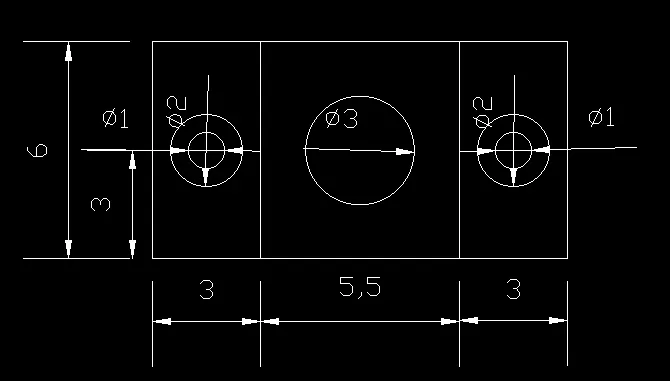
- new sheet -units-decimal-precision 0.0000-meter-ok
- limits-0,0and 420,210
- zoom all
- select line tool and draw the length starting from base of 11.50 units, now give line command @6,[email protected],180.and close,Draw the vertical lines at 2.75 from the center of the rectangle on both sides
- draw concentric circle with center at x=1.50 and y=3.00 diameter 1.00and 2.00.copy circle towards 4.25 right form the of the rectangle
- draw another circle at center of the rectangle of diameter 3.00
- annotate and give dimension to all the line segments and circles
Prat-6
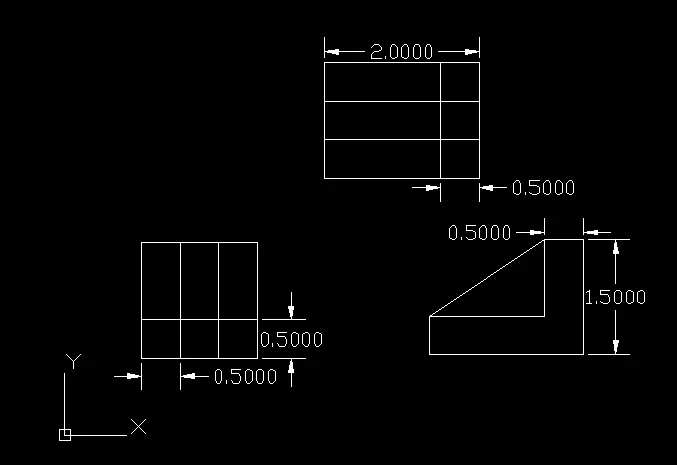
- new sheet -units-decimal-precision 0.0000-meter-ok
- limits-0,0and 420,210
- zoom all
- select line tool and draw the lengths stating form base of 1.5000 units, draw offset at 0.500,taking the tool length 1.500 draw an outer boundary and take offset of 0.5000 for the vertical segments follow the steps to draw 2.000 ht geometry and rotate towards left using line command draw L shape gemetry and connect to make the triangle portion
Part-7
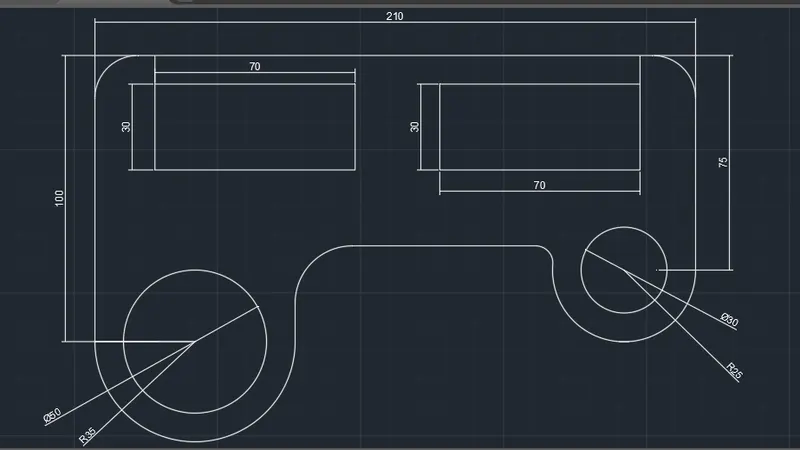
- new sheet -units-decimal-precision 0.0000-meter-ok
- limits-0,0and 420,210
- zoom all
- elect line tool and draw the lengths starting from base of 210units, now give line command @100,270,draw @75,270,draw the rectangle 70,30 and copy at distance 30
- draw circles with center at x=100 and y=75.draw parllel line from both the circle and using fillet tool give radius 35,20,6and 15
- annotate and give dimensions to all the line segments and circles
Part-8
- new sheet -units-decimal-precision 0.0000-meter-ok
- limits-0,0and 420,210
- zoom all
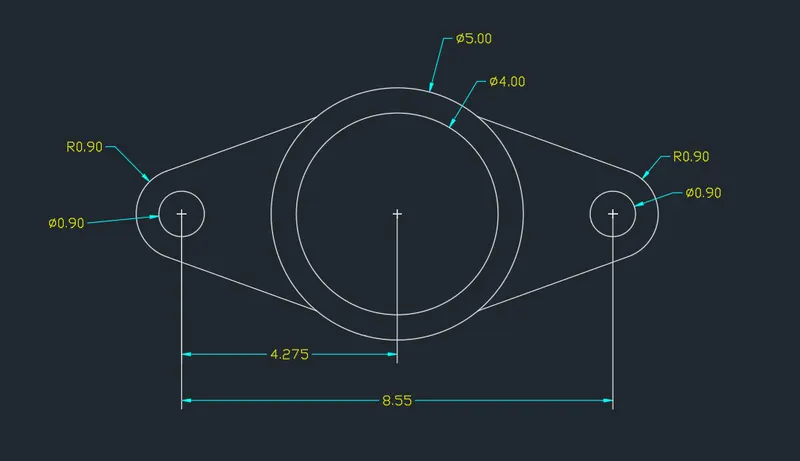
- draw concentric circles with diameter 4 and 5units draw one circle at 4.275 distance from the center. Draw parallel line and draw a fillet of radius 0.9 and extend the line towards the tangebt of bigger circle mirror the same towards right and trim the extra in geometry
- annotate and give dimensions to all
Part-9
- new sheet -units-decimal-precision 0.0000-meter-ok
- limits-0,0and 420,210
- zoom all
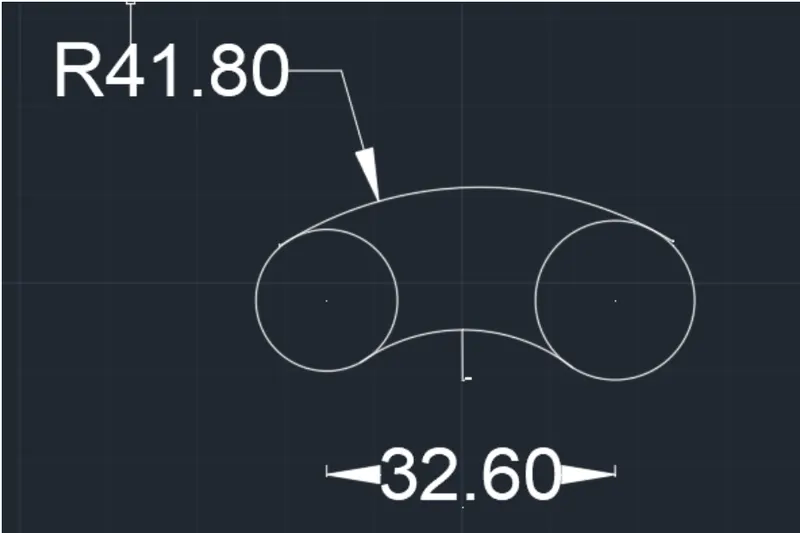
- select circle tool and draw the circle of radius 8' and9' at the center distance of 32'-6', using fillter connect the circles with radius 41'-8' and 20'-10'
- annotate and give dimensions to all commands usen
Part-10
- new sheet -units-decimal-precision 0.0000-meter-ok
- limits-0,0and 420,210
- zoom all
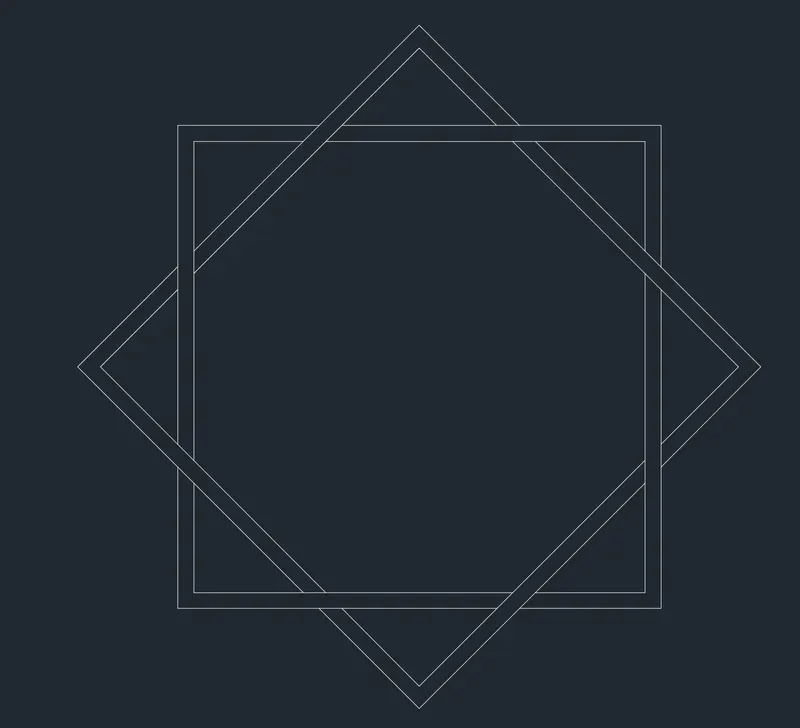
- draw square using rectangle tool with width of 2.0 of equal sides ,copy and rotate at 45 degree
- move the rotated rhombhus over the square and trim the unwanted lines
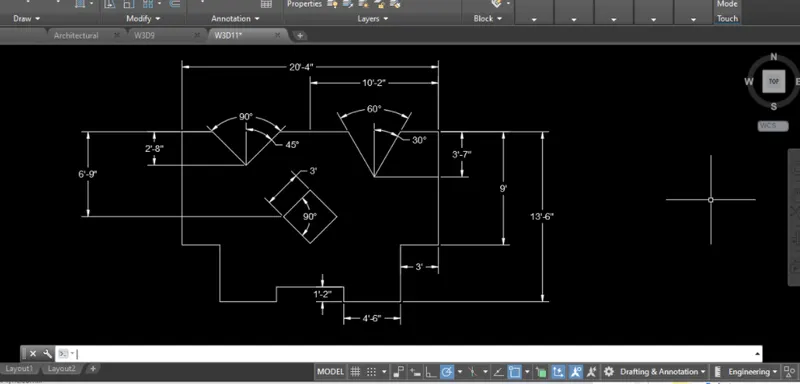
Part-11
- new sheet -units-decimal-precision 0.0000-meter-ok
- limits-0,0and 420,210
- zoom all
- select the line tool and draw the length starting from top line segment of 9'-0'' changing the position of cursor in direction of the line with ortho on draw 3'-0'',4'-6'',6'',1'-2''. now take copy and mirror the left to rigth and jion to close draw asquAare of sides 3'-0'' and rotate to 45degree and position it using move toll. using line tool draw vertical line and 2'-8'' and 3'-7'' and reference ertical line and 60 degrees on the other end
- annotate and give dimensions for all given above