Creation of Multiple viewports, Scaling the drawing and setting in Template in AutoCad
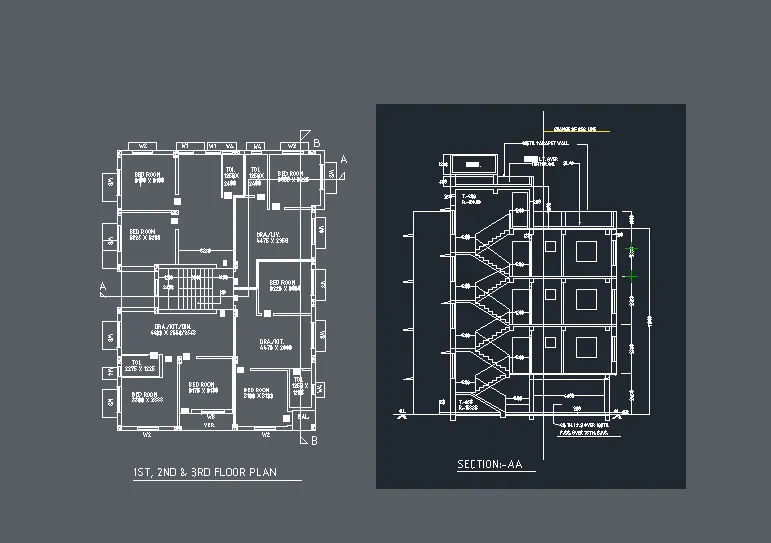
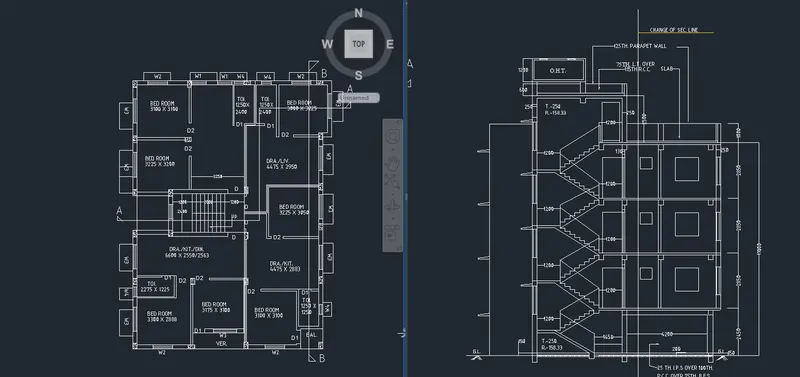
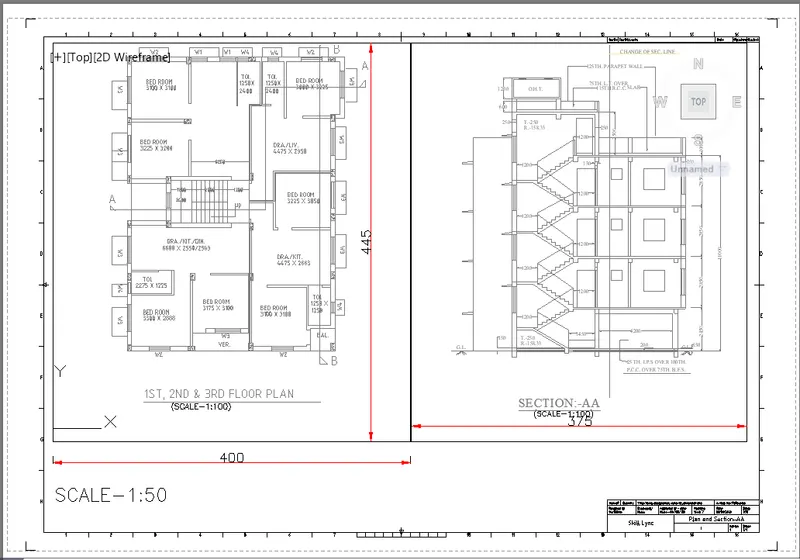
1. Create a layout of the Plan and Section A of the project in Challenges 7, using the template Tutorial-mArch.dwt in a scale as given in the Figure. Use the MV command to create the viewport of the size shown in Figure. Also, use ATTEDIT command to edit the information in the title block. Use A1 size for the layout. Take a plot.
Aim:
- To create the layout of plan and section, creating viewports, editing attributes and taking plot.
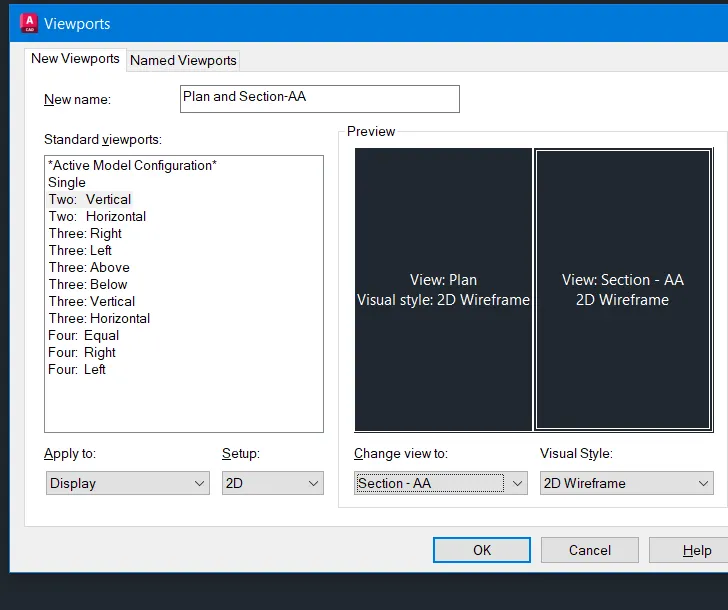
- To create viewport using MV command of size 400 x 445
- To create viewport using MV command of size 375 x 445 and scale convert into (1:50)
- Editing attributes in the template
- Take a plot using A1 size.
Procedure:
- Open the drawing file click on the layout tab
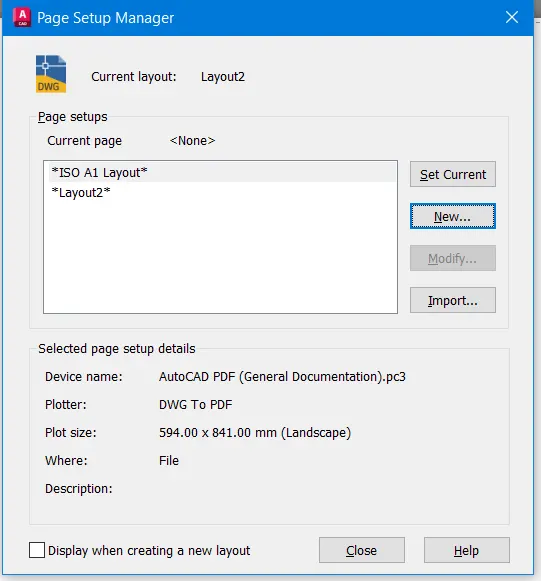
- Create a new layout and renames the layout tab as plan and section.
- Delete the current viewport displayed in the layout.
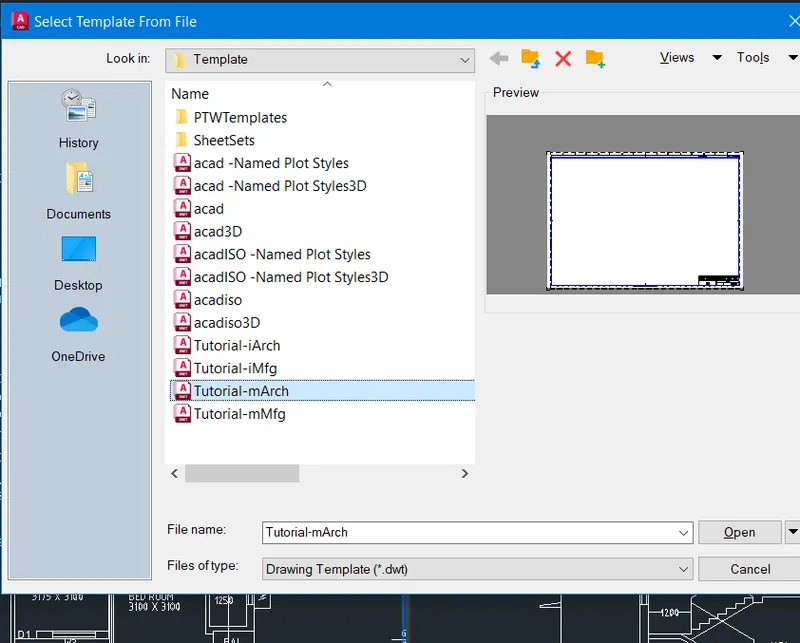
- To create the template use command LAYOUT For create the template
- Select the templated m.arch From dialogue box and select ISO A1 Sheet.
- Type MS for the activation of model space.
- To create Viewport, draw a rectangle of size 400 x 445
- 375 x445 for second viewport
- Use the command MV view select object and enter on the rectangle then drawing was displayed in the viewport
- Similarly for the second rectangle
- PS paper sheet can be set as viewport we need to set the drawing
- Click on the first viewport and zoom in drawing to the plan and give a scale as 1:50 and lock the viewport
- So that further zooming will not change the scale.
- Mark the dimension in the PS by Dim Command
- Command ATT for tag and sheet text
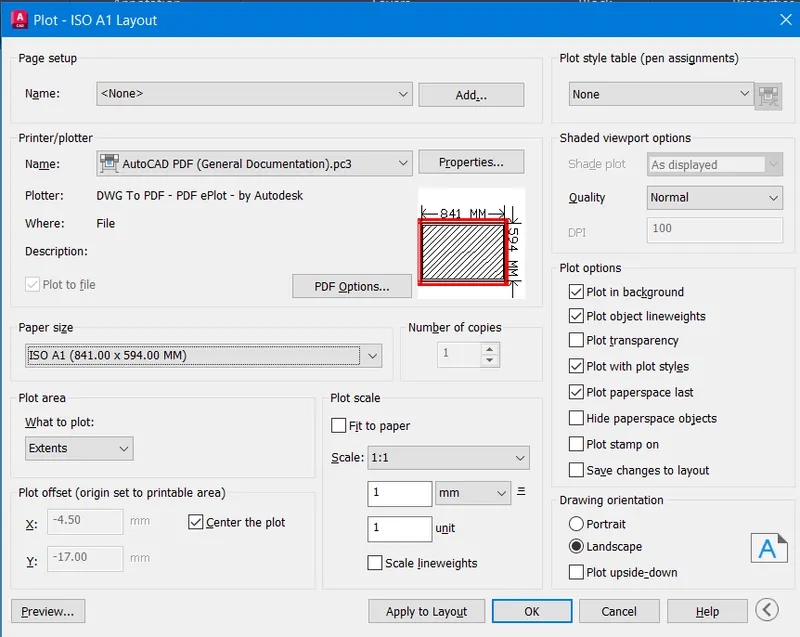
- Taking the plot using A1 sheet.
- Select the paper size ISO A1(841x594mm)
- Give the scale as 1:1 orientation as landscape
- Select the pen as monochrome to preview the sheet
Result:
2.
AIM:
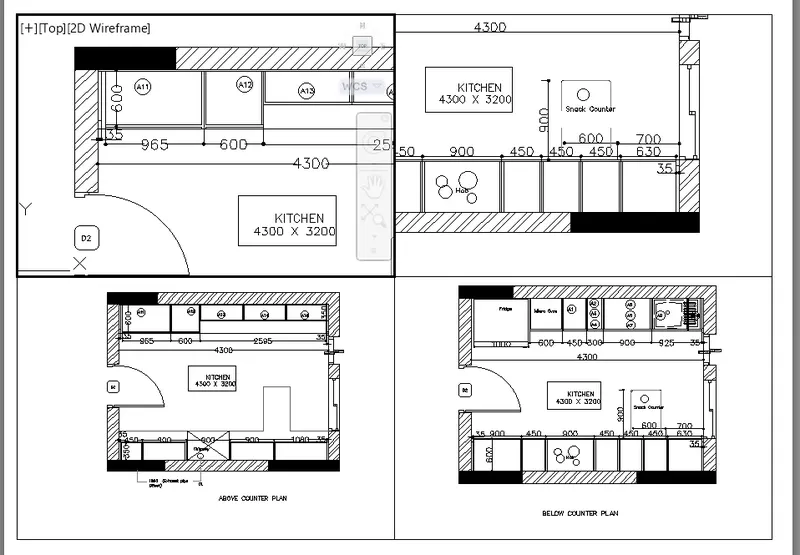
- To create a kitchen layout in A4 sheet challenge 9 and take a plot
Procedure:
- To create the viewport initially take the challenge 9 that is already created
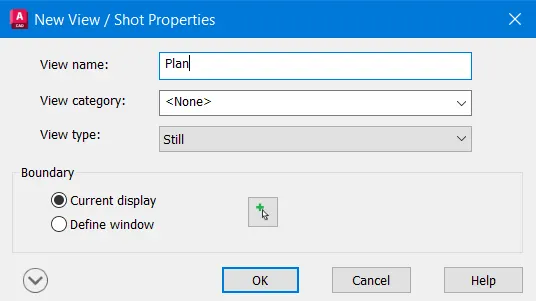
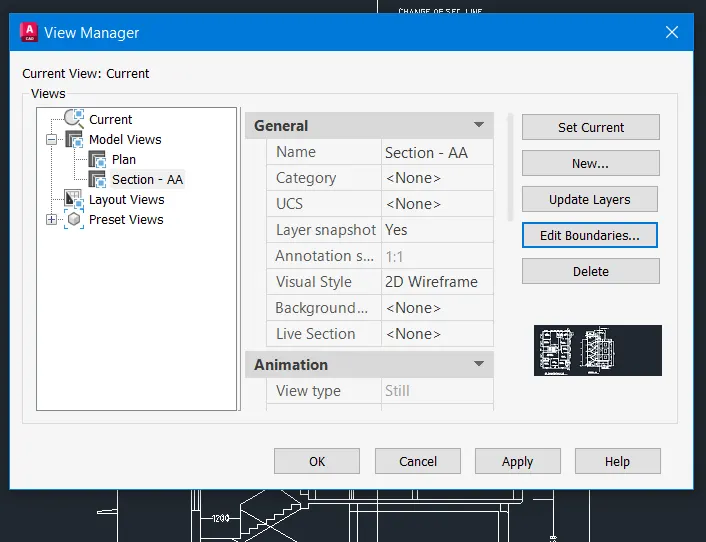
- Now in the command prompt type V to create the model view of the plan
- Create four equal views by the names
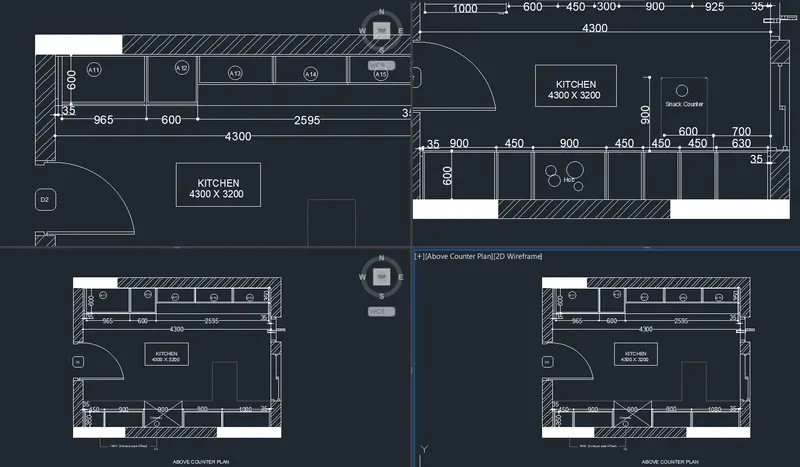
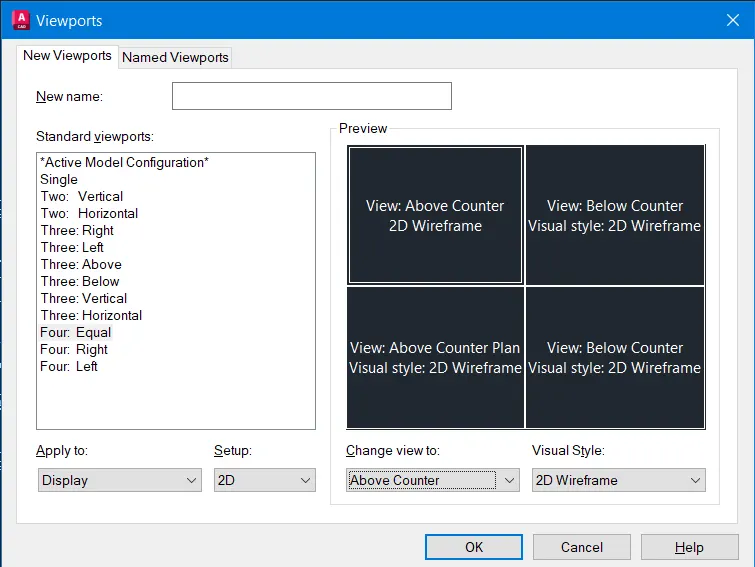
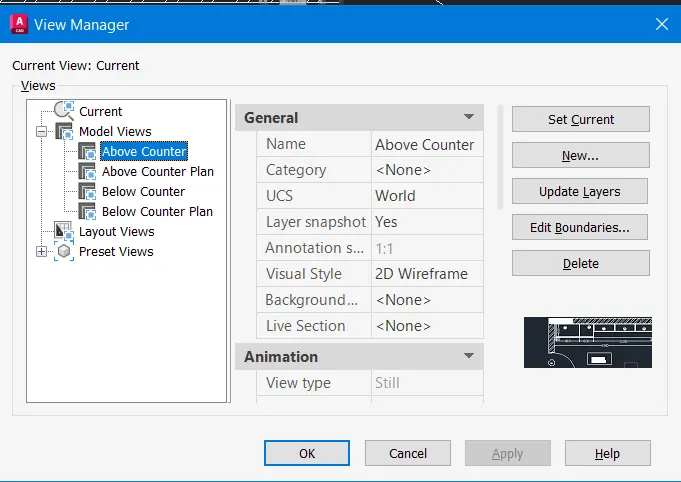
- Now click ok then apply again ok
- Hence the model view is created.
- Now go to layout option in the window.
- Now type page setup in the command prompt and page setup manager dialogue
- box opens
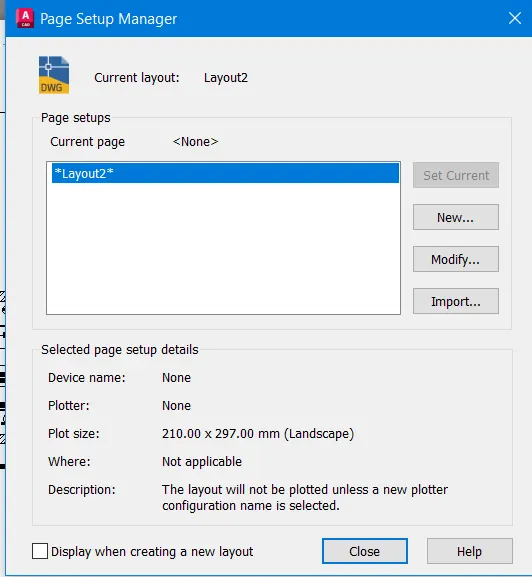
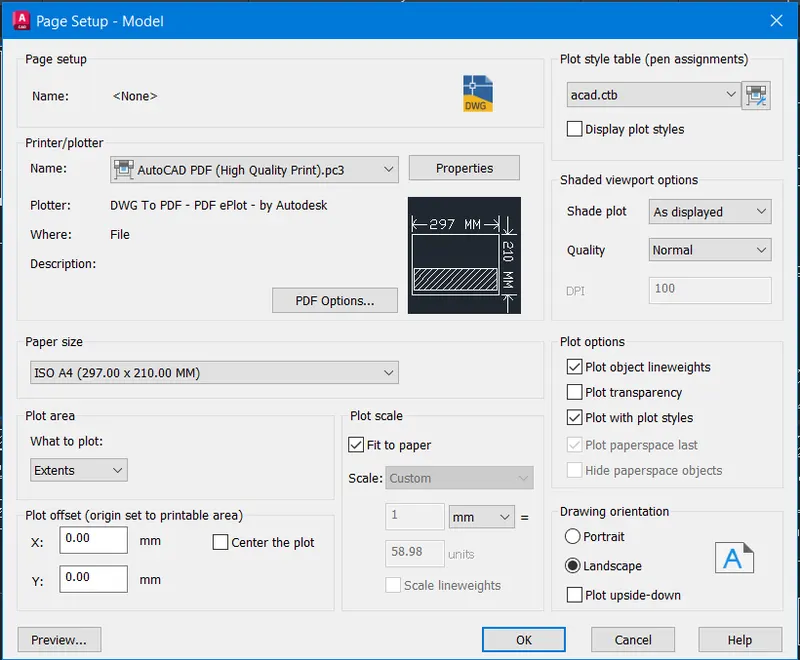
- Then modify the setting
- Provide the size of the paper A4
- Then the plot area as layout then clicks ok.
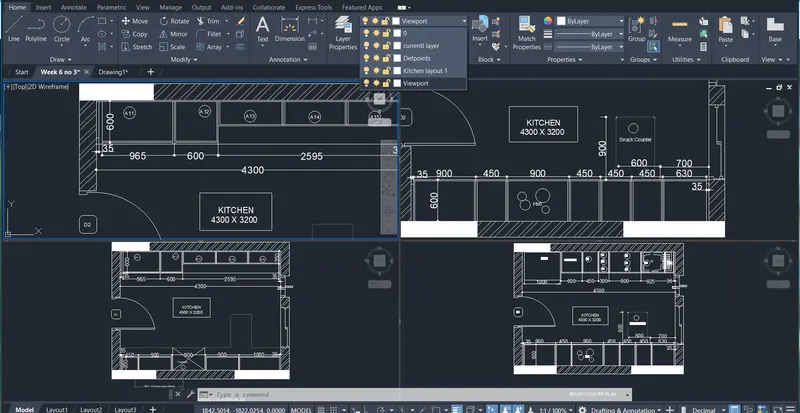
- Now Command MV to create multiple viewports.
- And create layers 4 as necessary
- Then Provide as given in the question
- Then type MS in command prompt to zoom in and out and for scale it
- Viewport PS command to wear zooming in and out is not possible.
Result:
3.
AIM:
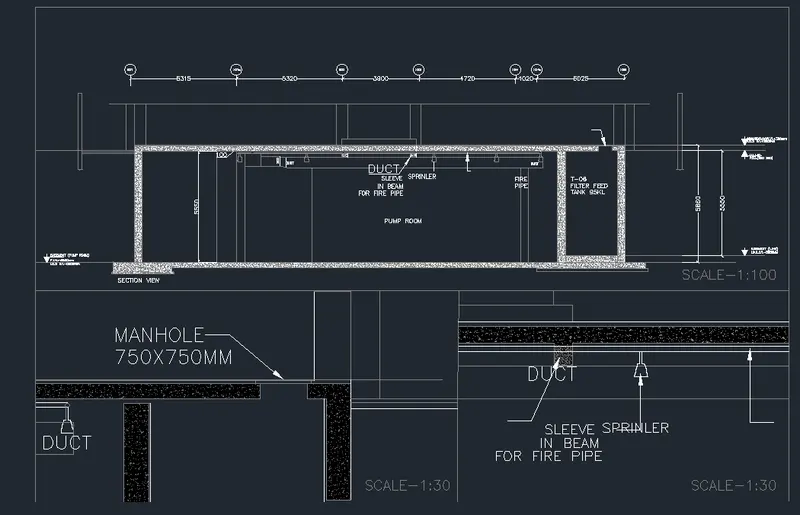
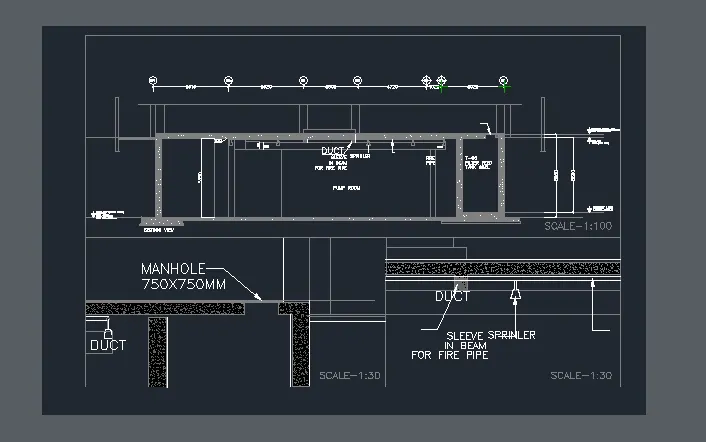
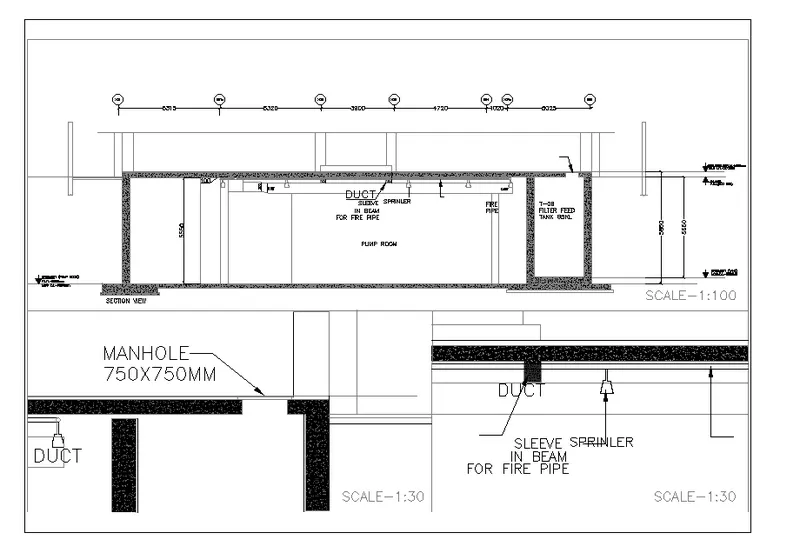
- To create Multiview ports for industrial drawing and scaling it and making it a plot scale as 1:30 and 1:100 is Given.
Procedure:
- Open the drawing of section industrial building.
- Take the layout tab
- Rename the tab as industrial section
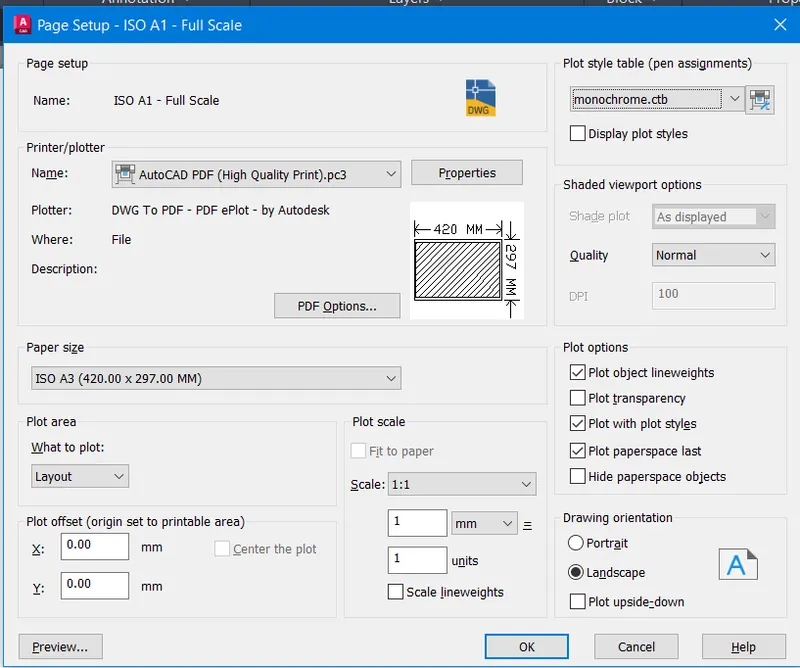
- Rightsells on the tab and select page set up manager option.
- Click on the new and named it
- Setup dialogue appears
- Give the paper size as A3 in page setup
- Make it current the layout paper size changed to A3
- Create the viewport by MV command and scale of 1:100 and 1:30
- Use MV command and create 3 viewports as necessary
- MS command for model space and click on first viewport
- Set the scale to 1:100 from the bottom toolbar
- and text height of 50 and lock viewport
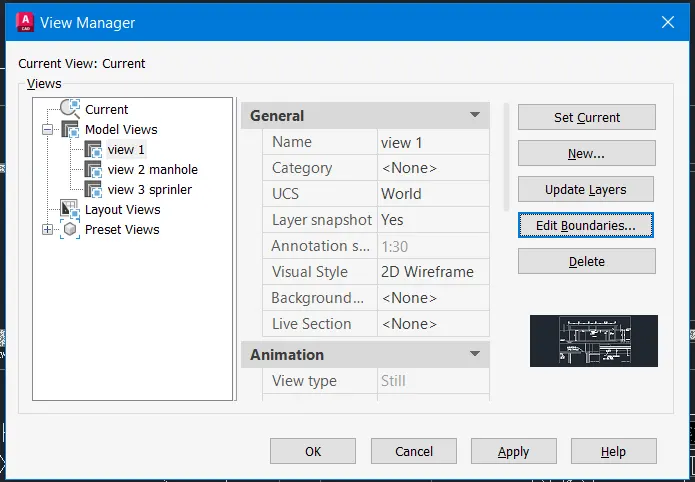
- Create views for sprinkler and as sprinkler view
- Now go to the layout industrial section command MS and click on th4e left model space'
- Now use the command View Select the manhole and click to set current and locked the viewport
- By multiline Text give the scale as 1:30 with text height as 200
- Type MS click on viewport.
- Lock the Viewport
- Take a plot of the viewport
- Command PLOT
- The dialogue box appears and select paper size as A3
- Give pen assignments as monochrome
- Click on preview option to see the preview and apply to layout.
Result: