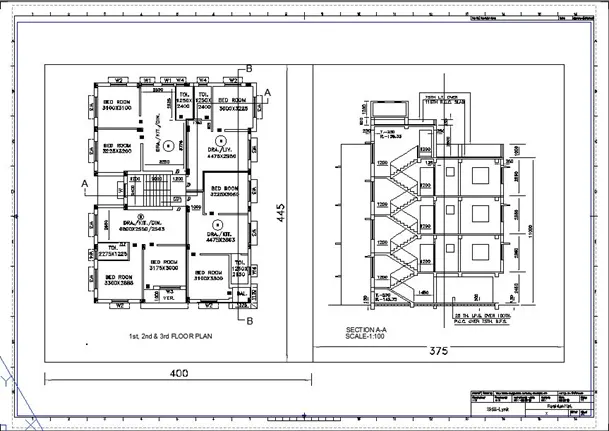
Creation of Multiple viewports, Scaling the drawing and setting in Template in AutoCad
1.) AIM: To create a layout of the Plan and Section A of the project.
PROCEDURE:
- Open AutoCad and in the command prompt type units > mm> decimal, then type limax >100,100 and finally type limits>0,0.
- Now type layout > template>Tutorial arch .m.
- Click on the title box given to edit it.
- Now with the help of the question, draw the diagram.
- In the command prompt type ctrl +p to plot it.
- Fix the scale to 1:1.
RESULT:
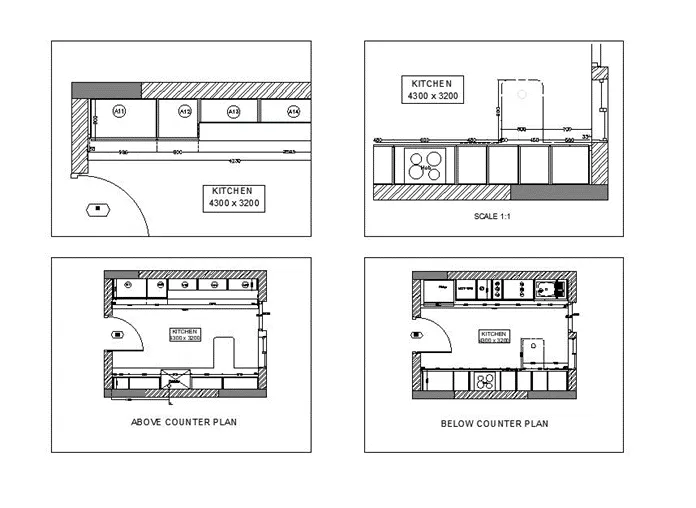
2.) AIM: To create a layout of the Kitchen.
PROCEDURE:
- Open AutoCad and choose layout.
- Now type ps and ms to adjust the view in the command prompt.
- Type pagesetup to make the size to A4 change.
- Click on the arrow mark to change the view.
- Finally draw the diagram.
RESULT: