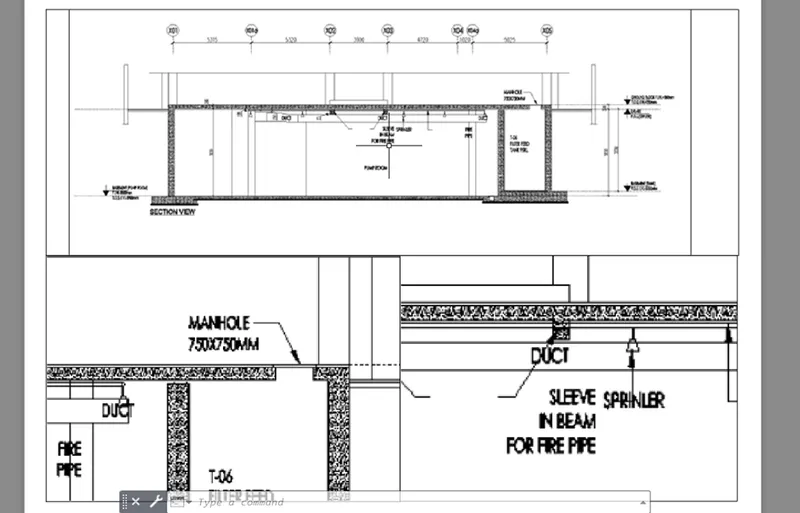
Creation of Multiple viewports, Scaling the drawing and setting in Template in AutoCad
1)
AIM: the main aim of this challenge is to make the layouts for the drawings
INTRODUCTION: in this, i am gonna import the files which i have drawn in previous challenges and make them to layout drawings from model drawings. for this, i am gonna use the commands like import pdf, model space, paper space ,multiple view etc,.
PROCEDURE:
- starting with the new drawing sheet
- setting up the units to decimals
- importing the drawing file from challenge 7 as given in this challenge
- taking the imported file to layout page
- by right clicking on the layout option at left bottom of autocad screen, we can go for page set up
- while page set up option is carrying, we gonna set paper size, file etc,.
- after that using the mulitiple view(MV) command ,we gonna resize the drawing by using the model space and paper space commands as asked in this challenge.
- after completing the drawing in layout, we gonna print the drawing or we can save it as pdf.
RESULT:
the result of the above procedure is shown below
2)
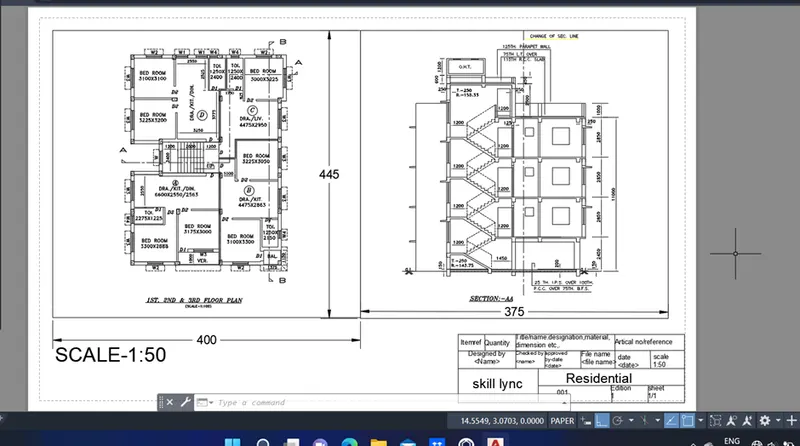
AIM: the main aim of this challenge is to make the layouts for the drawings
INTRODUCTION: in this, i am gonna import the files which i have drawn in previous challenges and make them to layout drawings from model drawings. for this, i am gonna use the commands like import pdf, model space, paper space ,multiple view etc,.
PROCEDURE:
- starting with the new drawing sheet
- setting up the units to decimals
- importing the drawing file from challenge 9 as given in this challenge
- taking the imported file to layout page
- by right clicking on the layout option at left bottom of autocad screen, we can go for page set up
- while page set up option is carrying, we gonna set paper size, file etc,.
- after that using the mulitiple view(MV) command ,we gonna resize the drawing by using the model space and paper space commands as asked in this challenge.
- after completing the drawing in layout, we gonna print the drawing or we can save it as pdf.
RESULT:
the result of the above procedure is shown below
3)
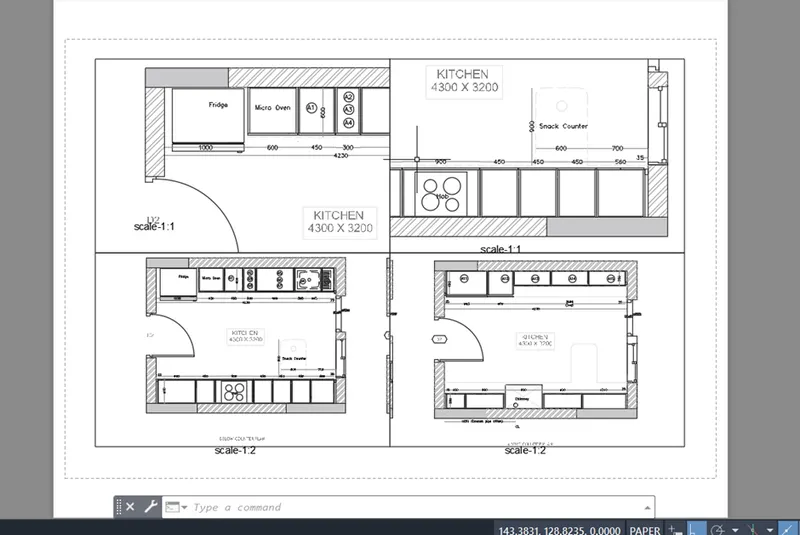
AIM: the main aim of this challenge is to make the layouts for the drawings
INTRODUCTION: in this, i am gonna import the files which i have drawn in previous challenges and make them to layout drawings from model drawings. for this, i am gonna use the commands like import pdf, model space, paper space ,multiple view etc,.
PROCEDURE:
- starting with the new drawing sheet
- setting up the units to decimals
- importing the drawing file from challenge 9 as given in this challenge
- taking the imported file to layout page
- by right clicking on the layout option at left bottom of autocad screen, we can go for page set up
- while page set up option is carrying, we gonna set paper size, file etc,.
- after that using the mulitiple view(MV) command ,we gonna resize the drawing by using the model space and paper space commands as asked in this challenge.
- after completing the drawing in layout, we gonna print the drawing or we can save it as pdf.
RESULT:
the result of the above procedure is shown below