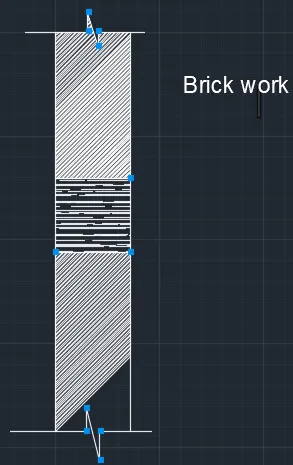
Creation of Column Schedule and Drawing Template using AutoCad
1.
Aim:
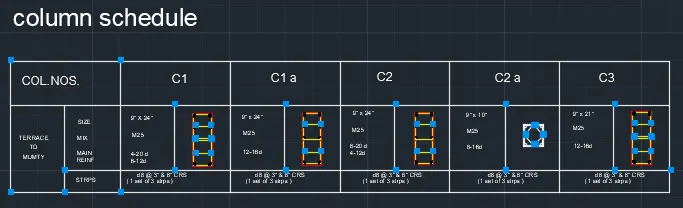
To draw a column schedule with line,text,hatch
Procedure:
Step 1(Reinforcement drawing)
rectangular line specific dimension at 9" and 24"
offset the line at 0.5"
use the tan tan radius line draw two tangent and circle
mirror option to use object to another
copy the object and use measure at 5 blocks
line specific at point to strpis
Step 2
use table to draw the schedule
use dtext command type the letters
2.
Aim:
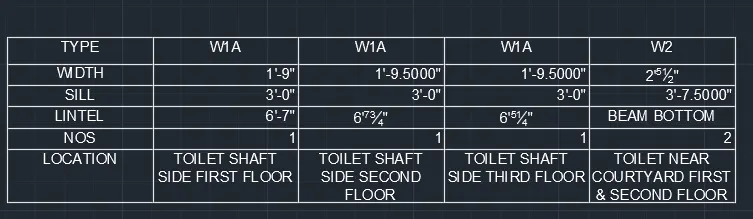
To draw the window schedule and line
Procedure:
Use table and arranged columns,rows
use dtext and type the letters
3.
Aim:
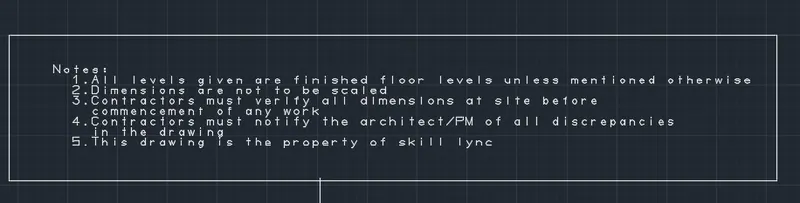
To draw the drawing templates
Procedure:
rectangular specific line point
font type will be changed
dtext wii be used at type letters
4.
Aim:
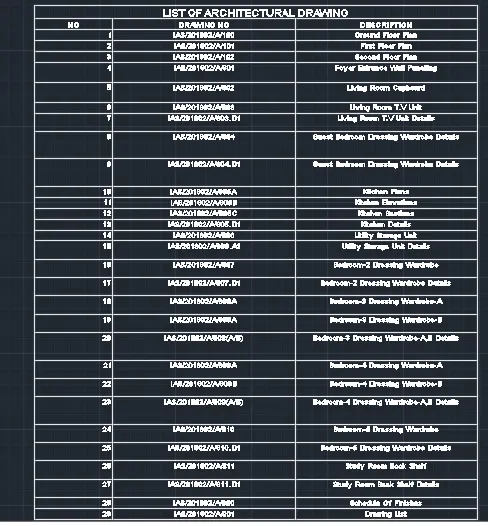
To draw the architectural drawing
Procedure:
draw a table at rows 32 column 3
Dtext command use type the letter
5.
Aim:
To draw the beam and text
Procedure:
Step 1
use line command
line specific point 0
line specific point 1'
line specific point 4'
line specific point 1'
line specific point closed
Step 2
offset the point 1'5"
offset the point 9"
Step 3
hatch command use
selecte the cornor to hatched