Creation of Column Schedule and Drawing Template using AutoCad
C1:
Aim and introduction:To create a column schedule using line tool and Dtext Command.
Procedure:
Steps:
- Using line command draw the table
- using the text command enter the texts in appropriate blocks
- Draw the bar bending diagram
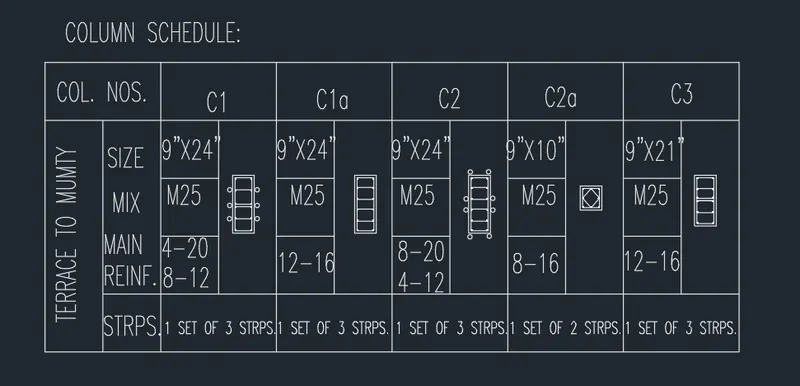
Results:Create table using line text commands in AutocaD
C2:
Aim and introduction: To create a window schedule using Table
Procedure:
steps:
- Draw the table using the table
- Enter the number of rows and columns
- Enter the data of schedule in the table using text command
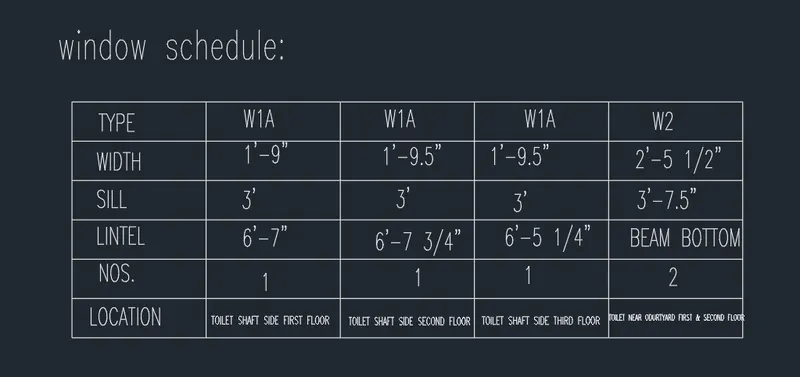
Results:Creation of Window schedule using table and text command
C3:
Aim and introduction:To create the given drawing template
Procedure:
steps:
- Insert the template box
- Enter the data inside the template box using text command
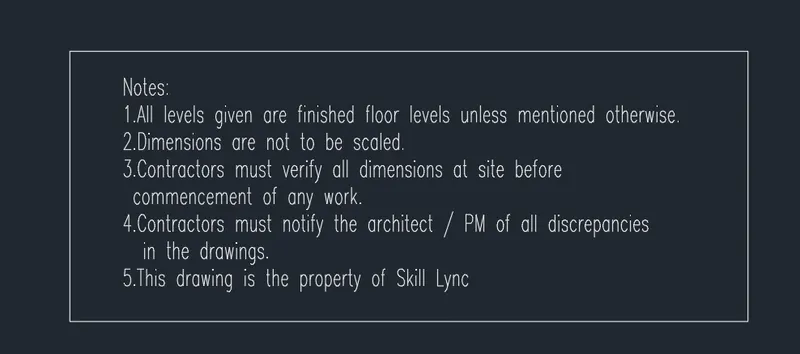
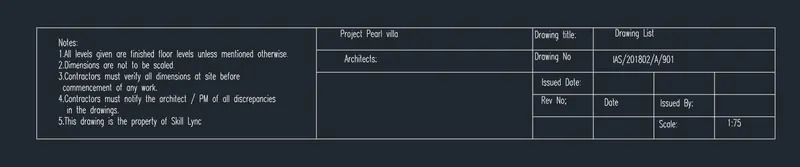
Results:Creation of Template for the plan
C4:
Aim and introduction :To create the list of Drawing schedule.
Procedure:
Steps:
- Insert the table by giving number of rows and columns
- Enter the title
- Enter the Header in it
- Enter the data using text command
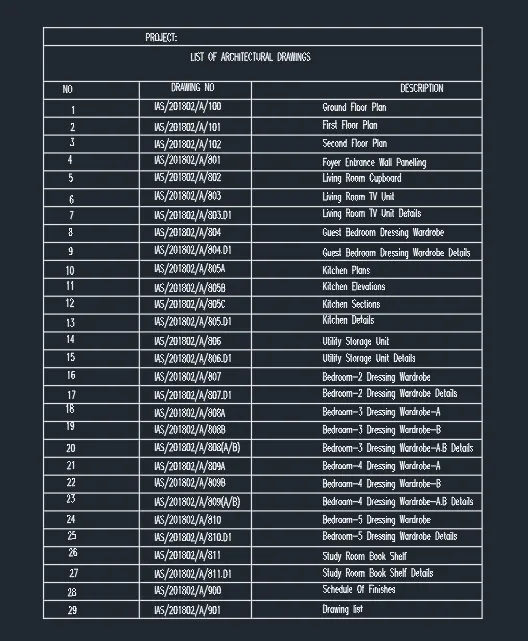
Results:Creation of List of drawings using table and text commands
C5:
Aim and introduction:To create the beam detail by given figure
Procedure:
Steps:
- Draw the Beam using line command
- Hatch the brickwork and concrete in the figure using Hatch command.
- Using leader enter the given beam details
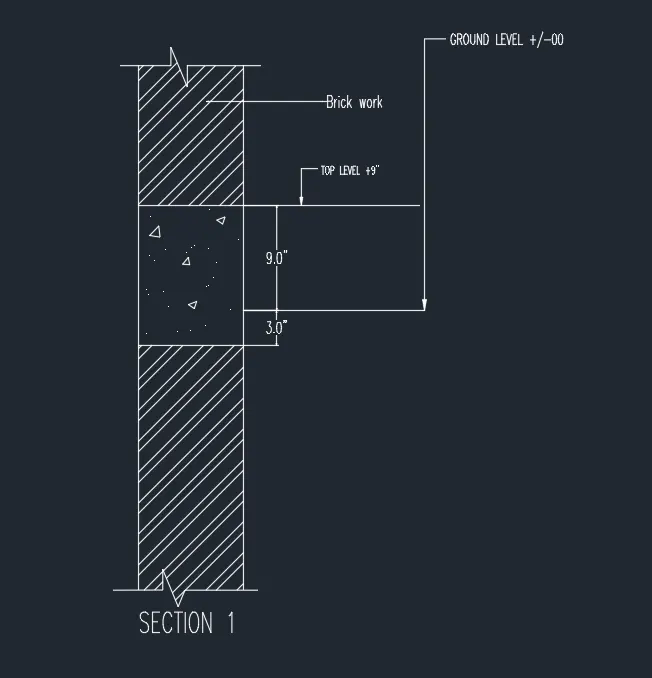
Results:Creation of Beam detail using Leader and line command .