Creation of Column Schedule and Drawing Template using AutoCad
QUE 1. - CREATE A COLUMN SHEDULE AS SHOWN ON THE FIGURE.
ANS. -
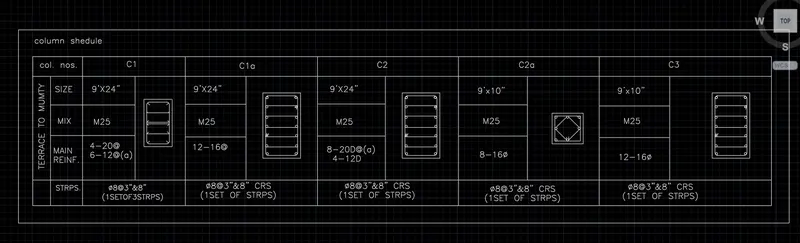
THE FOLLOWING STEPS USE TO CREATE COLUMN SHEDULE.
1. use line tool for creating a box and dividing it to a rows after that providing a column no.
2. providing details of column c1,c1a,c2,c2a,c3
3. providing a size of perticular columns
4. create a gometry to show the how bbs shedule is conduting.
5. showing the stiraps detail in bottom side.
QUE 2 - CREATE A WINDOW SHEDULE.
ANS -
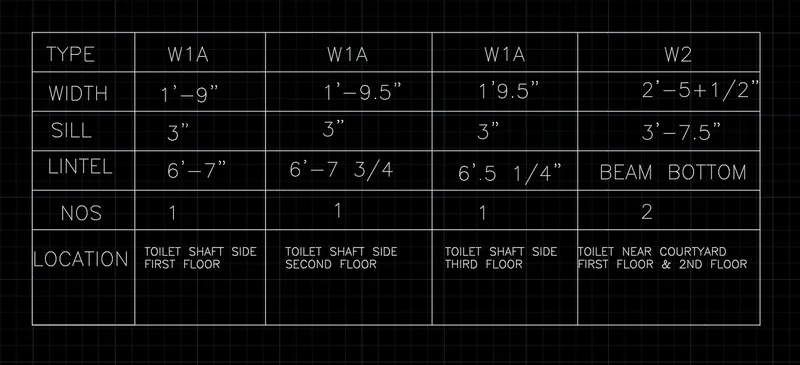
THE FOLLOWINGB Steps were use to create a window shedule.
1. create a column having 5 rows according to its text
2. in first row we write type of window like width,sill,lintel,nos,location.
3. after that we write a detail about W1A AND W2 WINDOWS.
QUE 3. CREATE A DRAWING TEMPLATE.
ANS -
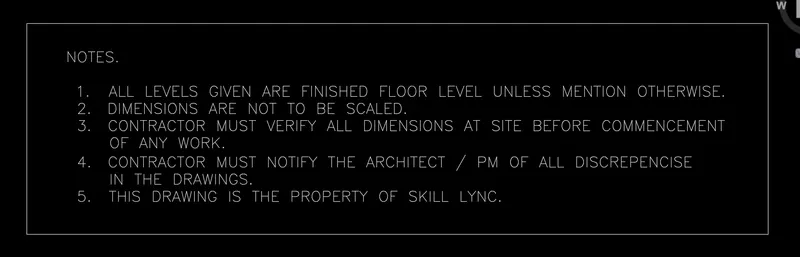
following steps were use to create drawing template
1. use multiline text command to write notes. after creating a notes we use rectangle to combine notes.

IN This templete we use another two rectangle and provide column to it. write the details about the project.
QUE 4. CREATE THE LIST OF DRAWING SHEDULE.
ANS -
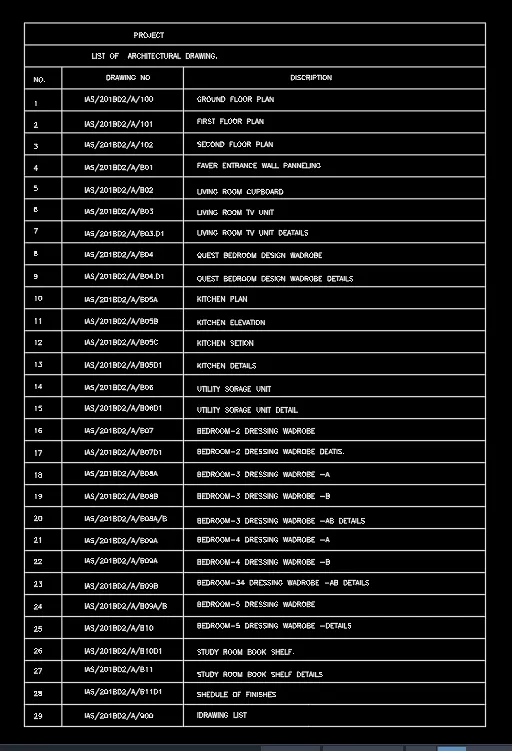
following steps use to create drawing schedule.
1. create a rectangle according to sheet size and after that making a row number drawings numer and discription.
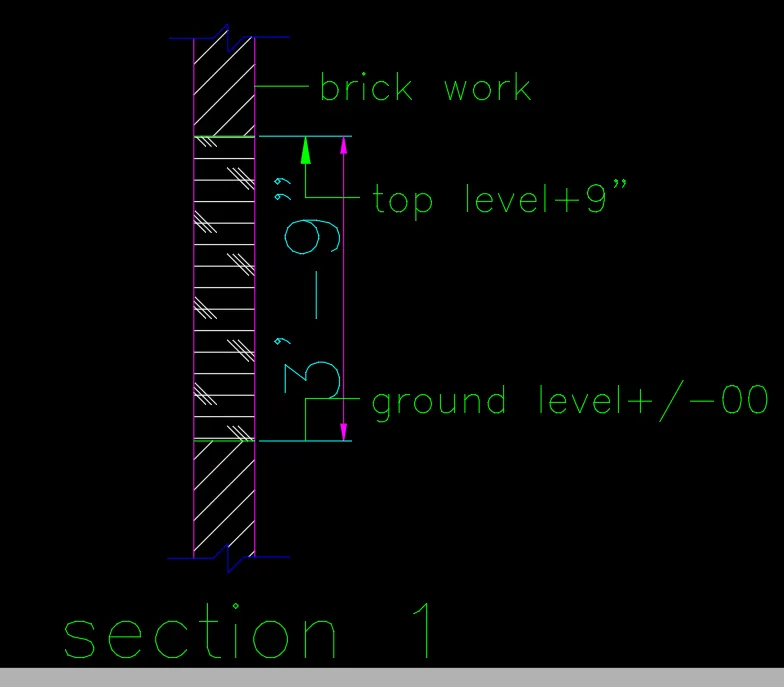
followinig steps use to create vsection 1
1. create aline and take offset 9".
2. from verticle direction create a offset 3'9"
3. give hatches to particular part.
4.showing there name and dimension.