Creation of Column Schedule and Drawing Template using AutoCad
Q.1 Ans :
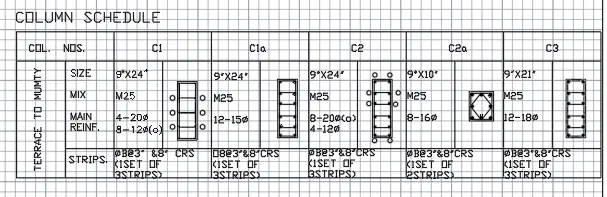
- change the units
- take an line command and draw an table by giving offsets etc.
- txet using dt command or multiline tool.
- draw using line tool.
- Now change the model to layout to change the drawing to sheet.
Q.2 Ans :
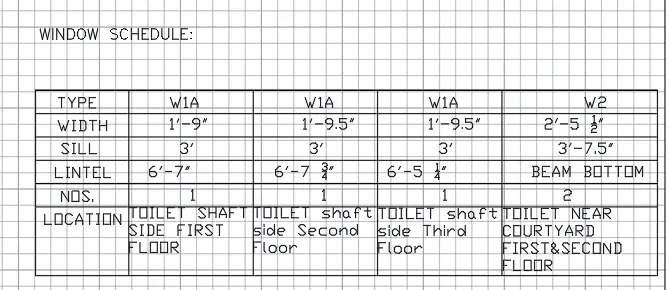
- Draw an table with the help of line tool.
- Use multiline text .
- Now change the model to layout to change the drawing to sheet.
Q.3 Ans :
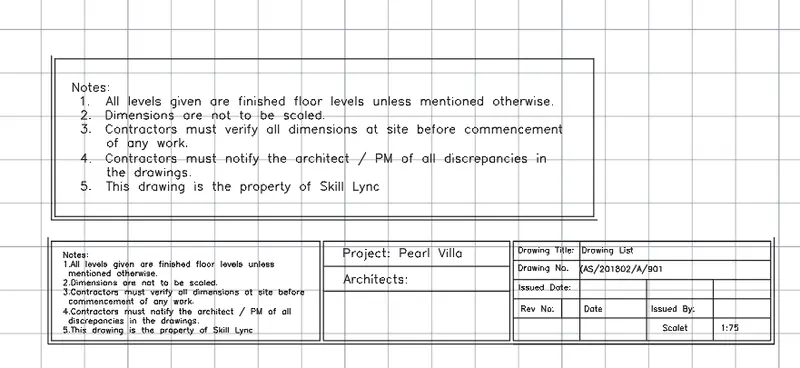
- Drawing with the help of line tool.
- Multitext.
- Now change the model to layout to change the drawing to sheet.
Q.4 Ans :
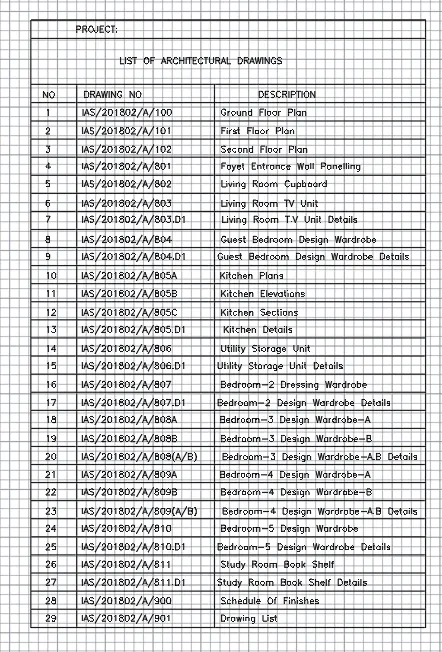
- Drawing Table with the help of line tool, Offset.
- Using Text dt: command.
- Now change the model to layout to change the drawing to sheet.
Q.5 Ans :
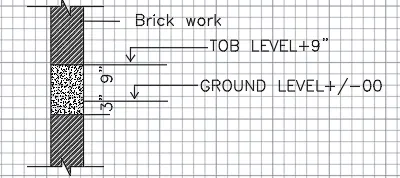
- Drawing with the help of line tool and offset
- hatching , edit hatch.
- DT text
- Now change the model to layout to change the drawing to sheet.