Creating Conceptual mass in REVIT and Creation of Sinusoidal curve and a Parametric stadium using Dynamo
Q.1
AIM- Create sinudoidal points and curve and create a surface out of curve using Dynamo in revit.
INTRODUCTION- Dynamo give us a path to create difficult saft of structure like walkways in park in parabolic shape or other shape.
PROCEDURE-
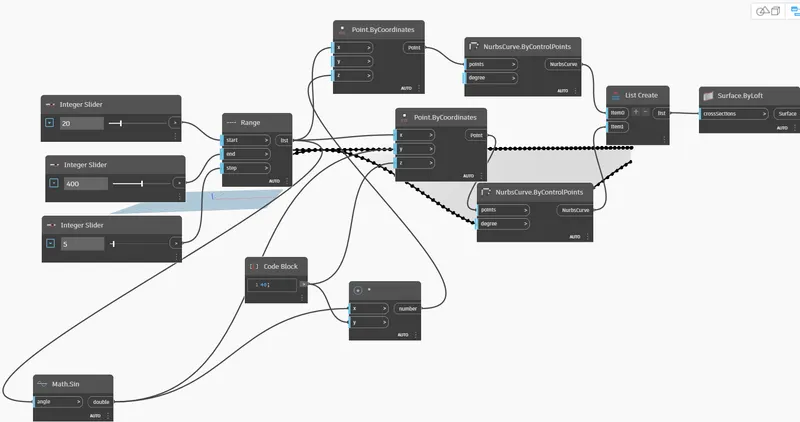
- First we will search interger slider in search box of Dynamo and three integer slider we will inset its in dynamo model.
- Now will provide the Range parameter with start, end and step option and we will connect the start. end and step with three integer slider with suitable value.
- Next we will insert points by co-ordinate and it connect with range parameter.
- Search math.sin and insert this parameter, In this angle option will connect with range.
- Code block parameter will insert and we will set certain value and it connect with co-ordinage z point.
- Now we will insert product parameter and it connect with code block, math.sin curve.
- Next we will connect nurbs curve by control points with point co-ordinate.
- List parameter will connect with nurbs curve .
- At the last we will insert surface by loft its crosssection option connect with list.
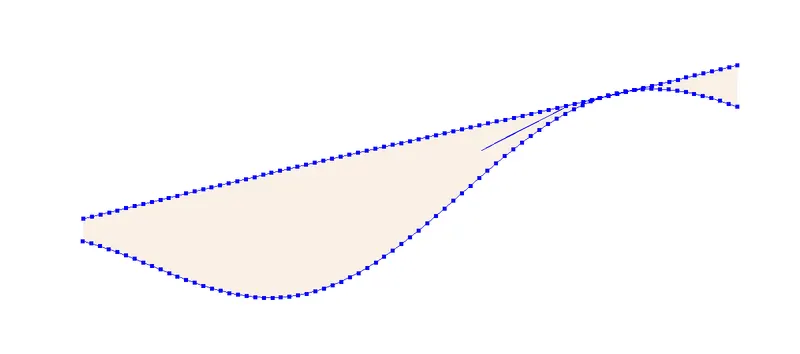
RESULT- All parameter which is used to create this sinusoidal curve and surface are searched under dunamo and connect them each other.
Q.2
AIM- Create a conceptual layout of a floor plan and link wall and wall type gives wall height and length with the use of slider.
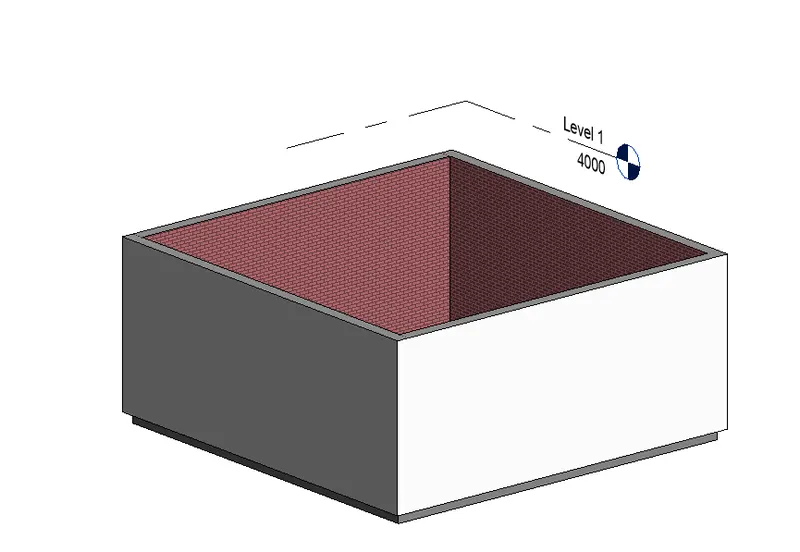
PROCEDURE-
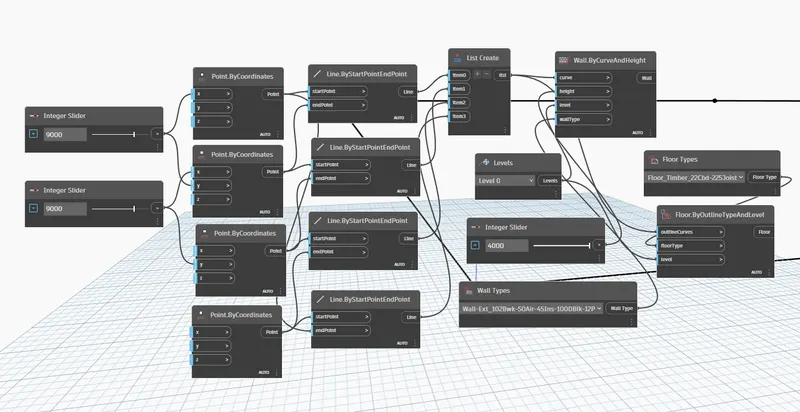
RESULT- For the wall and floor creation by Dynamo suitable parameter search in dynamo like Integer slider, point by co-ordinate etc. and connect them each other.
Q.3
AIM- Create array of model element in revit and change the properties of revit model element with the use of dynamo like rotation of element.
INTRODUCTION- Any element created in revit model we can add it in dynamo and also able to change their position and location by dynamo and we can see clearly their appearance.
PROCEDURE-
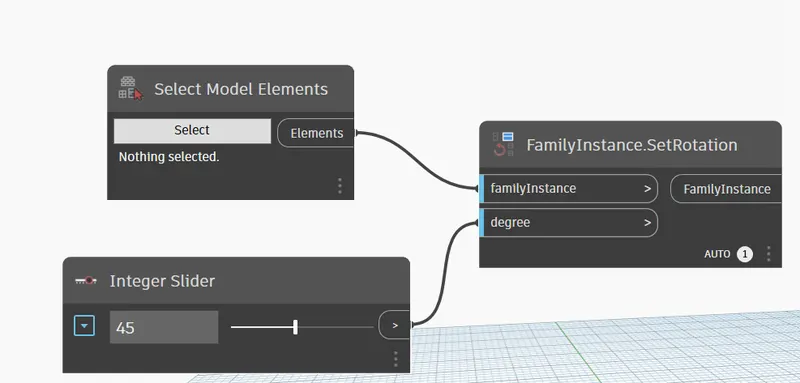
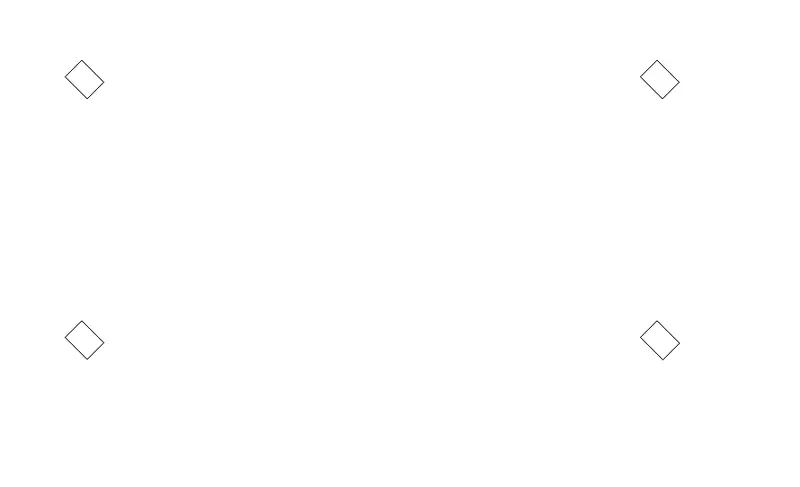
Explanation- These architectural column which is created in revit model and these column rotated 45 degree under the dynamo.
RESULT- Dynamo parameter select model insert and click on select option and choosed array elements in revit and inserted it dynamo and it rotated with rotation parameter and integer parameter.
Q.4
AIM- Create conceptual mass in revit and modelling a parametric walkway with triangular bent or square shaped panels.
INTRODUCTION- The conceptual mass concept which is used to create difficult model in shape like walkway in gardens, parking shelter and road way side etc.
PROCEDURE-
- Firstly we will select the file tab in revit after open of file tab we will select new, conceptual mass and after will choose metric mass and open the conceptual mass model.
- Now we will open the elevation view and will create the level under the create icon and set offset of level like 10 feet or other value.
- After set of level we will open the plan view and we will select the model line, Sp line and will create a path like S shape path or other shape path.
- Now we will set plan at every point of created path.
- Next we will select polygon and placed it at every point of plan wiith suitable level height.
- Choose option from ribon tab created solid form around the path.
- Next we will select the whole model will choose the surface divide option and divide it.
- Now will provide TRIANGLE BENT pattern in this conceptual mass model and we will able to create a S shape walkway.
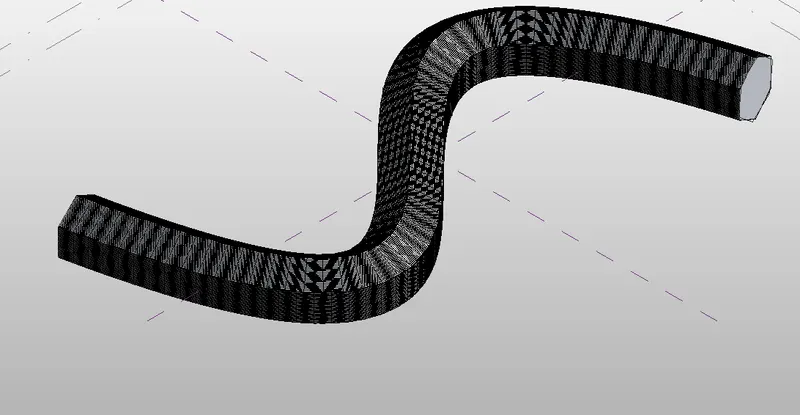
RESULT- This walkway created under conceptual mass template give it appropriate shape with sp line and provide pattern under property browser.
Q.5
AIM- Create a parametric stadium with the use of dynamo.
INTRODUCTION- In dynamo we can able multilevel stadium with appropriate length, with and height can able to set level, floor height and other parameter according to requirement at the time of modeling or after completing the modeling with the use of integer slide.
PROCEDURE-
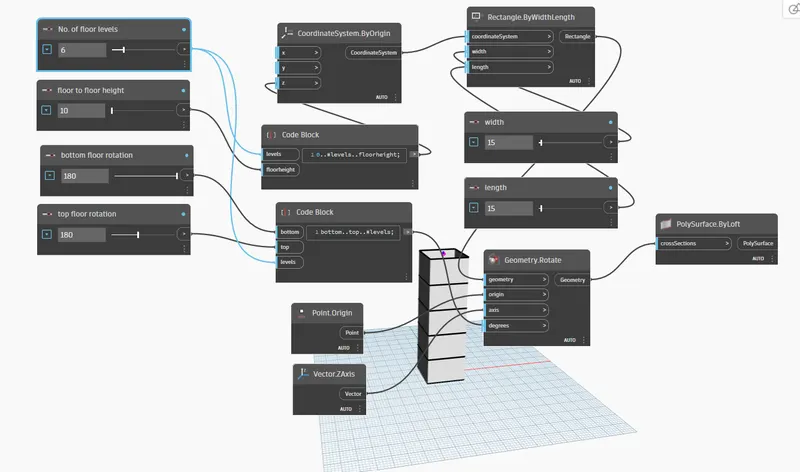
View in revit corresponding to dynamo-
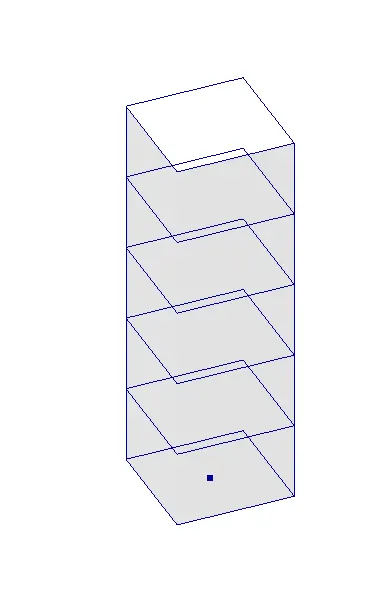
RESULT- For the creation of this stadium many parameter used like Interger slider, code block, Origin, rectangular with width and length, Vector, rotate and surface and connect all with other.