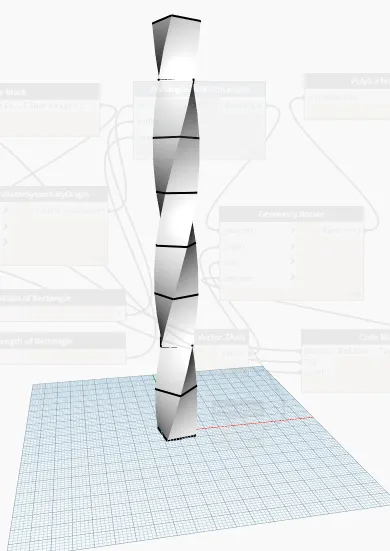
Creating Conceptual mass in REVIT and Creation of Sinusoidal curve and a Parametric stadium using Dynamo
1 Answer
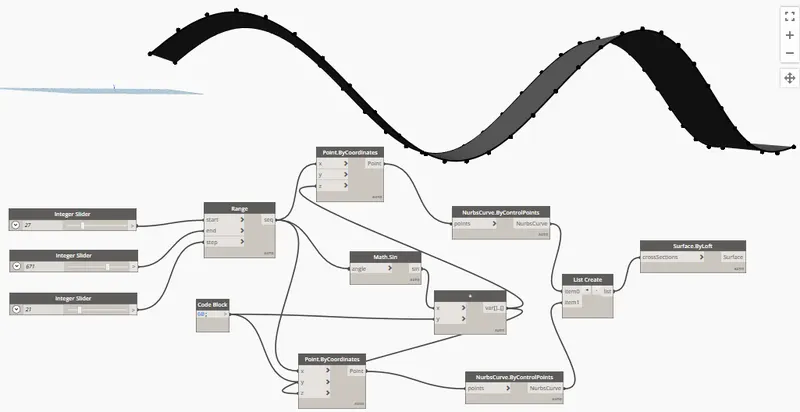
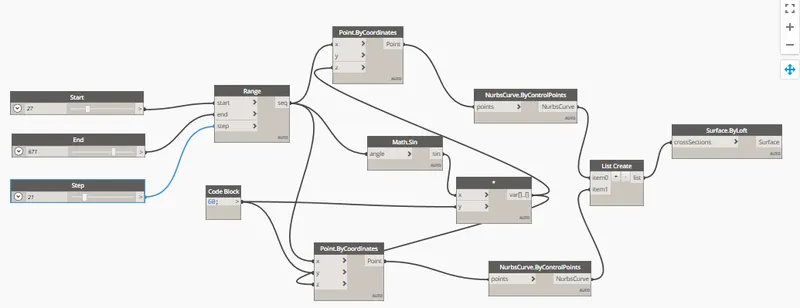
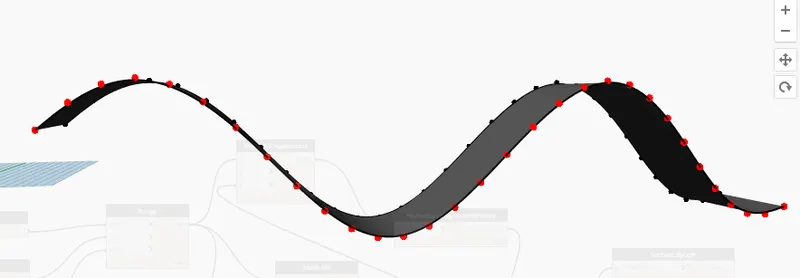
Aim: Using Dynamo creating a set of sinusoidal points and creating a curve and creating a surface out of the curve.
Commands Used:
Manage
Dynamo
Procedure:
1. Opening Revit and in manage tab selecting the Dynamo tool and writing the programme to create
Parameters used in Dynamo:
Integer slider
Range
Code Block
Points by co-ordinates
Math sin
Surface by loft
Result:
2 Answer
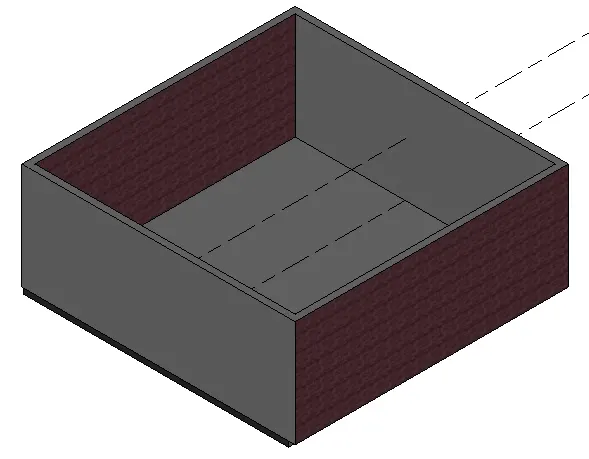
Aim: Creating the Floor plan in Dynamo and using sliders to change the Height and Width of the Floor and Walls
Commands Used:
Manage
Dynamo
Procedure:
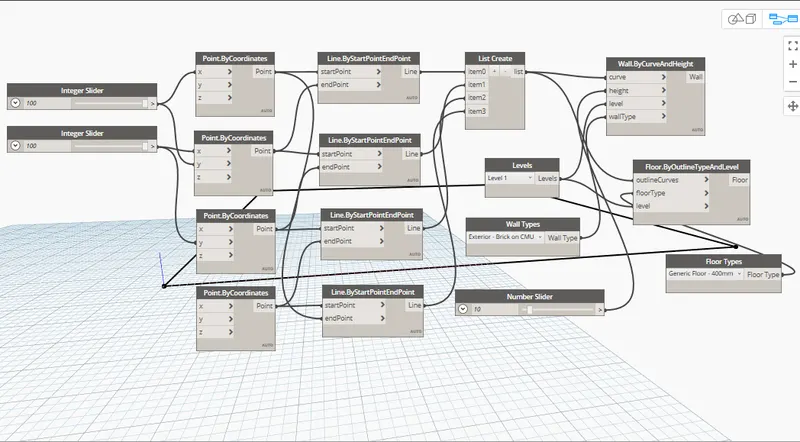
1. Opening Revit and in manage tab selecting the Dynamo tool and writing the programme to create
Parameters used in Dynamo:
Integer Slider
Points by co-ordinates
By start points and end point
Floor type
Levels
Wall type
By outline type and level
By curve and Height
Result:
3 Answer
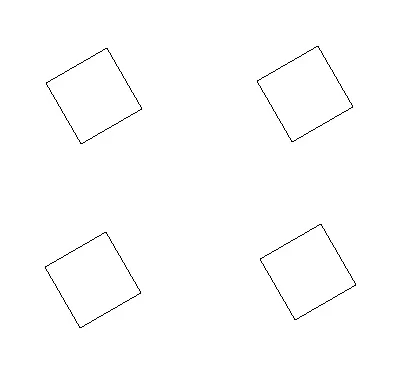
Aim: To Create an array of Column in Revit and using dynamo to vary the properties of Column by using the slider or code block
Commands used:
Column
Mirror
Dynamo
Procedure:
1. Selecting the new Architetural template
2. Creating the column and mirroring the created column
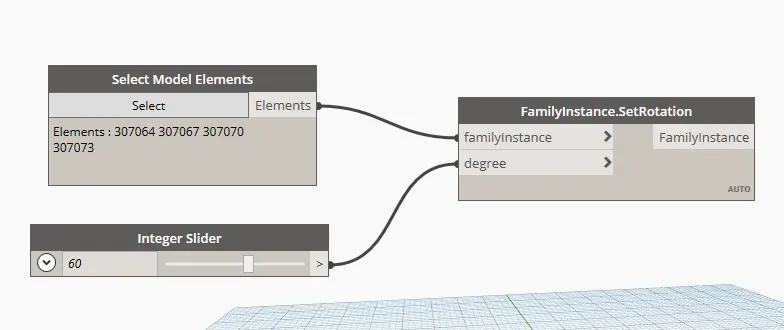
Parameters used in Dynamo:
Select model elements
Code block
Family instances and set rotation

Results:
4 Answer
Aim: To create a parametric column and loading into family
Commands used:
Level
Triangular bent
Workplane
Sweep by loft
Polygon
Procedure:
1. Opening the new Conceptual mass template in revit
2. Creating a level at 10' from the initial level
3. Drawing a curve
4. Seting the workplane
5. Selecting polygon and selecting the number of sies to 4
6. Creating foam and divide surface
7. Choosing the triangular bent
8. Then loading into the family
Result:

5 Answer
Aim:To Create a High rise building Using the Dynamo
Commands Used:
Manage
Dynamo
Procedure:
1. Opening Revit and in manage tab selecting the Dynamo tool and writing the programme to create
Parameters used in Dynamo:
Integer slider
Rectangle by width and height
Code Block
Coordinate systen By origin
Geometry rotation
Polysurface by loft
Vector z Axis
Procedure in dynamo:
1. Selecting the Number Slider for Parameters like Level, Floor height, Base rotation and Top Rotation
2.Writing code for Levels, Floor height, Bottom, Top
3. Giving origin points, width value, length value, Rotation value and etc
4.Selecting polysurface by loft and entering the values or sliding in slider to change the values.
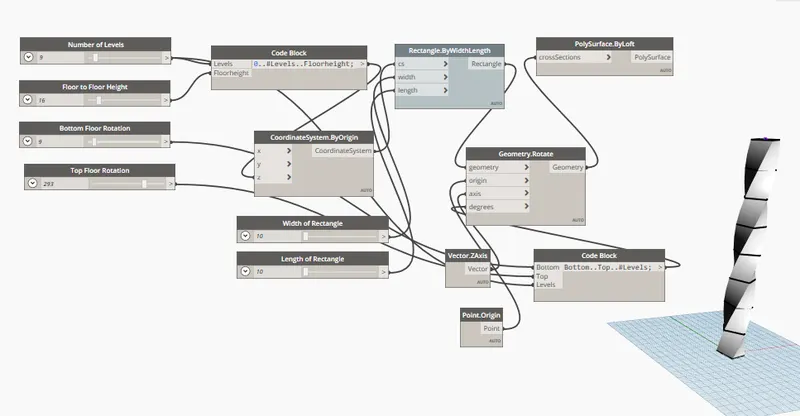
Result: