Creating Conceptual mass in REVIT and Creation of Sinusoidal curve and a Parametric stadium using Dynamo
1)
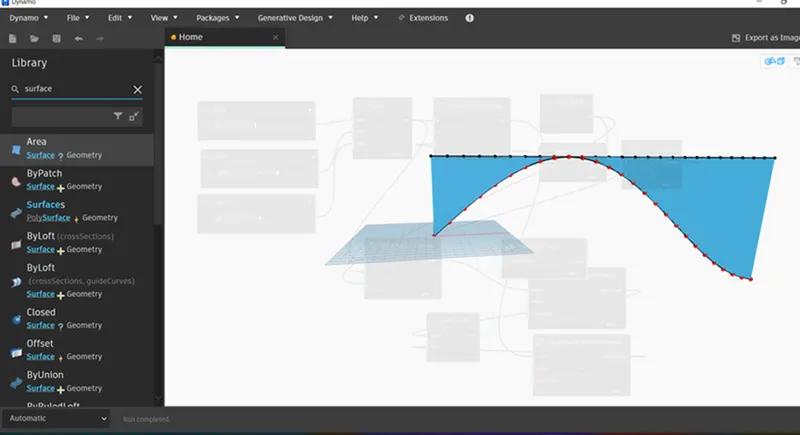
aim:the main aim of the question is to make the surface by sinusoidal points using dynamo.
introduction:in this, i am gonna use the dynamo under the manage panel.using the different parameters in dynamo, i am gonna create the surface using points and curves.
procedure:
- starting with the architecture template
- using the dynamo under manage panel,we enter into new desktop
- using the search bar at leftside top corner, the different parameters can be used by searching or otherwise the parameters are listed at left side of desktop screen.
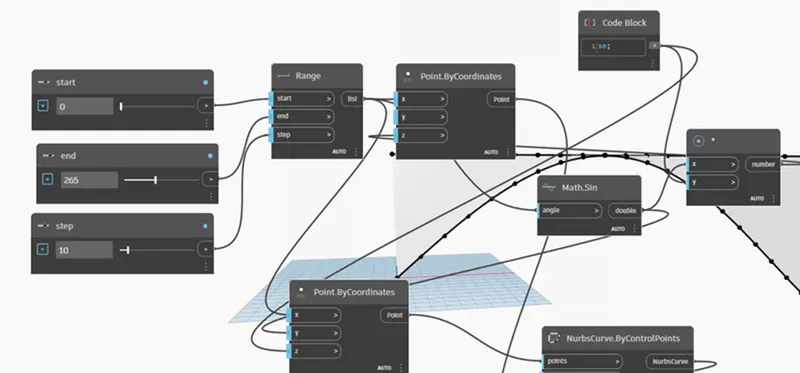
- starting with the integer or number slider, taken as 3 sliders.
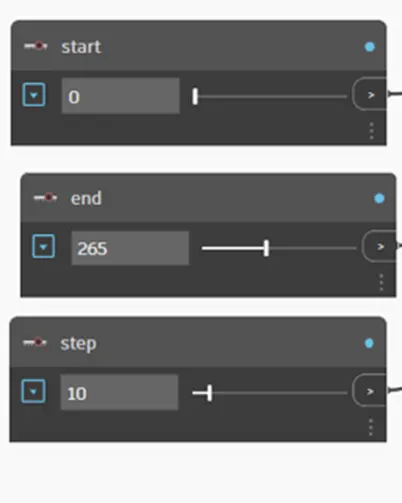
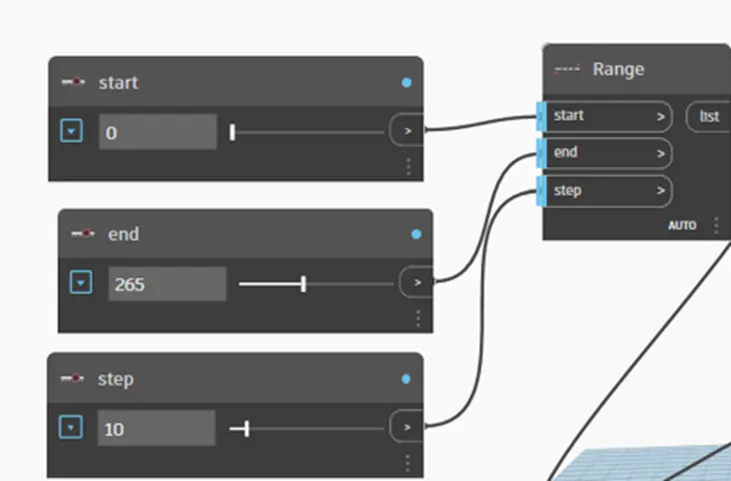
- using range parameter, the start,end and step are joined with the integer sliders
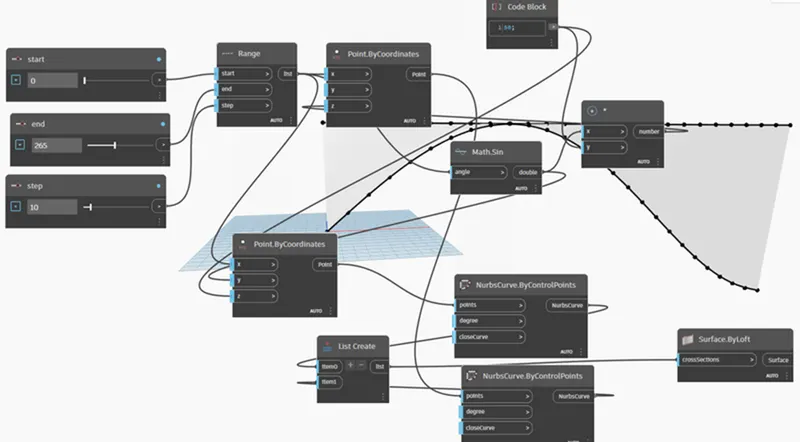
- using the parameters such as pointbycoordinates,codeblock,math.sin,product(*),we gonna get the points by joining them with appropreiate parameters
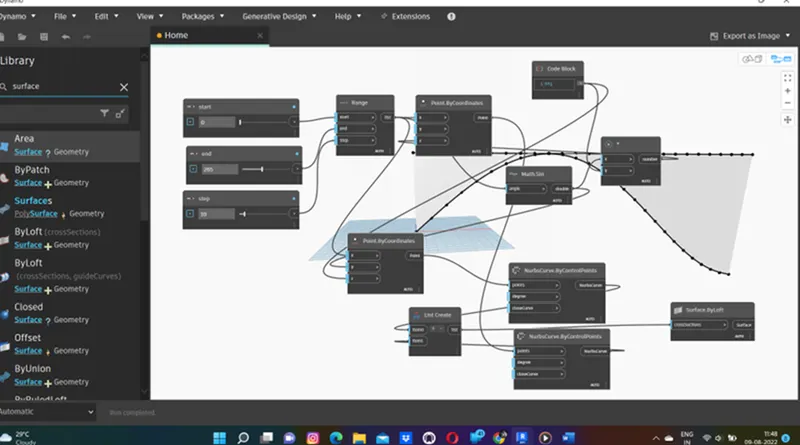
- after that, by using nurbsbycontrolpoint,list and surfacebyloft, we gonna get the curve and the surface by joining the parameters.
result:
the result of the above procedure is as follows
2)
aim:the main aim of this question is to make the wall and floor using the dynamo
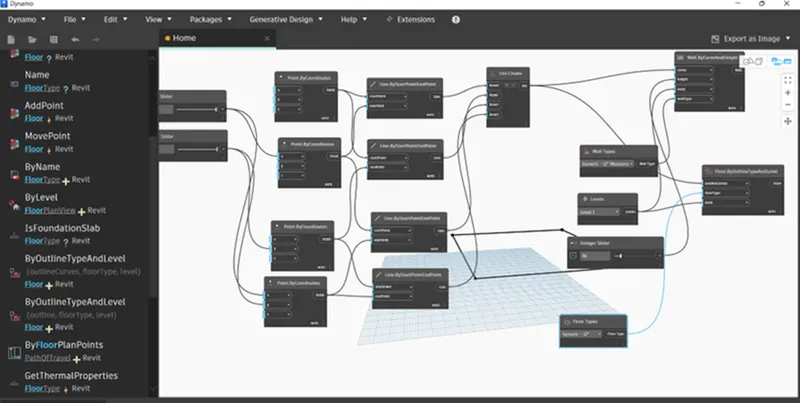
introduction:in this, i am gonna use the dynamo under the manage panel.the model is done in an emperical mode.the wall type and floor type is selected as per the template.
procedure:
- starting with the model by opening the dynamo
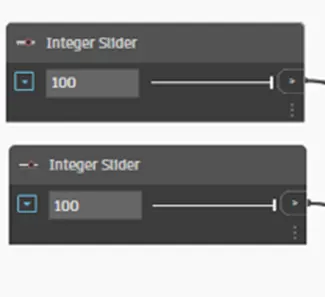
- the two integer sliders are adopted for making the wall sizes
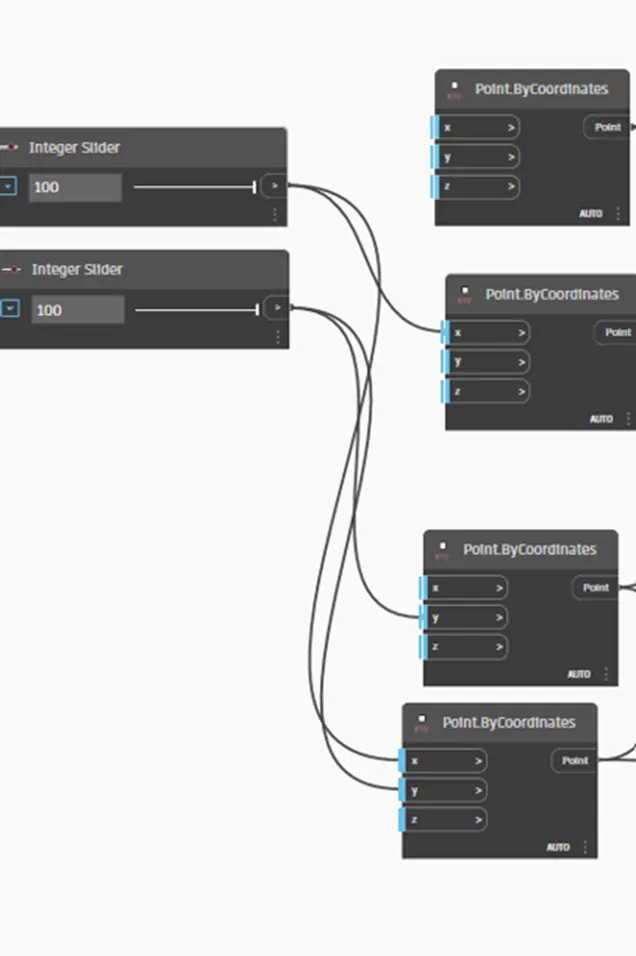
- inserting the pointsbycoordinates as four for making the four sides of wall.
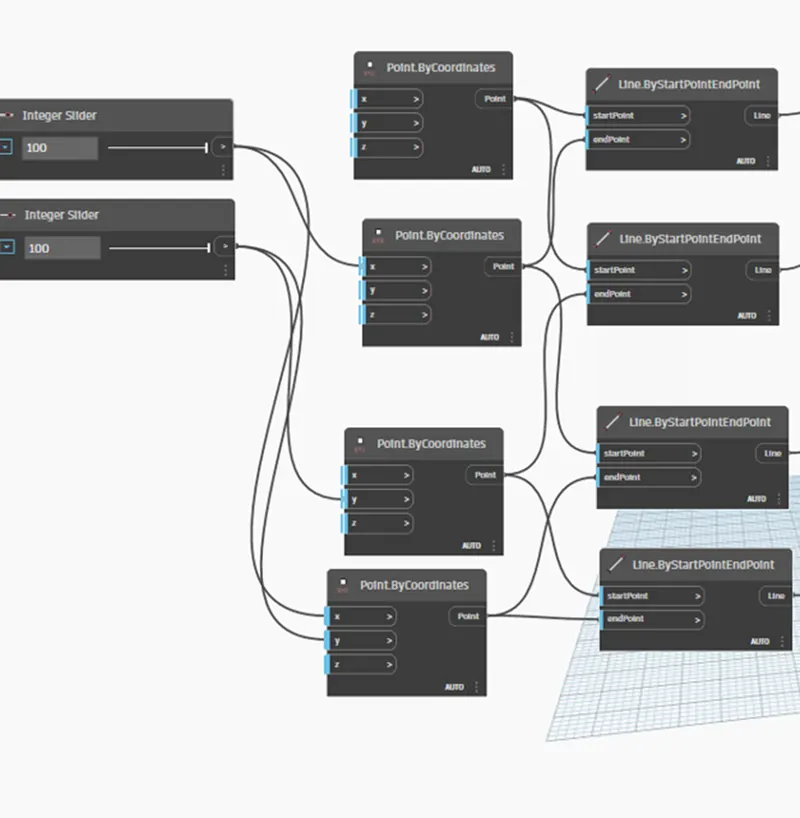
- inserting linebystartandendpoint to make the boundary lines of wall by joining these with above to parameters.
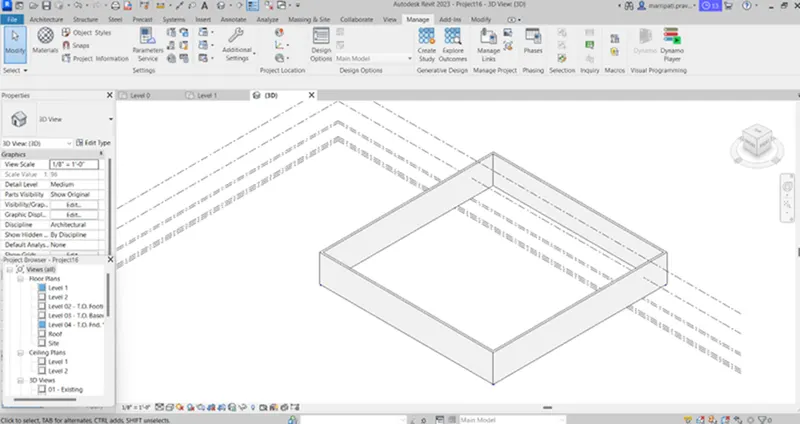
- by inserting listcreate,levels,walltypes,integerslider,wallbycurve and height we gonna get the wall by joining these parameters with the above parameters.
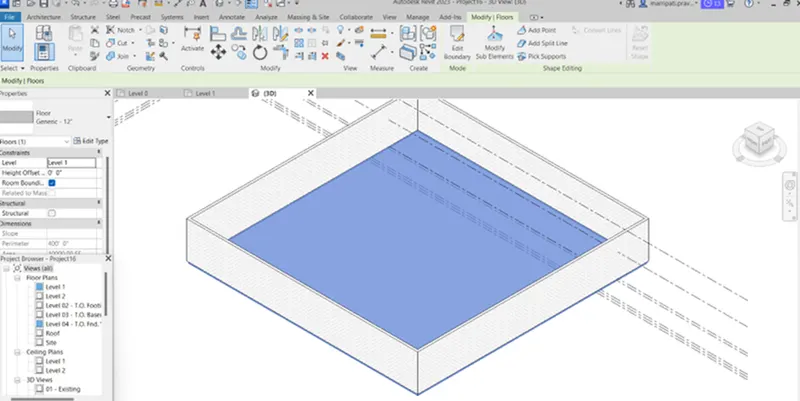
- as like walls, by inserting the floortype and floorbyoutline,type and levels, we gonna get the floor by joining with above parameters
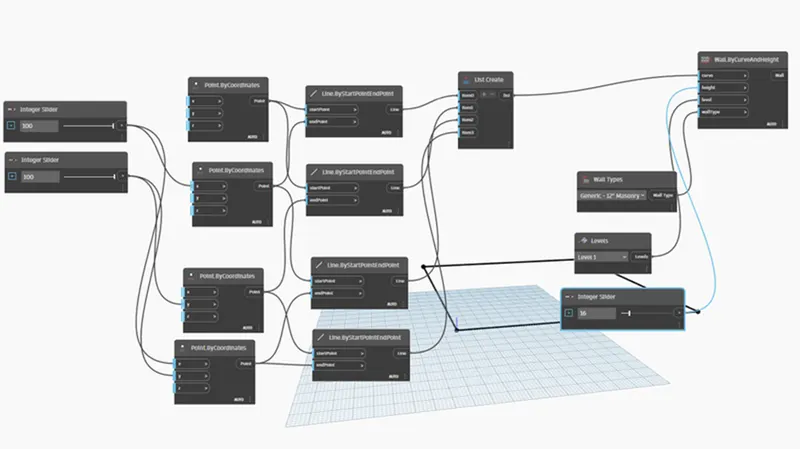
result:
the result of the above procedure is as follows
3)
aim:the main aim of this question is to Create an array of model elements in Revit. Use dynamo to vary the properties of model elements by using the slider or code block.
introduction:in this, i am gonna use the dynamo under manage panel. i am gonna use the parameters such as select model elements,family instance-set rotation and integer slider
procedure:
- starting with the architectural model
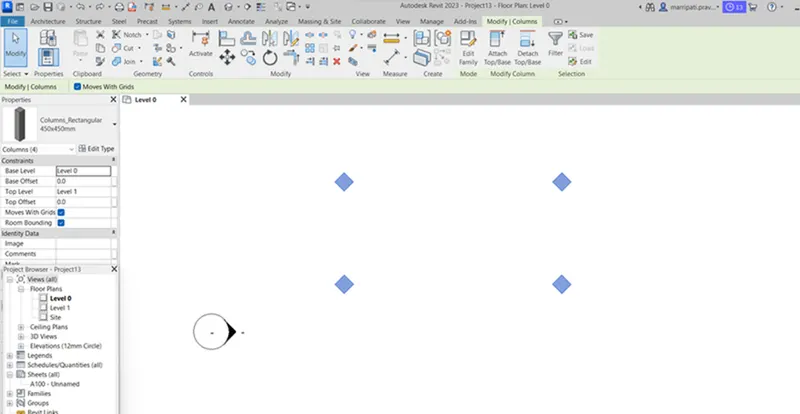
- making the columns by using the cloumn option under architectural panel
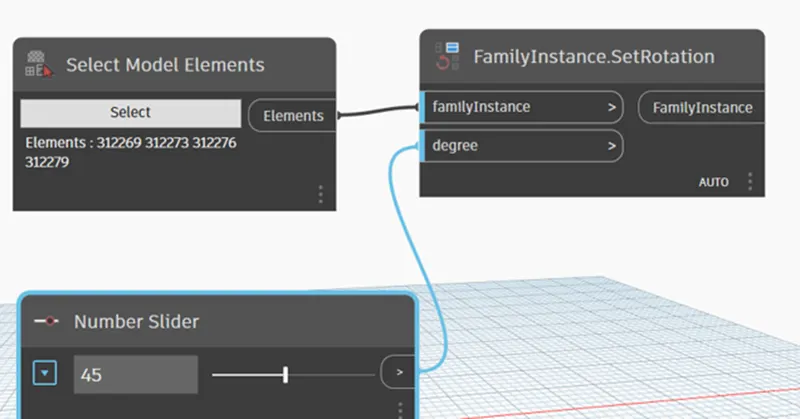
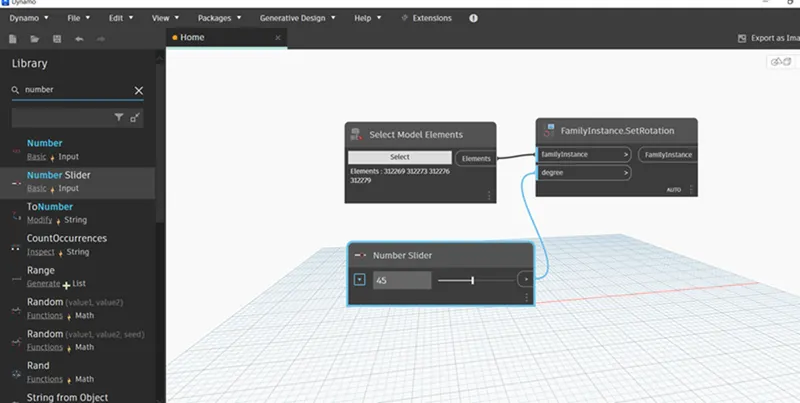
- getting into dynamo, using the parameter selectmodelelements, the columns drawn in architecture template are selected.
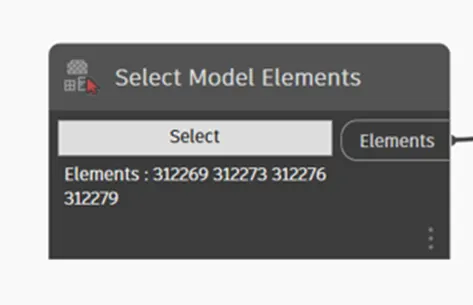
- taking the integerslider for setting the angle of rotation and familyinstance-setrotation for rotate the columns by 45 degrees.
result:
the result of the above procedure is as follows
4)
aim:the main aim of this question is to Create a conceptual mass in Revit and develop a parametric model.
introduction:in this, i am gonna open the conceptual mass in metric mass under family.using the different tools such as model line, spline, polygon, form and devide surface etc,. i am gonna create parametric model.
procedure:
- starting with the conceptual mass in metric mass under family
- setting the layers needed
- by using the option model line, spline under create panel, i am gonna create path
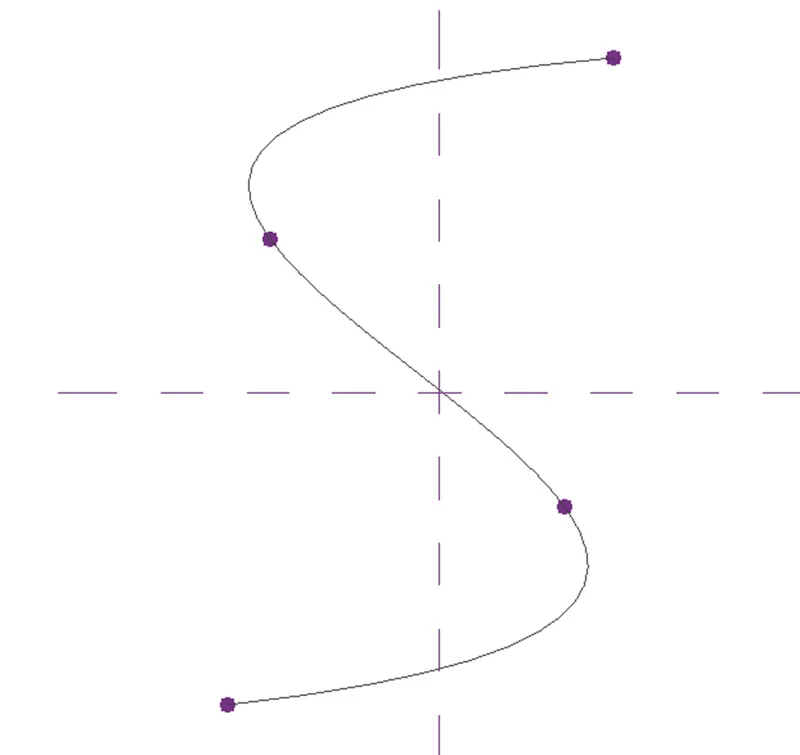
- setting the view to 3d, setting the planes at nodes.using the polygon, the polygon is set at nodes.
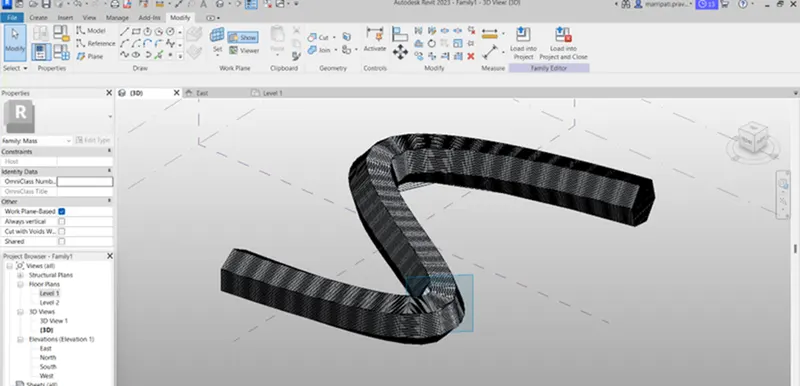
- by selecting the polygon and path, we gonna get the mass model by using the form option
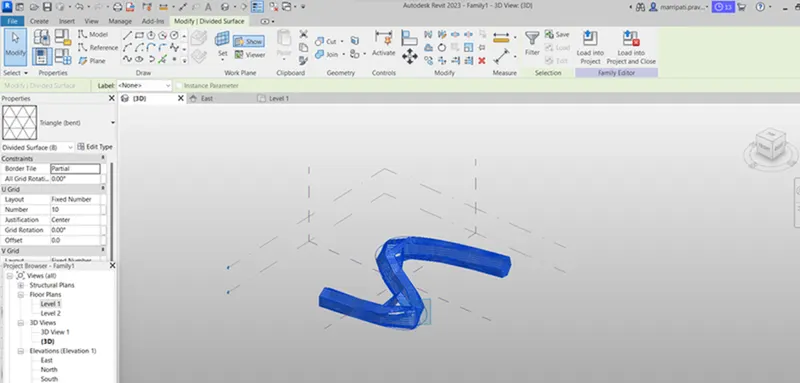
- by selecting the model, we can change the surface to triangular bent or square shaped panels and the suface is divided using the divide surface
- to get smooth edges at curves, we need to increase the value of v and u grids in properties browser.
result:
the result of the above procedure is as follows
5)
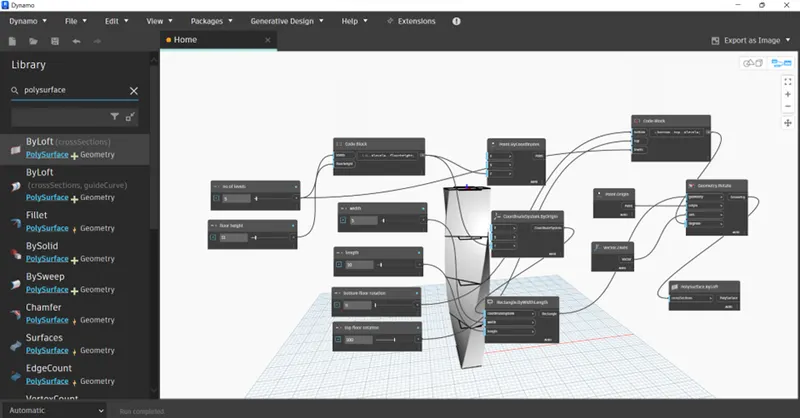
aim: the main aim of this question is to work on developing a Parametric Stadium using dynamo.
introduction:in this, i am gonna use the parameters such as ineteger slider, codeblock, pointbycoordinatesystem, coordinatesystembyOrigin, rectanglebywidthandandlength, origin, vector-z-axis, geometryrotate, polysurfacebyloft, et,.
procedure:
- starting with the model using dynamo
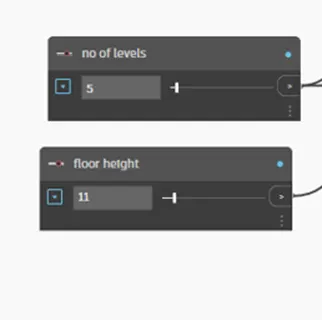
- inserting the two integer sliders for number of levels and floor height
- inserting the codeblock for joining the integer sliders listed above
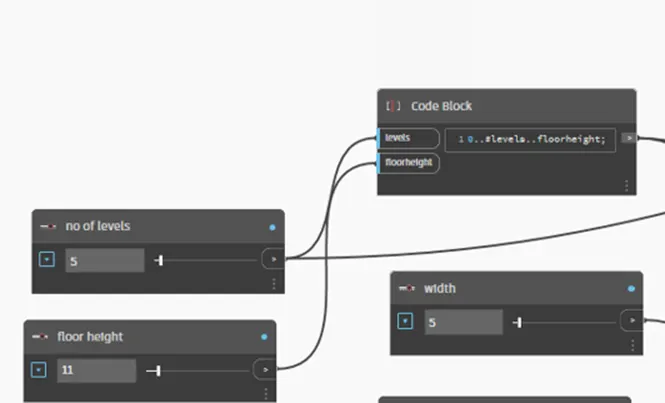
- inserting the integersliders for width, length, bottom floor rotation and top floor rotation
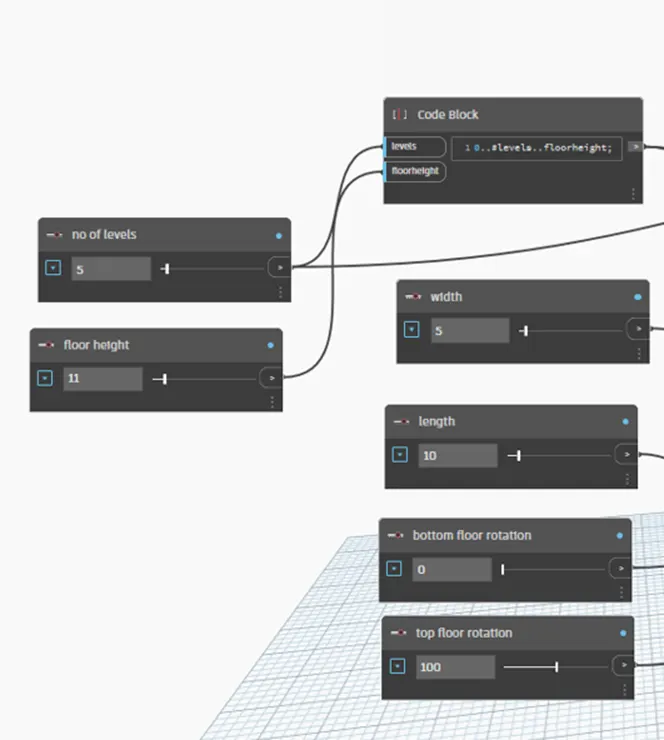
- inserting pointbycoordinates and coordinatesystembyOrigin to get the ponts by joining them to above parameters
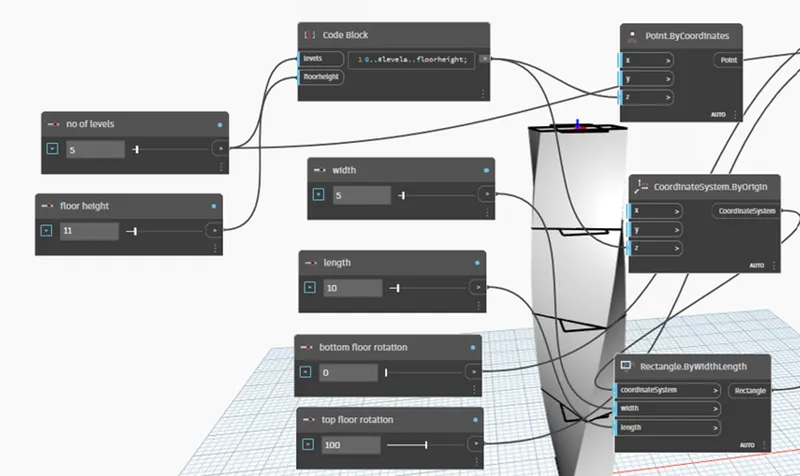
- inserting the rectangle.bywidthlength, codeblock, origin, vector-z-axis, geometryrotate, we gonna get the floor surfaces by joining these parameters with the above parameters
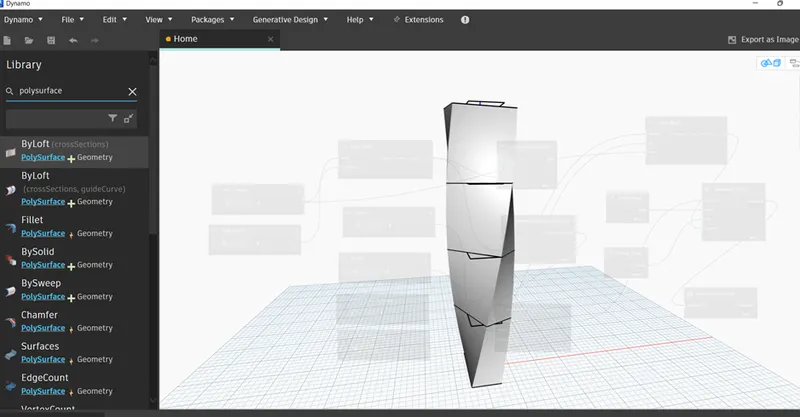
- using polysurfacebyloft, we gonna get the parametric stadium model
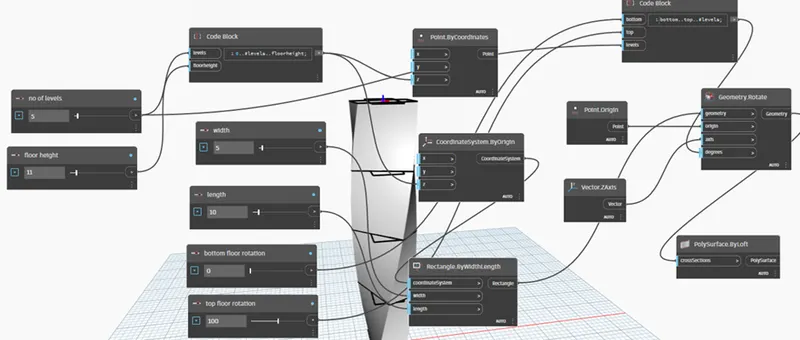
result:
the result of the above procedure is as follows