Creating Bar Bending schedule, Different Door types, and Creation of standard drawing templates using AutoCad
AIM-:To create the templete and save them as a blocks with assuming the size of the blocks.
procedure -:
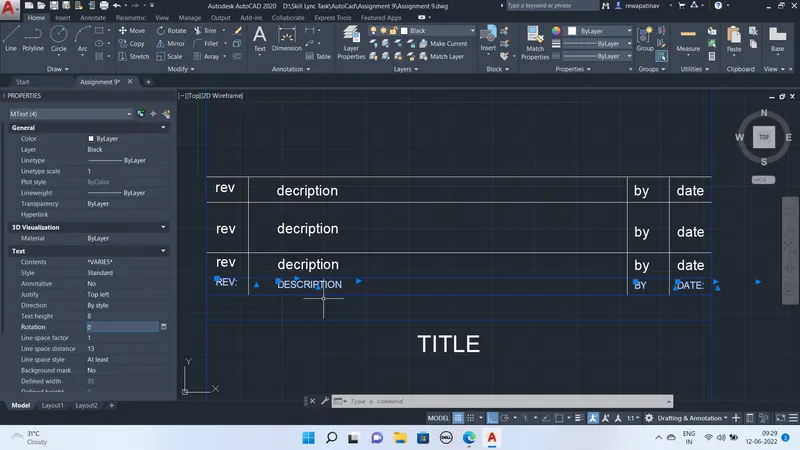
- to create the templete XL Command and line drawn in X and y Directions
- than LIMMAX by giving value 10000,10000 mm
- and Z enter A enter
- after that making the offset of the lines to draw the table as given in figure
- offset of verical line as 400,1200,400,400,thsn trim the lines
- Layer created for the Text and choosen color as blue
- for bottom column creation also offset of the line with 800
- Than mtext command used and the text color as per the layer blue
- text are copied whereever needed and DDEdit command used
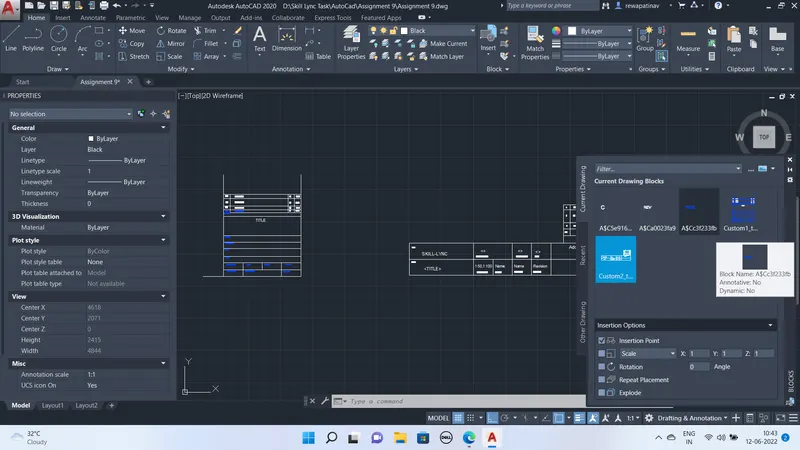
- Than templete saved as block and given the name Custom1 tempelete and custom 2 templete
- Snaps are attached for your information.
-
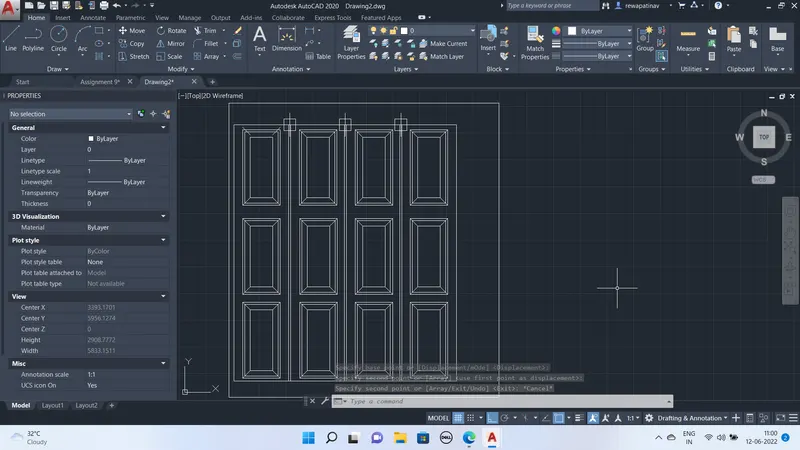
2. AIM-: Creating the door type for warehouse as per the size givn in the figure and creating of blocks of the doors
Procedure -:
- drawn xL in X & Y
- offset in x with 2330 and in y with 2750
- than 150 ofset inner side from all sides and TRIM the corners
- Than Divide command used and divide the line in 4 equal segments
- DDPTYPE Selected
- drawn the lines from id points and created mess
- than offset of 10 to creat the rectangular panels
- and than copy command used one time and than mirror command to copy the panels in bottom side.
- e
- Made projection for the second figure and shape the door using trim command
- DIMLIN command and than saved as blocks
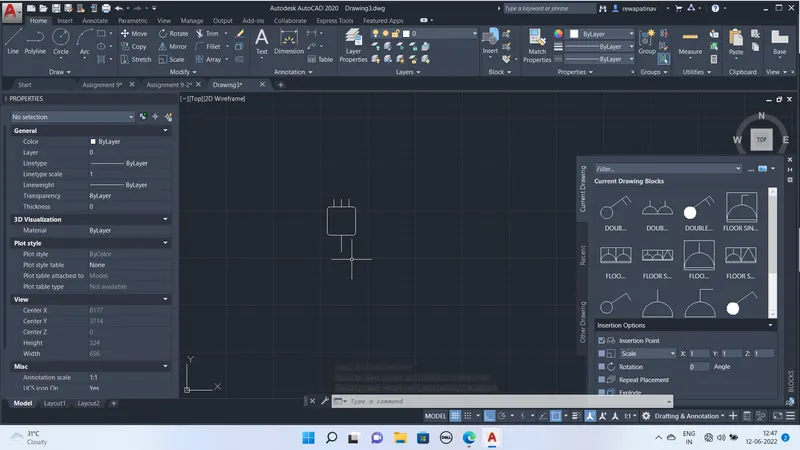
3.AIM-:creating the each symbol legend as a block and than arraged in the format as given in the figure.
Procedure -:
- UN decimal with 0 precision
- circle command with radius 15
- than line from tangent and than Create tha single gang switch
- Than copy it 5 times hatch as solid for three and than crated the blocks using block command with the modification of the key shape as 2 or 3
- For switch cross and switch serial mirror command used
- For sockets line of 100 drawn than 2 point cicle
- and than Trim command used
- as shapes are similarn than copy tha symbols accordingly and modified whereever required
- All symbols are created easily and than. table is created with row height 100 and text size is taken as 55 and written aall text using mtext command
- Than saved every symbol with the block command as name giving as in table
- than insert command and inserted the blocks at correct place
- snaps are attached for the reference
4.AIM-:Craete the door of 6 types and saved as blocks dimensions are as per the given figure
Procedure-:
drawn lines of specific dimensions UN taken as engineering and dimstyle set to fit with scale factor 10
than offset with .5" and 1 inch as visualise
than for panel creation the lines are divide equally by divide command and generate the mess and drawn rectangle inside with someoffset
Copy the rectangles in both direction
For round shape door arc command used with offset of .5 inch
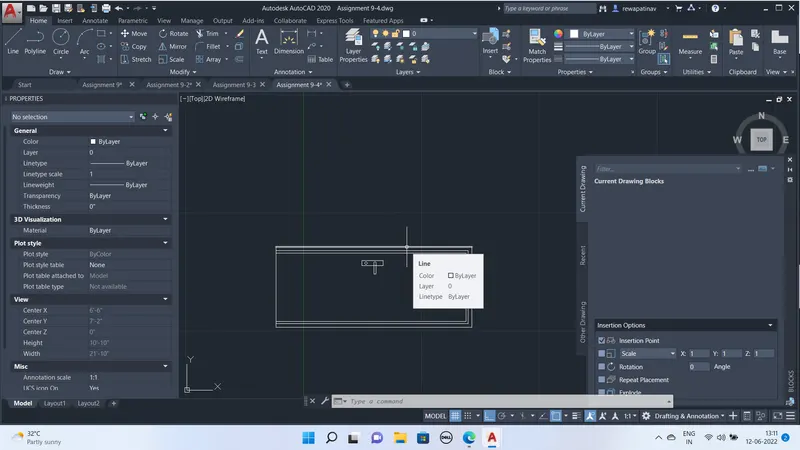
Snaps are attached below
5 AIM -Create BBS and create the block of each shape as shown in figure and draft in the tabular format
Procedure -:
un as decimal
- Limmax at 10000,10000mm
- and than drawn line of 750mm and than formed the hook using fillet command
- for other bar the dimensions are written as text so that the shape should fix perfectly and aligned in the cell
- all shapes are created and than than assigned as blocks and named as A16mm B20mm as in figure
- than table is crated using XL than offset in y direction at 500 and in x derection is 300 12000 as suitable
- Mtext is written int the columns as details are given in the figure
- than INSERT command used to place the shape of the bars at the suitable places
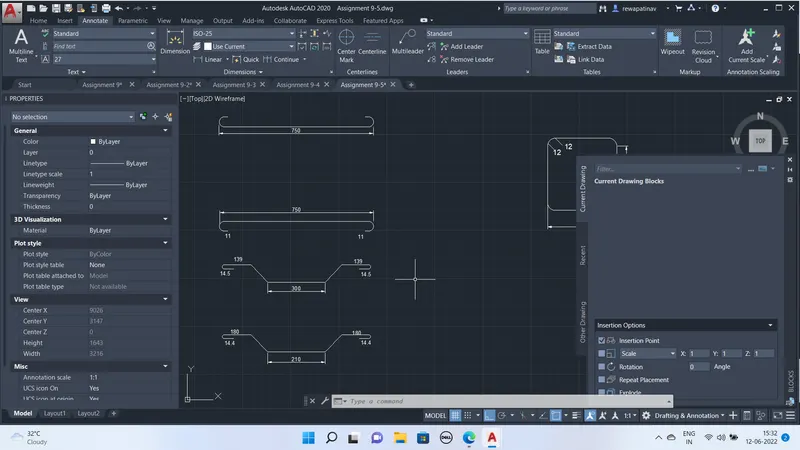
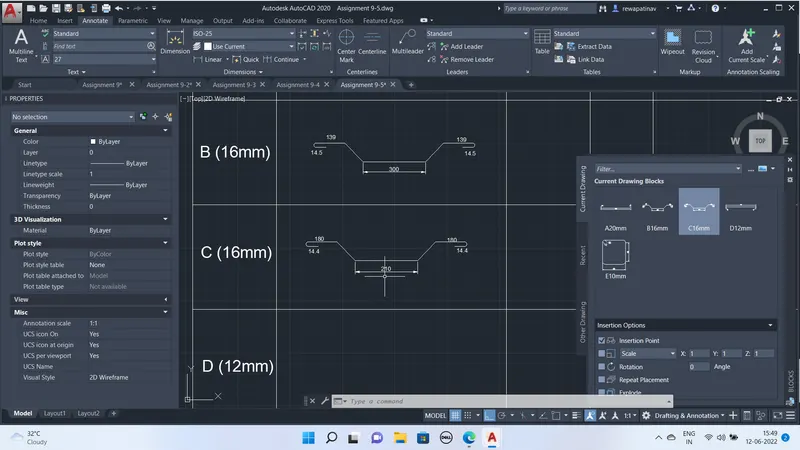
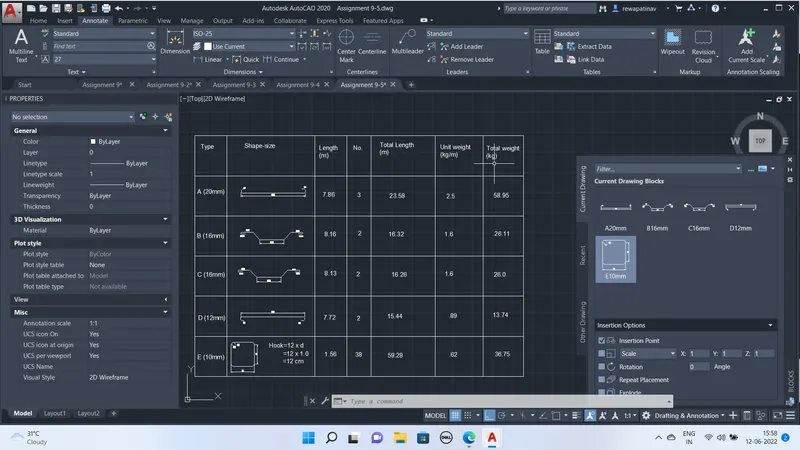
All the snaps are attacthed for your reference