Challenge 9 : Project : Technical Surfacing Kia Sportage
1. TITLE OF THE PROJECT
DEVELOPMENT OF KIA SPORTAGE USING ALIAS AUTO STUDIO
2.OBJECTIVE:
To build the car using the Curves traced from the given blueprint of the car model.
3.INTRODUCTION :
Concept Sculpting is more interesting and skill full work, where we can bring our design from paper sketch to 3D model. Concept sketch is brought to work area of modelling tool, tracing out outline structure of the model. Curve tracing is more essential to build the model, which plays bounding pillar of the surface structure. Proper Curve tracing of the model makes design easier to fill surface and makes the design more aesthetic.
4.DESIGN METHODOLOGY / APPROACH :
A design approach for modelling this Kia Sportage has been briefly explained below using flow chart.
- Start
- setting the boundary box according to dimenstion
- arranging canvas image to the prespective view
- curve Tracing
- Surfacing Building using surface creation tools
- detailing
- Model completed
5.DESCRIPTION OF MODELLING:
Concept modelling is done by various methodology, here we have blue print of the kia sportage. It’s easier to develop the model by tracing out the curves of the car outline by curve generate options. Once the curve networking is done, we pour the surfaces to curve which gives volume to your model.
Step 1:
In the working layout we are going to set the bounding box according giving dimension in the blue print of the car. Then import the canvas image and place inside the box proportionally as shown below in the figure.
Following tools were used while making the model:
1.CV curves under curve toolbox option in the palette.
CV curve tool is used to make curve. This is one of the primary tools available for the users to make any desired shape.
ep curve tool can also be used for similarly.
- Blend curve toolbox
This tool is used to blend two curves to make the corners round so that the resulting curve is proper and continuous.
Further edit tool in the same toolbox enables the user to manipulate the blend curve to a desired shape.
3.Object edit toolbox: tools used under this are
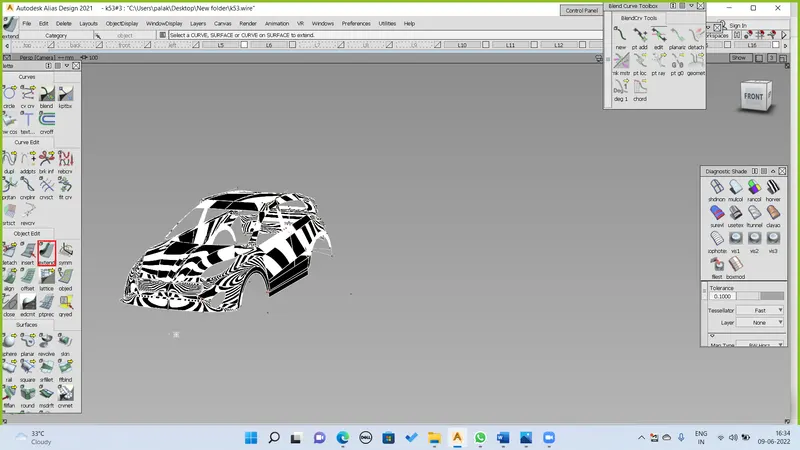
- Extend tool: it is used to extend or reduce the size of the curves.
- Query edit tool: it is used check and vary the construction history of a surface.
- Detach tool: it is used to detach say a part of a curve or surface from the rest of the shape.
- Align: it is used to align two surfaces with each other according to their positional requirement.
- Surface toolbox:
The most important toolbox for surfacing is this toolbox. It has various tools for the user to make a surface. A surface can be made by using different tools according to the requirement of the user. The used ones in this model are listed below:
- Skin: used between two curves to make a surface.
- Rail: it is used to a make a surface by assigning generation curves and rail curves.
- Square: four curves in continuity are necessary to make this surface.
- Planer: it creates a planer surface for a closed curve.
- Free form bend tool: this makes surface between chosen curves.
- Surface fillet tool: it blends the edges of the two surfaces and makes it soft.
- Surface edit toolbox: this tool box is used to edit the surfaces when required. Used tools are listed below:
- Project tool: this is used to project a curve on a surface which is necessary to further use trim command.
- Intersect tool: this tool is used to create an intersection between two surfaces which is further used to trim the surfaces.
- Trim tool: it deletes the unnecessary part from a surface.
- Untrim tool: it undo the trim tool.
- Trim convert tool: it converts the patch of a surface and creates a new surface.
- Diagnostic shading
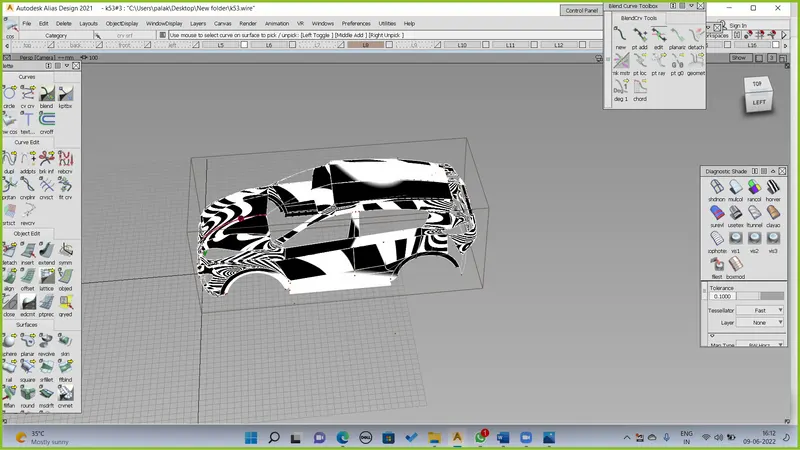
It can either be accessed from the control panel or from object display option in the upper toolbox. This has various shading option for the user to check the continuity of the surfaces created. Commonly used diagnostic shaders are:
- Shading off listed as shdnon.
- Multicolor listed as mulcol.
- Horizontal/vertical listed as horver.
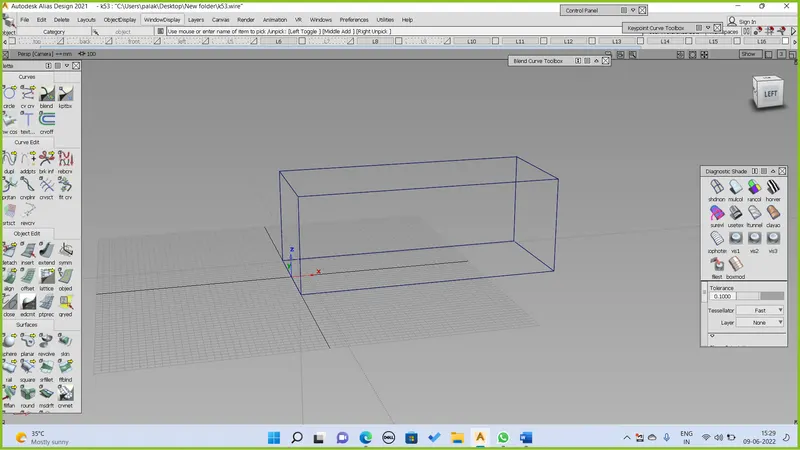
Once the canvas images arranged according to the view, curve tracing has been initiated by using the key point curve tool with maximum 5 degree curve. This curves are arranged according to the shape of given blue print by the stretching CV hulls in all proportion view to build as 3D object.
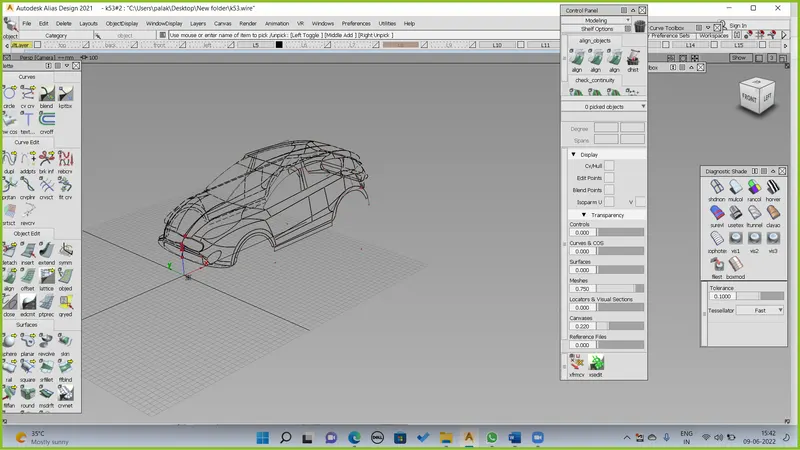
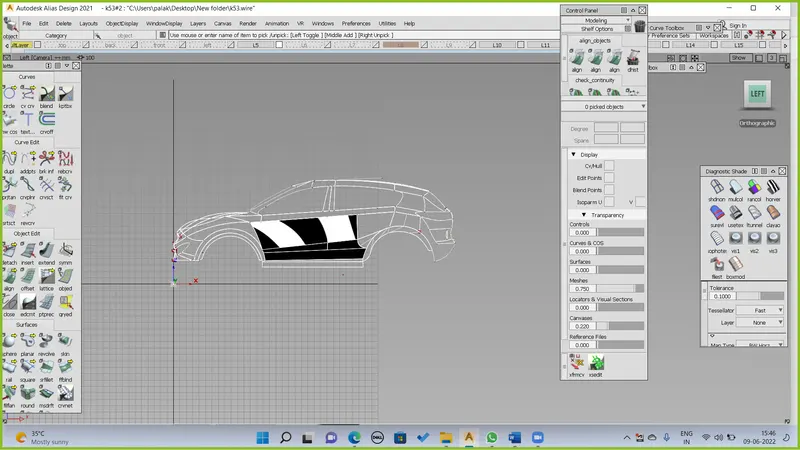
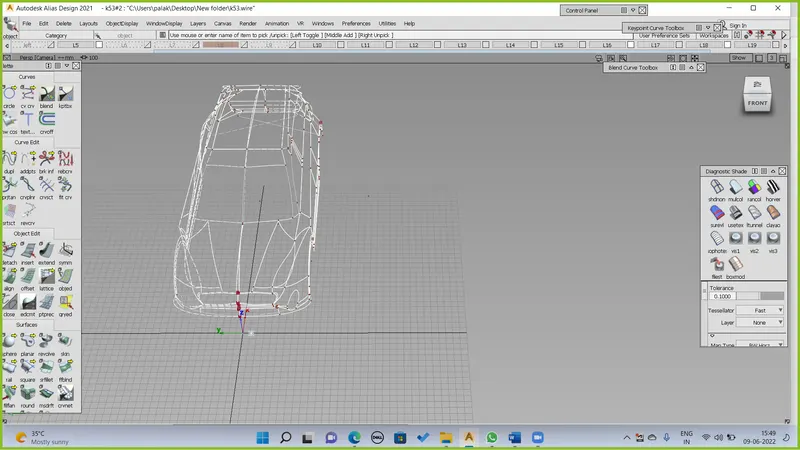
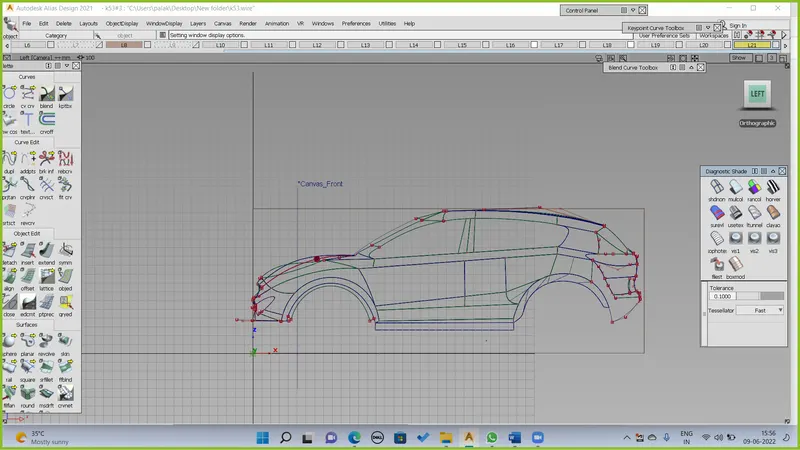
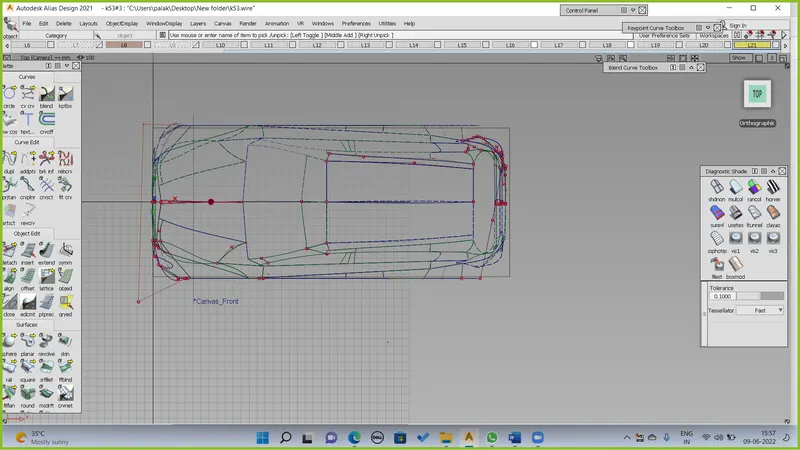
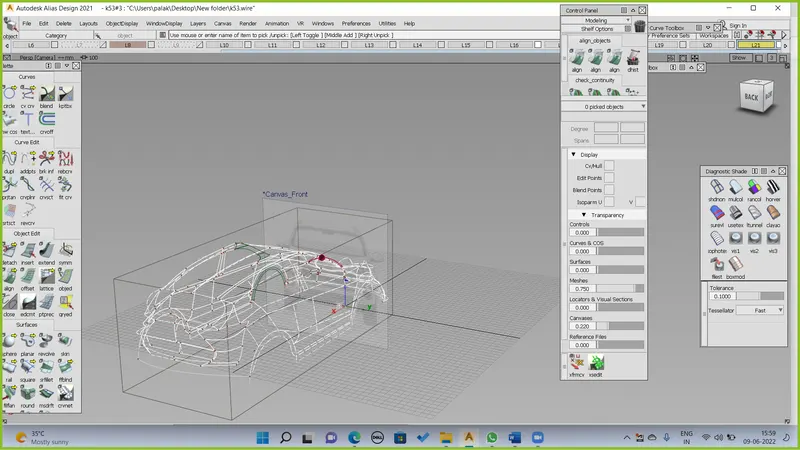
The design of the car model; is Symmetry model, so once build one side of the car and it is easily make transition to complete both by using Duplicate - Object in the tool option.
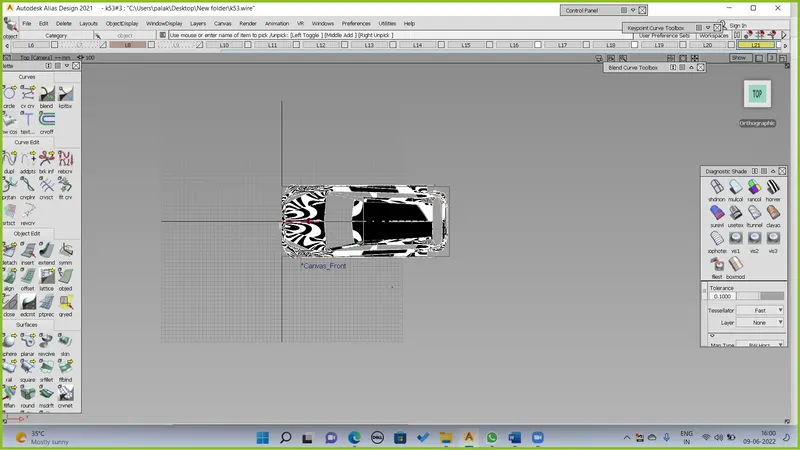
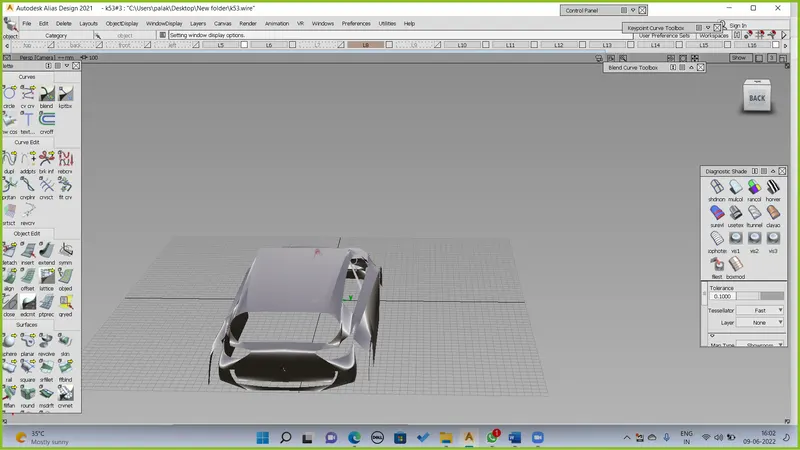
SCREENSHOTS OF MODEL IN THE REPORT.
TOP VIEW OF KIA MODEL :
SIDE OF KIA MODEL :
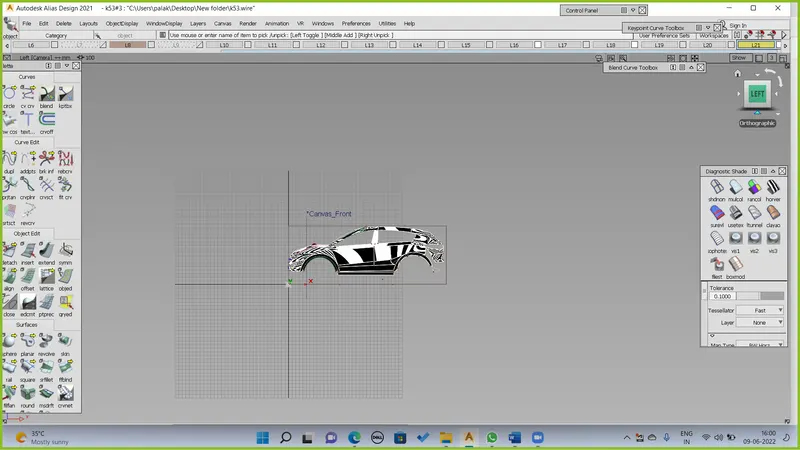
FRONT VIEW OF KIA MODEL:
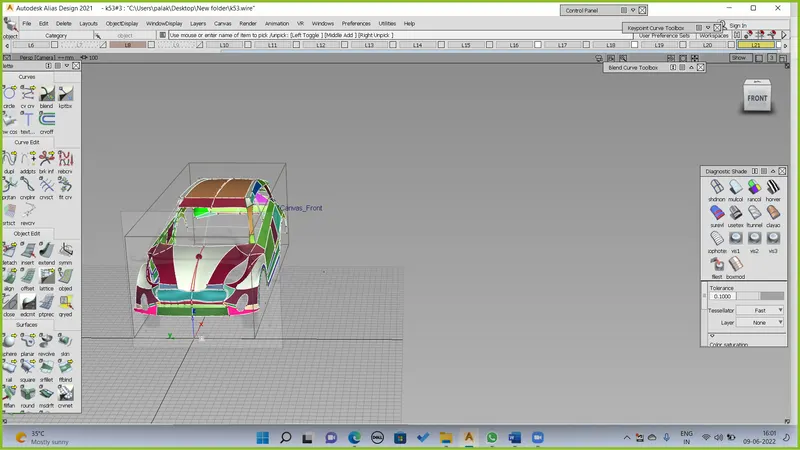
PROSPECTIVE VIEW OF KIA SPORTAGE
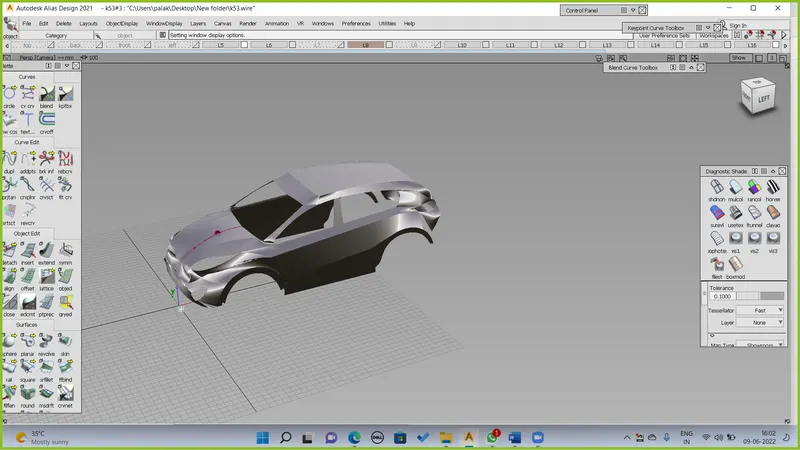
LEFT VIEW KIA SPORTAGE :
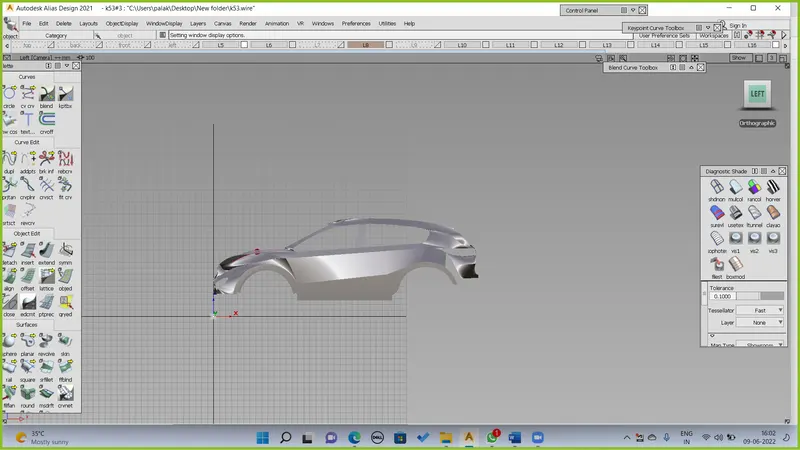
BACK VIEW OF KIA SPORTAGE :
CONCLUSION: Using the knowledge of previous weeks, we were able to make a good surface model of KIA SPORTAGE car.