Challenge 8 : Concept Modeling of Seats
CONCEPT MODEL OF SEATS
OBJECTIVE:
To create a concept model of seats by using a proper curve network and curve
and creating the surface and mainly depending on visualization.
INTRODUCTION:
Auto Alias is a family of CAID software predominating used in automotive
design and industrial design for generating class A surfaces using Bezier surface
and Nurbs modeling method.
Seat one of comfortable part in car and it need a proper design for long-distance and some many companies are doing good product but not a solution
for long-distance comforts. And martial needs very high Kushan here the seat design shows more visualization and perfect curve network need for a surface to analysis good quality design.
DESIGN METHODOLOGY:
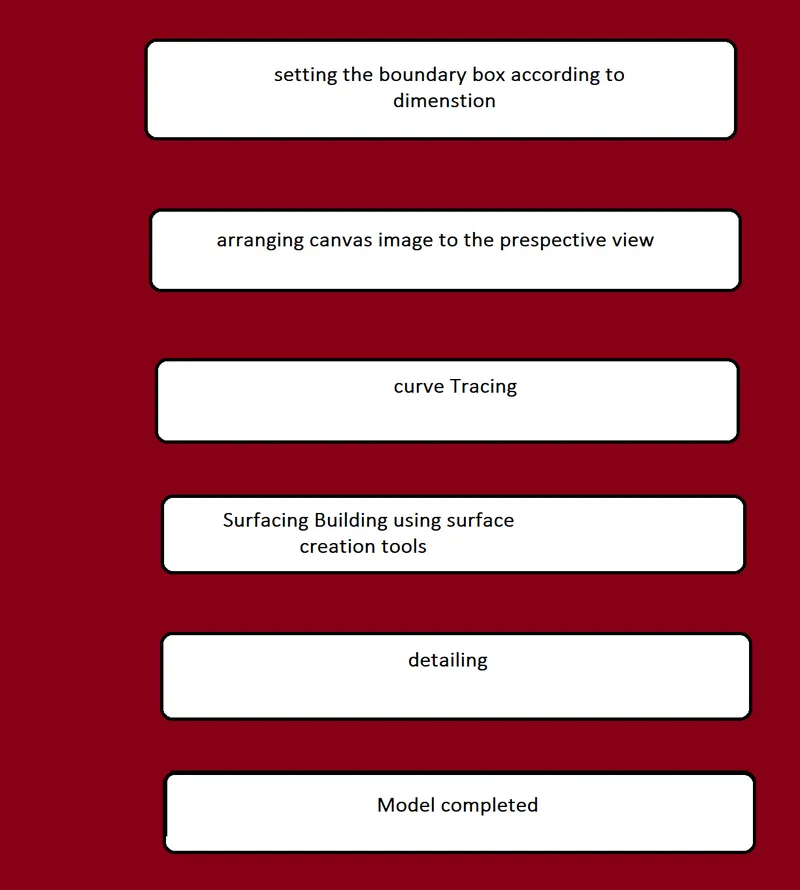
DESCRIPTION:
1.import canvas image under file option:
this option is listed under file menu.it allows user to insert a canvas image in
software or workspace.
2.marking menus:
This shortcut used to be professional work and better option while doing fast
and it is easy to work.
This tool is helps user to picked anything. Specific tools which are useful while
making a model are listed below:
1.pick cv
2.picking curves
3.picking objects
4.picking surfaces
5.pick nothing
Main keys are shift and ctrl+ Alt and words are ctrl+c for copying and ctrl+v for
Paste
Curves:
Curves is used to create a structure of the shape and it help to get clear idea
about surface creating
mainly curves used command is
1.circle curve
2.cv crv
3.blend and
4.line
Surfaces tool menu:
After creating the curves, we will take surfaces for creating the surfaces on the
curves we used main surfaces commands are:
1.planar
2.skin
3.rail
4.srfillet
5.ffbing etc.
Surface editing:
Surface editing is used to mainly in alloy wheel for project the curves in surfaces
and trimming the volume of the curve surface.
MS DRAFT
It was used to create curve nature and creating an angle and used a addition of surfaces in difficult position
Here mail tool of the project is the project and trim and rim covert is main
tools to go forward of the project.
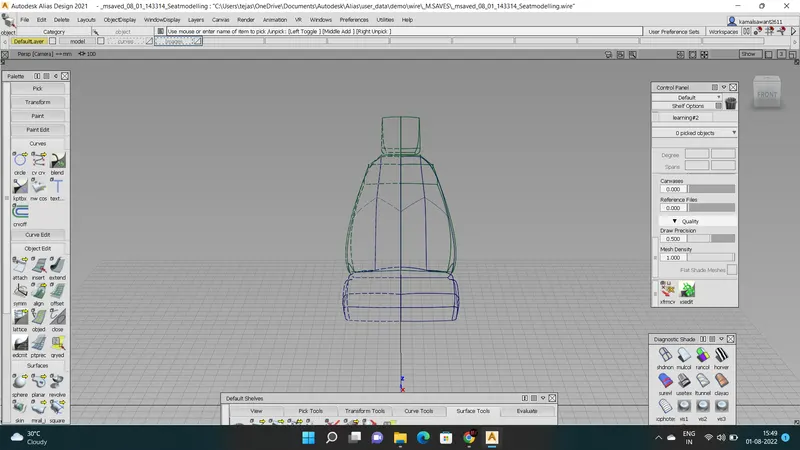
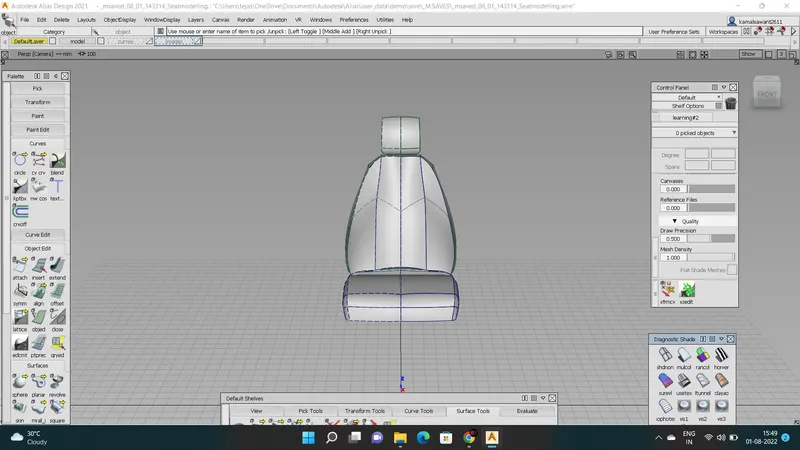
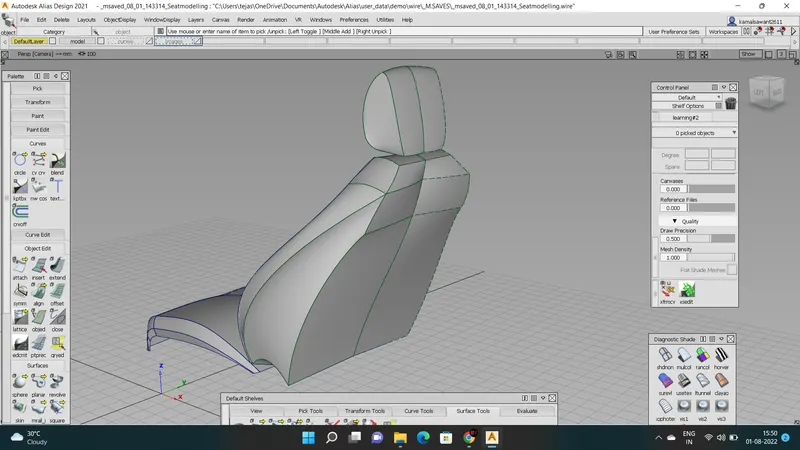
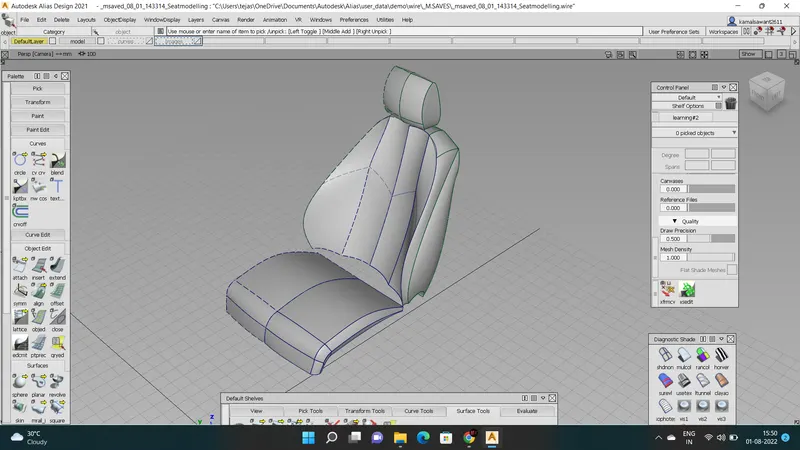
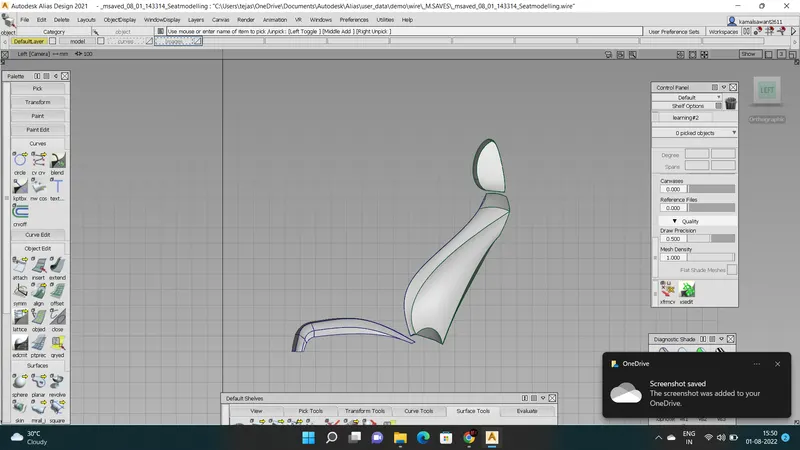
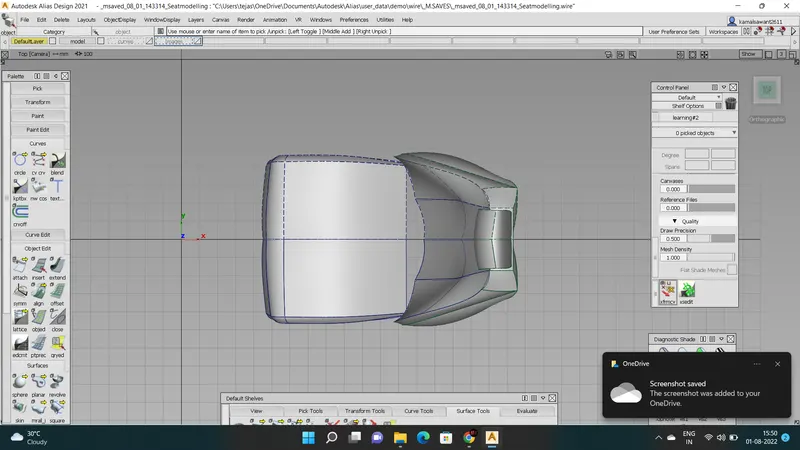
Construction steps:
Step 1
Import the canvas image
STEP 2
DRAW THE BOX FOR THE CONSTRUCTION MEASUREMENT
STEP 3
HEAD HOOD
STEP 4
STEP 5
OVERALL SEAT
CONCLUSION:
Here the conceptual modeling of the seat mainly we insight of the curve network
Different positions did a training level it helps to grow visualization.