Bird Strike - Project - 2
*AIM:-
To simulate non linear transient birdstrike simulation where the bird tried to hit the gas turbine blade by using LS-DYNA.
*Introdution:-
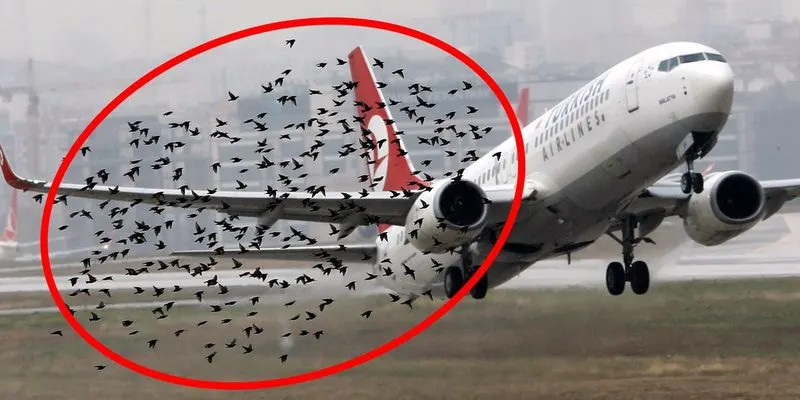
-The collision of birds on an aircraft while cruising in the air is called bird strike event.
-This one is one of the dangorous accident occur. So this one is important factor during airplanes design.
-This project is a nonlinear transient dynamic problem similar to the car crash and mobile drop. This problem is solve using the explicit solver.
*procedure:-
1) Part creation
2) Material and session creation
3) Include
4) Contact_creation
5) Boundary condition
6) Prescribe_motion
7) Renumbering
8) Control cards
9) Assign binary_D3plot and ASCII opction
10) Model check
11) Post-processing
12) Conclusion
1) Part creation:-
-Open the BIRD_STRIKE.k file in LSPP.
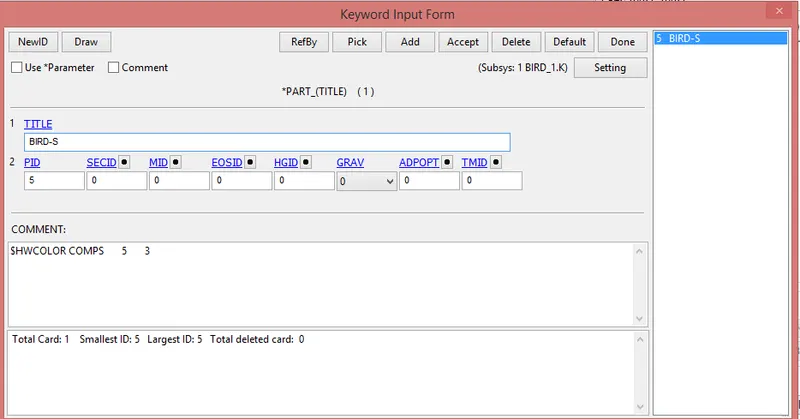
-Here we seen that there are four parts are available.(Hub, casing, blades and bird)
-A new keywors are created individually for each parts.
-For that go to part and select one part, rest from that are deleted and saved as particular file name.
2) Material and session creation:-
-First of all open new LSPP.
-Then create the material and session card.
-Here we use the unit system is Kg, mm, ms.
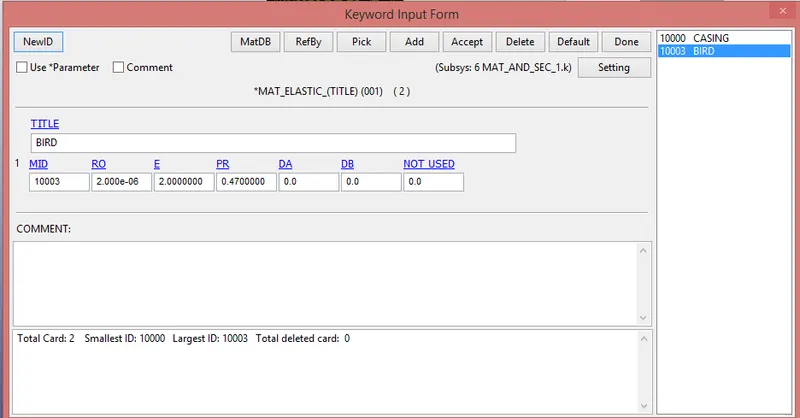
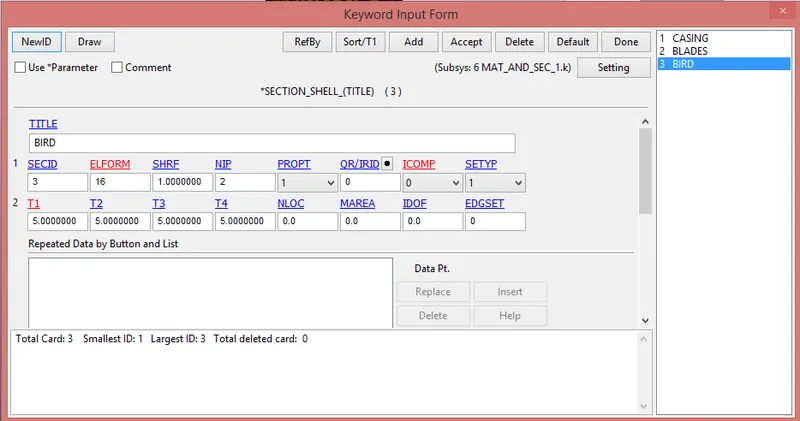
i) Bird:-
-The data for bird taken from the research paper.
a) Material creation:-
b) session creation:-
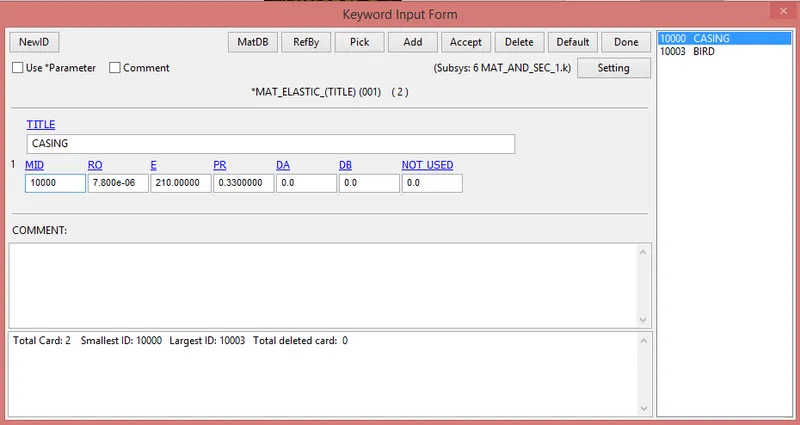
ii) Casing:-
a) Material creation:-
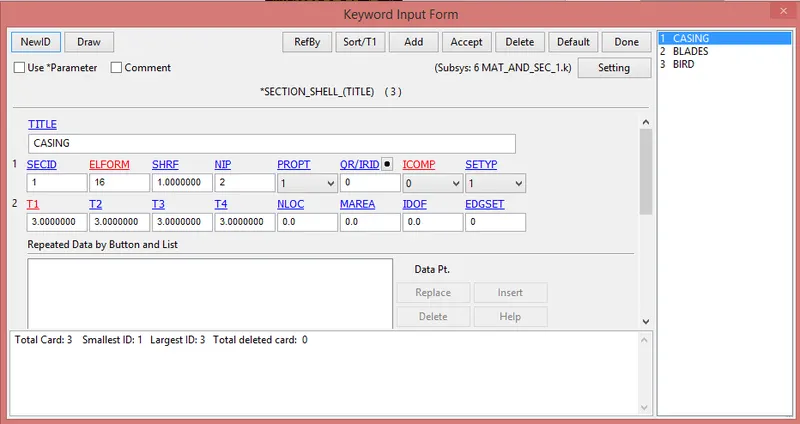
b) session creation:-
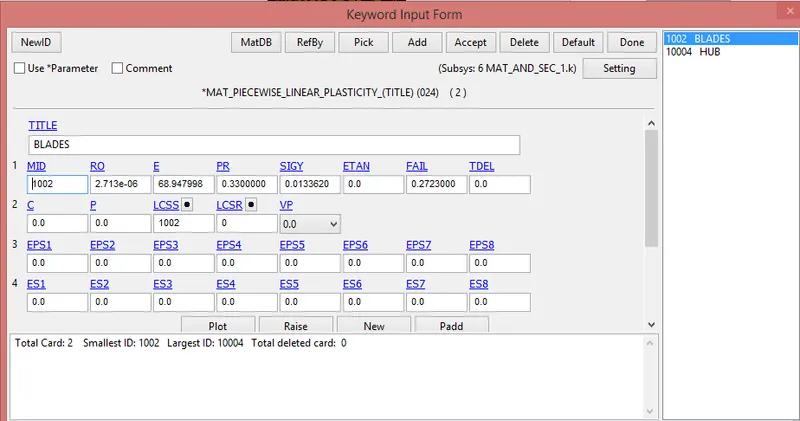
iii) Blades:-
a) Material creation:-
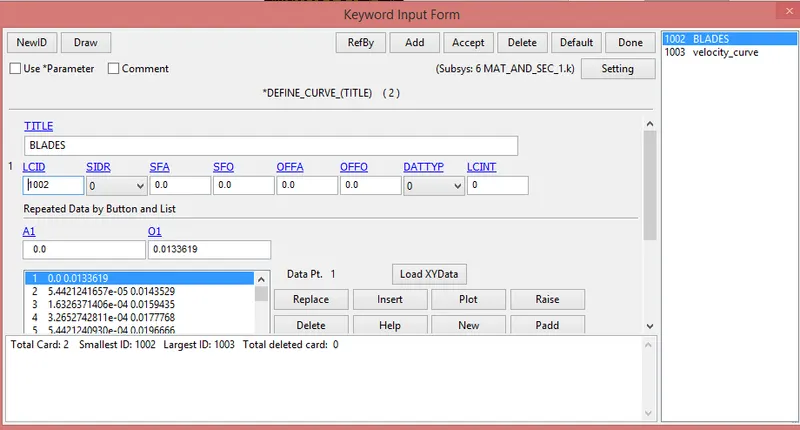
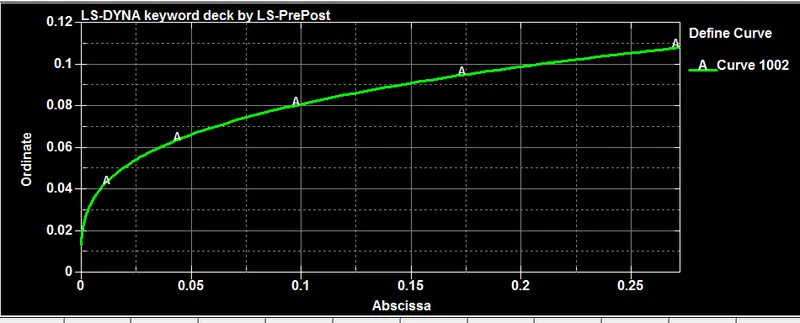
-For blades material data curve is available in the question.
-So we use that data for creation of material.
-For that go to define> curve and put the random value, After tht go to notepad++ and copy paste value which given in the question.
b) session creation:-
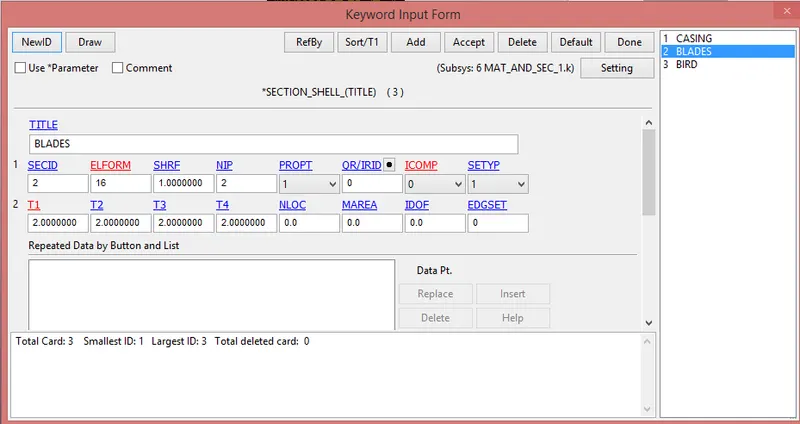
iv) Hub:-
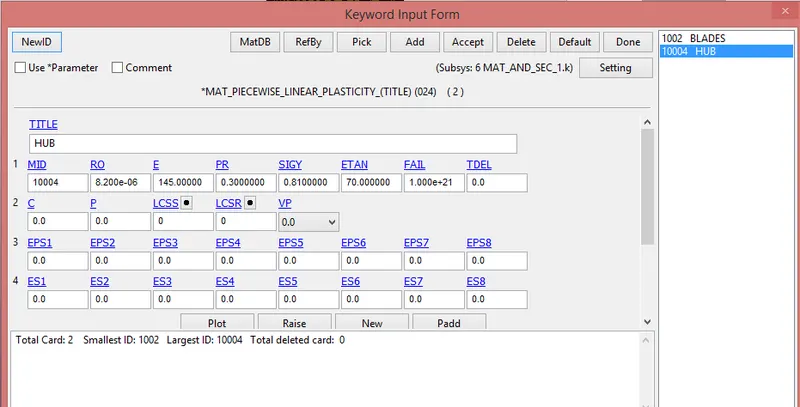
a) Material creation:-
-Most of hub is made from steel, so we use steel data for create the hub material card.
b) session creation:-
-For hub we create session_solid card.
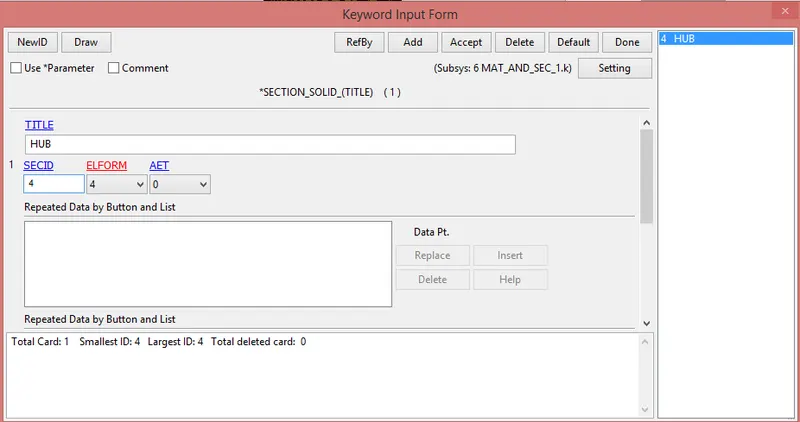
-After the all material and session card creation its save as a material_session.k
3) Include:-
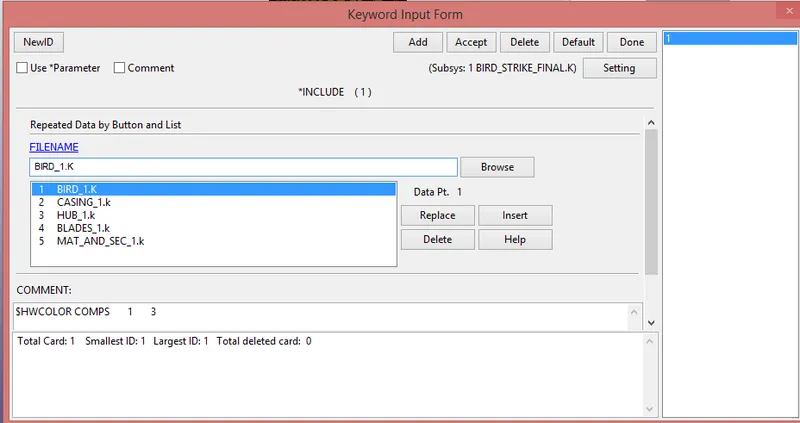
-The part keywords and material-session keywords are included in to single keywords using Include> Include opction.
4) Contact_creation:-
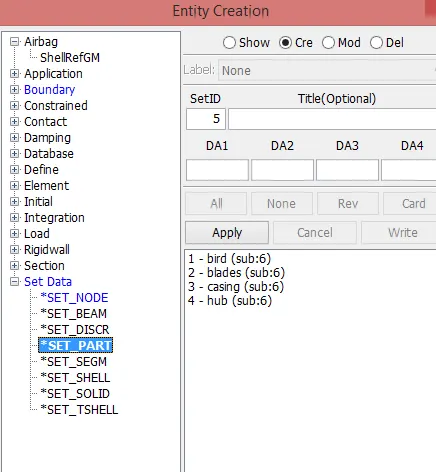
-First of all go to Model and part> Create> Set data> Set part
-Then create various parts.
i) Contact between bird and blades:-
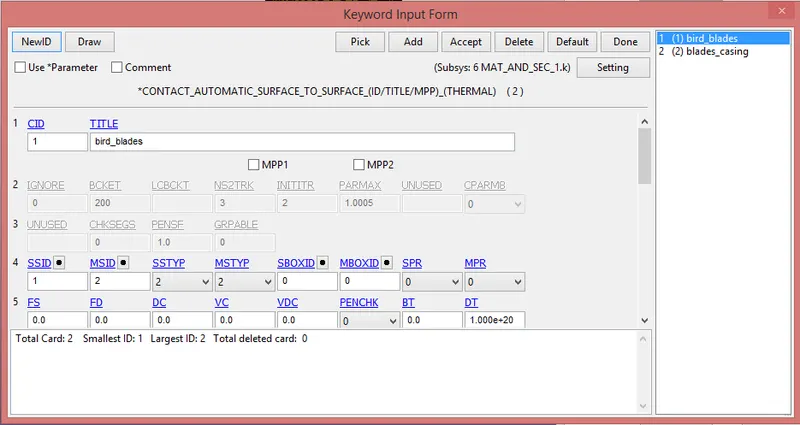
-The bird is strike with the blades, so we create contact between them.
-We create Automatic_surface_to_surface contact between them.
-For that go to Model and part> Keyword manager> all> Contact> Automatic_surface_To_Surface
-Here bird as slave and blades as master.
ii) Self contact of blades:-
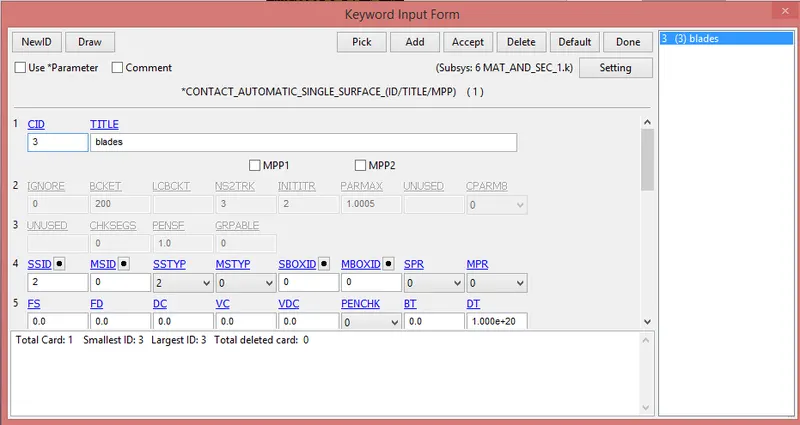
-After impact chance to blades is broken and collide with each other.
-So we need to create self contact for blades.
-For that go to Model and part> Keyword manager> all> Contact> Automatic_single_surface
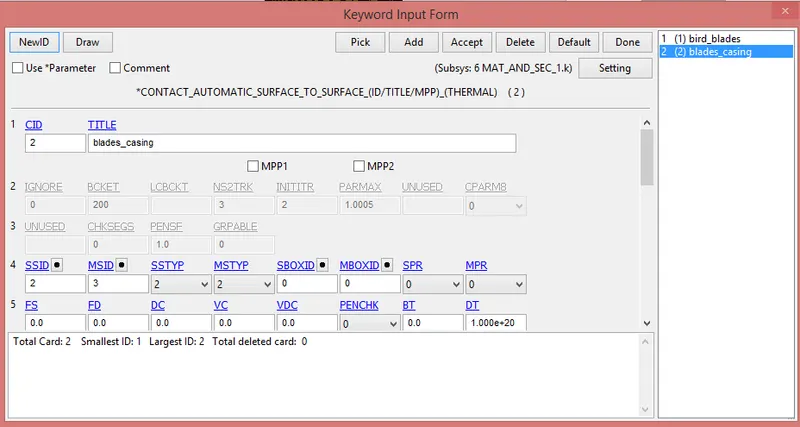
iii) Contact between blades and casing:-
-During the impact of bird with blades, blades are broken and chance to hitting the casing.
-So for that reason we need to create contact between blades and casing.
-We create Automatic_surface_to_surface caontact.
-For that go to Model and part> Keyword manager> all> Contact> Automatic_surface_To_Surface
-Here choose blades as slave and casing as master.
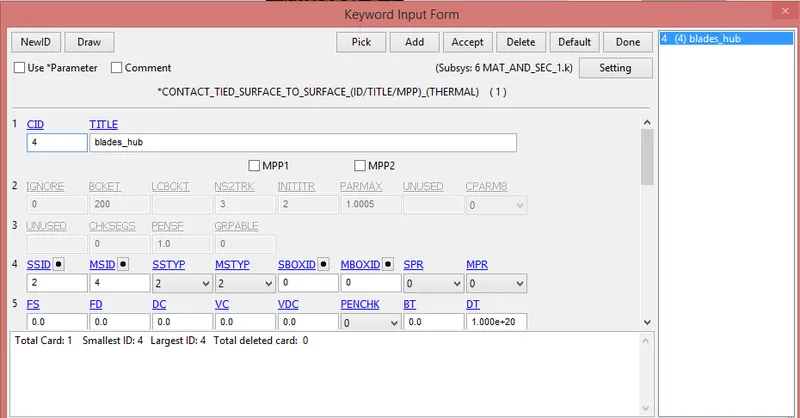
iv) Contact between blades and hub:-
-The hub is modelled with solid elements and blades are modelled with shell elements.
-So we need to create ted contact between them.
-For that go to Model and part> Keyword manager> all> Contact> Tied_surface_To_Surface
-Here choose blades as slave and hub as master.
5) Boundary condition:-
*Initial velocity:-
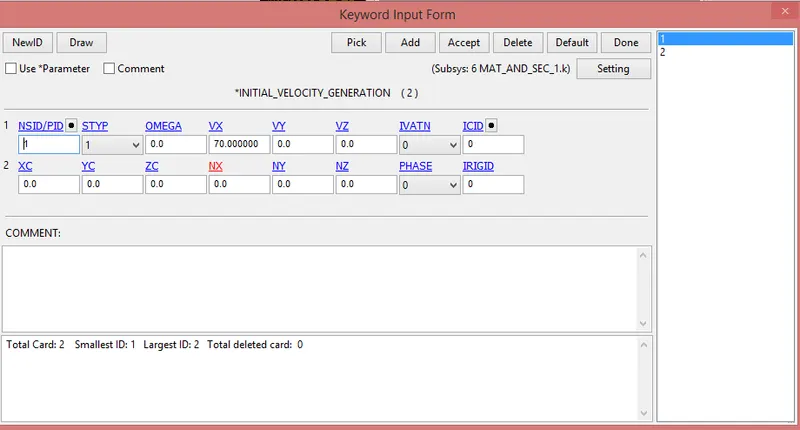
i) Bird:-
-The average velocity of the bird is 20 mm/ms to 80 mm/ms.
-Here weight is less, so we put 70 mm/ms along x-axis.
-For that go to Model and part> Keyword manager> all> Initial> Velocity generation
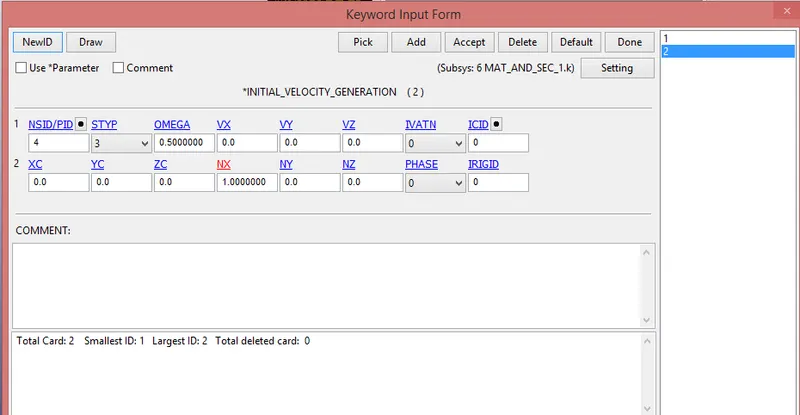
ii) Blades and hub:-
-We provide angular velocity to blades and hub.
-For that go to Model and part> Keyword manager> all> Initial> Velocity generation
*SPC:-
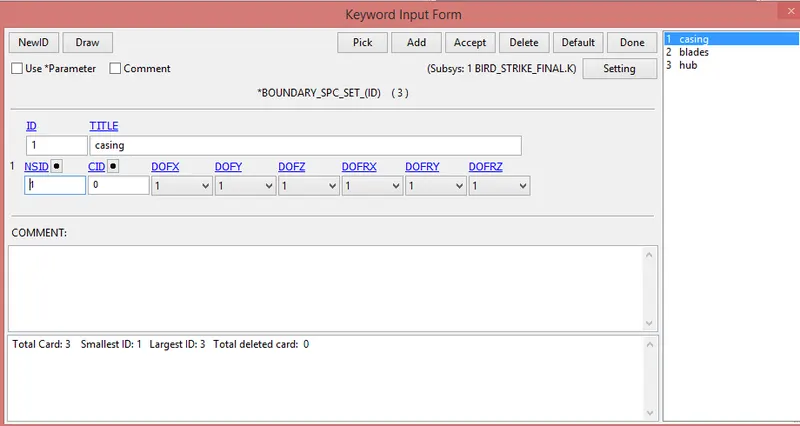
i) The casing is consist of all DOF, Because its not move during the impact.
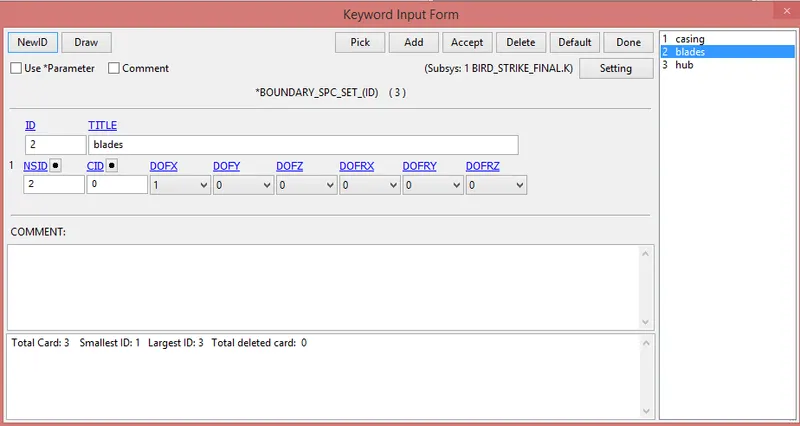
ii) The blades should be unmoved at the time of impact, so we constrains only x-direction.
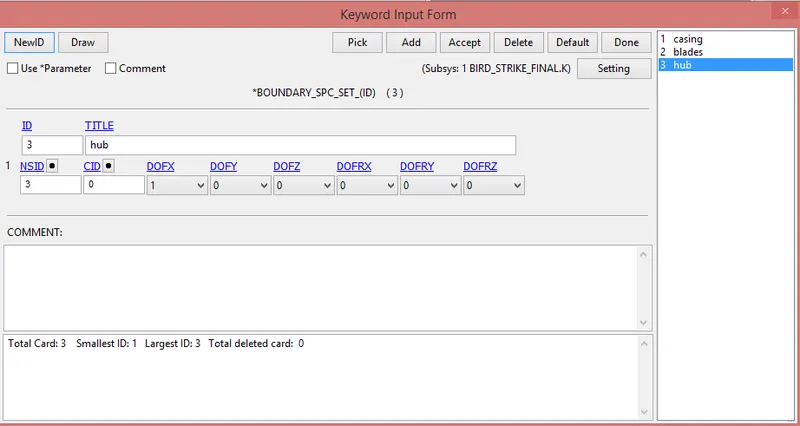
iii) The hub should be unmoved at the time of impact, so we constrains only x-direction.
6)Prescribe_motion:-
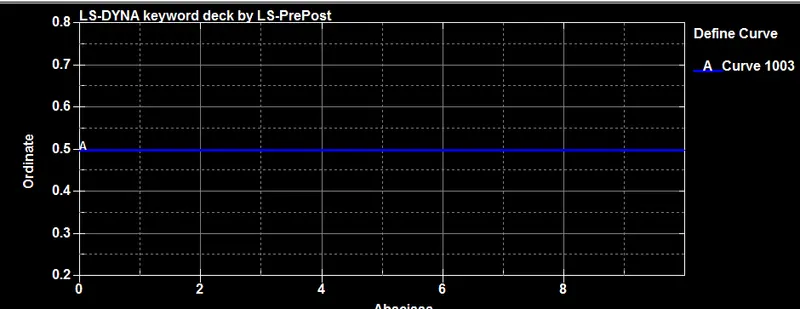
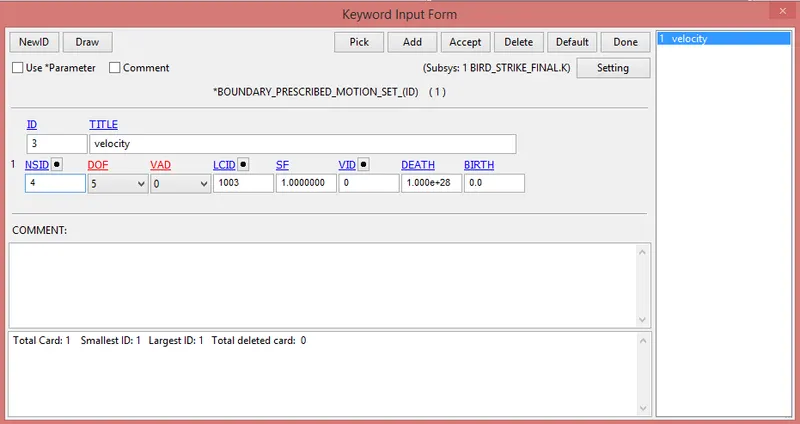
-This keyword is use for maintain constant velocity of the blades and hub during the all over simulation.
-For that first of create the curve.
-For that go to Model and part> keyword manager> all> Define> curve
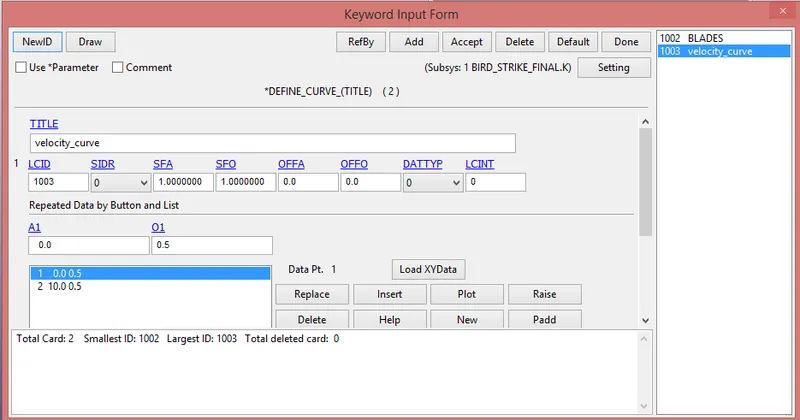
-After the create of curve go to Boundary> Prescribe_motion_set
7) Renumbering:-
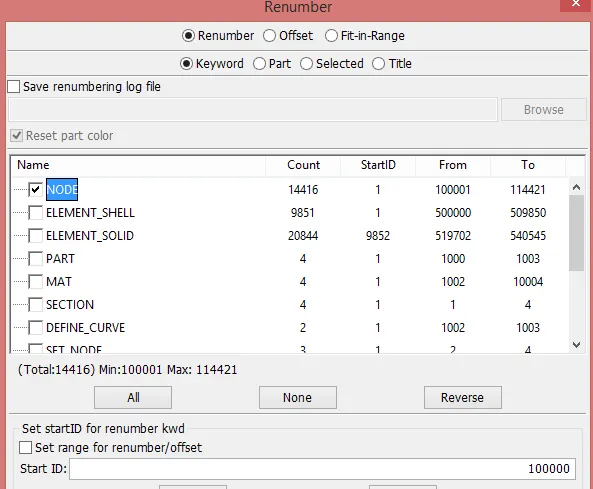
-Renumbering of nodes, elements and parts are very useful when we work on the very complex model.
-In our question we provide the number start from:-
i) nodes:- Start from 1,00,000
ii) Elements:- Start from 5,00,000
iii) Parts:- Start from 1,000
-For the renumbering go to Model and part> Renumber
-After that change the value individually.
8) Control cards:-
i) Termination:-
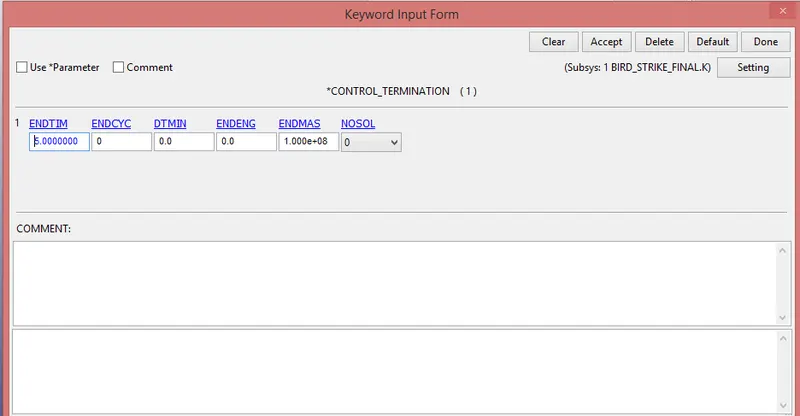
-For that go to Model and part> Keyword manager> All> Control> Termination
-Provide the End time is 10 ms.
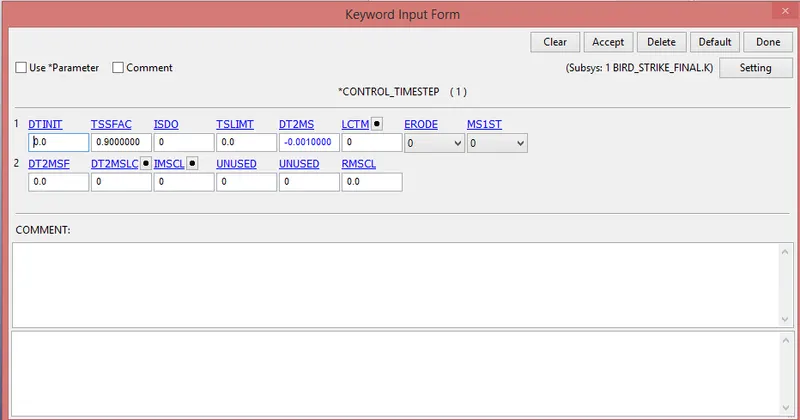
ii) Time step:-
-For the performing simulation faster this card is useful.
9) Assign binary_D3plot and ASCII opction:-
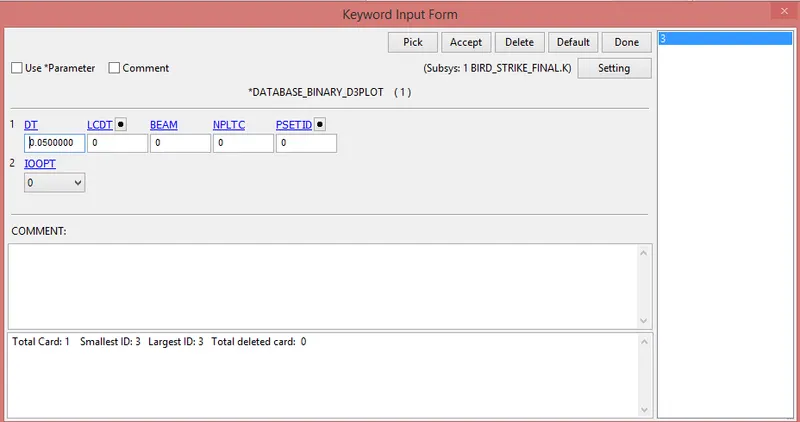
i) BinaryD3plot:-
-Here provide dT value is 0.05
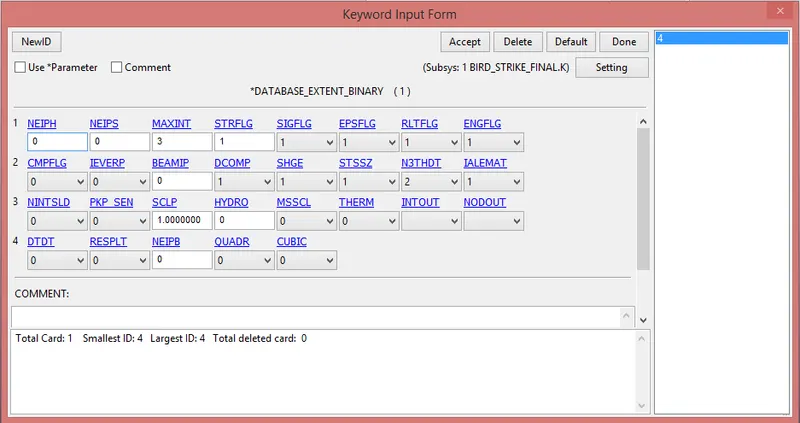
ii) Extent binay:-
-Thsi keyword is useful for strain tensor data
STRFLG=1
iii) ASCII opction:-
-Here we use only GLSTAT and RCFORC.


10) Model check:-
-After assigning all the keyword check the model using the model checker and find any error or not.If any type of error then remove it.
-After that save the file as a".k" format.
-Run the file in the solver. if it's end as a normal termination then model is correct.
11) Post-processing:-
*Animation:-
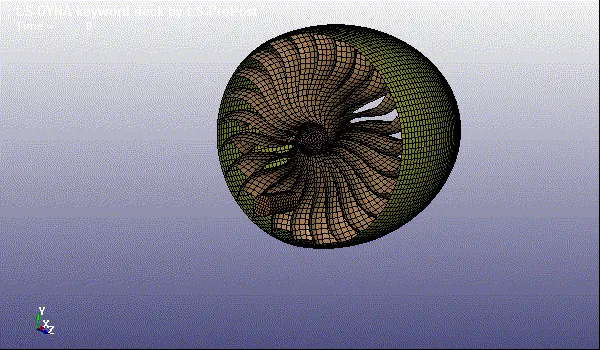
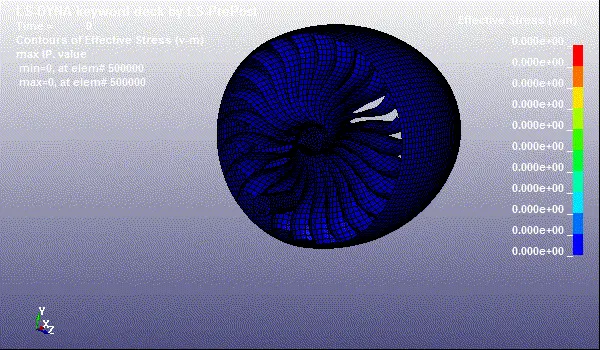
*Animation of vonmises stress:-
-After that go to ASCII opction and upload the GLSTAT file.
-Then compare the various types of energies.
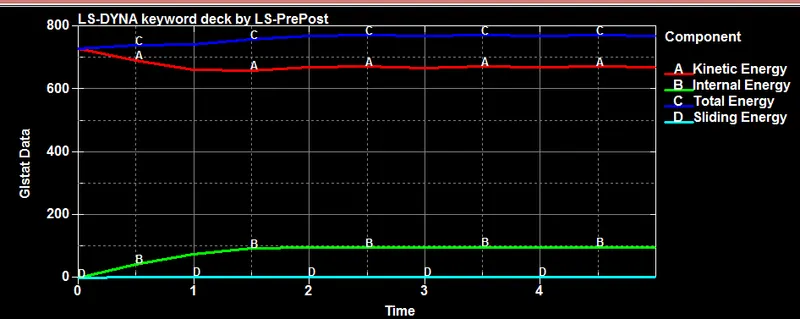
-Here we seen that bird is impact which is in form of kinetic energy, Due to that blades are deform then increase the internal energy, Then we understand that system satisfied the conservation of energy.
-Total energy is constant during the simulation.
12) Conclusion:-
-The bird strike on aircraft, simulation was carried out using LS-DYNA and the result are plotted.
-Learn to create and organize input keyword files similar to professional setting when dealing with the large model and mulptiple people working with same model simultaneously.