Bird Strike - Project - 2
Objective :
When a bird is flying near to the airplane and if bird strikes the engine, this scenario has to perform in the ls dyna and see the results for that scenario and also to check whether there will be a failure on blades.
I. To import the models of engine with bird
II. To seperate the model and save them in different files.
III. To assign section and material cards seperately.
IV. To use include card to bring all models in one file.
V. To assign boundary conditions and run the simulation.
VI. To extract the stress and strain values from simulation
Procedure :
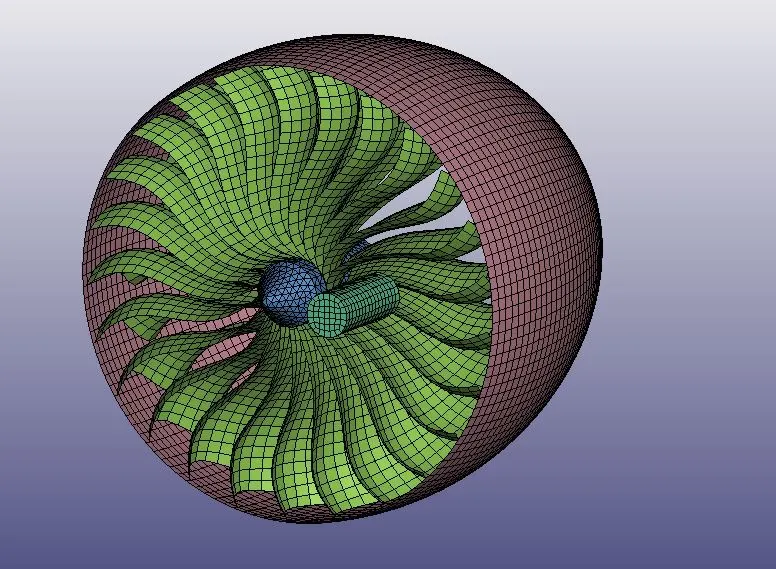
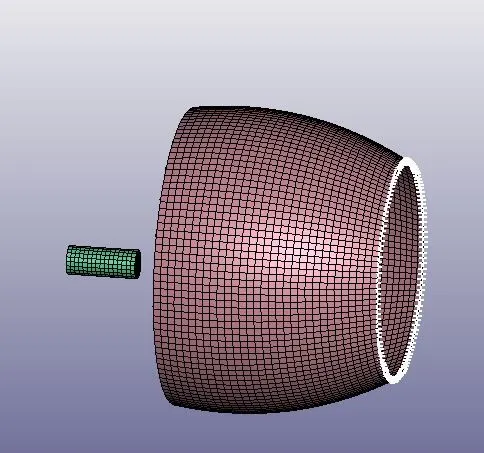
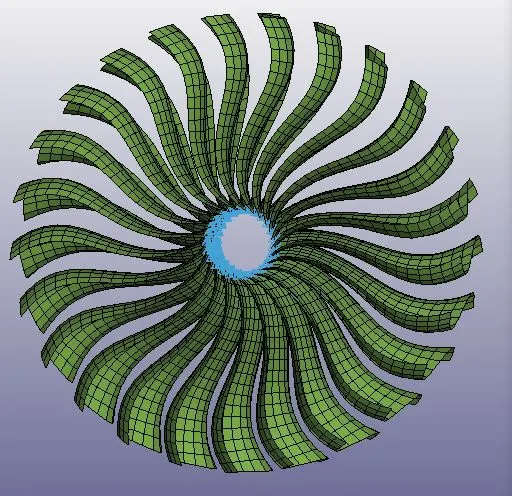
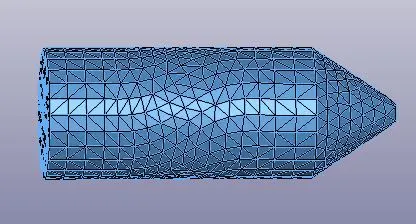
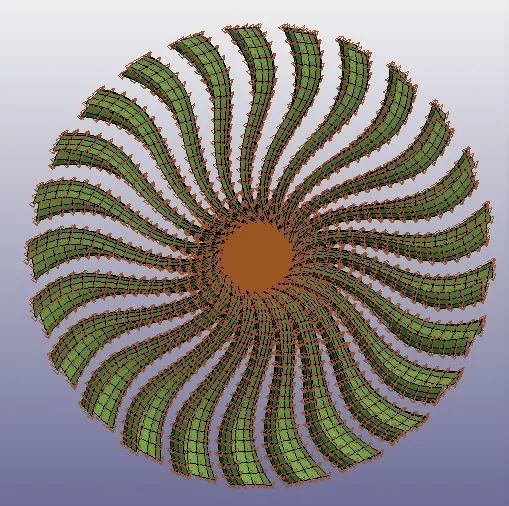
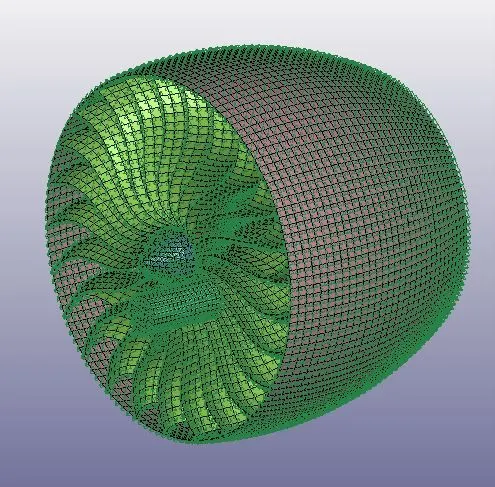
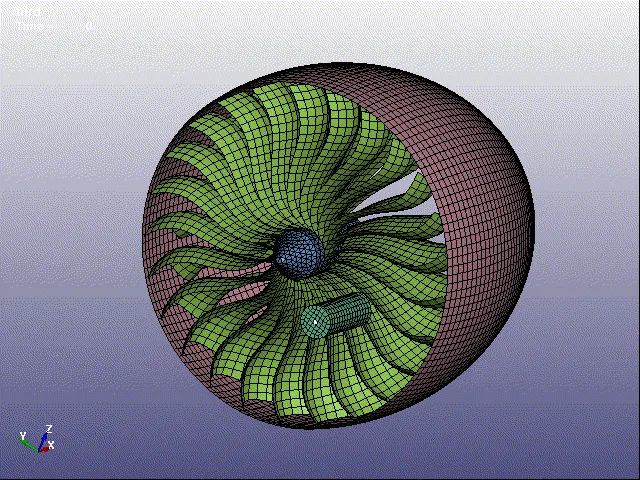
1. Here we are performing bird strike on airplane engine so we need to import the model of jet engine with bird into the ls dyna and here we can see that we have there are four parts in the model i. Engine casing ii. Blades iii. Hub and iv. Bird(which is just cylindrical model).
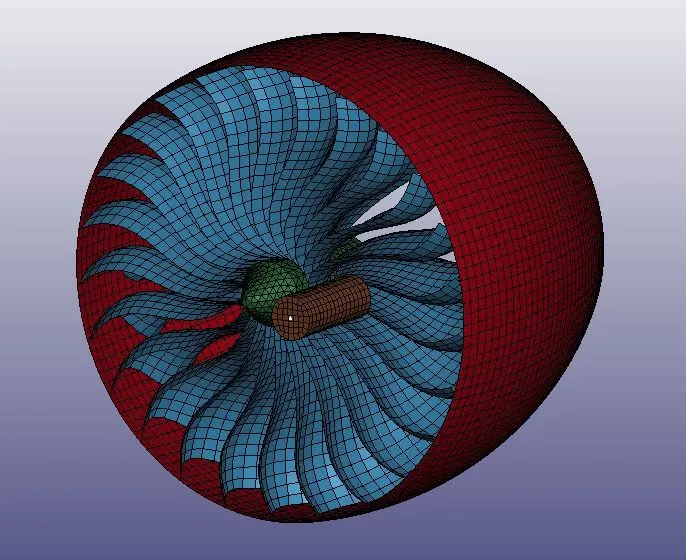
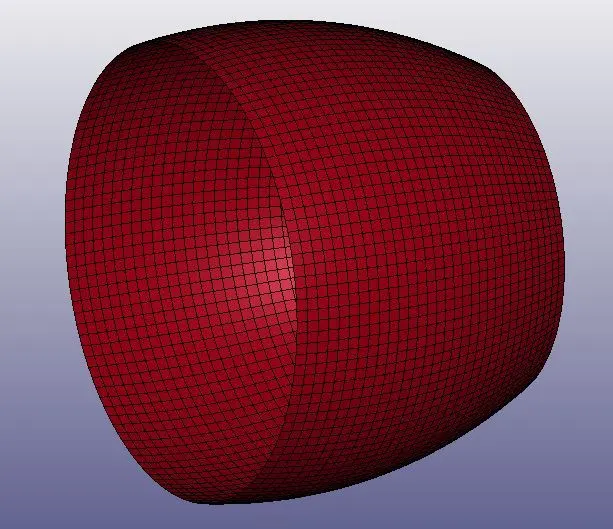
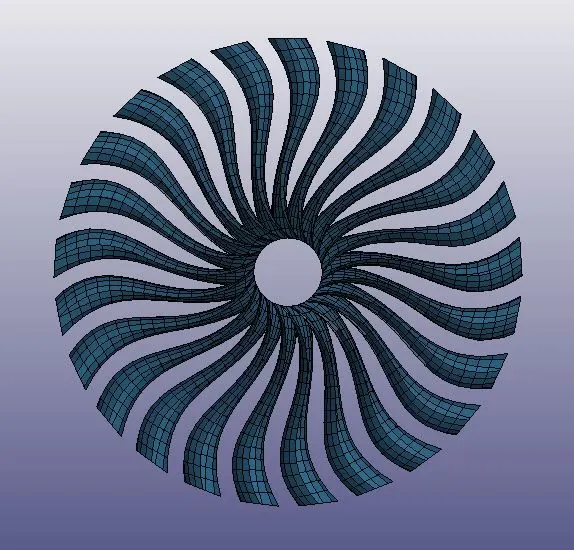
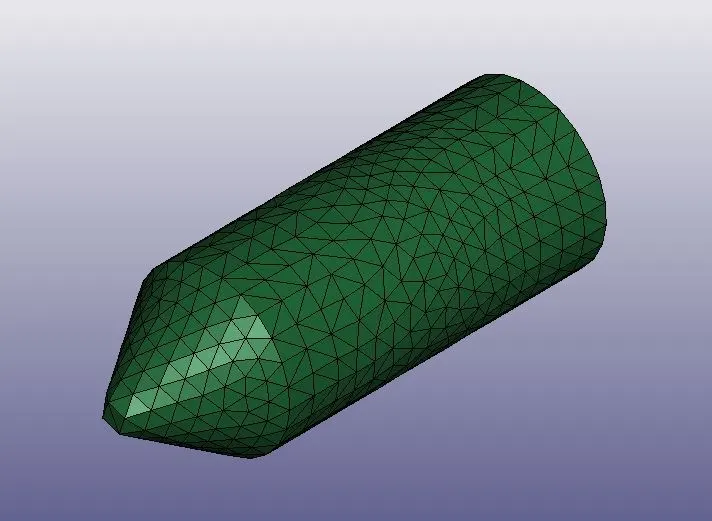
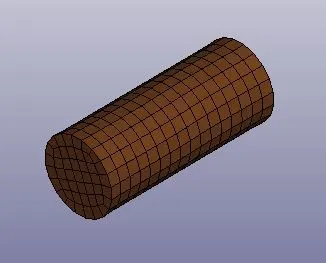
2. We need to seperate these parts and save them into seperate files. To do that we will delete each part in the model and save only single part and like that we will create total four different files. The reason we are seperating it will helps to save the part in individual and we can modify the part we easily without getting any error.
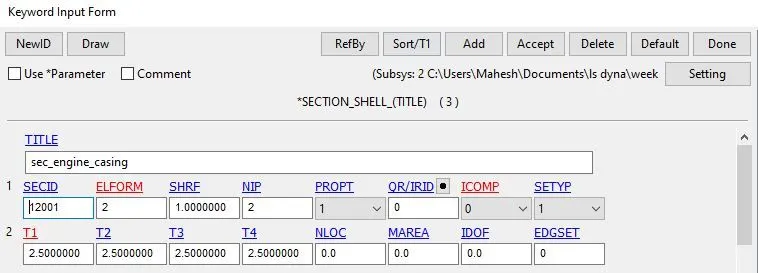
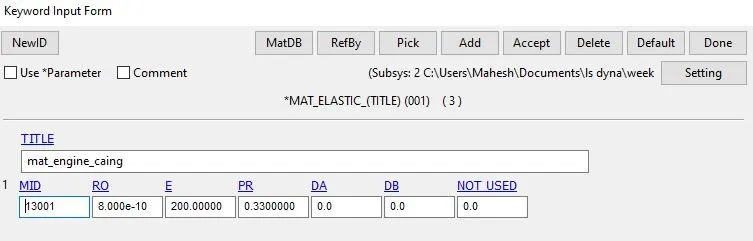
3. For each part we need to create a material card and section card. For engine casing we will create a elastic material card( properties are shown below) and shell section card with element formulation of 2 and thickness 2.5 is assigned in card. Here we are not assigning card id into the part card we will do this after all files are included in one file. By doing like this we cannot face any error while solving.
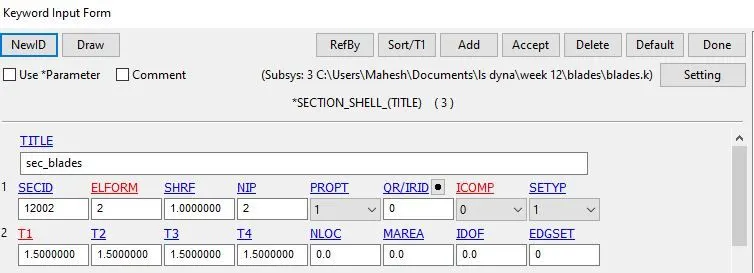
4. For blades we are using linear picewise card and adding aluminium properties, these card has curve with stress - strain data which is given in the form of keyword file, these data can be imported easily using notepad++ and section shell is used with 1.5 thickness and elform as 2.
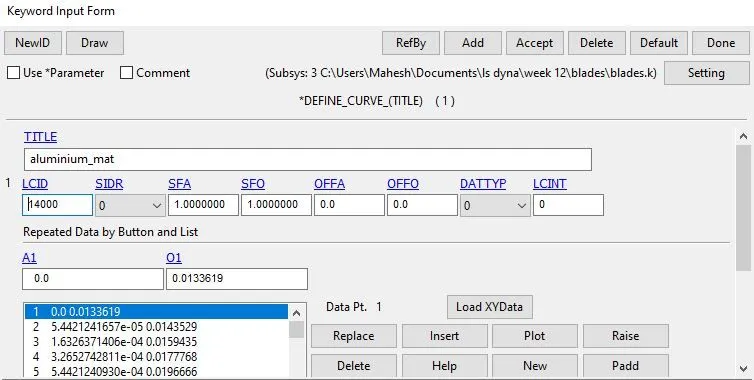
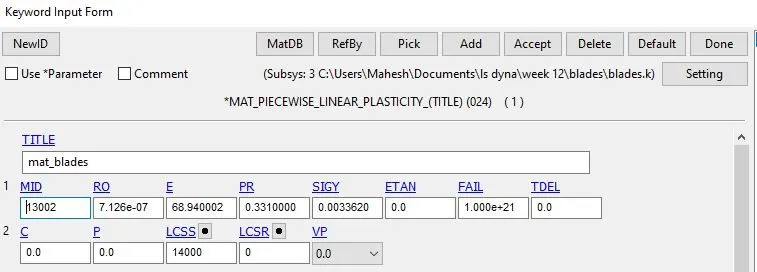
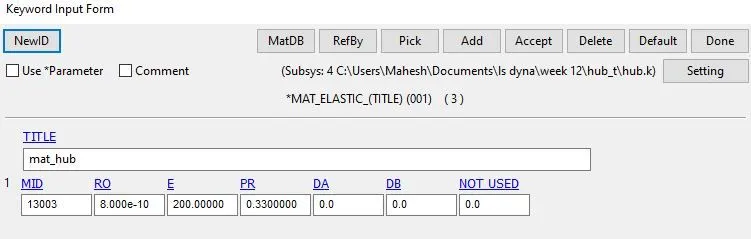
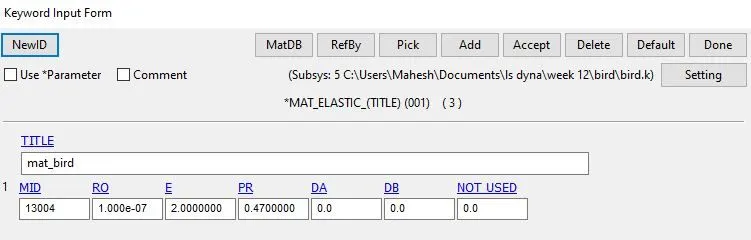
5. For hub we are using elastic material and section solid cards with element formulation 4 and for bird we are using elastic card and section shell with elform as 2 and thickness 2.0.
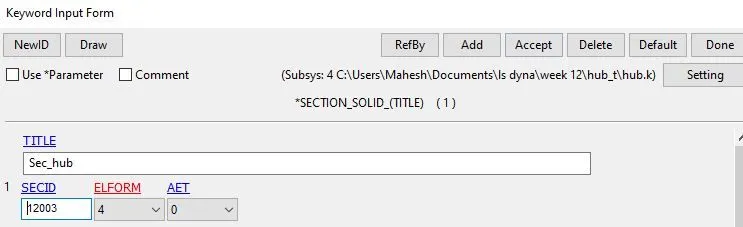
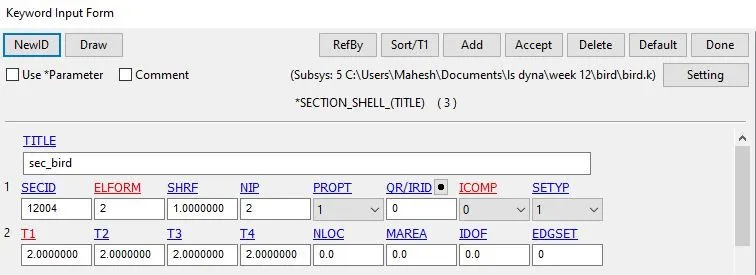
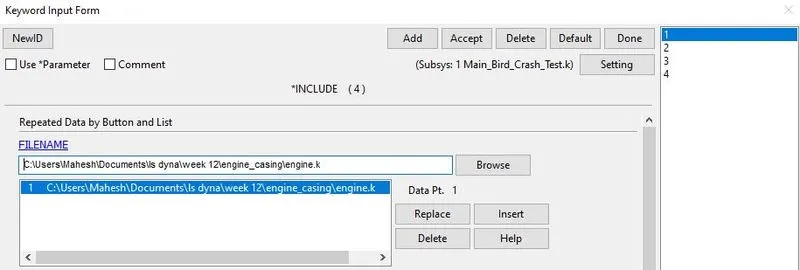
6. Now we have to open new ls dyna tab and by using include card we include all four parts in one file.
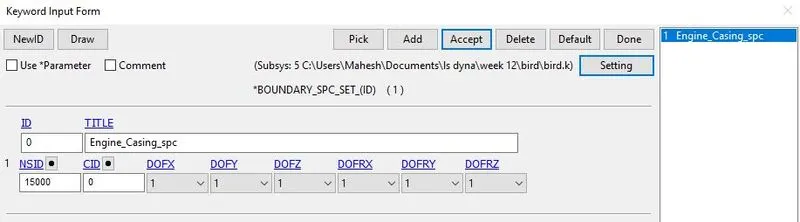
7. Now we have complete model and we need to apply boundary conditions to the model. First we will start creating boundary spc card, these card is applied using nodeset id where engine casing is fully constrained at one side.
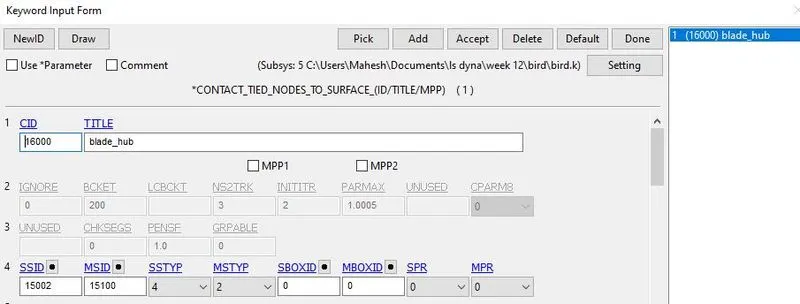
8. Now we have to create some contact cards which define contacts between the hub and blade and for bird and blade when bird strikes. First we wiil create a tied contact card for hub and blade, to define contact we use master part id as hub and slave node id as blade. To define a master and slave we need to create a node set id or part set id according to the contact.
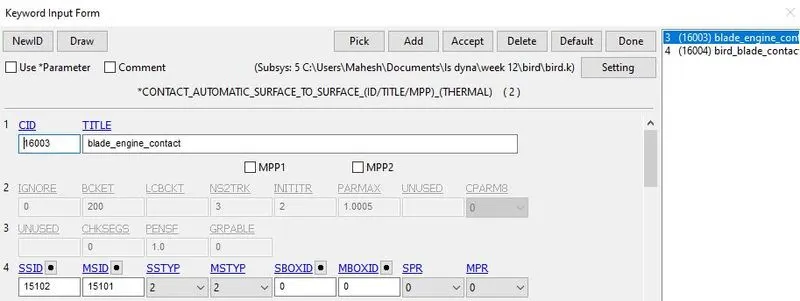
9. For blade and engine casing and for bird and blade we will use automatic surface to surface contact card. For blade and engine casing contact we use master part set id as blade and slave part set id as engine casing.
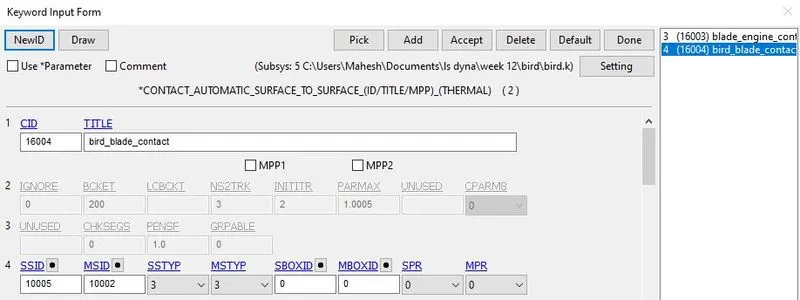
For bird and blade contact we master part id as blade and slave part id as bird.
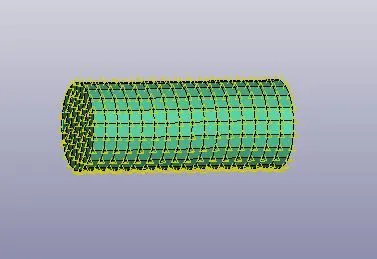
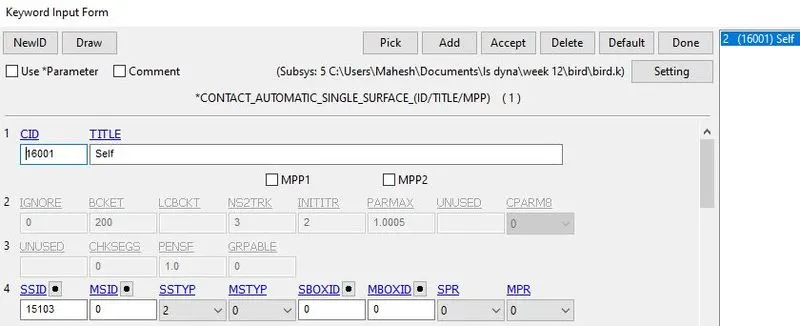
10. We will use contact automatic single surface for complete model, to define complete model we will use slave part set id.
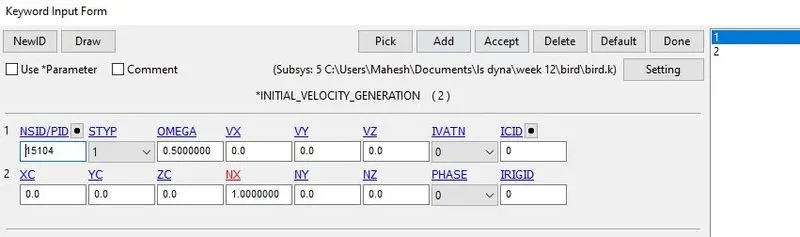
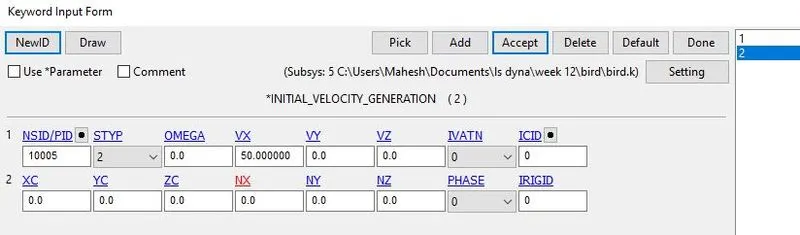
11. To get real time motion for the model we need to define velocity cards. Velocity card is defined for blades and bird. For blade we use velocity generation card and apply omega value to rotate on it axis. For bird we use velocity generation but we will give 50 mm/ms which move in x - direction and strike the blade.
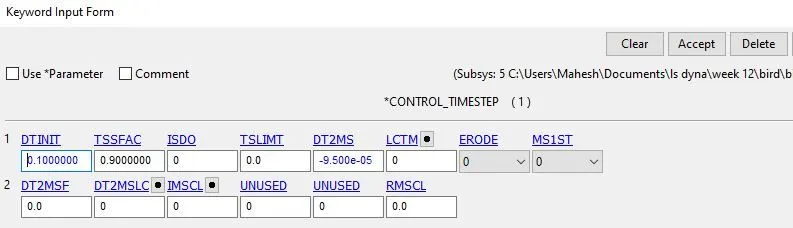
12. Now we need to create control card for the model, we are using timestep card which help us to reduce the total run time of solver with help of trail and error of mass scaling.
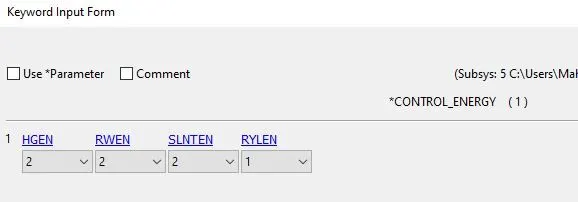
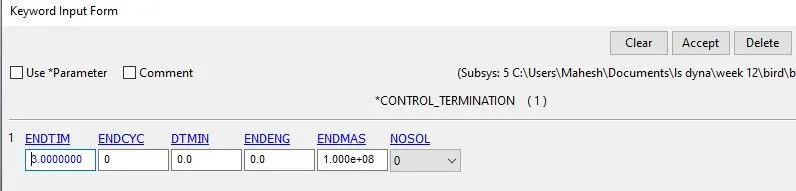
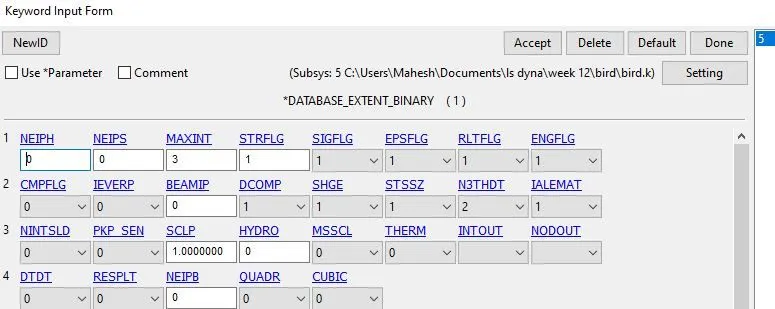
13. Database card are created which help us to extract the stress and strain values. Extent binary card is used which help us mainly to extract the strain values in the model.
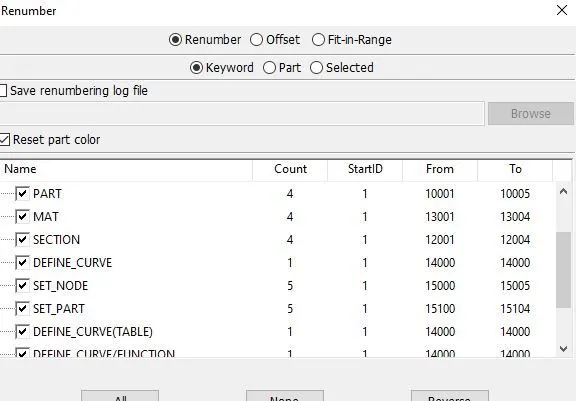
These are the card id numbers used in our model.
Now save the file and run the file in Ls manager.
Results & Discussion :
1. After solving we found error in the simukation that blades are not rotating, this error is occured due to we did not given the value of x-direction cosine(Nx) and after giving the value blade rotates.
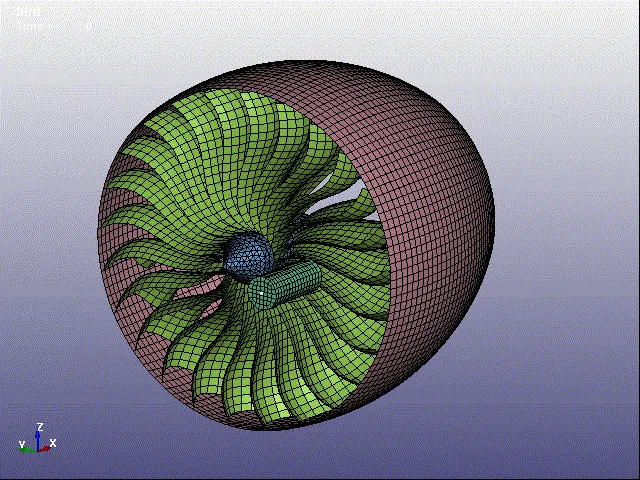
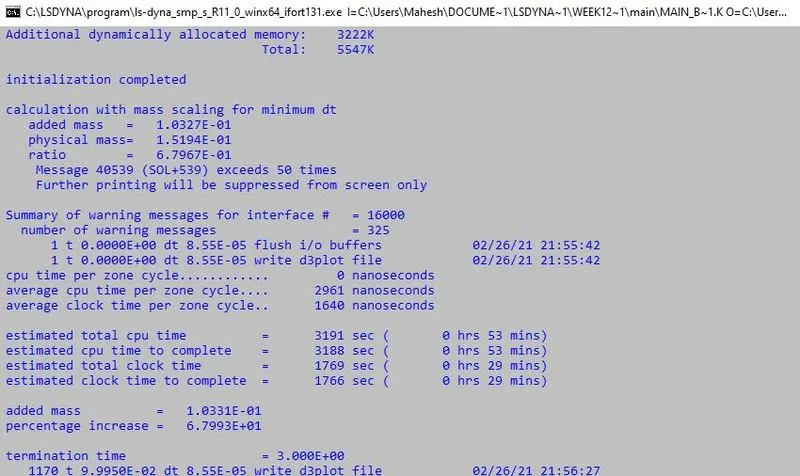
2. Now we got the perfect simulation but the run time to get this is hours, so mass sacling is performed to reduce the time. First we started with dt2ms value of -3.5e-05 and ended with -9.5e-05 which gives less time(29mins). The reason -9.5e-05 dt2ms value is taken because mass percentage is less than 100 percentage and gives less time.
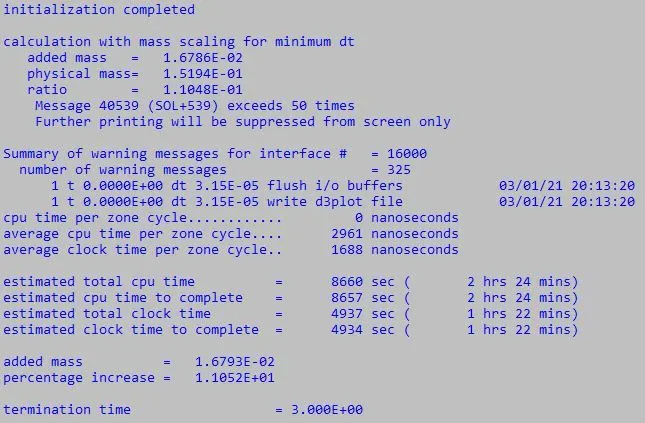
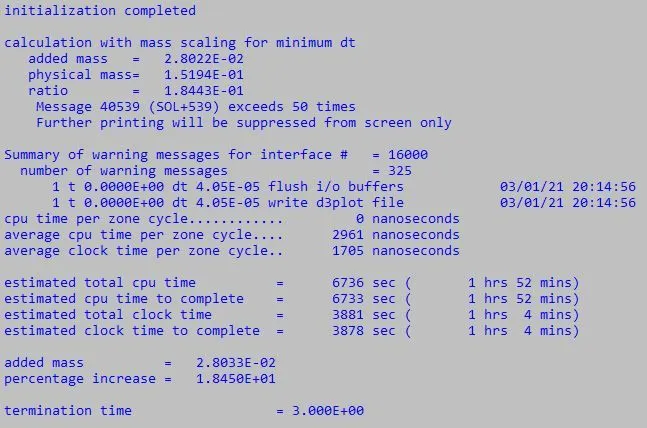
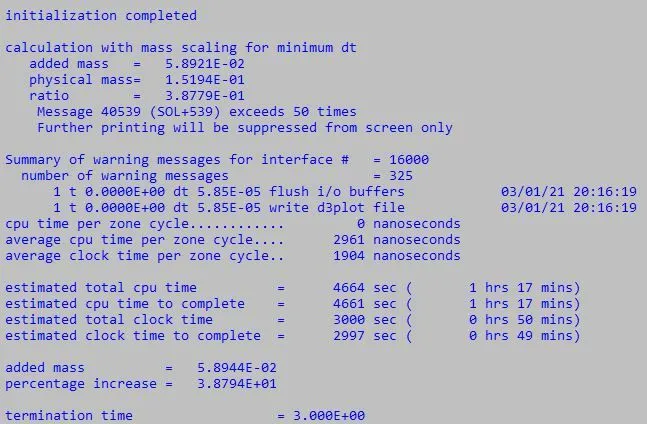
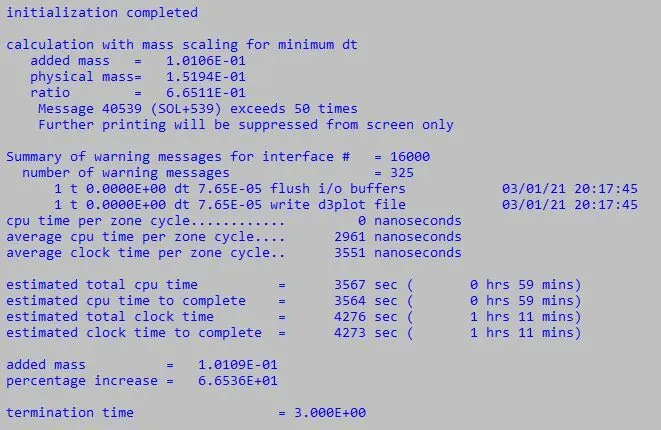
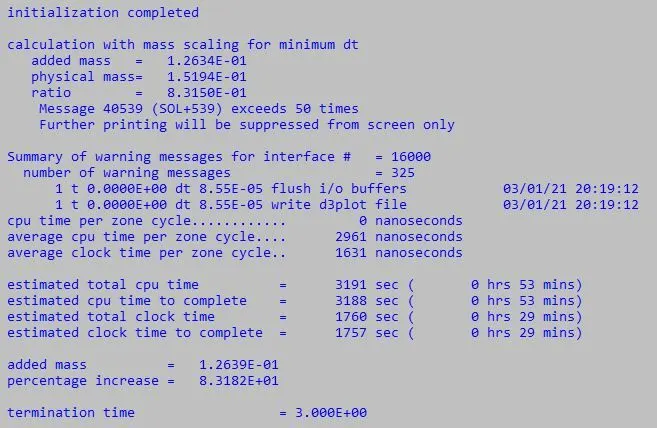
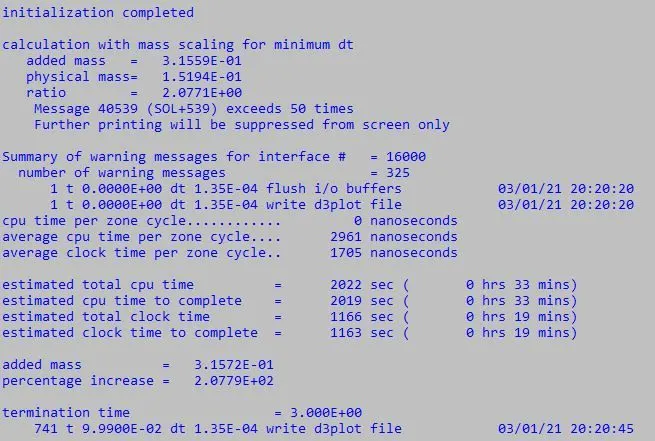
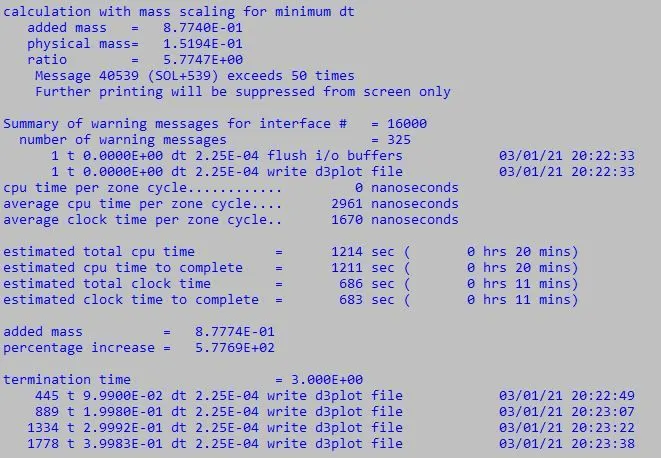
From figures we see that more than -9.5e-05 dt2ms gives less solving time the reason we did not taken above that value is because by increasing the mass too much may cause severe penetration problem and increase the dynamic effect significantly. The results may not be acceptable. Penetratios and kinetic energy must be monitored closely to get good results.
Below shown figure is the main termination.
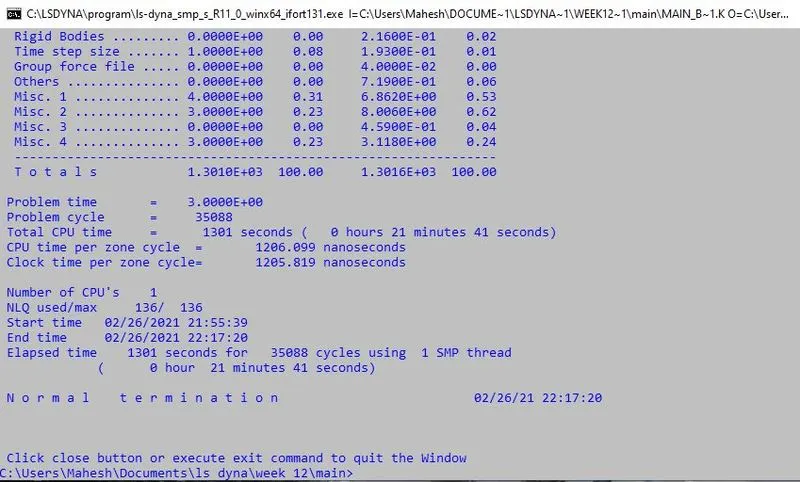
3. Finally we got perfect simulation of bird striking the blades. Now extract the results of vonmises stress and effective plastic strain.
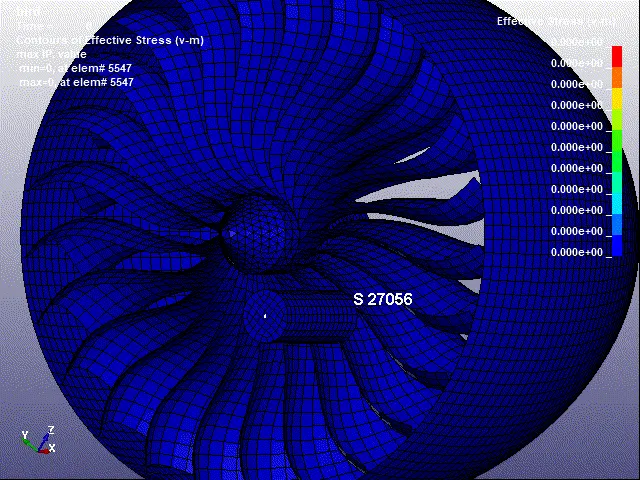
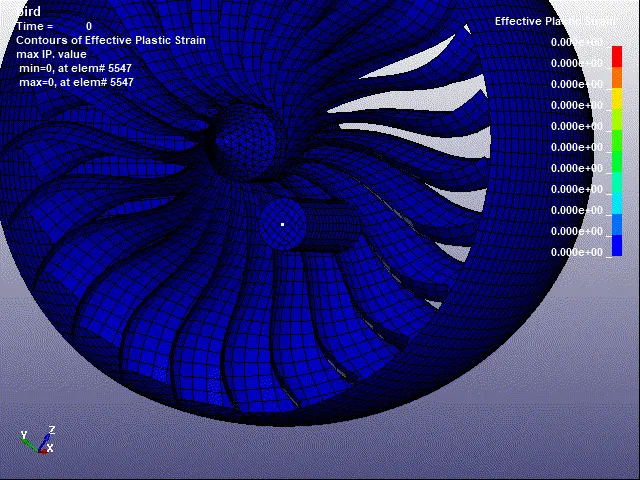
From both von mises and effective plastic strain simulations we can see that bird is striking at two blades and deformation and maximum stress is occured at two blades. These results can also see in plots and check whether our simulation has correct or required results.
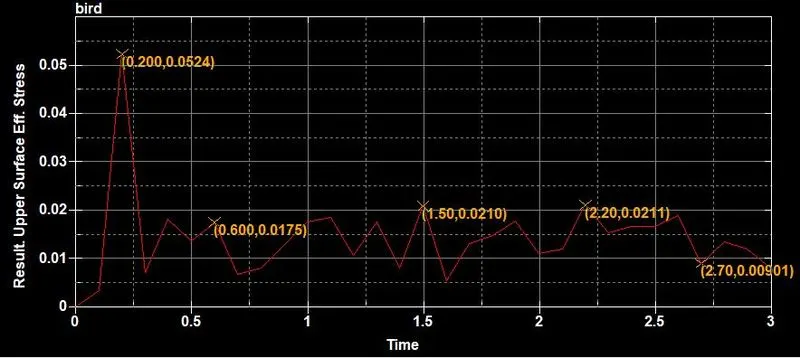
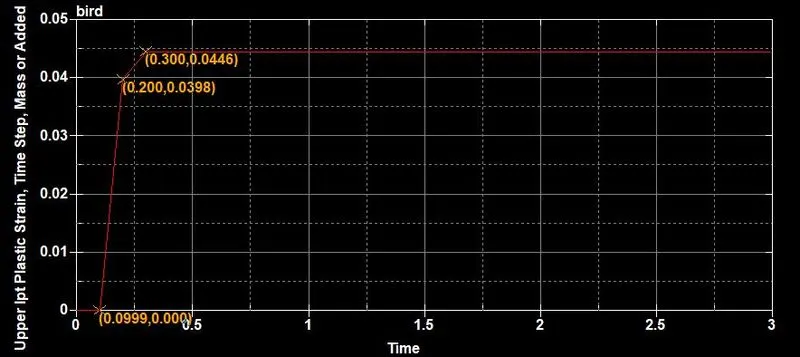
These plot are extracted using the hist option. We can see maximum stress is 5.24MPa and effective strain is 0.0446 mm/mm.
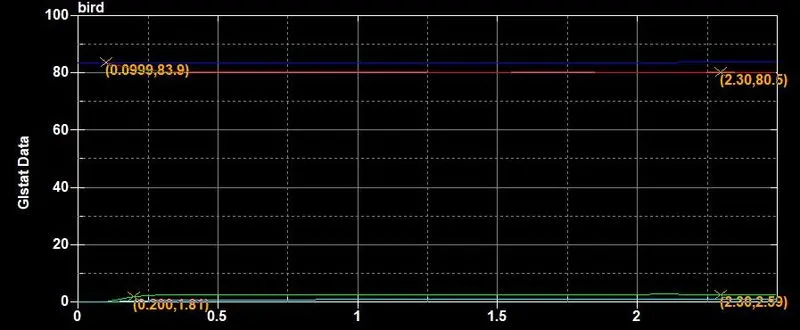
4. To obtain energy plot, go to ASCII option and load glstat file and select the internal energy, kinectic energy, total energy and hour glass energy. The plot is shown below.
Conclusion :
Thus performed a perfect bird strike simulation using mass scaling method in Ls-Dyna and extracted the maximum stress and effective strain values of blades when bird strikes and there is no failure or fracture of blade is seen this is because of material taken and method performed to simulate( Simple Crash Analysis). In real life SPH simulation is preferred for bird strike simulation.