B Pillar - Master Section Development
B Pillar - Master Section Development
Objective
To Design B-Pillar Through Master Section Development
Software Used
Catia V5
Introduction
The B-Pillar Is The Central Pillar Of The Car. This Pillar Is Actually a Sheet Metal Part Which Is Welded In The Biw Of The Car. The B-Pillar Trim Is Attached To The B-Pillar And Improves The Aesthetic Look Of The Car. Mostly The Trims Are Manufactured By The Injection Molding Process. The Design Of The B-Pillar Is Carefully Done To Make The Part Manufacturable And Usable In The Interior. While Manufacturing a Part Through Injection Molding a Lot Of Defects Can Occur On The Plastic Part Which Will Destroy The Look Of The Panel. The Design Has To Made In Such a Way That All The Errors Can Be Rectified.
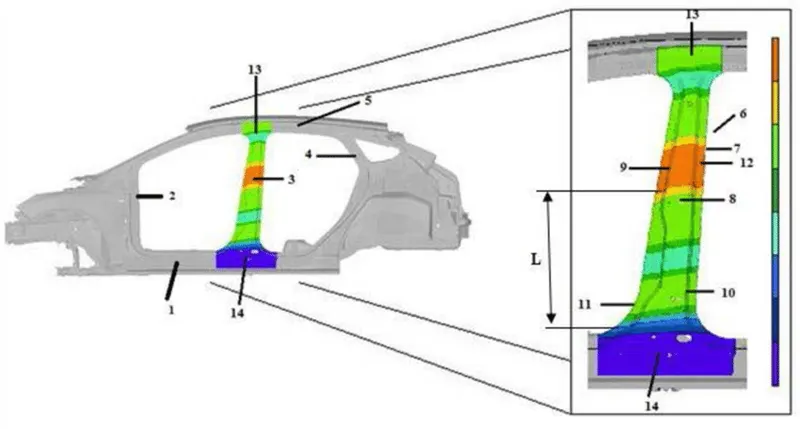
Overview Design Life Cycle Automotive Industry
The Stages Of Design Life Cycle Are
-Concept Sketches:
Concept Sketches Are Rough Idea Of Free Hand Sketch Obtained Through Styling Team And Will Be Used To Prepare The Model. It Is Usually Done Through Pen And Paper And Through The Painting Software. This Is Will Be Used To Generate The Concept For Preparing The Model By Incorporating Various Styles And Information Obtained Through The Stakeholders
Class A Creation:
After Finalizing The Concept The Sketches Are Usually Worked In Software’s Such As Auto-Desk Alias To Create Class A Surface
Clay Modeling :
The Class A Surface Is Concurrently Worked By Clay Modelers To Brainstorm And Benchmark The Styling Of The Product And Later The Concept Is Validated By Bringing Up a Rough Clay Model And Then It Is Passed On To The Design Team For The Preparation Of New Product Design (Npd) Cad.
Npd Cad:
This Where The Development Of Surfaces To Parts In Cad Kick Off And Design Engineers Involvement Is Vital In This Stage.
The Designers Will Work On The Input Class A Surfaces Which Are Validated From The Feasibility Team
The Procedure Followed In Creation Of The Plastic New Product Design Are
Tooling Axis
B Surface Creation
C Surface Creation
Closed Body Creation
Draft Analysis
Tooling Axis:
The Given Class A Input Is Analyzed To Envision The Part To Manufacture And Tooling Axis Or Tooling Direction Or Die Line Is The Direction That Molds Pull Apart In Injection Molding. There Are Two Mold Pieces Names Core And Cavity. Thus Tooling Direction Determines Mold Separation And Also Becomes Vital In Developing The Plastic Product Which Is Drafted To Desired Nominal Angle For Feasible Clearance And Ejection Of Final Part From The Mold.
-A Reference Point Is Created Along The Surface Zero And New Axis System Is Created
-The X Direction And Y Direction Along The Class A Were Used To Create Tooling Direction
-Finally The Tooling Axis Is Created By Bisecting The Two Lines And It Is Published. Class A Surface As Input Using Surface Operation Commands Class B Is Developed
-The Tooling Axis Determines The Direction Of Class C Boundary Swept With Draft Direction.
-When Viewing From Tooling Direction Normal All The Parts That Are Drafted Should Be Visible So It Gives An Rough Idea To Determine Product Manufacturing In Injection Molding
In B Pillar Model There Are Two Tooling Directions One On Main Tooling And Other On Lifter Side That Is Used To Eject The Parts During Injection Modling
Lifter Axis Is Used Because The Attachment Feature Is Bounded By Close Walls
Input Class A surface
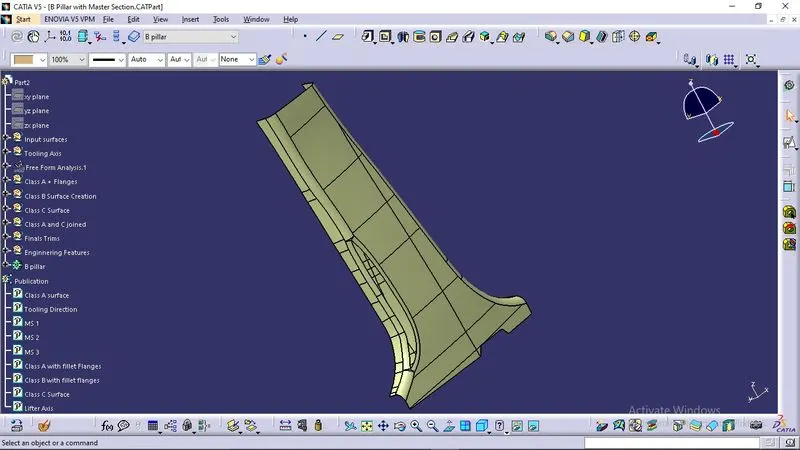
Tooling Direction
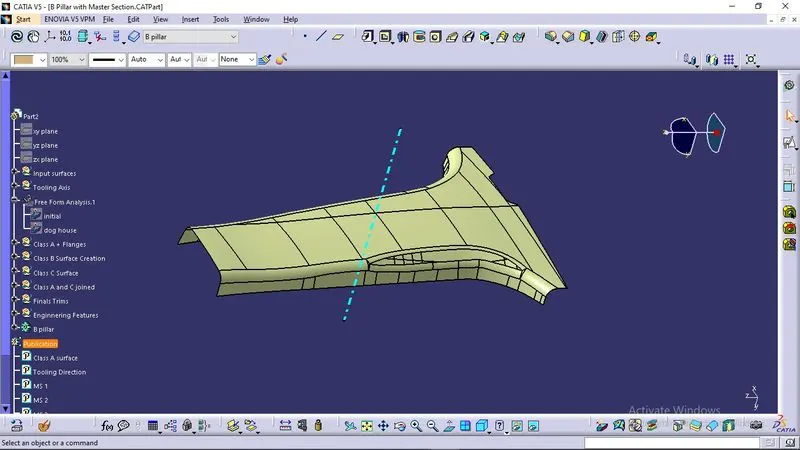
Initial Draft analysis
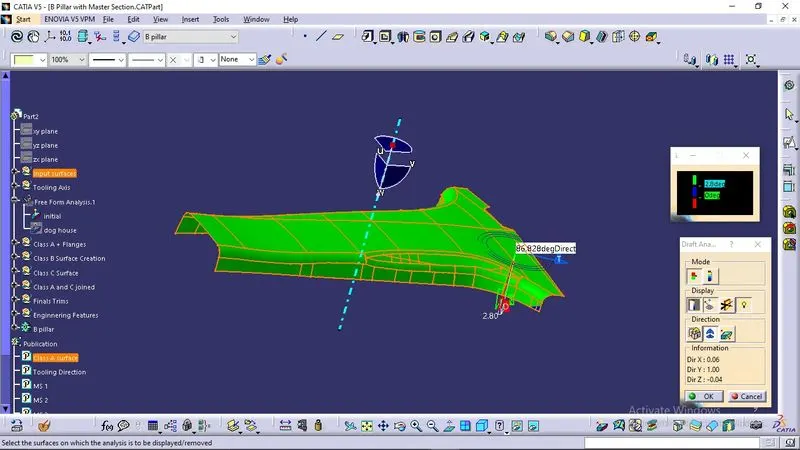
Creating Class B surface
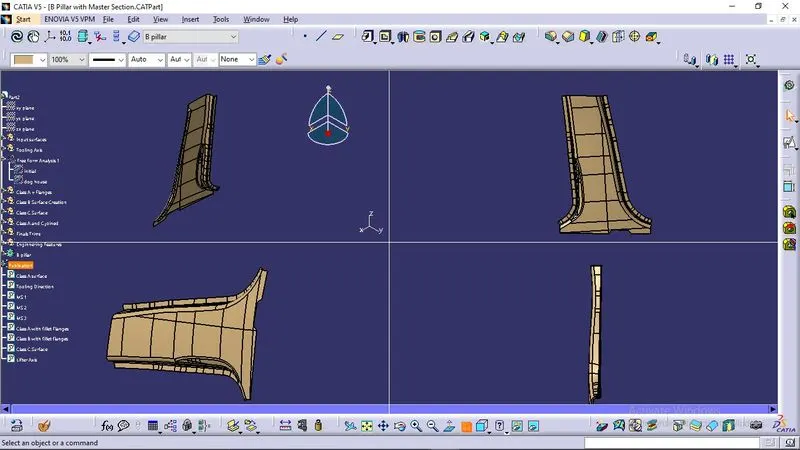
The B Surface Creation Is Performed Using Surface Operations In Catia Which Is An Offset From Class A With Dimension Proportional To The Thickness Of The Part
-In B Pillar Design The B Surface Is Offset 2mm From The Input Which Is The Thickness Of The Part which is understood from the mastersection.
Class C surface Creation
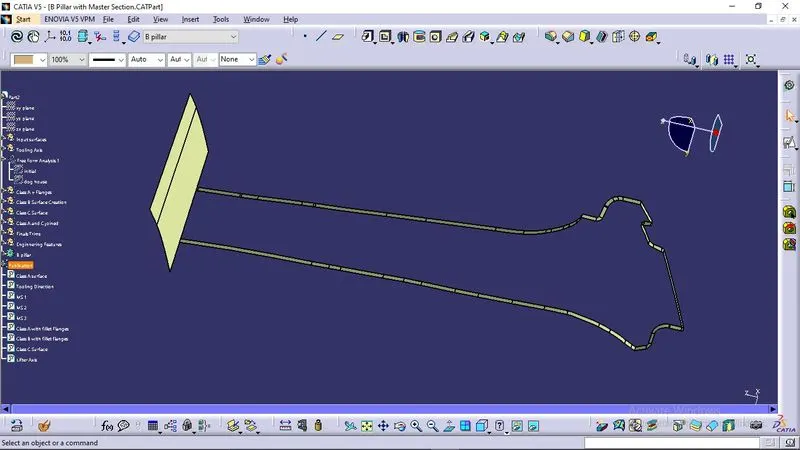
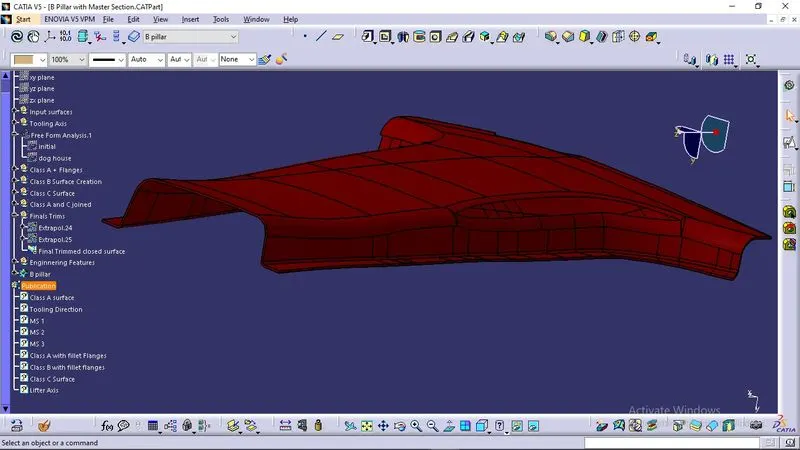
The C Surface Is Swept Using The Profile As Boundary Line Of Class A Which Is The Guide Curve With a Subtype Along Draft Direction.
-The Direction Of The Sweep Is The Tooling Direction Formed Earlier.
-The Draft Angle For The Sweep Operation Is Provided Which Is 3 Degree And Surface Is Swept For Length Above The Thickness Of The Specified Part .
-The C Surfaces Must Be Drafted Outwards From The A Side To Avoid The Parting Line Along The A Surface.
-The C Surface Is Refined Using Smooth Curve Options To Remove The Complexity And Patches Along The Swept Surface.
-Finally The Class A And Class C Surfaces Are Joined Together And Connexity Of Surfaces Should Be Less Than 0.003mm And The Surfaces Are Merged.
Creating A Part Body
After creating a closed surface, it should be converted into a solid body.
Attachment Features
The Attachment Features Are The Fixation And Location Features That Fixes The Components The Common Attachment Features Used In B Pillar Are
-Doghouse With 4 Way Locator
-Ribs
Doghouse
Using The Master Section The Doghouse Is Created And Then Part Modelled Using Thickness Option
-The 4 Way Locator Is Formed Above The Dog House Which Locates The B Pillar Towards The Mating Surfaces
-The Dog House Design Rules Are
-The Thickness Of The Connecting Surface Towards B Side Should Be 40% Off The Main Thickness
-The Walls Are Drafted With Min 0.5 Degrees Along The Main Tooling Direction
-The Attachement Feature Created Needs a Seperate Tooling Axis To Clear The Part Hence a Lifter Axis Is Used
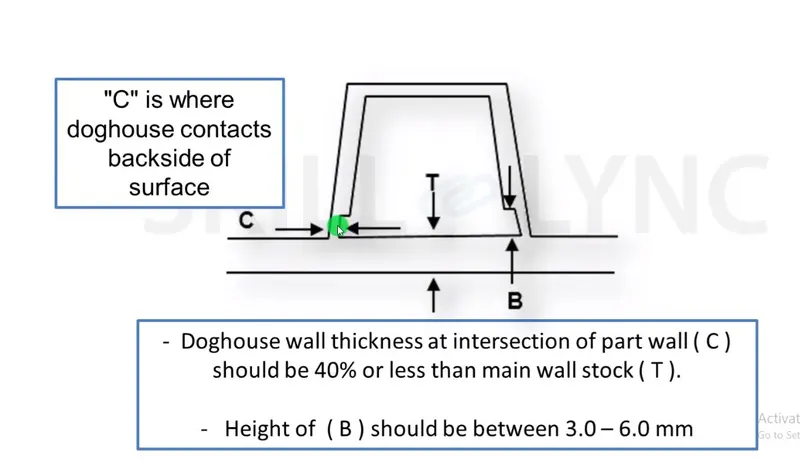
-The Surfaces That Are Cleared Along The Lifter Axis Are Also Given a Minumal Draft
-The Height Of The Attahcment Walls Should Be a Minimum Of 3 Mm
-This Avoids The Plastic Defects On The B Side And Maintains The Texture Of A Side
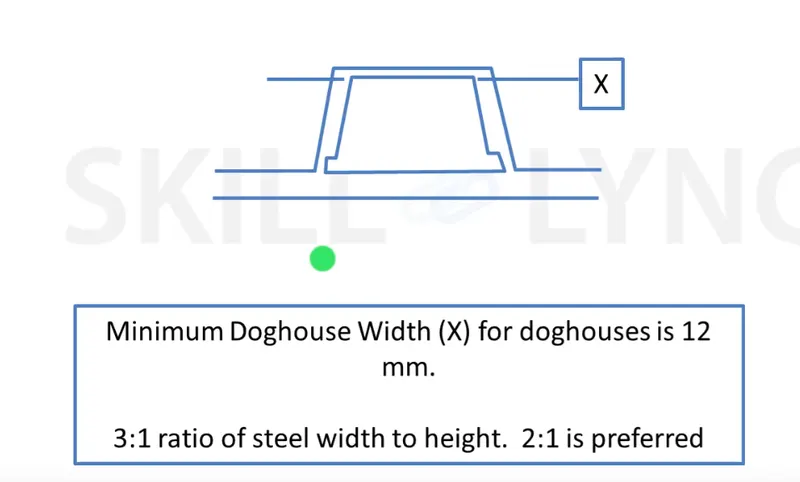
-The Dog House With Four Way Locator Are Shown Below
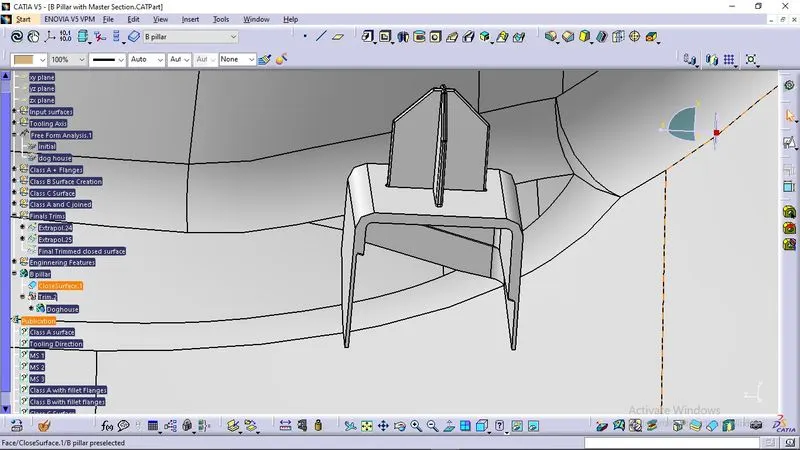
-Four Way Locators Are Tapered Along The Edges To Create An Entry Point For Locators And The Locator Walls Are Drafted Along The Main Tooling Direction.
The Walls Are Minimum Of Above 0.4 Times Of The Total Thickness To Avoid Shot Incapacity During Plastic Product Creations And The Apex Walls Are Ensured To Enough For Creation Of Parts.
Output
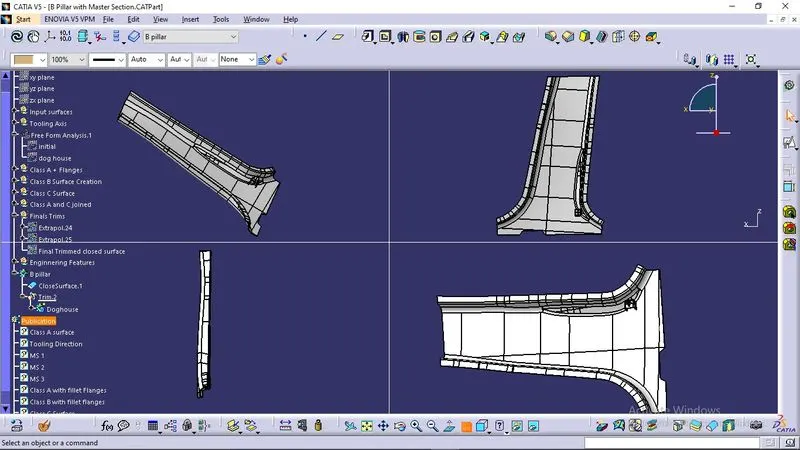
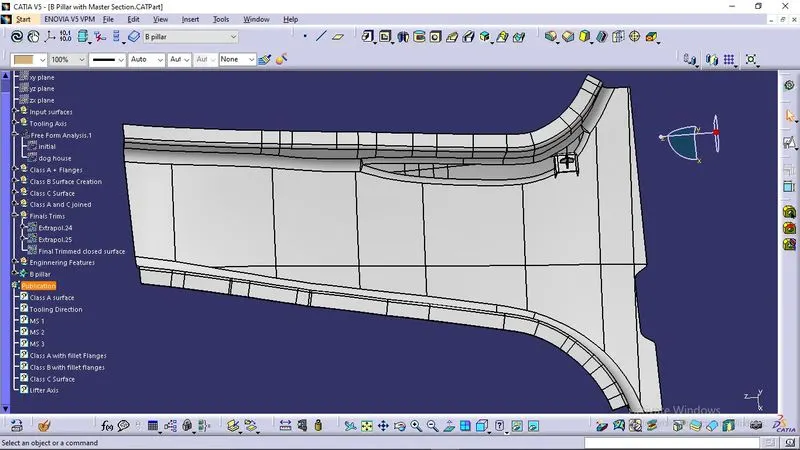
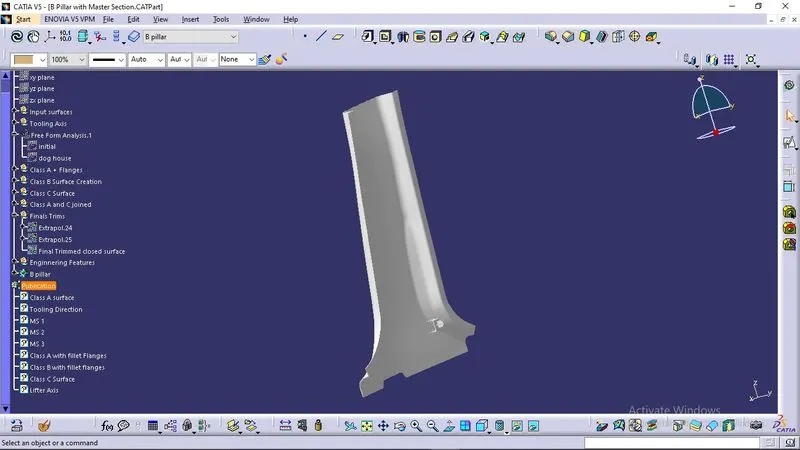
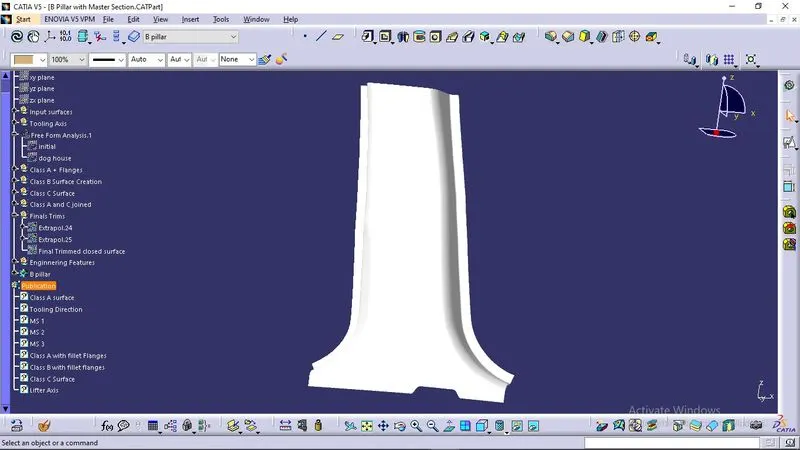
Conclusion
A complete understanding of Designing a B-pillar with a mastersection and creating engineering features is thus concluded.