Side Pole Crash Simulation Challenge
AIM:-
Car side crash analysis by using Hypermesh and Hypercrash.
OBJECTIVE:
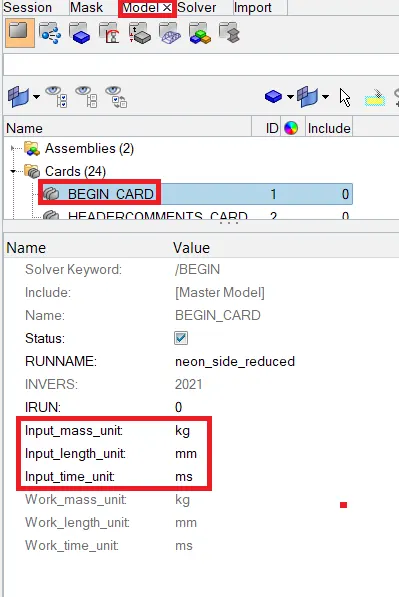
- Check unit system and either follow [Mg mm s] or [Kg mm ms].
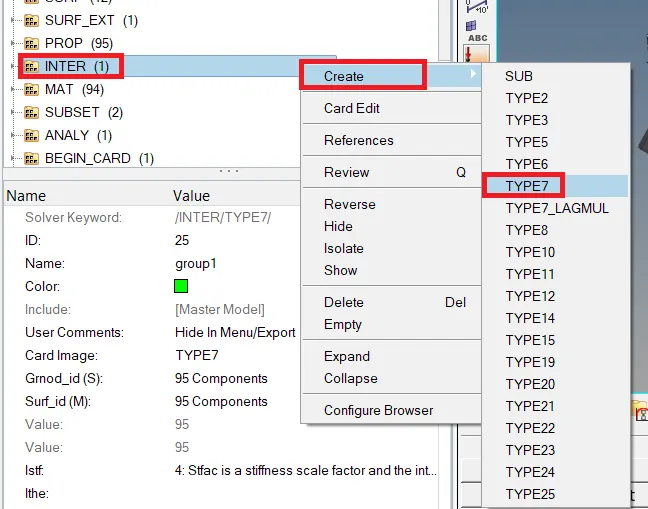
- Create an appropriate interface, friction 0.2 and recommended parameters.
- Make sure of no penetration and intersections.
- Create a rigid wall with friction 0.1 as per the reference model.
- Compare the model weight with the reference model and use added masses to reach the target weight of 700kg while getting CG about the required range.
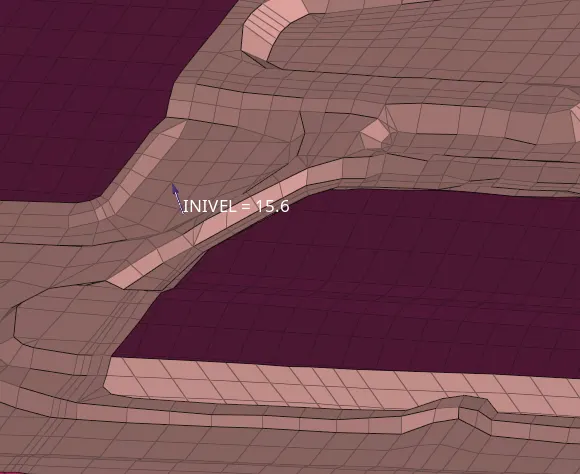
- Initial velocity is shown in the picture.
- Use a model checker to ensure good quality.
- Timestep :0.5 to 0.1 microseconds.
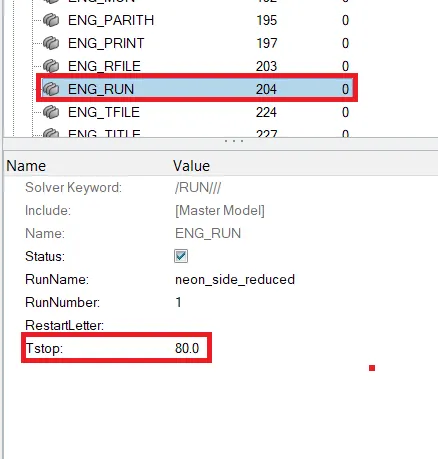
- Run 80ms.
INTRODUCTION:-
Some side impacts involve a vehicle travelling sideways into rigid roadside objects such as trees or poles. Often this is the result of a loss of control on the part of the driver, owing to speeding, misjudgement of a corner or because of a skid in slippery conditions. Such accidents are severe and the frequency of death or serious injury is high.
PROCEDURE:-
1.First import the model in hypermesh.
2.Check the unit system follow kg, mm, ms.
3.Goto tab bar select the model browser→Begin card see the units as shown below.
4.Next create the interface with friction 0.2 goto Solver browser→INTER→Create→TYPE7 as shown below.
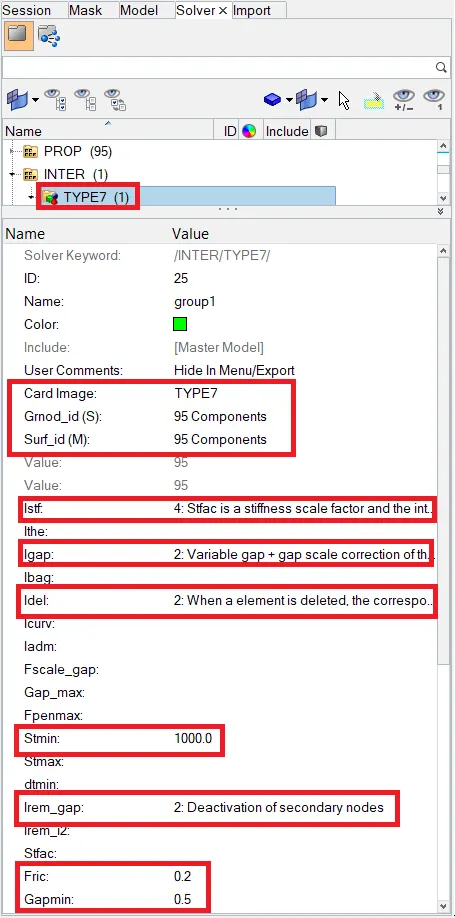
5.Next create the rigid wall goto tab bar select Model browser→Create→Rigidwall as shown below.
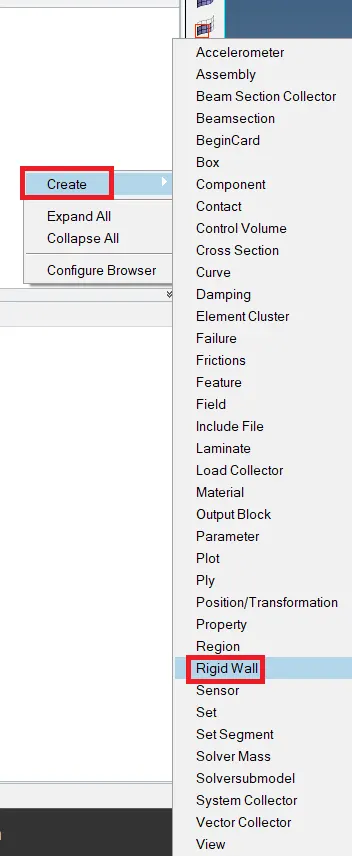
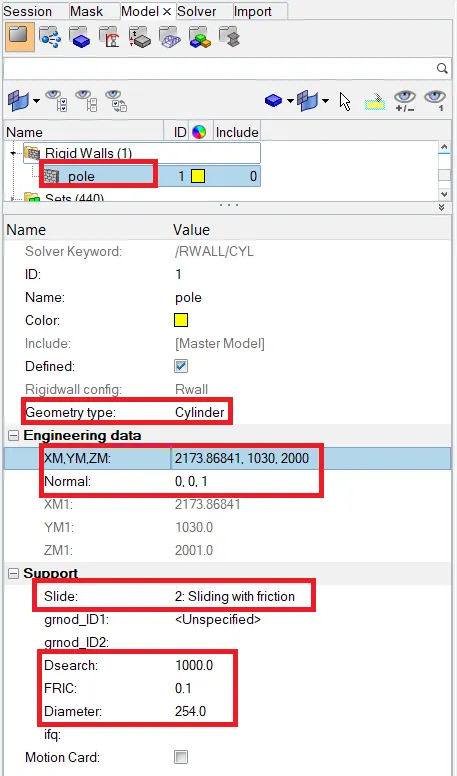
6.The above parameters insert in the rigid wall and it shows in the graphical area as shown below.
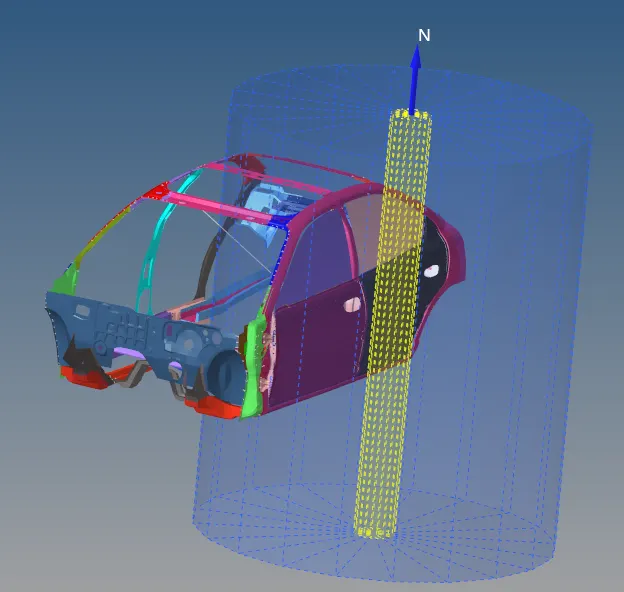
7.Next add mass to reach the weight of 700kg while getting the COG at the middle of the car as shown below.
8.Goto Solver browser→Select Add Mass→Create as shown below.
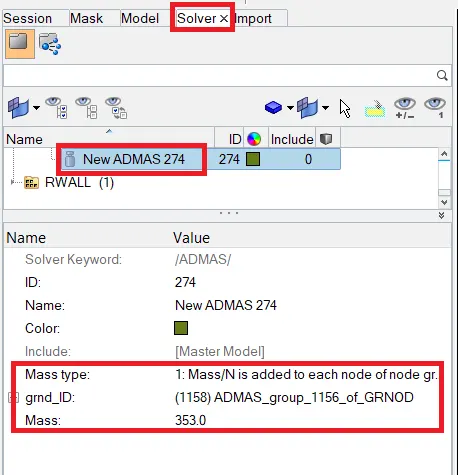
9.Next goto Tools→Mass Details→Mass, COG and inertia the dialogue box is open as shown below.
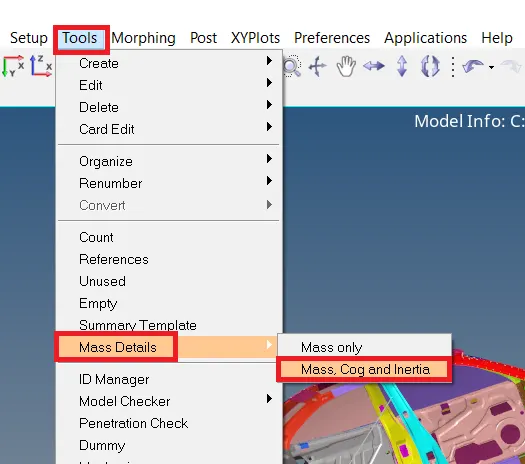
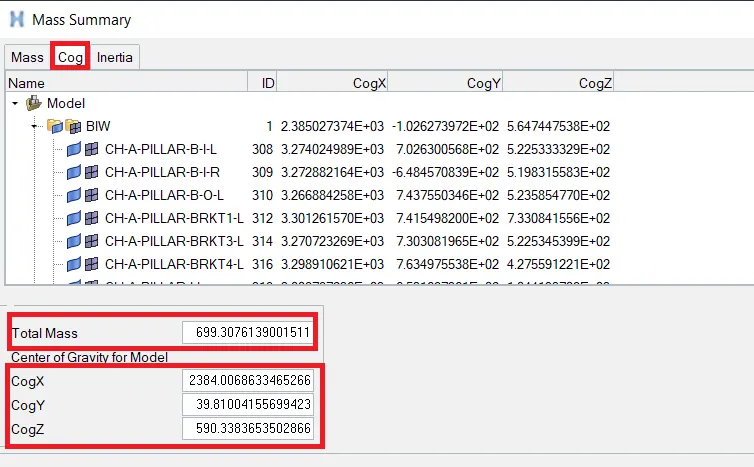
10.Next Create a node taking the above values as shown below.
11.Goto main menu bar select Geom→Nodes as shown below.

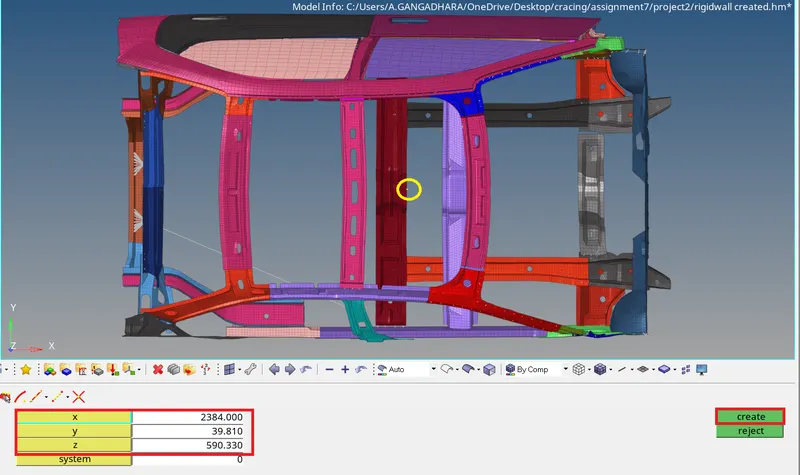
12. let's see the COG is in the above figure and it is coming to the centre of the car.
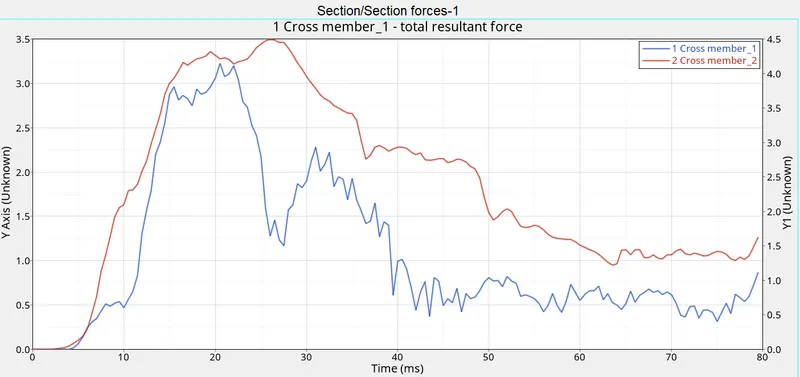
13.Next create the sectional force in the cross member.
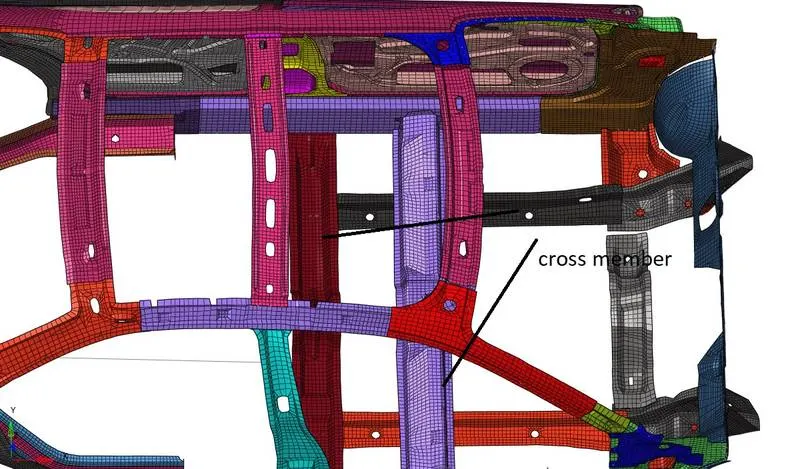
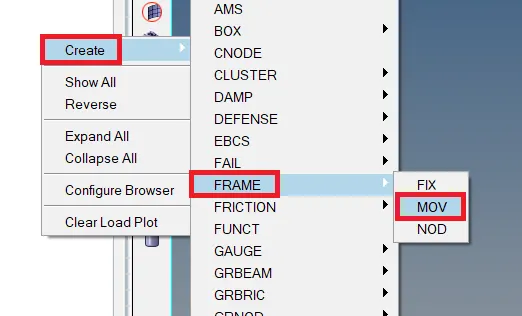
14.First create the frame on the cross members goto solver browser→Right-click on the tab bar→Create→Frame→Mov as shown below.
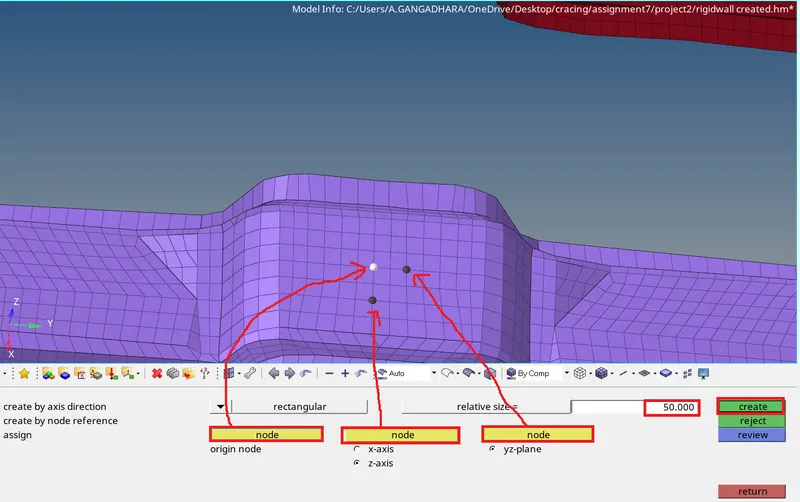
15.Click on the create the frame is visible in the graphical area as shown below.
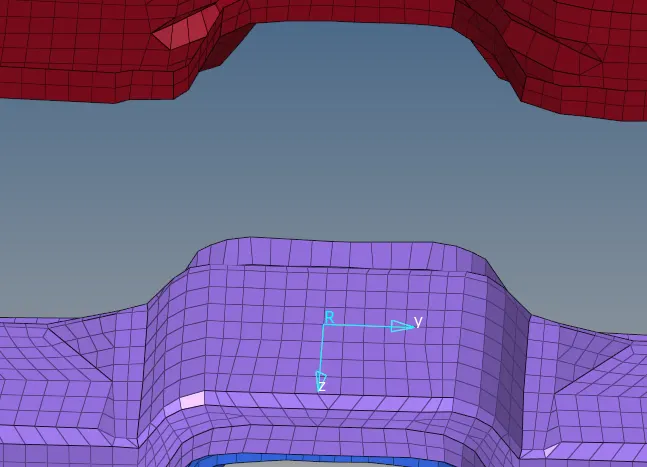
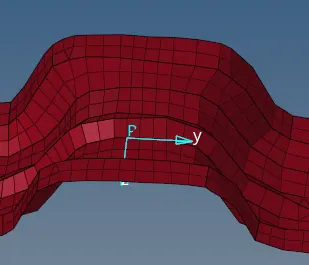
16.Repete the 14,15 steps to create another frame on the other cross member as shown below.
17.Next create the Section and add the frame goto the Solver browser→Right-click on the tab bar→SECT→SECT as shown below.
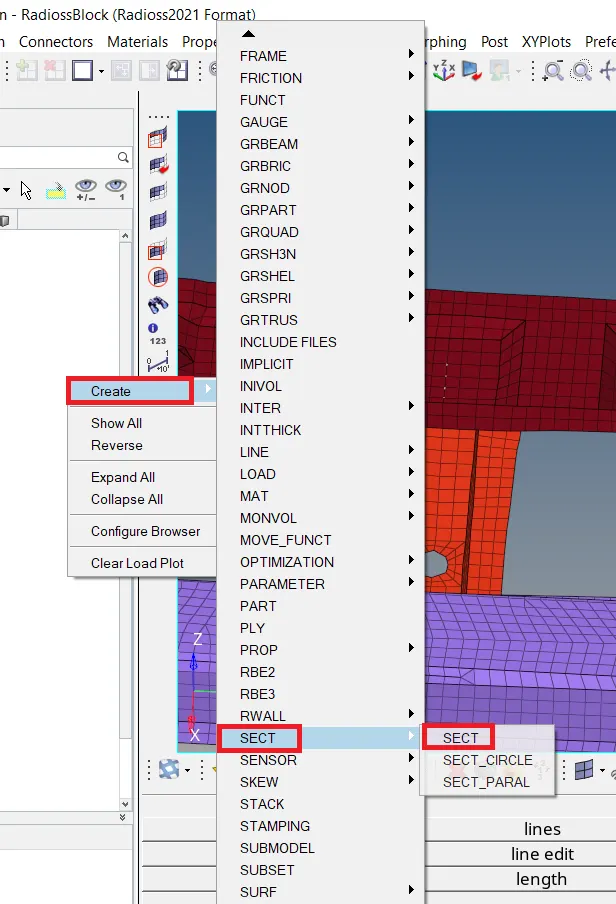
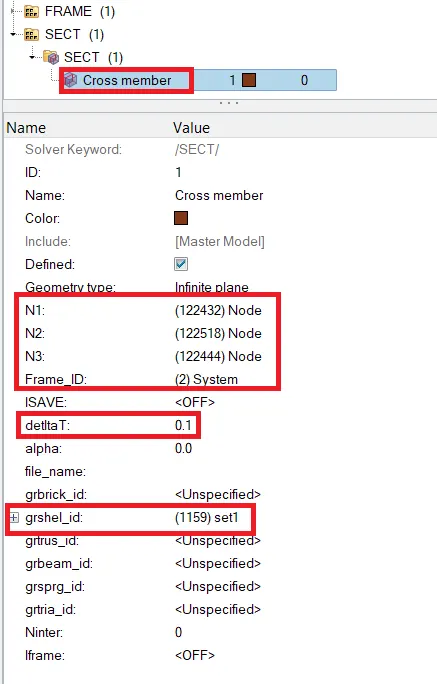
18.Section is created on the cross member as shown below.
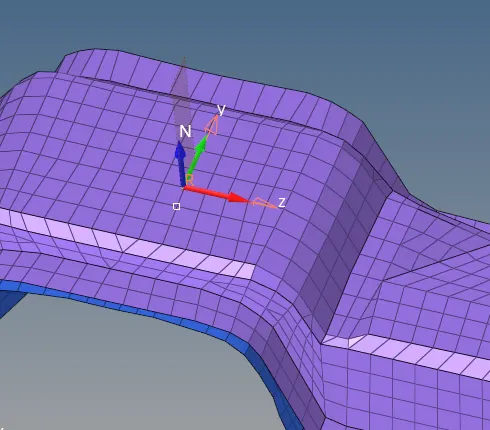
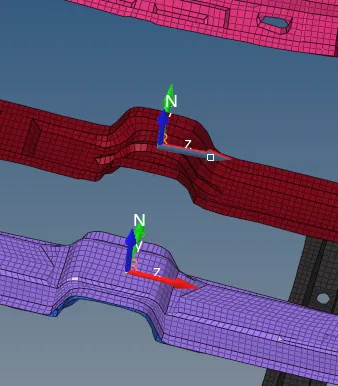
19.Same way to create at another cross member as shown below.
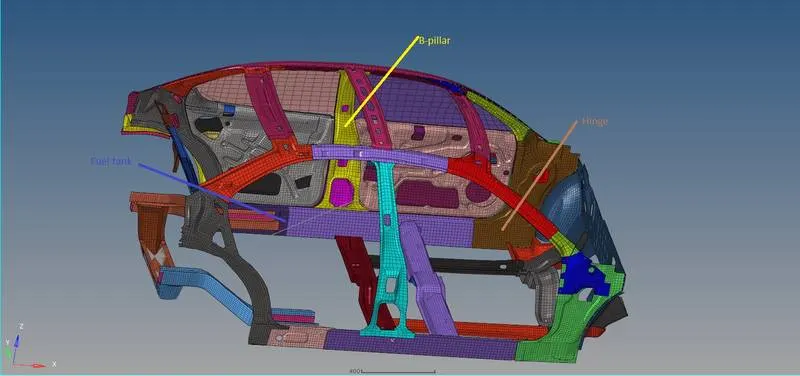
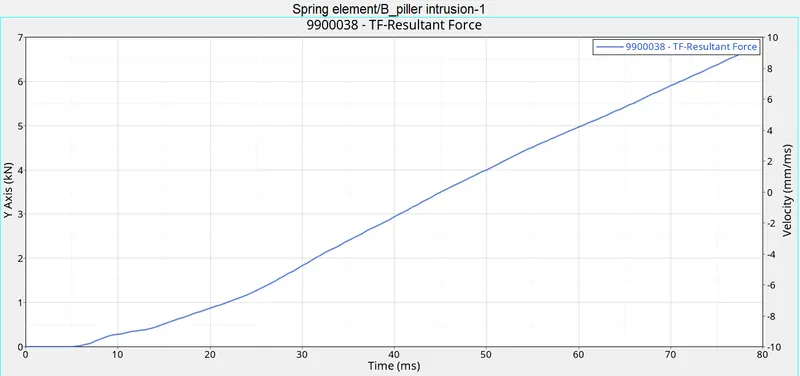
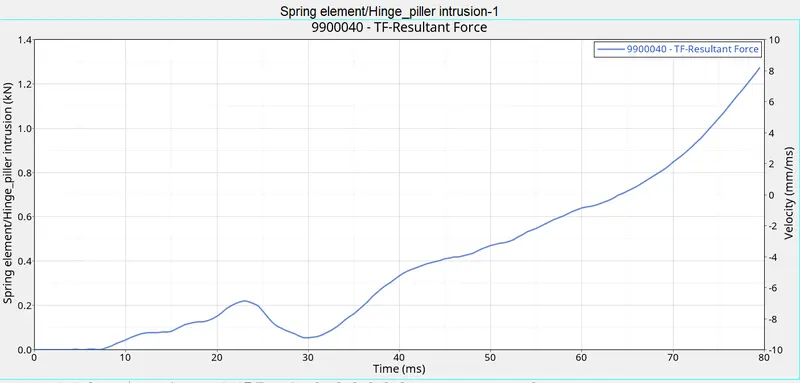
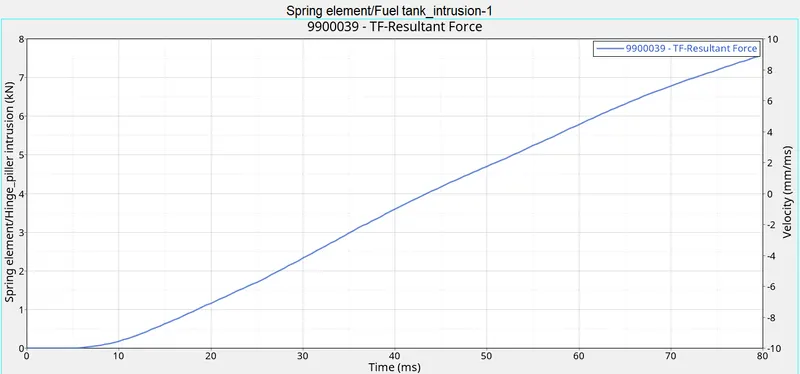
20.Next create intrusions at B_piller, Hinge pillar and Fuel tank as shown below.
21.Goto the main menu bar select 1D→Springs.
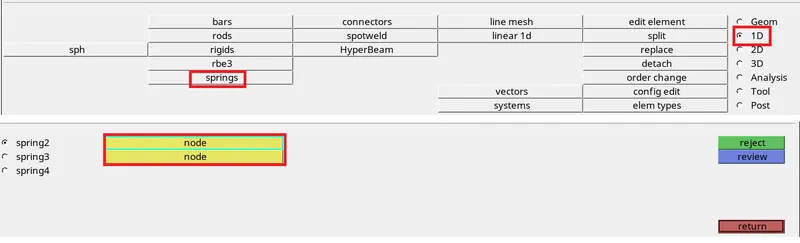
22.Select nodes and create springs at B_pillar, hinge Pillar and fuel tank as shown below.
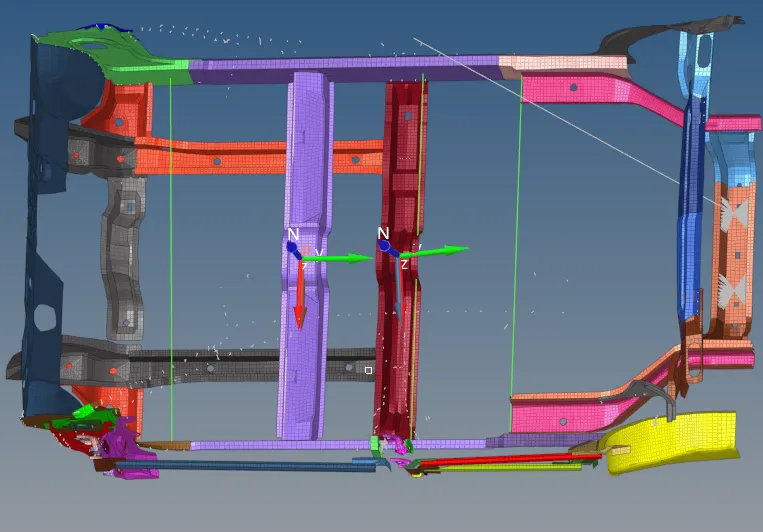
23.Next create properties and assign them to springs.
24.Next give the initial velocity at the inner door node 15.64 m/s.
25.Goto Solver browser→Right-click on the tab bar→Create→Boundary conditions→INIVEL as shown below.
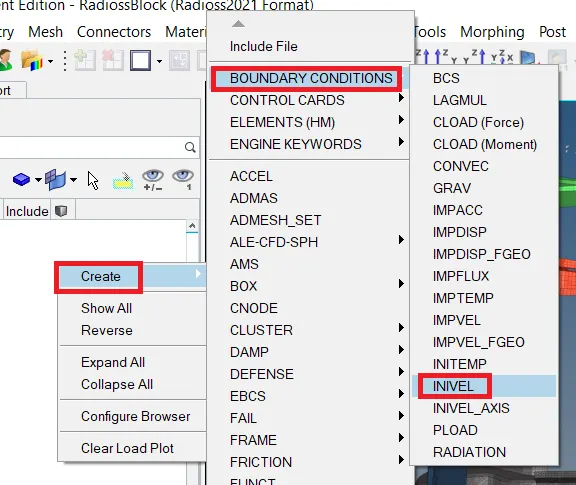
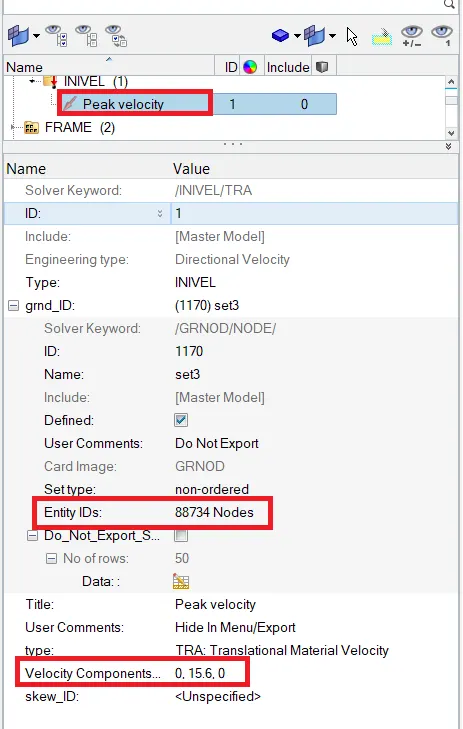
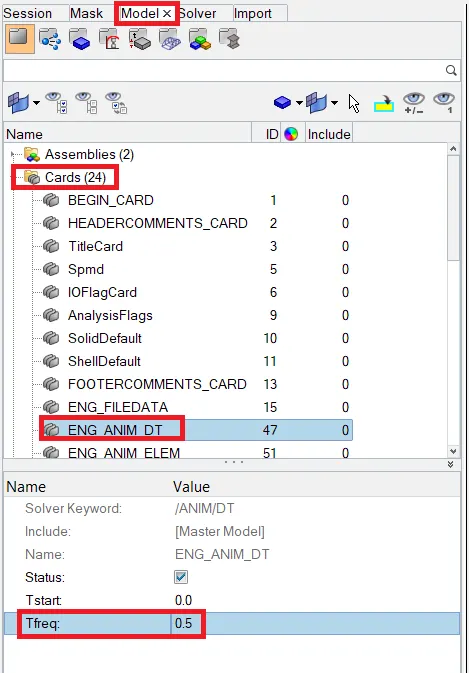
23.Next go to the Model browser →Cards→ENG_ANIM_DT→Tfreq as shown below.
24.Next change the run time select ENG_RUN give the Tstop is 80ms as shown below.
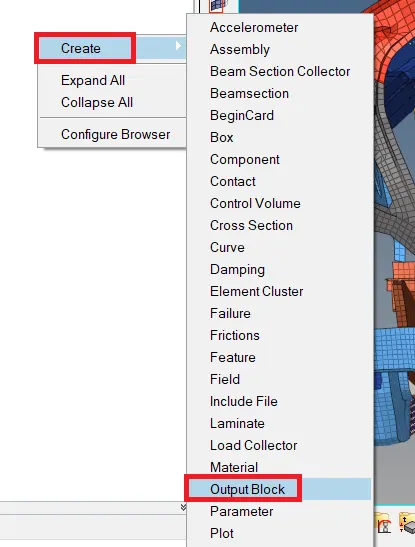
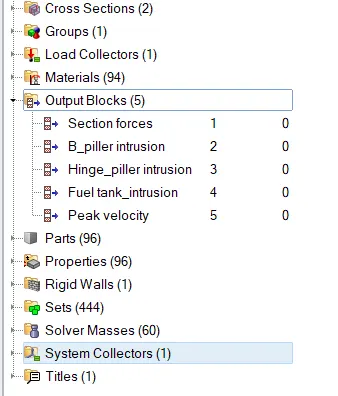
24.Next create the output blocks for section forces, Intrusions and Peak velocity.
25.Goto Model browser→Output blocks→Create as shown below.
26.Export the file in the radioss solver deck and open the file in Hyper Crash.
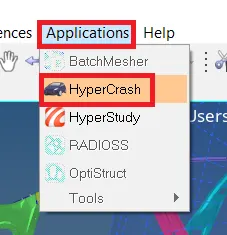
27.Goto menu bar select Applications click on the Hypercrash as shown below.
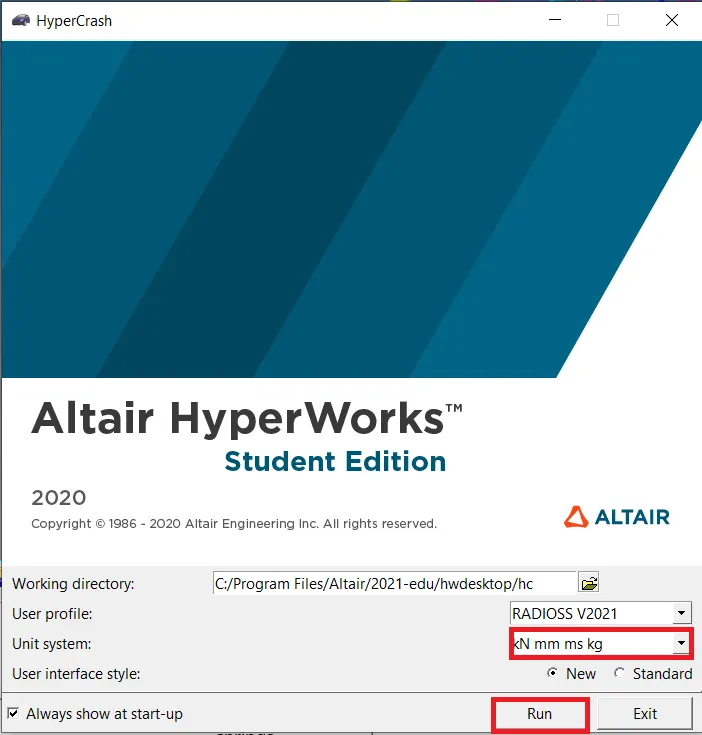
Click on Run the hyper crash window opened and import the radioss file in hyper crash as shown below.
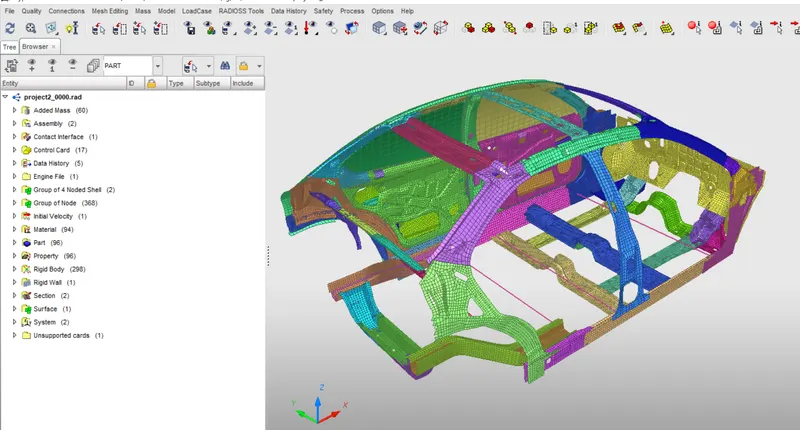
28.Next check the penetrations and intersections goto Quality→Check intersections of tree selection as shown below.
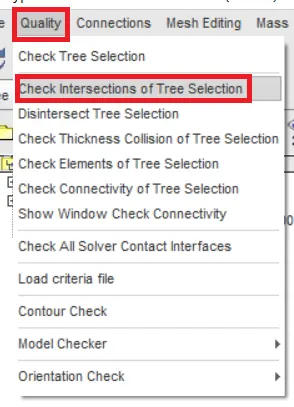
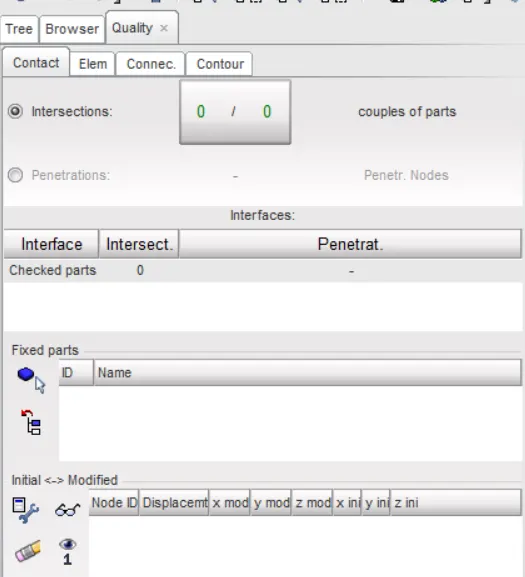 It shows Zero(0) there is no penetration and intersections.
29.Next goto model checking goto Quality→Model checker→RUN as shown below.
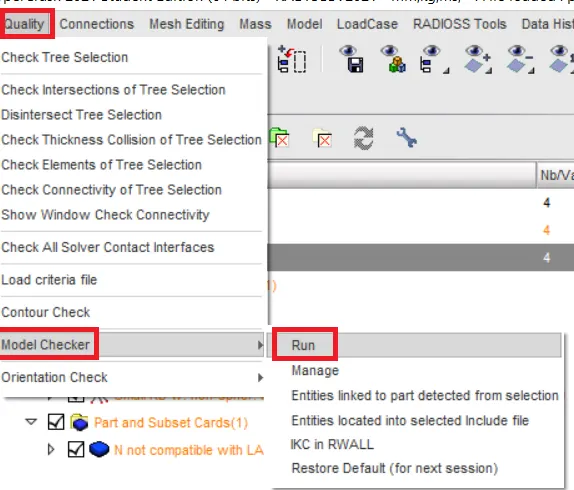
See the errors and warnings in New Model Checker as shown below.
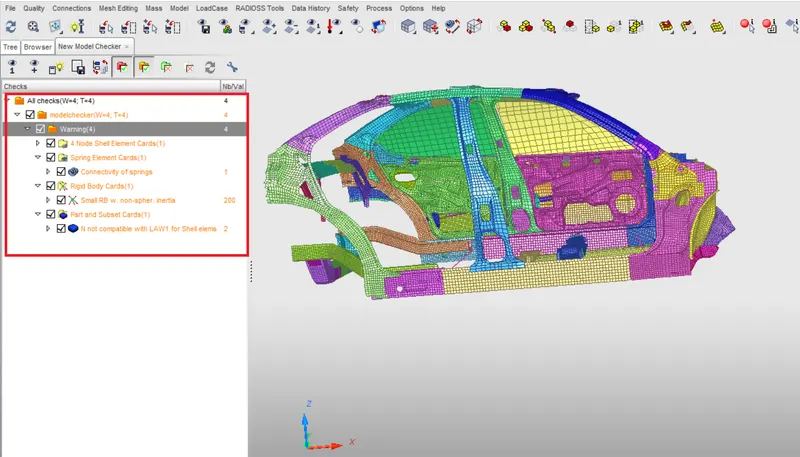
After running the model checker there was no error is in the model but some warnings related to the cards it is ignored.
30. let's start the simulation.
SIMULATION:-
1.Goto main menu bar select Analysis→Radioss as shown below.


2.Click on the Radioss simulation is run as shown below.
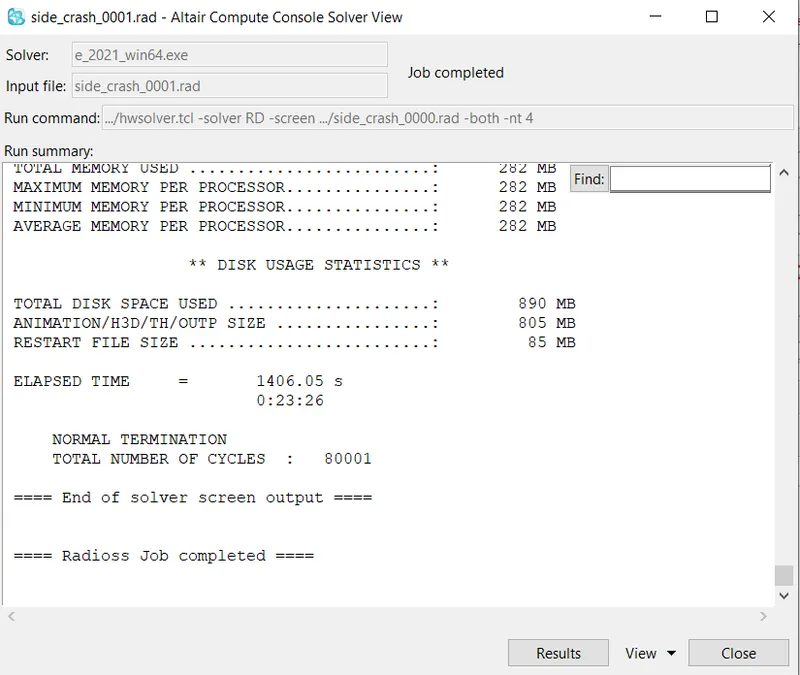 It shows Radioss job completed the simulation is done.
3.Check the Energy error and mass error go to simulation files open the 0001.rad out file in note pad the values are shown below.
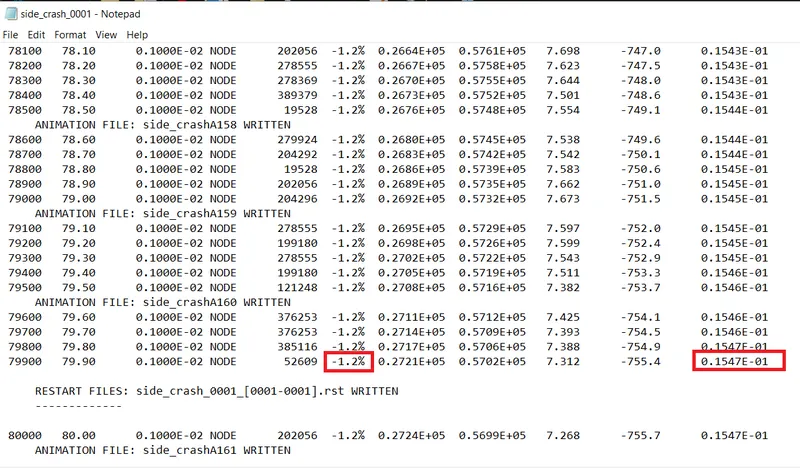
→Energy error = -1.2%
→Mass error = 0.1547E-01
→Total number of Cycles = 80001
→Total simulation run time = 1410.79s
4.Next change the client selector from Hypermesh to Hyperview as shown below.

5.Select the h3d file and click apply the animation is visible in the graphical area as shown below.
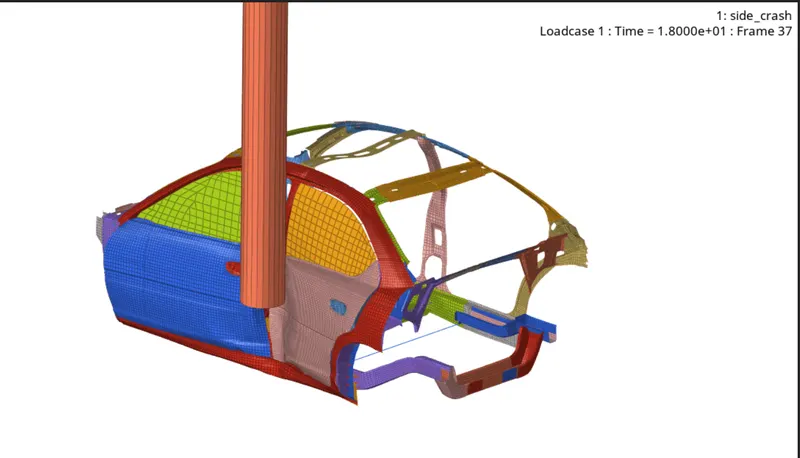
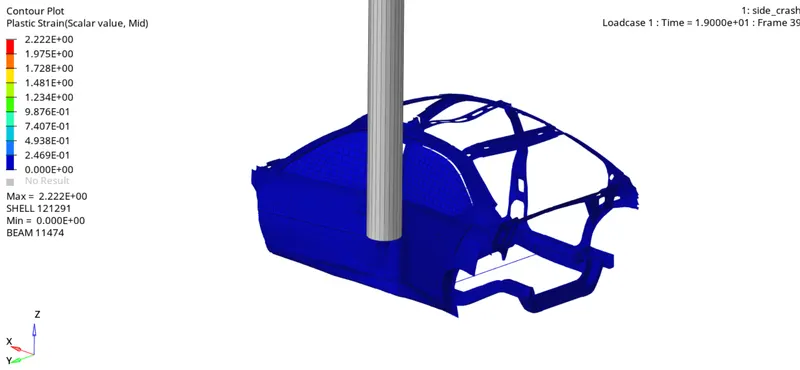 →Plastic strain.
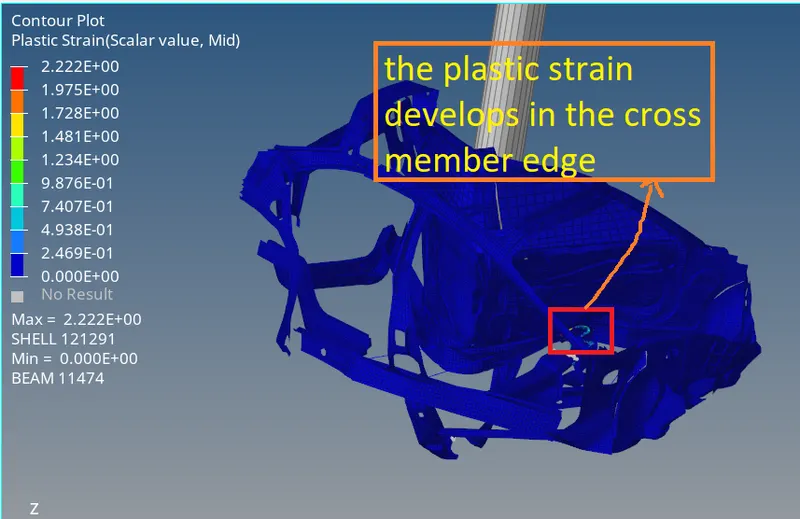
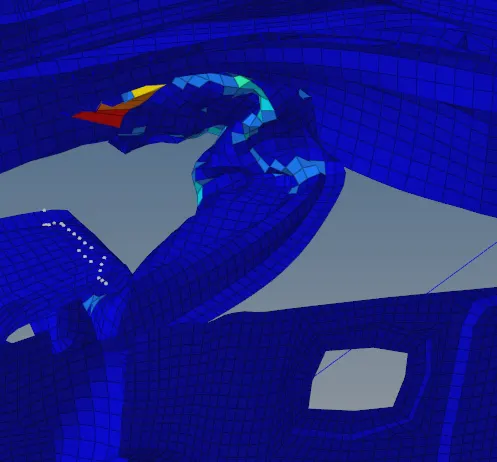
Plastic strain:-
Plastic strain is developed in the cross member edges maybe it shows a good sign the plastic strain is slightly foam on cross member edges. It is 0.22.
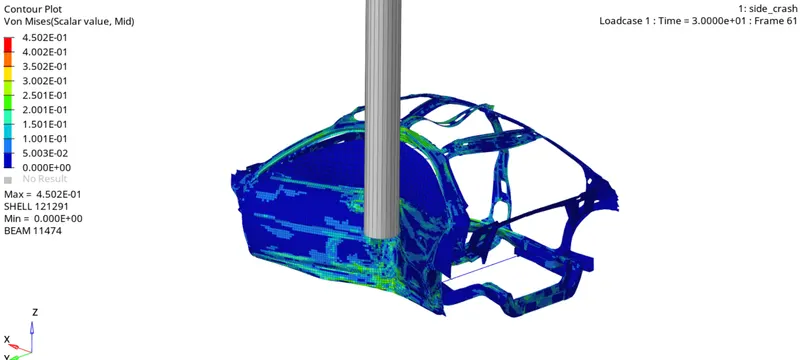 →Von Mises.
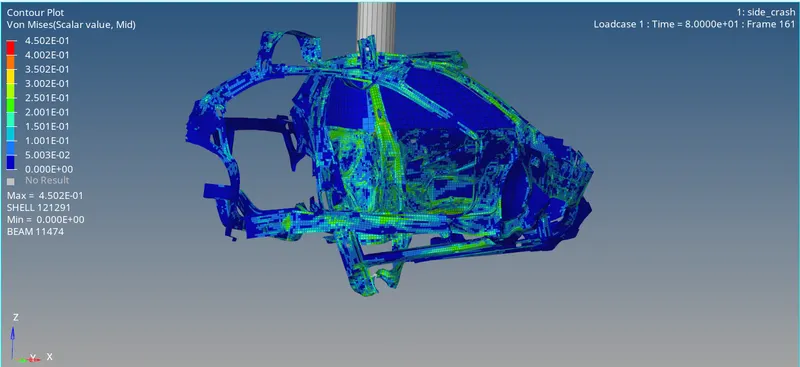
Von Mises:-
When the car strikes the rigid pole the Von misses stress is developed more stress is developed in the B_piller so the driver and passenger are safe.
PLOT GRAPHS IN HYPER GRAPH 2D:-
1.Change the client selector from Hyperview to Hypergraph 2D as shown below.
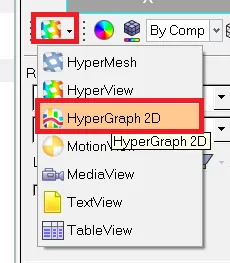

2.Click on the folder icon select the T01 file click on the apply as shown below.

3.Plot internal energy, kinetic energy, contact energy, Hourglass energy, Total energy graphs.
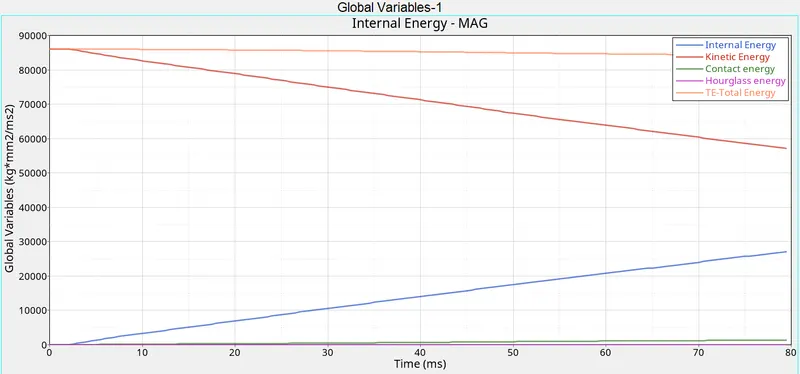
The kinetic energy and internal energy graphs plots show the mirror image. That means the decrease in kinetic and an increase in internal energy at the same time.This graph shows the total energy as an almost straight line because it is the summation of the kinetic and internal energy.
The contact forces and hourglass energy has to be less than 15% of the total energy which the graph shows as a needed result. The contact force is minimal but it slightly increases after the 35ms of the crash.
PEAK VELOCITY:-
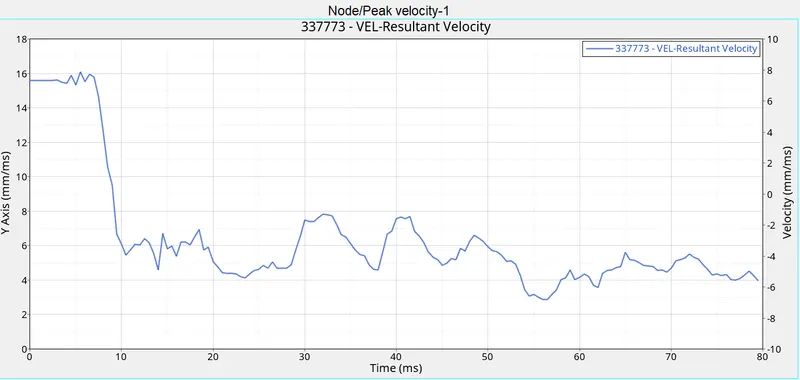
The peak velocity for the inner side of the door hits its peak value of 15.6mm/ms at around 3 ms that is when the impact actually happens.
B-PILLER INTRUSION:-
HINGE INTRUSION:-
FUEL-TANK INTRUSION:-
SECTION FORCES:-
CONCLUSION:-
The side pole crash shows the devasting or kind of not desirable results in animation for the safety of the passenger. Though the plastic formation in the car shows a good result as it does form to the other end. All the energy and force plots by using Hyper Works 2021.