Assignment 7-Side Pole Crash Simulation Challenge
SIDEIMPACT TEST:
In Euro NCAP’s test, a car is propelled sideways at 32 km/h against a rigid, narrow pole. The car is placed at right angles to the direction of motion, or as is done from 2015 onwards, at a small angle away from the perpendicular. Where a vehicle is equipped with a centre airbag to protect against the front seat occupants hitting each other.
1.Check unit system and either follow [Mg mm s] or [Kg mm ms]..
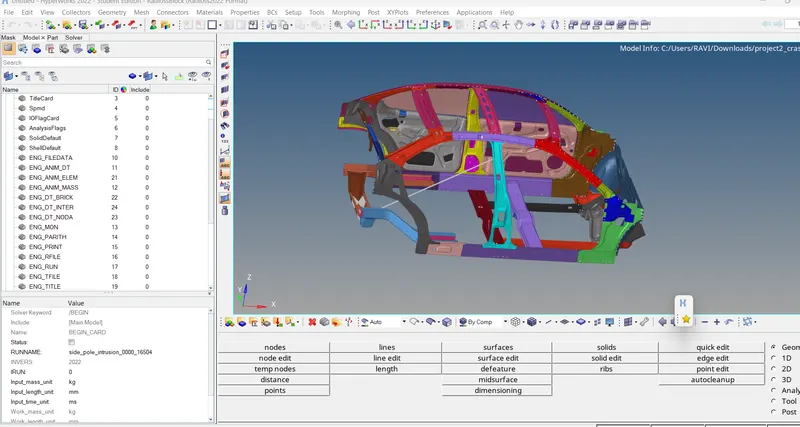
Open hypermesh -import the 0000.rad file
in model browser select cards - begin cards
now in left side bottombox units are mentioned as kg,mm,ms.
2.Create an appropriate interface, friction 0.2, and recommended parameters.
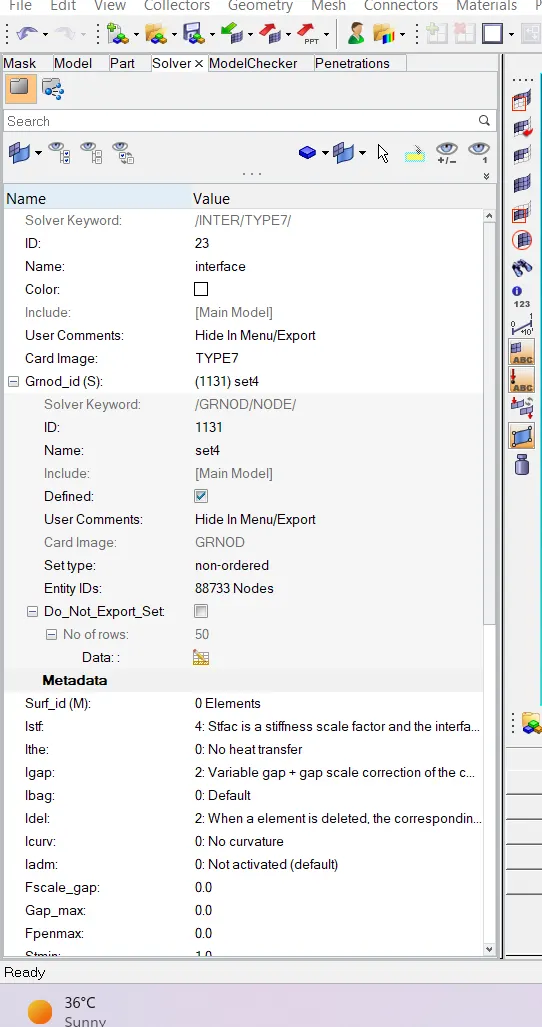
for creating a interface go to model browser, give a right click create -inter select
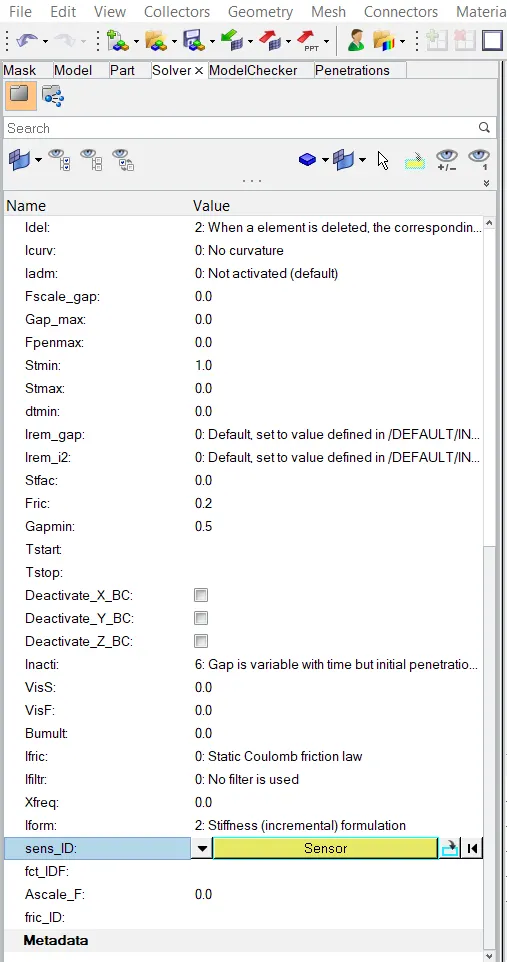
type 7 and give the parametres as shown in the below figure and friction value "fric" as 0.2 as mentioned in the question
3.Make sure of no penetration and intersections.
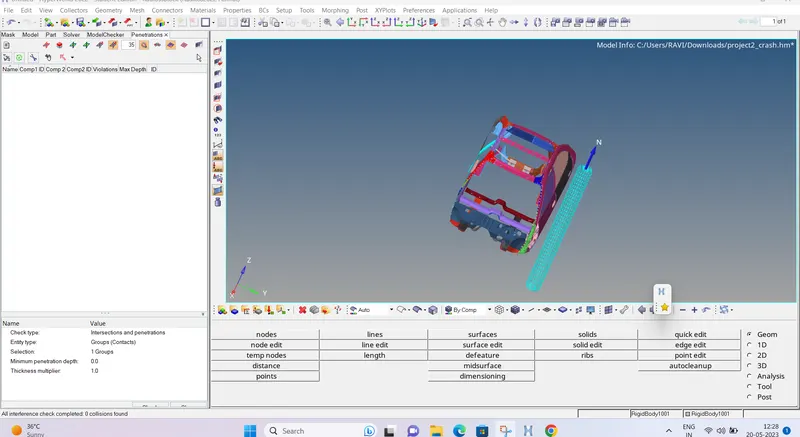
to check for the penetrations , go to tools penetration check select all the components and select check.
after checking, it displays the result in the left corner bottom.
here, in this it stated as 0 collisions found, as no penetrations found in the model.
Create a rigid wall with friction 0.1 as per the reference model.
to create a rigid wall go to solver browser right click create and select Rwall cylinder as mentioned apole
and give the values.
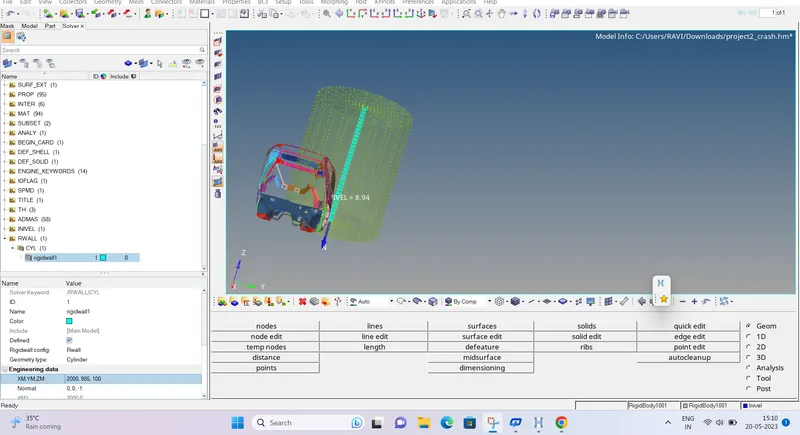
- Compare the model weight with the reference model and use added masses to reach the target weight of 700kg while getting CG about the required range.
to check the initial weightgo to tools -mass details-mass cog and intertia and select cog and check the weight
note down the cog X,Y,Z values and find out the COG ny selecting node and input the values.
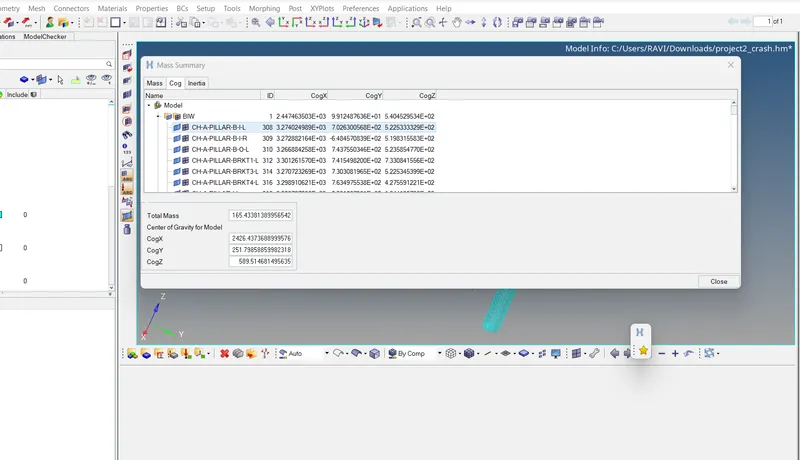
now create admass in solver browser and add required weight to get the target weight and select all the components
after it again go to tools massdetails and check the weight.
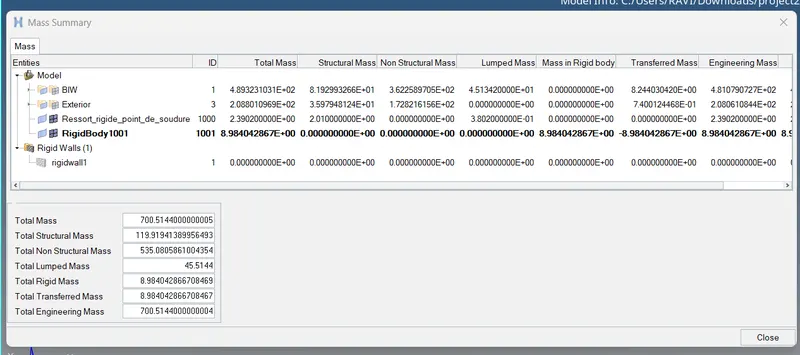
hence we got the required weight as 700kg and new cog of the model after add weight is displayed by blue colour in the below figure.
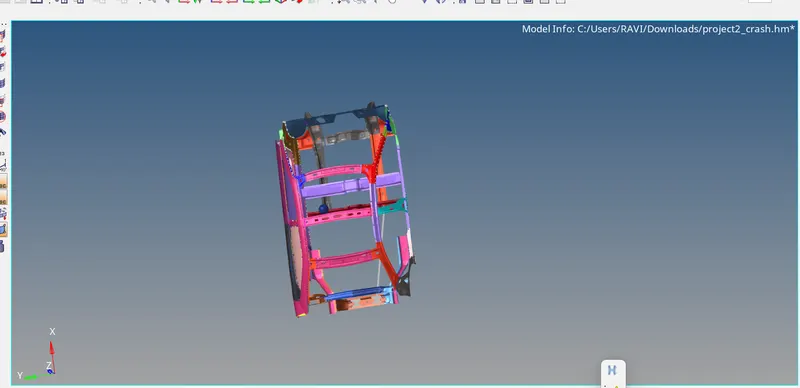
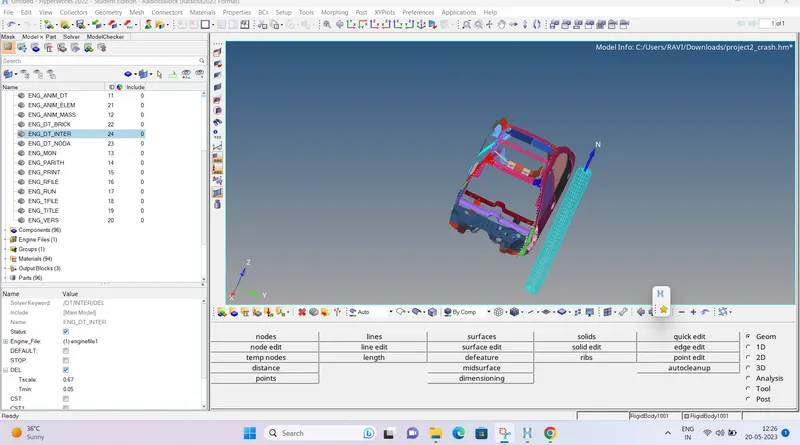
Timestep :0.5 to 0.1 microseconds.
to change the time step
go to model browser select cards-engine-DT card and change it to 0.1.
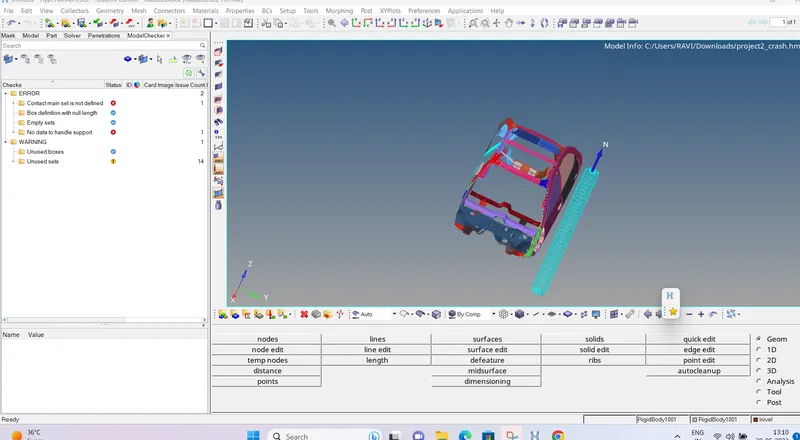
Use model checker to ensure good quality.
go to tools select model checker- radios and select components and run
it shows errors and warnings the top right green and tool symbols define run check and auto correct respectively.
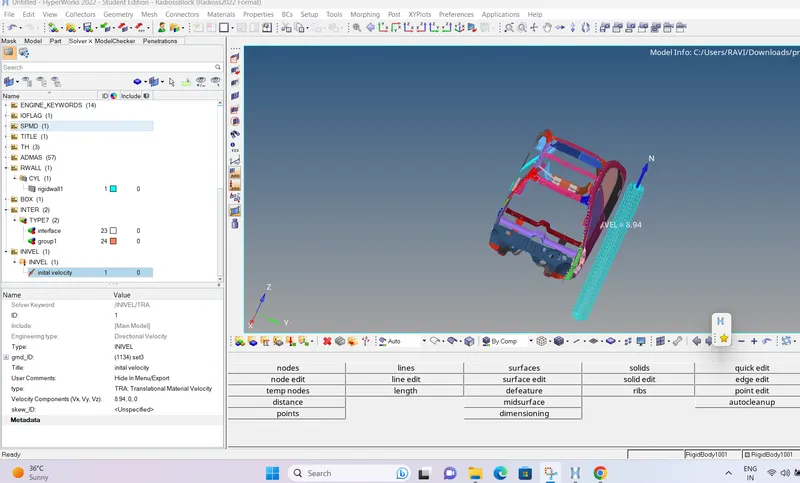
Initial velocity - 20mph, as per the standards.
go to solver browser -right click -create-boundaryconditions select- inivel
now in the left bottom give xcomponenet as 8.94m/s which is equal to 20mph and select all the components.
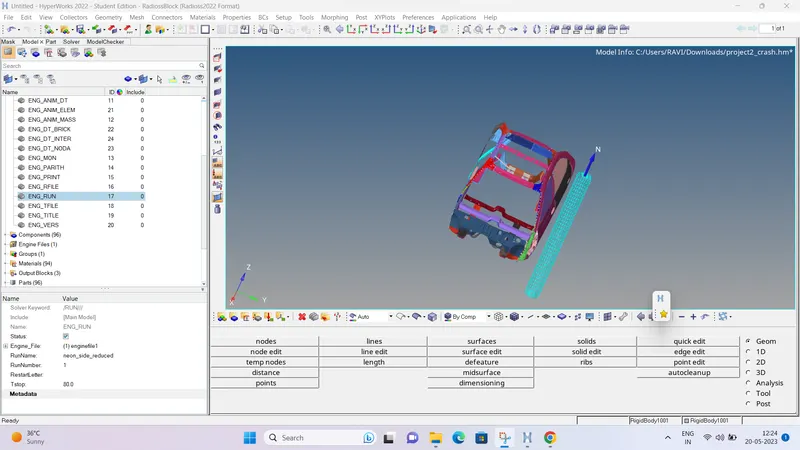
- Run 80ms.
go to model browser select cards - engine_run card and in the left time stop will be visible make it to 80.
outputrequests:
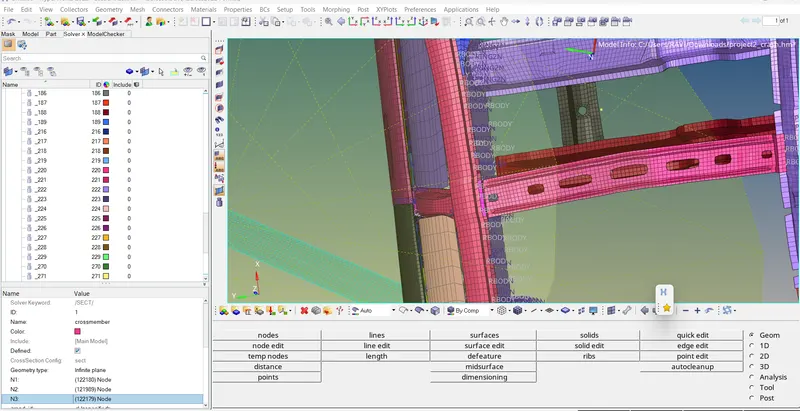
1.Sectional force in the cross member.
to create a section force, create a frame in solver browser select mov
and select the nodes on the cross member
now create a section in the solver and name it and add these selected nodes in the section
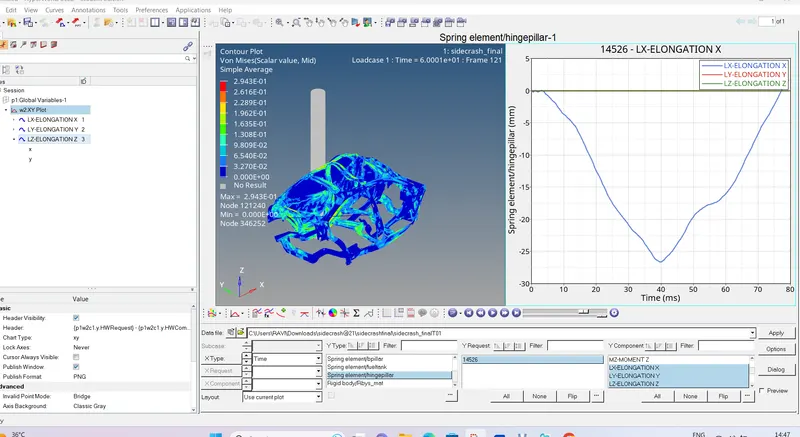
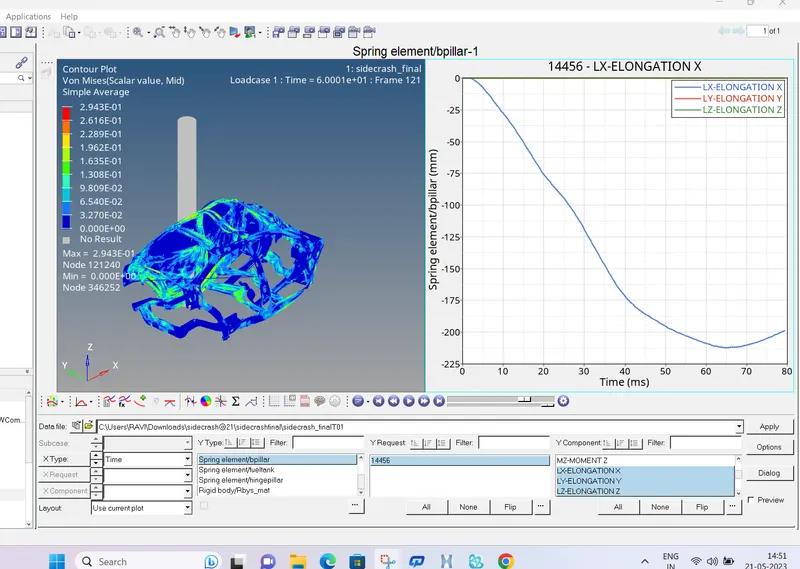
2.Intrusion at B pillar,hinge pillar and fuel tank region. Provide recommendations on what can help to reduce Fuel tank intrusion.
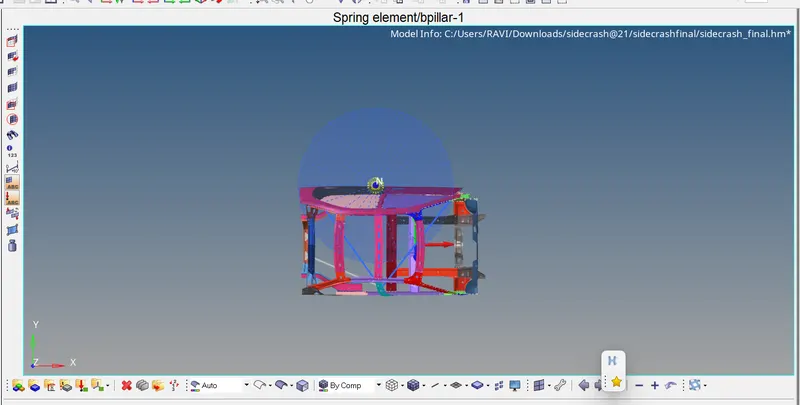
to create intrusion, first create spring
to create a spring go to 1D spring and select two nodes for creating spring.
1node as mentioned in the question and another node is the place where no deformation/crash takes place.
after creating a spring add properties and material to it and give stiffness value as 0.0001.
then in the solver browser create a timehistory and selecting spring
in that add these springs to get the output result.
GRAPH OF TOTALENERGY,KINETIC ENERGY,CONTACT ENERGY,HOURGLASSENERGY,INTERNAL ENERGY
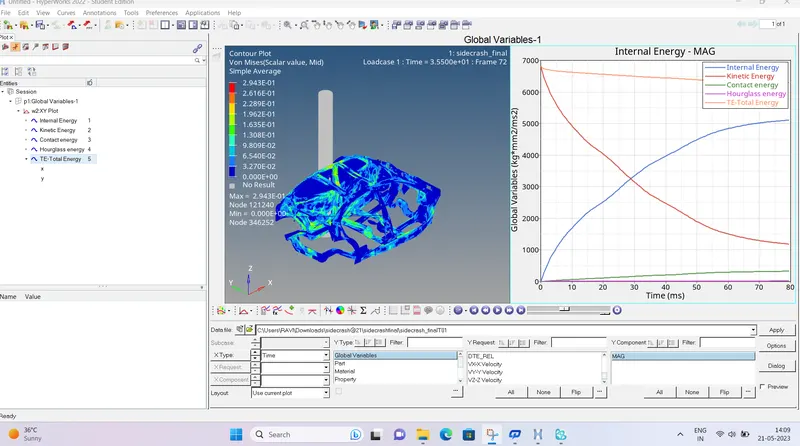
IN THE above graph we can see total energy is indicated in orange line which is the sum of internal energy and kinetic energy is above is decreasing withrespect to itime.
kinetic energy, which is in red colour in the above graph is decresing rapidly by the time.
contact energy , is increasing from the initial stage as simulation /crash is processing.
internal energy is increasing after the crash and hourglass energy is constant throughout the process.
PEAKVELOCITY OF NODE AT INNERDOOR
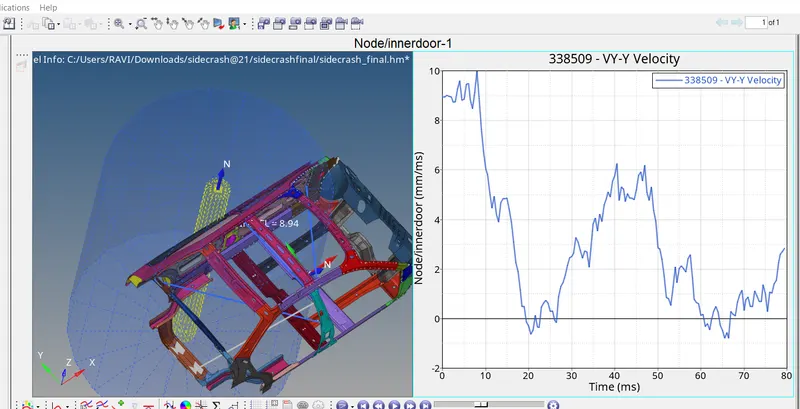
INTRUSION AT HINGEPILLAR
INTRUSION AT B-PILLAR
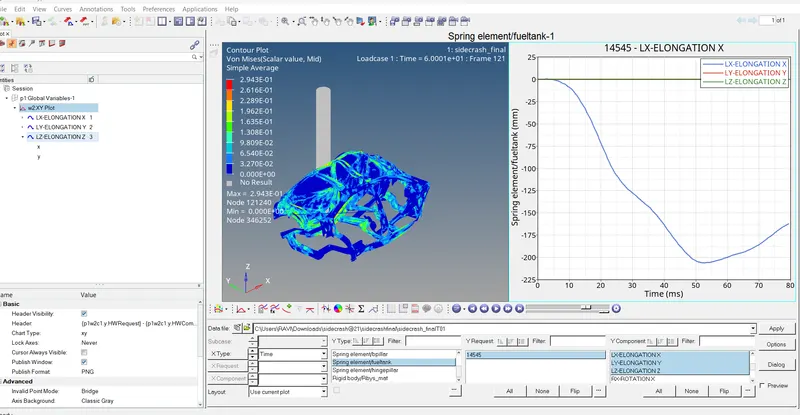
INTRUSION AT FUEL TANK
i got the errror as empty variable input. and i solved that error by selecting that error
itll display leftside bottom and there we can change the variable number as1. thus, i have rectified my error.