Assignment 7-Side Pole Crash Simulation Challenge
OBJECTIVE: To perform Side pole crash simulation with the given car model and also plot the result from the output request.
PROCEDURE:
1. To import the given model to the radioss GUI.
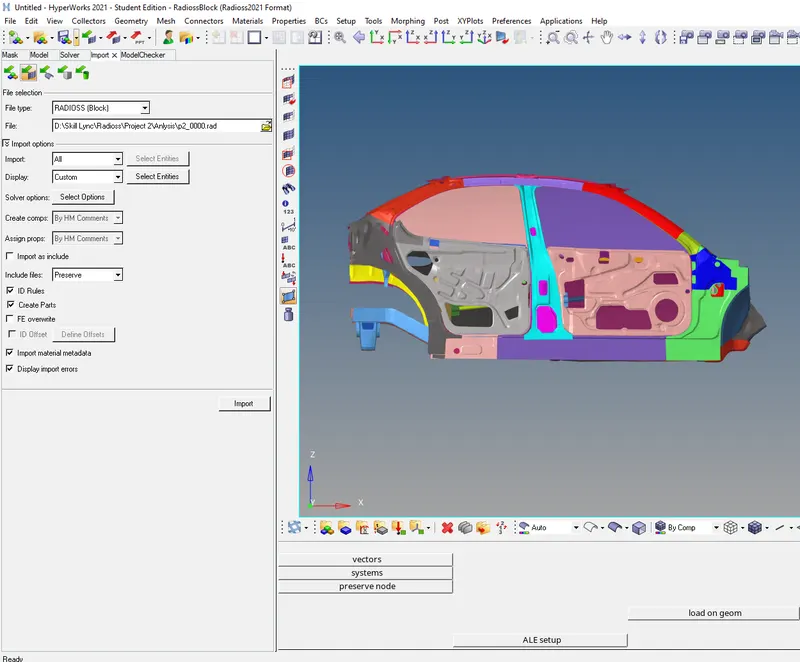
- Import> selecting file type as radioss>0000.rad>import.
- The file is imported.
2. To Check unit system.
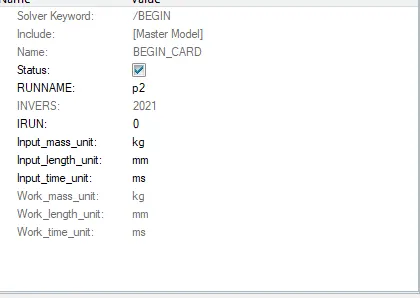
- We can check the unit system from the starter file or from the begin card.
3.To Create appropriate interface ,friction 0.2 and recommended parameters.
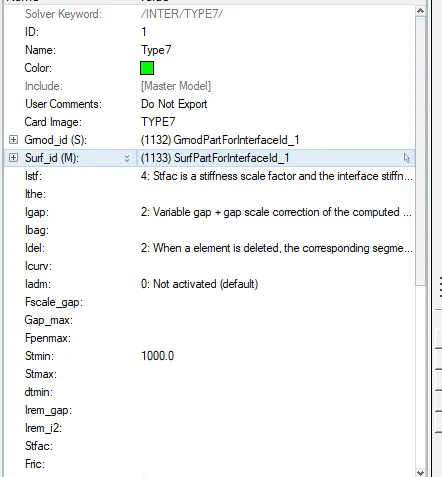
|
Ishell =24 |
QEPH 4 nodes shells are best combination of cost and accuracy. | |
|
Ismstr=2 |
Full geometric nonlinearities (default)with possible small strain formulation activation in RADIOSS Engine. | |
|
Ish3n=2 |
Standard 3 noded shell (C0)with modification for large rotation(default) |
|
| N=5 | Number of integration points set to 5 for accuracy bending. | |
|
Ithick=1 |
Thickness change is taken into account for accuracy. |
|
|
Iplas=1 |
Iterative plasticity for good accuracy. | |
|
Fric=0.2 |
Frictional forces. |
- Right click on the model tree> Create>contact, and provide suitable as above and delete the rest of the interface.
3. To check if there is any penetrations and intersection.
- The penentration is checked in hypercrash software
- To open Hypercrash >hypermesh>application on the tool bar> hypercrash.
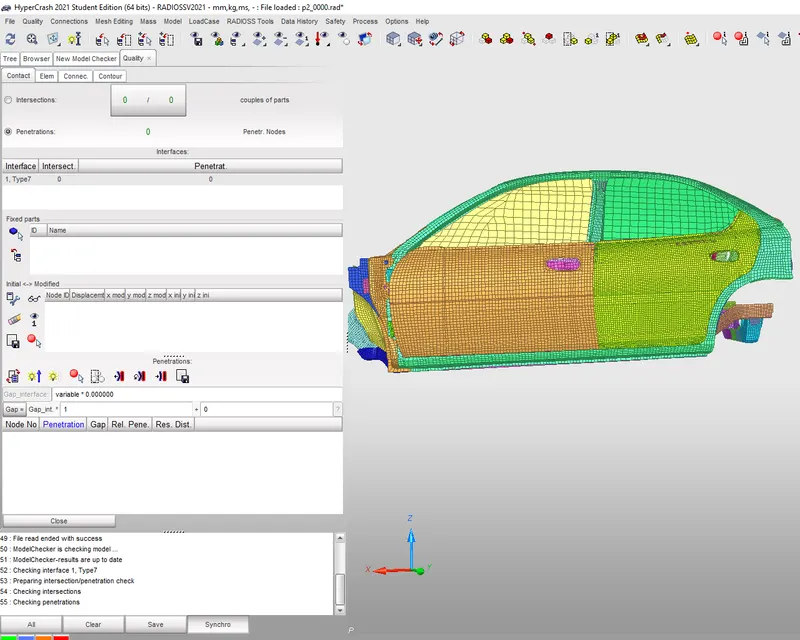
- Choosing the SI unit > To import the model> drag the file 0000.rad file to the GUI, the model will be imported.
- To check for pentration in Hypercrash .
- Quailty from hypercrash tool menu> Check all solver contact interface.
- There is no penetration found.
4. Create a rigid wall with friction 0.1 as per the reference model.
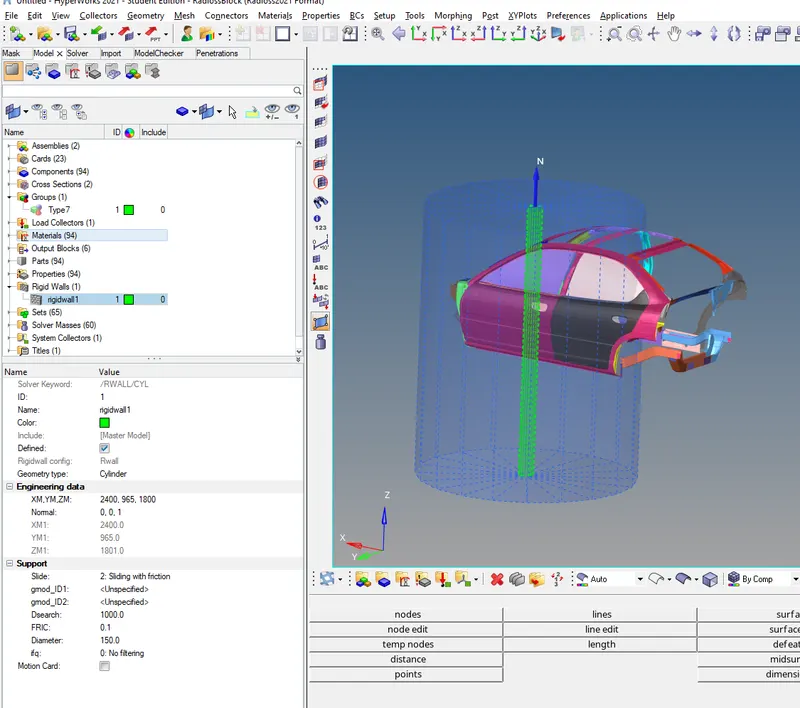
- In Hypermesh Right click on the model tree > Create > Rwall
- Geometry type- Cylinder> XM, YM,ZM- Selecting the middle of the bumper.
- Selecting the 1 as the normal.
- Slide> 2. sliding with friction.
- Dsearch 1000.
- Fric is 0.1
- The rigid wall is created.
5. Compare the model weight with the reference model and use added masses to reach the target weight of 700kg while getting CG about the required range.
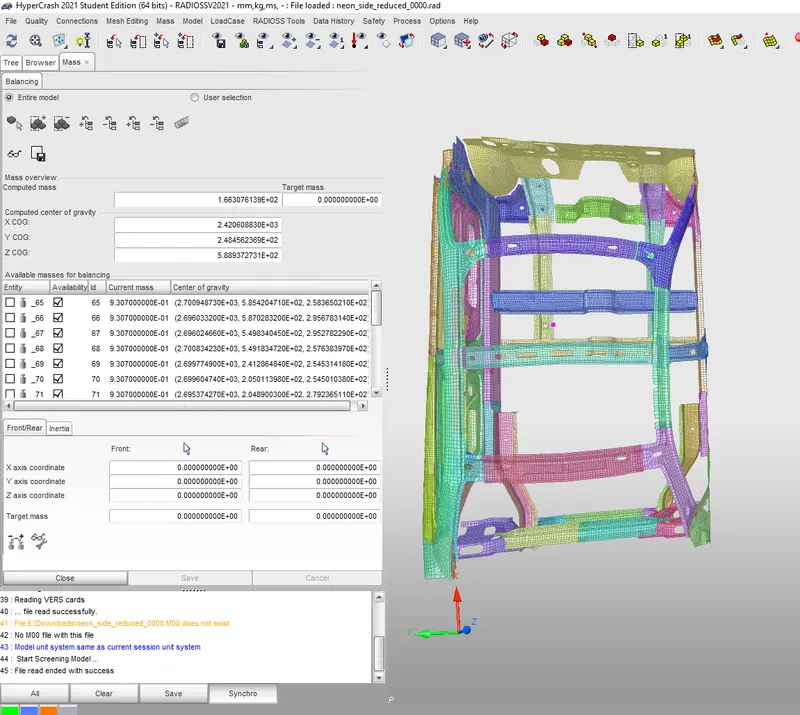
- Tool menu> Mass> Mass balancing , total mass is 166 kg of the half scale model and the COG point is around the centre console.
- Comparing with full scale model the mass should be 700 kg and cog point should be below at the end and in between passanger and co passanger seat.
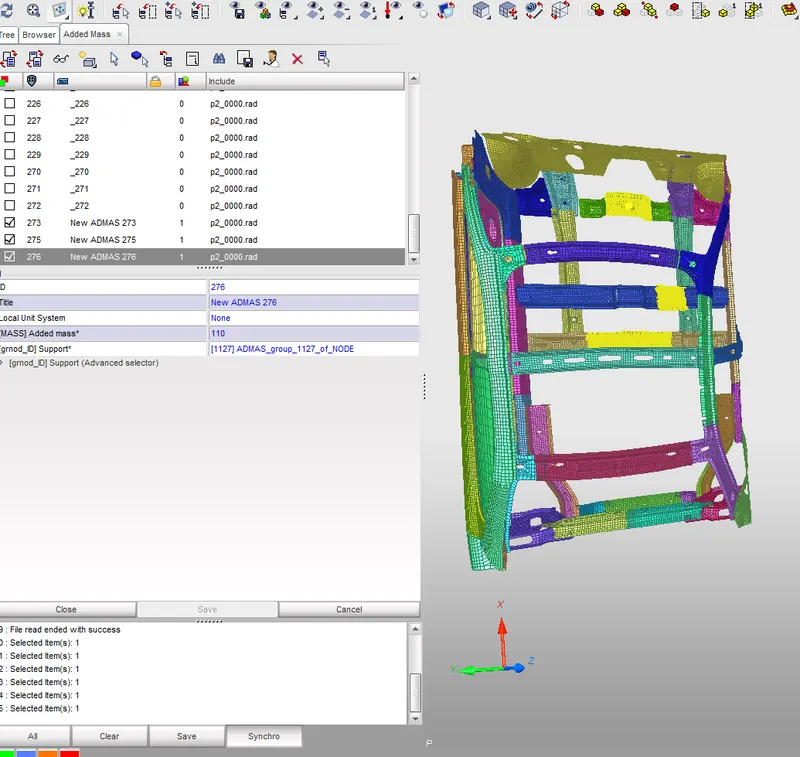
- In Hypercrash to add mass, Load case> added mass.
- Create new > Type1> mass> right clicking on support> selecting the nodes in graphics. to add the mass.
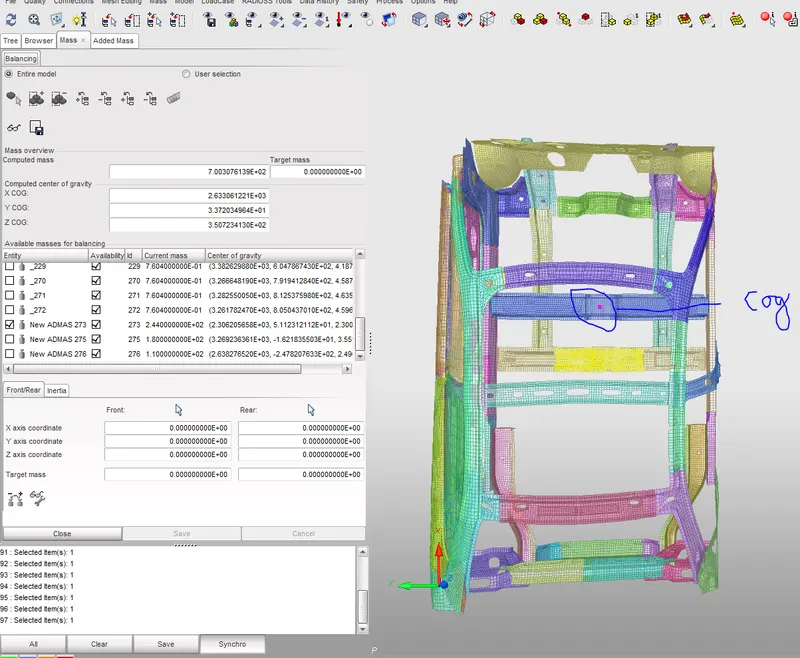
- Masses are added in such a way that total mass shoud 700 kg and COG as per determined.
- The mass added are 244 kgs are added at the 1st set of row , 180 and 110 are added in reset of the row
- Total 166+244+180+110=700 kg.
- The COG point is now shifted to the desired location.
6.Initial velocity - 20mph, as per the standards.
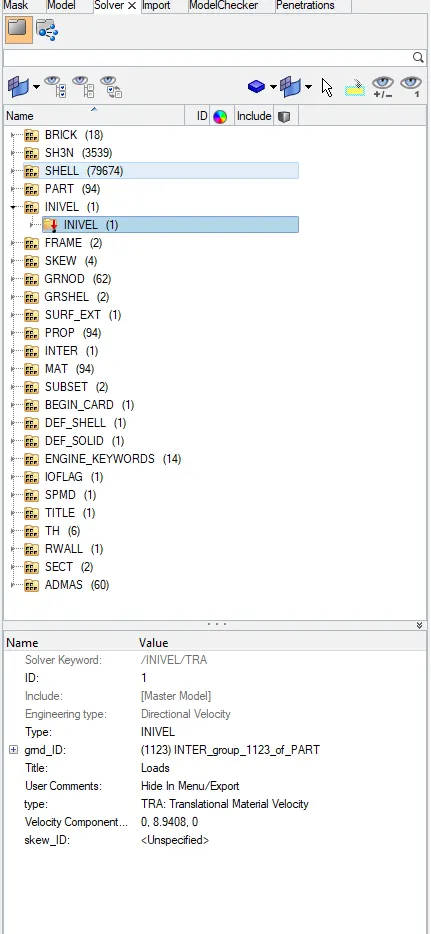
- To create the initial velocity card
- Right Click on the solver tree> create> Boundary condition> Inivel
- To convert 20MPH to MMPS
- 1MPH= 0.45MPS
- 20MPH =? 20x0.447= 8.94
- Velocity component= 0. 8.94 .0 , in Y direction.
7.Timestep :0.5 to 0.1 microseconds.
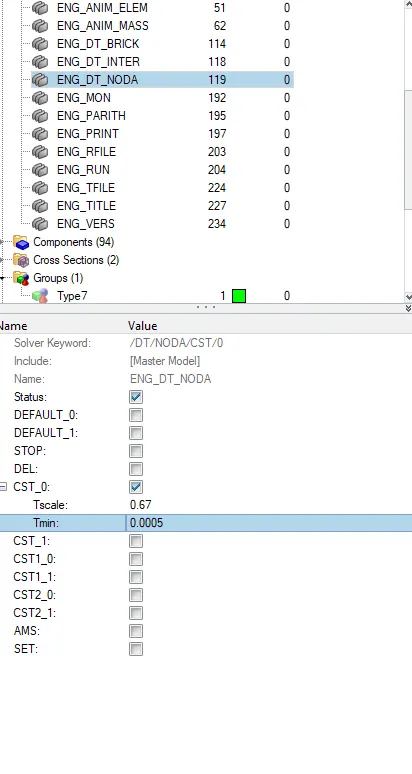
- Model tree>cards > ENG_Dota_Noda
- Given 0.5 Micro sec
- Converting 0.5 micro sec to 0.0005 milisec.
8. Run 80ms.
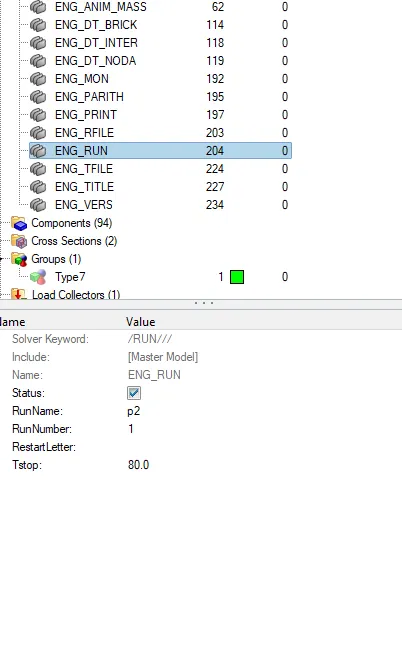
- Model tree>cards > ENG_Run.
- Tstop=80.0
8. Creating Skew , Frame and section in respective position for output section.
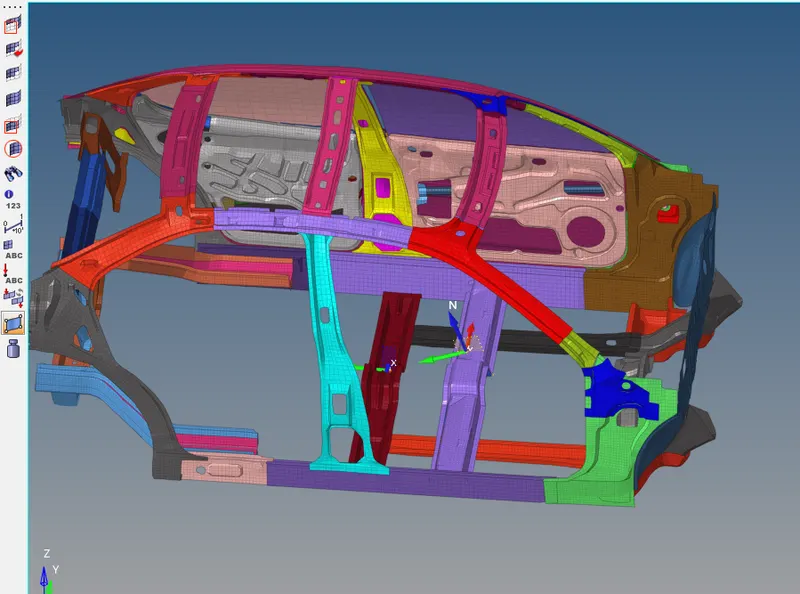
- Creating frame by right clicking on the solver browser >create> frame > mov selecting the node.
- Creating the Section on the rail, right click> create> Sect.
- Selecting the N1 , N2 and N3 respectively as per the frame.
- Right clicking on the grshel id > create and selecting the element.
- Frame and section is created for all the output request.
9. To check the intrusion By creating the skew.
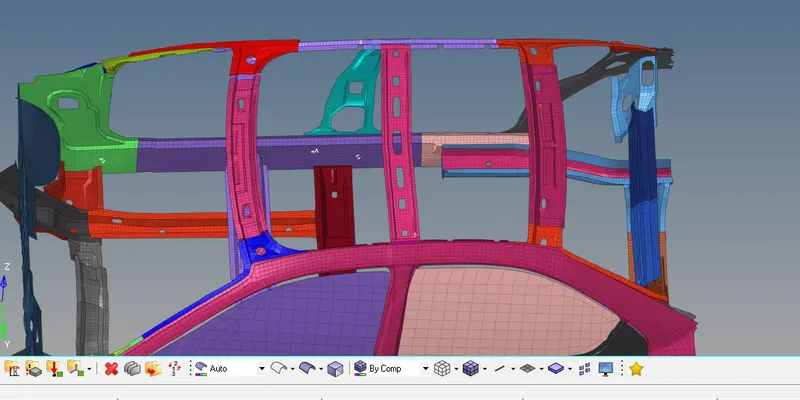
- Skew is created on the opposite side of the intrusion.
- Solver browser >create> Skew>Fix.selecting the plane.
- Th file is created for output request.
- Solver browser >create>TH file>Node> selecting the node and the Iskew.
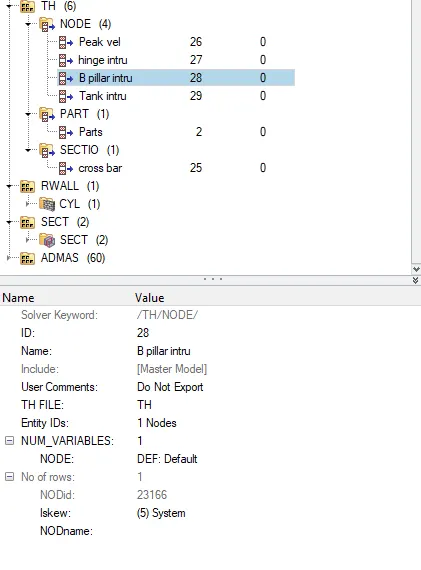
- Following the same procedure for the rest of the intrusion.
- Th file is created for cross bar.
- Solver browser >create>TH file>section> selecting the section and the frame.
10. Using model checker to ensure good quality.
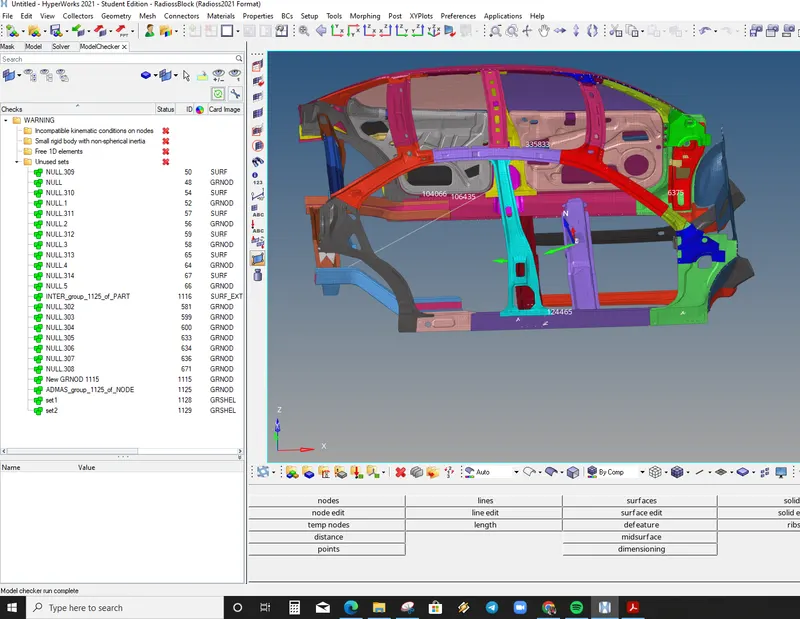
- Tools> Model checker> Radioss block>Run checker.
- There no error only warning.
- The warning can be ignored.
- The Unused set is removed by deleting from tools > unused.
10.To run the analysis.

- Hypermesh>analysis>Radioss>select the path to be saved.
- Include the connectors and -nt 4 to> Radioss.
- Solver had stopped due to an input error , error code 52 /ALTDACT.
= Deleted the unsupported card.
- No animation files were created
Recreated the ENG-Anim-DT
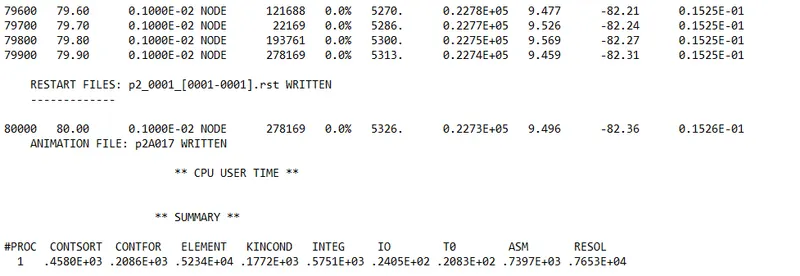
- Since all the Errors are falling under acceptable range now runing contour simulation for Von mises stress.
11. To run the animation.
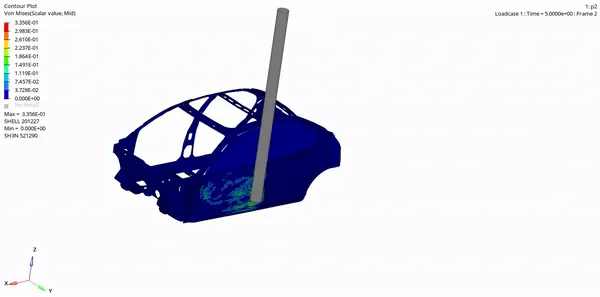
12. Hyperview > Open >H3d File .
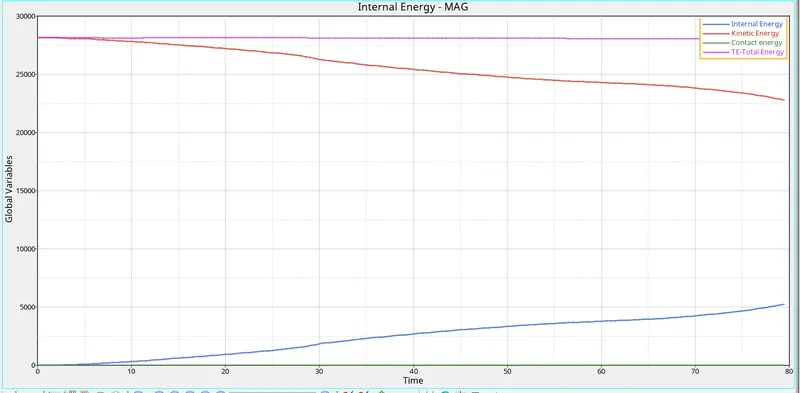
- The initial kinetic energy of the car is Maximum as soon as the model crashes into the the rigid wall the kinetic energy is reduced.
- As the kinetic energy reduces the internal energy increases.
Output request:
1.Sectional force in the cross member.
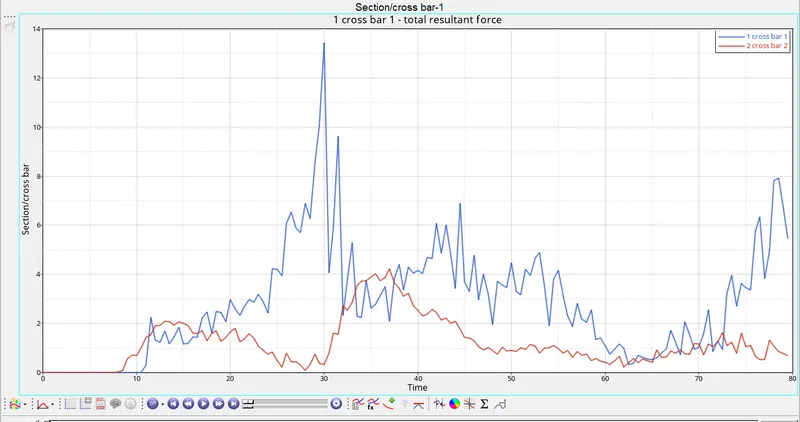
- From the above plot we observe that cross member 1 deformed more because the rigid pole is inline with the 1st cross member therefore force is induced into the 1st cross member.
- As the cross member deforms the force is absorbed thus the force is reduced.
2. Intrusion at B pillar,hinge pillar and fuel tank region.
B Pillar:
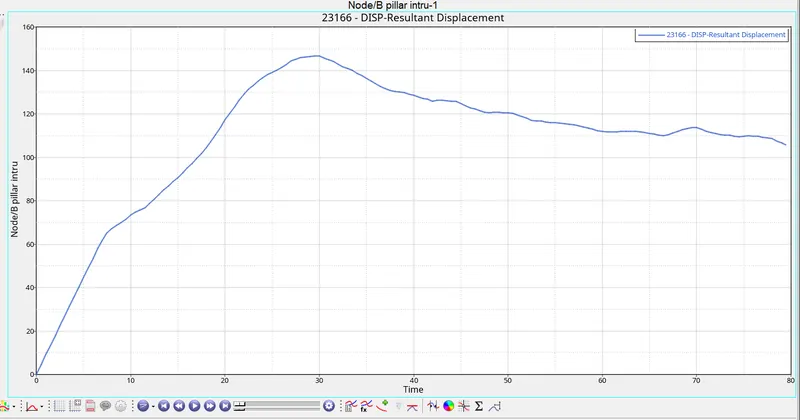
- From the above plot we can see that there is an intrusion of 146.65mm and then it reduced to around 112mm because the skew reference point got displaced displaced toward the crash side.
Hinge pillar:
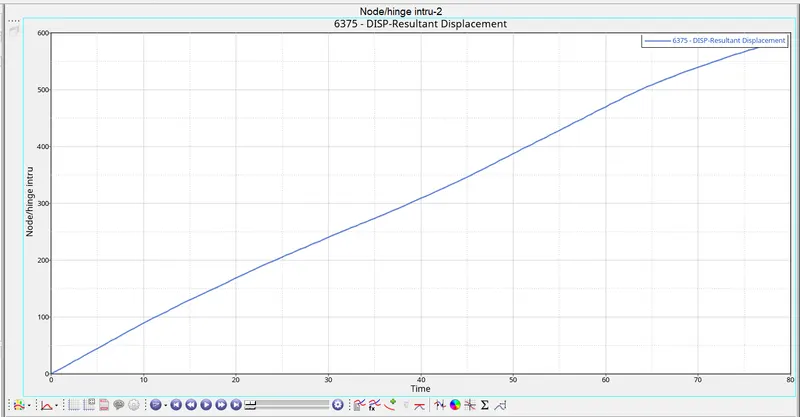
- From the above plot we can see that there is an intrusion of 589.075mm.
Fuel tank.
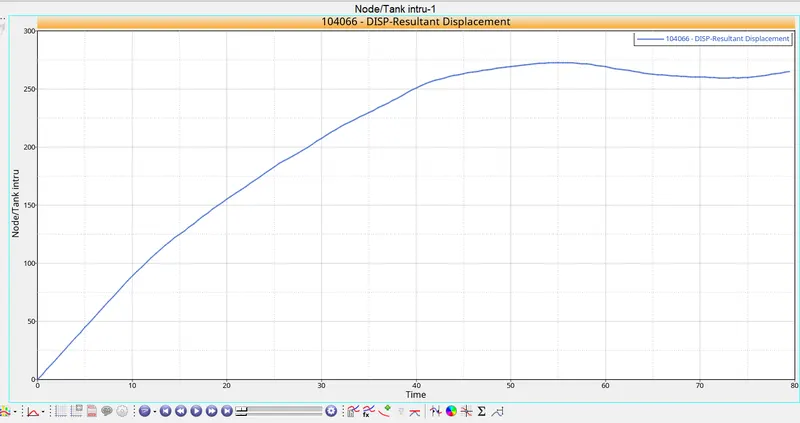
- From the above plot we can see that there is an intrusion of 272.767mm and then it reduced slightly because the skew reference point got displaced toward the crash side.
- To reduce the fuel tank intrustion, the tank must be moved a little bit away from the rails.
- By adding the cross member at the fuel tank location will absorb the impact force there by preventing the intrusion.
- choosing the diffrent material for the tank.
Peak velocity of an inner node of the door:
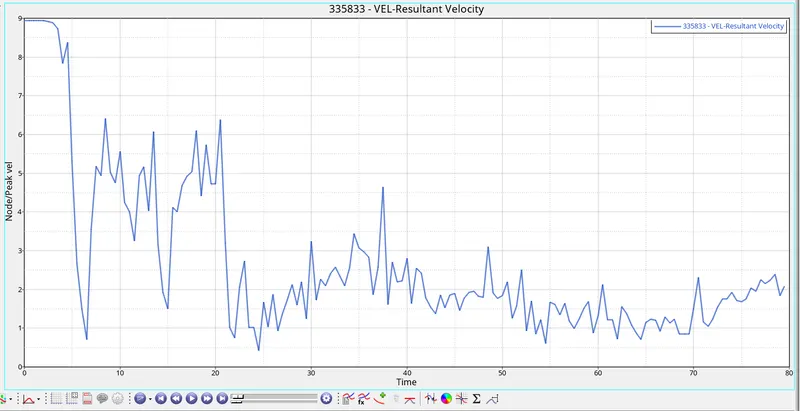
- Initailly the velocity was maximum at 8.9m/s was constant and then drastically reduced to 0.7m/s when the car crashed into the pole.
Conclusion:
- The Cross member absorbs force and reduces the impact and intrusion during side crash.
- Also its very important to have strong Pillars and rockers so that it can withstand the the side crash.
- The fuel tank should be place away form the frame to avoid intusion or puncturing of the tank.
Result:
Performed the Side pole crash simulation with the given car model and results are poltted as per the output request.