assignment 7-side impact test using hypermesh and radioss
*objectives:-
Perform the side crash analysis model in the given BIW model.
-The following parameters are done in the model:-
- Check unit system and either follow[Mg mm s] or [Kg mm ms].
- Create appropriate interface ,friction 0.2 and recommended parameters.
- Make sure of no penetrations and intersection.
- Correct rigid bodies if any issues.
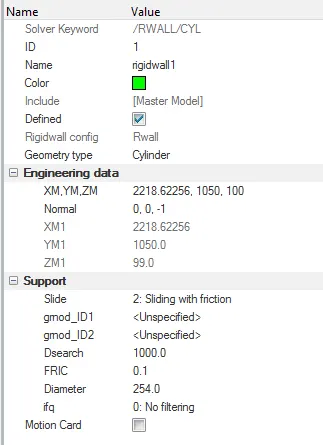
- Create rigid wall with friction 0.1.
- Compare the model weight with the full scale 300k nodes model and use added masses to reach target weight 700kg while getting CG about the required range.
- Initial velocity 35 mph.
- Use model checker to ensure good quality.
- Time-step :0.5 to 0.1 microseconds.
- Run 80 ms.
*check unit system:-
-For that open the neon_front_0000.rad file in the notepad.
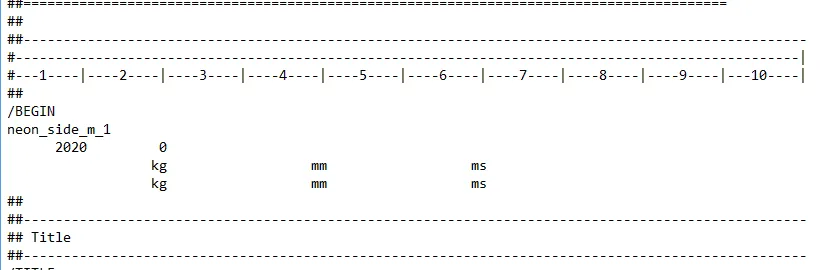
here, unit system is kg mm ms.
*procedure:-
*Create appropriate interface ,friction 0.2 and recommended parameters.
-here we seen that number of nodes are more than 10k, due to that we can not run the simulation in hypercrash, then we run the simulation in hypermesh software.
-first of all import neon_side_0000.rad file in hypermesh using import>import solver deck command.
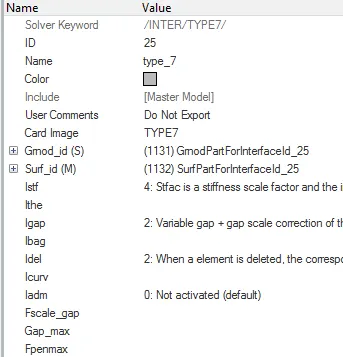
-After that open interface in browser and delete all interfaces and create new type 7 interface.

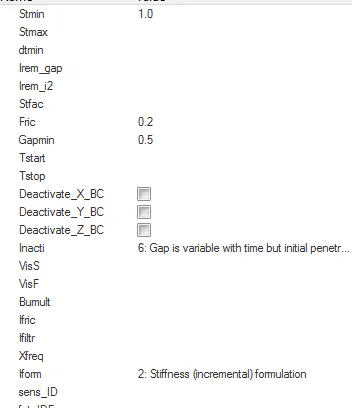
-here main recommanded parameters is:-
istf=4
igap=2
gap scale factor=0.8
idel=2
stmin=1
gapmin=0.5
inacti=6
fric=0.2
iform=2
*Make sure of no penetrations and intersection:-
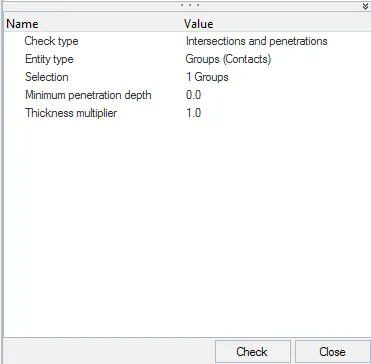
-This check is require because of due to penetrations and intersection we doe's not receive proper output and errors are generated.
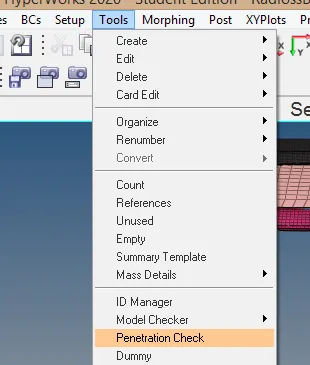
-For the penetration check go to the tools>penetration checks.
*Create rigid wall with friction 0.1:-
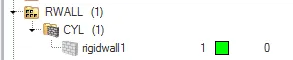
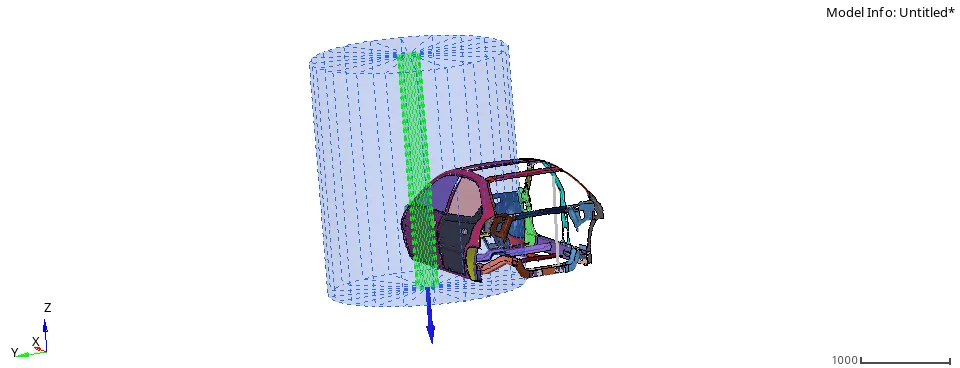
-create the rigid wall at front of the vehicle.
-For that use this way for creation-
right click on solver tab & choose create>rwall>cyl
-Distance for slave search=1000
Friction=0.1
sliding= sliding with friction
moving flag=Fixed
*Compare the model weight with the full scale 300k nodes model and use added masses to reach target weight 700kg while getting CG about the required range:-
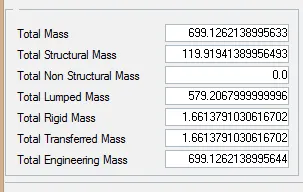
-First of all check the mass of the model.
-For that go to the tools>mass details> mass only
-here we seen that mass of the model is 188.42544kg, but we required 700kg.
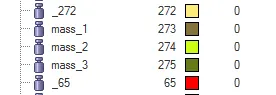
- then we add the 511.5746kg(700-188.4254) mass required.
-For that we use admas command.(go to solver tab and right click and select admas opction)
*Initial velocity 35 mph:-
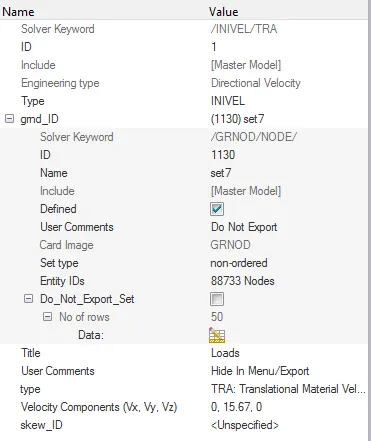
-here, available of the value of velocity is 35 mph, but we required in to the mm/ms.(as per our unit system)(note:- mph=miles per hour)

-For that go to google and open the unit converter calculator,and find the value in mm/ms.
-Now for apply the initial velocity go to the solver tab and right click and choose create>>boundary conditions>>INIVEL
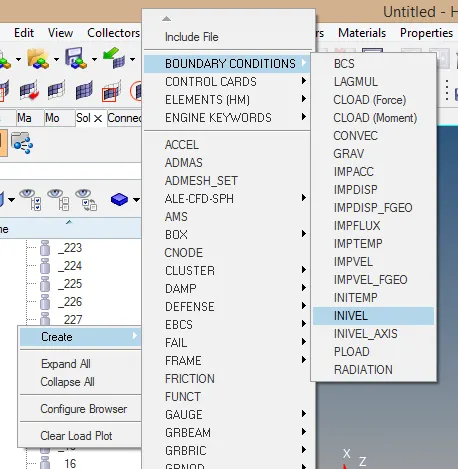
-here, we apply velocity on all over model. so choose fully model.
*Use model checker to ensure good quality:-
-Model checker is a useful for check the model before run the simulation.
-For that go to the radioss block command.(Tool>>model checker>>radioss block)
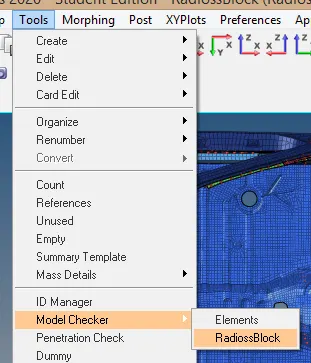
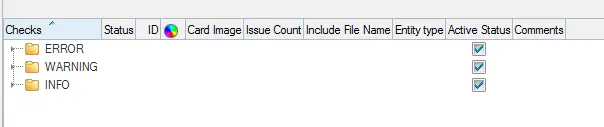
-Here, we seen that no any issue are available, its totally fine.
*Time-step :0.5 to 0.1 microseconds:-
-For that go to the solver>>Engine keywords>>ANIM>>ANIM_DT>>ENG_ANIM_DT
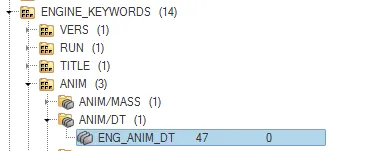
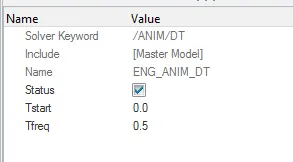
-Here provide the T frequency value is 0.5 micro sec.
*Run 80 ms:-
-For that go to the solver>>Engine keywords>>RUN>>ENG_RUN
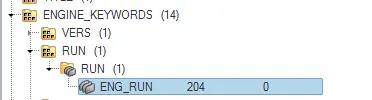
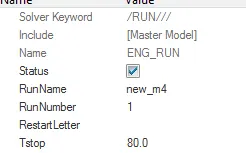
-here, provide T stop value is 80 ms.
*Output requests:-
*creation of cross sections:-
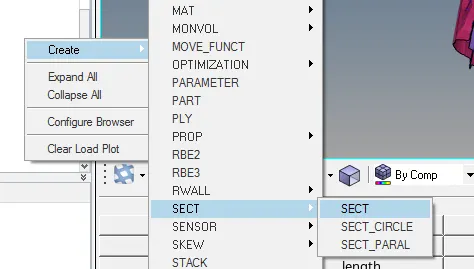
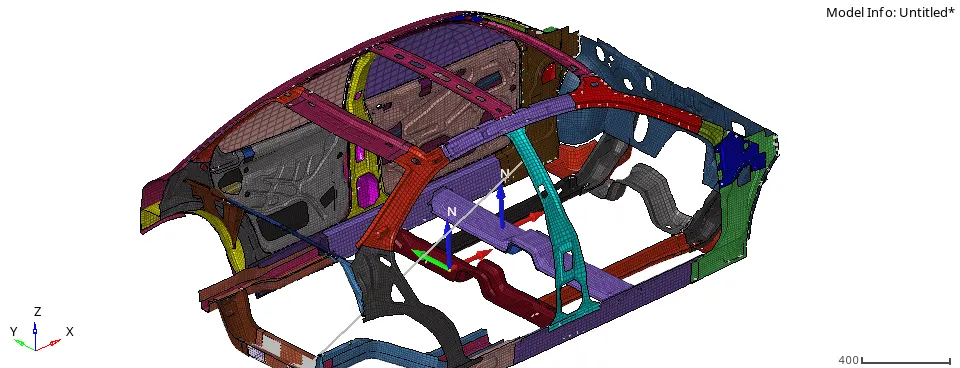
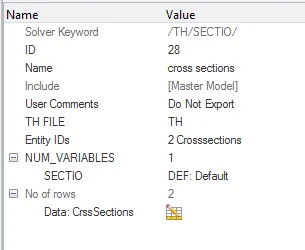
-For cross section creation go to the solver tab and press right click and then create>>sect>>sect.
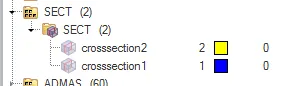
-Here there are ten cross section creation at various places.
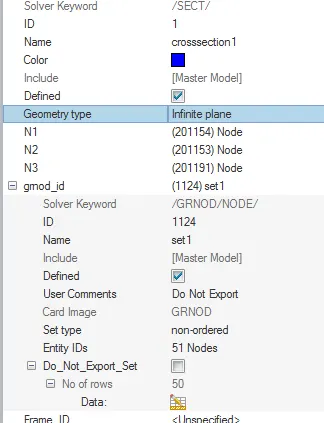
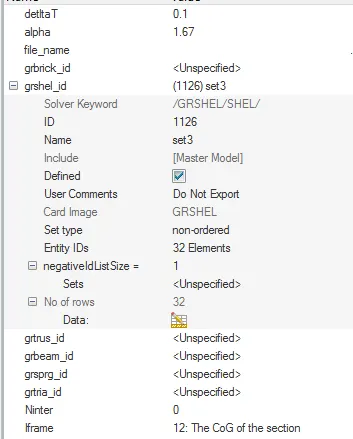
-here main important value is:-
delta T=0.1
alpha=1.67
Iframe=12
-After that go to the output blocks.(model>>output blocks)
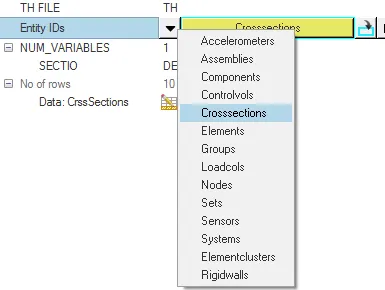
-Create new ouput bolck and provide the name is cross_section.
-Here, Entity id selected using crosssection type.
*Intrusions:-
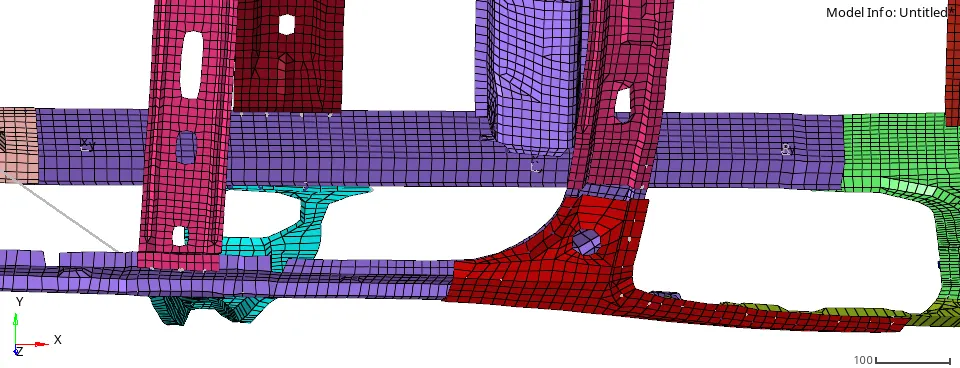
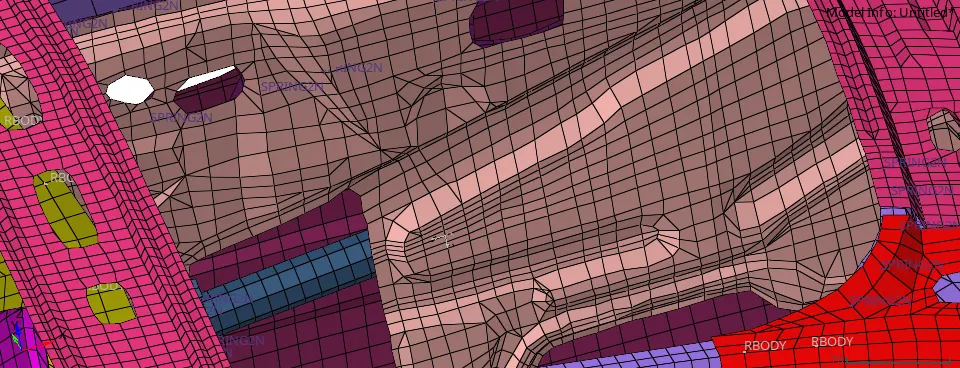
-First of all create skew at particular node.
-peak velocity:-
-Now go to the model tab and create new output block and provide the name is intrusion.
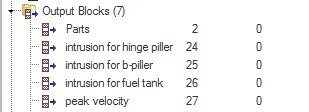
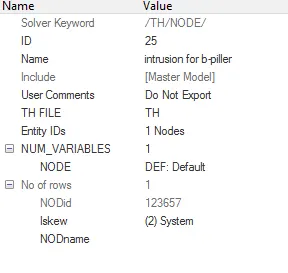
Note:-here selected skew is which we are created. Here also create peak velocity, for a peak velocity origin of skew and node selection is same.
*Run the simulation:-
-Now go to the analysis>>radioss.
provide the name and location.
-provide the value at opctions is -nt 4.

*Results:-
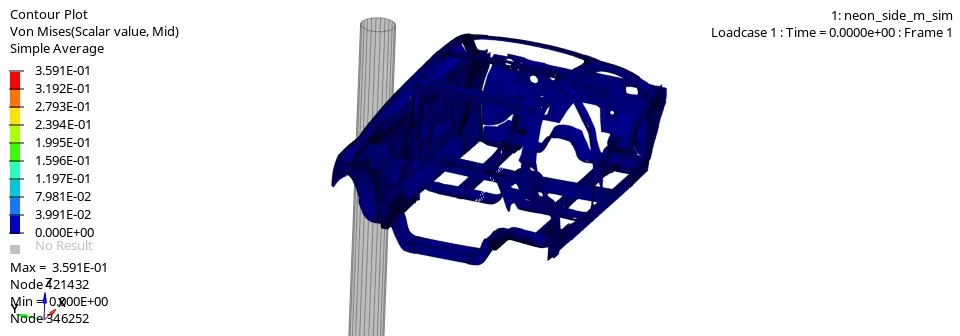
*The following results are obtained for von-mises stresses:-
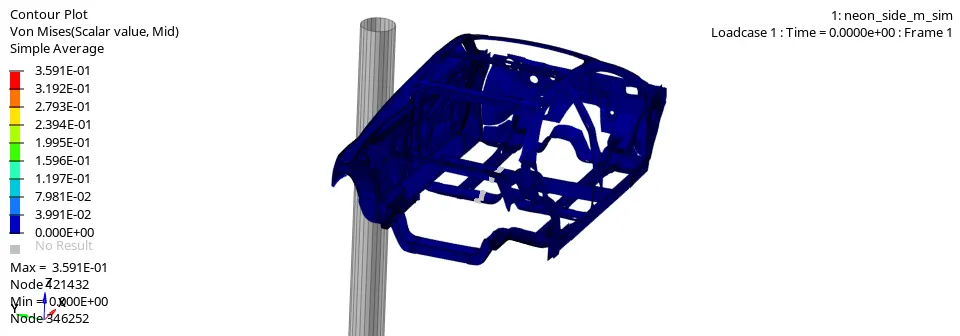
*The following results are obtained for displacement contour:-
*Plot of various energies vs time:-
-For the creation of plots, first of all go to the hypergraphs 2D mode and input the T0 file.
-After that choose below type opction and select various energy.

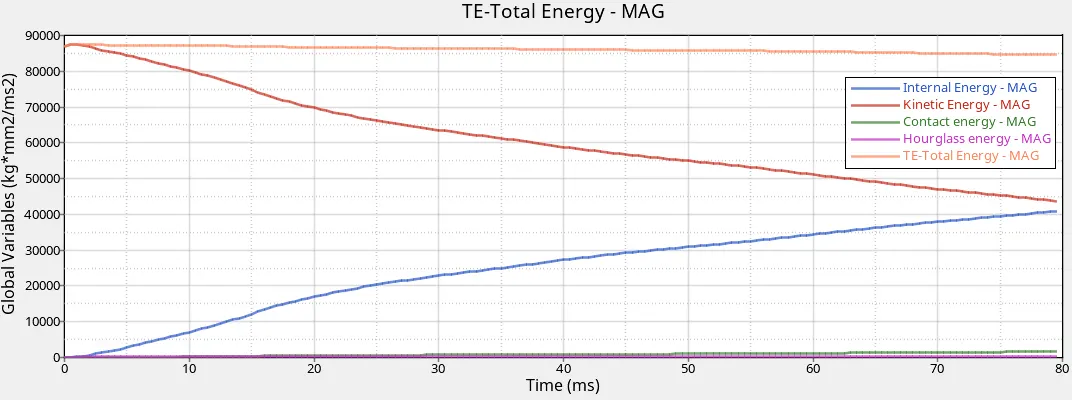
-Initially internal energy is zero and kinematic energy is maximum value.After the start of simulation kinematic energy is reduce due to the resistance offered by wall. internal energy is increase due to the consevation of energy.
-The hourglass energy is zero during simulation due to the QEPH element formulation.
-The contact energy is slightly increase during simulation.
*Intrusion:-
-The intrusion obtain at node 86 is :-
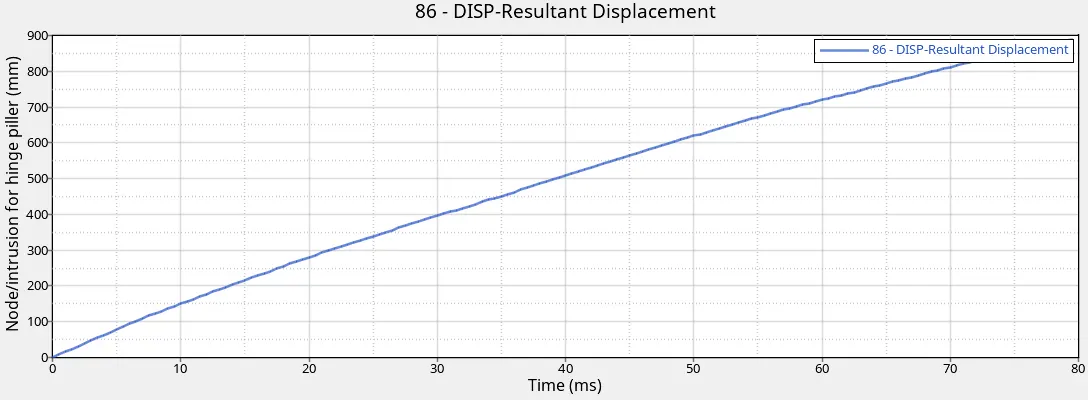
-From above plot we find out that the maximum value is 840mm.
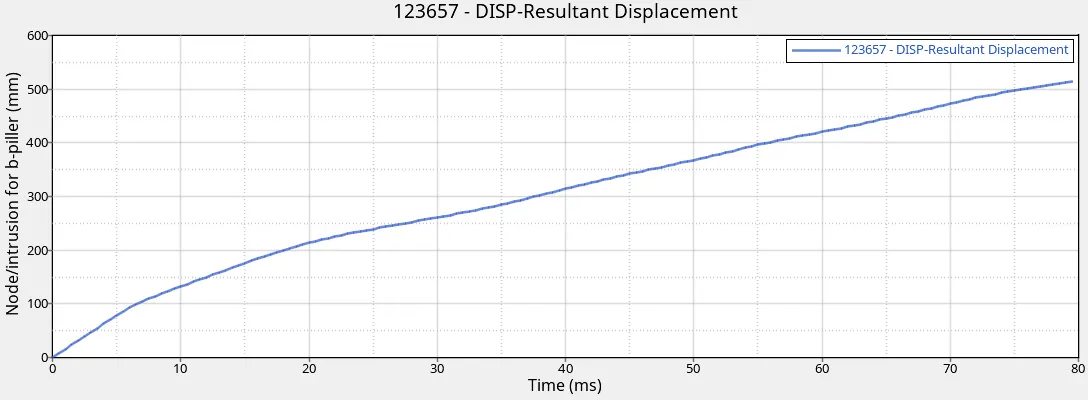
-From above plot we find out that the maximum value is 515 mm.
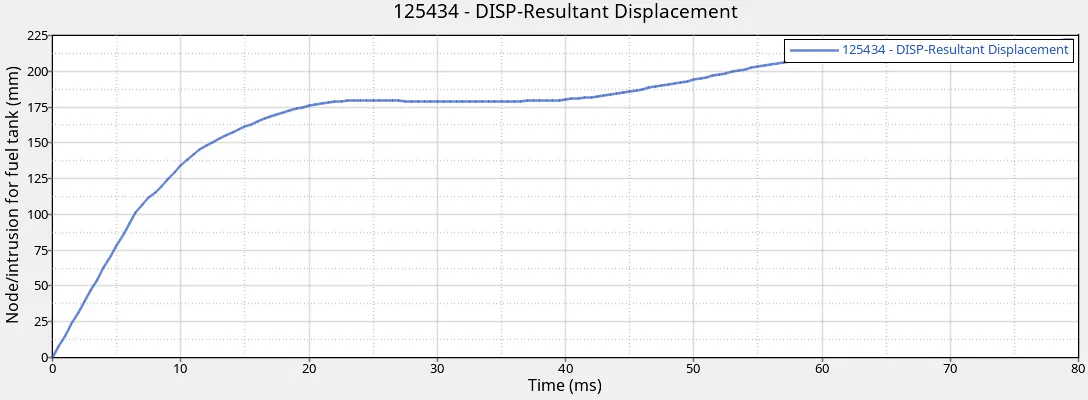
-From above plot we find out that the maximum value is 215 mm.
*Peak velocity:-
-For peak velocity plot setup following condition :-

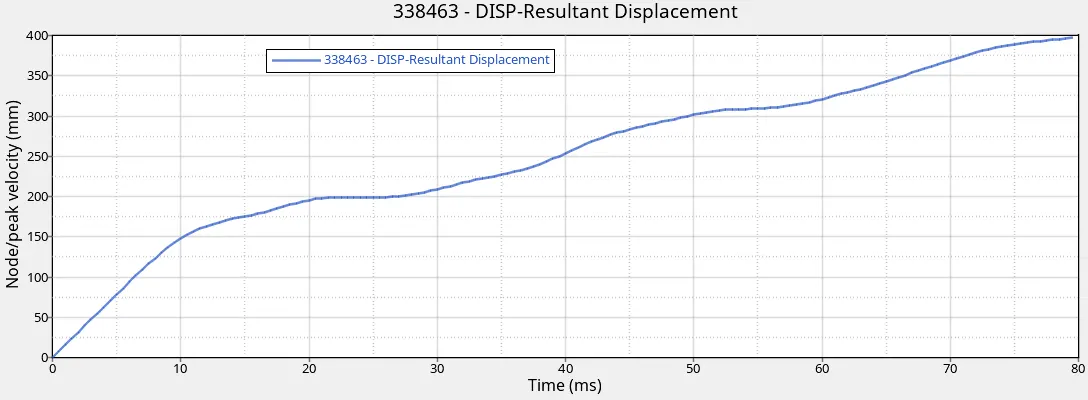
-From above plot we find out that the maximum value of peak velocity is 395 mm.
*Rigid wall force plot:-
-For rigid wall plot setup following condition :-

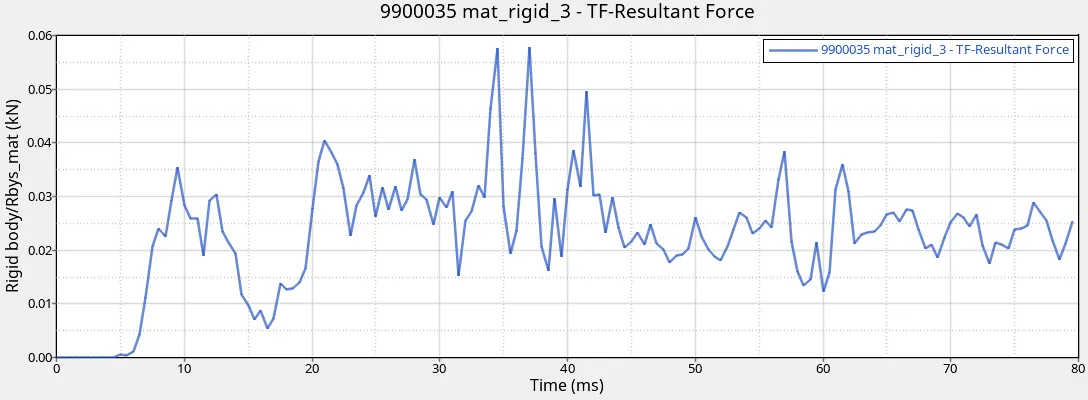
-From above plot it is conclude that there are maximum value of total resultant force for rigid wall is 0.057 KN at 37ms.
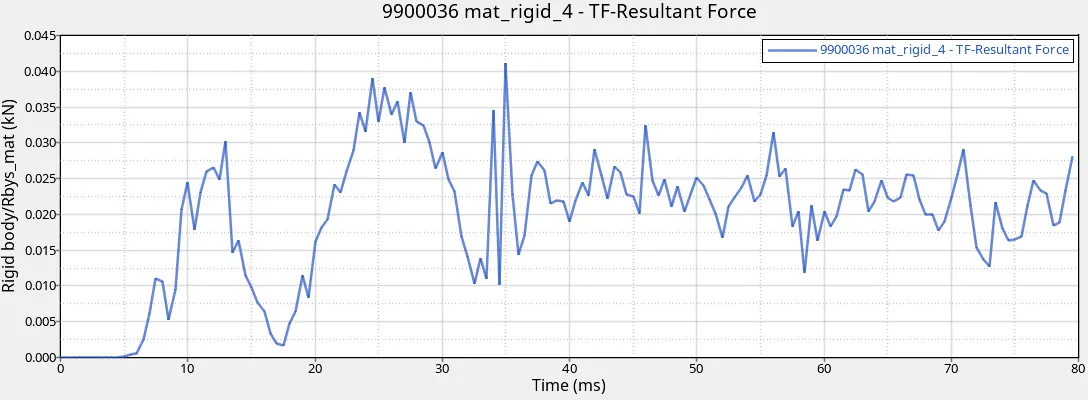
-From above plot it is conclude that there are maximum value of total resultant force for rigid wall is 0.0425 KN at 35ms.